Dell Latitude 7390
8.0Editor scorei7 8th Gen
16GB DDR4 RAM
1TB SSD storage
13.3-inch FHD touchscreen
Find the right ultrabooks for 2026. We compare 4 standout options by build quality, useful features, owner feedback, value, and everyday trade-offs.

Finding the right ultrabook in 2026 means balancing processor speed, battery endurance, display clarity, and portability against your budget. We compare four standout options by the specs and real-world trade-offs that matter most for students, professionals, and everyday users.
Ultrabooks range from compact 13-inch machines built for travel to larger 15-inch models that prioritize screen real estate and all-day battery life. Storage type, RAM capacity, and connectivity options vary significantly even within similar price brackets.
This guide walks through each model’s strengths and limitations so you can match a laptop to your actual workflow. Whether you need a touchscreen for presentations or Thunderbolt 4 for fast peripherals, the details below will narrow your decision quickly.
We compared four ultrabooks using the details that actually help a buyer decide: processor generation and core count, RAM and storage type, display size and panel quality, battery life, weight, port selection, included software, and overall value. The notes focus on practical trade-offs so each pick connects to how people actually work, study, and travel with a thin laptop every day.


Compare key features, scores, and current prices side by side. A shorter feature list means fewer details were available, not necessarily fewer capabilities.


The LG Gram 15Z90P earns its reputation as one of the most portable 15-inch laptops ever made. Despite the large 15.6-inch display, the Gram series is famous for weighing significantly less than competing models in the same size class. That weight advantage makes a real difference if you carry your laptop across campus, through airports, or on long commutes every day. The 21-hour battery life rating means most users can leave the charger at home for a full day of mixed use.

We may earn a commission when you buy through this link, at no additional cost to you.
The 11th Gen Intel Core i5-1135G7 processor with Iris Xe graphics provides solid performance for productivity work, light photo editing, and high-resolution content creation. The 512GB NVMe SSD delivers fast boot times and quick file access, which is a meaningful step up from the UFS or eMMC storage found in budget alternatives. The Full HD IPS panel covers 99 percent of the sRGB color gamut, producing accurate and vibrant visuals that benefit designers, photographers, and anyone who values display quality.
Connectivity is unusually robust for such a thin machine. Two USB-C ports with Thunderbolt 4 support enable fast data transfer, external display output, and charging through a single cable. Two USB-A 3.2 ports, a full-size HDMI output, a microSD card reader, and a 3.5mm audio jack round out the selection, meaning you can connect most peripherals and monitors without carrying a bag full of adapters. The 8GB of LPDDR4X 4266MHz RAM is fast and efficient, though it is soldered and not user-upgradeable.
Thunderbolt 4 guarantees a minimum of 40 Gbps bandwidth, support for dual 4K displays, and compatibility with a wide range of docks and external GPUs. For professionals who connect to a monitor setup at a desk and then unplug to travel, a single Thunderbolt cable can handle charging, video output, and data transfer simultaneously. This level of connectivity is rare on laptops under $500 and adds significant long-term flexibility as your peripheral needs evolve.
The LG Gram is the strongest overall pick for anyone who values portability and battery endurance above all else. The 2026 model year means the processor is a generation or two behind the newest releases, but for everyday productivity and content consumption the performance gap is minimal. If you need more than 8GB of RAM for virtual machines or heavy creative workflows, you may want to look at a 16GB configuration, but for the vast majority of users this Gram delivers an exceptional balance of screen size, weight, and endurance.
Users who need more than 8GB of RAM for virtualization, large-scale data analysis, or heavy video production workflows.
We may earn a commission when you buy through this link, at no additional cost to you.
The Dell Latitude 7390 targets professionals and power users who need serious multitasking capability without paying flagship prices. Because this is a renewed model, it delivers a high-end specification sheet at a fraction of the original cost. The combination of an Intel Core i7 quad-core processor and 16GB of RAM means you can keep dozens of browser tabs, spreadsheets, and communication apps open simultaneously without noticeable slowdown.

We may earn a commission when you buy through this link, at no additional cost to you.
Storage is where this Latitude really stands out. A full 1TB SSD gives you ample room for large project files, local media libraries, and virtual machines that would quickly fill a 256GB drive. The 13.3-inch Full HD touchscreen adds versatility for presentations, quick note-taking, and navigating documents without always reaching for the trackpad. The display resolution is sharp enough for extended reading sessions and detailed spreadsheet work.
Connectivity covers the essentials with Wi-Fi and Bluetooth, and the laptop ships with Windows 11 and Microsoft Office already configured. The 13.3-inch form factor keeps the machine portable enough for daily commuting, though the renewed status means cosmetic condition can vary from unit to unit. It is worth checking the seller’s return policy so you can exchange the device if the exterior shows more wear than you expected.
Renewed laptops are professionally inspected, cleaned, and restored to full working condition before resale. The internal components function as intended, but the exterior may show light scratches or minor signs of previous use. Battery health is typically guaranteed to hold at least 80 percent of original capacity. For a business-class Latitude, this often means you get a durable magnesium-alloy chassis that was built to last well beyond its first ownership cycle.
This Latitude makes the most sense for budget-conscious professionals who prioritize raw processing power and storage over having the latest-generation chipset. If your work involves heavy multitasking, large file management, or occasional photo editing, the i7 and 16GB RAM combination will serve you well. Buyers who want a brand-new machine with the newest processor architecture should look at other options on this list.
Buyers who want a brand-new laptop with the latest processor generation and pristine cosmetic condition.
We may earn a commission when you buy through this link, at no additional cost to you.
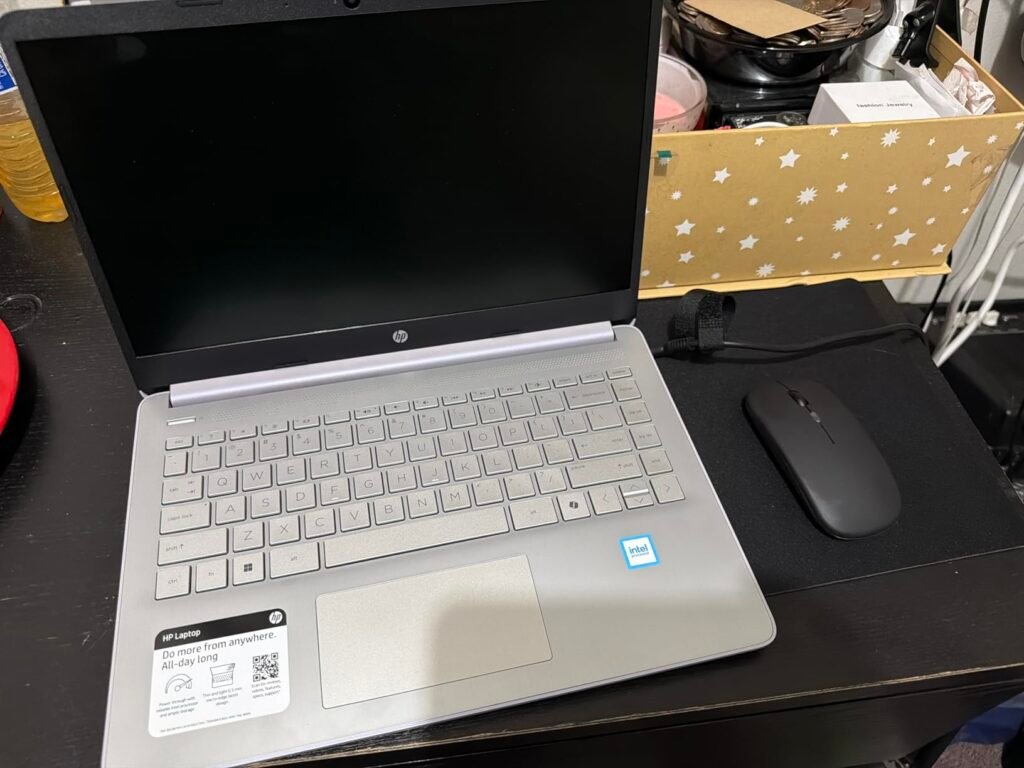
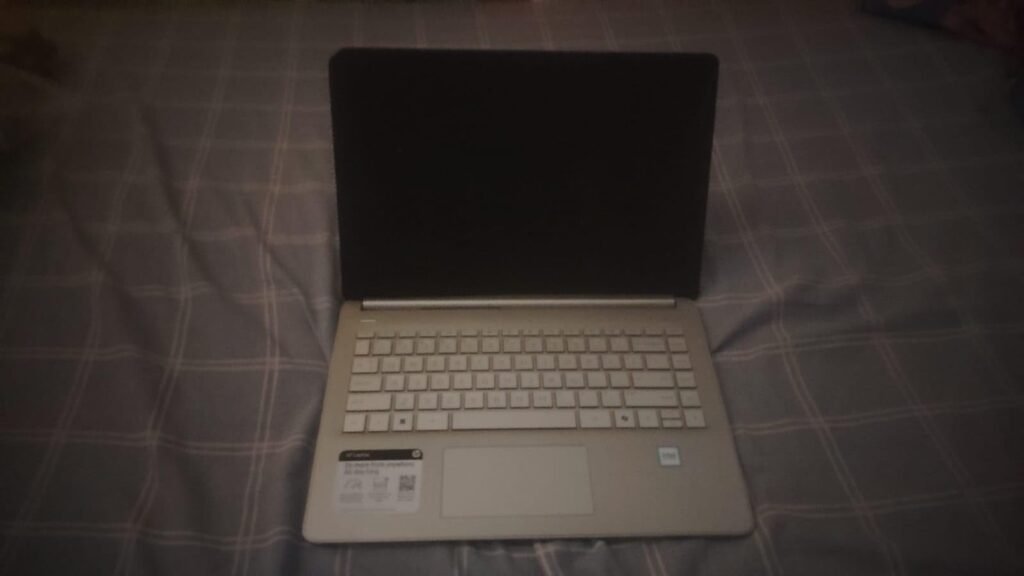
This HP 14-inch ultrabook is built around the idea of giving students and home-office users everything they need in a single purchase. The package includes wireless earbuds, an external 500GB drive, an HDMI cable, a wireless mouse, and a mouse pad alongside the laptop itself. That kind of bundle eliminates the typical first-week scramble of buying peripherals separately and can save a meaningful amount of money overall.
We may earn a commission when you buy through this link, at no additional cost to you.
Under the hood, the Intel N150 quad-core processor handles everyday computing tasks like web browsing, document editing, video calls, and streaming without issue. It is not designed for heavy video rendering or gaming, but for the vast majority of school and office workloads it provides smooth, responsive performance. The 16GB of DDR4 RAM is a genuine advantage at this price point, allowing you to switch between applications freely without the system bogging down.
The 14-inch anti-glare display is comfortable for long study sessions and outdoor use where reflections would wash out a glossy screen. HP’s True Vision 720p camera and dual-array microphones make video calls clear enough for remote classes and team meetings. Windows 11 Pro adds business-grade security features like BitLocker encryption and hardware-based isolation, which are uncommon on laptops in this price range.
The 628GB total storage figure combines 128GB of internal UFS flash storage with a 500GB external USB drive included in the bundle. UFS storage is faster than a traditional hard drive but slower than an NVMe SSD, so boot times and large file transfers will not be as quick as on premium ultrabooks. For most students and casual users, the combination provides plenty of space, and the external drive is convenient for backups and media libraries.
The main trade-off involves the processor and internal storage type. The N150 is an efficient but modest chip, and the 128GB UFS internal storage is slower than a traditional NVMe SSD. If your workflow stays within documents, email, cloud apps, and streaming, you will not notice the difference. Buyers who regularly work with large local files or demanding creative software should consider a model with a faster CPU and NVMe drive.
Users who need high-end processing power for video editing, 3D modeling, or competitive gaming.
We may earn a commission when you buy through this link, at no additional cost to you.
At under $350, this HP ultrabook is one of the most affordable thin-and-light laptops available with modern connectivity and a current operating system. It is designed for students, casual home users, and anyone whose daily computing revolves around web browsing, email, streaming, and basic document work. The slim 0.73-inch profile and 3.52-pound weight make it easy to slide into a backpack or tote bag without adding noticeable bulk.
We may earn a commission when you buy through this link, at no additional cost to you.
The Intel quad-core processor paired with 8GB of RAM handles everyday tasks competently. You can comfortably run a browser with several tabs open alongside a word processor and a music streaming app. The micro-edge display maximizes screen area within a compact footprint, and the anti-glare coating with DC Dimming technology reduces eye strain during long reading or study sessions. A physical camera shutter adds a layer of privacy that many budget laptops skip.
Fast charge capability means you can recover a significant portion of battery life during a short break between classes or meetings, which is a practical convenience for mobile users. Wi-Fi 6 and Bluetooth 5.4 ensure reliable wireless connections even in crowded environments like lecture halls and coffee shops. The port selection includes USB-C, USB-A, HDMI, and a headphone-mic combo jack, covering most common peripherals without needing a dongle.
Windows S Mode is a security-focused configuration that only allows apps from the Microsoft Store. If you need to install software like Chrome, Zoom, or other third-party tools, navigate to Settings, then Update and Security, then Activation. Look for the option to switch to Windows Home and follow the on-screen prompts. The switch is free and permanent, so take a moment to decide whether you prefer the added security of S Mode before making the change.
The two main limitations to keep in mind are the 8GB RAM ceiling and the Windows S Mode default. Eight gigabytes is sufficient for light multitasking but may feel restrictive if you regularly work with large spreadsheets or keep many applications open at once. Windows S Mode restricts software installation to the Microsoft Store for security, but you can switch to full Windows 11 Home through the Settings menu in a few minutes if you need to install third-party programs.
Power users who routinely run memory-intensive applications or need more than 8GB of RAM for heavy multitasking.
We may earn a commission when you buy through this link, at no additional cost to you.
Ultrabooks pack a surprising amount of capability into thin, lightweight designs, but the specifications that matter most depend entirely on how you plan to use the machine. The factors below will help you cut through marketing language and focus on the details that affect your daily experience.
The processor is the engine of any ultrabook, and its generation matters as much as its tier. An Intel Core i7 from the 8th generation, for example, may perform similarly to an 11th or 12th generation i5 in many everyday tasks because newer architectures improve efficiency and single-thread speed with each release. When comparing models, look at both the tier (i3, i5, i7) and the generation number to get an accurate picture of real-world capability.
For most students and office workers, a recent quad-core processor in the i5 or equivalent range provides more than enough headroom for web browsing, document editing, video conferencing, and streaming. Stepping up to an i7 or higher makes a noticeable difference primarily when you run compute-intensive tasks like compiling code, rendering video, or working with large datasets. Entry-level chips like the Intel N-series are perfectly adequate for basic productivity but will feel sluggish under heavier multitasking loads.
Match the processor to your actual workload rather than chasing the highest spec sheet number. A newer mid-range chip often delivers a better experience than an older flagship, and it will typically run cooler and consume less battery power in a thin chassis.
RAM determines how many applications and browser tabs your ultrabook can keep active in memory at once. Eight gigabytes is the practical minimum for a smooth Windows 11 experience in 2026, and it handles light multitasking well. Sixteen gigabytes provides a much more comfortable margin for users who regularly switch between dozens of tabs, large spreadsheets, and communication tools like Slack or Teams without closing anything.
The type of RAM also affects performance. LPDDR4X and LPDDR5 modules operate at higher bandwidths than standard DDR4, which can improve responsiveness in memory-intensive tasks and integrated graphics performance. However, LPDDR memory is almost always soldered to the motherboard, meaning you cannot upgrade it later. Standard DDR4 SO-DIMM slots, when available, give you the option to add more RAM in the future if your needs grow.
If you anticipate your workload increasing over the next two to three years, prioritize a 16GB configuration now rather than hoping to upgrade later. The price difference is usually modest, and soldered RAM makes post-purchase upgrades impossible on most ultrabooks.
Not all solid-state storage is created equal. NVMe SSDs connected over PCIe offer the fastest read and write speeds, which translates to quicker boot times, faster application launches, and snappier file transfers. UFS storage, found in some budget ultrabooks, is faster than a traditional hard drive but noticeably slower than NVMe. eMMC storage is the slowest flash option and is best avoided if your budget allows for anything better.
Capacity needs vary widely depending on your habits. A 256GB drive is workable if you rely heavily on cloud storage and streaming, but it fills up quickly once you install a few large applications and save local files. A 512GB SSD strikes a good balance for most users, providing room for the operating system, applications, and a reasonable library of documents and media. Drives of 1TB or more are worth the investment if you work with large project files, local photo and video libraries, or virtual machines.
Check whether the storage is user-replaceable before buying. Some ultrabooks use standard M.2 slots that let you swap in a larger drive later, while others solder the storage directly to the board. If upgradeability matters to you, verify the internal layout before committing to a smaller capacity.
Ultrabook screens typically range from 13 to 15.6 inches, and the right size depends on your portability needs and how much screen real estate you require. A 13-inch display keeps the overall footprint small and the weight low, making it ideal for frequent travelers and commuters. A 15-inch screen is more comfortable for extended work sessions, split-screen multitasking, and creative tasks where detail matters, though it adds some size and weight.
Resolution and panel technology affect visual clarity and color accuracy. Full HD (1920 x 1080) is the standard for most ultrabooks and delivers sharp text and images on screens up to 15 inches. IPS panels provide wide viewing angles and better color reproduction than TN panels, which is important if you share your screen during meetings or work with photos and design files. Look for sRGB coverage above 95 percent if color accuracy is a priority for your work.
Anti-glare coatings are worth seeking out if you often work near windows or outdoors, as they reduce distracting reflections. Touchscreen capability adds versatility for presentations and casual navigation but can slightly reduce battery life and add a small amount of weight. Decide whether you will actually use touch input regularly before paying extra for it.
Battery life claims are measured under controlled laboratory conditions, so real-world endurance is typically 20 to 40 percent lower than the advertised figure. A laptop rated for 21 hours of battery life may deliver 12 to 16 hours of mixed use, which is still excellent for a full day away from an outlet. Models rated for 8 to 10 hours will realistically last a standard workday with moderate brightness and Wi-Fi usage.
Fast charging capability is a practical feature that can make a significant difference in mobile workflows. A laptop that recovers several hours of battery life from a 30-minute charge gives you flexibility during layovers, coffee breaks, or quick stops between meetings. USB-C charging is increasingly standard and allows you to use a single compact charger for your laptop, phone, and tablet, reducing the number of power bricks you need to carry.
When evaluating battery life, consider your typical brightness level, whether you use keyboard backlighting, and how many background applications you keep running. These factors can shift real-world endurance by several hours. If all-day unplugged use is a top priority, prioritize models with larger battery capacities and efficient processors over raw performance specs.
The port selection on an ultrabook determines how easily you can connect external monitors, storage drives, and peripherals without relying on dongles. Thunderbolt 4 is the gold standard, offering 40 Gbps data transfer, support for dual 4K displays, and power delivery through a single cable. USB-C ports without Thunderbolt certification still provide fast data transfer and charging but may lack display output or have lower bandwidth limits.
Legacy ports like USB-A and full-size HDMI remain valuable for connecting older peripherals, flash drives, and projectors without adapters. A microSD card reader is a small but appreciated feature for photographers and content creators who transfer files from cameras and drones. The absence of these ports is not a dealbreaker if you are willing to carry a compact USB-C hub, but it does add an extra accessory to your bag.
Before purchasing, make a list of the devices and peripherals you connect most frequently. If you regularly plug into an external monitor, a wired mouse, and a USB drive simultaneously, you will want a model with at least three or four physical ports. If your setup is mostly wireless, a minimalist port selection may be perfectly adequate.
When you first set up your ultrabook, take a few minutes to update the operating system, install the latest driver packages from the manufacturer’s website, and configure your power settings to match your usage patterns. Enabling battery saver mode during travel and switching to balanced or performance mode while plugged in will help you get the most out of each charge cycle. If your laptop ships in Windows S Mode, decide early whether you need to switch to the full version of Windows to install third-party software.
Keep your ultrabook’s vents and fan intakes clear of dust and debris to maintain proper airflow and prevent thermal throttling. Avoid placing the laptop on soft surfaces like beds or couches for extended periods, as fabric can block ventilation and cause the chassis to overheat. A hard, flat surface or a simple laptop stand improves airflow and also promotes better ergonomics during long work sessions.
For long-term battery health, try to keep the charge level between 20 and 80 percent when possible, and avoid leaving the laptop plugged in at 100 percent for days at a time. Many modern ultrabooks include a battery conservation mode in their settings or companion apps that caps the charge at 80 percent automatically. Clean the screen and keyboard regularly with a soft microfiber cloth and compressed air to prevent buildup that can affect display clarity and key responsiveness.
An ultrabook is a thin, lightweight laptop that meets specific design criteria originally defined by Intel, including a slim profile, fast solid-state storage, and long battery life. In practice, the term now describes any premium thin-and-light laptop that prioritizes portability without sacrificing everyday performance. Most ultrabooks weigh under four pounds and are less than an inch thick.
Eight gigabytes of RAM is the minimum for a smooth Windows 11 experience with light multitasking. Sixteen gigabytes is recommended if you regularly keep many browser tabs open, work with large documents, or run multiple applications simultaneously. Because most ultrabooks use soldered RAM that cannot be upgraded later, it is wise to choose the higher capacity if your budget allows.
A touchscreen is useful if you frequently give presentations, annotate documents, or prefer tapping and swiping for navigation. For users who primarily type and use a trackpad or mouse, the touch capability adds little practical value and can slightly reduce battery life. Consider your actual workflow before paying a premium for touch input.
NVMe SSDs connect over the PCIe bus and deliver the fastest read and write speeds available in consumer laptops, resulting in quick boot times and rapid file transfers. UFS storage is a flash technology more commonly found in smartphones and budget laptops. It is faster than a traditional hard drive but slower than NVMe, which may be noticeable when copying large files or loading demanding applications.
Most ultrabooks can handle light to moderate photo editing in applications like Lightroom or Photoshop, especially models with 16GB of RAM and a recent Intel Core i5 or i7 processor. Video editing is more demanding and benefits from dedicated graphics, which most ultrabooks lack. For casual 1080p video projects, a capable ultrabook will work, but professional 4K editing typically requires a more powerful machine.
Renewed and refurbished laptops have been professionally inspected, tested, and restored to full working condition before resale. They may show minor cosmetic wear on the exterior but function as intended internally. Renewed devices typically come with a limited warranty and a return window, making them a cost-effective way to access higher-end specifications at a lower price.
Thunderbolt 4 provides 40 Gbps bandwidth, support for dual 4K monitors, and compatibility with a wide range of docks and external devices through a single USB-C port. It is especially valuable for professionals who connect to external displays and high-speed storage regularly. If your peripheral needs are modest, standard USB-C ports will likely be sufficient.
Windows 11 Pro includes additional business and security features such as BitLocker device encryption, Remote Desktop, and Group Policy management. Windows 11 Home covers all the essentials for personal use, including gaming, streaming, and productivity. Most students and home users will not notice a functional difference, but professionals in managed IT environments may need Pro for compliance and remote access.
Real-world battery life is typically 20 to 40 percent lower than the manufacturer's rated figure because lab tests use minimal brightness and light workloads. A laptop rated for 15 hours may deliver 9 to 12 hours of mixed use at moderate brightness with Wi-Fi active. For all-day unplugged use, look for a rated battery life of at least 12 to 15 hours.
A 13-inch ultrabook is more portable and lighter, making it ideal for frequent travel and commuting. A 15-inch model provides more screen space for multitasking, creative work, and comfortable viewing during long sessions. If you primarily work at a desk with an external monitor, the smaller size may be preferable. If the laptop is your only display, the larger screen will be more comfortable for extended use.
The LG Gram 15Z90P stands out as the strongest overall choice for most buyers thanks to its exceptional battery life, ultra-lightweight 15-inch design, Thunderbolt 4 connectivity, and color-accurate IPS display. It delivers a premium portable experience at a reasonable price, and the 11th Gen i5 processor handles everyday productivity and light creative work with ease.
For budget-conscious shoppers, the HP Sleek Ultrabook offers a remarkably thin and light machine under $350 with modern Wi-Fi 6 and fast charging. The HP 14-inch bundle is the best value for students who want a complete out-of-the-box setup with lifetime Microsoft Office and included accessories. The Dell Latitude 7390 remains a compelling option for professionals who need 16GB of RAM and 1TB of storage at a reduced price through the renewed market.
Start by identifying your top two priorities, whether that is battery life, screen size, processing power, or total cost. Once you know what matters most, the right ultrabook from this lineup will become clear quickly. All four models deliver reliable performance for their intended use cases, so focus on the features that match your daily workflow rather than chasing the highest specification on paper.