Dell OptiPlex 7040
8.4Editor scoreIntel i5-6500T CPU
16GB DDR4 memory
256GB NVMe SSD
Windows 11 Pro
Compare 10 top small form factor PCs by processor, RAM, storage, port selection, and value. Find the right compact desktop for office, home, or light gaming.
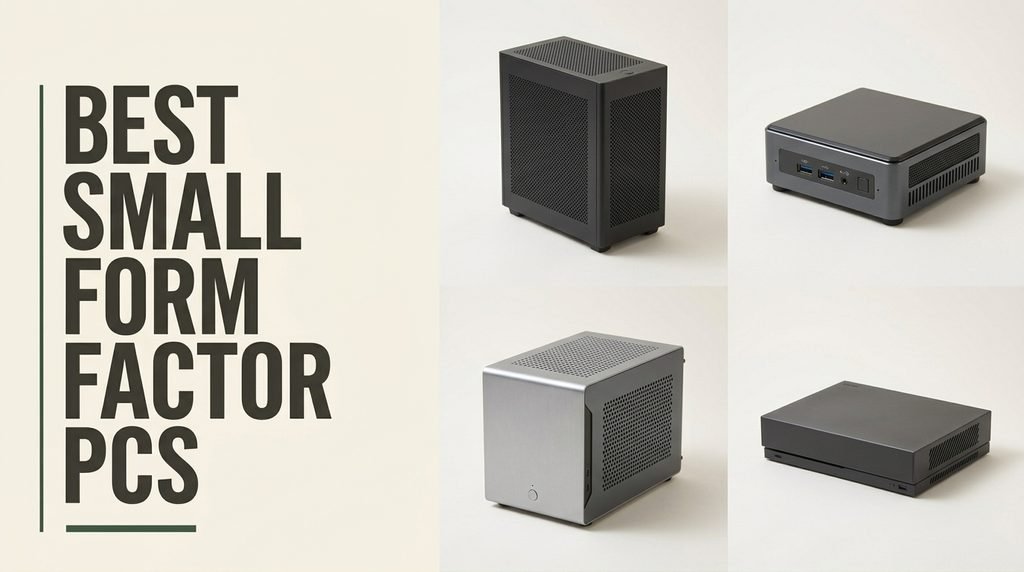
Choosing the right small form factor PC means balancing processor performance, memory capacity, storage speed, port selection, display outputs, and brand support against your desk space and budget. We compare 10 standout compact desktops from brands like Dell, Lenovo, GEEKOM, GMKtec, BOSGAME, and MINISFORUM, covering everything from renewed business micros to current-generation Ryzen mini PCs capable of light gaming and 8K output.
The desktops in this guide range from affordable refurbished Dell OptiPlex micro towers under $200 up to premium mini PCs with 8-core AMD processors, 32GB of DDR5 memory, and USB4 connectivity. Form factor varies from traditional SFF cases that accept standard components to palm-sized mini PCs that disappear behind a monitor via VESA mount.
This guide breaks down each option with clear specs, honest pros and cons, and practical buying advice. Whether you want a tiny office computer for productivity, a home theater PC with triple 4K output, or a compact workstation with professional-grade memory and storage, you will find a model that fits your workspace and your wallet.
We compared 10 small form factor desktops using the details that actually help a buyer decide: processor type and core count, memory capacity and upgrade paths, storage speed and expansion options, graphics capability, display outputs, networking including WiFi standard and Ethernet speed, port variety, warranty terms, brand reputation, owner feedback, and overall value. The notes focus on practical trade-offs so each pick connects to how people actually use compact desktops for work, home office, media playback, and light gaming in space-constrained setups.


Compare key features, scores, and current prices side by side. A shorter feature list means fewer details were available, not necessarily fewer capabilities.


The MINISFORUM UM870 Slim earns the premium pick position as the flagship mini PC in this guide, combining current-generation 8-core AMD processing with professional-grade memory and storage in a slim chassis. The AMD Ryzen 7 8745H features 8 cores and 16 threads running up to 4.9GHz with 16MB L3 cache and performance mode TDP up to 65W, delivering real workstation-class CPU performance.
We may earn a commission when you buy through this link, at no additional cost to you.
The AMD Radeon 780M integrated graphics with 12 cores at 2600MHz on RDNA3 architecture performs very close to GTX 1650 discrete graphics cards, which transforms what this mini PC can handle. Modern games at reasonable settings, content creation workflows, and multi-task workloads all run smoothly on integrated graphics that would have required a dedicated card just a generation ago.
Storage and memory flexibility is substantial with 32GB DDR5 expandable to 96GB, 1TB M.2 2280 PCIe 4.0 SSD expandable to 4TB total via dual slots, and triple 8K display output via HDMI 2.1, USB4, and DisplayPort 1.4. The USB4 port supports 40Gbps data transfer, 8K at 60Hz display output, and 65 to 100W PD power input, giving you single-cable connectivity to supporting monitors and docks.
Modern mini PCs with current-generation processors like the Ryzen 7 8745H and improved integrated graphics now deliver performance that previously required full workstation towers. The compact chassis means you can build professional computing setups that fit in minimal desk space, which particularly benefits remote workers, consultants, and anyone with limited office real estate.
This mini PC is the right pick for buyers who need workstation-class performance in a compact chassis for content creation, software development, data analysis, or demanding productivity work. The 4.5-star owner rating reflects consistent satisfaction with the premium configuration. If you only need basic office tasks, this is overkill and better value exists elsewhere. For professional use where every bit of performance matters, few mini PCs match it.
Casual users who only need basic office computing and don’t require professional performance.
We may earn a commission when you buy through this link, at no additional cost to you.
The Dell OptiPlex 7040 Micro delivers one of the best introductions to small form factor computing at an entry price, thanks to its certified refurbished status and genuinely compact 7.1 by 7.1 by 1.4-inch chassis. The Intel Core i5-6500T is a 35W low-power processor that stays cool and quiet while handling office productivity, web browsing, and light creative tasks with four cores running at 2.5GHz base and 3.1GHz boost.
We may earn a commission when you buy through this link, at no additional cost to you.
The 16GB of DDR4 RAM is a notable upgrade from the 8GB that most budget micros include, giving you headroom for comfortable multitasking across browsers, office apps, and video calls simultaneously. The 256GB NVMe SSD provides 5x faster speeds than traditional hard drives, delivering quick boot times and app launches that make the system feel responsive despite the older CPU generation.
Connectivity is strong for a micro PC with HDMI, DisplayPort, 6 USB 3.0 ports, Ethernet, WiFi, and Bluetooth. Dual-display support up to 4K resolution lets you build a productive multi-monitor setup from this tiny chassis. Windows 11 Pro adds BitLocker encryption and remote desktop capabilities that benefit business users and professionals working with sensitive data.
Micro PCs like this OptiPlex eliminate the bulk of traditional desktop towers while retaining real desktop performance. The compact chassis can mount behind a monitor using a VESA bracket, hide inside a cabinet, or sit on a shelf. For users who dislike visible computer hardware or work in cramped spaces, the micro form factor transforms the home office aesthetic.
This desktop is the right pick for buyers who want a genuinely tiny business computer at the lowest practical price and are comfortable with professionally refurbished hardware. The 90-day warranty is shorter than new systems but reflects the renewed category standard. For home offices, small businesses, education deployments, and anyone replacing an aging tower with a space-saving alternative, this unit delivers meaningful value.
Buyers who need the latest-generation processor or expect brand new condition.
We may earn a commission when you buy through this link, at no additional cost to you.
The GEEKOM A5 2027 Edition stands out as the editor's value pick with an unusual combination of 8-core Ryzen 7 processing power, a 3-year official warranty, and genuine business-ready features at a mid-range price. The AMD Ryzen 7 7730U runs at 15W TDP for silent, cool operation while delivering strong performance across office productivity, video conferencing, and content creation workflows.
We may earn a commission when you buy through this link, at no additional cost to you.
Memory and storage flexibility is particularly strong. The dual-slot DDR4 configuration supports upgrades to 64GB RAM, and the PCIe NVMe SSD can expand to 4TB. An additional M.2 2242 slot and a 2.5-inch HDB bay enable up to 10TB of total storage, which is substantial expansion capacity for a mini PC and allows the system to grow with your data needs over time without hitting hardware walls.
Display capability is a standout with support for 4 simultaneous 4K displays via 2 HDMI and 2 USB 3.2 Gen 2 Type-C ports, plus 8K output via USB-C. For traders, developers, and anyone running multi-monitor workflows, this expansion matches what full-size workstations typically offer. The high-gain 3D antenna and metal mid-frame construction add reliability for 24/7 operation scenarios.
Most mini PCs ship with 1-year warranties that align with typical consumer electronics coverage. A 3-year warranty like GEEKOM provides signals the manufacturer’s confidence in reliability and gives you long-term protection against component failure. For business deployments and users who plan to use the system for multiple years, extended warranty coverage is a genuine value add.
This mini PC is the right pick for buyers who want serious business computing in a compact chassis backed by genuine long-term warranty support. The 3-year coverage is unusual in this category and signals real confidence in build quality. The lack of dedicated graphics limits serious gaming, but for professional and productivity use the Vega 8 integrated graphics handle 4K video and multi-display workflows well.
Gamers who need dedicated graphics card performance for demanding titles.
We may earn a commission when you buy through this link, at no additional cost to you.
The GMKtec M6 Ultra brings current-generation gaming capability to the mini PC category with the AMD Ryzen 5 7640HS, a Zen 4 architecture processor with 6 cores and 12 threads running up to 5.0GHz. The 45W to 60W TDP envelope delivers 30% better performance than previous Ryzen 7 6800H chips while remaining compact enough to fit on any desk or mount behind a monitor.
We may earn a commission when you buy through this link, at no additional cost to you.
DDR5 memory at 16GB expandable to 128GB provides modern bandwidth that benefits both gaming and professional workloads, and the 512GB PCIe 3.0 SSD with dual-slot expansion to PCIe 4.0 8TB offers plenty of growth room. The AMD Radeon 760M iGPU with 8 CUs running at up to 2600MHz handles moderate 1080p gaming at steady frame rates and provides hardware encoding and decoding for AV1, HEVC, and AVC video codecs.
Networking stands out with dual 2.5G Ethernet ports that enable fast local transfers and make this mini PC practical as a Pfsense or Untangle router, home server, or office workstation with redundant connections. Triple 4K display support plus 8K via USB4 covers almost any monitor configuration, and the USB4 port supports PD and DisplayPort alt mode for versatile peripheral connections.
USB4 at 40Gbps supports 8K display output, high-speed storage, and daisy-chained peripherals through a single cable. On mini PCs where internal expansion is limited, USB4 enables external GPUs, high-speed storage arrays, and docking stations that effectively expand the system’s capability. It also enables single-cable connections to supporting monitors that handle video, data, and power delivery together.
This mini PC is the right pick for buyers who want modern gaming capability in a compact chassis without a dedicated graphics card and value business-ready networking features. The Radeon 760M handles esports titles and moderately demanding games well but won’t match dedicated GPU performance in demanding AAA titles. For mixed-use buyers who game occasionally alongside productivity, it delivers an excellent balance.
Hardcore AAA gamers who need dedicated graphics card performance.
We may earn a commission when you buy through this link, at no additional cost to you.
The GMKtec G3S Mini PC provides an affordable entry into the mini PC category with the 12th generation Intel Alder Lake N95 processor. The 4-core, 4-thread chip with 6MB cache and 3.4GHz turbo offers 36% better performance than earlier N100, N5105, N5100, and N5095 processors, making it well-suited for routine tasks like office work, web browsing, and home entertainment.
We may earn a commission when you buy through this link, at no additional cost to you.
The system ships with 8GB DDR4 RAM and a 256GB M.2 2242 SSD, which provides fast boot times and quick application launches but limits heavy multitasking. For users who run modest applications and don’t juggle many apps simultaneously, this configuration delivers smooth performance. The compact chassis stays quiet during normal use thanks to the N95’s efficient 15W TDP.
Dual 4K HDMI 2.0 ports support two 4K displays at 60Hz simultaneously, which is more display flexibility than many entry-level mini PCs offer. Connectivity includes USB 3.2 at 10Gbps, Gigabit Ethernet, WiFi 5, Bluetooth 5.0, and 3.5mm audio. The system also supports Wake On LAN, PXE Boot, RTC Wake, and Auto Power On, making it suitable as a lightweight server or always-on device.
The Intel N95 is designed for efficient everyday computing rather than demanding workloads. It handles 4K video streaming, basic office apps, web browsing, and light productivity well while consuming minimal power and generating little heat. For home theater PCs, basic office computers, and secondary systems, the N95 provides good value without the cost of more powerful processors you may not actually need.
This mini PC is the right pick for buyers who want an affordable compact computer for office tasks, media playback, and basic home entertainment. The N95 processor handles 4K video playback and AV1 decoding well, making it practical as a home theater PC. GMKtec’s 3-year warranty from October 2026 forward adds long-term protection. Users with demanding workloads or heavy multitasking needs should consider the Ryzen-based options instead.
Heavy multitaskers or users who run demanding creative applications.
We may earn a commission when you buy through this link, at no additional cost to you.
The Dell OptiPlex 5050 SFF strikes a middle ground between traditional desktop towers and ultra-compact mini PCs, offering a true small form factor chassis with internal expansion capability that mini PCs lack. The Intel Core i7-7700 is a full desktop processor with 4 cores running at 3.6GHz base and 4.2GHz turbo, delivering noticeably stronger performance than low-power T-series chips found in micro form factor units.
We may earn a commission when you buy through this link, at no additional cost to you.
The 16GB DDR4 memory and 512GB NVMe SSD provide a well-balanced configuration for business productivity, with the NVMe SSD contributing to fast boot times and responsive application launches. Intel HD Graphics 630 handles multi-monitor office setups and video playback without issue, though it won’t support serious gaming. The included wired black keyboard and mouse mean the system is ready to use the moment you connect a monitor.
The SFF chassis is larger than micro PCs but accepts standard desktop components for internal upgrades, giving you more flexibility to add storage drives or expansion cards over time. This matters for buyers who want long-term upgrade paths that aren’t available in soldered-component mini PCs. Windows 11 Pro adds business-focused features like BitLocker encryption and advanced remote management.
Small form factor cases are larger than micro PCs but accept standard desktop components for easier upgrades. Micro PCs are much smaller but typically use laptop-style components with limited upgrade paths. If internal expansion matters, choose SFF. If absolute size minimization matters most, choose micro or mini PCs.
This desktop is the right pick for buyers who want a traditional small form factor business desktop with full performance CPU and included peripherals, and don’t need the absolute smallest possible footprint. The 4.1-star owner rating reflects consistent satisfaction with the configuration. If you need true mini PC compactness or current-generation processors, consider other options, but for value-focused SFF business computing, this delivers well.
Buyers who need the smallest possible desktop footprint for tight workspaces.
We may earn a commission when you buy through this link, at no additional cost to you.
The GMKtec G10 Mini PC uses the AMD Ryzen 5 3500U with 4 cores, 8 threads, and up to 3.7GHz boost, paired with Radeon Vega 8 graphics running at 1200MHz. The Zen+ 12nm architecture delivers 35% faster performance than Intel N150 and N100 series chips, making it well-suited for light gaming, video playback, home office work, and multitasking workstations.
We may earn a commission when you buy through this link, at no additional cost to you.
Memory and storage are preinstalled with 16GB dual-channel DDR4 and a 512GB M.2 PCIe 3.0 SSD, delivering fast boot times and responsive application launches. The dual-channel RAM configuration matters for AMD APUs because the integrated graphics benefit significantly from faster memory bandwidth. Dual M.2 2280 PCIe 3.0 slots allow upgrades up to 2x 8TB SSDs for substantial storage expansion.
Triple 4K display output at 60Hz via HDMI 2.1 TMDS, DisplayPort 1.4, and USB-C makes this mini PC capable of running multi-monitor financial trading, productivity dashboards, or content creation workflows. The 2.5GbE Ethernet port offers up to 2500Mbps wired speeds that eliminate bottlenecks in data-intensive environments and make the system practical for media server or network appliance roles.
AMD processors with integrated graphics benefit significantly from dual-channel memory configurations because the integrated GPU shares system RAM. Running two identical memory modules in dual-channel mode delivers substantially better graphics performance than a single module of the same total capacity. The G10’s preinstalled dual-channel 16GB configuration is set up correctly from the factory.
This mini PC is a strong pick for buyers who prioritize multi-threaded performance and triple-display output in a compact chassis. The Ryzen 5 3500U delivers meaningful improvements over Intel N-series alternatives for workloads that benefit from more threads or stronger integrated graphics. The 3-year warranty on new purchases provides substantial long-term coverage, though the Zen+ architecture is older than newer Ryzen chips in this guide.
Buyers who need current-generation Zen 4 processors or dedicated graphics performance.
We may earn a commission when you buy through this link, at no additional cost to you.
The BOSGAME E5 11 Pro Mini PC targets buyers who need advanced networking capabilities in a compact chassis, particularly for home lab, network appliance, or small server use. The AMD Ryzen 3 5300U uses TSMC 7nm FinFET architecture with 4 cores, 8 threads, up to 3.8GHz boost, and 6MB total cache, delivering 30% faster multi-core performance than low-end Intel N150 or 3500U chips.
We may earn a commission when you buy through this link, at no additional cost to you.
The dual 2.5GbE Ethernet ports powered by Realtek RTL8125 controllers are the standout feature, making this mini PC an exceptional hardware choice for software routers, hardware firewalls like pfSense or OpnSense, home NAS servers, or local homelabs. Combined with the compact size, you can build serious networking infrastructure without dedicating a full tower to the task.
The 8GB DDR4 and 256GB NVMe SSD provide a workable starting point for most applications, with dual SODIMM slots supporting upgrades to 64GB and an empty internal M.2 2280 slot allowing an additional 2TB SSD. The Radeon Graphics with 6 cores at 1500MHz handles triple 4K display output via HDMI 2.0, DisplayPort, and full-function Type-C, which eliminates window-switching for traders, programmers, and office workers running multi-monitor setups.
Dual 2.5GbE Ethernet ports let you build network appliances with separated WAN and LAN interfaces, which is essential for software routers and firewalls. The 2.5G speed also provides faster backbone performance for NAS servers transferring large files. For home lab enthusiasts and small business IT, dual-NIC mini PCs eliminate the need for expensive dedicated network hardware.
This mini PC is the right pick for buyers who want serious networking capability and triple 4K display output in a compact system. The 1-year full warranty plus 3-year hardware component parts warranty with lifetime support provides substantial long-term coverage. For users who don’t need dual networking or triple displays, the 8GB base configuration may feel limiting, so plan to upgrade RAM and storage based on your actual workloads.
Users who need maximum RAM out of the box without planning upgrades.
We may earn a commission when you buy through this link, at no additional cost to you.
The Dell OptiPlex 3050 Micro is the lowest-priced option in this guide and provides a straightforward entry point into micro form factor desktop computing. The Intel Core i5-7500T quad-core processor at 2.7GHz delivers smooth performance for office productivity, web browsing, and everyday computing tasks in a chassis that disappears behind a monitor or on a shelf.
We may earn a commission when you buy through this link, at no additional cost to you.
The 8GB DDR4 RAM is modest for modern computing but adequate for basic workloads like email, documents, and web browsing. The 256GB SSD provides quick boot times and responsive application loads that make the system feel faster than its spec sheet suggests. For users with light computing needs, this configuration handles daily tasks well without feeling slow.
Modern connectivity includes USB 3.0, DisplayPort, WiFi, and Ethernet, giving you flexibility for multiple monitors, online access, and peripheral connections. The compact micro form factor fits in any workspace, including behind monitors with a VESA mount, inside media cabinets as a home theater PC, or on reception desks where visible computer hardware looks out of place.
Not every computing task requires premium specs. For basic office work, email, web browsing, and productivity apps, modest configurations like the OptiPlex 3050 Micro deliver smooth daily performance. If you don’t play games, edit video, or run heavy software, paying for premium specs you won’t use provides little benefit over affordable solutions that cover your actual needs.
This desktop is the right pick for budget-conscious buyers who need a functional desktop at the lowest practical price and are comfortable with professionally refurbished hardware and modest specs. For home offices with light workloads, education deployments, reception computers, or secondary systems, this delivers meaningful value. Users with demanding workloads or needs for more RAM should look at higher-tier options in this guide.
Buyers who need current-generation performance or significant RAM for heavy multitasking.
We may earn a commission when you buy through this link, at no additional cost to you.
The Lenovo ThinkCentre M910Q Tiny Desktop packs an unusually generous memory and storage configuration into a compact chassis, with 32GB of DDR4 RAM and a 1TB SSD that handle demanding workloads most mini PCs can't match. The Intel Core i7-6700T quad-core processor running up to 3.6GHz delivers solid performance for multitasking, streaming, and light gaming despite being an older generation.
We may earn a commission when you buy through this link, at no additional cost to you.
The 32GB memory and 1TB SSD combination makes this unit genuinely useful for virtual machines, large development environments, heavy multitasking workflows, and users who keep many large applications installed. Few mini PCs at this price offer this much RAM out of the box, and buyers who would otherwise upgrade RAM in budget systems may find the included configuration more cost-effective than cheaper units plus upgrade parts.
Triple 4K display support via DisplayPort and HDMI enables productive multi-monitor setups useful for traders, developers, and anyone who benefits from screen real estate. USB WiFi and Bluetooth provide wireless connectivity, though the USB WiFi solution is less integrated than built-in wireless cards found in some competing units. The compact form factor fits on any desk or mounts behind a monitor.
32GB of RAM becomes useful for running virtual machines, keeping many large browser tabs and applications open simultaneously, video editing, software development with large IDEs and compilers, or professional creative work. For standard office computing and basic multitasking, 16GB is sufficient and 32GB provides headroom but limited immediate benefit.
This desktop is a specific-case pick for buyers who prioritize RAM capacity and storage over current-generation CPU performance. The 3.4-star owner rating is the lowest in this guide, which suggests mixed experiences and warrants careful review of current feedback before purchasing. If you specifically need 32GB of RAM and 1TB storage in a tiny chassis at this price point, few alternatives match the specs, but newer processors elsewhere in this guide may serve many users better.
Buyers who prioritize current-generation processors or higher owner ratings for peace of mind.
We may earn a commission when you buy through this link, at no additional cost to you.
Picking the right compact desktop means balancing processor performance, memory and storage, display outputs, networking, port selection, upgrade potential, and brand support against your workspace constraints and specific use case. Here is what to prioritize before you buy.
Small form factor desktops come in several size categories. Traditional SFF chassis like the Dell OptiPlex 5050 are larger than mini PCs but accept standard desktop components for internal upgrades. Micro form factor units like the Dell OptiPlex 7040 and 3050 split the difference, offering compact chassis that still use standard storage and memory. True mini PCs like the GEEKOM A5, GMKtec series, and MINISFORUM UM870 are palm-sized and typically mount behind monitors via VESA brackets.
Mounting flexibility matters more than you might expect. VESA mount support lets you attach the computer directly to the back of a monitor, which eliminates desk clutter entirely and creates a visually clean workspace. For reception areas, hotel rooms, retail displays, and shared workspaces, this invisible installation transforms the aesthetic. Users with limited desk space benefit similarly even without mounting the system.
Measure your available workspace and consider whether you want the computer visible or hidden. For set-and-forget invisible installation, choose true mini PCs with VESA mounts. For traditional desktop placement with easier access, SFF or micro form factor units work well.
Compact desktop processors range from entry-level Intel N-series chips designed for basic computing, through older Intel T-series and mobile Ryzen 3 processors for business use, up to current-generation Ryzen 5, 7, and i7 processors that deliver workstation-class performance. Each tier serves different users and workloads, and matching the processor to your actual use case prevents overspending or buying inadequate hardware.
For basic office tasks, email, web browsing, and media playback, Intel N95 or similar entry-level chips cover the essentials affordably. For comfortable multitasking across browsers, office apps, and video conferencing, 6-core Ryzen 5 or similar mid-tier chips hit the sweet spot. For professional workloads, content creation, or heavy multitasking, 8-core Ryzen 7 processors like the 8745H deliver real workstation performance in a mini chassis.
If you don’t know your exact needs, err toward mid-tier Ryzen 5 configurations like the GEEKOM A5 or GMKtec M6 Ultra. They cover almost any realistic use case without the premium of high-end chips or the limitations of entry-level processors.
RAM capacity directly affects multitasking comfort and future-proofing. 8GB systems like the GMKtec G3S and BOSGAME E5 11 Pro work for light tasks but will show limits during heavy multitasking. 16GB has become the practical standard for comfortable modern computing, including streaming, video calls, and juggling many browser tabs. 32GB systems like the Lenovo ThinkCentre M910Q provide substantial headroom for virtual machines, content creation, and professional workloads.
Upgrade paths matter because they let you start with modest RAM and expand later as needs grow. Systems with SODIMM slots allow user-upgradeable memory, while units with soldered LPDDR cannot be upgraded. The GEEKOM A5 supports expansion to 64GB, the GMKtec M6 Ultra reaches 128GB, and the MINISFORUM UM870 goes to 96GB. If upgrade flexibility matters, verify the memory type and configuration before buying.
For current use plus future growth, 16GB systems with expansion slots to 32GB or higher provide the best balance. Buy only the RAM you need now and upgrade later if your workloads grow.
NVMe SSD storage is now standard across most compact desktops, delivering fast boot times and quick application loads that transform the user experience. PCIe 4.0 SSDs offer about twice the sequential throughput of PCIe 3.0 drives, which matters for large file transfers and loading enormous datasets but provides limited benefit for typical office use. The MINISFORUM UM870 includes PCIe 4.0 while most others use PCIe 3.0.
Storage capacity varies widely in this guide, from 256GB entry drives through 500GB and 512GB mid-range options up to 1TB in the premium configurations. Modern Windows installations consume 30 to 50GB, leaving less space for applications and files than the drive capacity suggests. Expansion slots for additional M.2 or 2.5-inch drives extend storage without replacing the primary drive, with the GEEKOM A5 supporting up to 10TB total through multiple expansion options.
For most users, 512GB is the practical minimum and 1TB provides comfortable headroom. If you work with large files, store substantial media libraries, or install many applications, prioritize models with storage expansion slots.
Display output flexibility affects how you can configure your workspace. Entry-level mini PCs typically support dual-monitor setups via HDMI, while mid-range units add DisplayPort for triple-monitor configurations. Premium systems with USB4 or Thunderbolt support up to four or more displays through daisy-chaining or docking stations, with resolutions reaching 8K on current-generation hardware.
The GEEKOM A5 supports 4 simultaneous 4K displays plus 8K via USB-C. The GMKtec M6 Ultra and BOSGAME E5 11 Pro offer triple 4K output. The MINISFORUM UM870 adds 8K at 60Hz through multiple interfaces. For traders, developers, designers, and anyone running multi-screen workflows, display output count and maximum resolution directly affect productivity.
Match display outputs to your actual monitor setup. If you only use one or two monitors, standard dual-display support covers you. If you plan to run three or more screens, verify both the output count and the maximum resolution per output before buying.
Modern mini PCs should include WiFi 6 or newer wireless and gigabit Ethernet or faster wired networking. WiFi 6E adds the 6GHz band for less congested wireless performance, and Bluetooth 5.2 or newer improves peripheral connectivity. The GMKtec M6 Ultra includes WiFi 6E and Bluetooth 5.2, while the MINISFORUM UM870 adds WiFi 6E and Bluetooth 5.3.
Wired networking matters particularly for home servers, network appliances, or users with gigabit internet connections. Standard Gigabit Ethernet at 1Gbps handles most needs, while 2.5GbE ports on units like the GMKtec M6 Ultra, GMKtec G10, BOSGAME E5 11 Pro, and MINISFORUM UM870 provide 2.5x faster speeds for local network transfers. Dual 2.5GbE configurations on the GMKtec M6 Ultra and BOSGAME E5 11 Pro enable software router and firewall use cases.
For home office and productivity use, standard WiFi 6 and Gigabit Ethernet cover the essentials. If you run home labs, servers, or need the fastest local networking, prioritize units with 2.5GbE or dual-NIC configurations.
Warranty terms vary significantly between brands and matter more for compact desktops because repair difficulty is higher than traditional towers. Standard 1-year warranties cover typical consumer electronics coverage. The GEEKOM A5 and GMKtec units with October 2026 or later purchases offer 3-year warranties that signal real confidence in build quality. The BOSGAME E5 11 Pro provides 1-year full coverage plus 3-year hardware component parts warranty.
Established brands like Dell, Lenovo, and HP offer business-grade warranty support with established service networks, while newer mini PC brands like GEEKOM, GMKtec, BOSGAME, and MINISFORUM compete on specs and warranty length. Refurbished systems typically carry shorter 90-day warranties but offer meaningful cost savings for users comfortable with professionally restored hardware.
For business deployments and users who plan to use the system for multiple years, extended warranty coverage provides genuine value. For home users comfortable troubleshooting or replacing components, shorter warranties may be acceptable at lower prices.
When you first set up a compact desktop, position it with adequate clearance for ventilation on all sides, as these small chassis depend on efficient airflow to prevent thermal throttling. VESA-mounted units should have clear space behind the monitor they attach to, and desk-placed systems benefit from at least 2 inches of clearance around intake and exhaust vents. Install Windows updates and the latest motherboard, graphics, and chipset drivers from the manufacturer’s website immediately after setup for optimal performance and stability. Connect your primary monitor to the DisplayPort or HDMI port most convenient for your setup, and configure Windows display settings to match your intended multi-monitor arrangement if applicable.
During regular use, keep the system clean because dust accumulation is the primary cause of thermal issues in compact desktops. Use a can of compressed air every 2 to 3 months to clear dust from intake and exhaust vents without opening the chassis, and perform a more thorough cleaning annually by opening the case following manufacturer instructions. Monitor component temperatures with free tools like HWMonitor during heavy workloads, and investigate if CPU temperatures regularly exceed 85 degrees Celsius under load. Keep software updated regularly, including Windows, device drivers, and applications, as updates often include performance improvements and security fixes that benefit compact systems specifically.
For long-term care and reliability, protect the system from power events with a quality surge protector or uninterruptible power supply, which also provides graceful shutdown during unexpected outages that can corrupt storage drives. Position the system away from direct sunlight and extreme temperatures that can degrade components over time. For units with user-serviceable memory and storage, plan upgrades based on your actual workloads rather than purchasing maximum specs upfront. Replace storage drives when they approach capacity limits rather than running them full, which can slow performance and shorten lifespan. Most quality compact desktops provide 5 to 7 years of reliable service with proper care, and modular upgrades to RAM and storage extend useful life well beyond that.
Modern mini PCs with current-generation processors like the Ryzen 7 8745H deliver performance that rivals mainstream desktop towers for most workloads including office productivity, content creation, and light gaming. However, they typically can't match tower performance for sustained heavy workloads, serious gaming with dedicated graphics, or workstation tasks that require high-end GPUs. For most office and home use cases, compact desktops provide fully capable performance.
Many mini PCs allow user upgrades for RAM and storage, though specifics vary by model. Units with SODIMM memory slots like the GEEKOM A5 and MINISFORUM UM870 support RAM upgrades, while some models use soldered memory that cannot be upgraded. Most mini PCs include at least one accessible M.2 slot for SSD expansion. Verify the specific upgrade options for any model before buying if upgradeability matters to you.
Small form factor refers to desktop cases smaller than mid-tower but larger than micro PCs, typically accepting standard desktop components. Micro form factor units are more compact and use laptop-style components with limited internal space. True mini PCs are palm-sized units that typically mount behind monitors or in similar invisible locations. The size differences correspond to internal expansion capability and desk footprint.
Most mini PCs rely on integrated graphics built into the processor rather than dedicated graphics cards. Modern integrated graphics like AMD Radeon 780M in the MINISFORUM UM870 approach entry-level dedicated GPU performance, but true dedicated graphics are rare in compact desktops. For serious gaming or professional GPU workloads, external GPU enclosures connected via USB4 or Thunderbolt provide expansion options.
16GB has become the practical standard for comfortable modern computing including multitasking, streaming, and video calls. 8GB works for basic tasks but will show limits during heavy use. 32GB provides headroom for virtual machines, content creation, and professional workloads. For most buyers, 16GB with the option to upgrade to 32GB later offers the best balance of cost and capability.
Mini PCs with current-generation integrated graphics like Radeon 780M can run modern games at 1080p with reasonable settings, especially less demanding titles and esports games. However, they cannot match dedicated graphics cards for AAA gaming at high settings. For serious gaming, choose mini PCs with the most capable integrated graphics like the MINISFORUM UM870, or consider external GPU enclosures with gaming towers.
Certified refurbished computers like the Dell OptiPlex models in this guide are professionally inspected, cleaned, tested, and repackaged. They work and look like new but typically carry shorter 90-day warranties than new systems. For buyers comfortable with professionally refurbished hardware, renewed systems offer meaningful cost savings while still providing functional reliability. Verify the refurbishment process and warranty terms before purchasing.
Essential ports include at least two display outputs like HDMI and DisplayPort, multiple USB ports for peripherals and external storage, and Ethernet for wired networking. USB4 or Thunderbolt enables single-cable monitor connections and external GPU support. For home servers and network appliances, dual Ethernet ports provide separated WAN and LAN capability. Match port selection to your actual peripheral and connectivity needs.
Compact desktops generate less heat than full towers because they use lower-power processors designed for efficiency. Most run quietly during normal use, though cooling fans may become audible under heavy workloads. Entry-level mini PCs with passive or near-passive cooling run virtually silent, while gaming-oriented mini PCs may need active cooling that produces audible fan noise during gaming sessions. Position the system with adequate ventilation to prevent thermal throttling.
Well-maintained compact desktops typically provide 5 to 7 years of useful service, with modular upgrades to RAM and storage extending useful life further. The processor usually becomes the limiting factor as software demands grow, but for stable workloads like basic office use the systems can serve much longer. Regular cleaning, driver updates, and quality power protection through a UPS extend component lifespan. Current-generation processors in premium units may offer longer useful life than older-generation chips in budget systems.
The MINISFORUM UM870 Slim stands out as the strongest premium choice for buyers who need workstation-class performance in a compact chassis, combining the current-generation 8-core AMD Ryzen 7 8745H processor with 32GB of DDR5 memory, 1TB of PCIe 4.0 storage, and USB4 connectivity that supports 8K display output and 40Gbps data transfer. Its 4.5-star owner rating and Radeon 780M graphics that approach GTX 1650 performance make it a genuine workstation alternative in a mini PC footprint.
The GEEKOM A5 2027 Edition offers an excellent value proposition with its 8-core Ryzen 7 7730U processor, 3-year warranty, and 4-screen 4K display support at a mid-range price. Budget-conscious buyers who want proven business-grade hardware at the lowest practical price should consider the Dell OptiPlex 3050 Micro, while the Dell OptiPlex 7040 Micro adds more RAM and storage at a slightly higher price. For current-generation gaming capability in a mini PC, the GMKtec M6 Ultra delivers Zen 4 performance with USB4 and dual 2.5GbE networking. Home lab enthusiasts and network appliance builders should look at the BOSGAME E5 11 Pro for its dual 2.5GbE ports.
Start by identifying your primary use case, whether that's office productivity, home server duties, light gaming, or professional creative work. Match the processor tier to your actual workload demands, choose RAM and storage capacity appropriate for your current and anticipated needs, and verify display outputs support your intended monitor setup. The right compact desktop transforms workspace aesthetics while delivering the performance you need, and any system in this guide can be the right choice for the right buyer when matched to realistic requirements and expectations.