Apple iPad Air
9.4Editor scoreApple M4 chip
11-inch Liquid Retina
12MP front and back
Wi-Fi 7 support
Compare 10 top tablets for video editing by processor power, display accuracy, storage, software, battery life, and value for creators on the move.
Find the right tablets for video editing in 2026. We compare 10 standout options by the factors that matter for creators, including processor performance, display color accuracy, storage capacity, RAM, software ecosystem, battery endurance, accessory support, portability, and overall value at each price tier.
The gap between a casual clip editor and someone who works with multi-layer timelines comes down to processing power and screen quality. Apple M-series chips handle demanding edits far better than mid-range Android processors, while high-refresh, color-accurate displays make color grading and precise trimming easier to judge accurately.
Before buying, decide how much storage your projects require, whether you need a stylus for precise adjustments, and how important screen size is versus portability. A compact 11-inch tablet suits travel editing, while a 13-inch or larger display provides the generous canvas serious editors need for timeline visibility.
We compared 10 tablets for video editing using the details that actually help a buyer decide: processor performance, display resolution and color accuracy, storage capacity, RAM, battery life, accessory support for styluses and keyboards, software compatibility, build quality, and value at each price point. The notes focus on practical trade-offs so each pick connects to how creators actually edit, review, and share video projects on the move.


Compare key features, scores, and current prices side by side. A shorter feature list means fewer details were available, not necessarily fewer capabilities.




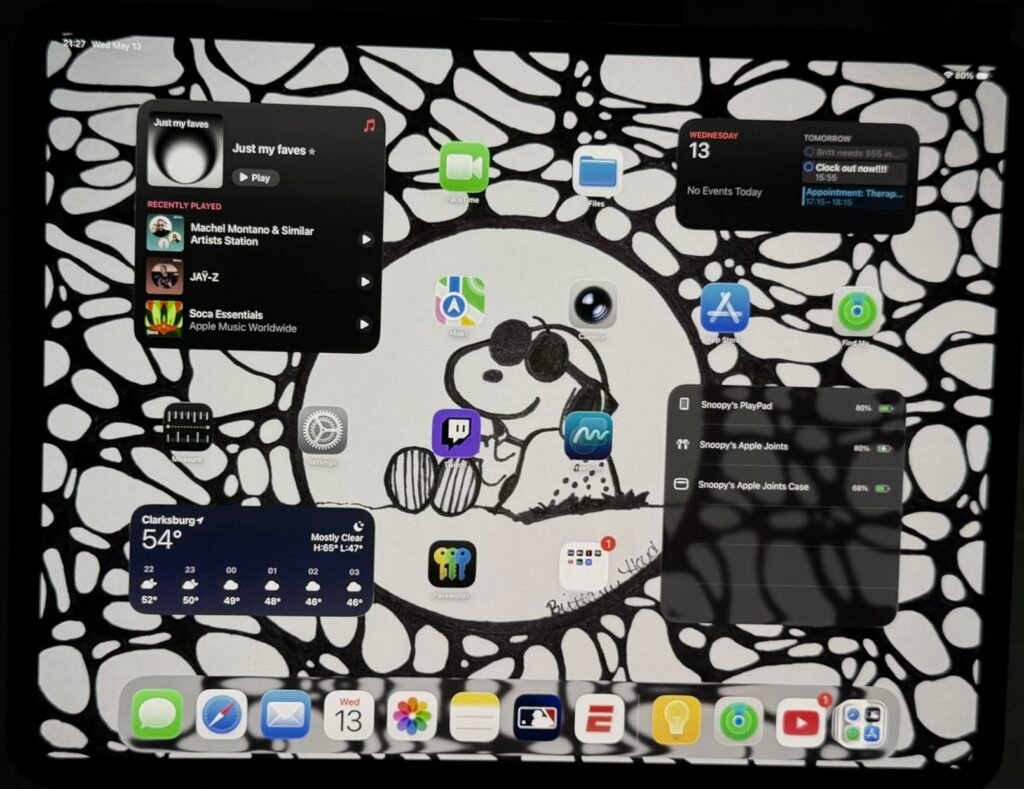
The iPad Pro 13-inch with the M5 chip is the tablet to beat if your primary workflow involves editing high-resolution footage on the go. With up to 16GB of memory, Neural Accelerators for AI-accelerated tasks, and up to 2TB of storage, this device is built for editors who work with multi-track timelines, color grading, and effects-heavy projects rather than simple trims and uploads.
We may earn a commission when you buy through this link, at no additional cost to you.
The 13-inch Ultra Retina XDR display is the most capable screen in this guide, delivering extreme brightness, precise contrast, and P3 wide color. For video editors, color accuracy is not a luxury — it directly affects how your final output looks on other screens. ProMotion technology provides a variable refresh rate that makes scrubbing through footage smooth and responsive, while True Tone adjusts to your ambient lighting for more consistent judgment.
Practical details round out the experience. Wi-Fi 7 with the Apple N1 chip enables fast wireless transfers of large video files, which matters when you are moving footage from a camera to the tablet without a physical cable. Face ID provides quick, secure unlocking, and the landscape-positioned 12MP Center Stage camera handles video calls well. The Magic Keyboard with haptic feedback trackpad turns the iPad Pro into a more traditional workstation for longer editing sessions.
The M5 chip with Neural Accelerators matters most when you are working with AI-powered features like background removal, auto-color matching, or object tracking — all of which are increasingly common in mobile video editors. For straightforward cuts and transitions, a less powerful chip will get the job done, but if your workflow includes effects, masking, or multicam editing, the extra processing power translates directly into shorter render times and a smoother preview experience.
If budget is a secondary concern and you need the fastest possible rendering, the smoothest timeline scrubbing, and the most headroom for complex projects, the iPad Pro is the clear winner. It is overkill for casual social-media clips, but for anyone who edits regularly and wants a tablet that will not become a bottleneck, it is worth the premium investment.
Casual editors who only trim short clips or post simple stories will find better value in the iPad Air or a budget Android tablet.
We may earn a commission when you buy through this link, at no additional cost to you.
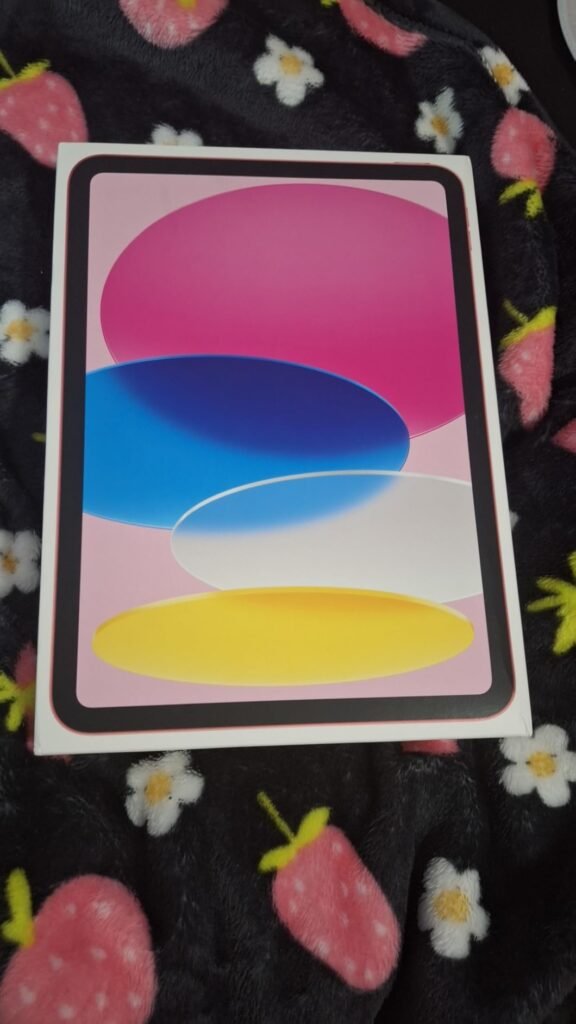
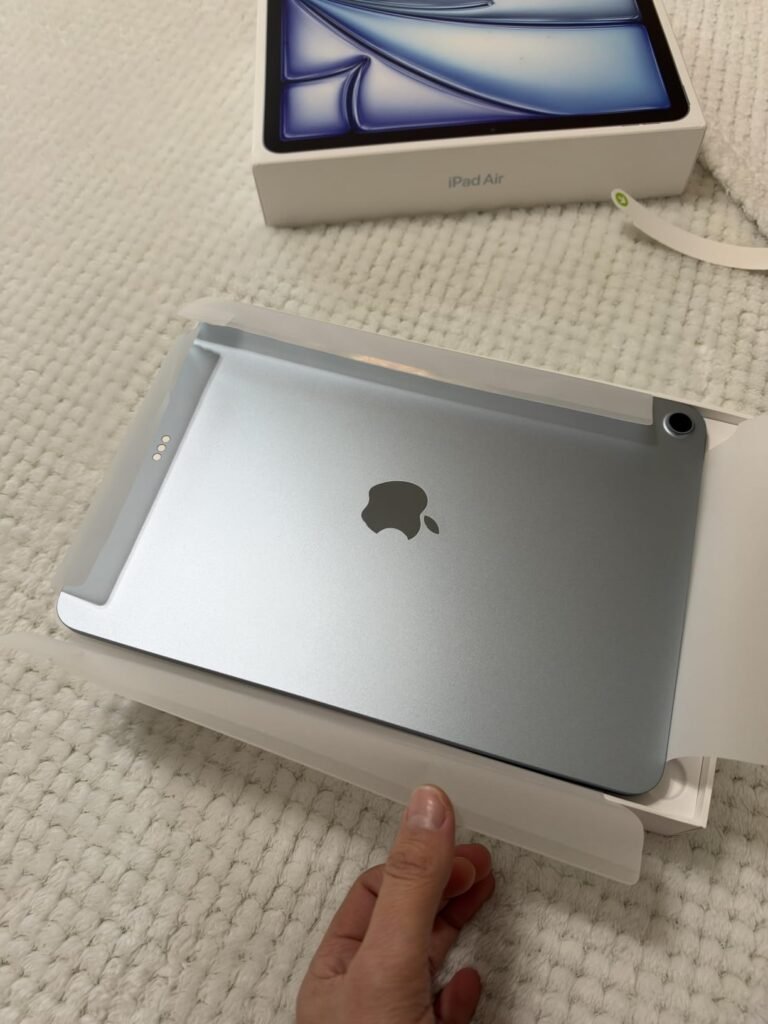
The 11-inch iPad Air with the M4 chip is the most balanced choice in this guide for editors who want near-pro-level performance without the Pro's price tag. The M4 delivers strong graphics and multitasking capability, which translates into faster rendering, smoother playback of high-resolution footage, and fewer hiccups when juggling a timeline with multiple video tracks. For most people working with 1080p and 4K footage on mobile, this chip provides more than enough headroom.
We may earn a commission when you buy through this link, at no additional cost to you.
The 11-inch Liquid Retina display uses P3 wide color, True Tone, and ultralow reflectivity to present footage accurately across different lighting conditions. While it does not reach the peak brightness of the Ultra Retina XDR on the iPad Pro, it is still a well-calibrated panel that handles color-critical work more reliably than most Android tablets in this price range. The 12MP Center Stage front camera and 12MP Wide rear camera support 4K video capture, so you can shoot and edit on the same device.
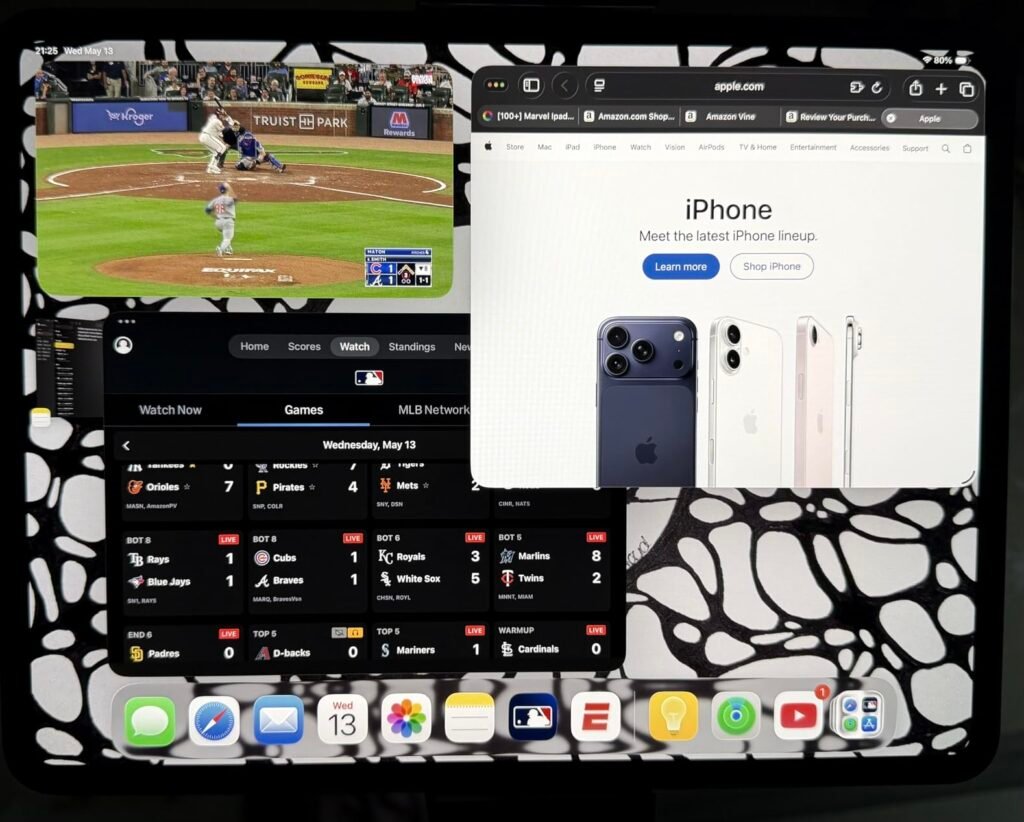
One of the key strengths of the iPad Air ecosystem is accessory support. Apple Pencil Pro enables precise timeline scrubbing and annotation, while the Magic Keyboard with trackpad provides a more laptop-like editing experience. iPadOS’s flexible windowing system lets you arrange multiple apps side by side, which is useful when you need a reference video open next to your editing timeline. Wi-Fi 7 with the Apple N1 chip keeps large file transfers quick when you are working from cloud storage or streaming raw footage.
It is tempting to assume that bigger is always better for video editing, but an 11-inch tablet is actually a practical sweet spot for many workflows. The compact size means you can edit comfortably on a couch, in a coffee shop, or during travel without needing a table. Modern editing apps for iPadOS have designed their interfaces around touch and stylus input, so you rarely need to zoom into tiny timeline controls the way you would on a phone-sized screen. If your editing sessions are typically one to two hours rather than full eight-hour days, the portability advantage of 11 inches outweighs the extra real estate of a larger display.
This is the tablet most editors should seriously consider. It offers the strongest combination of processing power, display quality, software support, and price in this entire lineup. If the 11-inch screen feels limiting for detailed timeline work, the 13-inch iPad Air is available at a higher price but shares the same M4 foundation.
Editors who regularly work with long-form multi-track projects or need maximum screen space may prefer the 13-inch iPad Air or iPad Pro.
We may earn a commission when you buy through this link, at no additional cost to you.
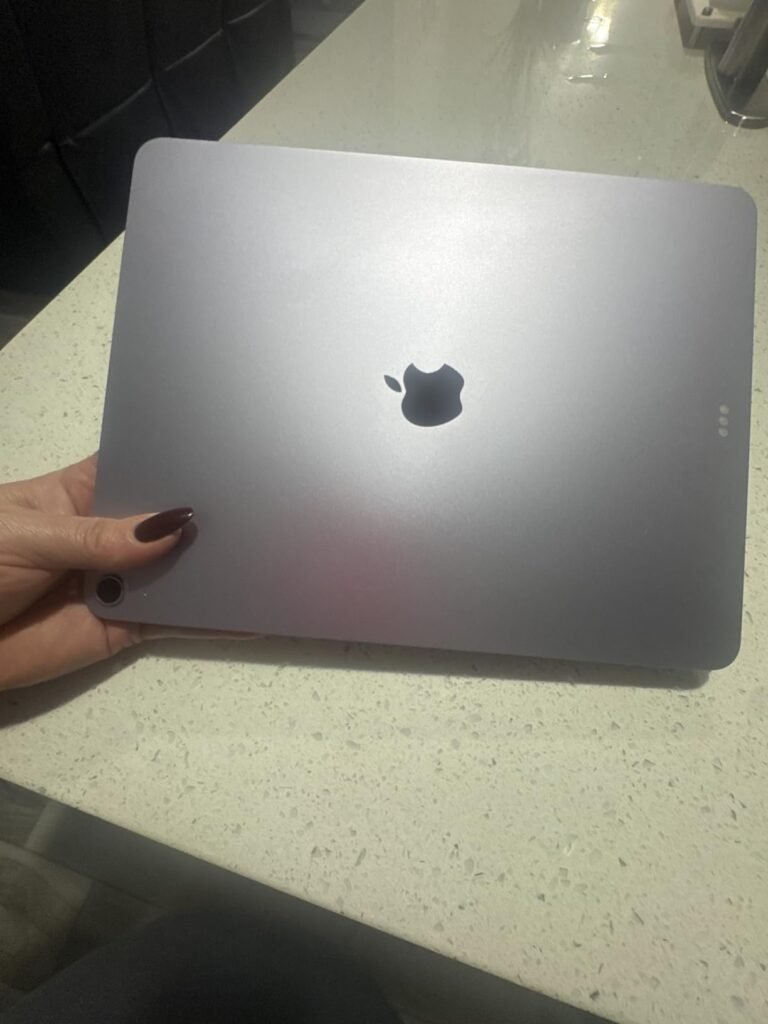
The 13-inch iPad Air gives you the screen real estate of the iPad Pro at a lower entry price, sharing the same M4 chip. For video editors, the larger display means more timeline visible at once, fewer pinch-and-zoom gestures, and easier precision when placing cuts, markers, and transitions. If you find yourself constantly adjusting the timeline zoom on an 11-inch screen, the jump to 13 inches removes that friction entirely.
We may earn a commission when you buy through this link, at no additional cost to you.
Under the hood, performance matches the smaller iPad Air closely since both use the M4 chip with advanced graphics capabilities. This means 4K timeline scrubbing, multi-track editing, and AI-assisted features behave identically across both sizes. The Liquid Retina display with P3 wide color and True Tone ensures your footage looks consistent with what you would see on a professional monitor, which is important if you are delivering client work or publishing to platforms with strict color expectations.
Practical features include Wi-Fi 7 with Apple N1 for rapid file transfers, Touch ID for quick unlocking, and compatibility with Apple Pencil Pro and Magic Keyboard. The 12MP front and rear cameras capture 4K video if you also shoot content directly on the tablet. All-day battery life means you can work through longer editing sessions without hunting for an outlet, though demanding projects will drain the battery faster than casual use suggests.
A larger display pays off most when your editing work involves intricate timeline manipulation — placing keyframes, aligning audio waveforms, or reviewing fine color adjustments. On a 13-inch screen, these tasks require fewer gestures and less scrolling, which reduces fatigue over longer sessions. If your typical project involves only a handful of clips and straightforward transitions, the smaller 11-inch model will handle it just as well. The upgrade to 13 inches is a meaningful investment primarily for editors who value screen space as much as raw processing power.
Choose the 13-inch iPad Air if screen size is your primary concern and you want the largest possible editing canvas without stepping up to the iPad Pro’s price. It makes the most sense for editors who work with detailed timelines, color-critical grading, or who simply prefer less eye strain from smaller interface elements. The M4 performance ensures you are not sacrificing speed for the extra inches.
Budget-conscious editors who do not frequently need extra screen space will find the 11-inch iPad Air or a Lenovo model delivers more value.
We may earn a commission when you buy through this link, at no additional cost to you.
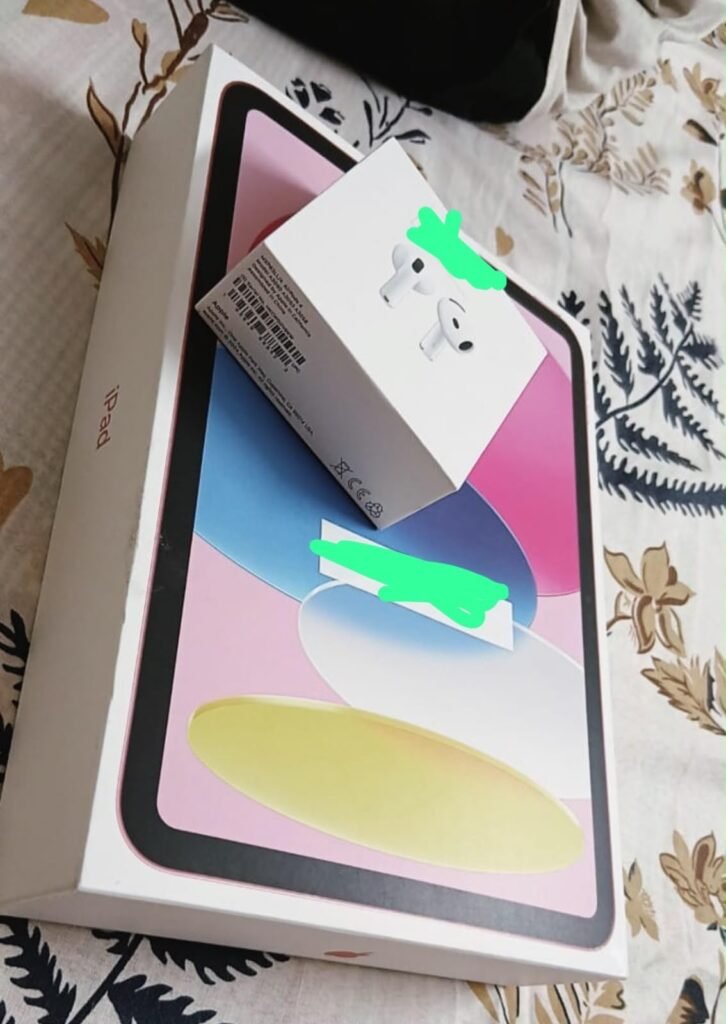
The standard 11-inch iPad with the A16 chip is the most approachable entry point into iPadOS video editing. At a lower price than the Air or Pro models, it still runs the full range of professional editing apps available on the App Store, including DaVinci Resolve for iPad, LumaFusion, and Adobe Premiere Rush. The A16 chip handles straightforward cuts, transitions, and basic color adjustments well, making it a solid choice for creators who edit social-media clips or short-form content rather than complex multi-track projects.
We may earn a commission when you buy through this link, at no additional cost to you.
With up to 512GB of storage, this iPad provides generous space for storing raw footage, project files, and exported videos locally. Storage is often an overlooked factor for video editors, since 4K footage consumes space quickly. The 512GB option at this price point is particularly attractive if you prefer keeping media on the device rather than relying on cloud storage or external drives. Wi-Fi 6 handles cloud syncing and uploads reliably, though it is a generation behind the Wi-Fi 7 found on the newer Air models.
The 11-inch Liquid Retina display with True Tone provides accurate color representation for a tablet at this tier. P3 wide color support means your edits will translate reasonably well to other displays and social platforms. The 12MP Center Stage front camera and 12MP Wide back camera with True Tone flash support 4K video capture, so you can shoot, edit, and share from a single device. Touch ID in the top button keeps unlocking simple, and compatibility with Apple Pencil (USB-C) and the Magic Keyboard Folio adds versatility for annotation and longer text-based editing tasks.
The A16 chip is capable enough for 1080p editing with a moderate number of effects, and it can handle single-layer 4K timelines without constant stuttering. What it struggles with is complex projects — think multiple 4K tracks with color grading, stabilization, and titles applied simultaneously. If you regularly edit 5-10 minute videos with simple cuts and music, the A16 will serve you well. If you work with hour-long projects, multicam setups, or heavy post-production effects, the extra investment in an M-series chip will save you meaningful time on every export.
This iPad makes the most sense for first-time tablet editors, students, or anyone who wants iPadOS apps without the M-series price premium. The A16 chip is not going to match the M4 or M5 for rendering speed, but for the types of projects most casual editors actually do, it will not feel sluggish. If your editing ambitions grow, you can always upgrade to an Air or Pro model later without losing your app ecosystem.
Professional editors handling long, multi-layer 4K projects or requiring the fastest possible render times should upgrade to an M-series iPad.
We may earn a commission when you buy through this link, at no additional cost to you.
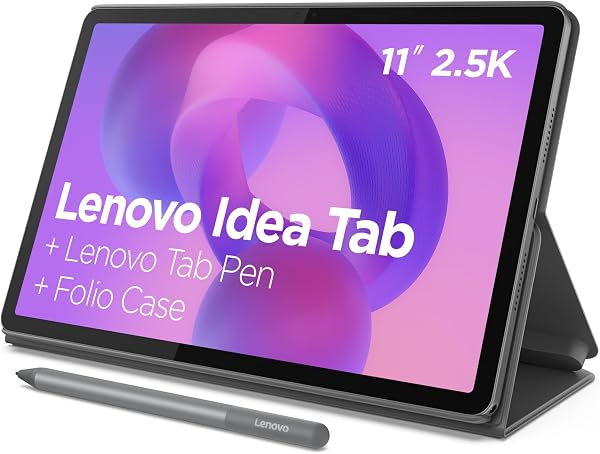
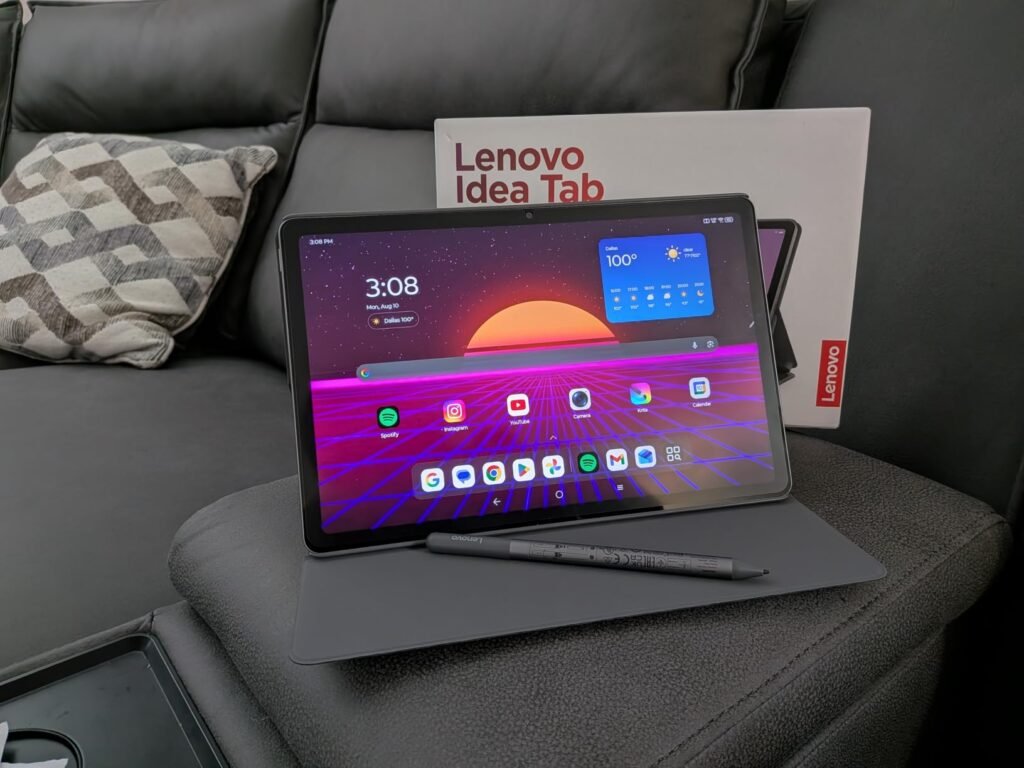
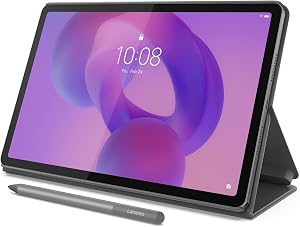
The Lenovo Idea Tab Plus targets Android users who want a large, bright canvas for editing without paying Apple-level prices. The 12.1-inch 2.5K IPS display with up to 800 nits brightness delivers sharp detail and strong visibility in well-lit environments, which matters when you are reviewing footage outdoors or in bright rooms. The 90Hz refresh rate provides smoother scrolling and playback compared to standard 60Hz panels, making timeline scrubbing feel more responsive.
We may earn a commission when you buy through this link, at no additional cost to you.
Powered by the MediaTek Dimensity 6400 with 8GB of RAM, this tablet handles Android-based editing apps like KineMaster, CapCut, and PowerDirector competently. It is not going to match the raw rendering speed of Apple’s M-series chips for complex projects, but for trimming, simple effects, and standard-resolution exports, the performance is adequate. The included Tab Pen allows precise timeline manipulation and annotation, which is a welcome inclusion since many tablets require a stylus purchase separately.
The tablet weighs just over a pound and is thin enough to slip between notebooks, making it practical for students and creators who carry their gear daily. Quad Dolby Atmos-tuned speakers provide decent audio reference during editing, though serious audio work should always rely on headphones. The built-in Smart Connect feature enables effortless file sharing across devices, which helps when moving footage from your phone to the tablet for editing. Battery life supports up to 13 hours of YouTube streaming, giving you a general sense of how long moderate workloads last before a recharge.
The Android editing ecosystem has matured considerably. Apps like KineMaster, CapCut, and PowerDirector offer multi-track timelines, keyframe animation, and export options that cover most consumer and semi-pro needs. The Lenovo Idea Tab Plus runs all of these smoothly with its 8GB of RAM and Dimensity 6400 chip. If you are deeply invested in Apple’s ecosystem with existing purchases of LumaFusion or Final Cut Pro for iPad, switching to Android means finding equivalent alternatives. For casual to intermediate editors, the Android app library is more than sufficient.
If you are an Android ecosystem user who wants the largest editing screen at a reasonable price, the Idea Tab Plus is the strongest option here. The included pen and folio case add tangible value that the specs alone do not convey. Just be realistic about the processor — this tablet excels at routine editing tasks but will not keep pace with an iPad Air or iPad Pro during heavy rendering.
Editors who rely on iPadOS-specific apps like LumaFusion or Final Cut Pro for iPad will be better served by an Apple tablet.
We may earn a commission when you buy through this link, at no additional cost to you.
The Samsung Galaxy Tab A11+ occupies a practical middle ground: it is affordable enough for family sharing while offering enough specs to handle basic video editing tasks competently. With 8GB of memory and 256GB of storage, it gives you room to store a reasonable amount of footage and project files locally, which is a significant advantage over tablets that ship with only 64GB. The upgraded chipset keeps day-to-day multitasking responsive, even when you have an editing app, a file manager, and a browser open simultaneously.
We may earn a commission when you buy through this link, at no additional cost to you.
The 11-inch display with a refresh rate of up to 90Hz delivers fluid motion that benefits both casual browsing and video playback. While this panel does not claim the wide color gamut of an iPad’s Liquid Retina display, it provides accurate enough color for social-media content, home videos, and casual editing where absolute color precision is not the primary concern. Quad speakers with Dolby Atmos offer a more immersive audio reference than single or dual-speaker tablets, which is helpful when reviewing music-synced edits before final export.
Samsung’s inclusion of AI-assisted features adds a layer of intelligence to everyday tasks, from photo organization to smart suggestions during navigation through the interface. The tablet’s slim, light body makes it easy to carry, and fast charging means less downtime when the battery dips during an extended editing session. Battery life covers extended browsing, streaming, and light productivity work, which translates to a solid half-day of editing before needing a recharge.
256GB of built-in storage means you can keep raw footage, in-progress projects, and exported files on the device for a reasonable period before needing to offload anything. For creators who shoot short clips in 1080p or moderate 4K, this capacity provides weeks or even months of buffer before storage becomes a constraint. It also means fewer interruptions caused by cloud sync delays or external drive connections. If your editing workflow involves regularly moving media between devices, the large internal storage simplifies the process significantly.
This is a sensible pick for households where the tablet serves multiple purposes — editing short videos, watching content, browsing, and light gaming. It will not replace an M-series iPad for demanding professional workloads, but it handles the types of clips most casual creators produce without noticeable slowdown. The generous 256GB base storage is a particular strength at this price, reducing the immediate need for cloud subscriptions or external storage.
Color-critical professional editing or multi-layer 4K project work will benefit from the superior display and processing of an M-series iPad.
We may earn a commission when you buy through this link, at no additional cost to you.
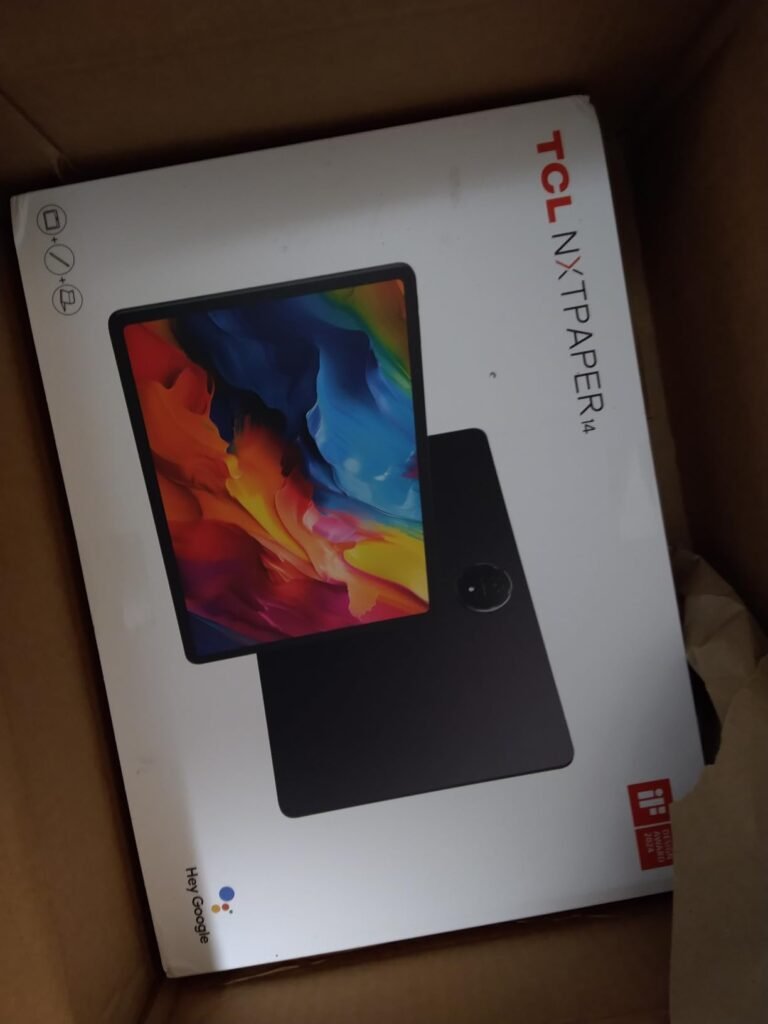
The TCL NXTPAPER 14 is the largest tablet in this guide, with a 14.3-inch 2.4K display that provides more editing real estate than any other option here. For video editors, a bigger screen means more of your timeline visible without zooming, larger preview windows for reviewing cuts, and less eye strain when working for extended periods. The paper-like NXTPAPER 3.0 technology filters blue light and reduces glare, which is a genuine comfort advantage during long editing sessions in varied lighting conditions.
We may earn a commission when you buy through this link, at no additional cost to you.
The tablet runs Android 14 with the MediaTek Helio G99 processor, 8GB of RAM, and 256GB of storage. This combination handles standard Android editing apps with reasonable performance, though it is not positioned as a powerhouse for heavy rendering. The 3-in-1 display modes are a unique feature: Standard Mode for vivid color review, Color Paper Mode for softer tones, and Ink Paper Mode for an e-reader-like experience. For video editors, Standard Mode is what you will use during color work, while the other modes become useful during script review, note-taking, or reading reference materials between edits.
The 10,000mAh battery with 33W fast charging supports extended work sessions away from an outlet, and reverse charging lets you power your phone or earbuds from the tablet — a convenient touch when you are working in a café or on location. The included adjustable flip case doubles as a stand for hands-free viewing or angled writing. At 1.67 lbs and 0.27 inches thin, it is portable for its size, though noticeably heavier than the 11-inch tablets in this list.
The NXTPAPER display technology is designed to reduce eye strain through anti-glare coating, blue light filtering, and DC dimming. These features work well for extended reading and note-taking sessions, but they can subtly soften the vibrancy of video content compared to a standard high-gloss IPS panel. If you primarily edit for casual platforms where absolute color precision is not critical, the comfort benefits likely outweigh the minor color shift. For color-critical delivery to clients or platforms with strict specifications, a more traditional display with wide color gamut coverage is preferable.
If your editing workflow benefits from maximum screen space and you spend long hours looking at the display, the NXTPAPER 14’s eye-comfort technology is a meaningful advantage over standard glossy panels. However, the paper-like finish can subtly reduce color vibrancy compared to the high-gloss displays on iPads and Samsung tablets, which is worth considering if your work involves precise color grading. It is best suited for editors who value screen size and comfort over maximum processing speed.
Editors who require precise color accuracy for professional grading will find the paper-like display less suitable than a standard high-gloss panel.
We may earn a commission when you buy through this link, at no additional cost to you.
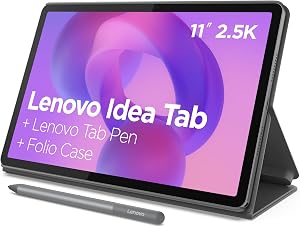
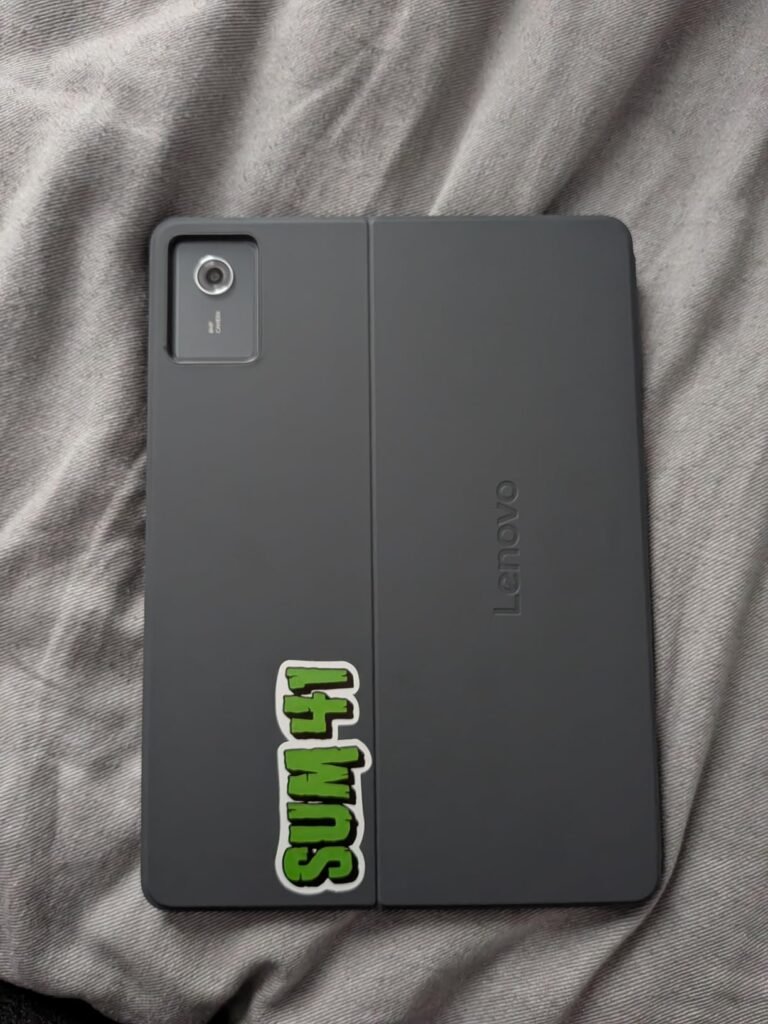
The 8GB/256GB Lenovo Idea Tab is the mid-range Android option that balances cost and capability most effectively in this guide. With 256GB of storage and 8GB of RAM, you have enough room for editing projects and enough memory to keep multiple apps responsive simultaneously. The MediaTek Dimensity 6300 handles routine editing tasks — trimming clips, adding transitions, applying basic filters — without significant lag. It is not designed for heavy 4K multi-track work, but it performs reliably for the projects most everyday creators handle.
We may earn a commission when you buy through this link, at no additional cost to you.
The 11-inch 2.5K IPS touchscreen with 72% NTSC color coverage and a 90Hz refresh rate provides a detailed, smooth viewing experience. For video editing, the 2.5K resolution offers enough pixel density to judge focus and framing accurately, while the 90Hz refresh rate makes preview playback and timeline scrubbing feel fluid. Quad Dolby Atmos-tuned speakers give you a usable audio reference for checking music sync and dialogue levels, though headphones remain the better choice for final audio checks.
The included Tab Pen and Folio case add real value, giving you a precise input tool for timeline adjustments and a protective cover that doubles as a stand. Smart Connect simplifies moving files between your devices, which is useful when pulling footage from a phone or transferring exports to a computer. Battery life supports up to 12 hours of YouTube streaming, which translates to several hours of active editing before a recharge. The 20W charger gets you back to full in a reasonable timeframe.
Storage capacity is one of the first bottlenecks video editors hit on tablets. A single minute of 4K footage can consume hundreds of megabytes, and project files grow quickly when you add effects, color profiles, and multiple audio tracks. Having 256GB built in means you can store a meaningful library of footage and working projects without immediately investing in cloud storage subscriptions or external drives. For creators who shoot regularly and edit on the go, this headroom prevents the frustrating workflow interruption of running out of space mid-project.
This is a strong pick for Android users who want enough storage to avoid constantly managing space, a sharp display for reviewing edits, and an included stylus without extra purchases. The Dimensity 6300 has clear limits with demanding 4K projects, so pair it with realistic expectations. If your work is primarily 1080p clips, social-media content, or student projects, this tablet delivers excellent value.
Editors who regularly work with complex 4K multi-track timelines will need a more powerful processor than the Dimensity 6300 provides.
We may earn a commission when you buy through this link, at no additional cost to you.
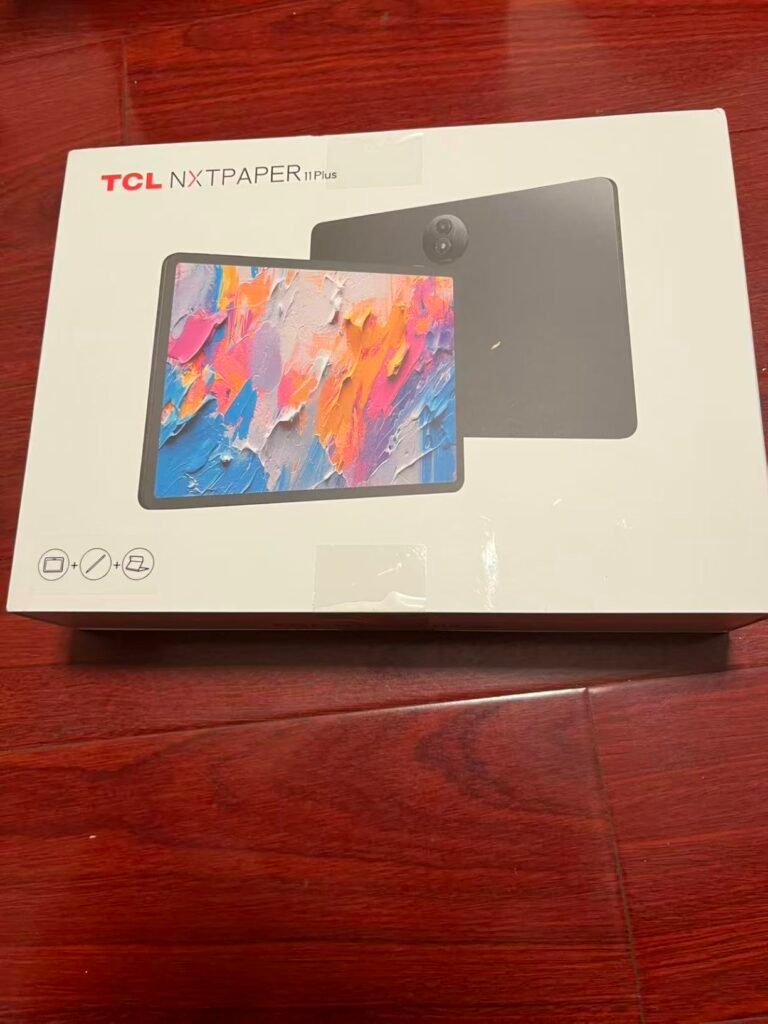
The TCL NXTPAPER 11 Plus is built around its 11.5-inch 2.2K display running at 120Hz, which is the highest refresh rate of any tablet in this guide. For video editing, a 120Hz panel makes timeline scrubbing, preview playback, and interface animations noticeably smoother than a 60Hz screen. This fluidity improves the overall feel of editing, especially when you are scrubbing frame-by-frame to find exact cut points. The NXTPAPER 4.0 technology adds anti-glare coating, TÜV-certified low blue light, and DC dimming to reduce eye strain during extended sessions.
We may earn a commission when you buy through this link, at no additional cost to you.
Under the surface, the MediaTek Helio G100 processor with 8GB RAM (expandable by an additional 8GB virtual RAM) and 256GB storage provides a capable foundation for Android-based editing workflows. The tablet runs Android 15 with TCL’s custom UI, supporting split-screen, floating windows, extended display, and screen mirroring. The T-PEN stylus with 4,096 pressure levels enables precise timeline control and is particularly useful for creators who annotate or sketch storyboard elements directly on the tablet.
Battery life from the 8,000mAh cell is solid for a full day of mixed use, and 33W PD fast charging gets you back to full quickly. Reverse charging lets you use the tablet as a power bank for your phone or earbuds — a practical feature when you are working remotely and your phone is running low. The 8MP front and rear cameras with CenterFace tracking handle video calls well, while the quad speaker system with DTS audio and Sound Booster (amplifying volume up to 200%) provides decent audio monitoring for quick previews.
A 120Hz display refreshes the image twice as often as a standard 60Hz panel, which means motion appears smoother and touch input feels more responsive. In video editing, this translates to smoother timeline scrolling, more fluid video preview playback, and a generally snappier interface. When you are dragging clips across a timeline or adjusting trim handles, the higher refresh rate reduces visual lag between your finger movement and the on-screen response. It is not a processing power upgrade, but it makes the tablet feel faster and more precise during interactive tasks.
The NXTPAPER 11 Plus is ideal for editors who spend long hours looking at their screen and want comfort features built into the display. The 120Hz refresh rate genuinely enhances the editing experience, and the included stylus and flip cover add value. The paper-like display may slightly soften colors compared to high-gloss panels, which is the main tradeoff to weigh if your work demands precise color accuracy. For comfortable, fluid editing sessions on Android, this is one of the stronger options available.
Editors who require the most vivid color reproduction for grading work may prefer a standard high-gloss display over the paper-like NXTPAPER finish.
We may earn a commission when you buy through this link, at no additional cost to you.
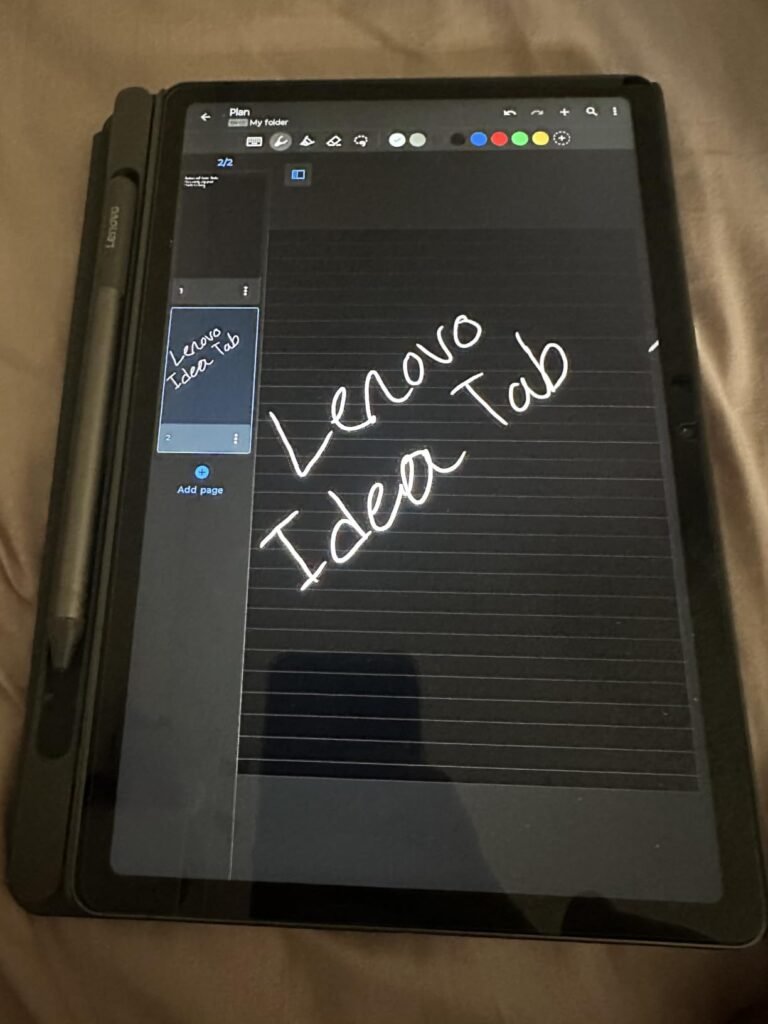
The 4GB/128GB Lenovo Idea Tab is the most affordable tablet in this lineup, and it makes a deliberate tradeoff: you get the same sharp 11-inch 2.5K display, 90Hz refresh rate, and included Tab Pen as the 8GB model, but with less RAM and storage to keep the price down. For someone who wants to explore tablet-based video editing for the first time without a significant investment, this tablet provides enough capability to learn the fundamentals and produce basic content.
We may earn a commission when you buy through this link, at no additional cost to you.
The MediaTek Dimensity 6300 handles simple editing tasks — cutting clips, adding titles, applying filters — without major issues. The 11-inch 2.5K IPS display with 72% NTSC color and 90Hz refresh rate is the same panel found on the pricier 8GB model, so your visual experience remains sharp and smooth regardless of the internal configuration. The included Folio case and Tab Pen mean you have everything you need for precise timeline work right out of the box.
Where the 4GB of RAM becomes noticeable is in multitasking. If you switch between an editing app, a file manager, a web browser, and a reference video, the system may need to close background apps more frequently, causing slower reloads. For single-app editing sessions where the tablet is dedicated to one task at a time, 4GB is workable. The 128GB of storage is also more constrained — comfortable for storing footage from one or two projects, but you will need to offload files regularly if you shoot and edit frequently.
With 128GB of built-in storage, you need to be intentional about what stays on the device. A practical approach is to keep only your active project and its raw footage locally, while offloading completed projects to an external drive or cloud service. Android tablets with USB-C support external storage, which can significantly expand your working capacity. Plan to review and clear out old exports and cached files monthly to maintain comfortable headroom for new work.
This tablet makes the most sense as a starter device for students, first-time creators, or anyone who wants a capable Android tablet for basic editing tasks at the lowest possible price. The display quality and included accessories punch above the price point, while the reduced RAM and storage are the compromises you accept. If you find yourself editing more frequently and hitting performance walls, stepping up to the 8GB model or a more powerful tablet will be a natural upgrade path.
Frequent editors or anyone who regularly runs multiple apps simultaneously will want at least 8GB of RAM to avoid slowdowns.
We may earn a commission when you buy through this link, at no additional cost to you.
Choosing a tablet for video editing involves more than picking the biggest screen or the cheapest price. The right device balances processing power, display quality, storage, software, and physical usability in a way that matches how you actually work. This guide breaks down each factor so you can make a confident decision.
The processor is the single most important specification for video editing on a tablet, because it determines how quickly your device can render exports, play back complex timelines in real time, and handle effects without stuttering. Apple’s M-series chips — the M4 and M5 found in the iPad Air and iPad Pro models here — represent the current ceiling for tablet video editing performance. They support hardware-accelerated video encoding, AI-powered features like background removal and auto-color matching, and sustained performance during long rendering sessions without significant thermal throttling.
On the Android side, MediaTek processors like the Dimensity 6300 and 6400, or the Helio G99 and G100, are competent for everyday editing but will lag behind Apple’s silicon in rendering speed and multitasking under heavy load. This does not make them bad tablets — it means they are better suited for lighter editing tasks such as trimming, simple transitions, and standard-resolution exports. If you regularly work with 4K footage, multicam projects, or heavy effects, the performance gap between a mid-range Android chip and an M-series Apple chip becomes noticeable with every export you run.
Match the processor to the complexity of your actual projects. If you edit short social clips with basic cuts and music, a Dimensity or Helio chip will handle it comfortably. If you work with long-form content, multiple video tracks, or professional color grading, investing in an M-series chip will save you time on every project.
The display is where you judge every cut, every color adjustment, and every frame of your footage. Resolution matters for seeing fine detail — 2.2K and 2.5K displays in this guide provide enough sharpness to review focus and framing accurately, while Apple’s Liquid Retina and Ultra Retina XDR panels push further with P3 wide color coverage, True Tone ambient adjustment, and in the iPad Pro’s case, extreme brightness and contrast for HDR content. If your work involves delivering color-graded footage to clients or publishing to platforms with strict color standards, wide color gamut support becomes a meaningful factor rather than a marketing specification.
Refresh rate affects how fluidly you can scrub through footage and interact with the editing interface. A 90Hz or 120Hz display makes timeline scrolling and preview playback noticeably smoother than a standard 60Hz panel. The TCL NXTPAPER 11 Plus at 120Hz offers the smoothest motion in this lineup, while many iPad models support ProMotion for adaptive refresh that adjusts based on content. Screen size is the most subjective factor: 11 inches is highly portable and sufficient for most editing tasks, while 13 inches or larger (like the TCL NXTPAPER 14) reduces the need for zooming and scrolling during detailed work.
Prioritize color accuracy and screen size based on your workflow. For color-critical professional delivery, wide color gamut and brightness consistency matter more than refresh rate. For comfort during long sessions, anti-glare and blue-light filtering technologies can reduce fatigue even if they slightly soften colors. Decide whether portability or screen real estate matters more to you, then choose accordingly.
Video files consume storage at a pace that surprises first-time tablet editors. A single minute of 4K footage can run into hundreds of megabytes, and project files grow further when you add color profiles, effects, and audio tracks. The tablets in this guide range from 128GB to 512GB built in, and choosing the right capacity depends on how you manage your media. If you primarily edit from cloud storage or frequently offload finished projects to an external drive, 128GB may be workable. If you prefer keeping raw footage local for faster access, 256GB or more becomes a practical necessity.
Storage capacity interacts with the rest of your workflow. Running out of space mid-project means pausing to decide what to delete — a frustrating interruption that breaks creative momentum. Apple’s iPad lineup in this guide offers up to 512GB on the standard iPad and up to 2TB on the iPad Pro, giving you room to grow. The Android options here top out at 256GB, which is generous for their price points but still finite. Some Android tablets support microSD expansion, though several in this lineup (including the TCL models) do not.
Match storage to your shooting and editing habits. Light editors who produce a few short clips per month will find 128GB sufficient with occasional cleanup. Regular creators who shoot weekly or work with longer projects should prioritize 256GB or more. If storage becomes a recurring constraint, budget for an external USB-C drive or a cloud storage subscription alongside the tablet purchase.
Random access memory (RAM) determines how many apps and processes your tablet can keep active simultaneously without closing background tasks and forcing slow reloads. For video editing, RAM matters because you often switch between your editing app, a file browser, a web browser for reference footage, and possibly a notes or script app. With 4GB of RAM, these switches may trigger aggressive app management that closes the editing app if you briefly step away, causing you to wait for it to reload. With 8GB, apps stay resident longer, making the workflow feel smoother and more responsive.
Apple’s iPad Pro and iPad Air models carry significant memory advantages over the Android tablets here — the iPad Pro supports up to 16GB, while the iPad Air benefits from the efficiency of Apple’s unified memory architecture. The Android tablets in this guide range from 4GB to 8GB (with some offering virtual RAM expansion), which handles routine editing well but may struggle when multiple resource-intensive apps are open simultaneously. Virtual RAM expansion, found on some Android models, borrows storage space to act as additional memory, which helps but is not a substitute for physical RAM.
If you are a dedicated editor who stays focused on a single app during your sessions, 4GB will likely suffice. If you regularly switch between multiple apps while editing, 8GB provides a noticeably better experience. When in doubt, choose the higher-RAM configuration of the same tablet — the cost difference is usually modest compared to the day-to-day friction reduction.
The software ecosystem you commit to determines which editing tools are available to you. Apple’s iPadOS offers access to some of the most capable tablet-based editing apps available, including DaVinci Resolve for iPad, LumaFusion, Adobe Premiere Rush, and Apple’s own tools through Final Cut Pro for iPad. The iPadOS flexible windowing system also enables multitasking arrangements that make it practical to have reference material, notes, and your editing timeline visible at the same time. For editors who value a deep, mature app library, Apple’s ecosystem has a clear advantage.
Android’s editing app ecosystem has grown substantially and now includes capable options like KineMaster, CapCut, PowerDirector, and Filmora. These apps cover the full spectrum from simple trims to multi-track timelines with keyframe animation. However, some advanced tools and professional-grade apps remain iPad-exclusive or receive iPad versions first. If your workflow depends on specific software, verify that it runs well on Android before choosing an Android tablet. Conversely, if you are already invested in Android-based tools or Google services, switching to iPad means rebuilding your workflow around Apple’s ecosystem.
Choose the ecosystem that matches your existing tools and workflow. If you have never edited on a tablet before, either platform will get you started — but it is worth checking whether your preferred apps are available and well-optimized on the platform you are considering. The strongest tablet for video editing is useless if it cannot run the software you actually need.
Video editing is one of the more demanding tasks a tablet can perform, and battery life reflects that. The tablets in this guide offer varying estimates — some claim up to 13 hours of streaming, while others promise all-day battery under mixed use. However, streaming video drains the battery at a much lower rate than actively rendering, exporting, or previewing complex timelines. In practice, expect active editing sessions to consume battery significantly faster than the headline figures suggest. If you plan to edit for several hours away from an outlet, factor in that demanding projects may cut your usable time in half.
Charging speed is the other half of the battery equation. Fast-charging support means less downtime when you need a quick top-up between sessions. Several tablets in this guide support 33W fast charging, while Apple’s models include efficient charging through their USB-C connections. The 20W charger bundled with some Lenovo models is adequate but slower for a full recharge. Some Android tablets also offer reverse charging, turning the tablet into a portable power bank for your phone or earbuds — a useful convenience when you are working remotely.
Prioritize battery life if you frequently edit in locations without easy access to power. For home-based editing where an outlet is always nearby, battery life is less critical and you can focus your budget on processing power or display quality instead. Regardless of your choice, keeping the tablet charged to start each editing session avoids unnecessary interruptions.
Video editing on a tablet involves precise touch interactions — placing cuts at exact frames, adjusting trim handles, and scrubbing through footage. A stylus dramatically improves this precision compared to finger input, especially on smaller screens. Apple Pencil Pro and Apple Pencil (USB-C) support makes the iPad Air and iPad models excellent for precise timeline work, while some Android tablets include a stylus in the box (like the Lenovo models with their Tab Pen). The TCL tablets come with a T-PEN offering 4,096 pressure levels. Always check whether a stylus is included or sold separately, as this affects your total cost.
Keyboard and trackpad accessories transform a tablet from a touch-only device into something closer to a laptop workstation. The Magic Keyboard for iPad Air and iPad Pro provides comfortable typing and a trackpad with haptic feedback, which is valuable for editing apps that benefit from keyboard shortcuts and mouse-like pointer precision. Android tablets generally have broader third-party keyboard compatibility, but the experience varies more in quality. For editors who frequently type project names, search for clips, or use keyboard shortcuts, investing in a keyboard accessory significantly improves productivity.
Assess your input needs honestly. If you primarily use touch and occasionally need precision for trimming, a stylus is sufficient. If you plan to do extended editing sessions with shortcuts, timeline navigation, and text entry, a keyboard accessory becomes almost essential. Factor the cost of these accessories into your budget alongside the tablet itself — they can add $100 or more to the total investment.
The tension between portability and screen size is one of the most personal decisions in this category. An 11-inch tablet is light, easy to carry in a bag, and comfortable to hold for extended periods — making it ideal for editing on the go, during travel, or from a couch. A 13-inch or 14-inch tablet provides substantially more screen real estate for timeline work, reducing zooming and scrolling, but it is heavier and bulkier to transport. The choice depends on where and how you typically edit rather than which specification is objectively better.
Practical considerations include where you work most often, how far you carry the tablet, and whether you typically edit at a desk or on the move. If your editing happens primarily at a desk or table, a larger screen provides more comfort without the portability penalty being felt. If you edit during commutes, at cafés, or while traveling, the lighter weight of an 11-inch model will matter more than the extra inches. The Lenovo Idea Tab Plus at just over a pound with its 12.1-inch screen offers an interesting middle ground for those who want larger real estate without a dramatic weight increase.
Honestly evaluate your editing environment before choosing. If you are unsure, the 11-inch form factor is the safer bet — it is portable enough for any situation and large enough for competent editing work. You can always pair a tablet with an external monitor for sessions that demand more screen space, which provides the best of both worlds.
Start by organizing your workspace on the tablet before diving into an edit. Create a consistent folder structure for raw footage, project files, audio tracks, and exports so you can locate assets quickly during a session. Install your preferred editing app and take time to learn its interface and keyboard shortcuts (if you use a keyboard accessory) — spending ten minutes up front on setup pays dividends in smoother workflow later. If your tablet supports an external display, consider connecting one for preview or reference while editing on the main screen.
Protect your tablet’s display and battery to extend its useful life. Apply a screen protector if you use a stylus frequently, as repeated stylus contact can leave micro-scratches over time. Avoid exposing the tablet to extreme temperatures — leaving it in a hot car or near a heater can degrade battery health and potentially damage the display. Charge between 20% and 80% when possible rather than constantly running the battery to zero or keeping it at 100%, as lithium-ion batteries last longer with moderate charge cycles.
Keep your tablet and editing apps updated to benefit from performance improvements and bug fixes that developers release over time. Clear cached files periodically, especially on Android tablets where accumulated cache can slow down the system. Back up your projects regularly to cloud storage or an external drive — tablets are portable devices, and losing a device means potentially losing weeks of editing work. If you plan to sell or pass the tablet down, a factory reset ensures a clean starting point for the next user.
Yes, but performance varies significantly by processor. Apple's M4 and M5 chips in the iPad Air and iPad Pro handle 4K timelines smoothly, including multi-track projects with effects. Mid-range Android tablets with MediaTek processors can manage basic 4K editing but may struggle with complex projects or render slowly during export. If 4K editing is your primary workload, prioritize an M-series iPad or a higher-end Android tablet with at least 8GB of RAM.
It depends on your footage resolution and shooting frequency. 128GB works for casual editors who produce a few short clips per month and offload projects regularly. 256GB is more comfortable for weekly creators who want to keep raw footage on the device. If you shoot 4K frequently or work on long-form projects, consider 512GB or more. External USB-C drives can supplement internal storage at a lower cost than upgrading the tablet's built-in capacity.
A stylus is not strictly necessary, but it significantly improves precision when placing cuts, adjusting trim handles, and scrubbing through footage frame-by-frame. Finger input works for basic edits, but a stylus makes detailed timeline manipulation much easier, especially on smaller screens. Some tablets in this guide include a stylus in the box (Lenovo and TCL models), while iPads require a separate Apple Pencil purchase. If precision editing is a regular part of your workflow, budget for a stylus.
Android tablets can handle video editing well for most consumer and semi-pro workflows. Apps like KineMaster, CapCut, and PowerDirector offer multi-track timelines, keyframe animation, and high-resolution export options. The main limitation is that the most powerful editing apps are sometimes iPad-exclusive or receive iPad versions first with more polished optimization. If your editing needs are straightforward cuts, transitions, and social-media content, Android tablets provide excellent value. For professional-grade workflows, iPadOS currently has a software advantage.
Screen size depends on your editing style and environment. An 11-inch tablet is highly portable and sufficient for most editing tasks, especially with touch-optimized editing apps. A 13-inch or larger display reduces zooming and scrolling when working with complex timelines, but it is heavier to carry. If you edit primarily at a desk, larger is generally better. If you edit on the go or while traveling, an 11-inch model offers a better balance of capability and portability.
Most modern tablets with USB-C ports support external storage connection. You can connect a USB-C SSD or flash drive to transfer footage, back up projects, or access media without using internal storage. Check the specific tablet's port specifications to confirm support for external drives, as some budget models may have limited USB-C functionality. External storage is an effective way to expand your working capacity on a 128GB or 256GB tablet without paying for a higher internal storage configuration.
For basic editing tasks, 4GB of RAM can work if you focus on a single app at a time. However, 8GB is the practical minimum for a comfortable editing experience, as it allows you to switch between your editing app, a file browser, and reference materials without triggering aggressive app management. The Apple tablets in this guide benefit from efficient memory architecture, while Android tablets benefit directly from higher physical RAM. If you are choosing between RAM configurations of the same tablet, the higher option is usually worth the difference.
The iPad Pro uses Apple's M5 chip while the iPad Air uses the M4, giving the Pro an edge in rendering speed and AI-accelerated tasks. The iPad Pro also features the 13-inch Ultra Retina XDR display with extreme brightness and contrast, plus LiDAR scanner and Face ID. The iPad Air provides excellent performance at a lower price with the M4 chip and Liquid Retina display. For most editors, the iPad Air delivers sufficient performance — the Pro's advantages matter most for demanding professional workflows with long timelines and heavy effects.
Paper-like displays like TCL's NXTPAPER technology prioritize eye comfort through anti-glare coating, blue light filtering, and reduced flicker. These features can subtly soften color vividness compared to high-gloss IPS panels, which may affect color-critical grading work. For casual editing, social-media content, and projects where absolute color precision is not the priority, the comfort benefits outweigh the minor color shift. If you deliver color-graded footage to clients or have strict color requirements, a standard high-gloss display with wide color gamut support is preferable.
For many creators, a tablet can serve as their primary editing device, especially for short-form content, social media videos, and straightforward projects. Apps like DaVinci Resolve for iPad, LumaFusion, and Adobe Premiere Rush provide capable editing tools with good touch and stylus support. However, some workflows still benefit from a desktop environment — particularly long-form projects, complex motion graphics, and advanced audio mixing. A tablet paired with an external monitor and keyboard offers a strong middle ground that covers most editing needs without requiring a full desktop setup.
The Apple iPad Pro 13-inch with the M5 chip is the strongest overall choice for anyone who prioritizes raw performance and display quality above all else. Its Ultra Retina XDR panel, up to 16GB of memory, and Neural Accelerators for AI-powered editing features make it the most capable tablet in this guide for demanding multi-layer projects. If your work demands the fastest rendering, the most accurate color representation, and the most storage headroom, it earns the Editor's Choice recommendation despite its premium price.
For editors who want excellent M-series performance without stepping up to the Pro's cost, the 11-inch iPad Air with the M4 chip represents the best balance of capability and value. It handles the full range of iPadOS editing apps competently, supports Apple Pencil Pro and Magic Keyboard accessories, and fits comfortably in a bag for mobile editing. The Lenovo Idea Tab Plus offers an appealing alternative for Android users, with its 12.1-inch 2.5K display and included pen at a fraction of the price, though it will not match Apple's rendering speed on complex projects.
Ultimately, the right tablet depends on how demanding your editing projects are, which software ecosystem you prefer, and how much you are willing to invest. If you edit casually and value comfort, the TCL NXTPAPER 11 Plus or Samsung Galaxy Tab A11+ provide capable platforms at accessible prices. If you need maximum screen space, the TCL NXTPAPER 14 delivers the largest canvas available. Match your choice to your actual workflow rather than chasing the highest specification — the best tablet for video editing is the one you will consistently reach for.