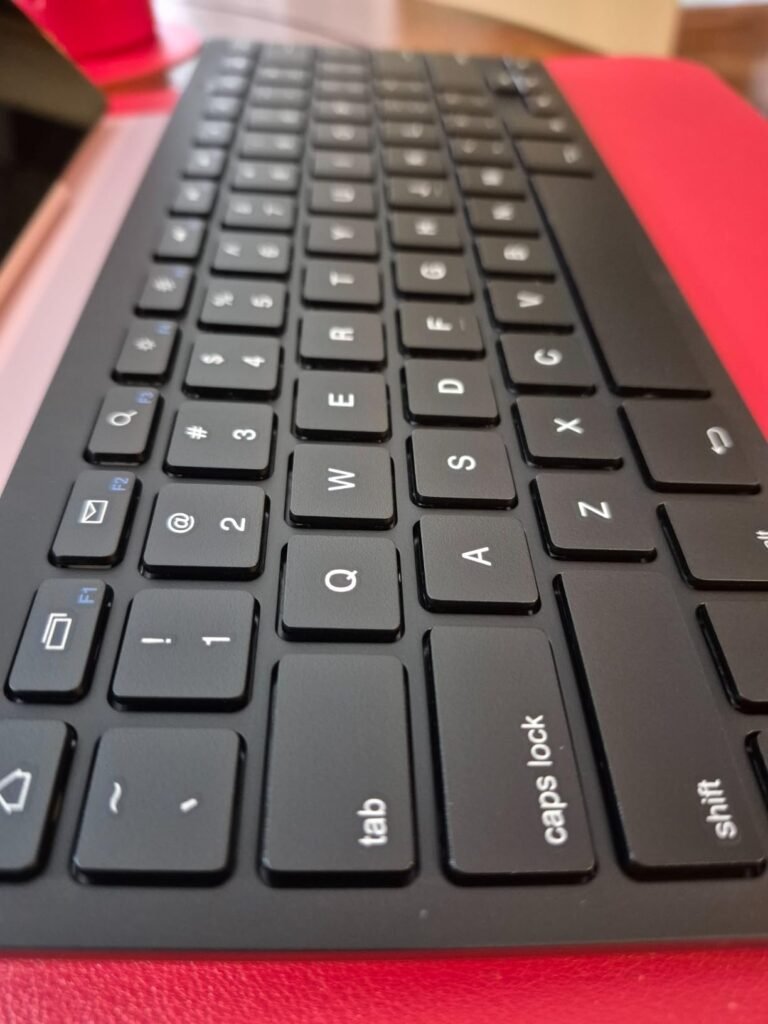
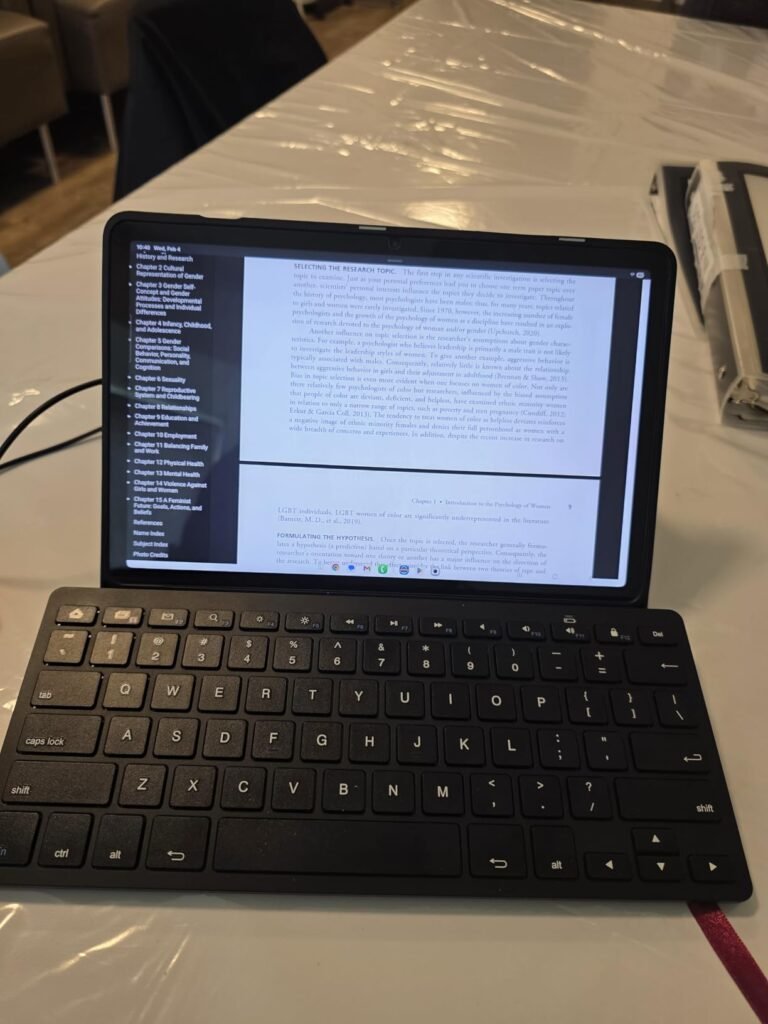
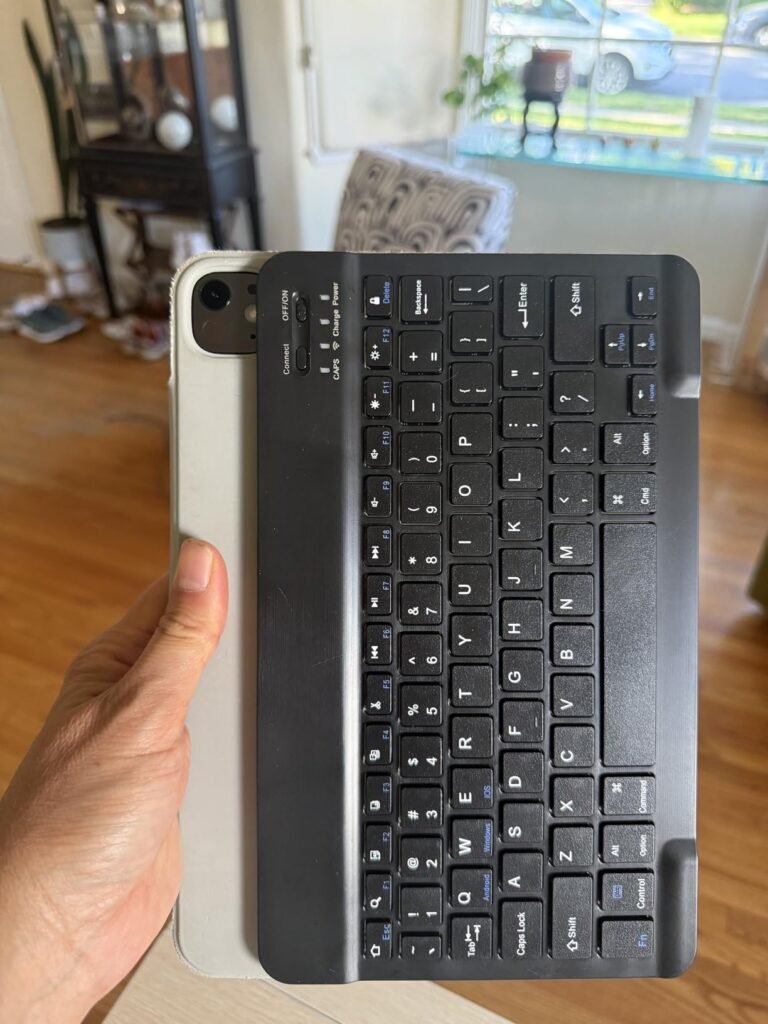
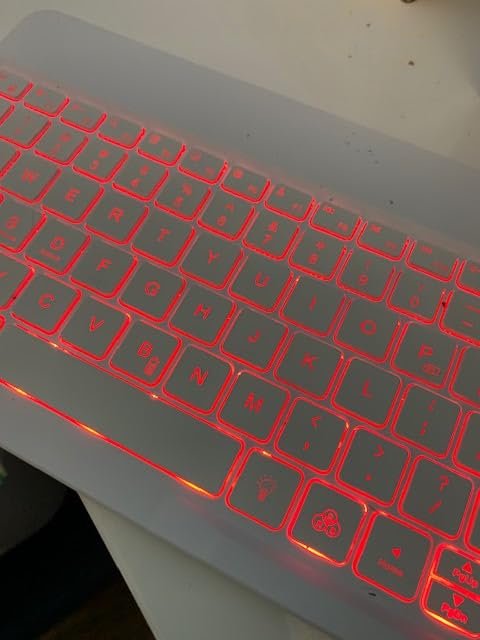
Ultra-Slim Bluetooth Keyboard
8.4Editor scoreRechargeable lithium battery
Scissor switch keys
10 meter range
0.4 pound weight
Compare 10 top tablet keyboards across compatibility, layout, battery life, and portability. Find the right Bluetooth or case keyboard for your device.
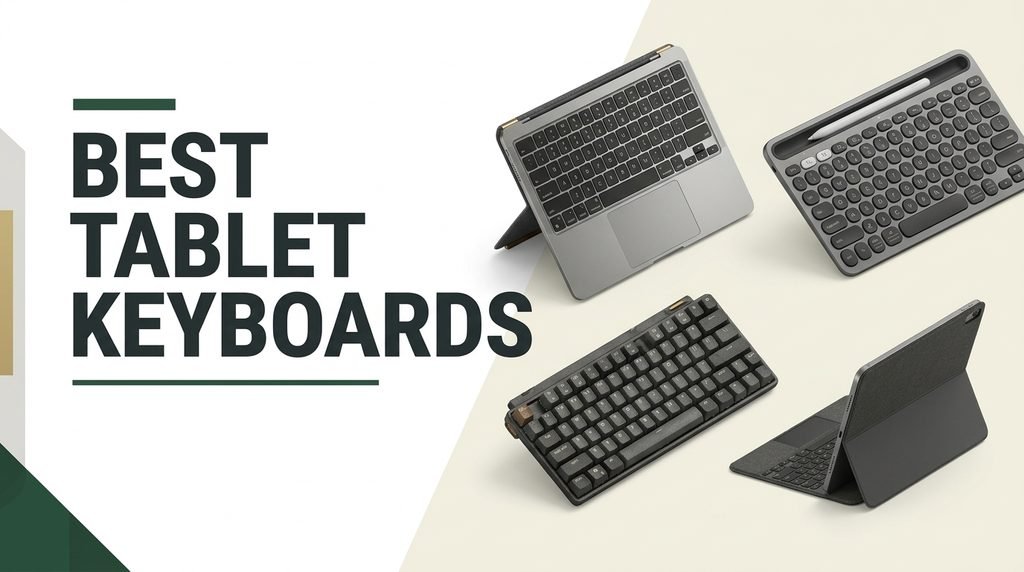
Turning a tablet into a functional workstation starts with the right keyboard, and the options in 2026 range from ultra-cheap Bluetooth slabs to premium detachable cases with trackpads. We compare 10 standout tablet keyboards by compatibility, key feel, battery life, portability, layout, backlighting, and value so you can match one to your specific device and daily workflow.
The differences between these keyboards matter more than most shoppers expect. A case-style option like the Logitech Combo Touch offers laptop-like productivity, while a foldable model like the ProtoArc XK04 slips into a pocket. Battery type, multi-device switching, backlight support, and key layout all shape the day-to-day experience in meaningful ways.
This guide breaks each option down by ideal use case, whether you need a permanent home for an iPad, a travel companion for occasional email replies, or a Samsung-specific book cover with trackpad support. Read on for detailed reviews and practical guidance on choosing the keyboard that fits your tablet and habits.
We compared 10 tablet keyboards using the factors that actually shape the buying decision: device compatibility, key layout and size, typing feel, battery type and reserve, wireless connection stability, multi-device pairing, backlight options, trackpad inclusion, portability, protective case features, layout switching between iOS and Android, warranty coverage, and owner feedback. The notes focus on real trade-offs so each pick connects to how people actually type, travel, and switch between tablets and phones throughout the day.


Compare key features, scores, and current prices side by side. A shorter feature list means fewer details were available, not necessarily fewer capabilities.


The SPARIN Bluetooth Keyboard targets Samsung Galaxy Tab owners specifically, with function keys and shortcuts optimized for the Samsung ecosystem. Compatibility extends across the Galaxy Tab A11 Plus, A9 Plus, S11, S10+, S10 FE, S9 FE, S7 FE, S6 Lite, and most other Samsung tablets, plus general Samsung laptops and phones for cross-device use.

We may earn a commission when you buy through this link, at no additional cost to you.
The slim 11.2 by 4.7 by 0.2 inch profile makes this keyboard genuinely portable, and it slips into backpacks or handbags without adding weight. Scissor feet under chocolate keycaps deliver quiet, tactile typing that suits public spaces. The QWERTY layout with dedicated function keys handles volume, music control, screen brightness, and other Samsung-specific shortcuts.
Battery life is a real strength at 30 days of continuous use, and the automatic sleep mode can stretch battery replacement intervals to roughly six months. The trade-off is that it uses 2 AAA batteries rather than a rechargeable cell, and batteries are not included. If you have rechargeable AAAs on hand, this becomes a non-issue; otherwise, factor in a small extra purchase.
AAA-powered keyboards offer roughly 30 days to 6 months of use per battery swap and never require charging cables. Rechargeable keyboards use USB-C or micro-USB charging and typically last 20-60 days per charge. AAA models work well for buyers who dislike managing charging cables, while rechargeable options suit anyone who prefers zero battery purchases over time.
Choose this keyboard if you own a Samsung Galaxy Tab and want maximum compatibility without spending on a proprietary book cover keyboard. It sits well below Samsung’s official accessories in price while covering the essentials. The AAA battery format is polarizing; some buyers prefer rechargeable convenience, while others appreciate never needing to plug in a keyboard mid-session.
Buyers who own iPads or want a rechargeable option should look at OMOTON or Logitech models.
We may earn a commission when you buy through this link, at no additional cost to you.
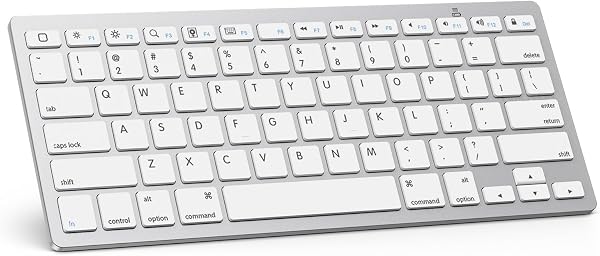
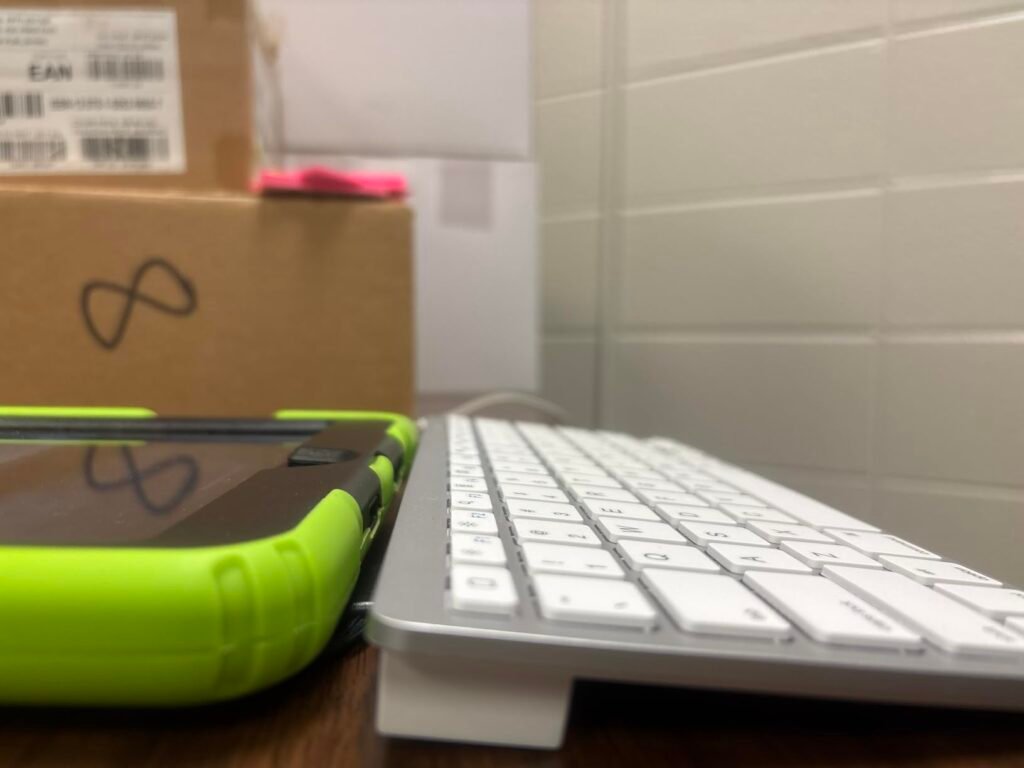
This ultra-slim Bluetooth keyboard offers a functional entry point into wireless tablet typing at one of the lowest prices in the category. Weighing just 0.4 pounds and measuring 9.84 by 5.9 by 0.24 inches, it slips easily into a bag alongside an iPad or Samsung tablet without adding meaningful weight or bulk. The brushed aluminum back gives it a more premium appearance than the price suggests.

We may earn a commission when you buy through this link, at no additional cost to you.
Compatibility spans iOS, iPadOS, and Android, so it pairs with iPhones, iPads, Samsung tablets, and most Bluetooth-enabled devices. The scissor structure under square chocolate keycaps produces quieter typing than membrane alternatives, which matters in shared spaces like coffee shops and libraries. Hot keys handle volume, playback, and track skipping, adding meaningful convenience for media use.
Battery life reaches roughly 20 days of typical use on a full charge, and the automatic sleep mode after 10 minutes of inactivity preserves reserve when you step away. The 10-meter Bluetooth range comfortably covers a desk setup, and any keypress wakes the keyboard back up without a long reconnect delay. The US QWERTY layout matches what most buyers already know.
Ultra-budget Bluetooth keyboards work well as backup devices, travel companions you would not mind losing, or first purchases to see if a tablet keyboard fits your workflow. They handle light typing tasks like emails, quick notes, and social posts without complaint. For all-day writing or professional work, invest in a keyboard with better key travel, backlighting, and build quality.
This keyboard suits students, casual users, and travelers who want basic typing support for their tablet without spending much. The trade-off is that build quality and typing feel are entry-level, and there is no backlight for use in dim conditions. For occasional email replies, note-taking, and social media use, it delivers strong value. Heavy typists should invest in something more substantial.
Heavy typists and buyers who need backlighting for low-light use should choose a higher-tier keyboard.
We may earn a commission when you buy through this link, at no additional cost to you.
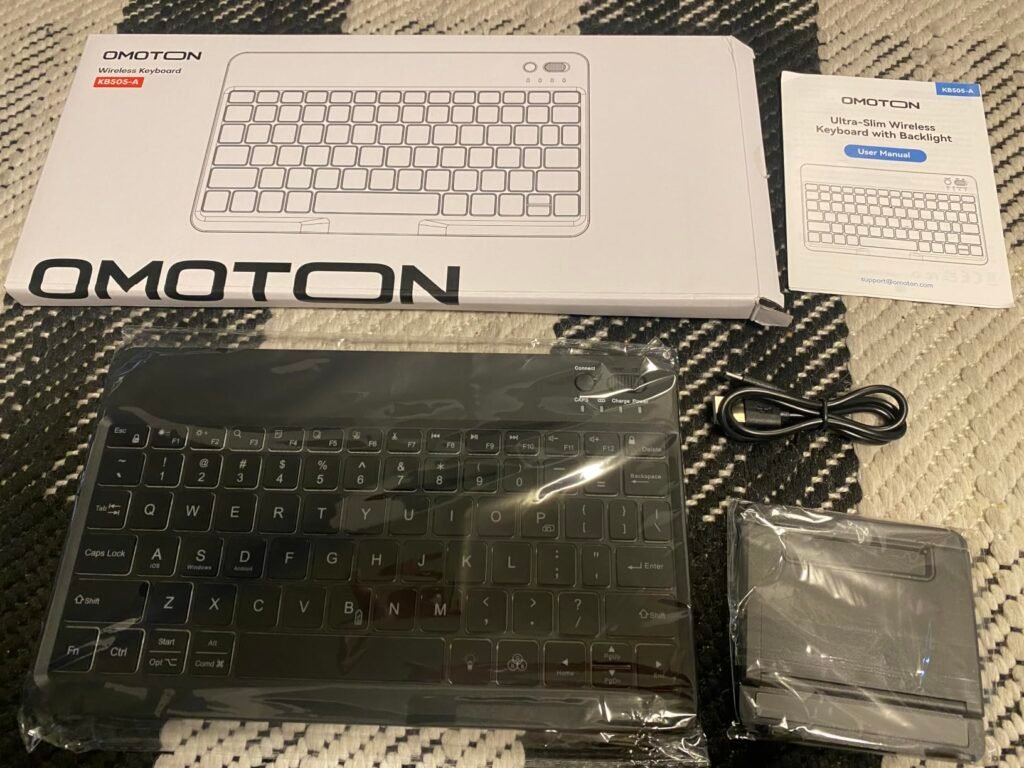
The OMOTON Backlit Keyboard delivers exceptional value by combining features usually found on more expensive models. The oversized keycaps are 27 percent larger than standard, which reduces accidental presses and makes extended typing sessions more comfortable. This matters especially for buyers coming from a full-size laptop keyboard who find compact tablet keyboards cramped.
We may earn a commission when you buy through this link, at no additional cost to you.
System switching via keyboard shortcuts is a genuine productivity boost. Press FN plus A for iOS, FN plus S for Windows, or FN plus D for Android to properly map function keys and shortcuts for the target system. This eliminates the compatibility headaches that plague many multi-device keyboards. The included adjustable stand offers 5 viewing angles for tablet or phone.
The 7 color backlight with 3 brightness levels is genuinely useful for evening work, gaming, or dimly lit environments. Battery life reaches 200 hours with the backlight off but drops to 3-5 hours with backlighting active, so plan around your usage pattern. Type-C fast charging refills the cell in 2-3 hours, keeping downtime minimal.
Function keys behave differently across operating systems. iOS uses specific media and screen brightness commands, Windows relies on different function key mappings, and Android has its own layout. Keyboards without system switching often have keys that do nothing or trigger the wrong function when you swap devices. Proper system switching ensures every key behaves as expected on whichever device you connect.
Choose this keyboard if you want backlight support, oversized keys for comfort, and proper multi-system compatibility at a mid-range price. The trade-off is that heavy backlight use noticeably impacts battery life, so serious backlight users should charge regularly. The separate stand is a minor inconvenience compared to case-style keyboards but adds versatility.
Buyers who want an integrated case for their tablet should choose a case-style keyboard instead.
We may earn a commission when you buy through this link, at no additional cost to you.
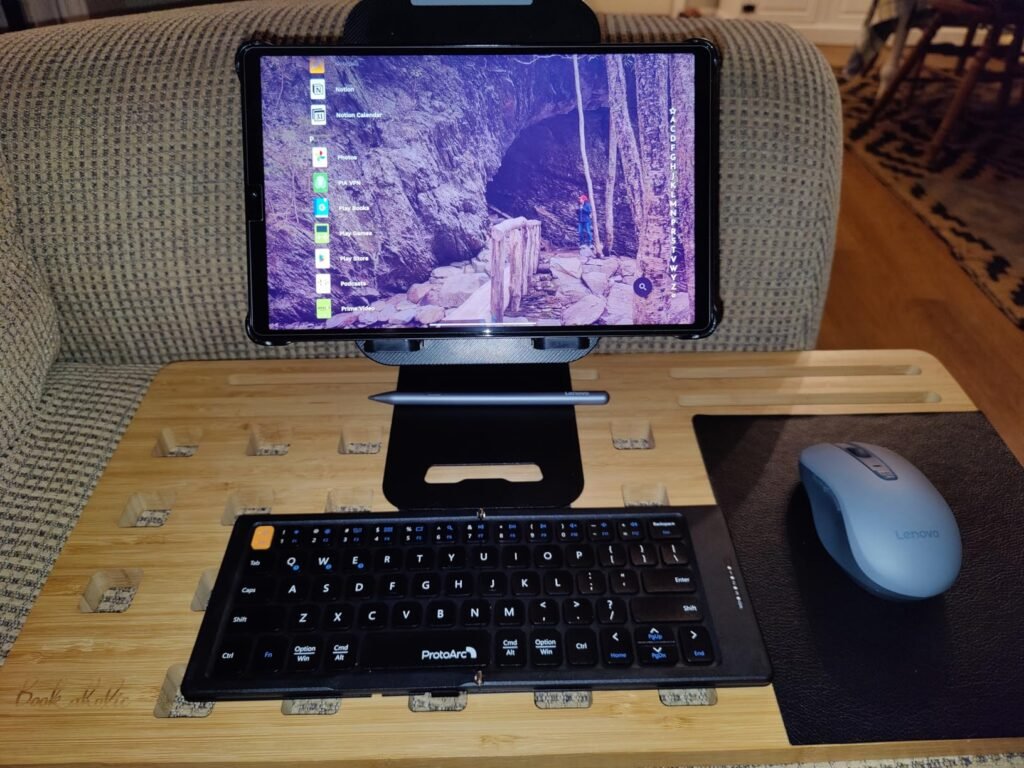
The ProtoArc XK04 targets travelers, remote workers, and mobile professionals who need typing capability without carrying a full-size keyboard. Folded, it weighs just 7.8 ounces and fits comfortably in a jacket pocket or small bag compartment. Unfolded, it opens to 10.76 by 4.07 inches with a layout optimized for tablet and phone use.
We may earn a commission when you buy through this link, at no additional cost to you.
Bluetooth 5.1 provides a 33-foot connection range and supports pairing with up to 3 devices simultaneously. Dedicated switching keys let you jump between your phone, tablet, and laptop without re-pairing or juggling cables. This is a genuine productivity boost for anyone who works across multiple devices throughout the day.
The integrated PU leather cover protects the keys during transport and adds a premium tactile finish. USB-C charging keeps you away from proprietary cables, and auto-sleep extends standby time up to 150 days when the keyboard sits idle. The 0.55-inch keycaps fit comfortably on airplane tray tables, cafe counters, and tight desk spaces.
Foldable keyboards feel slightly cramped for the first few hours of use as your fingers learn the tighter key spacing. Most users adapt within a few sessions and reach 80-90 percent of their normal typing speed. The trade-off is worth it for the portability gain. If you can never adjust to smaller layouts, a full-size folding keyboard like the iClever BK08 provides a better fit.
This keyboard is the right pick for anyone who values portability above all else. The trade-off is that compact keys take some adjustment coming from a full-size layout, and there is no built-in trackpad for mouse-free navigation. If you type extensively on the go and want the smallest possible footprint that still provides real typing capability, the XK04 is one of the strongest options available.
Users who need a built-in trackpad or full-size key spacing should choose a case-style or full-size keyboard.
We may earn a commission when you buy through this link, at no additional cost to you.
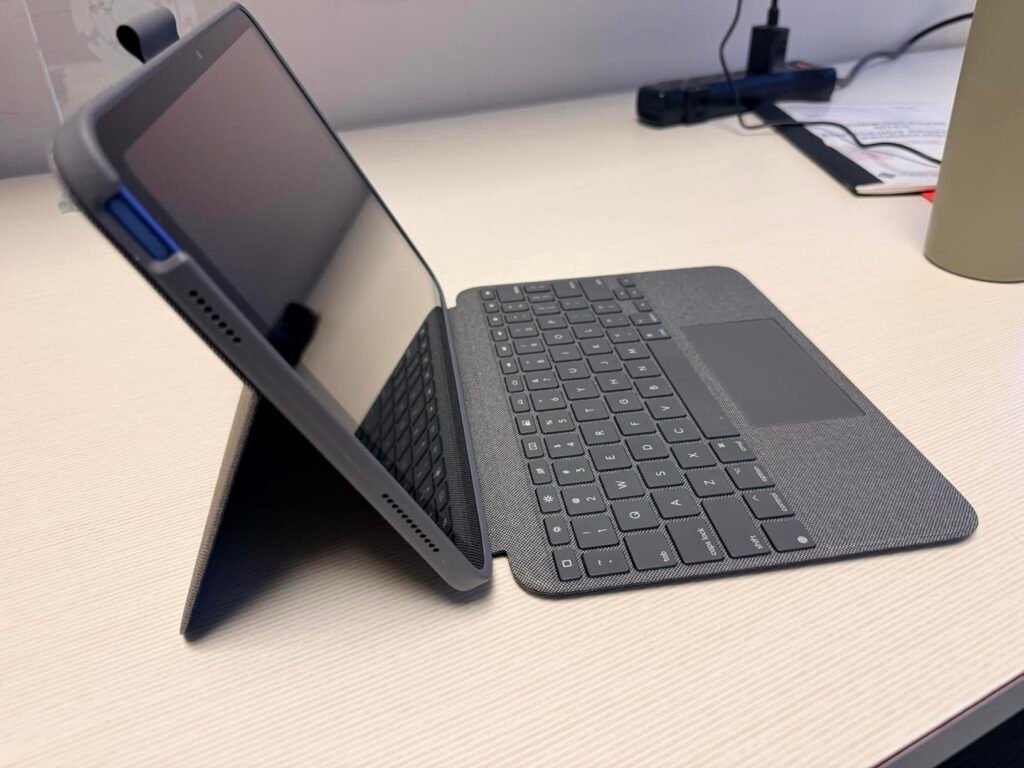
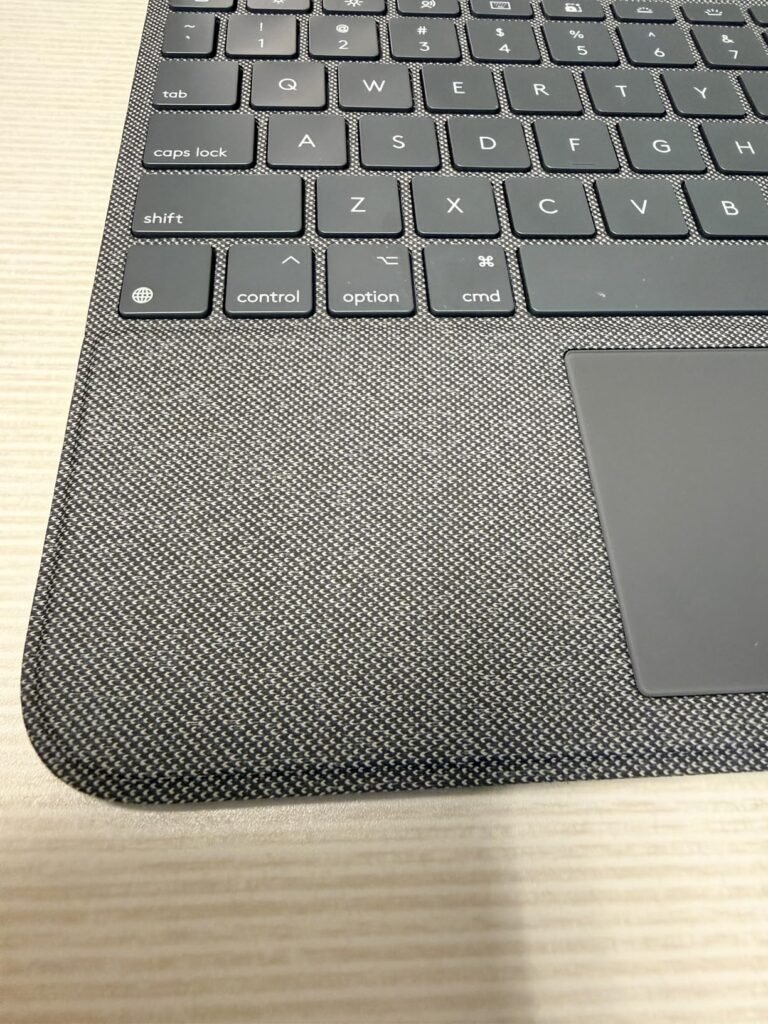
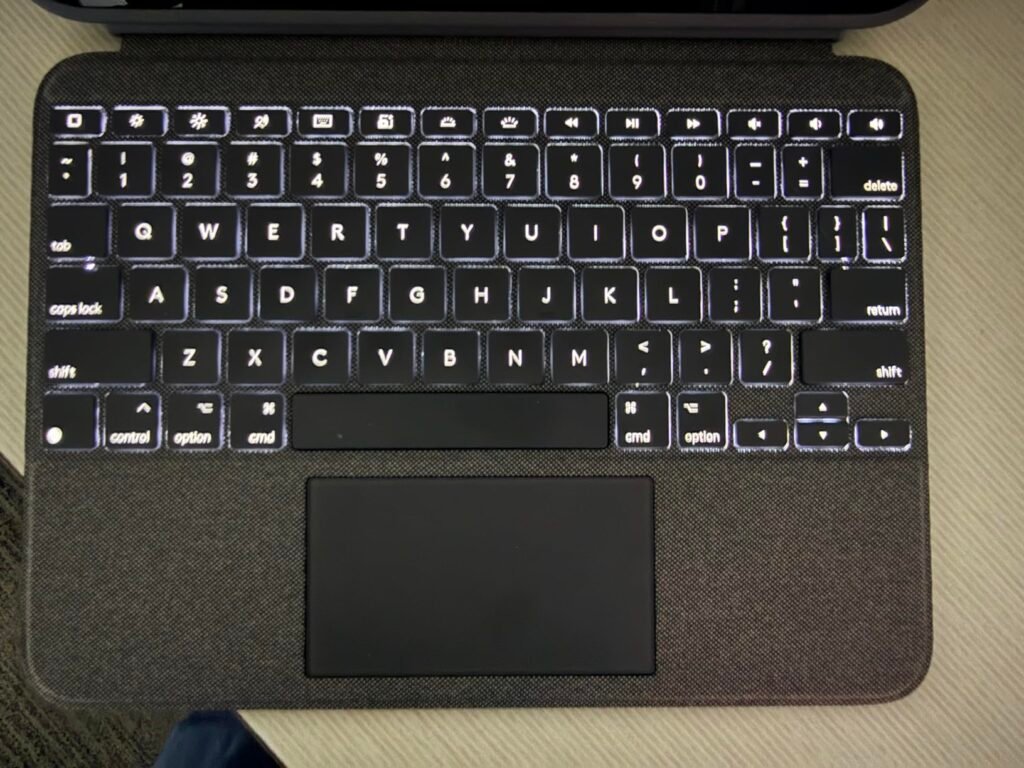
The Logitech Combo Touch transforms an iPad 10th generation or A16 into a genuine laptop-alternative workstation. It connects via the Smart Connector, which means no Bluetooth pairing, no batteries, and no charging cables. The keyboard draws power directly from the iPad, so it is always ready the moment you attach it and open the lid.
We may earn a commission when you buy through this link, at no additional cost to you.
The precision multi-gesture trackpad is the standout feature. Combined with iPadOS’s excellent cursor support, it enables laptop-style navigation for editing documents, moving between apps, and building presentations. The well-spaced backlit keys include a full row of iPadOS shortcut keys with newer additions like dedicated Screenshot and Dictation buttons.
Four use modes provide genuine versatility: Type mode for laptop-style use, Read mode with the keyboard folded back, Sketch mode for Apple Pencil work at a low angle, and View mode with the keyboard fully detached. The 50-degree kickstand tilt covers most viewing angles, and the case protects against scuffs, scratches, and minor spills.
Smart Connector keyboards eliminate the two biggest frustrations of Bluetooth keyboards: pairing delays and battery management. The keyboard is always paired, always powered, and always ready. This makes a real difference during quick email replies or spontaneous note-taking sessions where waiting for Bluetooth to reconnect feels like an eternity. The trade-off is compatibility limited to specific iPad models.
This is the right choice for iPad 10th gen or A16 owners who use their tablet for serious productivity work and want a permanent, no-fuss keyboard solution. The trade-off is the higher price and single-device compatibility. If you own a different iPad model or want cross-platform flexibility, choose a Bluetooth alternative. For committed iPad users, the Combo Touch is genuinely worth the investment.
Owners of iPads other than 10th gen and A16, or buyers who need cross-device compatibility, should choose a Bluetooth alternative.
We may earn a commission when you buy through this link, at no additional cost to you.
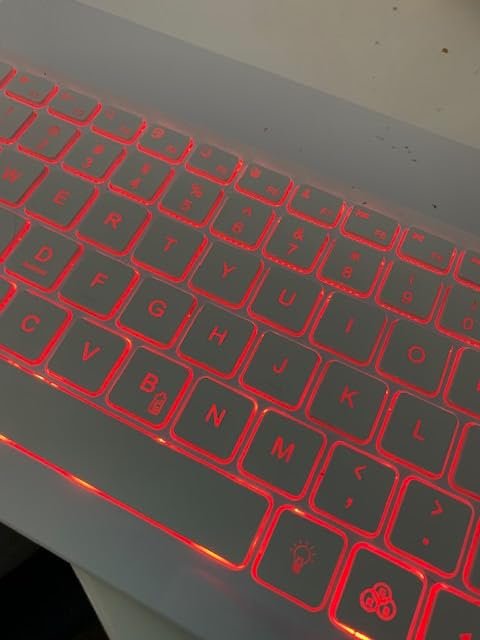
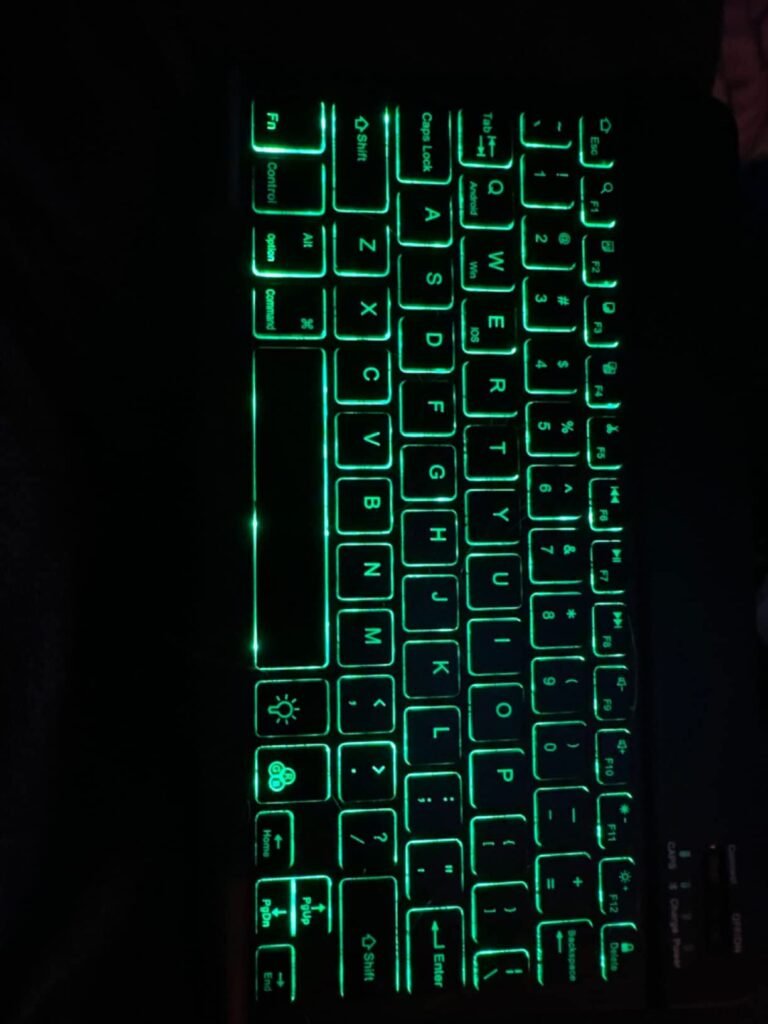
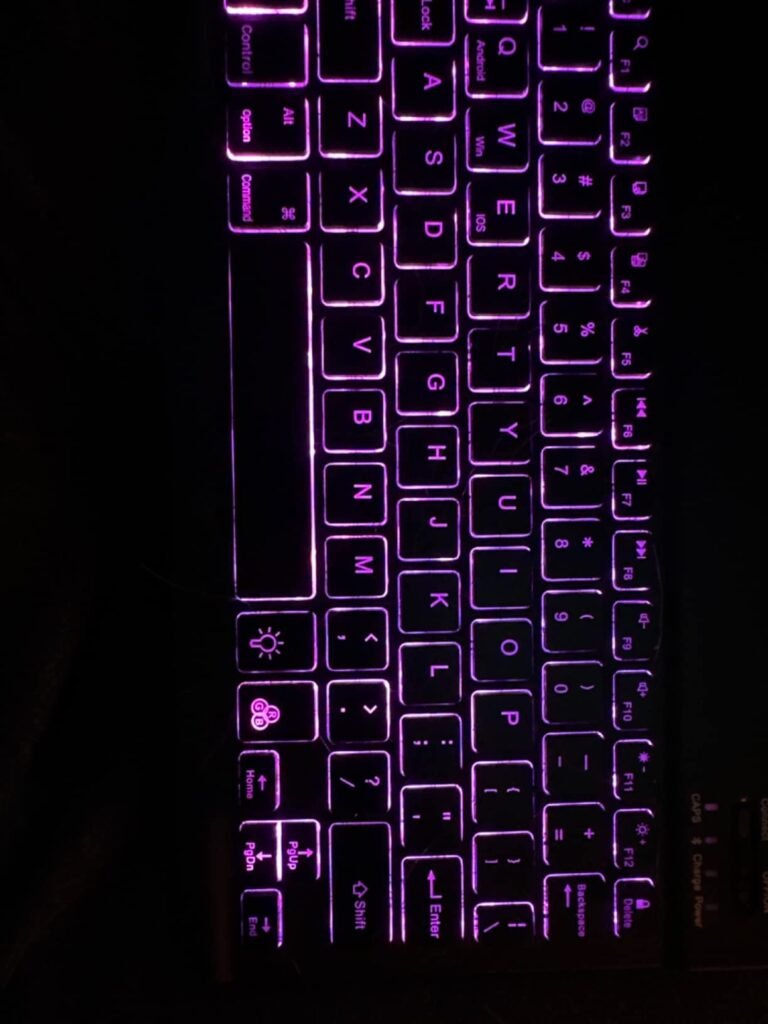
This backlit wireless keyboard delivers premium-feeling features at a budget price. The 7 color backlight with breathing mode and 3 brightness levels provides genuinely useful illumination for evening work, presentations, and dim environments. The RGB key cycles through red, yellow, purple, green, ice blue, blue, and white for personalization.

We may earn a commission when you buy through this link, at no additional cost to you.
Compatibility spans iPad models including the A16 11th, 10th, and 9th generation, plus iPad Air, Mini, and Pro, along with iPhones, Samsung tablets, and Android smartphones. The scissor switch structure delivers a quieter, more responsive typing feel than membrane alternatives, and the compact 9.65 by 5.91 by 0.24 inch profile keeps portability strong.
The Type-C rechargeable design eliminates ongoing battery purchases, and the auto-sleep mode after 5 minutes of inactivity preserves reserve. The aluminum alloy back adds durability and provides magnetic compatibility with certain tablet cases. Shortcut hot keys handle volume, playback, and other common commands to keep workflow smooth.
Backlighting matters if you type in dim environments like airplanes, bedrooms, or presentation rooms. If you only type in well-lit spaces, backlighting is a nice-to-have rather than essential. Backlit keyboards also drain battery faster when the illumination is active, so factor in charging frequency. For pure daylight use, an unlit keyboard offers better battery life at lower cost.
This keyboard suits buyers who want backlight support without spending significantly on a premium option. The trade-off is that it is explicitly designed for tablets and smartphones rather than desktop computers or laptops, so buyers looking for a general-purpose typing solution should look elsewhere. For tablet-focused use in mixed lighting conditions, it delivers excellent value.
Buyers looking for a keyboard for desktop computers, laptops, or Macs should choose a full-size alternative.
We may earn a commission when you buy through this link, at no additional cost to you.
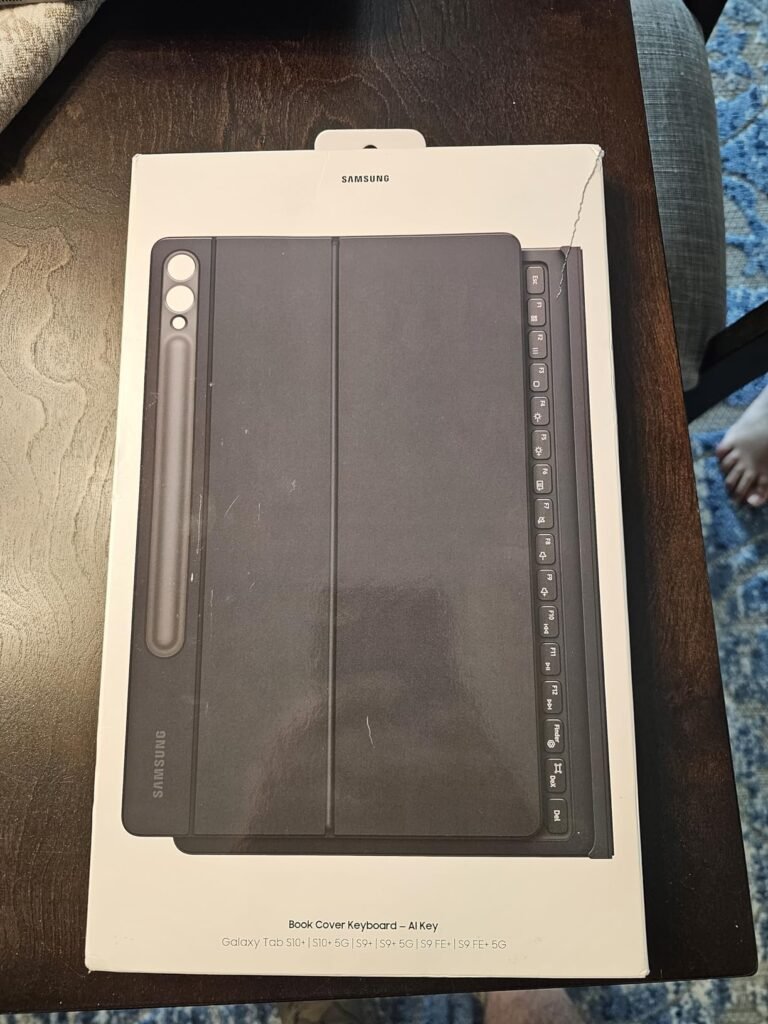
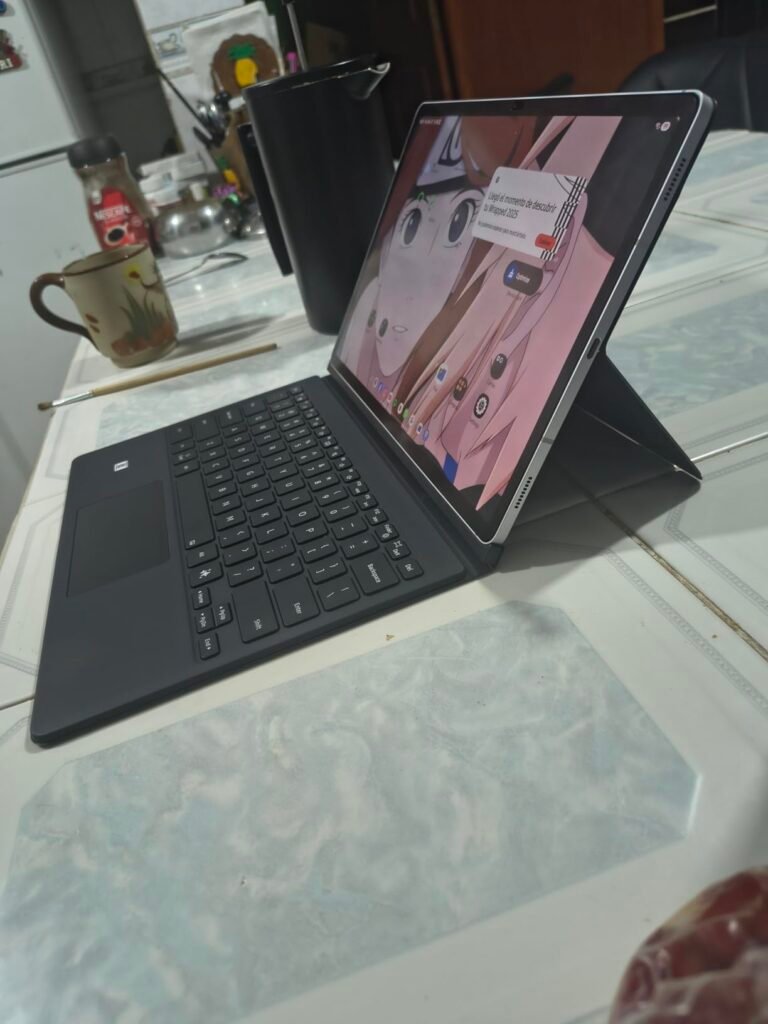
The Samsung Book Cover Keyboard is a premium accessory purpose-built for the Galaxy Tab S10+. The dedicated AI key provides one-tap access to Bixby or Google Gemini for instant assistance with queries, note summaries, and other AI-powered tasks. This is a genuinely useful feature that mainstream Bluetooth keyboards cannot replicate.
We may earn a commission when you buy through this link, at no additional cost to you.
The full-size keycaps combined with a proper trackpad and function keys deliver a laptop-adjacent typing experience. Paired with Samsung DeX mode, the tablet transforms into a PC-like workspace with resizable windows, taskbar navigation, and desktop-style multitasking. This is the closest a tablet keyboard combination comes to replacing a traditional laptop for productivity work.
The magnetic design allows detaching and reattaching the back cover as needed, so you can use the tablet standalone or with the full keyboard case attached. The hinge adjusts up to 150 degrees for comfortable viewing at any angle. Wireless keyboard sharing lets you type or navigate on connected Galaxy phones and other devices without switching keyboards.
DeX transforms a Samsung Galaxy tablet or phone into a desktop-style computing environment with resizable windows, a taskbar, and traditional productivity workflow. When paired with a proper keyboard and trackpad, DeX turns the tablet into a genuine laptop replacement for tasks like document editing, spreadsheet work, and multi-app research. It is one of the most compelling reasons to choose Samsung tablets for productivity.
This is the definitive choice for Galaxy Tab S10+ owners who use their tablet for demanding productivity work. The trade-off is the highest price in this guide and single-device compatibility. If you do not own a Tab S10+ or prefer flexibility across multiple devices, a Bluetooth alternative makes more sense. For committed Samsung productivity users, the AI key and DeX integration justify the investment.
Owners of other tablet brands or models should choose a compatible alternative from this guide.
We may earn a commission when you buy through this link, at no additional cost to you.
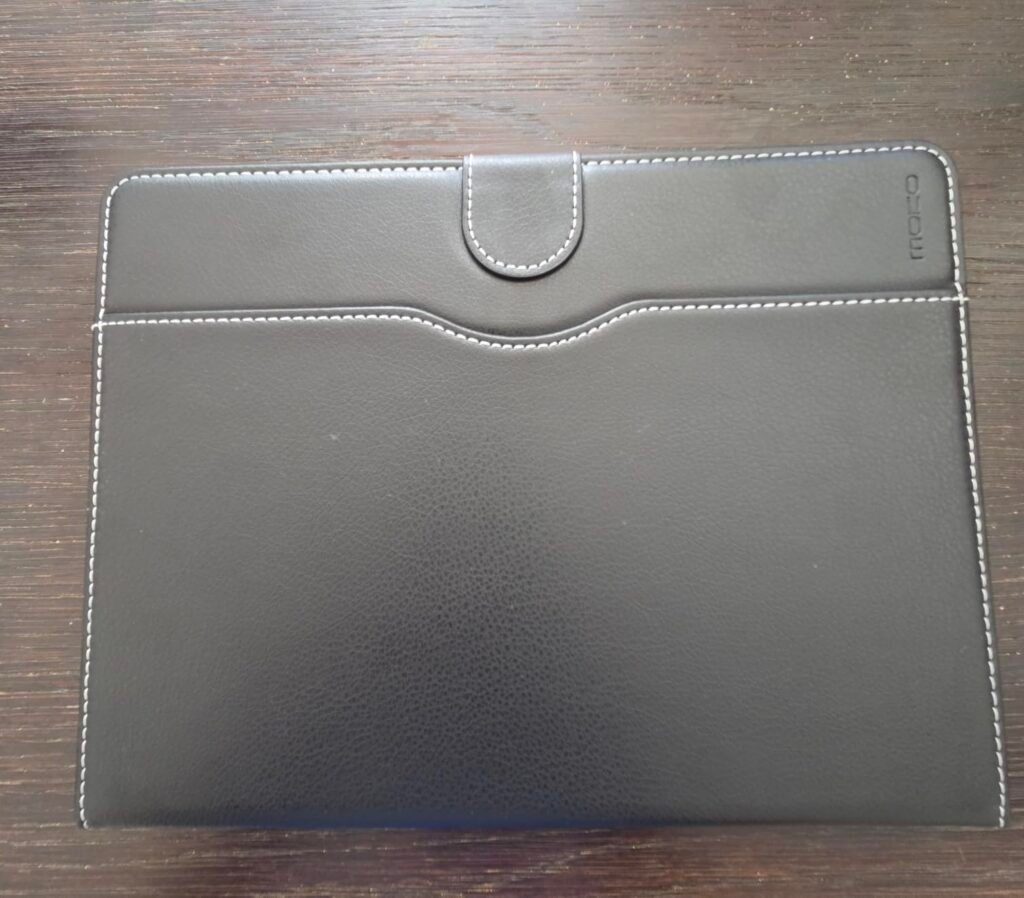
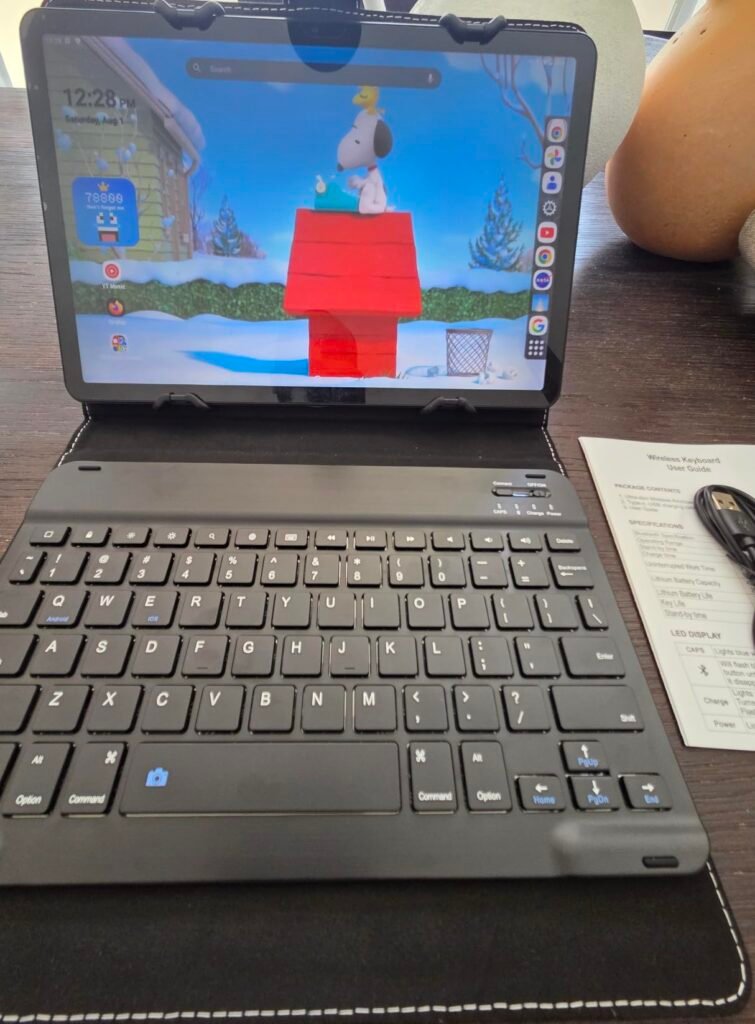
The MoKo Universal Keyboard Case delivers case protection plus a removable Bluetooth keyboard at a moderate price. Compatibility spans 9 to 11 inch tablets including iPad 9.7 through 11 inch models, iPad Air 3 through 5, iPad Pro 11, and Samsung Galaxy Tab A8, S6 Lite, S7, S8, S9, and A9+. Tablets must measure 6.2 to 7.08 inches wide and 9.05 to 10.2 inches long to fit.
We may earn a commission when you buy through this link, at no additional cost to you.
The removable magnetic keyboard is a genuine advantage over fixed keyboard cases. Detach it when you want a lighter tablet for reading or entertainment, then reattach when productivity work calls. The built-in stand supports comfortable typing angles, and the pen loop plus side pocket provide practical storage for a stylus and small accessories.
PU leather construction with a soft microfiber lining protects the tablet from scratches, drops, and bumps. The magnetic fastener band keeps the case closed securely during transport. This combination of protection plus productivity in one package is genuinely useful for buyers who want both without buying separate accessories.
Device-specific cases fit exactly one tablet model with precise camera cutouts, port access, and dimensions. Universal cases accommodate a range of tablet sizes with adjustable clamps or corner grips, offering flexibility at the cost of a slightly looser fit. Universal cases work well if you own an older or less common tablet, or if you want to reuse the case with future tablet upgrades.
The trade-off is that universal fit cases never match the snug precision of device-specific alternatives, and the absence of auto sleep or wake means the tablet display does not turn on and off automatically when you open or close the case. For buyers with tablets that lack dedicated keyboard case options, or those who upgrade tablets frequently and want to carry the case forward, this universal approach makes strong sense.
Buyers who own popular tablets with dedicated case options may prefer a device-specific alternative for tighter fit.
We may earn a commission when you buy through this link, at no additional cost to you.
The OMOTON Ultra-Slim iPad Keyboard delivers exceptional battery life and iOS optimization at a moderate price. Compatibility spans virtually every modern iPad and iPhone model including the A16 11th generation, 10th generation, iPad 10.2 through 9th, 8th, and 7th generation, iPad Pro 13, 12.9, and 11 inch, iPad Air 13 and 11 inch, iPad Air 10.9 inch 5th and 4th gen, iPad mini 6 and 5, and iPhone 17 through 13.

We may earn a commission when you buy through this link, at no additional cost to you.
The 78-key QWERTY layout includes 12 dedicated multimedia hotkeys for volume, brightness, music, and other iPadOS and iOS functions. This one-key control over common tasks meaningfully speeds up daily workflow compared to keyboards that require multiple key combinations. The high-quality ABS material and sensitive key action support extended typing sessions.
The 0.2 inch ultra-thin design and compact 11.2 by 4.7 inch footprint keep it genuinely portable. Battery life reaches an outstanding 400 hours on 2 AAA batteries, which translates to roughly 100 days of typical use before needing a battery swap. The auto-sleep after 10 minutes of inactivity preserves reserve when you step away.
A 400 hour battery reserve means you can leave the keyboard in a bag for weeks without worrying about it dying mid-session. This matters especially for occasional users who might reach for the keyboard once a week. Frequent daily users benefit less from marathon battery life since they charge or replace batteries regularly anyway, but the peace of mind is genuinely valuable.
This is the right choice for iPad or iPhone owners who want long battery life, native iOS shortcuts, and a slim portable profile without spending on a premium case option. The trade-off is that function keys are optimized for iOS and may not work perfectly on Android or Windows devices, and AAA batteries are required. For dedicated Apple ecosystem users who prefer Bluetooth flexibility over Smart Connector integration, this delivers excellent value.
Buyers who want rechargeable convenience or cross-platform key optimization should choose OMOTON’s multi-system model.
We may earn a commission when you buy through this link, at no additional cost to you.
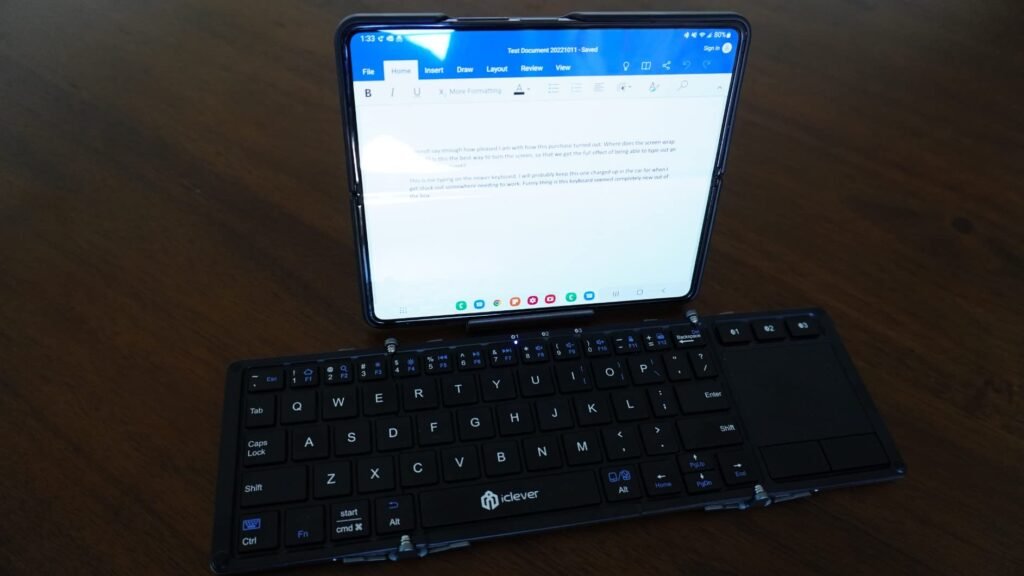
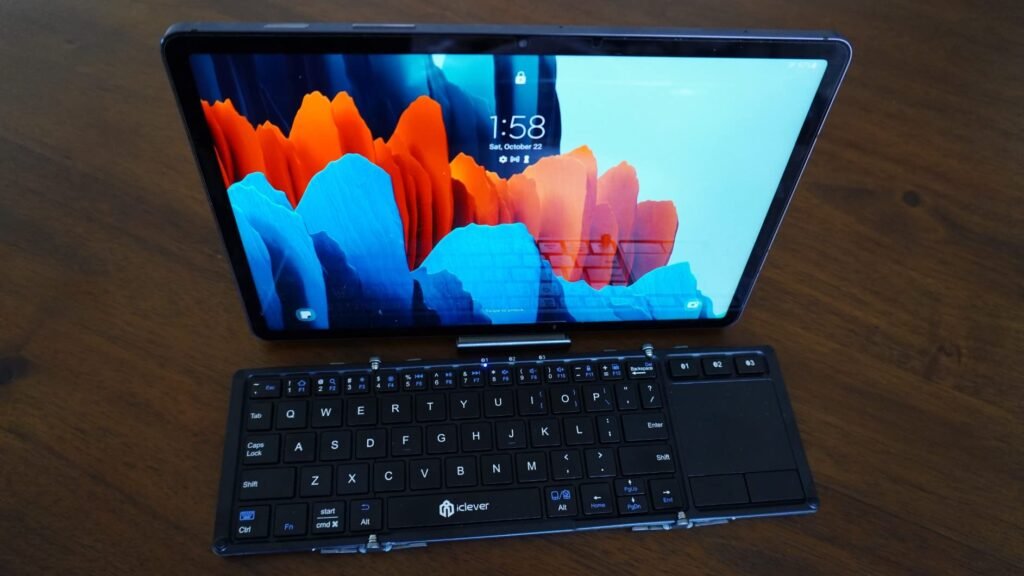
The iClever BK08 combines a foldable design with a built-in precision touchpad, delivering rare mouse-free navigation in a portable format. Weighing just 7.05 ounces and 20 percent smaller than standard travel keyboards, it fits in pockets and small bag compartments while still providing full typing capability across 65 keys.
We may earn a commission when you buy through this link, at no additional cost to you.
The touchpad integration is genuinely useful for tablets that support cursor input. You can scroll, click, and navigate without reaching for the screen or carrying a separate mouse. Multi-device Bluetooth support connects to up to 3 devices simultaneously, and dedicated switching keys make jumping between phone, tablet, and laptop straightforward.
Aircraft-grade aluminum construction with reinforced hinges withstands the bumps and drops of frequent travel. Compatibility spans Windows, macOS, iOS, Android, and Chrome OS, though the touchpad does not work with Samsung DeX mode. USB-C charging delivers up to 60 days of use per 2-hour charge, and the auto-sleep when folded preserves battery when not in use.
Touchpad integration matters for modern iPads and Android tablets that support cursor input. It transforms tablet productivity by enabling laptop-style navigation for text selection, app switching, and interface interaction without touching the screen. On tablets that do not support cursor input, the touchpad provides limited value. Check your tablet’s cursor support before prioritizing this feature.
This is the strongest choice for buyers who want a foldable keyboard with touchpad functionality. The trade-off is that keys are not backlit, so evening use in dim environments requires ambient lighting. The 65-key layout omits some function keys found on full-size boards. For travelers who need real productivity with pointer navigation, the BK08 delivers a genuinely useful combination of portability and functionality.
Buyers who need backlighting or a spill-proof design should choose a different tablet keyboard option.
We may earn a commission when you buy through this link, at no additional cost to you.
The right tablet keyboard depends on your specific device, primary use case, and typing habits. The factors below break down what actually matters when choosing among Bluetooth models, case-style options, foldable travel keyboards, and premium detachable accessories.
Tablet keyboards fall into two main compatibility categories. Bluetooth keyboards like the OMOTON Backlit and Ultra-Slim options work across iOS, iPadOS, Android, and often Windows, giving you flexibility to pair with multiple devices. Smart Connector keyboards like the Logitech Combo Touch and Samsung Book Cover Keyboard work only with specific tablet models but offer no-charge, no-pair convenience.
The choice between Bluetooth and Smart Connector often comes down to how many devices you own and how much you value cross-platform flexibility. Bluetooth models work with your iPad today, your Android tablet tomorrow, and your iPhone for a quick email in between. Smart Connector models deliver superior daily convenience but tie you to a single device ecosystem.
Choose Bluetooth if you own multiple devices or upgrade tablets frequently. Choose Smart Connector if you own a supported iPad or Samsung tablet and want the most seamless daily experience.
Key layout dramatically affects typing comfort and speed. Full-size layouts like the iClever BK08 (unfolded) or OMOTON Backlit Keyboard match standard laptop spacing, which minimizes adjustment time and preserves your typing speed. Compact layouts like the ProtoArc XK04 sacrifice key spacing for portability, requiring 1-2 hours of adjustment before your fingers settle in.
Key switch type matters as well. Scissor switches, found on most premium tablet keyboards including the OMOTON models and SPARIN, provide tactile feedback and quiet operation ideal for shared spaces like offices and cafes. Membrane switches on cheaper alternatives feel mushier and can be slower for touch typists. The OMOTON Backlit’s 27 percent oversized keycaps demonstrate how larger key surfaces reduce mispresses during extended sessions.
For serious typing work, prioritize full-size layouts with scissor switches. For occasional use or maximum portability, compact layouts work fine after brief adjustment.
Tablet keyboards use three main power approaches. Rechargeable Bluetooth keyboards like the OMOTON Backlit and ProtoArc XK04 use USB-C or micro-USB charging with 20-60 days of typical battery life. AAA-powered options like the SPARIN and OMOTON Ultra-Slim iPad deliver longer battery life (up to 400 hours) but require occasional battery replacement. Smart Connector keyboards like the Logitech Combo Touch draw power from the tablet itself, eliminating charging entirely.
Rechargeable models suit buyers who prefer never buying batteries and have consistent access to charging cables. AAA models work well for buyers who dislike managing charging routines and prefer swapping batteries every few months. Smart Connector models provide the most seamless daily experience but limit you to specific tablet compatibility.
Match battery type to your habits. If you charge your phone nightly, rechargeable makes sense. If you prefer never plugging in a keyboard, AAA or Smart Connector options work better.
Backlighting matters primarily for buyers who type in dim environments like bedrooms, airplanes, evening meetings, or presentation rooms. Options like the OMOTON Backlit and Backlit Wireless Keyboard offer 7 color options with 3 brightness levels, providing genuine visibility improvements in low-light conditions. Non-backlit alternatives cost less but require ambient lighting for accurate typing.
The trade-off is battery life. Backlit keyboards typically deliver 3-5 hours of active backlight use compared to 100-200 hours with the backlight off. If you use backlighting occasionally, this trade-off is minor. If you rely on it constantly, plan for more frequent charging or invest in a keyboard with dedicated backlight-off long life like the Logitech Combo Touch, which uses the tablet’s power supply.
Skip backlighting if you always type in well-lit conditions. Choose it if you regularly work in dim environments and value the visibility benefit over reduced battery life.
Portability rankings vary dramatically across this category. Foldable models like the ProtoArc XK04 (7.8 ounces folded) and iClever BK08 (7.05 ounces) fit in pockets and small bag compartments. Slim traditional models like the OMOTON Ultra-Slim iPad (0.2 inches thick) slip into laptop sleeves and tablet cases easily. Case-style options like the Logitech Combo Touch and MoKo Universal add weight but eliminate the need to carry a separate keyboard.
Consider the total system weight when comparing options. A tablet plus a separate Bluetooth keyboard weighs less than a tablet in a keyboard case, but the case delivers immediate use without needing to unpack and set up two devices. For travel with limited space, foldable models offer the smallest total footprint at the cost of slightly slower setup.
For minimum weight and pocket portability, choose foldable models. For all-in-one convenience without setup time, choose case-style keyboards. For balanced portability with full-size keys, choose slim traditional Bluetooth options.
Case-integrated keyboards like the Logitech Combo Touch, Samsung Book Cover Keyboard, and MoKo Universal provide full tablet protection alongside keyboard functionality. This eliminates the need to buy separate cases and creates a laptop-like closed clamshell during transport. The trade-off is added weight and bulk compared to standalone Bluetooth keyboards.
Standalone Bluetooth keyboards work best when paired with a separate tablet case or stand. This modular approach lets you swap components independently and choose the exact tablet case features you want (folio, book cover, sleeve, etc.). Foldable models like the ProtoArc XK04 include their own PU leather protection but do not cover the tablet.
Choose case-integrated keyboards if you want maximum tablet protection with minimal accessories. Choose standalone keyboards if you already own a preferred tablet case or prefer modular flexibility.
Trackpad integration is one of the biggest quality-of-life features in modern tablet keyboards. Options like the Logitech Combo Touch, Samsung Book Cover Keyboard, and iClever BK08 include precision trackpads that enable laptop-style navigation on tablets that support cursor input (modern iPads and most current Android tablets). This dramatically reduces the need to reach up and touch the screen during document editing and multi-app work.
Trackpad quality varies significantly. Premium options like the Logitech Combo Touch deliver full multi-gesture support with smooth cursor movement. Budget alternatives offer basic point-and-click functionality with less refined tracking. Not all tablets support cursor input; check compatibility before prioritizing this feature.
For serious productivity work, prioritize trackpad support. For casual use or tablets without cursor support, skip the trackpad requirement and save money on a simpler keyboard.
Multi-device support is genuinely useful for buyers who work across multiple devices. Options like the ProtoArc XK04 and iClever BK08 pair with up to 3 devices simultaneously and switch between them via dedicated keys. This eliminates the friction of re-pairing when moving from phone to tablet to laptop throughout the day.
Single-device keyboards force you to unpair and re-pair each time you switch, which typically takes 10-30 seconds per switch. For buyers who work primarily on one device, this is not a meaningful issue. For anyone who regularly switches between an iPad and iPhone, or a tablet and laptop, multi-device support becomes a real productivity feature.
For single-device use, save money on a simpler keyboard. For anyone regularly juggling multiple devices, prioritize keyboards with 2-3 device pairing and dedicated switching keys.
Start by charging the keyboard fully or installing fresh batteries before first use to ensure a stable initial pairing. Most Bluetooth tablet keyboards enter pairing mode automatically when powered on for the first time; some require pressing a specific key combination like FN plus a number key. On your tablet, open Bluetooth settings, locate the keyboard in the available devices list, and complete pairing. For Smart Connector keyboards like the Logitech Combo Touch, simply attach the keyboard and it activates automatically.
For daily use, take advantage of function key shortcuts to control volume, brightness, media playback, and app switching without reaching for the screen. On multi-system keyboards like the OMOTON Backlit, use the correct system switching shortcut (FN plus A for iOS, FN plus S for Windows, FN plus D for Android) to ensure keys behave as expected. Keep the keyboard clean by wiping it with a slightly damp microfiber cloth every few weeks to remove skin oils and dust that accumulate between keys.
Preserve battery life by taking advantage of auto-sleep features and manually powering off keyboards you will not use for extended periods. For rechargeable models, avoid leaving them plugged in continuously for weeks at a time; charging to 100 percent and then unplugging preserves long-term battery health better than constant trickle charging. Store foldable keyboards in their integrated covers to prevent damage to hinges and keys during transport. If a keyboard becomes unresponsive, most models offer a factory reset via a specific key combination documented in the user manual.
Any standard Bluetooth keyboard will connect to most tablets, but tablet-specific keyboards optimize function keys and shortcuts for iOS, iPadOS, or Android. This means media controls, brightness adjustment, and system shortcuts work as expected. General-purpose Bluetooth keyboards may have keys that do nothing or trigger the wrong function on your tablet.
Battery life varies significantly by type. Rechargeable Bluetooth keyboards typically deliver 20-60 days per charge. AAA-powered keyboards like the SPARIN and OMOTON Ultra-Slim iPad can reach 30 days to 400 hours per battery set. Smart Connector keyboards like the Logitech Combo Touch draw power from the tablet and never need separate charging.
Yes, most Bluetooth tablet keyboards pair with smartphones as well as tablets. Multi-device keyboards like the ProtoArc XK04 and iClever BK08 support switching between up to 3 paired devices. This is genuinely useful for typing long messages, emails, or notes on your phone. Smart Connector keyboards only work with their specific tablet model.
Foldable keyboards like the ProtoArc XK04 and iClever BK08 work well for typing sessions of 30-60 minutes but can feel cramped for all-day writing. The compact key spacing takes an hour or two to adjust to, and your typing speed will initially drop 10-20 percent. For hours of daily writing, choose a full-size keyboard. For travel and occasional productivity, foldable models offer excellent portability.
Keyboard cases like the Logitech Combo Touch or MoKo Universal combine tablet protection and keyboard in one accessory, eliminating separate purchases and providing all-in-one convenience. Separate Bluetooth keyboards offer more flexibility, let you use any tablet case you prefer, and typically deliver better typing feel at similar price points. Choose based on whether you value integration or modularity.
Scissor switches use an X-shaped mechanism under each key that provides tactile feedback and consistent activation similar to laptop keyboards. Membrane keys use a flexible rubber sheet under all keys, feeling mushier and less responsive. Most quality tablet keyboards use scissor switches; membrane designs appear mainly in ultra-cheap options. Scissor switches produce quieter typing and better speed for touch typists.
Backlighting matters if you regularly type in dim environments like bedrooms, airplanes, evening meetings, or presentation rooms. Options like the OMOTON Backlit provide 7 colors with 3 brightness levels. If you primarily type in well-lit spaces like offices or during daylight, backlighting is a nice-to-have that costs battery life and adds a small premium. Skip it for daylight-only use.
Most Bluetooth tablet keyboards will connect to laptops running Windows, macOS, or Chrome OS, but they are optimized for tablet function keys and may not offer the best desktop experience. Compact layouts also feel cramped compared to full-size desktop keyboards. For desktop use, invest in a dedicated computer keyboard. Multi-system keyboards like the OMOTON Backlit work reasonably well across both.
Trackpads on keyboards like the Logitech Combo Touch and iClever BK08 enable laptop-style cursor navigation on tablets that support cursor input. Modern iPads and most current Android tablets support this feature, allowing you to scroll, click, and select text without touching the screen. Not all tablets support cursor input, so verify compatibility before prioritizing trackpad-equipped models.
Choose the layout that matches what you use daily on your primary devices. Switching between US QWERTY and international layouts like UK, German, or French requires mental adjustment and slows typing speed. Most tablet keyboards in the US market ship with US QWERTY layout. Buyers who use international layouts should verify the exact key arrangement before purchasing.
The Logitech Combo Touch stands as the strongest overall choice for iPad 10th generation and A16 owners who want a genuine laptop-alternative experience. Its Smart Connector integration eliminates pairing and charging hassles, the precision trackpad enables true laptop-style navigation, and the backlit keys with iPadOS shortcuts optimize productivity. The four use modes and 50-degree kickstand provide versatility that Bluetooth alternatives cannot match.
For different priorities, the OMOTON Backlit Keyboard delivers exceptional mid-range value with 7 color backlighting, oversized keycaps, and three-system compatibility. The ProtoArc XK04 is the top pick for travelers who need pocket-friendly portability with multi-device switching. Samsung Galaxy Tab S10+ owners should invest in the Samsung Book Cover Keyboard for AI key and DeX integration, while budget shoppers can rely on the Ultra-Slim Bluetooth Keyboard or SPARIN for basic Samsung-optimized typing under $20.
Your best decision starts with identifying your specific tablet model, primary use case, and portability needs. Prioritize Smart Connector convenience if you own a supported iPad or Samsung tablet, Bluetooth flexibility if you juggle multiple devices, and foldable designs if travel portability matters most. Any of the 10 keyboards in this guide will improve your tablet productivity; the right one for you matches your device ecosystem and daily workflow.