Dell Precision 7680
8.8Editor scoreIntel i9-13950HX processor
32GB DDR5 CAMM
1TB PCIe SSD
16-inch FHD+ display
Compare 10 top CAD laptops by processor power, GPU performance, RAM capacity, display accuracy, and ISV certification to find the right mobile workstation.
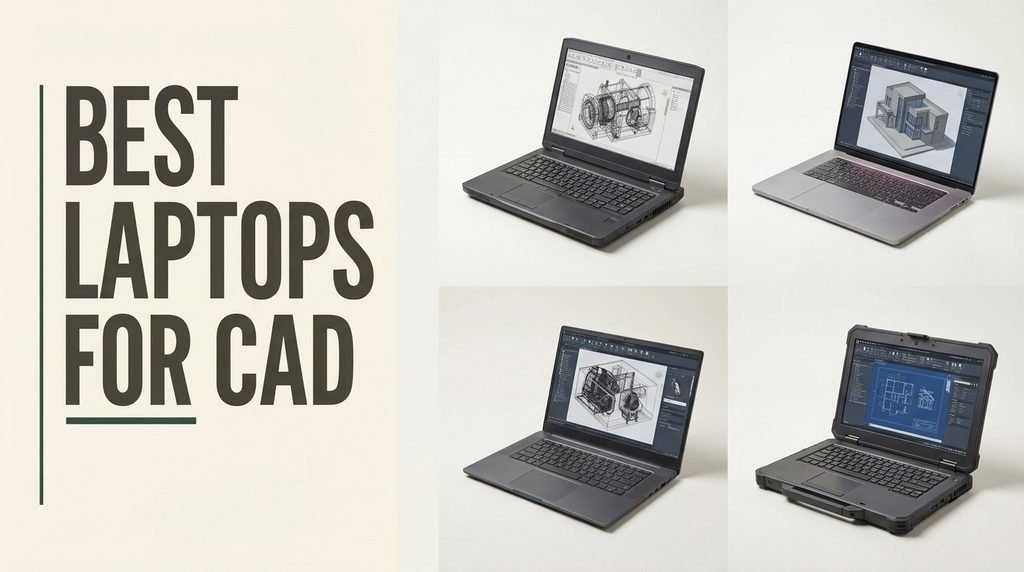
Find the right laptops for CAD in 2026. We compare 10 standout options by the factors that matter in this category, such as processor speed, dedicated graphics, RAM capacity, ISV certification, display accuracy, and thermal management.
Mobile workstations vary significantly based on their intended engineering workloads. A lightweight 14-inch model excels at 2D drafting and site visits, while a 17-inch desktop replacement with 128GB of RAM is built for complex 3D simulations and rendering.
Price and configuration dictate performance. Budget-friendly renewed models offer certified graphics for students, while premium configurations leverage the latest Intel Core Ultra and NVIDIA RTX Ada generation GPUs. This guide breaks down the exact specifications needed for your software.
We compared 10 CAD laptops using the details that actually help an engineer decide: CPU core count, GPU VRAM, memory bandwidth, ISV certifications, display color accuracy, port selection, thermal design, and overall value. The notes focus on practical trade-offs so each pick feels connected to how professionals actually model, render, and collaborate on complex projects.


Compare key features, scores, and current prices side by side. A shorter feature list means fewer details were available, not necessarily fewer capabilities.



This iteration of the Dell Precision 7680 represents the sweet spot for mechanical engineers and architects who need robust 3D modeling capabilities without stepping up to the most expensive GPU tiers. The inclusion of the NVIDIA RTX 2000 Ada generation GPU provides 8GB of dedicated VRAM for handling complex assemblies.
We may earn a commission when you buy through this link, at no additional cost to you.
The Intel Core i7-13850HX vPro processor pairs perfectly with the GPU, ensuring that both the geometry calculations and the visual rendering are processed without bottlenecks. With 64GB of DDR5 CAMM RAM, users can keep massive SolidWorks or Revit projects open alongside simulation tools and web browsers without experiencing system slowdowns.
Workflow efficiency is enhanced by the ability to connect up to four external 4K monitors natively, a massive advantage for designers who need reference materials, communication apps, and their CAD canvas visible simultaneously. The full-size keyboard with a numeric keypad also speeds up precise dimensional data entry.
NVIDIA’s Ada generation architecture brings significant improvements in ray tracing and AI-accelerated workflows. For CAD professionals, this means faster real-time rendering in viewport modes and quicker completion times for photorealistic product visualizations.
Choose this configuration if your daily workflow involves detailed 3D CAD design and moderate rendering tasks. The only notable tradeoff is the base FHD+ display’s 45% NTSC color gamut, which is fine for engineering but less ideal for color-critical rendering work.
Color-critical visual artists who require 100% DCI-P3 display coverage.
We may earn a commission when you buy through this link, at no additional cost to you.
This configuration of the Dell Precision 7680 is engineered for professionals whose CAD workflows rely heavily on single-core clock speeds and multi-threaded processing rather than graphical rendering. It is an excellent fit for structural engineers and data analysts running complex calculations in software like MATLAB or ANSYS.
We may earn a commission when you buy through this link, at no additional cost to you.
The Intel Core i9-13950HX vPro processor reaches up to 5.5GHz, providing the raw computational speed required for finite element analysis. It is paired with 32GB of DDR5 CAMM RAM, a newer memory module standard that allows for faster data transfer rates and a thinner motherboard profile compared to traditional SODIMM sticks.
Connectivity is highly versatile for office environments, featuring dual Thunderbolt 4 ports, HDMI, and Ethernet, enabling seamless connections to up to three external 4K monitors. The 16-inch FHD+ anti-glare display provides a sharp, distraction-free canvas for drafting, while the 1080p webcam ensures clear communication during project reviews.
Compression Attached Memory Module (CAMM) technology replaces standard SODIMM slots, routing memory closer to the CPU. This reduces signal degradation and allows the laptop to maintain high DDR5 speeds without increasing the physical thickness of the chassis, a crucial advantage for mobile workstations.
Choose this workstation if your primary bottleneck is CPU processing power and you do not require a dedicated graphics card for 3D modeling. However, architects and mechanical engineers working with large 3D assemblies in SolidWorks or Revit will need a model with a dedicated NVIDIA RTX GPU.
3D designers and animators who require dedicated graphics processing.
We may earn a commission when you buy through this link, at no additional cost to you.
The Dell Precision 3490 targets professionals who need certified workstation performance but spend most of their time traveling between offices, client meetings, and construction sites. Weighing just 3.09 pounds, it avoids the excessive heft of larger mobile workstations while maintaining MIL-STD 810H durability.
We may earn a commission when you buy through this link, at no additional cost to you.
Under the hood, the Intel Core Ultra 5 135H processor features 14 cores and integrates AI-assisted productivity tools to streamline multitasking. While it relies on integrated Intel graphics rather than a discrete GPU, the 32GB of DDR5 RAM and 1TB SSD ensure that 2D drafting in AutoCAD and managing large project files remain smooth and responsive.
The 14-inch FHD display strikes a balance between portability and screen real estate, supported by a 1080p HDR webcam with a privacy shutter for secure conferencing. Despite its small size, it retains essential ports including dual Thunderbolt 4, HDMI, and Ethernet, eliminating the need to carry dongles on the job site.
MIL-STD 810H certification means the chassis has been tested against extreme temperatures, shocks, and vibrations. For engineers working in active construction zones or industrial environments, this ruggedness ensures the laptop can survive accidental drops and harsh conditions.
This laptop is ideal for project managers, 2D drafters, and field engineers who prioritize mobility over 3D rendering capabilities. Users who regularly manipulate complex 3D models will find the integrated graphics insufficient for smooth viewport navigation.
Users requiring dedicated GPU power for 3D modeling and rendering.
We may earn a commission when you buy through this link, at no additional cost to you.
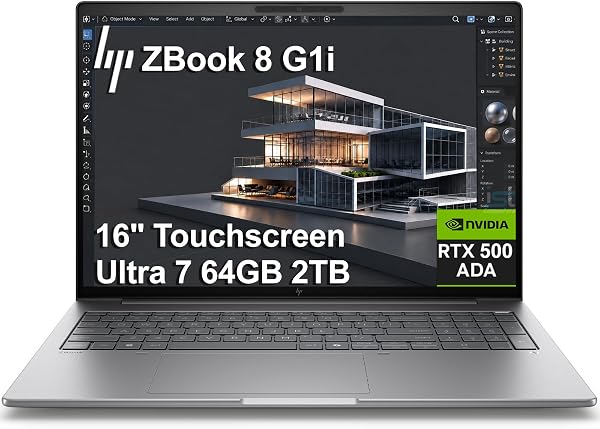
The HP ZBook 8 G1i is designed for engineers and designers who benefit from direct screen interaction, featuring a 16-inch WUXGA touchscreen that allows for intuitive panning, zooming, and rotating of 3D models. This tactile control can significantly speed up the review process during client presentations.
We may earn a commission when you buy through this link, at no additional cost to you.
Performance is driven by the 16-core Intel Core Ultra 7 255H processor and the NVIDIA RTX 500 Ada GPU. While the GPU features 4GB of GDDR6 memory, which is entry-level for 3D work, the massive 64GB of DDR5 RAM and 2TB SSD ensure that large datasets and multi-layered projects load instantly.
Security and connectivity are modernized with a 5MP IR webcam for facial recognition, a built-in fingerprint reader, and Wi-Fi 7 for ultra-fast wireless data transfers. The 300-nit anti-glare display remains readable in well-lit offices, and the comprehensive port array includes HDMI 2.1 and Thunderbolt 4.
While a mouse remains essential for precise drafting, a touchscreen allows for rapid, natural gestures when navigating large assemblies or presenting designs to stakeholders. It bridges the gap between traditional desktop workflows and tablet-like interactivity.
This workstation is an excellent choice for professionals who want the versatility of a touchscreen for model manipulation and presentations. However, those working with highly complex, graphics-intensive 3D environments may find the 4GB of VRAM limiting compared to higher-tier RTX cards.
Users rendering massive 3D scenes requiring more than 4GB of VRAM.
We may earn a commission when you buy through this link, at no additional cost to you.
This Dell Precision 7680 configuration offers the same powerful NVIDIA RTX 2000 Ada graphics card as its more expensive sibling, but pairs it with 32GB of DDR5 RAM instead of 64GB. It is a strategic choice for designers who need strong viewport performance but do not regularly work with massive assemblies that consume vast amounts of system memory.
We may earn a commission when you buy through this link, at no additional cost to you.
The Intel Core i7-13850HX vPro processor provides excellent multi-core performance for running background simulations or rendering tasks. The 1TB PCIe NVMe SSD ensures rapid boot times and quick access to project files, while the 16-inch FHD+ anti-glare display reduces eye strain during long drafting sessions.
Connectivity remains uncompromised, featuring dual Thunderbolt 4 ports, Wi-Fi 6E, and Bluetooth 5.2. The inclusion of a dedicated numeric keypad is a practical feature for engineers who frequently input precise measurements and coordinate data into their CAD software.
If your CAD software relies heavily on real-time viewport rendering, prioritizing a stronger GPU with more VRAM over maximum system RAM is a smart tradeoff. 32GB is sufficient for most mid-sized mechanical and architectural projects.
Opt for this model if your primary need is dedicated GPU power for 3D modeling, but your project file sizes generally stay within the limits of 32GB of RAM. It offers a more accessible price point while retaining the core graphical capabilities of the 7000 series.
Data scientists or engineers working with massive simulation datasets.
We may earn a commission when you buy through this link, at no additional cost to you.
This specific Dell Precision 7680 configuration flips the script by prioritizing system memory over graphical power. With 64GB of DDR5 CAMM RAM, it is built for professionals who manage massive datasets, run multiple virtual machines, or handle sprawling BIM models where system memory is the primary bottleneck.
We may earn a commission when you buy through this link, at no additional cost to you.
The Intel Core i7-13850HX processor handles the heavy computational lifting, while the NVIDIA RTX 1000 Ada GPU provides 6GB of dedicated VRAM. This GPU is perfectly adequate for standard 3D modeling and drafting, though it may struggle with complex photorealistic rendering compared to the RTX 2000 series.
The workstation is designed for seamless office integration, supporting up to four external 4K monitors at 60Hz without the need for a docking station. A backlit keyboard ensures comfortable typing in dimly lit environments, and Windows 11 Pro delivers enterprise-grade security features like BitLocker.
In workflows like large-scale urban planning or complex finite element analysis, the software loads massive amounts of data into the system memory. If RAM is insufficient, the system will use the slower SSD as swap space, drastically reducing performance regardless of GPU power.
Select this laptop if your work involves heavy multitasking, large-scale architectural planning, or data analysis where RAM capacity is critical. Users who focus primarily on high-fidelity 3D rendering should look for a configuration with a more powerful GPU.
Visual artists requiring top-tier ray tracing and rendering performance.
We may earn a commission when you buy through this link, at no additional cost to you.
The Dell Precision 7560 offers a compelling entry point for students, freelancers, and small engineering firms needing ISV-certified hardware without the premium price tag of a new workstation. As a renewed model, it provides professional-grade specifications at a fraction of the original cost.
We may earn a commission when you buy through this link, at no additional cost to you.
It is powered by an 8-core Intel Core i7-11850H processor that boosts up to 4.8GHz, paired with 32GB of RAM and a 512GB SSD. The inclusion of the NVIDIA RTX A2000 GPU with 4GB of GDDR6 memory ensures smooth performance in mainstream CAD applications like AutoCAD, SolidWorks, and Inventor.
The 15.6-inch FHD non-touch display provides a standard, reliable workspace for drafting and modeling. While it lacks the latest connectivity standards like Thunderbolt 4 or Wi-Fi 6E, it still offers robust wireless capabilities and the essential ports required for a traditional office setup.
Enterprise mobile workstations are built to last and are often retired by corporations after standard three-year lease cycles. Purchasing a renewed model allows independent engineers to access high-end, durable hardware that has been tested and restored to full working order.
This is the ideal choice for budget-conscious buyers who need dedicated workstation graphics for 3D modeling. However, buyers should be aware that as a renewed device, battery life and cosmetic condition may vary compared to a brand-new machine.
Buyers who require a brand-new device with a full manufacturer warranty.
We may earn a commission when you buy through this link, at no additional cost to you.
The Lenovo ThinkPad P14s Gen 6 is engineered for professionals who demand workstation reliability in an ultrabook form factor. Weighing just 3.53 pounds, it is the thinnest and lightest mobile workstation in this lineup, making it perfect for engineers who travel frequently or commute daily.
We may earn a commission when you buy through this link, at no additional cost to you.
Despite its compact size, it carries ISV certifications for critical applications like AutoCAD, CREO, and SolidWorks, ensuring driver stability. The Intel Core Ultra 7 255H processor and 32GB of DDR5 RAM handle 2D drafting and moderate 3D tasks efficiently, while the 1TB PCIe SSD provides ample fast storage.
The 14.5-inch WUXGA IPS display offers 400-nit brightness and an anti-glare finish, ensuring visibility in various lighting conditions. Security and convenience are prioritized with a fingerprint reader, an IR webcam with a privacy shutter, and a 75Whr battery that supports rapid charging up to 80% in one hour.
For traveling professionals, downtime is lost productivity. A battery that can charge to 80% in just one hour means you can top up your device during a layover or a quick client meeting, ensuring you have enough power for the rest of the workday.
Choose this ThinkPad if portability and battery life are your top priorities for 2D CAD and project management. Users who regularly render complex 3D models will need a thicker chassis that can accommodate a dedicated NVIDIA GPU.
3D designers who require dedicated GPU acceleration.
We may earn a commission when you buy through this link, at no additional cost to you.
The Lenovo ThinkPad P16 Gen 3 is a desktop replacement built for the most demanding engineering, architectural, and AI development workflows. It features a breathtaking 16-inch WQUXGA 4K display with 100% DCI-P3 coverage, 800 nits of brightness, and X-Rite factory color calibration for absolute visual accuracy.
We may earn a commission when you buy through this link, at no additional cost to you.
Performance is driven by the 20-core Intel Ultra 7 255HX processor and the NVIDIA RTX PRO 3000 GPU, which boasts 12GB of ultra-fast GDDR7 VRAM. This combination effortlessly handles complex BIM models, 4K video rendering, and real-time ray tracing, supported by 64GB of DDR5 RAM and a 2TB Gen5 SSD.
Connectivity is future-proofed with dual Thunderbolt 5 ports capable of 80Gbps data transfer, alongside Wi-Fi 7 and 2.5Gbps Ethernet. The chassis is MIL-STD-810H tested and features a spill-resistant keyboard, ensuring reliability in challenging environments, though it does weigh a substantial 6 pounds.
GDDR7 memory offers significantly higher bandwidth than previous generations, allowing the GPU to process massive textures and complex geometry much faster. For CAD professionals, this translates to smoother viewport navigation and drastically reduced rendering times.
Invest in this workstation if you require uncompromising display quality and top-tier graphical performance for high-end rendering and simulation. It is overkill for basic 2D drafting and its weight makes it less suitable for daily commuting.
Casual users or those on a strict budget.
We may earn a commission when you buy through this link, at no additional cost to you.
The Dell Precision 7780 is designed for power users who need desktop-level capabilities in a mobile form factor. With a staggering 128GB of RAM, it is uniquely equipped to handle the most memory-intensive tasks, such as massive fluid dynamics simulations, complex data science models, and sprawling architectural cityscapes.
We may earn a commission when you buy through this link, at no additional cost to you.
The Intel Core i9-13950HX processor provides extreme multi-threaded performance, while the NVIDIA RTX 3500 Ada Generation GPU with 12GB of VRAM ensures that 3D viewports remain fluid even when manipulating highly detailed models. The 2TB NVMe SSD offers vast, high-speed storage for extensive project libraries.
The 17.3-inch FHD display provides a large canvas for multitasking, reducing the immediate need for an external monitor when working on site. Built for business, it includes ISV certifications for professional software, ensuring stability and compatibility across engineering and design applications.
Standard CAD work rarely exceeds 32GB of RAM. However, professionals running multiple virtual machines, processing point cloud data from 3D laser scanners, or performing complex finite element analysis will quickly consume 64GB, making 128GB a necessary investment to prevent system crashes.
This is the ultimate choice for engineers and data scientists whose workloads demand maximum memory and graphical power. However, its large footprint and heavy weight make it strictly a desktop replacement rather than a portable travel companion.
Users who prioritize portability and battery life over raw performance.
We may earn a commission when you buy through this link, at no additional cost to you.
Selecting a laptop for computer-aided design requires balancing processing power, graphical capability, and portability against the specific demands of your software. Here are the critical factors to evaluate before making your investment.
The CPU is the brain of your workstation, responsible for executing the mathematical calculations required for geometry generation and simulations. CAD software like AutoCAD and SolidWorks primarily rely on single-core performance for modeling tasks, meaning a processor with a high clock speed (measured in GHz) is essential for smooth drafting.
However, tasks like rendering, finite element analysis (FEA), and running background simulations utilize multiple cores. Modern workstation processors, such as the Intel Core i9-13950HX or the Core Ultra 7 series, offer a hybrid architecture that balances high-frequency cores for active modeling with efficient cores for background tasks.
Prioritize high clock speeds for pure 2D and 3D drafting. If your workflow includes heavy rendering or simulation, invest in a processor with a higher core count, such as an Intel Core i7 or i9 HX-series chip.
While integrated graphics can handle basic 2D drafting, any serious 3D modeling requires a dedicated GPU. Professional workstation GPUs, like the NVIDIA RTX Ada generation series, are specifically designed and tested for CAD applications. They provide the VRAM necessary to load complex textures and large assemblies without stuttering.
The amount of VRAM is critical. A 4GB GPU is sufficient for entry-level 3D work, but mechanical engineers and architects working with assemblies containing thousands of parts should look for 8GB or 12GB of VRAM. Additionally, professional GPUs feature ISV-certified drivers that prevent crashes in software like Revit and CATIA.
Always choose a laptop with a dedicated NVIDIA RTX workstation GPU for 3D modeling. Match the VRAM capacity to the complexity of your typical project files to ensure smooth viewport navigation.
RAM dictates how much data your laptop can hold in immediate access. When you open a CAD file, the software loads the geometry, constraints, and history into the system memory. If you run out of RAM, the system will use your storage drive as temporary memory, which drastically slows down performance.
For standard 2D drafting and light 3D work, 32GB of DDR5 RAM is the recommended baseline. However, if you work with massive BIM models, point cloud data, or run multiple heavy applications simultaneously, 64GB or even 128GB of RAM becomes necessary to maintain system stability.
Start with 32GB of RAM for most engineering tasks. Upgrade to 64GB or higher if you regularly work with complex architectural models, large-scale simulations, or virtual machines.
Independent Software Vendor (ISV) certification is a hallmark of true mobile workstations. It means the laptop manufacturer has worked directly with software developers like Autodesk, Dassault Systèmes, and Siemens to test and optimize the hardware for their specific applications.
Using an ISV-certified laptop ensures that you have access to specialized, stable drivers that are less likely to cause graphical glitches or software crashes during critical design work. It also guarantees that the hardware meets the official system requirements set by the software developers.
Never compromise on ISV certification for professional engineering work. The stability and technical support provided by certified workstations far outweigh the cost savings of a consumer-grade gaming laptop.
The display is your primary interface with your designs. A 15.6-inch or 16-inch screen is generally considered the sweet spot for mobile workstations, offering enough real estate for toolbars and modeling space without making the laptop excessively heavy. Larger 17.3-inch screens are better suited as desktop replacements.
Resolution and color accuracy matter depending on your field. An FHD+ (1920×1200) display is perfectly adequate for mechanical and structural engineering. However, architects and industrial designers who present photorealistic renderings to clients should prioritize 4K displays with 100% DCI-P3 color gamut coverage and factory calibration.
Choose a 16-inch FHD+ display for general engineering and portability. Opt for a 4K, color-calibrated screen if your work involves high-end visualizations and client presentations.
CAD files can be massive, and loading them quickly requires a fast storage drive. All modern workstations utilize PCIe NVMe M.2 SSDs, which offer read and write speeds significantly faster than older SATA drives. This reduces boot times and allows large assemblies to open in seconds.
Capacity is equally important. A 1TB SSD is the standard starting point for professionals, providing enough space for the operating system, CAD software, and numerous project files. For users dealing with 4K video rendering or extensive simulation data, a 2TB drive or a secondary storage slot is highly recommended.
Ensure your workstation has at least a 1TB PCIe Gen 4 NVMe SSD. If your projects generate massive file sizes, look for a chassis that supports dual M.2 drives for expanded storage.
There is a direct tradeoff between a laptop’s weight and its ability to cool high-performance components. Ultra-portable 14-inch workstations weighing around 3 pounds are excellent for site visits but rely on lower-wattage processors and integrated graphics to prevent overheating.
Conversely, 16-inch and 17-inch desktop replacements feature robust thermal management systems with multiple fans and heat pipes. This allows the CPU and GPU to run at maximum wattage for extended periods without thermal throttling, but these machines often weigh over 5 pounds and require large power bricks.
Match the chassis size to your work environment. If you travel daily, choose a 14-inch model. If the laptop will primarily sit on a desk running heavy simulations, prioritize thermal performance with a larger 16-inch or 17-inch workstation.
CAD professionals frequently connect to external peripherals, including high-resolution monitors, 3D mice, and external storage arrays. A robust port selection is essential to avoid relying on dongles. Look for workstations equipped with dual Thunderbolt 4 or Thunderbolt 5 ports, which support high-speed data transfer and multiple 4K displays.
Built-in Ethernet (RJ-45) ports are also highly valuable in office environments, providing a stable, low-latency connection to local servers where large project files are often stored. Additionally, an SD card reader is a useful feature for architects and designers transferring data from cameras or drones.
Verify that the laptop has the specific ports you need for your daily workflow. Dual Thunderbolt ports and an HDMI connection are mandatory for multi-monitor setups.
Optimize your system settings for maximum performance when running CAD software. Ensure your laptop is plugged into its power adapter during intensive tasks, as running on battery power will automatically throttle the CPU and GPU to conserve energy. In the NVIDIA Control Panel, set the power management mode to ‘Prefer maximum performance’ and configure your CAD applications to use the dedicated GPU rather than integrated graphics.
Maintain your workstation’s thermal efficiency by keeping the air vents clear of obstructions. Avoid using the laptop on soft surfaces like beds or couches, which can block airflow and cause the system to overheat and throttle. Periodically use compressed air to blow dust out of the cooling fans and heatsinks, ensuring the internal components stay within safe operating temperatures.
Protect your critical design data by implementing a robust backup strategy. Utilize the fast NVMe storage for active projects, but regularly back up your work to an external drive or a secure cloud server. Keep your ISV-certified graphics drivers updated through the manufacturer’s official software, as these updates often contain critical bug fixes for specific CAD applications.
While gaming laptops have powerful CPUs and GPUs, they lack ISV certification. This means their drivers are optimized for games, not professional software, which can lead to graphical glitches, instability, and crashes in programs like SolidWorks or Revit. A dedicated mobile workstation is always the safer choice for professional engineering work.
Autodesk recommends a minimum of 8GB of RAM for basic AutoCAD tasks, but 16GB is the practical minimum for smooth performance. For complex 2D drawings and basic 3D modeling, 32GB of RAM is highly recommended to ensure the software runs efficiently alongside other applications.
A touchscreen is not strictly necessary for CAD work, as a precision mouse or 3Dconnexion device is far more efficient for drafting. However, touchscreens can be useful for quickly zooming, panning, and rotating models during client presentations or design reviews.
NVIDIA RTX workstation GPUs (formerly Quadro) are built for professional applications, featuring ECC memory support and ISV-certified drivers designed for stability in CAD and simulation software. GeForce GPUs are designed for gaming and media consumption, prioritizing raw frame rates over software certification and long-term reliability.
For active modeling and drafting in most CAD software, single-core clock speed is the most critical factor, as these tasks are largely single-threaded. However, core count becomes much more important for multi-threaded tasks like photorealistic rendering, finite element analysis, and running simulations.
Many 15-inch and 16-inch mobile workstations feature user-upgradeable SODIMM or CAMM memory slots, allowing you to increase your RAM as your project demands grow. However, some ultra-thin 14-inch models have soldered RAM that cannot be upgraded, so it is important to check the specifications before purchasing.
High-performance CAD laptops require robust thermal management systems, including large heat sinks and multiple fans, to prevent the CPU and GPU from overheating during sustained workloads. Additionally, they feature larger batteries, durable metal chassis, and extensive port selections, all of which add to the overall weight.
ISV stands for Independent Software Vendor. An ISV certification means the laptop manufacturer has worked directly with software developers like Autodesk and Dassault Systèmes to test the hardware and drivers. This ensures maximum stability, performance, and compatibility when running professional CAD applications.
For mechanical and structural engineering, a 4K display is often unnecessary and can drain the battery faster while making UI elements too small. However, for architects, industrial designers, and visualization specialists who need absolute color accuracy and detail for client renderings, a 4K screen is highly beneficial.
The Dell Precision 7680 equipped with the NVIDIA RTX 2000 Ada and 64GB of RAM stands out as the strongest overall choice for most engineering professionals. It strikes an ideal balance between high-end 3D graphical performance, massive memory capacity for complex assemblies, and a durable, ISV-certified chassis that can handle daily professional demands.
Different workflows require different tools. Field engineers and project managers will appreciate the ultra-portable Lenovo ThinkPad P14s, while those on a budget can access certified performance through the renewed Dell Precision 7560. For uncompromising desktop-class power, the Lenovo ThinkPad P16 Gen 3 and the 128GB Dell Precision 7780 deliver the extreme specifications needed for advanced simulations and rendering.
Ultimately, the right CAD laptop depends on your specific software requirements and work environment. Prioritize ISV certification, ensure you have adequate RAM and dedicated VRAM for your project sizes, and choose a form factor that matches your mobility needs. A well-matched workstation will provide the stability and speed necessary to bring your designs to life.