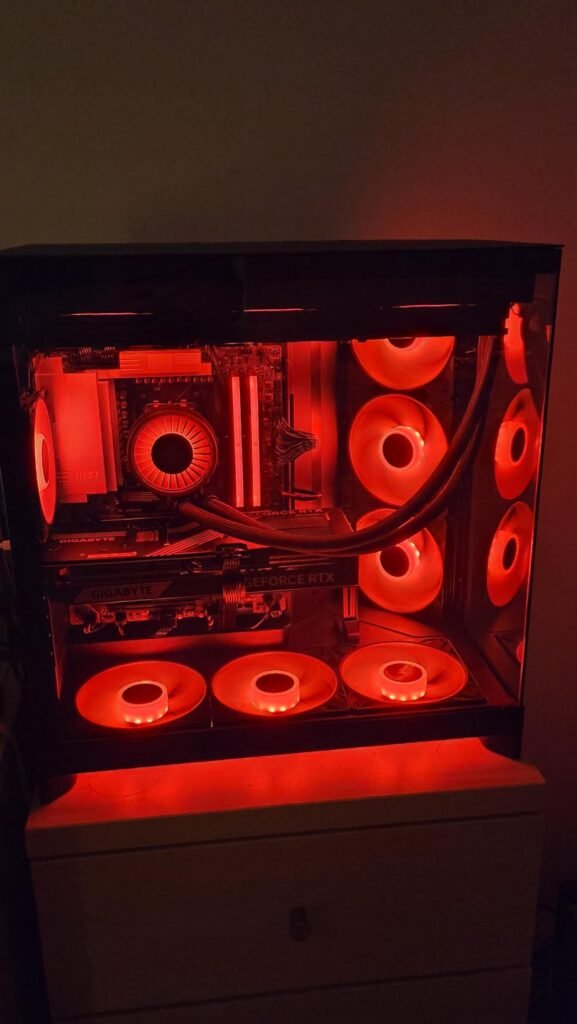
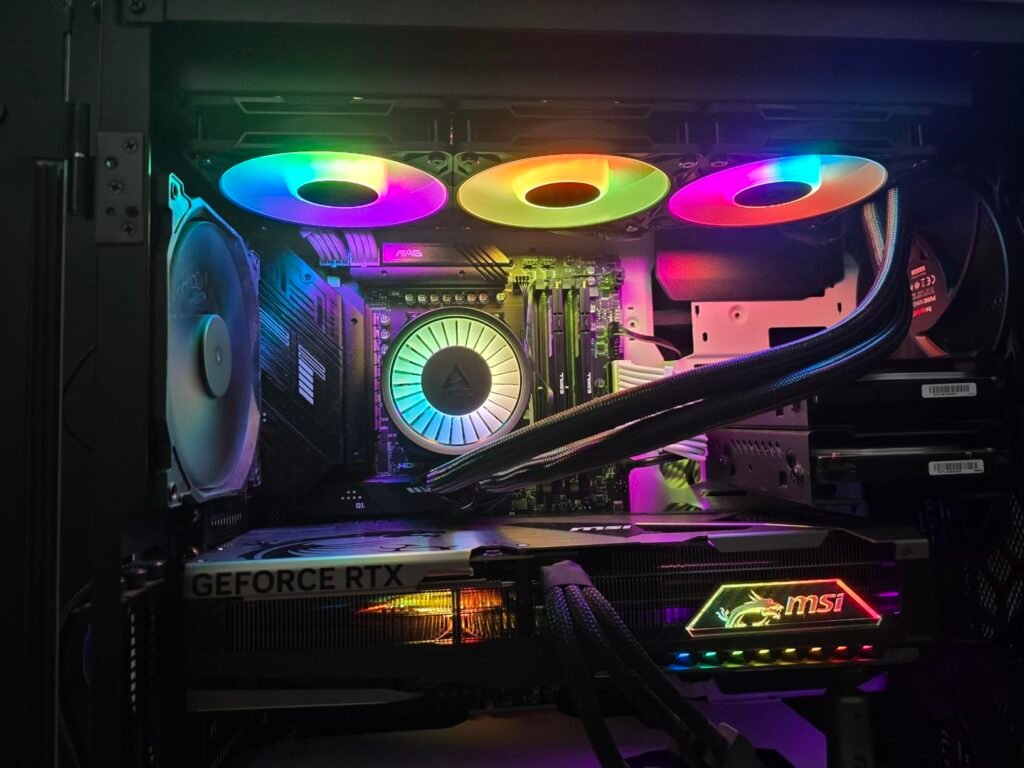
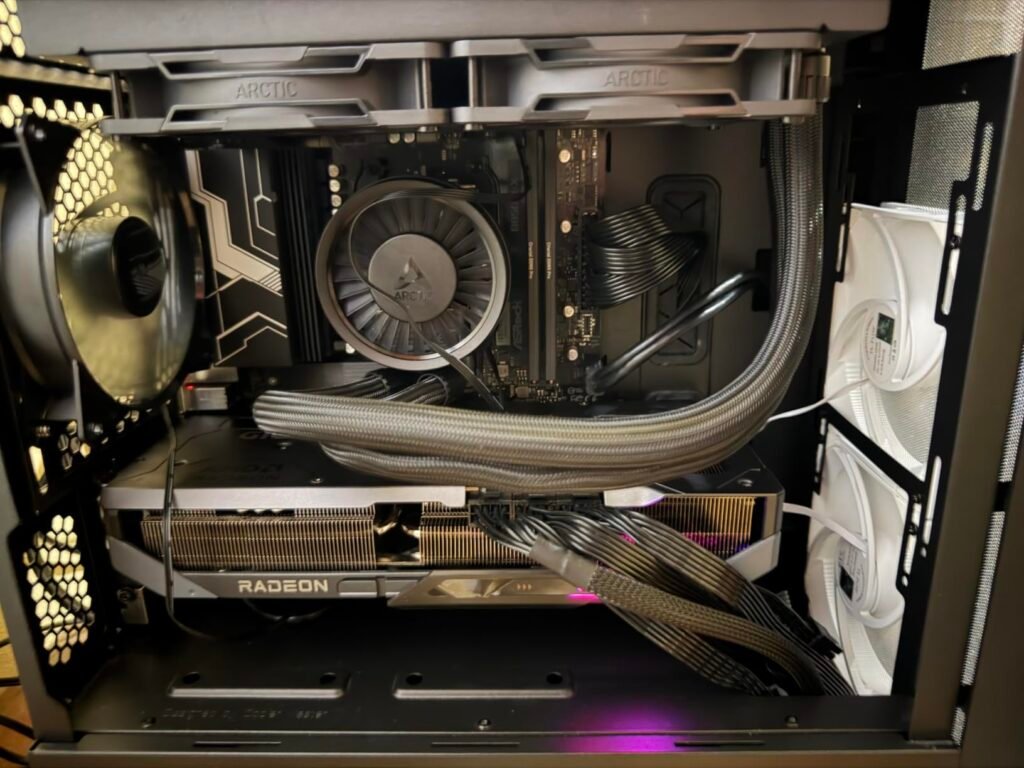
ARCTIC Liquid Freezer
9.0Editor score360mm A-RGB radiator
Three P12 PRO fans
Integrated VRM fan
Native offset mounting
Compare 10 top liquid coolers by radiator size, pump performance, noise, RGB, and value to find the right AIO for your CPU and case.
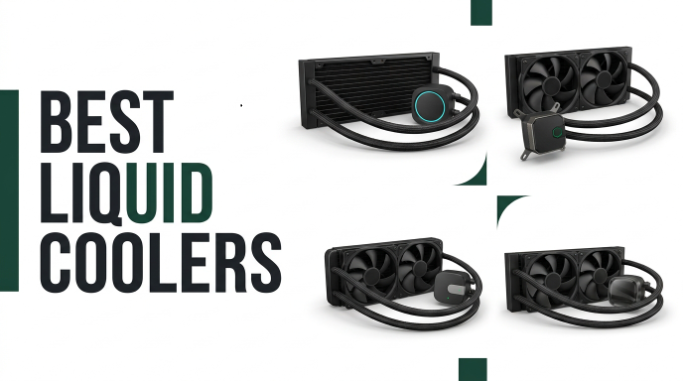
Choosing the right liquid cooler in 2026 comes down to more than radiator size. We compare 10 standout AIO CPU coolers by the factors that matter most: pump strength, fan quality, noise behavior, mounting compatibility, RGB or display features, radiator thickness, tubing design, and long-term reliability so you can match the cooler to your CPU and case.
Modern CPUs from Intel and AMD push serious heat under sustained loads, and a well-matched AIO helps keep clock speeds stable without turning your build into a wind tunnel. The gap between a budget 240mm unit and a premium 420mm loop is significant, but the right pick depends on your case clearance, thermal targets, and how much you value quiet operation.
This guide focuses on practical differences rather than marketing claims. You will see options with integrated VRM cooling, offset cold plates, LCD screens, ARGB lighting, and single-frame fan designs. Whether you are building a compact mid-tower or a showcase rig with a high-wattage processor, one of these coolers should fit the brief and the budget.
We compared 10 liquid coolers using the details that genuinely influence a buying decision: radiator size and thickness, fan static pressure, pump design, noise behavior, socket compatibility, VRM cooling extras, tube routing, RGB or display features, installation simplicity, owner feedback, warranty signals, and price-to-performance. The notes focus on real trade-offs so each pick reflects how buyers actually build, mount, and live with an AIO CPU cooler day to day.


Compare key features, scores, and current prices side by side. A shorter feature list means fewer details were available, not necessarily fewer capabilities.


This is the choice for buyers who want the strongest air-to-liquid cooling in the lineup. The 420mm radiator paired with three P14 PRO 140mm fans provides significant thermal headroom for flagship processors such as the Core i9 and Ryzen 9 series, especially when running memory-intensive workloads or sustained content creation tasks.
We may earn a commission when you buy through this link, at no additional cost to you.
Larger 140mm fans move similar or greater volumes of air than 120mm fans at lower RPMs, so noise levels tend to be more forgiving under load. That matters most for users who do long rendering runs, video encoding, or high refresh-rate gaming sessions where fan noise becomes fatiguing over time.
Everything else that makes the Pro line strong carries over: integrated VRM fan, offset cold plate, contact frame for recent Intel sockets, and cable management routed through the tube sleeves. If you are already spending on a high-end CPU and motherboard, adding this cooler gives your platform meaningful thermal margin.
A 420mm radiator is roughly 458mm long depending on end caps and needs mounting rails that accept three 140mm fans in line. Check your case documentation for supported radiator sizes in both top and front positions, and consider RAM height clearance if the radiator will sit above the motherboard tray.
Before purchasing, verify your case supports a 420mm radiator. Many popular enclosures top out at 360mm, so this cooler is best suited to larger mid-towers or full-tower cases. When the fit works, it is one of the most capable AIOs available at its price.
Not suitable for standard mid-towers without confirmed 420mm radiator support.
We may earn a commission when you buy through this link, at no additional cost to you.
This 360mm A-RGB model is aimed at builders who want serious cooling headroom without stepping into premium display-equipped territory. The P12 PRO fans push more air at the same RPM as the standard P12s, which means you can often run them slower for the same thermal result. That translates directly into a quieter build under everyday gaming loads.
We may earn a commission when you buy through this link, at no additional cost to you.
The native offset mounting is one of the most practical touches. Because modern Intel and AMD chips concentrate heat toward one area of the die, shifting the cold plate to match that hotspot noticeably improves heat transfer compared to centered designs. Combined with the included LGA1851 and LGA1700 contact frame, this cooler tackles the flex issue that has affected several recent Intel platforms.
The integrated VRM fan is unusual at this price point and genuinely useful for high-wattage CPUs where motherboard voltage regulators can throttle under load. Cable management is also simplified because the fan PWM cables are routed inside the tubing sleeves, leaving just one connector heading to the motherboard. That makes for a cleaner rear-of-case appearance out of the box.
Ryzen 7000 and 9000 chips as well as recent Intel processors concentrate thermal output toward the CCD or hotspot region rather than distributing it evenly. An offset cold plate places more of the cooling surface directly over that area, which can lower peak temperatures by a few degrees compared to a centered plate. That headroom often translates into more stable boost clocks.
For most enthusiast builds using a modern six to sixteen-core CPU, this is a strong all-round choice. It hits a sweet spot between raw cooling capability, quiet operation, and useful engineering extras. If your case supports a 360mm radiator with roughly 63mm of clearance including fans, this cooler earns its Editor’s Choice slot.
Not ideal for small form factor cases with limited radiator or top-panel clearance.
We may earn a commission when you buy through this link, at no additional cost to you.
If you like the engineering of the A-RGB version but have no interest in lighting, this plain 360mm model delivers essentially the same thermal performance at a lower price. It is a natural fit for solid side panel cases, home office rigs, or workstation builds where uniform aesthetics matter more than illumination.
We may earn a commission when you buy through this link, at no additional cost to you.
The three P12 PRO fans are identical in cooling behavior to the A-RGB variant, so you get the same low-noise operation at moderate speeds and the same strong performance under load. The pump and radiator design carry over as well, meaning there is no thermal penalty for choosing the darker cosmetics.
Installation follows the same simplified approach: the fan cables are routed inside the tube sleeves, so only one PWM cable exits the radiator area. That is a genuine time-saver during builds and looks tidier through side-panel windows even without RGB. The included contact frame improves mounting pressure on recent Intel sockets.
RGB adds cost, an extra controller connection, and sometimes minor fan noise variation. For closed cases, rack-mounted rigs, or environments where the PC lives under a desk, none of that offers real value. Investing the savings into a better GPU, more storage, or higher-quality memory tends to be a smarter allocation.
Choose this version if you want maximum cooling per dollar and do not need lighting. It is one of the strongest picks for productivity workstations, home servers, or any build where reliability and quiet operation outrank visual flair.
Not for builders planning a showcase RGB build with coordinated lighting.
We may earn a commission when you buy through this link, at no additional cost to you.
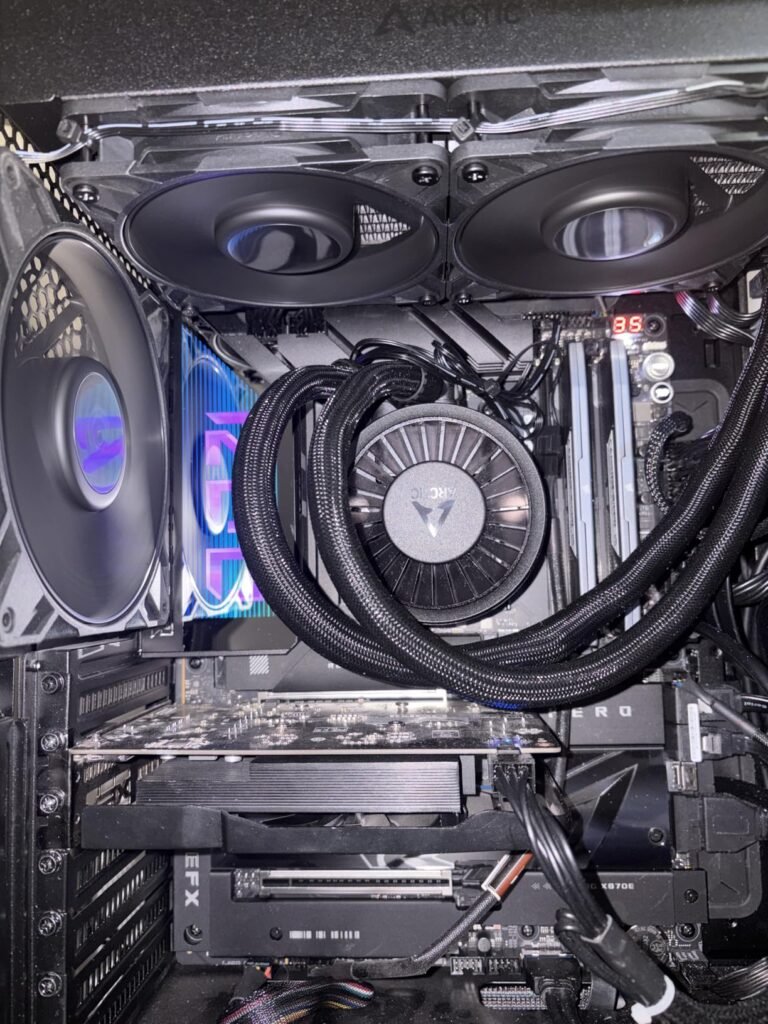
The 240mm version brings the same design philosophy to smaller builds. If your case cannot accommodate a 360mm radiator up top or in front, this cooler still delivers strong performance thanks to the thick radiator and Pro-series fans. It suits Ryzen 5, Ryzen 7, Core i5, and Core i7 processors comfortably.
We may earn a commission when you buy through this link, at no additional cost to you.
Because you are cooling with less total radiator surface area, the fans will spin faster under heavy load compared to the larger models. In practice that means a modest increase in noise during extended stress tests, but everyday gaming and productivity remain comfortably quiet with a sensible fan curve.
The integrated VRM fan is a genuine bonus at this size, since compact builds often have less overall airflow around the socket area. Combined with the offset cold plate and contact frame for recent Intel sockets, this AIO retains most of the engineering advantages of its bigger siblings.
Even a 240mm radiator can be tight in slim mid-towers once you factor in fan thickness and the depth of the radiator itself. Check the manufacturer’s clearance figures for top and front mounting positions before committing. Interference with motherboard heatsinks is another common issue with thicker AIOs.
This is the pick if you are building in a smaller enclosure or a case that lacks 360mm mounting options. It is not the right choice for extreme overclockers running a flagship 200W-plus processor, but for mainstream and enthusiast CPUs it hits a strong balance of size, performance, and price.
Not the best match for high-end flagship CPUs under sustained heavy loads.
We may earn a commission when you buy through this link, at no additional cost to you.
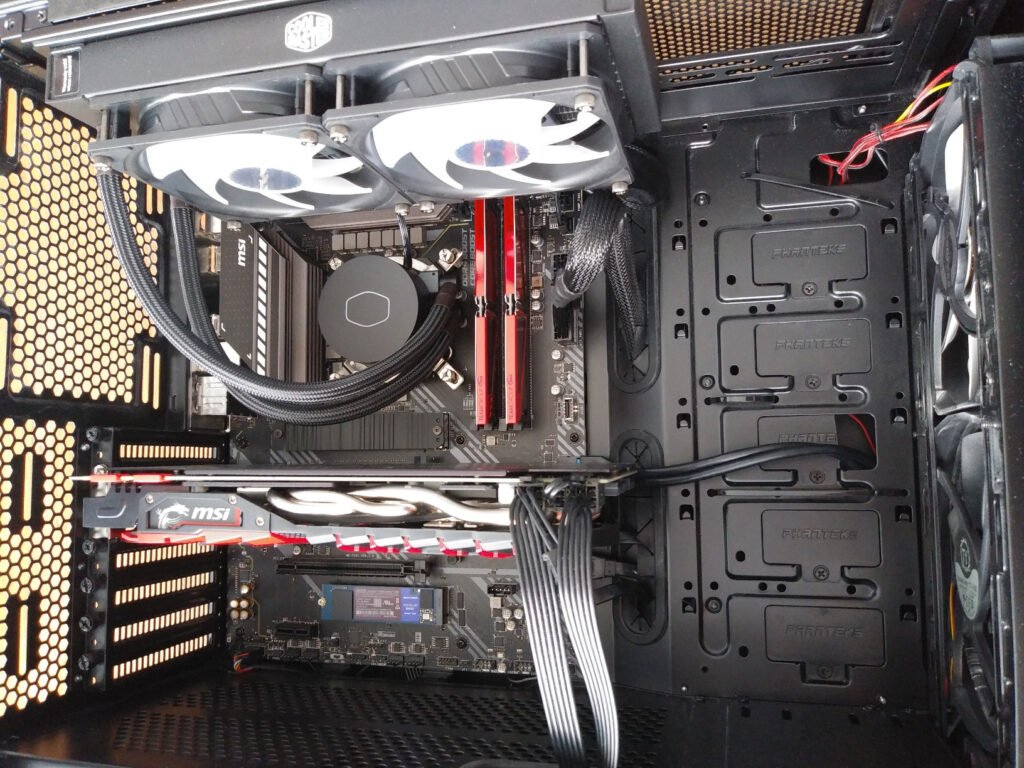
The MasterLiquid ML240L RGB V2 is a mature, well-supported AIO that continues to be a sensible choice for mainstream builds. The third-generation dual chamber pump separates hot and cold coolant paths inside the pump housing, which supports steady flow and consistent thermal performance over time.
We may earn a commission when you buy through this link, at no additional cost to you.
The refreshed SickleFlow ARGB fans deliver reasonable airflow with distinct RGB lighting that pairs nicely with the pump’s illuminated cover. For most Ryzen 5, Ryzen 7, Core i5, and mid-range Core i7 configurations, the 240mm radiator provides enough headroom to keep temperatures in a comfortable range during gaming and moderate content workloads.
Industrial-grade EPDM seals are used to reduce the risk of coolant loss over the cooler’s lifespan, which is a meaningful factor with any closed-loop unit. The wide socket compatibility list, spanning modern AM5 and LGA1700 as well as older platforms, also makes it a flexible choice if you plan a future platform swap.
Depending on the region and version, the LGA1700 mounting kit may or may not be pre-included. Confirm the bracket situation before purchase, as ordering the kit separately can add a few days to your build timeline. Buying through a reputable retailer helps ensure you get the current revision.
This is the right AIO if you want a well-known brand, RGB aesthetics, and steady mainstream performance without paying for extras like an LCD screen. It is not the pick for someone chasing bleeding-edge thermal results, but it consistently delivers on its promises.
Not the strongest match for flagship overclocked CPUs under long loads.
We may earn a commission when you buy through this link, at no additional cost to you.
The 280mm size is often overlooked but offers real advantages when it fits. Two 140mm P14 PRO fans move plenty of air at lower rotational speeds than 120mm fans, translating to noticeably calmer noise profiles during gaming and mixed workloads. It is a sensible middle ground between 240mm and 360mm units.

We may earn a commission when you buy through this link, at no additional cost to you.
The cooling stack itself carries the same strengths as the rest of the Pro line: an offset cold plate targeting the CPU hotspot, a contact frame for recent Intel sockets, and a small VRM fan built into the pump housing. Those extras add practical value with modern high-power motherboards.
Integrated cable management remains one of the standout convenience features. The fan wires are routed through the tubing sleeves so only one PWM cable exits the radiator area toward the motherboard header. That keeps the interior of the case tidy without requiring hours of custom cable work.
A 140mm fan moves the same amount of air at fewer RPMs than a 120mm fan because of its larger blade area. Lower RPMs generally mean lower motor whine and less blade turbulence, so the acoustic character tends to be more of a soft rush rather than a high-pitched hum. That is easier to tune out during long sessions.
Choose this cooler if your case supports 280mm mounting in the top or front position and you want strong performance with lower noise than 240mm alternatives. Confirm the radiator layout for your specific enclosure since 280mm compatibility is less universal than 240mm or 360mm.
Not for cases that only accept 120mm or 360mm radiator layouts.
We may earn a commission when you buy through this link, at no additional cost to you.
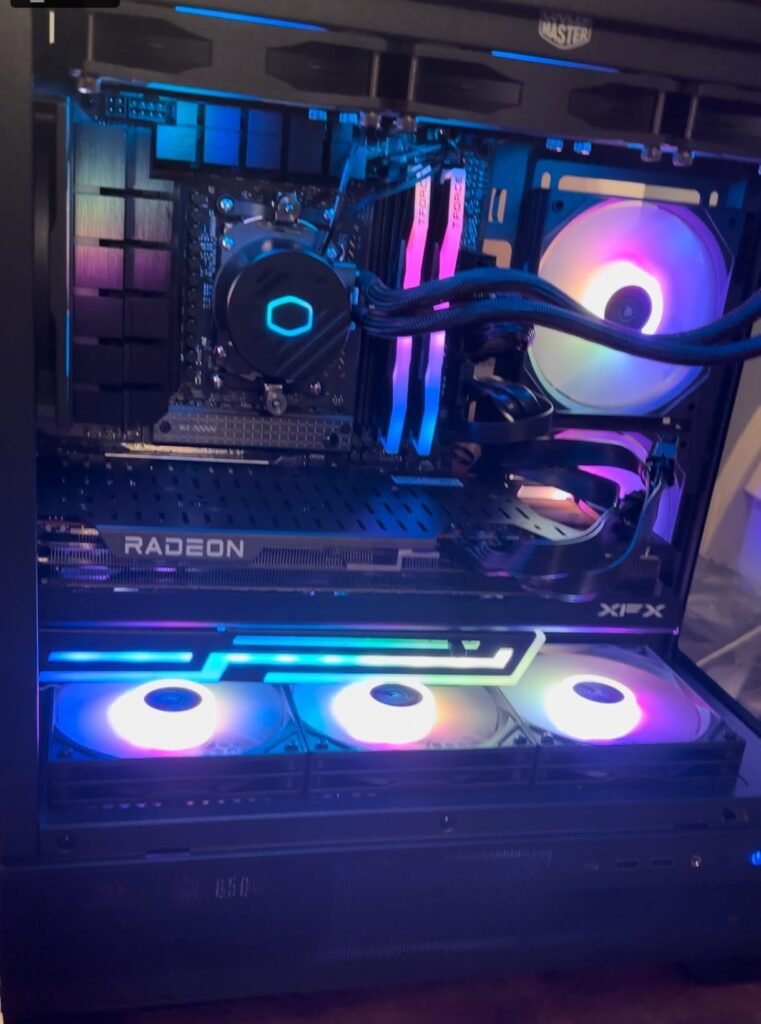
For builders who want 360mm cooling without stretching the budget, this Cooler Master option is one of the strongest picks. The patented Gen S dual chamber pump uses an updated copper base to concentrate cooling at the hotspot, and included CryoFuze thermal paste with high thermal conductivity gives the interface layer meaningful headroom.
We may earn a commission when you buy through this link, at no additional cost to you.
The three ARGB PWM fans are tuned for a balance of airflow and static pressure, which is important on radiators where air must pass through dense fin arrays. The frosted blade design diffuses the ARGB lighting into a soft, even glow rather than sharp point sources, which looks polished through a side-panel window.
Installation is straightforward thanks to a clean mounting system supporting modern AM5, AM4, LGA1851, and LGA1700 sockets. The pump’s minimalist black cover suits a wide range of build themes, from neutral productivity setups to full RGB gaming rigs, so it is easy to integrate visually.
CryoFuze paste offers 14 W/mK conductivity, which is well above the generic paste bundled with many stock or budget coolers. Using a quality paste at installation avoids the small but real thermal penalty of low-grade compounds and saves you the added cost of buying a separate tube during the build.
If you are prioritizing performance per dollar and want the aesthetic upgrade of ARGB lighting, this cooler is hard to beat. It lacks a few premium extras like a VRM fan or LCD display, but the core cooling package is excellent for the price.
Not for buyers who require an integrated LCD or VRM cooling fan.
We may earn a commission when you buy through this link, at no additional cost to you.
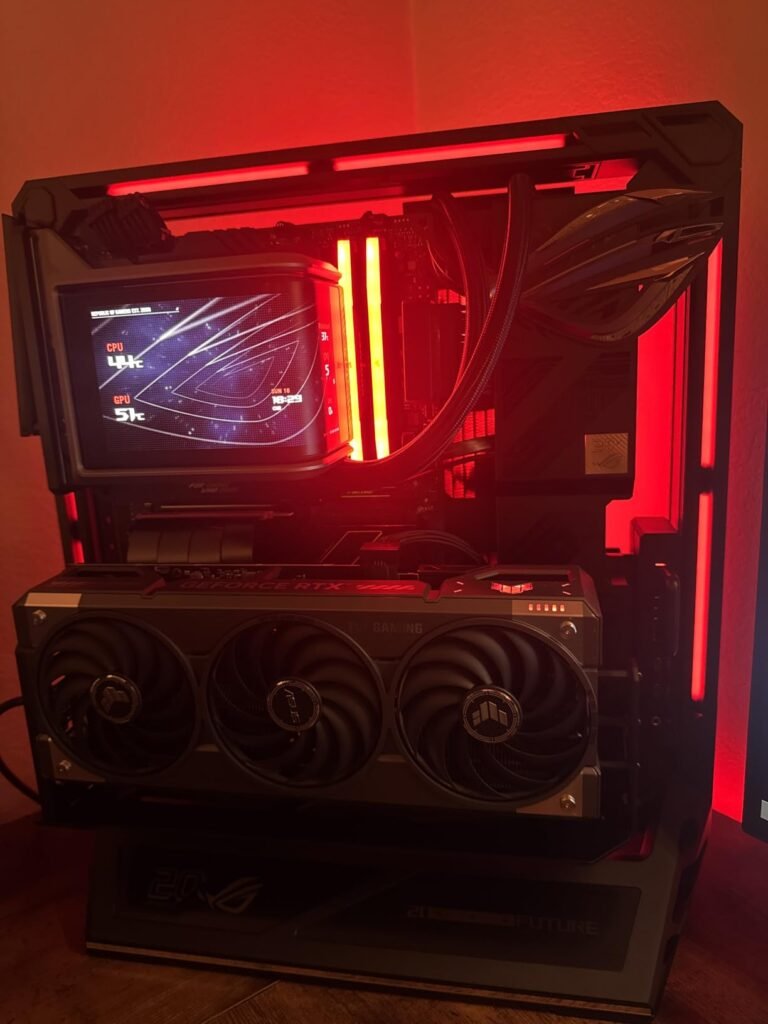
The ROG Ryuo IV SLC ARGB targets enthusiasts building showcase rigs where the pump becomes part of the visual identity. The movable 6.67-inch AMOLED display can present system telemetry, animated themes, or 3D-effect videos, and the sleeved FEP tubing carries the premium aesthetic through to the radiator.
We may earn a commission when you buy through this link, at no additional cost to you.
On the performance side, the powerful pump provides higher flow and lower impedance than typical AIOs, which supports strong heat transfer even under demanding gaming and creative workloads. The pre-mounted daisy-chained ARGB fans reduce cable clutter substantially and make it easier to route power through a single connection.
The included software supports comprehensive hardware monitoring and content customization for the display. That level of integration is useful for streamers or enthusiasts who want the cooler to communicate real-time status such as CPU temperature, load, or fan RPM without opening additional utilities.
An AMOLED display on the pump adds visual weight that only works if it is genuinely visible through your side panel. Check the orientation the pump supports for your socket, and think about how the case, GPU, and cable routing will frame the screen. A poorly positioned display defeats the purpose of paying the premium.
This is not a cooler chosen purely on thermal performance per dollar. It is chosen because you want a statement centerpiece that also cools competently. If that describes your build goal and the budget allows, few AIOs match its visual impact and integration polish.
Not for budget builders or anyone prioritizing pure performance per dollar.
We may earn a commission when you buy through this link, at no additional cost to you.
The HydroShift II LCD-S-360 focuses on installation flexibility that helps builders achieve a truly clean look. The sliding tube clamp lets you adjust where the tubes exit the radiator, which is a real advantage in cases where fixed exits create awkward routing over the motherboard.
We may earn a commission when you buy through this link, at no additional cost to you.
The 3.4-inch IPS LCD offers 480×480 resolution at a bright 500 nits, with two operating modes: a wireless mode for basic remote control, or an advanced USB mode using Lian Li’s L-Connect 3 software for full customization. The magnetically guided pogo-pin connection means you can swap the display without shutting down the system.
Compact dimensions matter too. The slim 24mm-thick radiator makes 360mm fitment easier in cases where a thick 30mm-plus radiator might interfere with the top motherboard heatsinks or memory. The pre-installed X3 CL120 ARGB fans deliver reasonable static pressure with wireless control support.
A thinner radiator sacrifices a small amount of fluid volume and fin surface area compared to thick performance models. In practice you may see slightly higher fan speeds under sustained heavy loads. For everyday gaming and mainstream productivity the difference is minor, and the improved case compatibility is often worth the trade.
Choose this AIO if you love building for aesthetics and want maximum flexibility to hide cabling and route tubes cleanly. Note that the slim radiator does trade some thermal capacity compared to thicker designs, so pair it with a mainstream CPU rather than an extreme overclocked flagship.
Not the pick for extreme overclockers needing maximum radiator thermal mass.
We may earn a commission when you buy through this link, at no additional cost to you.
The Kraken Core 240 RGB simplifies the AIO install experience without cutting the essentials. Its single-frame design places both fans in one solid housing rather than as two independent units, which reduces screw counts and cable clutter dramatically during a build.

We may earn a commission when you buy through this link, at no additional cost to you.
Connectivity has been streamlined too. The cooler wires directly to the motherboard rather than requiring an external hub or dedicated controller, which is genuinely helpful for beginners or anyone who wants a build that is easy to troubleshoot down the line. The 3,100 RPM pump provides strong coolant flow for a 240mm class product.
The Core version’s PWM-enabled fans allow precise adjustments through the motherboard fan curves, so tuning acoustic behavior does not require extra software. High static pressure blades ensure air moves efficiently through the radiator fins even at moderate speeds, supporting quieter daily operation.
Skipping an extra controller box means one less thing to mount, power, and connect. It also keeps fan control tied to the motherboard’s PWM curves, which most modern boards handle well. That is a real convenience for first-time builders and for anyone who prefers to avoid third-party software running at startup.
For mainstream gaming and productivity builds that value a clean and simple install, this is a smart choice. It is not aiming to compete with 420mm or LCD-equipped premium coolers, but it delivers dependable 240mm performance with less cable spaghetti than most competitors.
Not for high-wattage flagship CPUs or users wanting a pump display.
We may earn a commission when you buy through this link, at no additional cost to you.
A liquid cooler decision touches nearly every part of a build: case fit, motherboard clearance, CPU thermal load, noise expectations, and aesthetic goals. The following factors will help you narrow the field with confidence.
Radiator size is the single most influential specification. Common sizes include 240mm, 280mm, 360mm, and 420mm, referring to the total length of fan mounting area. A larger radiator has more surface area for heat dissipation, which allows lower fan speeds for the same thermal result. That directly benefits both temperatures and noise. However, bigger radiators demand more physical space in your case, and not every enclosure supports every size.
Before choosing, look up your case’s radiator support documentation and pay attention to both length and thickness. Many cases advertise 360mm compatibility but limit thickness to 27mm or 30mm, which excludes thick performance radiators. Also consider that top-mounted radiators can interfere with tall memory kits or motherboard VRM heatsinks. Front-mounted installs may need a check of front intake clearance if you have a large GPU or storage cage.
If you have a compact mid-tower, a 240mm or 280mm cooler is usually the safe pick. Standard mid-towers typically accept 360mm coolers with normal thickness, and full-towers or larger showcase cases can host 420mm units. Match the radiator to the case first, then move on to CPU compatibility.
Confirm socket support for your specific CPU. Modern AIOs generally cover AMD AM5 and AM4 plus Intel LGA1700, LGA1200, and increasingly LGA1851. Some coolers include a contact frame designed to correct the ILM flex issue that affects recent Intel platforms. This frame applies more even pressure across the CPU IHS, which can shave a few degrees off temperatures and support longer processor life.
Offset cold plates are another practical enhancement. Modern CPUs concentrate heat in specific areas rather than evenly across the die. A cold plate shifted to align with that hotspot transfers heat more effectively than a centered plate. Not every cooler offers this refinement, but when available it is a genuine performance benefit especially for Ryzen 7000, Ryzen 9000, and higher-end Intel chips.
Match the cooler to your CPU’s power draw. Mainstream 65 to 105 watt processors do fine with 240mm or 280mm units, while 170 to 250 watt flagship chips benefit noticeably from 360mm or 420mm radiators. Overclockers should default to the largest radiator that fits their case.
The pump is the mechanical heart of any AIO and one of the most common failure points over long service life. Dual chamber pumps separate hot and cold coolant paths within the housing, which promotes stable flow and prolongs component life. Some manufacturers use industrial-grade EPDM seals or reinforced construction to minimize the risk of coolant loss.
Pump speed also matters, but faster is not always better. A high RPM pump can move more coolant per minute, benefiting thermal performance, but may add subtle noise. Many modern AIOs use PWM-controlled pumps so speed can adjust based on temperature demand. Check whether the pump connects to a dedicated header on your motherboard or ties into a fan header.
For mainstream use, any reputable brand with a strong warranty is a safe pick. If your build is intended to run heavy workloads for years, prioritize established manufacturers with a track record of pump longevity and responsive support.
Fans do most of the audible work in a liquid cooling system. Radiator fans need high static pressure to push air through dense fin arrays, which is different from case fans that prioritize free-flow airflow. Look for fans specifically designed for radiator duty rather than generic case fans repurposed for the role.
140mm fans generally run quieter than 120mm fans at equivalent airflow, thanks to larger blades operating at lower RPMs. That is why 280mm and 420mm units often feel more acoustically pleasant than 240mm and 360mm designs even under similar workloads. Fan control granularity matters too; PWM fans allow precise curves through motherboard software or third-party utilities.
If quiet operation is a top priority, favor larger radiators with 140mm fans or use conservative fan curves on smaller units. Keep in mind that dust buildup will gradually increase required fan speeds over time, so plan for periodic cleaning.
Modern AIOs range from stealth non-RGB units to premium coolers with full-color LCD or AMOLED displays. RGB lighting on the pump and fans allows integration with software ecosystems for coordinated lighting effects across the build. LCD displays add another level of customization, showing system telemetry, animated themes, or custom images.
Displays add cost and complexity. They typically require additional software, sometimes a USB internal connection, and case clearance that allows the pump to be visible. If your case has a solid side panel or the pump will be obscured by cables and the GPU, paying for a display often does not deliver the expected value.
Match your aesthetic investment to how visible the cooler will be. For closed builds, prioritize a non-RGB model and put the savings into other components. For showcase builds with tempered glass and controlled cable routing, displays and coordinated lighting can be worth the premium.
AIO installation quality can make or break a build’s cleanliness. Some coolers route fan PWM cables through the tubing sleeves, leaving only a single visible cable exiting the radiator. Others use daisy-chained fans or single-frame designs that reduce screw counts and cabling. These design choices genuinely reduce build time and produce a cleaner interior.
Consider the mounting mechanism as well. Well-designed cold plates use captive spring-loaded screws that make it hard to overtighten or misalign. Backplates that are pre-installed or clip cleanly to the motherboard simplify installation, especially in cramped cases. Beginners should specifically look for AIOs with strong installation reviews and clear documentation.
If this is your first build, choose a cooler that emphasizes ease of installation. Time saved during assembly is time available for tuning, testing, and enjoying the finished PC.
A small but growing number of AIOs include an integrated VRM fan built into the pump housing. This fan cools the motherboard voltage regulators, which can throttle or age faster under sustained high loads with modern high-wattage CPUs. On premium boards this may be redundant, but on many mid-range boards the extra airflow is a real benefit.
Other extras worth checking include included high-quality thermal paste, a contact frame for recent Intel sockets, or extended warranty coverage. These features can meaningfully improve either day-one setup convenience or long-term ownership confidence.
None of these extras are absolute must-haves, but stacking a few useful ones can tip the decision between two otherwise similar coolers. Read the feature list carefully rather than focusing only on radiator size and RGB.
Prices for AIOs range from around $60 for capable 240mm units to well over $400 for flagship display-equipped models. For most buyers, a strong 240mm to 360mm cooler in the $70 to $100 range delivers excellent performance and reliability without stretching the budget. Premium coolers should be reserved for showcase builds or extreme thermal requirements.
Consider warranty length and manufacturer support quality. A 5-6 year warranty from a reputable brand offers real peace of mind, since AIO pumps do eventually wear out. Established brands also tend to maintain software support and driver updates longer, which matters more if your cooler relies on proprietary software for lighting or display features.
Balance upfront cost against expected service life. Spending a bit more on a quality pump and reputable brand often pays off over five or more years, especially compared with the hassle of replacing a failed cooler mid-life.
Proper installation is the foundation of long-term performance. Mount the radiator with the tubes below the top of the pump wherever possible; this keeps air bubbles away from the pump inlet and reduces gurgling noises. Apply thermal paste in a small pea-sized dot or the pattern recommended by the paste manufacturer, then tighten the cold plate screws in a diagonal cross pattern with even pressure. Make sure the pump connects to a header that runs at full speed unless you deliberately want to control it.
Configure sensible fan and pump curves in BIOS or a motherboard utility. A ramp that stays quiet at idle and gradually increases with CPU temperature produces the most pleasant experience. Avoid aggressive on-off cycles that make fans audibly hunt for stable speeds. If your cooler includes software for lighting or a display, install it once, configure your preferences, and set it to launch quietly at startup rather than layering multiple RGB utilities.
Long-term care mainly involves keeping dust out of the radiator fins. Every three to six months, power down and use compressed air or a soft brush to clear built-up debris. Do not run a fan while blowing it with compressed air, as this can spin the fan beyond safe RPMs. Watch and listen for changes such as new whining sounds from the pump, gradually rising temperatures at similar workloads, or visible coolant discoloration through translucent parts. These signs suggest the cooler is nearing end of life and should be replaced before an unexpected failure.
For mainstream gaming CPUs in the 65 to 105 watt range, a 240mm AIO handles typical loads comfortably. You will see fans spin up during longer sessions with a modern GPU, but temperatures stay well within safe limits. Only flagship 170 watt-plus processors during heavy productivity workloads truly benefit from stepping up to 360mm.
Sealed AIO coolers do not require refilling or fluid changes over their lifespan. The primary maintenance is periodic dust removal from the radiator fins and fans, typically every three to six months. Also visually inspect tubing and fittings for any moisture or discoloration during cleaning. Most quality AIOs are designed for five to seven years of service without user intervention.
Modern sealed AIOs are highly reliable, with industrial-grade seals and reinforced construction. Leaks are rare when the cooler is installed correctly, but they can happen, whereas an air cooler carries no such risk. If your build is in a professional workstation where any downtime is unacceptable, a high-end air cooler may be a safer conservative choice. For most gaming and enthusiast builds, an AIO is perfectly safe.
A quality AIO typically lasts five to seven years, with the pump being the most common failure point. Warranty periods often range from three to six years, so pay attention to the manufacturer's coverage when comparing options. Signs of aging include increased pump noise, rising temperatures at consistent workloads, and occasional gurgling. Replace the cooler proactively when these signs appear rather than waiting for outright failure.
Both positions work well. Top-mounted radiators exhaust heat directly out of the case and typically deliver slightly better GPU intake air, but may interfere with tall RAM or VRM heatsinks. Front-mounted radiators intake fresh air across the fins for slightly better CPU cooling but raise the overall internal temperature slightly. Choose based on your case layout and component clearances rather than seeking a marginal thermal difference.
These features are purely aesthetic. RGB lighting can complement a showcase build, while LCD or AMOLED displays add visual interest and system telemetry. Neither improves cooling performance. If your case has a solid side panel or the pump will be obscured, save money by choosing a stealth model. Reserve premium display coolers for tempered-glass showcase builds where the pump is genuinely visible.
Always check your case documentation before buying. Look for supported radiator sizes at each mounting position, plus the maximum radiator thickness the case accepts. Thick performance radiators can exceed 60mm including fans, which not every case supports. Also verify clearance for RAM height if the radiator will sit above the memory slots.
Beyond a certain point, most cooling performance comes from radiator size rather than premium features. A well-designed 360mm AIO from a reputable brand often matches or beats a premium 360mm model in raw thermal tests. The premium price usually pays for aesthetics, displays, software, or added conveniences rather than dramatically better temperatures. Match features to your priorities rather than assuming higher cost equals colder chips.
Modern AIOs are generally straightforward to install, often easier than large tower air coolers that block motherboard access. The main additional steps are mounting the radiator to the case and routing tubes cleanly. Watch a few installation videos for your specific cooler before starting, and use captive screws and pre-installed backplates when available. Most experienced builders complete an AIO install in about 30 to 45 minutes.
Yes, in most cases. Reputable manufacturers include mounting hardware for multiple sockets or offer free upgrade kits for new platforms. When upgrading to a new socket, check whether your existing cooler supports it directly or needs a bracket. Also inspect the cooler's age; if it is already three or more years old, it may be worth replacing rather than reusing for another five-year build cycle.
For most enthusiasts building a modern gaming or productivity PC in 2026, the ARCTIC Liquid Freezer III Pro 360 A-RGB stands out as the strongest all-round pick. It combines a thick 360mm radiator, high-quality P12 PRO fans, an integrated VRM fan, native offset mounting, and clean single-cable installation at a price that undercuts many rivals. That combination of engineering polish and reasonable cost is hard to beat.
Different priorities point to different picks. If you have a compact case, the 240mm ARCTIC Pro or NZXT Kraken Core 240 RGB are excellent choices with strong pumps and quiet operation. Budget-focused shoppers should look hard at the Cooler Master 360L Core, which delivers 360mm ARGB cooling at an aggressive price. Showcase builders seeking maximum visual impact will gravitate toward the ASUS ROG Ryuo IV SLC ARGB or Lian Li HydroShift II LCD-S-360, both of which pair capable cooling with premium display features.
Start with your case's supported radiator sizes, then match the cooler to your CPU's thermal demand and your aesthetic goals. Prioritize brand reputation and warranty coverage over headline features, and remember that a well-tuned mid-range AIO often produces better real-world results than a poorly configured flagship. Any cooler on this list can serve a build well when matched thoughtfully to the system it will keep cool.