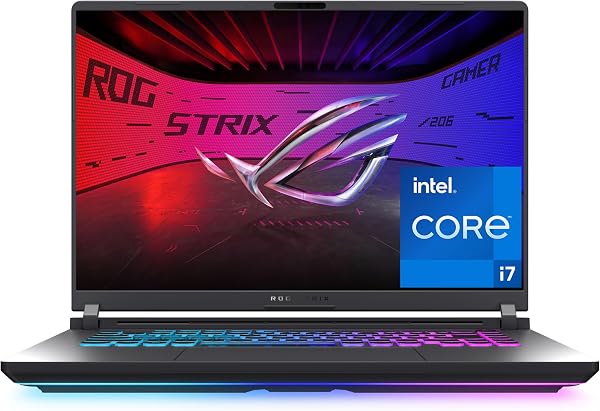
ASUS ROG Strix
8.8Editor scoreIntel Core i7 processor
NVIDIA RTX 5060 GPU
16GB DDR5 high-speed RAM
1TB PCIe solid-state storage
Discover the best laptops for graphic design in 2026. Compare color-accurate displays, dedicated GPUs, RAM capacity, and rendering performance.
Find the right laptops for graphic design for 2026. We compare 10 standout options by the factors that matter in this category, such as color gamut coverage, display resolution, GPU acceleration, multi-core CPU throughput, RAM headroom, thermal reliability, and everyday creative trade-offs.
Graphic design places multidimensional demands on personal computers. Today’s creative professionals rarely work inside a single application; instead, they juggle complex vector illustrations, massive multi-layered raster compositions, motion design renders, and collaborative web design tools simultaneously without tolerating canvas stutter or color drift.
Selecting the right design laptop means balancing raw visual fidelity against sustained computational throughput. A gorgeous display panel is meaningless if heavy export queues force thermal throttling, just as immense graphical power is squandered on a screen that cannot accurately reproduce print or digital color standards.
We compared 10 laptops for graphic design using the details that actually help a buyer decide: display color gamut coverage, panel contrast and resolution, dedicated GPU compute architecture, multi-core CPU performance under load, thermal cooling designs, RAM capacity for multi-layered projects, and peripheral connectivity for drawing tablets and external monitors. The notes highlight real-world trade-offs across professional design workflows.

Compare key features, scores, and current prices side by side. A shorter feature list means fewer details were available, not necessarily fewer capabilities.




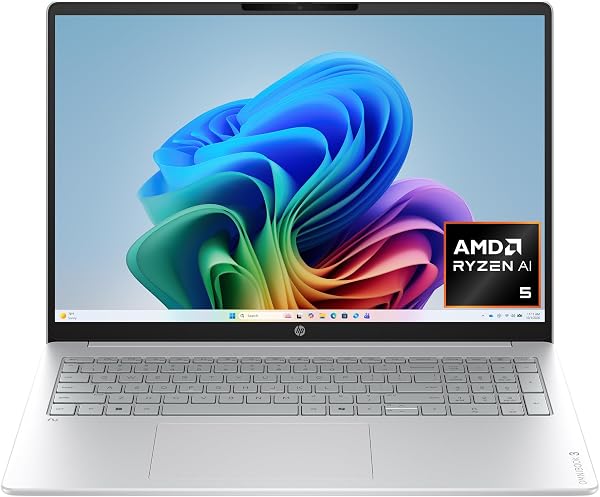
The HP OmniBook 3 16 is an outstanding Next-Gen AI PC tailored for freelance graphic designers, web layout artists, and marketing creatives who desire a sprawling, responsive workspace paired with all-day battery freedom. Featuring a spacious 16-inch 2K (1920 x 1200) IPS touchscreen, this laptop gives designers extra vertical space for toolbars, color palettes, and wide browser previews.
We may earn a commission when you buy through this link, at no additional cost to you.
At its core lies the AMD Ryzen AI 5 430 processor, backed by 16GB of high-speed DDR5 memory and a 512GB PCIe Gen4 NVMe SSD. This configuration provides snappy responsiveness when manipulating vector graphics in Illustrator, adjusting color curves in Photoshop, and preparing client pitch decks. The integrated AMD Radeon 840M graphics engine capably drives high-resolution assets and external displays with ease.
Battery longevity is arguably the OmniBook’s most impressive triumph, offering up to 19 hours and 30 minutes of runtime on a single charge. Freelancers can work from coffee shops, client offices, or park benches all day without packing a bulky charger. Furthermore, HP Fast Charge replenishes the battery from flat to 50 percent in approximately 45 minutes during quick lunch breaks.
The responsive 2K touchscreen enables intuitive gesture controls, allowing designers to pinch-to-zoom into fine typography, pan across multi-screen web prototypes, and tap to reposition layout elements directly on the glass. This direct interaction speeds up conceptual wireframing and client presentation reviews.
While it lacks a discrete NVIDIA GPU for heavy 3D rendering or complex GPU-accelerated video exports, its combination of a large 2K touch canvas, modern AI processing silicon, and exceptional battery life makes it one of the most practical, cost-effective daily drivers for graphic design and digital media.
Motion animators and 3D visualizers who need heavy discrete CUDA graphics for ray-traced rendering.
We may earn a commission when you buy through this link, at no additional cost to you.
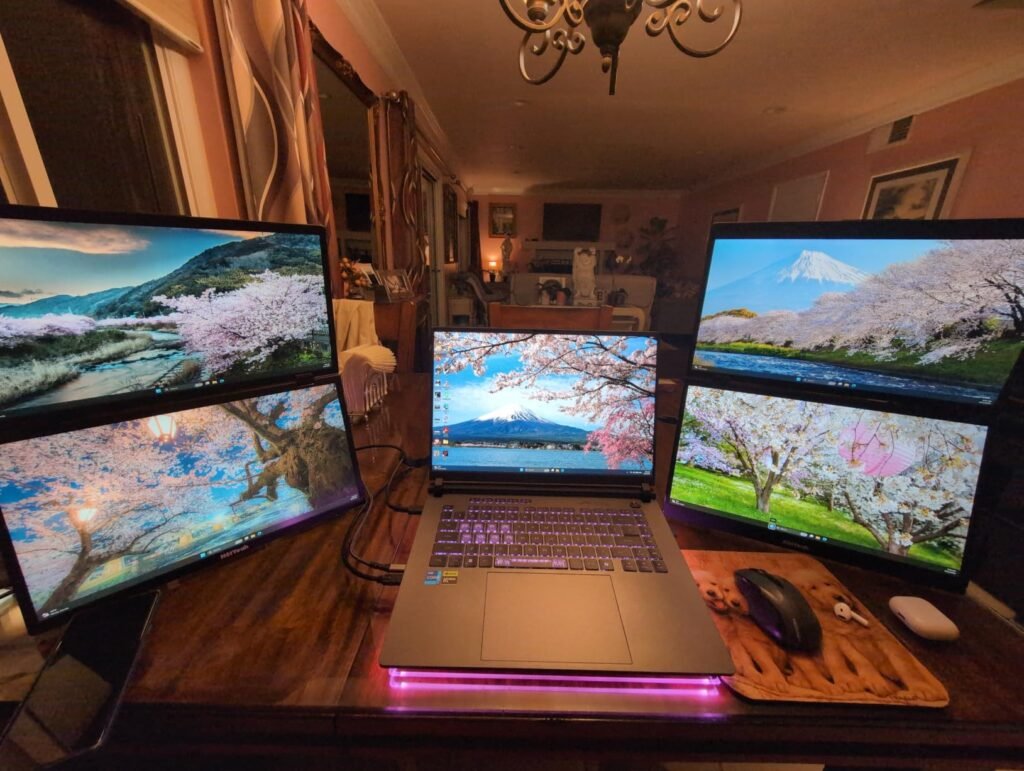
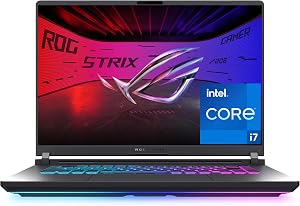
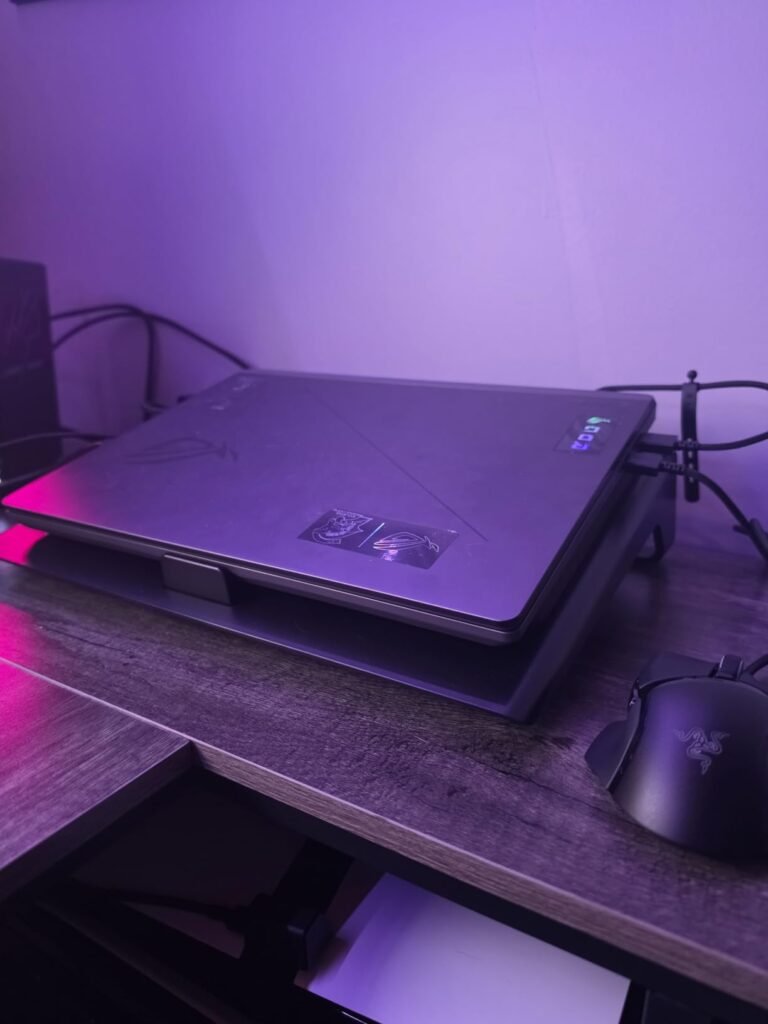
The ASUS ROG Strix G16 (2025) is an exceptional choice for motion designers, 3D illustrators, and visual brand identity creators who require serious GPU muscle without stepping into costly mobile workstations. Anchored by NVIDIA's next-generation GeForce RTX 5060 Laptop GPU built on the Blackwell architecture, this machine provides hardware-accelerated ray tracing and powerful Tensor cores that dramatically speed up rendering in Blender, Adobe After Effects, and Cinema 4D.
We may earn a commission when you buy through this link, at no additional cost to you.
Under the hood, an Intel Core i7-14650HX processor delivers desktop-grade multi-core calculations, slicing through complex vector rasterization, batch photo exports, and intricate typography layouts. Backed by 16GB of rapid DDR5-5600MHz RAM and a 1TB PCIe Gen 4 SSD, the system moves massive asset libraries, linked InDesign packages, and high-resolution video clips with virtually zero read latency.
A standout feature for creative workflows is the laptop’s sophisticated thermal design. ROG Intelligent Cooling utilizes an end-to-end vapor chamber, Conductonaut Extreme liquid metal on the processor, and a tri-fan airflow assembly. This ensures that the laptop sustains peak clock speeds during hour-long rendering queues without thermal throttling down to sluggish speeds. The 16-inch 16:10 FHD+ display features an anti-reflective ACR film that enhances contrast while keeping studio glare to a minimum.
Modern design tools rely heavily on GPU compute for smooth interaction. The Blackwell architecture’s RTX 5060 GPU accelerates Adobe Illustrator’s GPU canvas panning, handles real-time blur and lighting filters in Photoshop, and unlocks rapid frame generation during interactive 3D model previews, preventing the frustrating lag common to integrated graphics.
While its gamer-centric RGB light bar may feel loud in conservative agency settings, activating Stealth Mode completely disables exterior lighting for a clean, professional aesthetic. For designers whose creative deliverables involve heavy 3D assets, complex video effects, and intensive GPU filtering, the Strix G16 provides immense computational power for the price.
Minimalist digital nomads seeking a featherweight ultraportable for lightweight sketch work.
We may earn a commission when you buy through this link, at no additional cost to you.
The Alienware 16 Aurora combines high-density screen real estate with cutting-edge graphics processing, making it well-suited for UI/UX designers, vector illustrators, and print layout artists. Its standout attribute is the 16-inch WQXGA display, which delivers crisp pixel density and wide viewing angles. This high resolution allows designers to inspect fine typography details, micro-interactions, and high-resolution photo retouching without pixelation.
We may earn a commission when you buy through this link, at no additional cost to you.
Powering this visual workstation is the Intel Core 7 240H processor paired with the newly introduced NVIDIA GeForce RTX 5050 Laptop GPU. Leveraging NVIDIA’s Blackwell architecture, the GPU delivers reliable hardware acceleration for complex vector transforms, Photoshop neural filters, and multi-artboard Figma rendering, ensuring your creative tools stay responsive even when loaded with high-resolution assets.
Thermal management is handled by Alienware’s redesigned Cryo-Chamber structure, which channels intake airflow directly over hot processor components without requiring an awkward rear thermal shelf. The result is a streamlined chassis that rests comfortably on studio desks while keeping internal hardware within optimal thermal boundaries. Buyers also benefit from 1 year of Dell Onsite Service for dependable hardware support.
The higher pixel density of a WQXGA display allows designers to view expansive design canvases side-by-side with tool palettes and typography inspectors. This reduces the time spent zooming in and out of artboards, letting you make precise adjustments to kerning, line heights, and vector anchor points with exceptional visual clarity.
With a maximum screen brightness of 300 nits, this display is best utilized in controlled indoor studio environments rather than bright, sunlit coffee shop patios. If you prioritize fine screen resolution for detailed typographic hierarchy and vector precision alongside dedicated modern GPU acceleration, the Alienware 16 Aurora is a reliable, high-fidelity option.
Designers who frequently work outdoors or in brightly lit sunrooms requiring 400+ nit panel brightness.
We may earn a commission when you buy through this link, at no additional cost to you.
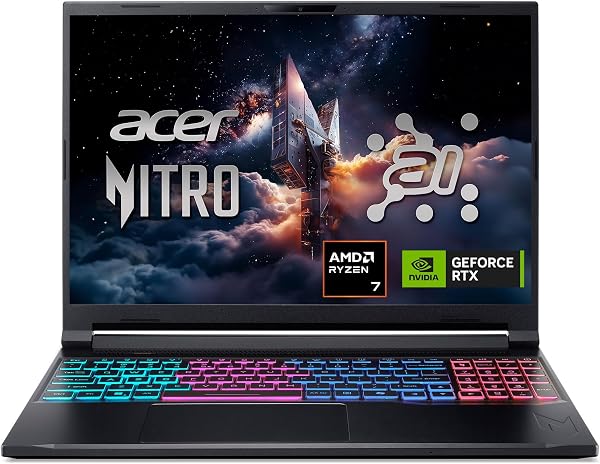
The Acer Nitro V 16S AI is engineered with the exact hardware specifications creative professionals prize most: verified color accuracy, abundant memory capacity, and dedicated modern graphics. Its 16-inch WUXGA (1920 x 1200) IPS display delivers true 100% sRGB color space coverage, ensuring that the brand palettes, digital illustrations, and photo retouching you produce look faithful across web and mobile viewports.
We may earn a commission when you buy through this link, at no additional cost to you.
Multitasking performance is phenomenal thanks to 32GB of high-speed DDR5-5600MHz system memory. Graphic designers regularly face memory pressure when running Adobe Photoshop with dozens of smart objects alongside Illustrator, InDesign, and web browsers; this 32GB buffer prevents the dreaded scratch disk write delays that plague 8GB and 16GB machines. The AMD Ryzen 7 260 processor effortlessly drives background tasks with multi-threaded efficiency.
Creative rendering is accelerated by the NVIDIA GeForce RTX 5060 Laptop GPU, boasting 572 AI TOPS of neural compute power. This hardware enables instantaneous AI image upscaling, generative fill operations, and rapid 3D texture mapping. Storage is equally capable, featuring a 1TB PCIe Gen 4 SSD with an additional available M.2 slot for future capacity expansion.
Color mismatch between your screen and client devices can derail a branding campaign. The 100% sRGB panel guarantees reliable color reproduction for all digital media. Paired with 32GB of RAM, designers can seamlessly copy complex layered assets between vector and raster applications without system lag or memory exhaustion crashes.
While the 1200p resolution is sharp enough for standard graphic design work, professionals focused exclusively on ultra-fine 4K video editing might prefer higher pixel densities. However, for digital illustrators, brand designers, and marketing agencies seeking a ready-to-work machine with 32GB RAM and 100% sRGB out of the box, the Nitro V 16S represents arguably the best balanced value on the market.
Shoppers who demand an ultra-slim metal executive chassis for boardroom presentations.
We may earn a commission when you buy through this link, at no additional cost to you.
The Dell XPS 14 stands as our Editor's Choice for graphic designers, art directors, and brand consultants who demand the ultimate visual canvas inside a sleek, premium enclosure. Its centerpiece is a mesmerizing 14.5-inch 3.2K OLED touchscreen, offering vibrant color reproduction, deep infinite blacks, and razor-sharp pixel density. Whether color-grading campaign photography or fine-tuning delicate typography, the OLED panel provides unrivaled visual clarity.
We may earn a commission when you buy through this link, at no additional cost to you.
Powering this ultra-premium device is the Intel Core Ultra 7 255H processor with integrated neural processing units, paired with a massive 32GB of high-speed memory and a 1TB PCIe SSD. This hardware foundation enables designers to effortlessly run multi-window Adobe Creative Cloud environments, edit complex vector files with thousands of anchor points, and preview live layouts without system hiccups.
The physical construction is an engineering marvel, crafted from CNC machined aluminum with Gorilla Glass 3 palm rests and an invisible haptic touchpad. The display features a variable refresh rate ranging from 48Hz up to 120Hz, delivering butter-smooth canvas scrolling when panning across wide artboards while conserving battery when viewing static proofs. Windows Copilot is integrated directly for rapid generative design brainstorming.
OLED display technology provides self-lit pixels that achieve pure zero-nit blacks and extraordinary dynamic contrast. For graphic designers, this eliminates the backlight bleed and haloing common to standard IPS panels, allowing you to accurately evaluate subtle gradients, dark-mode web interfaces, and high-contrast editorial photography with complete confidence.
Because it utilizes integrated Intel Arc graphics rather than a thick discrete GPU, it is not tailored for heavy 3D character animation or extended 4K multi-cam video rendering. However, for graphic designers who prioritize display perfection, color contrast, generous RAM, and sophisticated portability, the XPS 14 is the definitive premium laptop.
Motion graphics animators whose primary workflow requires heavy discrete CUDA rendering pipelines.
We may earn a commission when you buy through this link, at no additional cost to you.
The Acer Aspire Go 15 represents the ideal entry door for design students, high school art classes, and budding illustrators working with a strict budget. While professional agency workstations command multi-thousand-dollar budgets, this sub-$300 notebook delivers a dependable 15.6-inch Full HD (1920 x 1080) IPS display with narrow bezels, providing ample visual space for learning design fundamentals in Canva, Figma, and introductory Adobe suites.
We may earn a commission when you buy through this link, at no additional cost to you.
Driven by an Intel Core 3 N355 processor and 8GB of modern DDR5 memory, the machine handles vector drawing, typography exercises, web research, and photo resizing smoothly. Acer BluelightShield software helps reduce blue light emissions during late-night study sessions, while the dedicated Copilot key provides rapid access to AI assistance for brainstorming creative project ideas.
Connectivity is surprisingly versatile for an entry-level laptop, featuring two full-function USB Type-C ports supporting DisplayPort video output and 45W charging, alongside two USB-A ports and HDMI 2.1. This allows students to easily hook up an external graphic drawing tablet, mouse, and presentation monitor in classrooms without hunting for specialized adapters.
Learning digital illustration requires plugging in USB drawing pads or pen tablets. The Aspire Go 15’s inclusion of multiple USB-A and dual USB-C ports ensures that students can connect creative peripherals, flash drives, and external backup drives simultaneously without buying expensive multi-port dongles.
With 128GB of UFS storage and 8GB of RAM, this machine will encounter limits if tasked with massive multi-gigabyte print catalogs or heavy video editing. However, for beginners mastering layout design principles, web graphics, and digital illustration on a shoestring budget, the Aspire Go 15 offers unbeatable value.
Working professionals handling massive print catalogs or running simultaneous heavy Creative Cloud apps.
We may earn a commission when you buy through this link, at no additional cost to you.
The NIMO 15.6" FHD Light-Gaming-Laptop offers a clever solution for smart shoppers who want high-end CPU processing power at a modest initial cost, with the freedom to upgrade memory as their creative demands grow. At the heart of this machine is the powerful AMD Ryzen 7 7735HS processor, featuring 8 cores and 16 threads that boost up to 4.75GHz to deliver rapid computation across Photoshop filtering, vector conversions, and multi-tab workflows.
We may earn a commission when you buy through this link, at no additional cost to you.
Visual processing is powered by the AMD Radeon 680M integrated graphics with RDNA 2 architecture, which punches well above typical integrated graphics chips. It comfortably accelerates photo retouching, vector art, and 1080p video editing. The 15.6-inch Full HD display sits on a flexible 180-degree hinge, making it easy to lay the screen flat across a table when reviewing print proofs or sketches with team members.
What truly elevates this laptop for design enthusiasts is its physical upgradeability. While most modern laptops solder memory permanently to the motherboard, the NIMO features two DDR5 SO-DIMM slots and an accessible M.2 2280 NVMe SSD slot. Buyers can purchase the laptop affordably today and inexpensively drop in 32GB of RAM and a 1TB SSD down the line as their client roster expands.
Permanently soldered memory is the number one cause of premature laptop obsolescence among creatives. The NIMO’s dual SO-DIMM slots allow you to start with budget-friendly stock specifications and upgrade to 16GB, 32GB, or 64GB of DDR5 RAM whenever your workload demands it, extending the usable lifespan of your investment.
The out-of-the-box configuration of 8GB RAM and a 256GB SSD will feel cramped if you attempt to keep multiple Adobe applications open simultaneously without upgrading. However, for designers who want an 8-core processing engine, versatile USB-C PD charging, and future-proof hardware upgradeability, this machine is a remarkable value.
Users who want a fully maxed-out 32GB memory configuration ready out of the box without opening the chassis.
We may earn a commission when you buy through this link, at no additional cost to you.
The Dell 15.6" Touchscreen Laptop strikes an ideal balance between professional corporate utility and creative capability. Geared toward marketing managers, in-house graphic designers, and presentation specialists, this laptop pairs the rapid performance of an Intel Core Ultra 7 255U processor (boosting up to 5.2GHz) with a spacious 1TB PCIe NVMe SSD to keep extensive branding assets and vector archives right at your fingertips.
We may earn a commission when you buy through this link, at no additional cost to you.
Creative multitasking is fluid thanks to 16GB of fast DDR5 memory operating at 5600MT/s. Designers can effortlessly toggle between Adobe InDesign layout sheets, Illustrator vector assets, web browsers, and cloud storage drives without sluggishness. The integrated neural processing unit seamlessly accelerates Windows 11 Copilot features, assisting with background tasks, meeting summaries, and asset tagging.
The 15.6-inch Full HD touchscreen incorporates an anti-glare treatment that significantly cuts down reflections from overhead office lighting. Direct touch interaction lets you annotate PDF proofs, swipe through marketing mockups, and navigate timeline layers with your fingers. Connectivity is comprehensive, featuring HDMI, multiple USB ports, Wi-Fi 6, and Bluetooth for drawing peripherals and external displays.
Graphic design projects generate massive file sizes, from uncompressed TIFF photos to raw PSD composites. The included 1TB PCIe NVMe SSD provides generous local storage capacity, ensuring you do not have to carry external hard drives or constantly offload active client files to the cloud while working on the go.
The traditional 16:9 display aspect ratio provides slightly less vertical workspace than modern 16:10 screens, requiring a bit more scrolling through long web designs. However, for designers who manage large local file archives and want a dependable, high-speed touchscreen workhorse from a trusted manufacturer, this configuration delivers excellent practical utility.
Motion designers requiring dedicated discrete NVIDIA GPUs for 3D simulation and ray tracing.
We may earn a commission when you buy through this link, at no additional cost to you.
The Dell 15.6 Laptop with Intel Core 3 100U is a dependable, budget-friendly notebook designed for students entering graphic design coursework, digital media classes, or social media content creation. Engineered for everyday computing comfort, this machine features Dell's signature lift-hinge design, which tilts the keyboard deck at a subtle ergonomic angle when opened to alleviate wrist strain during long design assignments.
We may earn a commission when you buy through this link, at no additional cost to you.
The Intel Core 3 100U processor handles introductory design software, web-based layout tools like Figma and Canva, typography studies, and vector drawing efficiently. Combined with 8GB of system RAM, it provides smooth navigation for coursework, research tabs, and digital asset organization. Dell ExpressCharge support allows busy students to quickly power up the battery between classes.
Visual comfort is prioritized through Dell ComfortView software, which reduces blue light emissions from the 15.6-inch Full HD display to keep your eyes refreshed during late-night project deadlines. The keyboard deck is roomy and comfortable, complete with a separate numeric keypad and dedicated calculator hotkey for managing dimensions, grid spacing, and invoice bookkeeping.
Hours spent adjusting anchor points and vector curves can cause wrist and forearm fatigue. The clever lift-hinge raises the rear of the keyboard deck slightly off the desk surface, providing a natural wrist angle that improves typing comfort and increases airflow beneath the chassis for cooler operation.
Because it is an entry-level specification, running heavy multi-layered Photoshop files or 3D modeling programs will push the hardware to its limits. However, for introductory design students who need a comfortable, reliable, and affordable laptop to master design fundamentals, typography, and vector illustration, this Dell notebook is a trustworthy starter.
Commercial agency designers executing heavy multi-app print workflows or complex video rendering.
We may earn a commission when you buy through this link, at no additional cost to you.
The HP Victus 15.6" Gaming Laptop brings dedicated NVIDIA RTX graphics and Windows 11 Pro security into a highly accessible price bracket for independent graphic designers and multimedia creators. Powered by an Intel Core i5-12450H 8-core processor capable of 4.4GHz boost speeds, this machine delivers the computational horsepower needed to process complex raster graphics, batch image filters, and vector artwork without breaking a sweat.
We may earn a commission when you buy through this link, at no additional cost to you.
What sets the Victus apart from ordinary budget laptops is the inclusion of a dedicated NVIDIA GeForce RTX 3050 graphics card with 6GB of GDDR6 VRAM. This discrete GPU provides hardware acceleration for Adobe Mercury Playback, Photoshop neural filters, and 3D viewport rendering, freeing up your system processor and ensuring smooth canvas manipulation even when handling dense, multi-gigabyte project files.
The 15.6-inch Full HD IPS display features micro-edge bezels, an anti-glare coating, and a 144Hz refresh rate that makes vector pen manipulation and zooming remarkably smooth. Encased in Performance Blue, the laptop features 16GB of DDR4 memory that can be upgraded up to 64GB in the future. The inclusion of Windows 11 Pro provides BitLocker encryption and remote desktop tools, safeguarding client design assets.
Integrated graphics share system memory with the operating system, often leading to graphic stutters when working on high-resolution canvases. The RTX 3050’s dedicated 6GB GDDR6 video memory provides an isolated high-speed workspace for rendering brush strokes, real-time lighting effects, and 3D extrusions without tapping into system RAM.
While it uses previous-generation DDR4 memory rather than DDR5, its overall real-world performance easily outstrips laptops with integrated graphics. For freelance designers, junior animators, and design agencies needing dependable discrete NVIDIA graphics and professional Windows security under $900, the HP Victus is a standout performer.
Designers who require strict minimalist executive aesthetics or 100% DCI-P3 color gamut coverage out of the box.
We may earn a commission when you buy through this link, at no additional cost to you.
Choosing a laptop for graphic design requires balancing color fidelity, graphical compute power, memory headroom, and physical ergonomics. This comprehensive guide breaks down the essential hardware criteria to help you invest wisely in a creative workstation that elevates your visual craft.
The display is the most critical component of any graphic design laptop. A computer can possess extraordinary processor specifications, but if its screen cannot accurately render hues, values, and saturations, your design proofs will suffer from color distortion when viewed on client devices or in physical print. In graphic design, color space coverage is paramount. The sRGB color spectrum is the baseline standard for digital web design, social media assets, and mobile interfaces. A laptop screen offering 100% sRGB coverage—such as the Acer Nitro V 16S—guarantees that colors rendered on your canvas will match what users see across standard digital displays. For high-end photography, print preparation, and packaging design, expanded gamuts like DCI-P3 or Adobe RGB become critical to capture deep cyans and rich emeralds.
Panel technology also directly influences visual evaluation. Traditional IPS (In-Plane Switching) panels provide wide viewing angles and consistent color representation without contrast shifting when viewed off-axis. OLED panels—exemplified by the Dell XPS 14—elevate contrast to infinite levels by illuminating individual pixels independently, producing true pitch blacks without backlight bleed. Screen resolution is equally vital: Full HD (1920 x 1080) offers a functional starting point, but WUXGA (1920 x 1200), 2K, or 3.2K displays allow designers to inspect micro-typography, verify anchor point alignment, and view expansive artboards side-by-side with tool palettes without squinting.
Prioritize a display with at least 100% sRGB coverage and an anti-glare coating or OLED contrast if your daily work involves brand identity, digital illustration, or client photo editing. Avoid displays with washed-out 45% NTSC panels, as they cannot represent standard web colors faithfully.
The debate between dedicated discrete graphics processing units (GPUs) and integrated graphics chips comes down to the complexity of your creative software suite. Integrated graphics—such as Intel Arc or AMD Radeon 680M/840M—share system memory with the central processor. For 2D vector work in Adobe Illustrator, typography layouts in InDesign, and standard UI wireframing in Figma, modern integrated graphics deliver plenty of horsepower while sipping battery power and keeping laptops slim and lightweight.
However, if your creative workflow crosses into 3D modeling (Blender, Cinema 4D), motion graphics (Adobe After Effects), or heavy photo compositing with neural AI filters (Photoshop), a dedicated NVIDIA GeForce RTX GPU becomes indispensable. NVIDIA’s RTX architecture includes dedicated RT cores for ray tracing and Tensor cores for machine learning tasks like generative fill, automated masking, and smart upscaling. Furthermore, dedicated video memory (VRAM)—such as the 6GB or 8GB found on RTX 3050, 5050, and 5060 GPUs—acts as an ultra-fast private buffer for texture maps and GPU-accelerated canvas panning, preventing system lag during complex brushwork.
Select a laptop with a dedicated NVIDIA RTX GPU if you regularly build 3D assets, render motion graphics, or edit 4K video. If your focus is purely 2D brand identity, editorial layout, and digital illustration, a high-tier integrated graphics chip in an ultraportable machine will serve you exceptionally well while saving weight and money.
System memory (RAM) directly determines how many creative applications, open artboards, and multi-layered documents your laptop can juggle concurrently without stuttering. When you manipulate a 300 DPI print poster in Photoshop with dozens of adjustment layers and smart objects, the uncompressed file size in active memory can easily balloon to several gigabytes. If your system runs out of physical RAM, the operating system is forced to write temporary data to the SSD scratch disk, introducing noticeable canvas lag and brush latency.
While 8GB of RAM can suffice for introductory design students learning layout principles or working primarily in browser-based tools like Canva, it quickly becomes an operational bottleneck in commercial environments. For working professionals, 16GB of DDR5 RAM is the practical baseline, allowing you to run Photoshop and Illustrator simultaneously alongside reference browsers. However, for agency designers, packaging creators, and multi-disciplinary artists, 32GB of RAM—found in configurations like the Dell XPS 14 and Acer Nitro V 16S—provides the ultimate headroom, ensuring completely fluid transitions between vector, raster, and 3D suites without closing background files.
Never purchase an 8GB laptop with soldered memory if you plan to practice graphic design professionally. Seek machines with 16GB or 32GB of RAM out of the box, or select a laptop like the NIMO 15.6″ that features accessible SO-DIMM expansion slots for future memory upgrades.
While the GPU handles visual canvas rendering and real-time viewport previews, the central processing unit (CPU) is the primary engine driving vector calculations, image filtering algorithms, file compression, and project export rendering. Creative applications rely on a delicate combination of high single-core clock speeds for responsive user interactions (such as dragging vector paths or applying typographic kerning) and abundant multi-core threading for batch file processing and PDF compilation.
Modern processors from Intel (Core Ultra and HX series) and AMD (Ryzen 7 and Ryzen AI series) utilize sophisticated hybrid architectures that pair high-performance cores with power-efficient cores. High-wattage processors like the Intel Core i7-14650HX excel at sustaining heavy computational loads during complex export queues. Meanwhile, efficient mobile chips like the AMD Ryzen AI 5 and Intel Core Ultra 7 deliver impressive multi-threaded performance while maintaining cooler operational temperatures and extending battery longevity.
Choose an Intel HX-series or AMD Ryzen 7 H-series processor if you spend significant time waiting on heavy rendering queues, batch RAW photo exports, or video encoding. For everyday layout design and digital illustration, an energy-efficient Intel Core Ultra or AMD Ryzen AI processor delivers plenty of speed with superior battery life.
Graphic designers work with massive file formats: RAW camera captures, layered PSB documents, high-resolution vector packages, and font archives. The speed and capacity of your internal solid-state drive (SSD) directly dictate system boot times, project load speeds, and scratch disk responsiveness. Slow traditional hard drives and entry-level storage interfaces create frustrating bottlenecks that disrupt your creative rhythm.
Modern design laptops must utilize PCIe NVMe solid-state drives—preferably Gen 4. These drives deliver read and write speeds exceeding 4,000 MB/s, allowing you to open multi-gigabyte brand asset packages in seconds. Furthermore, when creative software like Photoshop exceeds physical RAM, it relies on your primary storage drive as a virtual scratch disk. An ultra-fast NVMe SSD ensures that scratch disk operations occur virtually instantaneously without freezing your brush strokes.
Aim for at least 512GB of internal NVMe SSD storage as a bare minimum, with 1TB being strongly recommended for professional workflows. If a laptop only provides a 256GB or 512GB drive, verify whether the motherboard includes a secondary M.2 expansion slot to allow inexpensive future storage additions.
Laptops engineered for creative work frequently encounter extended computing stresses. Compiling high-resolution print files, rendering complex 3D scenes, or applying intricate neural filters can push internal processor temperatures to their limits. In poorly cooled chassis designs, thermal buildup forces the system to initiate thermal throttling, deliberately slashing CPU and GPU clock speeds to avoid overheating, which can double or triple your waiting times.
High-performance creative and gaming chassis—such as the ASUS ROG Strix G16 and Alienware 16 Aurora—employ sophisticated thermal engineering, including full-coverage vapor chambers, liquid metal thermal interfaces, and multiple intake and exhaust fans. These advanced cooling assemblies rapidly exhaust hot air, enabling processors to maintain maximum boost clocks for extended periods. Conversely, ultra-slim laptops rely on compact heat pipes and thinner fans, trading extreme sustained render wattage for whisper-quiet travel portability.
If your typical working day includes heavy 3D rendering, video motion graphics, or continuous batch processing, prioritize laptops with robust multi-fan cooling and vapor chambers. If your work centers on 2D vectors and digital typography, a slimmer chassis with moderate thermal dissipation will provide a cooler, quieter lap experience.
Graphic designers rarely operate in isolation with just a laptop trackpad. Professional workflows depend on an ecosystem of external peripherals: pressure-sensitive drawing tablets (such as Wacom or Huion displays), color-calibrated external studio monitors, high-speed external backup drives, and precision creative mice. A laptop with an overly restricted port selection creates the hassle of carrying multiple dongles and docking hubs.
Having a diverse array of physical ports directly on the chassis dramatically streamlines studio and client work. Look for machines that provide full-function USB Type-C or Thunderbolt 4 ports (supporting DisplayPort video output and high-speed data), traditional USB Type-A ports for legacy drawing tablets and flash drives, and a dedicated HDMI 2.0 or 2.1 port for direct connection to studio displays and boardroom presentation projectors. An integrated SD or microSD card reader is an added bonus for photographers and brand content creators.
Evaluate your daily peripheral setup before purchasing. If you rely on external graphic displays and wired peripherals, choose a laptop with native HDMI and multiple USB-A and USB-C ports to avoid carrying a tangle of adapters in your design bag.
To guarantee professional visual output, calibrate your display panel as soon as you unbox your laptop. Out-of-the-box factory display profiles often emphasize overly saturated blues and exaggerated contrast to look eye-catching in retail environments. Use a dedicated hardware colorimeter or your operating system’s built-in color management tools to calibrate your screen to standard sRGB or DCI-P3 targets with a neutral 6500K color temperature and a gamma of 2.2. This ensures that the branding palettes and illustrations you refine on screen translate accurately to client screens and commercial printing presses.
Maintain peak processing efficiency and thermal longevity by practicing sensible workspace habits. When executing heavy rendering queues, batch photo conversions, or 3D viewport calculations, always position your laptop on a hard, flat surface such as a wooden desk or an elevated laptop stand. Resting a high-performance machine on blankets, pillows, or carpeting suffocates bottom intake vents, forcing cooling fans to operate at maximum speed while accelerating internal dust accumulation. Use a can of compressed air every few months to gently clear dust from exhaust fins and intake grilles.
Manage storage allocation and scratch disk health proactively to keep your creative applications responsive. Professional design applications like Adobe Photoshop and After Effects generate massive temporary cache files and scratch data that can quietly swallow tens of gigabytes of disk space. Regularly purge media caches within your software preferences and configure your primary scratch disk to maintain at least 15 to 20 percent free drive capacity. For long-term battery preservation, activate smart charging thresholds in manufacturer software to cap stationary desk charging at 80 percent, preventing prolonged high-voltage chemical stress on your battery cells.
While processor speed and RAM are vital, the display's color accuracy and gamut coverage are the most critical factors for graphic design. A laptop screen must cover at least 100% of the sRGB color spectrum with consistent contrast and viewing angles to ensure that your digital artwork, web layouts, and branding assets appear accurately across different consumer devices and print materials.
For commercial graphic designers, 16GB of RAM is the recommended baseline to run multiple Adobe Creative Cloud applications simultaneously without slowdowns. If your workflow involves heavy multi-layered Photoshop compositions, complex print packaging layouts, or 3D modeling, investing in 32GB of RAM prevents scratch disk paging and ensures buttery-smooth multitasking.
A dedicated GPU is not strictly mandatory if you work exclusively with 2D vector graphics in Illustrator, page layouts in InDesign, or digital UI design in Figma, as modern integrated graphics handle these tasks adequately. However, a dedicated NVIDIA RTX GPU becomes essential if you incorporate 3D rendering in Blender, motion graphics in After Effects, or heavy AI-powered neural filters in Photoshop.
OLED displays offer superior contrast ratios, true pitch blacks, and vibrant color saturation, making them spectacular for photo retouching, UI design, and visual storytelling. However, high-quality IPS panels remain industry staples because they provide dependable color consistency, matte anti-glare options, and immunity to static burn-in during long editing sessions.
A 16-inch laptop provides significantly more physical screen real estate, allowing you to keep floating tool palettes, typography inspectors, and reference artboards visible without crowding your canvas. A 14-inch laptop offers superior travel portability for freelancers and commuters, but designers often prefer connecting it to a larger external studio monitor when working at a primary desk.
Yes, gaming laptops frequently make outstanding graphic design machines because they combine high-wattage multi-core CPUs, powerful dedicated NVIDIA RTX GPUs, and robust multi-fan thermal cooling systems. The main detail designers must verify before buying a gaming laptop is that its screen offers high color accuracy (such as 100% sRGB) rather than just a high refresh rate.
A scratch disk is a designated portion of your internal solid-state drive that software like Photoshop uses as temporary virtual memory when your physical RAM is full. Having a fast PCIe NVMe SSD with plenty of free capacity ensures that scratch disk operations occur seamlessly without causing brush lag or freezing your application.
Yes, standard drawing tablets and pen displays from brands like Wacom, Huion, and XP-Pen connect to virtually any modern laptop via USB-A, USB-C, or HDMI. Ensure your chosen laptop has the appropriate physical ports or that you have a reliable multi-port USB-C adapter to support your tablet's video and data cables.
The Dell XPS 14 Premium Laptop earns our Editor's Choice distinction as the finest overall machine for graphic designers who demand visual perfection, generous memory, and executive build quality. Its mesmerizing 3.2K OLED touchscreen, 32GB of system RAM, and sleek machined aluminum body provide an unrivaled creative platform that handles client presentations and complex digital designs with equal grace.
For creatives who require dedicated graphical muscle for 3D modeling, motion design, and heavy rendering, standout alternatives offer distinct strengths. The Acer Nitro V 16S delivers certified 100% sRGB color fidelity, 32GB of DDR5 RAM, and modern RTX 5060 graphics at a competitive price point, while the ASUS ROG Strix G16 provides top-tier vapor chamber cooling for prolonged render queues. Budget-minded designers and students will appreciate the remarkable 19.5-hour battery life of the HP OmniBook 3 16 or the accessible entry point of the Acer Aspire Go 15.
When finalizing your investment, evaluate your primary software ecosystem, your need for dedicated CUDA rendering power, and the color accuracy of the integrated display. Choosing a laptop with at least 16GB of RAM, a color-accurate screen, and fast NVMe storage will ensure your creative ideas translate seamlessly from your imagination to the finished canvas.