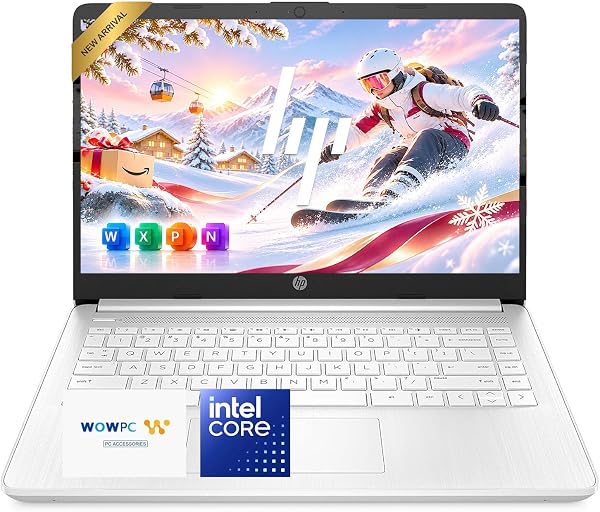
HP 17 Business
9.2Editor scoreAMD Ryzen 5 processor
16GB DDR4 system memory
512GB PCIe NVMe SSD
17.3-inch Full HD display
Compare the best 17 inch laptops for home office, business, and remote work. Find top-rated displays, responsive processors, and desktop replacement value.
Find the right 17 inch laptops for 2026. We compare 10 standout options by the factors that matter in this category, such as display resolution, panel quality, multi-core processing speeds, memory headroom, thermal chassis volume, keyboard ergonomics, owner feedback, value, and everyday desktop-replacement trade-offs.
Choosing a large-format laptop requires balancing expansive workspace comfort against overall footprint and power efficiency. Unlike compact ultrabooks, 17.3-inch machines excel at side-by-side multitasking, spreadsheet analysis, and extended typing sessions, provided they pack enough system memory, capable integrated graphics, and a bright, anti-glare panel that prevents eye fatigue throughout long working hours.
Whether you manage complex business operations from a home desk or tackle coursework across dozens of open browser tabs, the right machine eliminates the need for external monitors without sacrificing portability. We examine practical differences across storage arrays, wireless standards, and tactile full-size numeric keypads to guide your next computing upgrade.
We compared 10 17 inch laptops using the details that actually help a buyer decide: display resolution, panel viewing angles, processor architecture, memory multitasking headroom, solid-state drive speed, thermal chassis volume, port versatility, numeric keypad comfort, owner feedback, and value. The notes focus on practical trade-offs so each pick feels connected to how people actually manage data, stream media, and work across expansive desktop workspaces.


Compare key features, scores, and current prices side by side. A shorter feature list means fewer details were available, not necessarily fewer capabilities.


For users who prefer interacting directly with on-screen content, this HP 17.3-inch model merges responsive multi-touch capabilities with a robust hardware foundation. It is an exceptional match for educators reviewing student assignments, real estate professionals presenting digital portfolios, and home managers who like tapping through interactive menus. The inclusion of touch on such an expansive canvas changes how you interact with long web articles, photo albums, and PDF forms.
We may earn a commission when you buy through this link, at no additional cost to you.
Performance is driven by an Intel Core i5-1334U 10-core processor utilizing Intel hybrid architecture. With specialized performance cores tackling active foreground programs and efficiency cores handling background processes, the laptop remains snappy even with multiple browser tabs and communication apps running concurrently. Backing the processor is 16GB of DDR4 memory and a spacious 1TB PCIe NVMe SSD, providing generous capacity for documents, software installations, and offline personal media.
Comfort and security receive thoughtful attention throughout the build. A built-in fingerprint reader works alongside Windows Hello to grant instant, password-free login, adding biometric security without slowing down your day. Typing in low-light environments is effortless thanks to an illuminated backlit keyboard, which also houses a complete numeric pad. The integrated HD webcam utilizes temporal noise reduction to clean up video grain during remote calls over Wi-Fi 6 networks.
Operating a touchscreen on a 17.3-inch form factor provides an interactive, whiteboard-like experience that standard clamshell laptops cannot match. Because the native resolution is 1600 x 900, text and interactive touch targets remain naturally larger, making finger selections and pinch-to-zoom gestures remarkably precise without requiring aggressive software scaling. However, working under bright overhead lighting requires conscious angle adjustment, as touch panels feature glass layers that exhibit more glare than matte screens.
The primary compromise lies in the display resolution, which is rated at HD+ (1600 x 900) rather than Full HD (1920 x 1080). While fine details and icons appear larger by default—which can be a substantial ergonomic benefit for users with tired eyesight—it offers slightly less screen canvas than a 1080p panel. Buyers wanting intuitive touch input, illuminated keys, and dependable multi-core power will find tremendous everyday utility here.
Graphic designers and video editors who need a Full HD 1080p or higher resolution display for pixel-precise creative work.
We may earn a commission when you buy through this link, at no additional cost to you.
The HP 17 Business Laptop is tailored for professionals, students, and home organizers who prioritize a clutter-free, expansive digital workspace without inflating their budget. Its primary advantage centers on balancing modern processing performance with a generous 17.3-inch display, giving you ample room to review dual documents simultaneously or cross-reference financial spreadsheets without reaching for an external monitor. The clean silver finish and slim chassis bezels lend the machine an understated, modern aesthetic suitable for home offices and client meetings.
We may earn a commission when you buy through this link, at no additional cost to you.
Under the hood, this configuration pairs an efficient AMD Ryzen 5 processor with 16GB of system RAM. This hardware pairing ensures fluid responsiveness when jumping between resource-hungry web applications, streaming conference calls, and data-dense productivity software. The included 512GB PCIe NVMe solid-state drive keeps boot times snappy and loads large files in seconds, delivering the responsive baseline required for day-to-day administrative workloads.
Everyday usability is enhanced by practical ergonomic choices. The full-size keyboard features a dedicated 10-key numeric pad that accelerates spreadsheet data entry, accounting routines, and calculation tasks. The anti-glare coating on the 1080p panel minimizes distracting reflections from overhead office lighting or nearby windows, reducing eye strain during marathon work sessions. Additionally, HP Fast Charge replenishes depleted battery reserves swiftly, providing flexibility when stepping away from wall power.
The 1920 x 1080 resolution on a 17.3-inch panel provides sufficient pixel density to utilize Windows 11 Snap Layouts comfortably. By splitting your screen into two equal halves, you can maintain an email client or research document on one side while operating a dense accounting sheet on the other. Setting the Windows display scaling to 100% or 125% retains crisp text readability across wide viewing angles while maximizing total visible cells in productivity applications.
While the 512GB storage drive is plenty for office files, cloud workflows, and standard local libraries, power users working with heavy video raw footage or extensive offline archives may eventually require external expansion. For shoppers seeking a dependable, full-featured daily driver that masters core office workflows on a spacious screen, this machine represents an exceptionally practical sweet spot.
Shoppers who require multiple terabytes of onboard local storage for large media production archives without relying on external drives.
We may earn a commission when you buy through this link, at no additional cost to you.
The HP 17 Business Laptop with 32GB of RAM is engineered for professionals who refuse to tolerate system stutter, sluggish tab switching, or memory bottlenecking. As software suites, browser extensions, and remote collaboration platforms grow increasingly resource-hungry, this machine delivers the expansive memory ceiling required for truly demanding productivity. It serves as an uncompromising desktop replacement for accountants, business owners, and remote corporate employees.
We may earn a commission when you buy through this link, at no additional cost to you.
At the core is AMD Ryzen 5 7430U hexa-core processor featuring 12 threads and clock speeds reaching up to 4.3 GHz. Paired with 32GB of high-speed DDR4 memory and a fast 1TB PCIe NVMe SSD, this laptop digests massive local databases, multi-sheet analytical workbooks, and dozen-tab browser research sessions simultaneously. Application launch times are virtually instantaneous, and the system maintains consistent operational responsiveness under sustained computational loads.
Visual quality is a major highlight, courtesy of a 17.3-inch Full HD (1920 x 1080) IPS anti-glare display that ensures wide 178-degree viewing angles and natural color accuracy. The chassis incorporates an ergonomic lift-hinge design that tilts the full-size numeric keyboard slightly upward when opened, improving typing angles and enhancing airflow underneath the cooling vents. A physical privacy shutter on the HD webcam, Bluetooth 5.4, and modern Wi-Fi 6 round out a thoroughly professional hardware package.
Standard business laptops commonly ship with 8GB or 16GB of memory, which can become saturated when running modern virtual meetings alongside cloud databases, PDF suites, and dozens of browser tabs. With 32GB of dedicated memory, the system avoids swapping active data to disk, preserving instantaneous task-switching speeds and extending solid-state drive longevity. This makes the machine exceptionally future-proof against upcoming operating system updates and enterprise software demands.
The integrated AMD Radeon graphics are tuned for general media streaming and productivity rather than high-end 3D gaming, which is standard for this class of enterprise machine. If your daily workflow demands uninterrupted multitasking, enterprise-level Windows 11 Pro security tools, and a premium IPS canvas that reduces eye strain, this configuration earns its standing as our top overall recommendation.
Shoppers seeking an ultra-cheap secondary portable device exclusively for basic email checking and occasional light browsing.
We may earn a commission when you buy through this link, at no additional cost to you.
The HP 17 FHD Bundle Edition addresses the needs of students and remote workers who want a complete, ready-to-work setup straight out of the box without purchasing extra peripherals. By pairing a capable 17.3-inch laptop with an assortment of essential accessories—including a wireless mouse, mouse pad, HDMI cable, wireless earbuds, and portable external storage—it eliminates the friction of outfitting a new home workstation.
We may earn a commission when you buy through this link, at no additional cost to you.
Underneath the hood, the system is powered by the AMD Ryzen 5 7430U processor with 6 cores and 12 threads. Supported by 16GB of high-bandwidth memory, the machine glides through video conferencing, academic research, and office multitasking without hesitation. The storage architecture provides 1TB of combined space, split between a rapid 512GB internal PCIe NVMe SSD for your operating system and active software, and an included 500GB external drive for project archives and backups.
The 17.3-inch Full HD IPS anti-glare screen delivers crisp 1080p visual fidelity across wide viewing angles, making collaborative presentations or media viewing comfortable from any vantage point. Windows 11 Pro comes preloaded, equipping the system with robust hardware-based data encryption, virtualization support, and advanced network management features that are essential for small business networks and academic institutions.
Having your storage separated into an internal 512GB SSD and an external 500GB portable drive offers distinct workflow advantages when utilized methodically. Keep your operating system, daily applications, and active term projects on the ultra-fast internal NVMe drive for maximum loading speeds. Use the external portable drive to archive completed client work, raw video footage, or personal photo libraries that can be safely detached and stored separately.
The primary tradeoff to consider is the dual-drive storage setup. Users who prefer a single, unified 1TB internal SSD will need to manage file locations manually between the primary drive and the external unit. For buyers who value having a portable backup drive ready for travel alongside wireless input peripherals, this bundle represents outstanding overall convenience.
Users who demand a single, unpartitioned 1TB internal solid-state drive inside the laptop chassis without managing external cords.
We may earn a commission when you buy through this link, at no additional cost to you.
The HP 17 Productivity Hub Bundle is conceived for shoppers who plan to anchor their laptop to a dedicated desk space while maintaining the flexibility to detach quickly. Modern laptops frequently face criticism for limiting onboard physical ports, but this package solves that dilemma directly by packaging a 6-in-1 multi-port expansion hub alongside the laptop, providing access to memory card readers, 4K HDMI output, and supplemental USB connections.
We may earn a commission when you buy through this link, at no additional cost to you.
Performance is anchored by the capable AMD Ryzen 5 7430U processor, delivering up to 4.3 GHz of boost frequency across 6 cores. Backed by 16GB of DDR4 RAM, it easily handles complex browser sessions, spreadsheets, and video playback. The storage configuration incorporates a fast 512GB internal NVMe solid-state drive complemented by an external 500GB portable drive, giving you a total of 1TB of combined storage capacity for all your software and media.
Visual quality remains high thanks to the 17.3-inch Full HD IPS anti-glare display. The panel minimizes reflections while maintaining consistent color and contrast even when viewing the screen from off-angles. The laptop’s keyboard deck includes a full numeric tenkey section, while the bundled wireless mouse and mouse pad allow you to bypass the touchpad entirely for faster, more comfortable cursor navigation during long work sessions.
The included 6-in-1 USB-C expansion hub transforms this 17-inch laptop into a centralized workstation. By plugging the hub into the laptop, you gain instant access to SD/TF card slots for digital camera media, supplemental USB 3.0 ports for flash drives, and an auxiliary 4K HDMI port. This allows you to connect an external monitor, printer, and camera media simultaneously without repeatedly swapping cables into the laptop chassis.
The chief consideration is that utilizing the external hub and portable hard drive introduces additional cables to your desk space compared to laptops featuring built-in card readers and unified internal drives. However, for buyers wanting maximum peripheral connectivity and out-of-the-box convenience at an attractive price point, this bundle offers exceptional practical value.
Minimalist travelers who prefer an ultra-clean setup without carrying or organizing supplemental dongles and external drives.
We may earn a commission when you buy through this link, at no additional cost to you.
The HP Everyday Slim 17 targets shoppers working with strict budget limitations who refuse to settle for a cramped 14-inch or 15-inch display. Designed for fundamental everyday tasks such as web browsing, streaming video, sending emails, and drafting basic school reports, this machine delivers large-screen visual comfort at an entry price point rarely seen in the 17-inch category.
We may earn a commission when you buy through this link, at no additional cost to you.
Powering this model is an energy-efficient Intel quad-core processor paired with low-power LPDDR4x system memory. This combination prioritizes battery efficiency and modest thermal output over raw computational horsepower, keeping the system quiet during routine web browsing. Local storage is handled by a 128GB solid-state drive, which is complemented by a 1TB Microsoft OneDrive cloud storage allocation included through the provided one-year Microsoft 365 subscription.
Connectivity is well-rounded for everyday peripherals, featuring USB Type-C, dual USB Type-A ports, HDMI output, and a combo audio jack. Wireless duties are managed via Wi-Fi 5 and Bluetooth 4.2. The lightweight chassis construction makes moving this large machine between the kitchen table, home office desk, and living room couch surprisingly effortless compared to heavier workstation chassis.
With 128GB of onboard local storage, adopting a cloud-first file management approach is essential. Use Windows 11 Files On-Demand within OneDrive to view and access your entire 1TB cloud archive without consuming local drive capacity. Keep only your most essential applications and immediate active documents downloaded to the local drive, letting cloud synchronization handle photo albums, completed files, and backup archives.
Shoppers must understand the clear hardware boundaries of this budget tier. The 128GB local SSD can fill up quickly if you download large games or extensive video files, and the efficient quad-core architecture is not intended for video rendering or heavy professional multitasking. If your requirements are centered on straightforward web browsing, online media, and cloud office documents, it provides unmatched screen size per dollar.
Users needing extensive local storage for heavy creative applications, local video editing, or multi-program business multitasking.
We may earn a commission when you buy through this link, at no additional cost to you.
The HP OmniBook 3 17.3 represents a contemporary evolution in HP's large-screen lineup, pairing refined Glacier Silver styling with modern Intel Core Series processing. It is engineered for college students, home professionals, and casual creators who seek strong single-core performance, crisp 1080p visual fidelity, and modern video conferencing capabilities without stepping into four-digit pricing.
We may earn a commission when you buy through this link, at no additional cost to you.
Performance is driven by the Intel Core 5 120U processor, delivering responsive clock speeds for day-to-day office computing, web navigation, and video editing. The system utilizes a cutting-edge 512GB PCIe Gen4 NVMe M.2 SSD, which delivers exceptionally rapid transfer rates and brisk software load times. While the 8GB of system memory is more modest than high-end business tiers, it handles everyday academic workloads and multi-tab browsing smoothly.
Communication hardware on this laptop is notably advanced. The integrated Full HD webcam features an HDR auto-switch mechanism that actively balances contrast in difficult backlighting conditions, ensuring you look clear during morning meetings. Furthermore, the Advanced AI Noise Reduction system isolates your vocal frequencies while filtering out distracting household background chatter. Fast Charge capability restores roughly 50% battery in about 45 minutes, while Wi-Fi 6 and Bluetooth 5.4 keep wireless links stable.
Video conferencing quality often suffers in standard laptops due to poor sensor dynamics and noisy microphones. The OmniBook 3 solves this by integrating an FHD sensor equipped with real-time HDR auto-switching that prevents your face from becoming a dark silhouette when sitting before bright windows. Combined with AI-driven directional noise filtration, your voice remains clear to remote colleagues even in noisy home environments.
The primary performance consideration is the 8GB RAM ceiling, which makes this model better suited for mainstream productivity rather than running multiple memory-hungry virtual environments simultaneously. For users who prioritize a brilliant IPS display, superior webcam clarity, and a modern Intel platform at an accessible price point, the OmniBook 3 is an outstanding value choice.
Demanding power users who routinely run heavy multi-gigabyte spreadsheets or complex virtual machines requiring 16GB or 32GB of RAM.
We may earn a commission when you buy through this link, at no additional cost to you.
The HP 17.3 Touchscreen Pro combines an expansive memory configuration with the tactile flexibility of a responsive touch panel. This premium workstation machine is built specifically for users who refuse to make compromises on system speed, storage space, or multitasking headroom, while wanting the intuitive convenience of tapping, dragging, and zooming directly on their primary display.
We may earn a commission when you buy through this link, at no additional cost to you.
At the foundation of this laptop is the AMD Ryzen 5 7530U processor, boasting 6 cores, 12 threads, and clock frequencies scaling up to 4.5 GHz. Paired with an enormous 32GB of RAM and a swift 1TB PCIe NVMe SSD, this laptop effortlessly operates heavy accounting software, large database sheets, and multiple browser windows without stuttering. It represents an exceptional computing platform for business managers, financial analysts, and remote researchers.
User comfort is reinforced by an illuminated backlit keyboard that allows effortless late-night typing without straining your eyes. The full numeric keypad makes financial number-crunching second nature. Wireless connectivity is fast and dependable via Wi-Fi 6 and Bluetooth 5.3, while Windows 11 Pro provides enterprise-level data protection and BitLocker encryption to safeguard sensitive client records.
The combination of a bright, evenly illuminated keyboard and a large touchscreen panel transforms late-evening work sessions. You can lean back and navigate lengthy reports or scroll through PDF documents using simple touch gestures without reaching for the trackpad. When data entry is required, the backlit keys ensure accurate keystrokes in dim home-office environments without necessitating harsh desk lamp lighting.
The single notable tradeoff is the panel resolution, which is specified at HD+ (1600 x 900) to keep touch tracking exceptionally responsive and UI elements comfortably large. While creative professionals desiring maximum pixel density might prefer a 1080p IPS panel, users who value comfortable direct touch, effortless 32GB memory multitasking, and massive local storage will find this machine virtually unmatched.
Shoppers seeking an entry-level budget price tag or creative artists who strictly require Full HD 1080p resolution.
We may earn a commission when you buy through this link, at no additional cost to you.
Many 17-inch laptops in the mainstream category settle for standard 250-nit screens, which can appear washed out in brightly illuminated rooms or near sunny windows. The HP 17.3 FHD model directly addresses this common frustration by outfitting the chassis with an upgraded 300-nit Full HD IPS anti-glare display. This makes it an ideal pick for users working in sunlit home offices or vibrant commercial spaces.
We may earn a commission when you buy through this link, at no additional cost to you.
Under the hood sits the dependable AMD Ryzen 5 7430U hexa-core processor featuring 12 threads and a maximum boost clock of 4.3 GHz. Accompanied by 16GB of DDR4 memory and a roomy 1TB SSD, this laptop balances rapid application response times with ample local storage for photo libraries, project files, and personal applications. The display also incorporates AMD FreeSync technology, ensuring fluid, tear-free video rendering during media playback and light gaming.
Everyday communication and privacy are well considered. The integrated webcam includes a physical shutter mechanism that physically covers the camera lens when not in use, providing peace of mind against digital intrusion. Audio clarity is enhanced by dual-array digital microphones, while a dedicated Microsoft Copilot key on the keyboard deck grants one-touch access to AI-powered drafting, summarizing, and workflow tools.
Stepping up from the standard 250-nit baseline to 300 nits provides a noticeable boost in contrast, making text appear crisper and colors noticeably richer against ambient light. Combined with the anti-glare matte coating, you can position your desk near daylight windows without dealing with harsh mirror reflections. Furthermore, AMD FreeSync technology dynamically matches the screen refresh rate to your GPU, eliminating stutter when scrolling through lengthy web pages or watching fast video streams.
While this model ships with Windows 11 Home rather than Windows 11 Pro—meaning enterprise domain joining and BitLocker require separate upgrades—its physical display quality is among the most pleasant to view in its class. For users who place display clarity, screen brightness, and fluid video playback at the top of their checklist, this configuration delivers outstanding daily satisfaction.
Corporate administrators who require native Windows 11 Pro domain-joining features right out of the box.
We may earn a commission when you buy through this link, at no additional cost to you.
The HP 17 Workstation Edition is built for commercial operators, accountants, and remote managers whose daily workflow involves running multiple memory-intensive enterprise suites concurrently. Pairing a fast 6-core processor with a substantial 32GB RAM capacity and a 1TB NVMe solid-state drive, it delivers the desktop-like endurance required to handle massive computational loads without thermal or memory throttling.
We may earn a commission when you buy through this link, at no additional cost to you.
The system centers around the AMD Ryzen 5 7430U processor, delivering up to 4.3 GHz across 12 processing threads. This robust processing engine is bolstered by 32GB of DDR4 system memory, allowing you to keep enterprise resource planning tools, multiple spreadsheets containing thousands of rows, and extensive browser sessions open without dropping frame rates. The 1TB PCIe SSD provides lightning-fast system booting and abundant room for heavy local files.
Visual ergonomics are supported by the 17.3-inch Full HD (1920 x 1080) IPS anti-glare display, presenting documents with crisp readability and wide viewing angles. The chassis includes a full-size keyboard with an integrated 10-key numeric pad, a dedicated Microsoft Copilot AI key, and an expansive trackpad. Wireless connectivity relies on Wi-Fi 6 and Bluetooth 5.2, while the HP True Vision HD webcam and dual-array microphones ensure dependable virtual collaboration.
Understanding the port layout on this chassis ensures seamless workstation setup. Because the USB-C port is dedicated solely to high-speed data transfer for flash drives and external hard drives, you should utilize the built-in HDMI 1.4b port whenever you wish to output video to a second monitor or conference projector. Charging is handled reliably through the included dedicated AC adapter, leaving your USB ports entirely free for peripherals.
One important hardware detail to note is that the onboard USB Type-C port supports high-speed data transfer only; it does not support external monitor video output or laptop charging, which are handled via the dedicated HDMI port and barrel AC adapter respectively. For power users seeking immense RAM headroom, Windows 11 Pro, and rock-solid daily reliability, this machine is an exceptional desktop replacement.
Shoppers looking for a single-cable USB-C dock setup that carries both monitor video output and laptop charging power through one cord.
We may earn a commission when you buy through this link, at no additional cost to you.
Selecting a 17.3-inch laptop involves evaluating hardware specifications that influence daily productivity, visual comfort, and desktop longevity. This comprehensive guide outlines the critical architectural factors to examine before investing in a large-format desktop replacement.
The display is the primary reason to purchase a 17-inch laptop. A larger physical screen allows you to view expansive spreadsheets, manage side-by-side browser windows, and work comfortably without hunching over a cramped chassis. However, the physical dimensions of the screen only tell half the story; screen resolution dictates how much information actually fits on your desktop and how sharp text appears. A Full HD (1920 x 1080) panel provides approximately two million pixels, ensuring crisp letterforms and sharp line work. In contrast, an HD+ (1600 x 900) panel has lower pixel density, which naturally renders icons, buttons, and text larger on screen—a characteristic some users prefer for readability, though it limits total visible workspace.
Equally vital is the underlying panel technology. In-Plane Switching (IPS) displays provide wide 178-degree viewing angles and superior color fidelity, preventing contrast shifting when you shift your sitting posture or share the screen with a colleague. Cheaper twisted nematic or basic TN/VA panels often suffer from color inversion and washed-out contrast when viewed from slight vertical angles. Additionally, examine the anti-glare coating and brightness rating; an anti-glare matte surface paired with 250 to 300 nits of brightness allows you to work near windows without battling harsh reflections.
If your daily work involves dual-document multitasking, spreadsheet manipulation, or detailed photo review, prioritize a 1080p Full HD IPS display. Reserve HD+ panels primarily for situations where intuitive touchscreen navigation or budget constraints take precedence over fine graphical detail.
The processor represents the computational engine of your laptop, dictating how rapidly programs launch, how smoothly video calls run while multitasking, and how efficiently battery power is consumed. In the current market, AMD Ryzen 5 processors—such as the Ryzen 5 7430U and 7530U—feature 6 cores and 12 threads built on proven, energy-efficient Zen architectures. These multi-threaded processors excel at sustained multi-application workloads, handling background downloads, accounting software, and dozens of browser tabs without generating excessive heat or throttling performance.
On the Intel side, processors like the 10-core Core i5-1334U and the modern Core 5 120U leverage a hybrid architecture that splits processing tasks between dedicated Performance cores (P-cores) and Efficiency cores (E-cores). The P-cores tackle demanding foreground operations like photo editing or heavy calculations, while the E-cores manage background operating system routines and audio streams. This design maximizes responsiveness during active work while conserving battery life when the machine is idle.
For users who frequently keep numerous background applications running simultaneously alongside enterprise communication tools, AMD Ryzen 5 processors offer predictable, sustained multi-core muscle. For buyers who prioritize bursty single-threaded performance and contemporary platform features, Intel Core 5 and Core i5 options deliver an exceptionally responsive experience.
System memory (RAM) is often the decisive factor that determines whether a laptop feels snappy or sluggish after two or three years of software updates. When you open an application, browser tab, or spreadsheet, its active data resides in RAM for instant access by the CPU. If your system runs out of physical memory, it is forced to swap data onto the storage drive, resulting in noticeable hesitation, stuttering video calls, and browser tabs that constantly reload when clicked.
An 8GB memory configuration represents the functional minimum for contemporary Windows 11 computing, suitable for basic web browsing, streaming video, and running light office applications one at a time. A 16GB configuration provides a much healthier baseline, allowing you to run memory-heavy office suites, complex spreadsheets, and multiple communication platforms simultaneously without dropping frames. For true power users, accounting professionals, and data analysts, a 32GB configuration eliminates memory bottlenecks entirely, offering a workstation-grade buffer that ensures the machine handles future software bloat with ease.
Choose 16GB as your standard baseline for modern business and study workloads. Step up to 32GB if you routinely work with massive data workbooks, run virtual machines, or plan to keep the laptop as your primary desktop replacement for five or more years.
Storage performance has transformed modern computing, with PCIe NVMe solid-state drives (SSDs) delivering speeds up to 15 to 30 times faster than mechanical hard drives. An NVMe SSD ensures that your laptop boots Windows in under ten seconds, launches software applications instantaneously, and transfers gigabytes of files without freezing your workflow. When evaluating storage, consider both the physical drive technology (Gen3 vs Gen4 PCIe) and the overall drive capacity.
A 512GB internal SSD provides plenty of space for the operating system, regular application suites, and a substantial library of documents and photos. A 1TB internal SSD doubles that capacity, granting freedom to store heavy offline video libraries, local database backups, and extensive project archives without worrying about drive cleanup. Some bundle configurations split storage into an internal 512GB SSD paired with an external 500GB portable drive. While this provides 1TB of total space, managing files across two separate physical drives requires deliberate organization compared to a single unified internal partition.
If you prefer seamless simplicity, choose a model with a single internal 1TB NVMe SSD. If you frequently travel and need to carry sensitive backups separately from your main computer, a split internal-plus-external storage bundle can offer practical data security advantages.
One of the greatest operational benefits of a 17.3-inch chassis is the generous physical space available for the keyboard deck. Unlike 13-inch or 14-inch laptops that must compress key spacing or eliminate the numeric tenkey pad altogether, 17-inch chassis almost universally accommodate a full-size keyboard layout complete with a dedicated numeric keypad. For accountants, bookkeepers, students in quantitative fields, and anyone who enters numeric data regularly, a physical tenkey pad dramatically boosts daily data entry speeds.
Typing ergonomics are further influenced by keyboard backlighting and hinge design. An illuminated backlit keyboard ensures that key legends remain clearly visible in dimly lit home offices, conference halls, or late-night study sessions without requiring harsh overhead lighting. Many modern HP laptops also feature an innovative lift-hinge design; when the screen lid is opened past 90 degrees, the rear edge of the chassis gently lifts off the desk surface. This creates a subtle downward typing angle that reduces wrist fatigue while opening a generous air gap underneath the chassis cooling vents.
Look for a keyboard that includes both a full numeric keypad and clear backlighting if you anticipate working during evening hours or entering financial data. Ensure the chassis features a comfortable palm rest area that supports your wrists during marathon workdays.
Because a 17-inch laptop frequently serves as the hub of a permanent or semi-permanent workstation, external port selection plays a critical role in daily convenience. A well-rounded port array should include a dedicated HDMI port for connecting an external monitor or television, multiple USB Type-A ports for traditional mice, flash drives, and printers, and a modern USB Type-C port for faster data transfers with external storage devices.
Buyers must pay close attention to the specific protocols supported by the USB Type-C port. In many mainstream large-screen laptops, the USB-C port is engineered strictly for high-speed data transfer and does not support DisplayPort alternate mode (video output) or USB Power Delivery (charging). In these setups, connecting an external monitor requires using the standard HDMI port, while charging must be handled through the proprietary barrel AC adapter. Knowing this distinction prevents the frustration of buying an all-in-one single-cable USB-C dock that cannot charge the laptop.
Check that the laptop includes a native HDMI port for your external monitor needs and sufficient USB-A ports for legacy peripherals. If you require advanced multi-monitor hubs or memory card slots, consider purchasing a bundle that includes an external multiport dock.
A 17.3-inch laptop is unapologetically large, typically weighing between 4.5 and 5.5 pounds and measuring roughly 16 inches wide. While this form factor is not intended for working from cramped airplane tray tables or daily light-backpack commuting, its substantial physical volume provides an enormous thermal advantage. The expansive interior allows for larger cooling heatsinks, wider fan blades, and superior airflow compared to tightly packed ultrabooks, allowing multi-core processors to sustain high clock speeds without thermal throttling or loud fan whine.
When planning your mobile setup, verify that your backpack or briefcase features a dedicated laptop sleeve specifically certified for 17.3-inch devices, as standard 15.6-inch bags cannot accommodate the wider chassis corners. Furthermore, consider battery capacity and charging speeds. Because driving a massive 17.3-inch display draws more power than smaller screens, real-world battery life typically ranges between 6 and 9 hours depending on brightness. Features like HP Fast Charge—which replenishes 50% battery in roughly 45 minutes—help mitigate downtime when moving away from a power outlet.
Treat a 17-inch laptop primarily as a movable desktop workstation that easily travels between desks, conference rooms, and home workstations, rather than an ultra-mobile travel companion. Prioritize models with fast charging to keep mobile transitions hassle-free.
Remote and hybrid work have made audio-visual collaboration hardware a vital aspect of everyday computing. When attending team meetings, client consultations, or virtual seminars, the quality of your integrated webcam, noise-canceling microphones, and privacy hardware directly shapes your professional presence. Webcams that feature temporal noise reduction and wide dynamic range (HDR) auto-switching ensure that you appear sharp and evenly lit even when sitting before backlight-heavy windows.
Security hardware is equally critical for safeguarding proprietary business files and personal identity. Features like physical camera privacy shutters allow you to slide a physical barrier over the lens when meetings conclude, guaranteeing absolute visual privacy. Biometric hardware, such as integrated Windows Hello fingerprint readers, enables instant, secure sign-in without typing passwords in public view. On the software side, models equipped with Windows 11 Pro provide BitLocker device encryption, shielding your SSD contents against physical theft.
Prioritize laptops equipped with physical privacy shutters and biometric fingerprint authentication if you handle confidential business documents or share your home workspace. For frequent video callers, look for advanced AI microphone noise reduction to filter ambient room noise.
When unboxing your new 17-inch laptop, start by connecting it to AC power and allowing Windows 11 to complete all pending operating system, firmware, and driver updates before installing your personal software suites. Take time to configure your display scaling properly in Windows Settings; setting scaling to 100% or 125% allows you to take full advantage of the spacious 17.3-inch 1080p canvas, giving you maximum visible spreadsheet rows and ample room for side-by-side multitasking without causing eye strain.
Because a 17-inch laptop features a wider footprint, maintaining unobstructed airflow is critical for long-term thermal health. Always operate the machine on a clean, flat, hard surface such as a wooden desk or dedicated laptop tray rather than soft bedding or plush couches that can choke the underside intake vents. Periodically inspect the rear exhaust vents and use a can of compressed air to clear away ambient dust buildup, ensuring the cooling fans operate quietly and efficiently during sustained computational workloads.
To maximize the lifespan of your lithium-ion battery, avoid keeping the laptop continuously plugged in at 100% charge in high-temperature environments. When working stationary at a desk for weeks at a time, consider cycling the battery down to roughly 40% to 50% occasionally or enabling battery health charging thresholds if supported in the system BIOS. Clean the large anti-glare screen using a dry, soft microfiber cloth, avoiding harsh alcohol-based window cleaners that can degrade the specialized matte optical coating.
While 17-inch laptops are noticeably larger and heavier than compact 14-inch notebooks, they are entirely portable when paired with the right bag. Standard backpacks designed for 15.6-inch machines will not fit their wider corners, so you must select a backpack or messenger bag specifically rated for 17.3-inch laptops. They are ideal for users who travel occasionally between home and office rather than those who work from cramped commuter trains or airplane tray tables.
Full HD (1920 x 1080) is strongly recommended for most users on a 17.3-inch screen because it delivers a crisp pixel density that keeps small text sharp and lets you display two documents side by side comfortably. An HD+ (1600 x 900) display provides slightly less workspace canvas and lower resolution, but it naturally renders text and UI icons larger without software scaling, which can be an ergonomic benefit for users with tired eyesight or those prioritizing affordable touchscreen functionality.
For modern business productivity and academic work on Windows 11, 16GB of RAM is the ideal baseline, providing enough headroom to run multiple browser tabs, spreadsheet files, and video conferencing apps simultaneously without slowdowns. If your daily routine involves large local databases, virtual machines, or heavy accounting packages, upgrading to a 32GB model guarantees absolute multitasking fluidity and long-term future-proofing. An 8GB configuration is best reserved for basic web browsing, streaming, and light single-app use.
These productivity-focused laptops feature integrated graphics built into the main processor, which are engineered for high-definition video streaming, photo editing, and general office productivity rather than demanding AAA 3D gaming. While they can comfortably run casual titles, older 2D indie games, and lightweight esports games like League of Legends or Minecraft at modest graphical settings, they lack the dedicated graphics card required for heavy modern gaming titles.
The wide horizontal chassis of a 17.3-inch laptop provides ample physical deck space that allows manufacturers to incorporate a complete full-size keyboard without shrinking key sizes. Including a dedicated 10-key numeric pad gives accountants, finance professionals, data analysts, and students the ability to input numerical data rapidly without using the top number row, mirroring the productivity of a traditional desktop keyboard.
Because a 17.3-inch display panel requires significantly more backlighting energy to illuminate its expansive screen area, large laptops generally consume power faster than smaller 13-inch or 14-inch ultrabooks. Most modern 17-inch productivity laptops achieve between 6 and 9 hours of real-world battery life depending on brightness levels and active workloads, which is plenty for an extended work session away from a desk, especially when supported by fast-charging adapters.
On many mainstream 17-inch laptops in this class, the USB Type-C port is engineered specifically for high-speed data transfer and does not support USB Power Delivery (charging) or DisplayPort video output. To output video to an external monitor, you will typically use the dedicated HDMI port, while system charging is handled through the dedicated barrel AC power adapter included in the box.
Windows 11 Home provides all the standard productivity, gaming, and entertainment features required by general consumers, students, and home offices. Windows 11 Pro adds enterprise-level management tools, including BitLocker full-disk data encryption, Hyper-V virtualization, Remote Desktop hosting, and the ability to join corporate Active Directory domains, making Pro the preferred choice for commercial and regulated business deployments.
The most effective way to keep a large laptop cool is to ensure the intake vents on the bottom panel remain completely unobstructed by operating the machine on a flat desk surface or a hard lap tray. Many modern models feature lift-hinges that tilt the base upward to enhance airflow naturally. Using a can of compressed air every few months to remove dust from the vents will keep fans running quietly and thermal temperatures low.
A 17.3-inch laptop remains the ultimate choice for users seeking an expansive, comfortable digital canvas that replaces a cluttered multi-monitor desktop without tying them permanently to a single room. For the best overall balance of performance, multitasking headroom, and display quality, the HP 17 Business Laptop with 32GB of RAM (B0H3T11TLR) stands out as our Editor's Choice. Its combination of a sharp Full HD IPS anti-glare screen, enterprise-grade Windows 11 Pro, and massive 32GB memory cushion ensures seamless productivity across any professional or home-office workload.
Buyers with distinct operational needs have compelling alternative avenues across this lineup. Those seeking a modern Intel platform with advanced AI conference noise reduction and crisp 1080p visuals at an accessible price will find exceptional value in the HP OmniBook 3 17.3 (B0H3QGLDN4). Meanwhile, users who prefer intuitive hands-on navigation can look to the HP 17.3-Inch Touchscreen Laptop (B0G53QGGTW) or the high-capacity HP 17.3 Touchscreen Pro (B0HN71CW6S), both of which pair direct touch interaction with spacious solid-state storage and responsive multi-core processing.
When making your final decision, carefully align the hardware specifications with your daily workflow requirements. Prioritize a Full HD IPS anti-glare panel if dual-window spreadsheet work and eye comfort are your primary goals, ensure you secure at least 16GB of RAM for modern multitasking, and verify whether you prefer a single high-capacity internal SSD or a multi-drive bundle with external accessories. Investing in the right 17-inch laptop transforms your workspace into an efficient, ergonomic powerhouse tailored for years of productive computing.