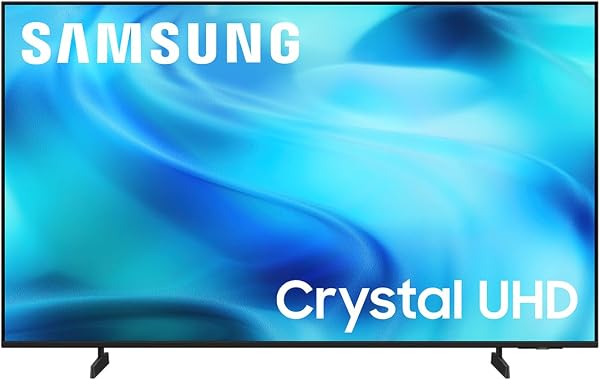
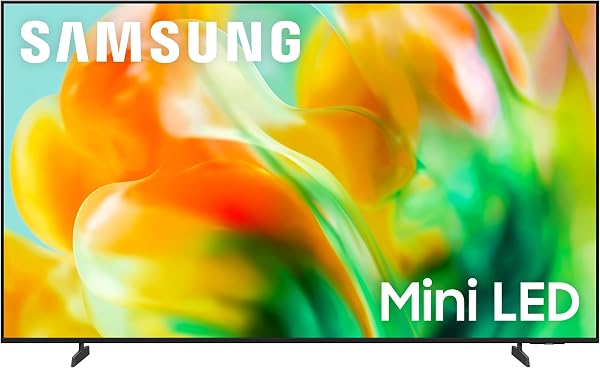
Samsung 65 M70H
8.6Editor score65-inch Mini LED
120Hz Motion Xcelerator
Samsung Gaming Hub
Soccer mode included
Find the right gaming tvs for 2026. We compare 10 standout options by build quality, useful features, owner feedback, value, and everyday trade-offs.
Finding the right gaming TVs for 2026 means balancing native refresh rate, Variable Refresh Rate support, input lag, HDMI 2.1 availability, panel technology, HDR formats, and auto low latency features against the consoles or PCs you plan to connect. This guide compares 10 standout models across those practical factors so you can match a television to competitive gaming, immersive single-player sessions, PlayStation 5, Xbox Series X, or PC gaming at higher frame rates.
Gaming performance differs significantly between models even when general picture specifications look similar. A 60Hz TV cannot deliver the smoothness of a 120Hz or 144Hz panel, and basic LED backlights cannot match OLED or Mini LED for the inky blacks that bring dark game environments to life. HDR format support including Dolby Vision affects how well modern game titles render brightness and shadow detail.
Price points span from under three hundred dollars for entry-level 65-inch gaming-friendly models to over fifteen hundred dollars for premium OLED and Mini LED flagship displays. The right choice depends on your console or PC capabilities, whether competitive esports or cinematic single-player gaming dominates your time, and how much the visible differences between panel technologies justify stepping up in price.
We compared 10 gaming TVs using the details that actually help a buyer decide: native refresh rate, Variable Refresh Rate support, HDMI 2.1 port count, Auto Low Latency Mode, panel technology including OLED and Mini LED, HDR format support, input lag, dedicated gaming modes and dashboards, G-SYNC and FreeSync compatibility, owner feedback, and overall value. The notes focus on practical trade-offs so each pick connects to how PC gamers, console players, and competitive esports enthusiasts actually use their displays day after day.


Compare key features, scores, and current prices side by side. A shorter feature list means fewer details were available, not necessarily fewer capabilities.



The TCL T7 is a smart choice for gamers who want 120Hz performance and QLED color enhancement without stepping into premium Mini LED or OLED pricing. For buyers upgrading from older 60Hz displays, this model unlocks the smoother frame rates that modern consoles support on compatible titles. The 55-inch size works well for bedroom gaming setups, apartment living rooms, and desk-adjacent installations where larger displays would overwhelm the space.
We may earn a commission when you buy through this link, at no additional cost to you.
QLED Quantum Dot technology produces rich, vibrant colors covering nearly the entire DCI-P3 color space, which translates to more lifelike skin tones in cutscenes, more saturated environment colors in open-world games, and better visual distinction between similar hues during competitive play. The 120Hz panel refresh paired with Motion Rate 480 and MEMC Frame Insertion delivers smooth motion for both console gaming and action content. The TCL AIPQ Pro Processor handles color, contrast, and clarity optimization for 4K HDR content.
HDR PRO+ with Dolby Vision, HDR10+, HDR10, and HLG support covers all current premium content formats including game titles mastered for Dolby Vision. Four HDMI inputs including one with eARC provide excellent connectivity for multiple game consoles plus a streaming device and AV receiver without needing a switcher. Dolby Atmos audio processing delivers spatial sound for games and movies. Voice control works with Alexa, Google Assistant, and Apple HomeKit for broad smart home integration.
The jump from 60Hz to 120Hz delivers visibly smoother motion for both gaming and sports content. Modern consoles including PlayStation 5 and Xbox Series X support 120Hz output in many titles, with the extra frames producing more responsive controls and clearer motion during fast action. Even without the full 120 frames per second from a game, higher refresh rate displays handle intermediate frame rates like 90 fps more smoothly than 60Hz displays can.
This television is the right pick for budget-conscious gamers who want 120Hz performance and QLED colors in a 55-inch form factor. If you want Mini LED contrast performance or OLED-level response times, consider the Hisense E7 Cinema or LG C5 options instead. For console-focused gamers who do not need the fastest competitive performance, this model delivers excellent gaming value.
Competitive esports players who need the fastest response times or buyers who want premium Mini LED contrast and OLED-level motion performance.
We may earn a commission when you buy through this link, at no additional cost to you.
The Samsung M70H brings genuine Mini LED technology to a 65-inch gaming display at a competitive price. For Samsung ecosystem buyers who want improved contrast and HDR performance over basic LED alternatives, this model delivers Samsung's refined processing combined with meaningful backlight improvements. The Samsung Gaming Hub centralizes cloud gaming services, console inputs, and personalized game recommendations in one convenient interface.
We may earn a commission when you buy through this link, at no additional cost to you.
The Mini LED processor delivers brighter highlights and deeper blacks than conventional LED backlights, with Pure Color Spectrum technology producing one billion true-to-life colors through Mini LED precision. Supreme Mini LED Dimming provides finer local dimming than standard edge-lit backlights, improving contrast in mixed bright and dark scenes without the blooming that affects cheaper displays. Motion Xcelerator with DLG 120Hz technology keeps fast motion sharper for competitive console gaming and sports broadcasts.
Samsung Gaming Hub is a legitimate differentiator for Samsung TVs, offering direct access to cloud gaming services like Xbox Game Pass and NVIDIA GeForce Now without requiring console or PC hardware. Soccer Mode optimizes picture settings for live matches through clearer motion and more vibrant greens. The Tizen smart platform includes access to over 2,700 free streaming options plus 750 subscription-free channels on Samsung TV Plus, providing substantial free content alongside your gaming use.
Samsung Gaming Hub enables cloud gaming through services like Xbox Game Pass Ultimate and NVIDIA GeForce Now directly from the TV without requiring a dedicated console or PC. For buyers who want gaming flexibility without committing to specific hardware ecosystems, this capability can replace a console entirely for many titles. The hub also centralizes connected console inputs and traditional gaming apps in one interface for easier navigation.
This model is the right pick for Samsung ecosystem gamers who want Mini LED performance in the 65-inch class. If you need Dolby Vision support for streaming or want 144Hz refresh rate for PC gaming, consider the Hisense U6 Pro or Samsung M80H instead. For bright-room gaming without Mini LED needs, the Samsung U8000H saves significant money.
Buyers who need Dolby Vision HDR for streaming content or who want 144Hz refresh rate for high-end PC gaming.
We may earn a commission when you buy through this link, at no additional cost to you.
The Samsung S90H OLED delivers flagship gaming performance with 165Hz Motion Xcelerator refresh rate paired with both NVIDIA G-SYNC and AMD FreeSync Premium Pro support. For PC gamers with high-end graphics cards and competitive players who demand the lowest possible input lag with the smoothest motion, this combination of OLED response times and premium variable refresh rate support represents the current state of the art for gaming TVs.
We may earn a commission when you buy through this link, at no additional cost to you.
OLED HDR+ with Glare Free technology delivers incredible brightness and deep contrast while eliminating distracting reflections, which matters for both daytime gaming in bright rooms and dark-room cinematic sessions. The NQ4 AI Gen3 Processor uses 128 neural networks to deliver AI-enhanced picture and sound, resulting in exceptional 4K performance across streaming, gaming, live sports, and cinematic content. Each OLED pixel can turn completely off for true blacks that LED backlights cannot match.
The Ultimate Gaming Pack combines Motion Xcelerator 165Hz with NVIDIA G-SYNC or AMD FreeSync Premium Pro for ultra-smooth, tear-free, low-latency gameplay. 4K AI Upscaling Pro uses 128 AI neural networks to upscale content with incredibly sharp and smooth picture quality, which helps older games and lower-resolution content look sharp on the large screen. AI Motion Enhancer Pro smooths motion of fast-moving balls and text, reducing blur and flickering for both sports and gaming use.
OLED technology provides pixel-level response times measured in microseconds rather than the milliseconds of LED-backlit panels. This near-instantaneous pixel transition eliminates motion blur during fast gameplay, which can mean the difference between tracking a target cleanly and losing it during rapid camera movement. Combined with 165Hz refresh and VRR support, OLED delivers the clearest, most responsive gaming experience available in a television format.
This model is the right pick for PC gamers and competitive players who want flagship OLED gaming performance with G-SYNC and FreeSync support. If you prefer webOS or want Dolby Vision support for streaming, consider the LG C5 OLED instead. For buyers whose gaming needs are satisfied by Mini LED, the Samsung M80H or Hisense alternatives save significant money.
Budget-conscious buyers or users who want Dolby Vision HDR support, which Samsung TVs do not include.
We may earn a commission when you buy through this link, at no additional cost to you.
The LG C5 OLED evo earns Editor's Choice honors for combining virtually every feature that matters for serious gaming into a single package. The 0.1ms response time, 144Hz refresh rate, NVIDIA G-SYNC, AMD FreeSync Premium, VRR support, and four HDMI 2.1 inputs cover every current gaming scenario from competitive esports to cinematic single-player experiences. The LG Game Dashboard and Game Optimizer put all gaming controls at your fingertips without needing to dig through menus.
We may earn a commission when you buy through this link, at no additional cost to you.
OLED technology with self-lit pixel display across 8.3 million individually controlled pixels delivers the kind of contrast and black levels that LED backlights cannot approach. The Alpha 9 AI Processor Gen8 handles AI Super Upscaling and personalized picture tuning across different content types. Brightness Booster technology magnifies individual pixels for enhanced brightness, which helps the C5 perform well in brighter rooms while retaining OLED’s signature deep black performance for dark-room gaming sessions.
The complete HDR package including Dolby Vision, Dolby Atmos, and FILMMAKER MODE handles streaming content as capably as gaming. Four HDMI 2.1 inputs provide enough connectivity for multiple consoles, a PC, and other devices without compromise. Verified by UL for Discomfort Glare Free (UGR less than 22), the C5 delivers OLED performance even in bright viewing environments. webOS 25 provides a modern smart platform with next-generation AI technology for easier content discovery.
Modern OLED panels include substantial burn-in protection including automatic pixel refreshing, screen savers for static content, and brightness limiting for extended static elements. For varied gaming and viewing use with occasional static UI elements, modern OLED burn-in risk is minimal. Users who play the same game with persistent HUD elements for many hours daily should take additional precautions like periodic breaks and HUD transparency settings, but typical mixed-use scenarios rarely cause problems with current OLED technology.
This television is the strongest overall gaming choice for buyers who want OLED performance, maximum HDMI 2.1 connectivity, and comprehensive gaming features. If you prefer Samsung’s Tizen OS and 165Hz refresh, consider the S90H instead. If budget constraints matter more than ultimate performance, Mini LED alternatives like the Hisense U6 Pro deliver excellent gaming at lower prices.
Budget-conscious buyers or users with concerns about OLED burn-in from very heavy single-game sessions with static HUD elements.
We may earn a commission when you buy through this link, at no additional cost to you.
The Samsung U8000H brings Samsung's smart platform and brand reliability to a 65-inch gaming display at an aggressive price point. For buyers who want a large Samsung display for casual console gaming, streaming, and family entertainment without stepping into premium pricing, this Crystal UHD model delivers brand integration and polished Tizen OS at an accessible level. It works best for buyers whose gaming is casual rather than competitive.
We may earn a commission when you buy through this link, at no additional cost to you.
The Crystal 4K Processor enhances colors and sharpens details for standard 4K viewing, with upscaling that helps lower-resolution content look better on the large panel. Motion Xcelerator technology estimates and adjusts frame transitions in real time for smoother motion up to 4K at 60Hz. Color Booster processing transforms standard content with more intense color output for a visually engaging look across games, movies, and shows.
The Tizen smart platform provides access to over 2,700 free streaming options including over 750 subscription-free channels on Samsung TV Plus. This free content library can meaningfully offset streaming subscription costs and provides easy access to news, sports, movies, kids content, and reality TV without extra monthly fees. The polished Tizen interface and quick app launching make daily use feel refined compared to budget-brand alternatives at similar prices.
Not every gamer needs 120Hz refresh and premium picture features. For casual single-player gaming, family multiplayer sessions, and gamers who primarily play story-driven titles rather than competitive multiplayer, 60Hz performance remains perfectly adequate. The money saved on an entry-level 65-inch display can fund game purchases, controllers, or other accessories that may improve the overall gaming experience more than premium display features would.
This model is the right pick for buyers who want Samsung quality and smart platform integration in a 65-inch display at the lowest possible price for casual gaming use. If serious gaming performance matters, step up to the Samsung M70H or M80H Mini LED models or consider other 120Hz-capable options in this guide for substantially better gaming performance.
Competitive gamers who need 120Hz or higher refresh rates for responsive gameplay, or buyers who want premium HDR contrast for cinematic single-player experiences.
We may earn a commission when you buy through this link, at no additional cost to you.
The INSIGNIA F50 delivers an impressive 75-inch 4K display at an aggressive price point that makes it attractive for buyers who want cinema-scale gaming without premium pricing. For casual gamers who want to feel immersed in large game worlds and prioritize screen size over refresh rate specifications, this model provides substantial visual impact at a price typically associated with much smaller displays.
We may earn a commission when you buy through this link, at no additional cost to you.
4K Ultra HD resolution at 2160p provides four times the detail of Full HD, with HDR10 support bringing enhanced contrast and sharper detail between the brightest whites and deepest blacks. Direct LED backlighting improves LCD picture quality with uniformly bright screen output and improved color accuracy over edge-lit alternatives. DTS Virtual-X Sound creates a three-dimensional sound experience from the TV’s speakers, reducing the urgency to add a soundbar immediately.
The Fire TV platform provides access to over 1 million streaming movies and TV episodes across thousands of channels and apps including Prime Video, Netflix, Hulu, HBO Max, YouTube, Apple TV+, Disney+, and ESPN+. The Alexa Voice Remote enables content control through voice commands. Three HDMI ports plus composite jacks, digital optical output, USB port, headphone jack, and Ethernet provide comprehensive connectivity for gaming consoles and home theater components.
Jumping from a 55-inch to 75-inch display delivers substantially more immersion for games with expansive environments like open-world adventures, racing titles, and flight simulators. The larger screen fills more of your peripheral vision, which creates a more cinematic gaming experience even on casual single-player titles. For family rooms where the TV serves gaming, movies, and group viewing, the extra screen size often matters more than premium refresh rate specifications.
This television is a strong pick for casual gamers who prioritize screen size over premium gaming features at a budget-friendly price. If competitive gaming or 120Hz performance matters, consider the TCL T7 or step up to Mini LED alternatives like the Samsung M70H instead. The size-for-price ratio here is hard to match for casual family gaming and movie watching.
Competitive gamers who prioritize 120Hz refresh rate and premium gaming features over sheer screen size.
We may earn a commission when you buy through this link, at no additional cost to you.
The INSIGNIA QF offers the lowest price in this guide while still delivering QLED Quantum Dot color enhancement and Dolby Vision HDR support, which puts it in surprisingly good company for a sub-three-hundred-dollar 65-inch television. For budget-conscious gamers who want vibrant colors and premium HDR format support without stepping into mid-range pricing, this model delivers an unusual combination of features at an entry-level price point.
We may earn a commission when you buy through this link, at no additional cost to you.
QLED Quantum Dot Technology enhances brightness and color for vibrant, lifelike picture quality that exceeds what standard LED panels can produce. Direct LED backlight provides uniform brightness and rich contrast across the screen. The HDR support including Dolby Vision is particularly notable at this price point, since many budget TVs skip Dolby Vision entirely in favor of basic HDR10. Dolby Atmos audio processing delivers advanced spatial audio for movies, TV shows, and video games.
The Fire TV smart platform provides access to over 500,000 streaming movies and TV episodes with Alexa voice control through the included remote. The Metal Bezel-Less Design offers elegant edge-to-edge glass aesthetics that look more premium than the price suggests. Three HDMI inputs including one with eARC enable connections for gaming consoles, streaming devices, and AV receivers without compromise for most typical setups.
QLED Quantum Dot technology enhances color volume and brightness beyond what standard LED panels can produce, which is particularly valuable at this price point. Many sub-three-hundred-dollar 65-inch TVs use basic LED panels without quantum dot enhancement, resulting in less vibrant colors that struggle to showcase HDR content effectively. The INSIGNIA QF’s QLED layer paired with Dolby Vision support delivers unusually capable picture performance for the price.
This model is the right pick for budget-conscious buyers who want QLED and Dolby Vision features at the lowest possible price for casual gaming use. The 60Hz refresh rate limits competitive gaming performance, so dedicated gamers should step up to 120Hz or higher alternatives like the TCL T7 or Samsung M70H. For streaming-focused households that also want occasional gaming capability, the value proposition is hard to beat.
Competitive gamers who need 120Hz refresh rates or buyers who want premium gaming features like VRR and Auto Low Latency Mode.
We may earn a commission when you buy through this link, at no additional cost to you.
The Hisense U6 Pro combines native 144Hz refresh rate performance with Mini LED backlighting and IMAX Enhanced certification at a mid-range price. For gamers who want premium gaming performance combined with cinema-grade movie certification, this model delivers an unusual combination of specifications that most competitors cannot match simultaneously. The native 144Hz refresh is particularly valuable for PC gamers whose hardware supports higher frame rates.
We may earn a commission when you buy through this link, at no additional cost to you.
Hi-QLED Mini LED technology uses hundreds of precise light zones to enhance contrast across the screen while Hi-QLED color delivers natural, accurate color validated by Pantone for realism. The native 144Hz refresh keeps movement fast and sharp during gameplay and live sports, with Motion Rate 480 providing enhanced motion processing. The Hi-View AI Engine continuously adapts picture settings to different content types including games for consistently better results.
IMAX Enhanced certification provides signature IMAX picture performance paired with DTS-powered immersive audio, bringing cinema-equivalent presentation home for compatible content. The total HDR solution supports Dolby Vision IQ, HDR10+ Adaptive, HDR10, and HLG for complete format compatibility. The anti-reflection and glare-free display keeps the picture clean in bright rooms, while the built-in subwoofer delivers deeper bass than most TVs can produce from standard speakers.
IMAX Enhanced certification primarily benefits movie viewing by ensuring the display and audio system meet IMAX specifications for picture performance and immersive sound. For gaming, the certification indirectly benefits by requiring high-quality display and audio capabilities that also serve games well. The IMAX Enhanced badge indicates a display worth considering for both cinema and gaming use rather than just one or the other.
This television is a strong pick for buyers who want 144Hz gaming performance combined with cinema-grade movie certification at a mid-range price. If you prefer Google TV over Fire TV, consider the Hisense E7 Cinema or TCL alternatives instead. For Samsung ecosystem buyers who want 144Hz performance, the Samsung M80H provides similar gaming specifications with Tizen OS.
Buyers who prefer non-Fire TV smart platforms or who want flagship OLED gaming performance.
We may earn a commission when you buy through this link, at no additional cost to you.
The Samsung M80H steps up from the mid-range M70H with 144Hz Motion Xcelerator performance and Variable Refresh Rate support for serious gaming use. For Samsung ecosystem buyers who want current-generation gaming features including VRR for console and PC gaming, this model delivers flagship-level gaming specifications while retaining Samsung's refined processing and Tizen OS platform integration.
We may earn a commission when you buy through this link, at no additional cost to you.
Mini LED with AI Mode combines compact high-efficiency Mini LEDs with intelligent scene-by-scene processing for improved clarity, color, and contrast. The 144Hz refresh rate with Variable Refresh Rate dynamically matches the display to game frame rates, eliminating stutter and tearing during competitive play or demanding single-player titles with variable performance. Pure Spectrum Color delivers one billion true-to-life colors through advanced color technology and Mini LED precision.
The NQ4 AI Gen2 Processor analyzes and enhances content in real time, delivering sharper images, smoother motion, and more vibrant colors across different content types. Auto HDR Remastering intelligently transforms standard SDR content to HDR-like quality with brighter highlights, more vibrant colors, and clearer details. 4K AI Upscaling uses advanced AI processing to upscale content with sharp visuals and smooth picture quality for streaming, gaming, and movie use.
Variable Refresh Rate matches the display’s refresh to the game’s frame rate in real time, eliminating screen tearing and reducing stutter during variable performance scenes. For modern console gamers playing titles with dynamic resolution and frame rate scaling, VRR delivers meaningfully smoother gameplay. For PC gamers with discrete graphics cards, VRR support enables gaming at the native frame rate the hardware delivers without being locked to the display’s refresh rate.
This model is the right pick for Samsung ecosystem gamers who want flagship Samsung gaming performance with 144Hz refresh and VRR support. If Dolby Vision support matters for your streaming subscriptions, consider the Hisense U6 Pro or LG C5 OLED alternatives instead. For buyers whose gaming needs are satisfied by 120Hz performance, the M70H saves money while still providing Samsung Mini LED performance.
Buyers who need Dolby Vision HDR support or who want OLED-level response times for competitive esports.
We may earn a commission when you buy through this link, at no additional cost to you.
The Hisense E7 Cinema delivers 144Hz native refresh combined with Mini LED backlighting and complete HDR format support at a mid-range price for 55-inch gamers. For buyers who want serious gaming performance combined with cinema-grade movie viewing in a more apartment-friendly size, this model packs flagship-tier specifications into a 55-inch form factor that fits smaller rooms better than 65-inch alternatives.
We may earn a commission when you buy through this link, at no additional cost to you.
Hi-QLED Mini LED technology with full array local dimming uses thousands of light zones to enhance contrast across the screen with deeper shadows, brighter highlights, and more visible detail. Native 144Hz game mode performance keeps fast movement fluid and sharp during gameplay and live sports, with quick response times helping competitive players stay in control during fast-paced moments. The complete HDR solution supports Dolby Vision IQ, HDR10+ Adaptive, HDR10, and HLG for every current content format.
AI processing analyzes content scene by scene to automatically optimize brightness, contrast, and color across streaming, sports, and gaming use. The AI Light Sensor adapts backlight intensity to room conditions throughout the day for comfortable viewing in both bright and dim environments. AI Sports Mode automatically recognizes sports content and adjusts picture and sound settings for smoother motion, clearer details, and boosted crowd audio. The AI 4K Upscaler enhances lower-resolution content with deep-learning models that sharpen details and reduce noise.
Smaller screen sizes can actually benefit gaming in some scenarios. At typical gaming viewing distances of 4 to 6 feet, a 55-inch display fills more of your field of view than you might expect, while remaining small enough to see the entire screen without excessive head movement during competitive play. For bedroom gaming setups, apartment living rooms, or desk-adjacent installations, 55 inches often provides the optimal balance of immersion and usability.
This television is a strong pick for buyers who want flagship gaming specifications in a 55-inch size at a mid-range price. If you want a 65-inch screen with similar features, consider the Hisense U6 Pro instead. If you prefer Google TV over Fire TV, the TCL T7 provides 120Hz performance without Mini LED backlighting but at a lower price.
Buyers who prefer a larger screen size or non-Fire TV smart platforms like Google TV or Samsung Tizen.
We may earn a commission when you buy through this link, at no additional cost to you.
Selecting a gaming television involves balancing refresh rate, panel technology, HDMI 2.1 support, input lag, HDR formats, and dedicated gaming features against your console or PC hardware, favorite game genres, and budget. The factors below cover the most important decision points to help you choose a display that genuinely improves your gaming experience rather than paying for features you will not notice.
Native refresh rate determines how many frames per second the display can show, directly affecting motion smoothness and competitive responsiveness. Standard 60Hz televisions handle basic console gaming adequately but cannot display the higher frame rates that modern PlayStation 5, Xbox Series X, and PC games support. 120Hz panels unlock smoother motion for compatible console games, while 144Hz panels add headroom for PC gaming at higher frame rates. 165Hz models like the Samsung S90H push into territory previously reserved for dedicated gaming monitors.
Supporting features matter alongside raw refresh rate. Variable Refresh Rate matches the display’s refresh to the game’s frame rate in real time, eliminating screen tearing during variable performance scenes. Auto Low Latency Mode automatically switches to game-optimized picture settings when a console is detected. HDMI 2.1 bandwidth is required for 4K at 120Hz output from consoles, so verify both the TV specifications and your console cable support this standard.
Prioritize 120Hz or higher for serious console gaming, 144Hz for PC gaming, or 165Hz for competitive esports where every millisecond matters. For primarily casual single-player gaming, 60Hz remains adequate at significantly lower cost.
Panel technology significantly affects gaming performance beyond raw specifications. OLED technology provides pixel-level response times measured in microseconds rather than milliseconds, which eliminates motion blur during fast gameplay. Each OLED pixel also controls its own light output, enabling perfect blacks and infinite contrast that LED backlights cannot approach. The LG C5 and Samsung S90H represent current OLED gaming excellence.
Mini LED with QLED combines Mini LED backlighting precision with Quantum Dot color enhancement for an excellent combination of brightness, contrast, and color performance without the burn-in concerns of OLED. Standard LED with QLED color provides good color performance at lower cost but lacks the fine-grained dimming that Mini LED enables. Basic LED without quantum dots delivers acceptable performance for casual gaming at the lowest cost.
For competitive gaming or dark-room cinematic experiences, choose OLED. For bright-room gaming with high peak brightness needs, choose Mini LED with QLED. For budget-focused casual gaming, QLED or basic LED can still deliver satisfying results.
HDMI 2.1 ports provide the bandwidth required for 4K at 120Hz, enhanced audio return channel for Dolby Atmos passthrough, Variable Refresh Rate, Auto Low Latency Mode, and Quick Frame Transport. For gamers with multiple consoles or planning to add PC gaming, having multiple HDMI 2.1 ports eliminates the need for external HDMI switchers that can introduce input lag or compatibility issues. The LG C5 provides four HDMI 2.1 inputs, which represents the maximum current standard.
Not all HDMI ports on a given TV support the full HDMI 2.1 feature set. Many TVs include a mix of HDMI 2.1 and HDMI 2.0 ports, with HDMI 2.1 limited to specific ports. Verify which specific ports support 4K at 120Hz if gaming performance matters, and plan your device connections to use the premium ports for the most demanding devices like current-generation consoles and gaming PCs.
Count your HDMI 2.1-requiring devices before buying and verify the TV has enough appropriate ports. For users with PlayStation 5, Xbox Series X, and a gaming PC, prioritize models with at least two or three HDMI 2.1 ports.
Variable Refresh Rate technologies prevent screen tearing by matching the display refresh to the content frame rate dynamically. NVIDIA G-SYNC Compatible certification ensures smooth operation with NVIDIA graphics cards, while AMD FreeSync Premium or FreeSync Premium Pro supports AMD GPUs. HDMI VRR provides broader console compatibility. Many premium gaming TVs now support multiple VRR standards for maximum compatibility across gaming hardware.
Console gaming typically works with HDMI VRR support that both PlayStation 5 and Xbox Series X include. PC gamers benefit from the specific G-SYNC or FreeSync certification matching their graphics card brand. The LG C5 and Samsung S90H both support NVIDIA G-SYNC and AMD FreeSync Premium Pro, providing comprehensive VRR compatibility regardless of your gaming hardware.
For PC gamers, verify the TV supports your specific graphics card’s VRR standard. For console gamers, confirm HDMI VRR support, which most 120Hz and higher gaming TVs include as standard.
HDR support affects both game visuals and streaming content quality. HDR10 is the baseline format supported by all current HDR TVs. HDR10+ adds dynamic metadata for improved scene-by-scene adjustment. Dolby Vision provides competing dynamic metadata used by many premium games and streaming services. For gaming, Dolby Vision support in both the TV and the game delivers visibly better HDR performance than static HDR10.
Samsung TVs typically support HDR10+ but not Dolby Vision, which affects both gaming and streaming content that uses Dolby Vision. TCL, LG, and Hisense models generally support both Dolby Vision and HDR10+ for broader format compatibility. Microsoft Xbox consoles support Dolby Vision gaming on compatible titles, while PlayStation 5 primarily uses HDR10. Verify your gaming platform’s HDR output and match TV support accordingly.
For Xbox Series X owners playing Dolby Vision games, prioritize TVs with Dolby Vision support like the LG C5 or Hisense U6 Pro. For PS5-only gamers, Samsung’s HDR10 Plus implementation works well. For maximum flexibility across platforms, choose TVs supporting both formats.
Input lag measures the delay between controller input and on-screen response, which directly affects competitive gaming performance. Dedicated Game Mode on most modern TVs reduces input lag significantly by bypassing unnecessary image processing. Premium gaming TVs achieve input lag below 15ms in Game Mode, which is imperceptible for most users. Budget TVs may show higher input lag even in Game Mode, which can affect competitive play.
Auto Low Latency Mode automatically switches to Game Mode when a console or PC is detected, eliminating the need to manually change picture modes before gaming sessions. Some premium models also include dedicated Game Dashboards and Game Optimizers like the LG Game Dashboard, which provide real-time gaming information including frame rate, VRR status, and quick picture mode adjustments without leaving the game.
For competitive gaming, verify input lag specifications in Game Mode and prioritize models with Auto Low Latency Mode support. For casual gaming, standard Game Mode on most modern TVs performs adequately.
Smart platform integration affects gaming beyond physical console connections through cloud gaming service support. Samsung Gaming Hub provides direct access to Xbox Game Pass Ultimate, NVIDIA GeForce Now, and other cloud services without requiring console or PC hardware. Google TV and Fire TV platforms also support various cloud gaming apps with varying levels of integration. For buyers who want gaming flexibility without committing to specific console ecosystems, cloud gaming through the TV eliminates the need for dedicated hardware.
The smart platform choice also affects daily use beyond gaming through app selection, interface quality, and advertising prominence. Google TV offers broad streaming service support with Chromecast integration. Samsung Tizen provides polished design with Samsung TV Plus free content. LG webOS integrates Google Gemini AI. Fire TV integrates deeply with Amazon services but shows more home-screen advertising.
Match the smart platform to your gaming ecosystem preferences and tolerance for advertising. For cloud gaming flexibility, Samsung Gaming Hub provides the deepest integration. For streaming focus with gaming support, Google TV offers the most balanced experience.
Gaming TV prices in this guide range from under three hundred dollars for budget 65-inch models to over fifteen hundred dollars for premium OLED flagships. Higher prices typically reflect better panel technology, higher refresh rates, more HDMI 2.1 ports, and more comprehensive gaming features. For most gamers, mid-range Mini LED or lower-tier OLED options provide the best balance of gaming performance and price.
Consider long-term value including firmware support duration, which keeps the TV compatible with evolving console features and gaming standards. Established brands like Samsung, LG, Sony, and TCL typically provide longer software support than lesser-known alternatives. For gaming TVs specifically, choose models from brands with proven commitment to firmware updates for features like VRR support and new HDR standards.
Start with the LG C5 OLED or Samsung S90H for flagship gaming performance. Step down to Mini LED alternatives like the Hisense U6 Pro or Samsung M80H for excellent gaming at lower prices. Choose entry-level options like the TCL T7 or INSIGNIA QF for budget-focused casual gaming.
During initial setup, connect your gaming consoles and PC to the highest-specification HDMI ports available, typically marked as HDMI 2.1 or with eARC labeling, to ensure full bandwidth for 4K at 120Hz output and features like VRR and ALLM. Enable Game Mode in the picture settings menu, which bypasses unnecessary processing to reduce input lag significantly. For the best gaming experience, also enable Variable Refresh Rate support in both the TV settings and your console’s video output menu. Run through the initial picture calibration and consider setting up separate picture modes for gaming, movies, and sports viewing so you can switch between optimized presets with a single remote press.
For daily gaming use, verify that Auto Low Latency Mode is active or that you have manually switched to Game Mode before gaming sessions, since standard picture modes include processing that noticeably increases input lag. Use the TV’s game dashboard or optimizer features if available to monitor frame rate, VRR status, and other gaming information in real time. For HDR gaming, allow the TV a few minutes to warm up before judging picture quality, since backlights perform best after brief stabilization. Dim room lights for the best HDR performance, especially on Mini LED and OLED displays where contrast benefits most from controlled lighting.
To extend the TV’s useful life, avoid displaying static game HUD elements continuously for extended periods, especially on OLED panels where this practice can cause gradual uneven wear over years of heavy use. Modern OLED TVs include substantial burn-in protection, but varying your gaming content and taking occasional breaks helps minimize risk. Keep the TV in a well-ventilated location with clearance around the back and sides to prevent heat buildup. Install software updates when they become available, as these often improve gaming performance, add features, and fix bugs that affect specific games or scenarios. Dust the screen gently with a soft microfiber cloth and avoid harsh chemicals that can damage anti-glare coatings. With basic care, a quality gaming TV should provide reliable service for many years of regular gaming use.
For PlayStation 5 and Xbox Series X owners who play games supporting 120fps modes, a 120Hz TV delivers noticeably smoother motion and better responsiveness compared to 60Hz displays. Many popular titles including Fortnite, Call of Duty, and racing games support 120fps on current consoles. For users playing primarily single-player story games at 60fps or less, a 120Hz TV provides less noticeable benefit. If gaming is a primary use case, 120Hz is worth prioritizing in your purchase decision.
HDMI 2.1 provides much higher bandwidth than HDMI 2.0, enabling 4K at 120Hz output, Variable Refresh Rate, Auto Low Latency Mode, enhanced audio return channel, and other gaming features. HDMI 2.0 maxes out at 4K at 60Hz, which limits modern gaming performance significantly. For PlayStation 5 and Xbox Series X gaming at the console's maximum capabilities, HDMI 2.1 is essential. Verify that your TV, cable, and console all support HDMI 2.1 for the best gaming performance.
OLED technology provides perfect blacks, pixel-level response times measured in microseconds, and infinite contrast that LED backlights cannot match. For competitive gaming where every millisecond matters, OLED delivers the fastest response times available. For dark-room cinematic gaming where contrast and black levels matter most, OLED produces visibly superior results. For bright-room gaming or budget-conscious buyers, high-end Mini LED alternatives like the Samsung M80H or Hisense U6 Pro provide excellent gaming at lower prices.
Variable Refresh Rate matches the TV's refresh rate to the game's frame rate in real time, eliminating screen tearing and reducing stutter during variable performance scenes. For console gaming on PlayStation 5 and Xbox Series X, VRR provides smoother gameplay particularly in titles with dynamic resolution scaling. For PC gaming, VRR technologies like G-SYNC and FreeSync are essentially required for competitive-level smoothness. Most 120Hz and higher gaming TVs include VRR support as a standard feature.
Modern OLED panels include substantial burn-in protection including automatic pixel refreshing, screen savers, and brightness limiting for static content. For varied gaming use with occasional static HUD elements, burn-in risk is minimal on current OLED TVs. Users who play the same game with persistent HUD elements for many hours daily should take additional precautions like periodic breaks and reducing HUD opacity, but typical mixed-use scenarios rarely cause problems with modern OLED technology from established brands.
This depends on your gaming style and viewing distance. For casual single-player gaming where immersion matters most, prioritize screen size. For competitive multiplayer gaming where response time and motion clarity determine performance, prioritize refresh rate and panel technology. At typical gaming distances of 6 to 10 feet, a 55 to 65-inch display with 120Hz performance often provides better overall gaming experience than a larger 60Hz display at similar prices.
Dolby Vision support affects both game HDR performance and streaming content quality. Xbox Series X and S support Dolby Vision gaming on compatible titles, delivering better HDR performance than standard HDR10. PlayStation 5 primarily uses HDR10. For Xbox gamers who play Dolby Vision titles, a TV supporting Dolby Vision like the LG C5 or Hisense U6 Pro delivers meaningful visual improvements. For PS5-only gamers, Samsung's HDR10 Plus implementation also works well.
Input lag directly affects controller responsiveness, with lower numbers producing more responsive gameplay. Premium gaming TVs achieve input lag below 15ms in Game Mode, which is imperceptible for most users. Competitive esports players often prefer sub-10ms input lag, while casual gamers rarely notice differences below 30ms. Dedicated Game Mode on most modern TVs significantly reduces input lag, so always verify Game Mode is active when gaming competitively.
Yes, modern gaming TVs work well as large PC monitors through HDMI connections. For PC gaming at 4K and 120Hz or higher, HDMI 2.1 support is essential on both the TV and graphics card. Some TVs like the LG C5 OLED and Samsung S90H support both NVIDIA G-SYNC and AMD FreeSync for optimal PC gaming compatibility. For productivity use alongside gaming, verify text clarity on the specific model, as some gaming TVs render text less sharply than dedicated PC monitors.
For 4K content on a 65-inch screen, viewing distances between 5 and 9 feet typically provide the most immersive gaming experience without revealing pixel structure or processing artifacts. For competitive gaming where you need to see the entire screen without eye movement, slightly longer distances work better. For cinematic single-player gaming where immersion matters most, closer distances within this range provide more engaging experiences. Measure your actual gaming distance before committing to a size.
The LG 65 OLED C5 Series earns the strongest overall gaming recommendation by combining 0.1ms OLED response time, 144Hz refresh rate, NVIDIA G-SYNC, AMD FreeSync Premium, four HDMI 2.1 inputs, LG Game Dashboard, and complete HDR format support including Dolby Vision. For serious gamers who want flagship-level performance across competitive esports, cinematic single-player titles, and PC gaming, this comprehensive feature set and OLED picture quality represents the current state of the art for gaming televisions.
Several alternatives suit different buyer priorities. The Samsung 65 S90H OLED delivers 165Hz refresh with Samsung Tizen OS integration for buyers who prefer Samsung's ecosystem. The Hisense 65 U6 Pro combines native 144Hz Mini LED performance with IMAX Enhanced certification at a mid-range price. The TCL 55 T7 provides excellent 120Hz QLED gaming value for budget-conscious buyers. For large-screen casual gaming at an aggressive price, the INSIGNIA 75 F50 delivers 75 inches of visual immersion for under four hundred dollars.
Your best choice depends on your gaming hardware, favorite game types, room conditions, and budget. For competitive esports and PC gaming at high frame rates, step up to OLED with maximum HDMI 2.1 connectivity. For console-focused gaming on PlayStation 5 or Xbox Series X, 120Hz Mini LED alternatives deliver excellent performance at lower prices. For casual family gaming where screen size matters more than premium specifications, larger entry-level options work well. Whatever you choose, verify HDMI 2.1 port count against your gaming device requirements, enable Game Mode and VRR support for the best responsiveness, and consider adding a quality soundbar to match the visual experience with appropriate audio for cinematic gaming moments.