Logitech G PRO
9.0Editor score44K DPI sensor
8K polling support
60-90 hour battery
Haptic click feedback
Find the right gaming mice for 2026. We compare 10 standout options by build quality, useful features, owner feedback, value, and everyday trade-offs.
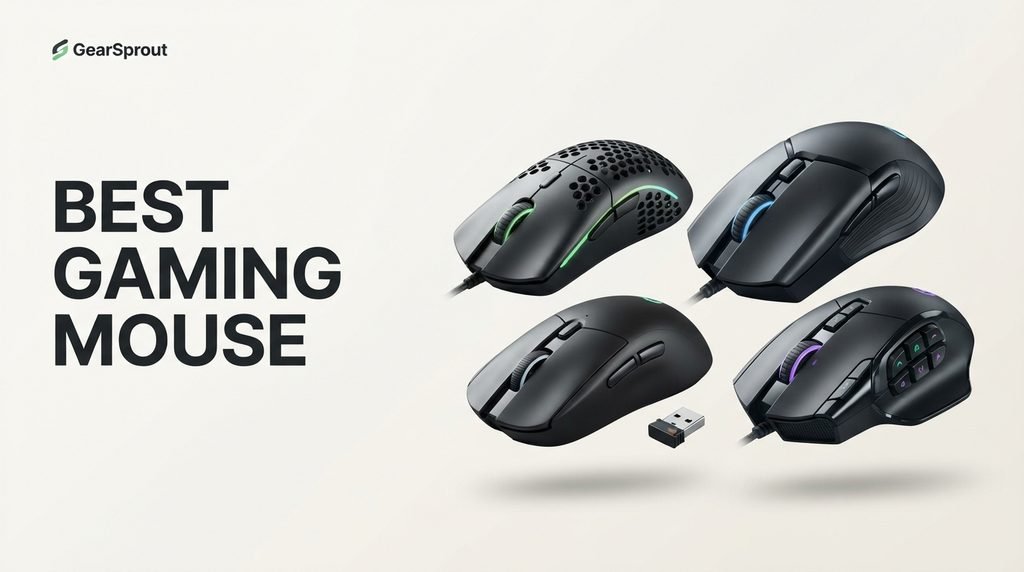
Choosing a gaming mouse is less about chasing the biggest DPI number and more about finding the right combination of shape, weight, controls, and responsiveness. Competitive FPS players may want an ultralight design, while MMO players often need many programmable buttons. Wireless convenience, battery life, and hand comfort can matter just as much as raw sensor specifications.
The biggest differences appear in how each mouse handles movement and control. Lightweight models such as the Viper V4 Pro and Superlight 2 are built around fast repositioning, while the Basilisk and Spatha X trade extra weight for ergonomic support and additional commands. Wireless models also vary considerably in battery strategy, from rechargeable designs to replaceable AA power.
This guide compares ten options across those priorities so you can choose according to the games you play and the way you hold a mouse. Before buying, consider your grip, hand size, preferred connection, typical sensitivity, number of required buttons, and whether you value maximum competitive performance or a more versatile everyday setup.
We compared 10 gaming mice using the specifications and seller details that actually help a buyer decide: core features, sizing, materials, setup, usability, warranty signals, owner feedback, and value. The notes focus on practical trade-offs so each pick feels connected to how people use this category.

Compare key features, scores, and current prices side by side. A shorter feature list means fewer details were available, not necessarily fewer capabilities.

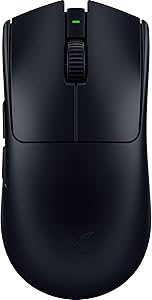


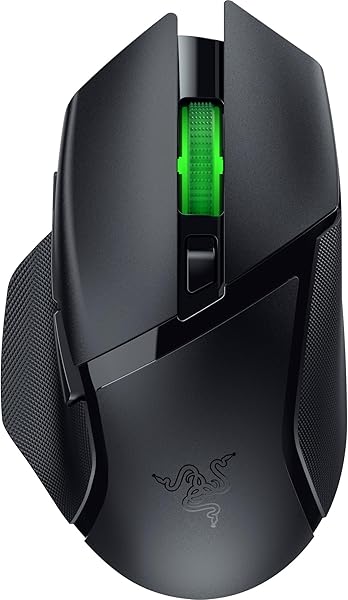
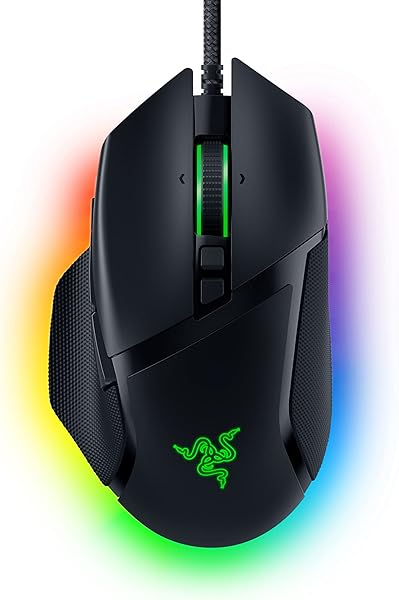
The Razer Basilisk V3 is built around a right-handed ergonomic shape with a thumb rest, making it a strong option for players who prefer support over an ultralight symmetrical design. Its 11 programmable buttons also suit games with many commands and users who want shortcuts close to the hand.
We may earn a commission when you buy through this link, at no additional cost to you.
The Focus Plus 26K optical sensor provides high-resolution tracking without smoothing, while second-generation optical switches are rated for up to 70 million clicks and have a 0.2 ms actuation specification. That combination provides ample performance for competitive and general gaming without requiring a wireless system.
The HyperScroll Tilt Wheel switches between tactile and free-spin modes and also supports tilt inputs. Eleven RGB zones provide extensive lighting options, while Razer Synapse handles remapping and performance settings. The wired connection eliminates charging, although it also means cable management remains part of the desk setup.
Map only commands you actually use. Extra buttons are valuable when they reduce keyboard travel, but too many assignments can become confusing if several controls perform similar actions.
The main limitation is its wired-only design and heavier body compared with esports specialists. If you value comfort, button count, wheel flexibility, and RGB, those tradeoffs are easy to justify. If your priority is minimum weight and unrestricted cable-free movement, another model is a better fit.
Not for buyers who specifically require wireless gaming.
We may earn a commission when you buy through this link, at no additional cost to you.
The Logitech G PRO X2 SUPERSTRIKE is aimed at competitive players who care about click response, sensor precision, and extensive control. Its Haptic Inductive Trigger System provides adjustable actuation and rapid-trigger reset settings, giving players more ways to tune how clicks behave during fast games.
We may earn a commission when you buy through this link, at no additional cost to you.
The HERO 2 sensor reaches up to 44,000 DPI and tracks at more than 888 IPS with 88 g-force. Most players will never need maximum DPI, but the large performance ceiling and precise tracking give competitive users substantial room to tune sensitivity without compromising the sensor specification.
LIGHTSPEED wireless supports up to 8 kHz polling, while the rechargeable battery is rated for 60 to 90 hours. POWERPLAY 2 compatibility is available for users who want a compatible wireless charging setup. Advanced customization requires Logitech G HUB, so setup is more involved than with a basic mouse.
Start with a conservative actuation setting and change it only when you know what response you prefer. Advanced click options are most useful when they solve a specific gameplay need rather than simply being enabled because they exist.
The tradeoff is complexity. Casual players may not benefit from adjustable actuation, haptic feedback, and high polling, while competitive players can make those features part of a deliberate setup. Choose it when responsiveness and customization are more important than keeping the mouse simple.
Not for buyers who do not need specialized click customization.
We may earn a commission when you buy through this link, at no additional cost to you.
The Logitech G502 X Plus is a feature-heavy wireless mouse for players who want ergonomic support, extra controls, lighting, and a versatile scroll wheel. Its design makes more sense for mixed genres and productivity than for someone seeking the absolute lightest competitive mouse.
We may earn a commission when you buy through this link, at no additional cost to you.
LIGHTFORCE hybrid switches combine optical and mechanical characteristics for quick actuation and tactile feedback. The HERO 25K sensor is designed for precise tracking without smoothing, filtering, or acceleration. The removable DPI-shift button gives users another way to tailor the layout to their grip and sensitivity.
The dual-mode wheel can switch between ratcheted and free-spinning operation and also supports left and right tilt inputs. LIGHTSYNC RGB uses eight LEDs, while LIGHTSPEED provides fast wireless connectivity. POWERPLAY compatibility is available for users who want compatible wireless charging.
The extra controls and wheel modes can help outside games as well. If you share the mouse with productivity work, map secondary actions to tasks you repeat frequently.
Weight is the main tradeoff. Competitive players who make frequent low-sensitivity flicks may prefer lighter models, while players who want more commands and a supported ergonomic shape may appreciate the extra mass. Choose it for versatility rather than minimalist competitive movement.
Not for players who prioritize the lightest possible mouse.
We may earn a commission when you buy through this link, at no additional cost to you.
The Razer Viper V3 HyperSpeed is a strong wireless choice for players who want good competitive performance and exceptionally long battery life. Its 82-gram body is lighter than many ergonomic mice while keeping a centralized design intended for consistent swipes.
We may earn a commission when you buy through this link, at no additional cost to you.
The Focus Pro 30K optical sensor supports precise tracking across a broad range of surfaces, including glass. A top-mounted DPI control lets users move between five sensitivity stages, and the second-generation mechanical switches are rated for 60 million clicks.
HyperSpeed Wireless provides a low-latency connection and multi-device support. The standout convenience feature is battery life of up to 280 hours from a single AA battery under the stated conditions. That makes it attractive to players who dislike frequent charging.
A replaceable AA cell is convenient for long sessions because there is no charging schedule. Keep a spare battery available if you regularly play away from a convenient power source.
The replaceable AA battery adds weight compared with rechargeable ultralight models, and the mouse has fewer controls than feature-heavy ergonomic alternatives. It is best for users who value reliable wireless play and long endurance more than extensive button customization.
Not for buyers who dislike replaceable batteries.
We may earn a commission when you buy through this link, at no additional cost to you.
The Razer Basilisk V3 X HyperSpeed combines an ergonomic right-handed shape with wireless connectivity and nine customizable controls. It suits players who want a comfortable general-purpose gaming mouse rather than a minimalist competitive design.
We may earn a commission when you buy through this link, at no additional cost to you.
The Razer 5G Advanced 18K optical sensor provides precise tracking, while second-generation mechanical switches are rated for up to 60 million clicks. Nine controls leave room for macros and game-specific shortcuts, particularly useful in RPGs, strategy games, and other command-heavy genres.
HyperSpeed wireless provides low-latency performance, while Bluetooth can extend battery life and support multi-device use. Battery life is rated up to 285 hours on HyperSpeed and up to 535 hours on Bluetooth, depending on usage. Chroma RGB adds configurable lighting.
The thumb rest and extra buttons suit users who prefer a supported hand. If your priority is rapid low-sensitivity FPS movement, compare the weight with lighter Viper and Superlight alternatives.
The tradeoff is that it is not built around the lowest weight or highest sensor specification. If you value comfort, battery life, wireless flexibility, and extra controls, it is a strong generalist. Competitive FPS players may prefer the lighter Viper models.
Not for players who want an ultralight esports mouse.
We may earn a commission when you buy through this link, at no additional cost to you.
The Logitech G PRO X Superlight 2 focuses on low weight, precise tracking, wireless performance, and long battery life. At 60 grams, it is considerably lighter than feature-heavy ergonomic models and is designed for players who want a focused competitive setup.
We may earn a commission when you buy through this link, at no additional cost to you.
The HERO 2 sensor reaches up to 44,000 DPI and tracks at more than 888 IPS. It is designed without smoothing, acceleration, or filtering, while LIGHTFORCE hybrid switches provide fast actuation and tactile feedback. These characteristics suit players who want a clean, responsive pointer.
Eight-thousand-Hz polling provides frequent position updates, while USB-C charging and a rated 95-hour battery make the wireless design practical. Zero-additive PTFE feet are intended to provide smooth movement across a compatible surface.
A lightweight mouse does not need many controls to be effective. If your games mainly use primary clicks and a few side buttons, the simpler layout can reduce distractions.
The tradeoff is simplicity. Players who need many programmable buttons will find the layout less flexible than a Basilisk or Spatha X. It makes more sense for competitive shooters and users who prefer a lightweight, focused design.
Not for users who need many programmable controls.
We may earn a commission when you buy through this link, at no additional cost to you.
The Razer Viper V3 Pro is built around lightweight competitive movement. At 54 grams, it is substantially lighter than ergonomic and MMO-focused options, making it well suited to players who perform rapid flicks or broad low-sensitivity swipes.
We may earn a commission when you buy through this link, at no additional cost to you.
The Focus Pro 35K Gen-2 optical sensor supports one-DPI adjustments and tracking across a range of surfaces. HyperPolling and HyperSpeed support up to 8 kHz wireless polling, while third-generation optical switches are rated for 90 million clicks with a 0.2 ms actuation specification.
Battery life is rated up to 95 hours, balancing low weight with useful endurance. The wireless system is designed for stable operation in busy environments, while Synapse allows sensitivity and other performance settings to be customized.
Weight matters most when your game and sensitivity require broad, rapid movements. Shape and grip compatibility still matter more than a few grams for many users.
The main compromise is its competitive focus. If you mainly play FPS games, the simpler layout can be an advantage. If you play MMOs or want a highly programmable desktop controller, a button-heavy model is more suitable.
Not for MMO players who need extensive side-button layouts.
We may earn a commission when you buy through this link, at no additional cost to you.
The Razer Viper V4 Pro pushes the ultralight esports approach further with a 49-gram design and a 50K optical sensor. It is aimed at players who want fast movement, low latency, and a mouse that remains responsive during competitive sessions.
We may earn a commission when you buy through this link, at no additional cost to you.
HyperSpeed Wireless Gen-2 supports true 8 kHz polling, while the Focus Pro 50K Gen-3 sensor is rated for up to 930 IPS and 90 G acceleration. Frame Sync is designed to align sensor data with the PC, and the fourth-generation optical switches are rated for 100 million clicks.
Battery life depends strongly on polling rate: up to 180 hours at 1,000 Hz or up to 45 hours at 8,000 Hz. The optical scroll wheel is designed for consistent actuation, giving the mouse a focused competitive feature set without adding much weight.
Eight-thousand-Hz polling can reduce the interval between reports, but it can also increase wireless power use. Choose the rate according to your display, games, and battery priorities.
The main question is whether you need this level of performance. The V4 Pro makes sense for competitive players who value weight and latency and can accept shorter endurance at 8 kHz. Casual players may prefer a simpler, less specialized model.
Not for buyers who want maximum battery life at 8 kHz.
We may earn a commission when you buy through this link, at no additional cost to you.
The ASUS ROG Spatha X is built for MMO and MOBA players who need many commands immediately available. Its 12 programmable buttons include six strategically positioned side buttons, creating a very different control philosophy from lightweight FPS mice.
We may earn a commission when you buy through this link, at no additional cost to you.
The 19,000 DPI optical sensor and 1,000 Hz polling rate provide solid precision, while DPI On-The-Scroll allows sensitivity changes without software. Hot-swappable ROG Micro Switches are rated for 70 million clicks and let users change switches when desired.
The mouse supports low-latency 2.4 GHz wireless and USB-C wired operation. Battery life is rated up to 67 hours with RGB off, while a 15-minute charge can provide up to 12 hours. A magnetic charging dock and replacement switches are included.
Six side buttons are useful when abilities, items, or macros need to stay close to the thumb. The larger body and higher weight are the tradeoff for that control density.
At 168 grams, this is not a mouse for players chasing the fastest possible flicks. Its size and weight are tradeoffs for the extensive control layout and large ergonomic body. MMO and MOBA players should consider it when button access matters more than movement weight.
Not for players who prioritize very low weight.
We may earn a commission when you buy through this link, at no additional cost to you.
The Razer DeathAdder Essential is a straightforward option for buyers who want a familiar ergonomic gaming shape without the feature density of premium wireless models. Its wired connection keeps the setup simple, while five programmable buttons cover common extra-control needs.
We may earn a commission when you buy through this link, at no additional cost to you.
The 6,400 DPI optical sensor provides sensitivity adjustment through dedicated DPI buttons, which can also be reprogrammed. Mechanical switches are rated for up to 10 million clicks, and the ridged rubberized scroll wheel is designed to provide controlled scrolling.
Because the mouse is wired, there is no battery to recharge and no wireless receiver to manage. Razer Synapse supports button remapping and macro assignment, allowing users to adapt the five-button layout to their preferred games.
A straightforward wired mouse can be the right choice when you want predictable connectivity and no battery maintenance. Its simpler specification is less important if your games do not demand advanced wireless performance.
The lower specification ceiling is the obvious tradeoff. Competitive players seeking ultralight construction, very high polling, or advanced wireless performance should look higher in the lineup. For mainstream gaming, the DeathAdder Essential keeps the essentials without unnecessary complexity.
Not for buyers seeking premium wireless or ultralight performance.
We may earn a commission when you buy through this link, at no additional cost to you.
Choosing a gaming mouse becomes easier when you separate measurable performance from features that change how the mouse feels in daily play. Start with shape and weight, then consider sensor behavior, connectivity, controls, battery life, and the games you play. The best match is the one that improves your particular routine rather than simply having the largest specification numbers.
Mouse shape is one of the most important buying decisions because specifications cannot compensate for a poor physical fit. Palm grips often benefit from fuller shells and support, while claw and fingertip users may prefer shapes that keep the fingers mobile. The Basilisk and DeathAdder emphasize ergonomic right-handed forms, while the Viper and Superlight families emphasize competitive movement.
Hand size matters as well. A large mouse can feel stable for a larger hand but cumbersome for a smaller one, while a compact design can force a larger hand into an uncomfortable grip. The Spatha X deliberately uses a large 168-gram body because its audience values control density, whereas the 49-gram Viper V4 Pro is built around fast movement. A common mistake is choosing by sensor specifications before checking physical fit. If possible, compare the mouse dimensions with a device you already find comfortable. The shell should support your usual grip without forcing your wrist or fingers into an unnatural position.
Decision advice: prioritize shape and grip compatibility first, then compare weight and features among mice that fit your hand.
Weight affects how easily a mouse can be moved and stopped, especially at low sensitivity. Competitive FPS players often benefit from lighter designs because broad swipes require less effort. The Viper V4 Pro, Viper V3 Pro, and Superlight 2 clearly target this style of play.
Weight is not universally better when lower. Heavier mice can feel planted and can accommodate larger bodies, additional buttons, or batteries. The Spatha X weighs 168 grams because it prioritizes MMO/MOBA controls and a large ergonomic design, while the G502 X Plus trades more weight for a feature-rich layout. The mistake is treating lightweight construction as an automatic quality indicator. Remember that a lighter shell is most noticeable during repeated movement rather than during simple cursor positioning. Players who use high sensitivity may notice the difference less than low-sensitivity players who make larger swipes.
Decision advice: choose low weight for fast competitive movement; choose more mass when comfort, stability, or extra controls matter more.
Modern gaming sensors provide far more DPI than most players actually need. A 44,000-DPI HERO 2 or 50,000-DPI Focus Pro sensor gives technical headroom, but most users operate at much lower sensitivity. Sensor consistency and usable adjustment matter more than the maximum number printed on the box.
Extremely high DPI can help with granular sensitivity steps, but it should not be confused with better aim. The DeathAdder Essential’s 6,400 DPI ceiling is much lower than flagship models yet can be adequate for ordinary gaming. A common mistake is paying for maximum DPI when shape, weight, and controls are a better match for the actual games played. DPI should also be considered alongside in-game sensitivity. Two players can use the same effective sensitivity with different DPI values, so the number on the mouse is not a meaningful ranking by itself.
Decision advice: treat maximum DPI as capability, not a target. Prioritize tracking quality and usable sensitivity control.
Polling rate describes how frequently a mouse reports its position to the computer. Models such as the PRO X2 SUPERSTRIKE, Superlight 2, Viper V3 Pro, and Viper V4 Pro support up to 8 kHz. Higher polling can reduce the time between reports, which is most relevant to players who care deeply about responsiveness.
Maximum polling is not automatically the best setting. Higher rates can increase power consumption on wireless models, which is especially noticeable on the Viper V4 Pro where the stated battery figure drops substantially at 8 kHz. Players using lower-refresh displays or casual applications may see little practical benefit from maximum polling. If you use an 8 kHz setting, pay attention to wireless endurance and overall system behavior. Having the option is useful, but running the maximum rate all the time is not mandatory.
Decision advice: choose high polling when competitive responsiveness is a real priority, and balance it against battery life on wireless models.
Wired mice provide a direct connection with no battery to recharge and no wireless receiver to position. The Basilisk V3 and DeathAdder Essential demonstrate this simple approach. For stationary setups, avoiding battery management can be an advantage rather than a drawback.
Wireless models offer freedom from cable drag, especially for low-sensitivity FPS play. Dedicated 2.4 GHz connections are generally preferable for gaming when latency matters. Several mice here offer both wireless and wired operation, while the Basilisk V3 X HyperSpeed adds Bluetooth for longer battery life and multi-device use. Cable drag can be reduced with a suitable mouse-bungee-style arrangement, so a wired mouse is not automatically inconvenient. Likewise, wireless only adds value if the freedom from the cable matters to your setup.
Decision advice: choose wireless for freedom of movement; choose wired for simplicity and continuous power.
Wireless battery life varies considerably across models and settings. The Viper V3 HyperSpeed uses a replaceable AA battery and is rated up to 280 hours, while the Basilisk V3 X HyperSpeed reaches up to 285 hours on HyperSpeed and up to 535 hours on Bluetooth. Rechargeable designs offer different balances between weight, charging, and endurance.
Polling rate and lighting can change real-world endurance, so advertised maximum figures should not be treated as a universal daily expectation. A mouse that lasts 95 hours at your chosen setting may be more convenient than one with a larger headline number achieved under a different configuration. Consider where you normally charge the mouse. USB-C charging is convenient at a desk, while a replaceable AA design can be useful when you prefer to swap power immediately instead of waiting for a charge.
Decision advice: consider how long you need to go between charges and whether you prefer rechargeable or replaceable power.
Button count should follow the games you play. FPS players often need only a few extra inputs, while MMOs and MOBAs can benefit from many accessible commands. The Spatha X has 12 programmable buttons, including six side buttons, while the Basilisk V3 provides 11.
Extra buttons can also help with productivity, but too many controls can become harder to remember. The Viper and Superlight models deliberately keep their layouts focused, which is useful when your priority is clean movement. A common mistake is choosing a high-button-count mouse for games that rarely use those inputs. Think about whether you use side buttons with your thumb or prefer keyboard modifiers. Button placement matters as much as the number because controls that are difficult to reach are unlikely to become useful shortcuts.
Decision advice: buy button density for MMO, MOBA, simulation, or shortcut-heavy use; choose fewer controls for focused FPS play.
Switch technology affects click response, durability, and feel. Optical switches appear across several Razer models, while Logitech’s LIGHTFORCE system combines optical and mechanical characteristics. The PRO X2 SUPERSTRIKE adds adjustable haptic feedback and actuation controls for a more configurable click experience.
Durability ratings are useful, but they should not be the only deciding factor. A 100-million-click rating on the Viper V4 Pro is impressive, yet click feel and actuation behavior still need to suit your preferences. Players who want conventional feedback may prefer simpler switches, while competitive users may value very fast or adjustable actuation. A high click-life rating is especially relevant to players who use a mouse heavily, but it should not override comfort. The best switch is one whose resistance and feedback feel predictable during repeated inputs.
Decision advice: prioritize the click feel you prefer, then use lifecycle ratings as a secondary durability check.
The scroll wheel is easy to overlook until you use one with multiple modes. The Basilisk V3 and G502 X Plus can switch between tactile and faster free-spinning behavior, while the G502 X Plus also supports left and right tilt inputs. These controls can help with weapon cycling, menus, inventory management, and desktop navigation.
Not every gamer needs advanced wheel features. A simple tactile wheel may be preferable if you mainly use menus or straightforward scrolling. The DeathAdder Essential takes that approach with a ridged rubberized wheel designed around controlled scrolling. Buying a complicated wheel system makes little sense if you never use its additional modes. Wheel modes are also relevant outside games. Free-spinning scrolling can be useful for long documents, while tactile scrolling can make individual selections easier.
Decision advice: choose an advanced wheel when you regularly use scrolling or tilt commands; otherwise prioritize shape and core controls.
Software can improve a mouse by letting you remap buttons, change sensitivity, configure lighting, or save settings. Logitech G HUB handles advanced PRO X2 SUPERSTRIKE features, while Razer Synapse supports configuration across the Razer models. Software matters most when you plan to customize the mouse rather than use default settings.
Software is also part of ownership. A mouse with many features may require more setup than a simple wired model. Buyers sometimes choose a highly configurable mouse and never install the software, effectively paying for capabilities they do not use. If you prefer minimal setup, a simpler mouse can be more satisfying even when its specification sheet is less impressive. Before buying a feature-rich model, check whether its customization depends on software you are comfortable installing. If you prefer a clean setup, a simpler mouse can reduce configuration time.
Decision advice: buy advanced customization when you will actually use it; otherwise favor straightforward controls and minimal setup.
Start with a grip and sensitivity that feel natural rather than copying another player’s exact settings. Keep the mouse surface clean and use a suitable mouse pad when possible. For competitive play, make changes gradually so you can tell whether a new sensitivity, button assignment, or polling rate actually improves control.
For wireless models, charge rechargeable batteries before long sessions or keep a suitable replacement battery available when the design uses replaceable cells. If your mouse supports multiple polling rates, choose the setting that balances responsiveness with the battery life you need. Keep the receiver positioned where the wireless connection can remain stable.
Clean the shell, buttons, and scroll wheel area regularly with appropriate dry or lightly damp cleaning materials, avoiding excess moisture around electronics. Keep food, dust, and debris away from gaps around switches and the wheel. Store the mouse where the cable, receiver, or charging accessories will not be bent or strained unnecessarily.
The Logitech G PRO X2 SUPERSTRIKE is the strongest overall match for shoppers who prioritize advanced click control, high sensor performance, and fast wireless polling. Its HERO 2 sensor reaches 44,000 DPI and it supports up to 8 kHz polling. Buyers who prefer a simpler or lighter design may prefer the Viper V4 Pro or Superlight 2.
A lighter mouse can make broad, rapid swipes easier, which is useful for many low-sensitivity FPS players. The Viper V4 Pro, Viper V3 Pro, and Superlight 2 are substantially lighter than the Spatha X or G502 X Plus. Weight is still secondary to a shape that fits your hand comfortably.
Not necessarily. Eight-thousand-Hz polling can reduce the interval between mouse reports, but the benefit depends on your display, games, settings, and sensitivity. It can also reduce wireless battery life, so maximum polling is best treated as an option rather than a requirement.
Modern dedicated 2.4 GHz wireless systems are designed for low-latency gaming and can be highly responsive. Several mice here support dedicated wireless connections alongside wired operation. If you want the simplest possible setup with no charging considerations, a wired model remains practical.
There is no universal DPI setting for every player. Very high maximum DPI ratings are mainly technical headroom and can provide fine sensitivity adjustment. Start with a comfortable sensitivity for your game and change it gradually rather than choosing a setting based on the mouse's maximum DPI.
Most FPS players can work well with a few extra buttons, while MMOs and MOBAs often benefit from many programmable inputs. The Spatha X provides 12 programmable buttons, while the Basilisk V3 has 11. More buttons are useful only when you have commands that genuinely benefit from being close to the hand.
Wireless is useful when you want freedom from cable drag and a cleaner desk. Wired models avoid battery management and can be simpler for stationary setups. The right choice depends more on your desk and routine than on one connection type being universally superior.
Battery life matters if you use wireless and do not want to charge frequently. The Viper V3 HyperSpeed and Basilisk V3 X HyperSpeed offer particularly long rated endurance, while high-polling rechargeable models trade some battery life for shorter reporting intervals. Consider the settings you will actually use.
An ergonomic shape can provide useful hand support, especially for players who prefer a palm-oriented grip. The Basilisk and DeathAdder families emphasize ergonomic forms, while lighter symmetrical designs prioritize fast movement. Comfort depends on hand size and grip, so ergonomic does not automatically mean better for every player.
The ASUS ROG Spatha X is the clearest fit because it provides 12 programmable buttons, including six side buttons, along with a large ergonomic body. Its 168-gram weight is a tradeoff for that control density. If you do not need many commands, a lighter mouse may be more versatile.
The Logitech G PRO X2 SUPERSTRIKE is the strongest overall choice here for shoppers who want advanced click customization, high sensor performance, and fast wireless polling. Its feature set is particularly compelling for competitive players who will actually use those controls rather than simply wanting them on a specification sheet.
Different players have different priorities. The Razer Viper V4 Pro and Viper V3 Pro favor ultralight competitive movement, the Logitech G PRO X Superlight 2 keeps the competitive formula focused, and the Basilisk models provide more ergonomic control. The ASUS ROG Spatha X is the clear specialist for MMO and MOBA button-heavy play.
Make the final choice from the way you actually play. Prioritize shape and grip first, then decide whether you need ultralight movement, extra controls, wireless freedom, long battery life, or advanced click and polling features. A mouse that fits your hand and games well is more valuable than one that simply has the highest specification.