Samsung Odyssey G50F
9.0Editor scoreQHD IPS panel
180Hz refresh rate
1ms GtG response
G-Sync compatible
Find the right gaming monitors for 2026. We compare 10 standout monitors by panel type, refresh rate, resolution, response time, ports, ergonomics, and gaming value.
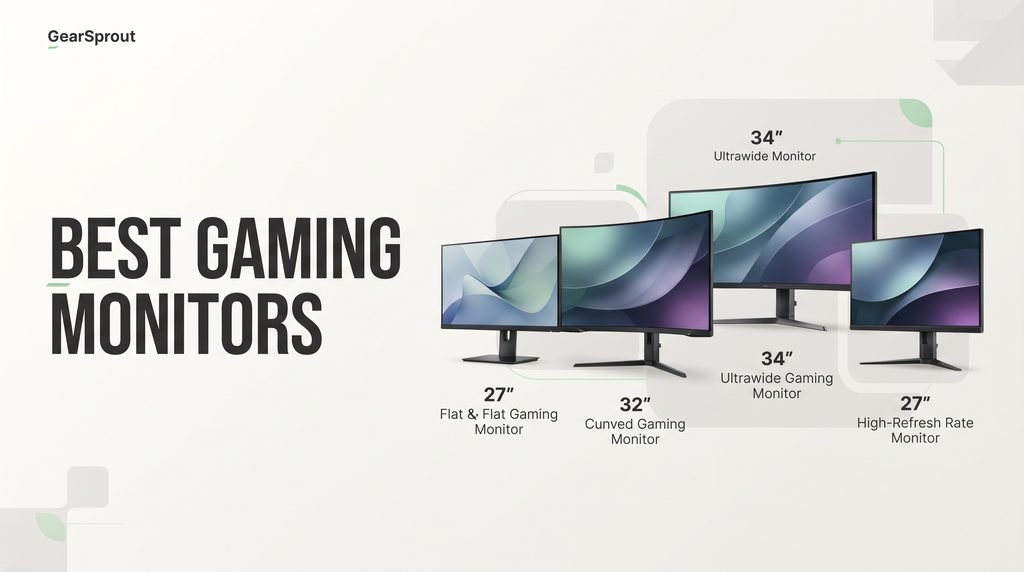
A great gaming monitor can transform how responsive, clear, and immersive your games feel. The right choice depends on your graphics card, preferred genres, desk space, and whether you value competitive refresh rates, cinematic contrast, ultrawide immersion, or a balanced everyday panel for both work and play.
This guide compares ten current options spanning compact Full HD screens, fast QHD IPS panels, curved ultrawides, high-refresh value displays, and premium QD-OLED models. Refresh rates range from 120Hz to 250Hz and beyond, while features such as FreeSync, G-SYNC compatibility, HDR, ergonomic stands, and built-in speakers address different setup needs.
Instead of chasing a single spec, match resolution to GPU power, screen size to viewing distance, and panel type to your priorities. A midrange computer often thrives on QHD at high refresh, while flagship 4K OLED shines when hardware can feed it. Use the picks, table, and reviews below to narrow the field quickly.
We compared 10 gaming monitors by panel type, screen size, resolution, refresh rate, response time, adaptive-sync support, port selection, and stand adjustment. The notes focus on which displays make the most sense for competitive play, immersive single-player games, work, or mixed desk use.

Compare key features, scores, and current prices side by side. A shorter feature list means fewer details were available, not necessarily fewer capabilities.


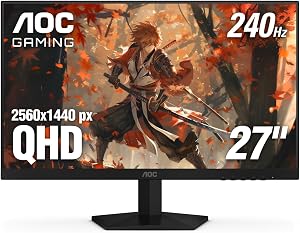


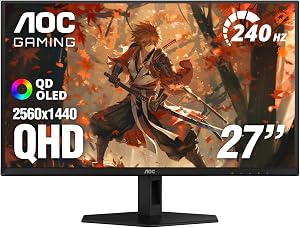


The Samsung 27-inch Odyssey G5 (G51F) sits in a practical sweet spot for many gamers: QHD resolution, a 180Hz refresh rate, and a compact footprint that still feels spacious for competitive and story-driven titles. At 2560 x 1440, the panel delivers notably more detail than Full HD without requiring the same graphics horsepower as a large 4K display, which makes it easier to sustain high frame rates on midrange and upper-midrange systems.
We may earn a commission when you buy through this link, at no additional cost to you.
Motion handling is a clear priority here. The 180Hz refresh rate reduces the stuttery feel of lower-Hz panels during fast camera turns, while the 1ms response rating aims to keep trailing edges cleaner in shooters and racing games. AMD FreeSync further helps by aligning the monitor refresh with GPU output, cutting down on tearing when frame rates fluctuate during busy scenes.
Image depth benefits from HDR10 support and Black Equalizer, which can lift visibility in darker game areas without forcing you to overbrighten the entire picture. Those tools are especially useful in competitive multiplayer maps where opponents hide in shadows, and they also help cinematic titles retain more nuance between highlights and lowlights.
Choose this Odyssey G5 if you want a clean all-rounder: sharp enough for modern games, fast enough for competitive play, and easy to drive with a typical gaming PC. It is especially appealing if you prefer a flat 27-inch panel over curved ultrawides and want FreeSync plus practical stand adjustments in one package.
Ergonomics round out the package. The stand supports tilt, pivot, and height adjustments, so you can square the screen to eye level instead of stacking books under a fixed riser. For desk setups that mix work and play, that flexibility makes long sessions more comfortable and keeps the monitor adaptable as your seating position changes.
Skip this model if you specifically need OLED contrast, a 32-inch or ultrawide canvas, or 4K resolution for creative work and high-end single-player immersion.
We may earn a commission when you buy through this link, at no additional cost to you.
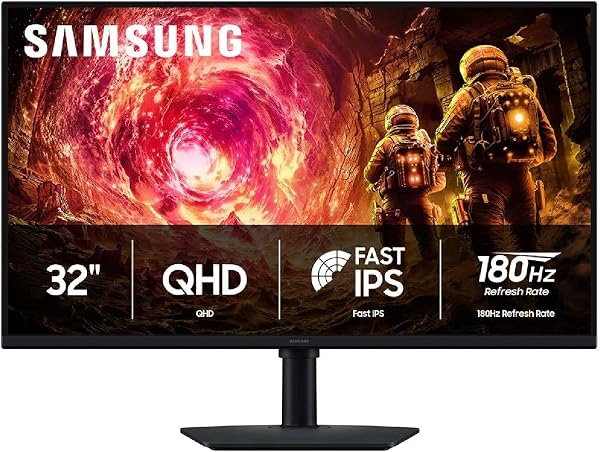
Samsung’s 32-inch Odyssey G5 (G50F) expands the familiar QHD gaming formula onto a larger canvas, which can make HUDs, maps, and open-world vistas easier to read at a comfortable viewing distance. The 2560 x 1440 resolution still keeps GPU demand reasonable compared with 4K, while the bigger screen increases immersion for single-player adventures and multiplayer sessions alike.
We may earn a commission when you buy through this link, at no additional cost to you.
The IPS panel is a practical upgrade for shared desks or off-center seating because it maintains clearer color and contrast across wide viewing angles. Paired with HDR10, the display aims for brighter highlights and more dimensional shadows, helping both brightly lit outdoor scenes and darker interiors look more layered than a basic SDR panel.
Performance features mirror what competitive players expect from a modern gaming monitor. A 180Hz refresh rate and 1ms GtG response support quick reactions, while G-Sync compatibility helps reduce tearing and stutter when your NVIDIA GPU’s frame rate varies. Black Equalizer and Virtual Aim Point add game-focused tools for shadow visibility and aiming consistency.
Before choosing 32 inches, measure viewing distance and available desk depth. Sitting too close can make UI elements feel oversized and reduce perceived sharpness compared with a 27-inch QHD panel. At a typical arm’s-length-plus distance, though, the extra size often feels more cinematic without abandoning the QHD performance balance.
Everyday usability is strong thanks to Auto Source Switch+ and a stand that pivots, tilts, swivels, and adjusts for height. If you hot-swap between a console, laptop, and desktop, automatic input switching reduces menu diving, and the ergonomic range helps you keep posture neutral during long campaigns.
Look elsewhere if your desk is tight, you prefer maximum pixel density, or you want OLED-level black levels rather than a bright IPS gaming panel.
We may earn a commission when you buy through this link, at no additional cost to you.
The 34-inch Samsung Odyssey G5 ultrawide targets players who want a panoramic view without managing two separate monitors. Its WQHD ultrawide resolution spreads the action across a wide field of view, which is especially satisfying in racing sims, flight games, and open-world titles where peripheral detail matters as much as the center of the screen.
We may earn a commission when you buy through this link, at no additional cost to you.
The standout design choice is the aggressive 1000R curvature, shaped to better match natural human vision. That curve can make the edges of the display feel closer and more enveloping, reducing the flat “billboard” effect of large straight panels. For long sessions, many players also find a well-matched curve more comfortable because their eyes travel less across extreme corners.
Speed remains competitive rather than extreme: a 165Hz refresh rate and 1ms MPRT response aim to keep motion readable during chases and firefights. AMD FreeSync Premium adds adaptive sync with low-framerate compensation, helping scenes stay cohesive when frame rates dip in demanding areas instead of collapsing into stutter or tearing.
Check your favorite titles for native ultrawide support and HUD scaling. Many modern games handle 21:9 well, but some competitive esports titles crop or stretch awkwardly. If your library is mixed, confirm key games before committing to a curved ultrawide as your only display.
HDR10 on the VA panel helps lift highlight detail and preserve shadow texture, which benefits story-driven games and high-contrast environments. If your priority is cinematic breadth over the absolute highest competitive refresh rates, this ultrawide package delivers a distinctive immersive style that flat 16:9 monitors cannot match.
Avoid this pick if you mainly play titles with poor ultrawide support, prefer a flat productivity-friendly 16:9 layout, or want 240Hz-class competitive refresh rates.
We may earn a commission when you buy through this link, at no additional cost to you.
The Sceptre 22-inch E225W-FW144 Series is built for practical upgrades: a smaller footprint, Full HD clarity, and refresh rates up to 144Hz. That combination is ideal for dorm rooms, compact office desks, secondary console screens, or anyone replacing an aging 60Hz display without reclaiming half the desk for a giant panel.
We may earn a commission when you buy through this link, at no additional cost to you.
For esports-style games and older titles, Full HD at high refresh remains easy for most GPUs to drive, which means you can often enjoy the smoothness of 144Hz without aggressive graphics compromises. HDMI and DisplayPort coverage also makes it straightforward to connect a PC, laptop, or console depending on your setup.
Convenience features matter on a small desk. Built-in speakers keep basic audio available without placing separate desktop speakers in an already tight space, while Blue-Light Shift gives you a softer nighttime mode when you are grinding queues or finishing homework after dark.
A 22-inch monitor can actually improve focus for fast competitive games because targets stay within a narrower visual field. If you sit close to the desk or need a portable-feeling second screen for travel setups at home, the smaller chassis is a feature rather than a compromise.
The minimal-bezel styling is useful if you later add a second identical or similar monitor for a dual-screen layout. Even as a single display, the cleaner perimeter helps the screen feel less boxed-in than thick-bezel office monitors from older generations.
Choose a larger QHD or ultrawide model instead if you want cinematic immersion, extensive multitasking space, or sharper modern-game detail on a big screen.
We may earn a commission when you buy through this link, at no additional cost to you.
Sceptre’s 27-inch C275B-FW250G Series aims at players who care most about frame fluidity. With refresh rates up to 250Hz and a 1ms blur-reduction rating, it is tailored for competitive shooters, arena games, and any title where tracking moving targets matters more than maximum resolution.
We may earn a commission when you buy through this link, at no additional cost to you.
The 1500R curve gently wraps the Full HD image toward you, which can make the 27-inch size feel more involving during fast action. Meanwhile, claimed 100% sRGB coverage helps keep colors lively for gaming and everyday media, rather than looking washed out like entry panels with narrower gamuts.
Connectivity is unusually flexible at this class: two HDMI ports and two DisplayPort inputs let you keep a desktop, console, and laptop attached without constant cable swapping. Built-in speakers plus an audio-out jack cover quick listening setups, while Blue-Light Shift offers a milder evening picture mode.
A 250Hz ceiling only helps when your system can approach those frame rates. Pair this screen with settings and hardware that sustain high FPS in your main games; otherwise, consider a QHD panel where extra resolution may benefit you more than unused refresh headroom.
If your GPU can push high frame rates at 1080p, this monitor is designed to show that performance advantage clearly. Gamers coming from 60Hz or even 144Hz displays often notice the cleaner motion and lower perceived input delay more immediately than a jump in resolution alone.
Pass on this model if you prioritize sharper QHD or 4K text clarity, flat-panel productivity, or OLED contrast over maximum refresh rate.
We may earn a commission when you buy through this link, at no additional cost to you.
The AOC Q27GAZD brings Quantum Dot OLED technology to a 27-inch QHD gaming format, combining per-pixel lighting with fast competitive timing. Deep blacks, strong contrast, and saturated color make dark games, neon cyberpunk worlds, and HDR highlights feel more three-dimensional than typical LCD panels can manage.
We may earn a commission when you buy through this link, at no additional cost to you.
Speed is not sacrificed for picture quality. A 240Hz refresh rate and an ultra-low 0.03ms GtG response rating target esports-ready clarity, while Adaptive-Sync compatibility—including NVIDIA G-SYNC Compatible support—helps maintain tear-free motion when frame rates vary. That mix suits players who want both cinematic nights and ranked daytime sessions on one screen.
HDR400 True Black certification emphasizes OLED’s strength in simultaneous bright and dark detail. Instead of milky shadow tones, black areas can stay near off while specular highlights pop, which improves both horror atmospheres and bright explosions against night skies.
Use pixel-cleaning utilities when prompted, enable any available screen-move or screen-saver features, and avoid leaving bright static interfaces parked for hours. With sensible habits, QD-OLED can be an outstanding daily driver for gaming-focused desks.
Color coverage figures—around 147.6% sRGB and 110.2% DCI-P3—signal a wide gamut useful for vibrant games and colorful creative previews. If you are upgrading from a basic IPS or VA monitor, the jump in contrast often feels more transformative than another modest bump in refresh rate alone.
Choose a conventional IPS or VA panel if you leave static desktop elements on-screen all day, need maximum brightness for a sunlit room, or want the lowest possible LCD-style purchase tier.
We may earn a commission when you buy through this link, at no additional cost to you.
The ASUS ROG PG32UCDM is a statement display for high-end gaming PCs: a 32-inch 4K QD-OLED panel running at up to 240Hz with a 0.03ms GTG response time. That rare combination means you no longer have to choose between razor detail and competitive motion performance if your hardware can feed the screen enough frames.
We may earn a commission when you buy through this link, at no additional cost to you.
Image quality credentials are extensive. VESA DisplayHDR 400 True Black compliance, 99% DCI-P3 coverage, true 10-bit color, and a Delta E under 2 target creator-grade accuracy alongside vivid game visuals. An optional uniform brightness setting also helps keep luminance consistent across the screen when you prefer steadier desktop or creative workflows.
ASUS emphasizes longevity-minded engineering with a custom heatsink, airflow design, and graphene film intended to improve thermal behavior and reduce burn-in risk. DisplayWidget Center puts OLED care tools and picture settings behind a mouse-driven interface, while a three-year warranty with ARR and burn-in coverage adds ownership confidence for a premium panel.
To benefit from 4K at elevated frame rates, plan around a current high-end GPU and sensible quality settings per title. If your computer is midrange, a QHD 240Hz OLED may convert more of your GPU power into visible smoothness than a 4K flagship would.
Connectivity matches modern desks, including G-SYNC Compatible support and 90W USB-C power delivery for single-cable charging and video with compatible laptops. For creators and enthusiasts who also game seriously, this monitor functions as both a high-refresh playground and a color-capable 4K reference screen.
This is not the right buy for entry-level PCs, purely budget upgrades, or users who mainly need a simple Full HD office-and-casual-gaming screen.
We may earn a commission when you buy through this link, at no additional cost to you.
Sceptre’s 34-inch C345B-QU240T Series combines a 3440 x 1440 ultrawide canvas with refresh rates up to 240Hz, targeting players who want panoramic immersion and modern competitive speed in one curved display. That refresh ceiling is notably high for ultrawide screens and can benefit both fast multiplayer titles and smooth single-player exploration.
We may earn a commission when you buy through this link, at no additional cost to you.
The 1500R curvature softens the jump to a wide aspect ratio by pulling side content slightly toward your peripheral vision. With 100% sRGB coverage, colors stay vivid for games and media, while Blue-Light Shift offers a gentler mode for late sessions when you want less harsh cool light.
Port selection is generous: two HDMI and two DisplayPort inputs support multi-device desks, and built-in speakers plus an audio-out jack handle everyday sound without forcing an immediate speaker purchase. A 1ms response rating with blur reduction further aligns the monitor with action-focused play styles.
Give the monitor enough horizontal clearance and sit far enough back for the full 34-inch width to stay comfortable. A stable ultrawide-capable mount or a deep desk reduces wobble during intense mouse movements and keeps the curve centered on your seating position.
Compared with premium branded ultrawides, this Sceptre option focuses on core gaming performance—resolution, curve, refresh, and connectivity—rather than extensive ecosystem extras. If those fundamentals match your priorities, it is a compelling way to move into high-refresh ultrawide gaming.
Skip it if your favorite competitive games dislike 21:9, you need OLED contrast, or your desk cannot comfortably host a 34-inch curved chassis.
We may earn a commission when you buy through this link, at no additional cost to you.
The AOC Q27G41ZE is tuned for players who want QHD detail and elite refresh behavior without moving to OLED. Its 27-inch 2560 x 1440 IPS panel provides crisp aim feedback and wide viewing angles, while a 240Hz refresh rate—overclockable up to 260Hz via DisplayPort—pushes motion clarity for competitive shooters and arena games.
We may earn a commission when you buy through this link, at no additional cost to you.
A 0.3ms MPRT rating and Adaptive-Sync support help keep action tear-free and readable when frame rates swing. Whether you use AMD or NVIDIA hardware, the adaptive path is designed to maintain fluid pacing instead of letting stutter interrupt tracking duels.
Game-focused extras include Shadow Control, Game Mode presets, and a graphical OSD that makes on-the-fly tuning quicker. A 300-nit brightness level and 1000:1 contrast ratio deliver solid LCD visuals for typical indoor lighting, and the three-sided frameless style suits dual-monitor esports desks.
The included stand offers tilt from roughly -3° to +21°, but not height or pivot. If eye-level alignment matters, budget a VESA arm so you can raise the panel and reclaim desk space while keeping the fast IPS panel you actually want.
Connectivity covers DisplayPort 1.4, two HDMI 2.0 ports, and audio out, which is enough for a PC-first setup with a console or laptop on standby. If you want high-refresh QHD on IPS glass rather than managing OLED care routines, this AOC model is a focused competitive candidate.
Consider another option if you need a fully ergonomic stand out of the box, prefer ultrawide immersion, or specifically want OLED blacks.
We may earn a commission when you buy through this link, at no additional cost to you.
Acer’s KB272 G0bi is a straightforward 27-inch Full HD IPS monitor for people who want one screen for documents, browsing, video, and casual-to-moderate gaming. The larger size makes Full HD comfortable for everyday productivity, while still giving games more presence than a small office panel.

We may earn a commission when you buy through this link, at no additional cost to you.
A 120Hz refresh rate and 1ms VRB response provide a clear upgrade over older 60Hz displays, especially in smoother camera movement and less ghosting during action scenes. Adaptive-Sync support (FreeSync Compatible) further helps align frame output with the panel to reduce tearing in supported games.
IPS technology preserves color and clarity across wider seats, which is helpful in shared rooms or when you tilt the screen for a quick co-op session. Brightness is rated around 250 nits—adequate for typical indoor lighting, though less ideal next to strong window glare without curtains.
Pick the KB272 G0bi for mixed workloads: spreadsheets by day, multiplayer sessions by night, and streaming on weekends. Enthusiasts chasing maximum refresh or premium HDR should look higher in this list, but many households will appreciate the balanced simplicity here.
As an all-purpose choice, this Acer model emphasizes dependable fundamentals over exotic extras. If you are furnishing a dorm, a first apartment setup, or a home office that moonlights as a gaming corner, it covers the essentials without forcing a specialist esports purchase.
Competitive players who need 180Hz+, QHD sharpness, OLED contrast, or ultrawide immersion should choose one of the higher-performance models above.
We may earn a commission when you buy through this link, at no additional cost to you.
Choosing a gaming monitor is easier when you translate marketing numbers into daily outcomes: how sharp games look, how smooth motion feels, how much desk space you surrender, and how hard your GPU must work. The factors below walk through the decisions that matter most before you commit to a panel size, resolution, or technology.
Resolution and size work together. Full HD on a 22-inch or 27-inch screen is easier for most GPUs to push at high frame rates, which is why it remains popular for competitive play and budget builds. QHD at 27 inches is widely considered a sweet spot for sharpness and performance, while QHD at 32 inches looks bigger but slightly less dense. Ultrawide 3440 x 1440 expands horizontal space for sims and immersive single-player games, and 4K on a 32-inch OLED delivers exceptional detail when your hardware can sustain enjoyable frame rates.
Think about viewing distance as carefully as pixel count. Sitting very close to a large low-resolution panel can make UI text and fine textures look softer, while sitting farther from a dense 27-inch QHD display may waste some of its clarity advantage. Measure your desk depth, typical seating posture, and whether the monitor will also handle spreadsheets, browsing, and video calls during the day.
Decision tip: pick the highest resolution your GPU can drive smoothly at your preferred quality settings in the games you play most—not the highest number on a spec sheet.
Refresh rate determines how many times per second the monitor can present a new frame. Moving from 60Hz to 120Hz is often the most noticeable upgrade for everyday smoothness. 180Hz to 240Hz and higher primarily benefits competitive players who can produce matching frame rates and who care about tracking precision. A high ceiling is only valuable when your system approaches it regularly; otherwise, the practical difference shrinks.
Response time ratings describe how quickly pixels transition, which affects motion blur and ghosting. Manufacturers use different methods (GtG, MPRT, VRB), so treat the number as a directional signal rather than a perfect cross-brand comparison. Pairing a fast panel with Adaptive-Sync or G-SYNC Compatible support usually matters more than chasing a tiny response-time difference between two already-quick gaming monitors.
Decision tip: prioritize a refresh rate your PC can feed, then confirm adaptive sync support for your GPU brand.
IPS panels generally offer strong color and wide viewing angles, making them versatile for mixed work-and-play desks and shared spaces. VA panels often provide deeper contrast than IPS and appear frequently in curved ultrawides, which can benefit darker game scenes. OLED and QD-OLED panels light each pixel individually, producing deep blacks, excellent contrast, and very fast pixel response that many enthusiasts find transformative for HDR and night-heavy games.
Each technology has trade-offs. IPS typically cannot match OLED contrast. Curved VA ultrawides may show viewing-angle quirks off-center. OLED owners should practice basic care with static HUDs, taskbars, and brightness for prolonged desktop use, though modern models increasingly include heatsink designs, pixel cleaning, and stronger warranty terms. Match the panel to your content: competitive clarity, cinematic contrast, or balanced productivity.
Decision tip: choose IPS for versatile color and angles, VA/ultrawide for immersive contrast on a budget, and QD-OLED when contrast and motion clarity are top priorities.
Adaptive-Sync, AMD FreeSync, FreeSync Premium, and NVIDIA G-SYNC Compatible features all aim to reduce tearing and stutter by synchronizing the display refresh to GPU output. If you play on a PC, confirm compatibility with your graphics card ecosystem. Console players should also verify HDMI versions and the refresh/resolution combinations their console actually supports on that port.
HDR labels vary widely in real-world impact. HDR10 support is common and can improve highlight roll-off on capable panels, while certifications such as DisplayHDR 400 True Black are more meaningful on OLED because of near-instant black levels. Color gamut claims like 100% sRGB or wide DCI-P3 coverage help when you care about vivid games or light creative work, but they do not replace thoughtful brightness and contrast performance in a bright room.
Decision tip: treat adaptive sync as essential for PC gaming, and treat HDR/color claims as secondary unless the panel technology (especially OLED) clearly supports them.
A monitor you cannot place at eye level will feel worse after two hours, regardless of refresh rate. Height adjustment, tilt, swivel, and pivot turn a good panel into an all-day display. If the stand is tilt-only, plan on a VESA mount. Curved ultrawides and 32-inch screens also need enough horizontal and depth clearance; measure before you buy so the ends of the panel do not hang off the desk or sit too close to your face.
Ports determine daily convenience. Multiple HDMI and DisplayPort inputs let you keep a PC, console, and laptop connected. Built-in speakers reduce clutter on compact desks, though headsets still win for competitive audio. USB-C with power delivery, auto source switching, and software control suites are quality-of-life extras that matter more once you are choosing between otherwise similar finalists.
Decision tip: finalize size and ports against your actual desk and devices, then compare image and speed features among the models that physically fit.
Competitive multiplayer players usually benefit most from high refresh rates, low motion blur, and a size that keeps targets readable—often 24 to 27 inches at Full HD or QHD. Immersive single-player fans may prefer ultrawide curvature, larger 32-inch canvases, or OLED contrast. Mixed-use households often do best with a balanced QHD IPS or a simple 27-inch 120Hz Full HD panel that handles work cleanly between gaming sessions.
Your GPU sets the ceiling. A strong card can justify 4K 240Hz OLED or high-refresh ultrawide QHD. A midrange card frequently feels best on 1440p at 180Hz–240Hz. An entry-level or older GPU may deliver a smoother experience on Full HD 120Hz–144Hz than it would struggling at higher resolutions. Build the display around the games you already play and the hardware you already own, then upgrade the weaker link later.
Decision tip: list your top three games, note typical frame rates at your target resolution, and eliminate monitors whose strengths you cannot use.
Set the native resolution and the highest stable refresh rate your cable and GPU control panel allow, then enable FreeSync, Adaptive-Sync, or G-SYNC Compatible mode. Calibrate brightness to your room, create a nighttime profile if you play late, and position the top third of the screen near eye level to reduce neck strain during long sessions.
Use quality DisplayPort or HDMI cables rated for your resolution and refresh combination, especially for 1440p/4K at 240Hz-class signals. Keep ventilation clear around the panel, dust the screen with a soft dry microfiber cloth, and avoid harsh cleaners. On OLED models, run manufacturer pixel-cleaning tools when prompted and avoid parking bright static interfaces for hours.
If you mount the display, confirm VESA compatibility and cable slack before tightening the arm. For multi-device desks, label inputs or rely on auto-switch features so console and PC swaps stay painless. Revisit your game presets after major GPU driver updates, since default output color formats sometimes reset and can make an otherwise great monitor look unexpectedly flat.
For many PC players, 1440p (QHD) offers a noticeable jump in sharpness and on-screen space while remaining easier to drive than 4K. Full HD still makes sense for competitive high-frame-rate goals, smaller desks, or modest GPUs. If your graphics card can sustain your preferred settings at 1440p, that resolution is often the best balance of clarity and performance.
You only benefit from 240Hz when your system can produce similarly high frame rates in the games you care about. Moving from 60Hz to 120Hz or 144Hz is usually the biggest feel upgrade. Beyond that, competitive players notice cleaner motion and tracking, but casual players on midrange hardware may prefer investing in a better panel type or resolution instead.
OLED and QD-OLED excel at contrast, black levels, color pop, and pixel response, which can make dark scenes and HDR content look dramatically better than standard LCD panels. They are outstanding for immersive play if you follow basic care practices for static UI elements. If you need maximum sustained brightness in a bright room or prefer zero OLED maintenance considerations, a fast IPS panel remains a strong alternative.
Twenty-seven inches is the most popular all-round size for QHD gaming because it balances immersion and desktop practicality. Twenty-four to twenty-two inches can feel snappier for close-range competitive play. Thirty-two-inch and 34-inch ultrawide screens suit cinematic setups with deeper desks. Choose size based on viewing distance and whether the monitor also handles daily productivity.
A well-matched curve, especially on ultrawide panels, can improve peripheral immersion and reduce the sense that the screen edges are distant. Competitive players on 16:9 displays often prefer flat panels for predictable aim geometry and easier multi-monitor alignment. Curve preference is personal, so prioritize curvature mainly when buying 34-inch ultrawide models.
Both technologies reduce screen tearing by synchronizing the monitor’s refresh rate with the GPU’s frame output. FreeSync originates from AMD’s adaptive-sync approach, while G-SYNC Compatible usually means a DisplayPort Adaptive-Sync monitor validated for NVIDIA cards. Many modern monitors support broad adaptive-sync behavior, but you should still confirm compatibility with your specific GPU brand and connection type.
Yes. IPS and many QHD panels are excellent for productivity, and features like height-adjustable stands improve comfort for documents and browsing. Ultrawide screens can replace dual-monitor spreadsheets layouts. OLED is also usable for work, though enabling screen savers, hiding bright taskbars when idle, and using care utilities is wise for long static desktop sessions.
Built-in speakers are convenient for quick videos, calls, or casual games on a clean desk, especially on compact monitors. They rarely match a headset or dedicated speaker pair for competitive footsteps, music, or movies. Treat integrated audio as a bonus for clutter reduction rather than the main reason to choose a gaming monitor.
DisplayPort is commonly used for the highest PC refresh-rate modes, while HDMI capability depends on the port version on both the monitor and the source device. For 1440p or 4K at elevated refresh rates, use certified cables and select the correct refresh setting in your operating system and GPU control panel. A weak cable can silently cap you at a lower refresh rate.
Yes, with nuance. Console gamers should prioritize HDMI version support, VRR compatibility, and the resolutions/frame-rate modes their console actually outputs. Extreme 240Hz–260Hz desktop features matter less if your console tops out lower, but strong contrast, low input lag, good size, and reliable HDMI VRR still improve living-room or desk console play.
The best gaming monitor is the one that matches your hardware, desk, and play style rather than the one with the single highest specification. Balanced QHD models remain the easiest recommendation for most PC gamers, while compact Full HD screens still serve small spaces and starter builds exceptionally well.
If immersion is your priority, curved ultrawides and large 32-inch panels change how game worlds feel. If image quality is the priority, QD-OLED options at 1440p or 4K deliver contrast and color that standard LCD screens struggle to equal. Competitive players should focus on refresh rate, adaptive sync, and a size that keeps targets readable.
Use the three standout picks as shortcuts, then verify ports, ergonomics, and GPU headroom against your setup. When those fundamentals line up, any of the ten monitors in this guide can anchor a satisfying October 2026 gaming desk.