KZ ZS10 Pro
8.8Editor score4BA plus 1DD
Stainless steel faceplate
Detachable gold-plated cable
26dB noise isolation
Compare 10 gaming earbuds for PC, console, and mobile. Covers wired and wireless options with low latency, sound quality, and comfort for every budget.
Finding the right gaming earbuds in 2026 means balancing low-latency audio, all-day comfort, and broad platform compatibility. We compare 10 standout wired and wireless options by driver configuration, connection type, microphone clarity, battery endurance, passive noise isolation, and real-world value for competitive and casual players alike.
Wired models deliver zero-lag sound at lower prices, while wireless options with 2.4 GHz dongles close the gap for console and PC gamers who want freedom of movement. The best choice depends on which platforms you play on and how much cable clutter bothers you.
Driver count and tuning affect positional audio accuracy, which matters most in competitive shooters. Comfort and secure fit determine whether you can wear earbuds through marathon sessions. This guide breaks down each option so you can match the right pair to your setup and play style.
We compared 10 gaming earbuds using the details that actually help buyers decide: driver type and count, wired versus wireless latency, microphone quality, platform compatibility, battery life, comfort during extended wear, noise isolation, and price-to-performance ratio. The notes focus on practical trade-offs so each pick connects to how people actually game on PC, console, and mobile, whether they need competitive positional audio or a versatile everyday pair.


Compare key features, scores, and current prices side by side. A shorter feature list means fewer details were available, not necessarily fewer capabilities.




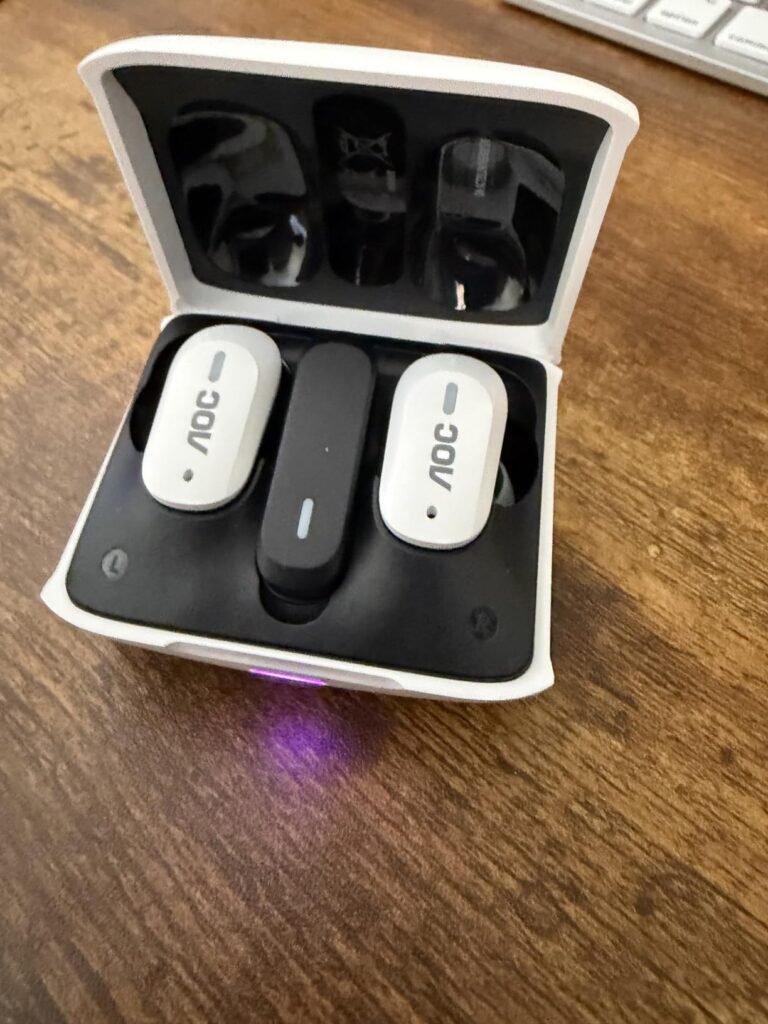
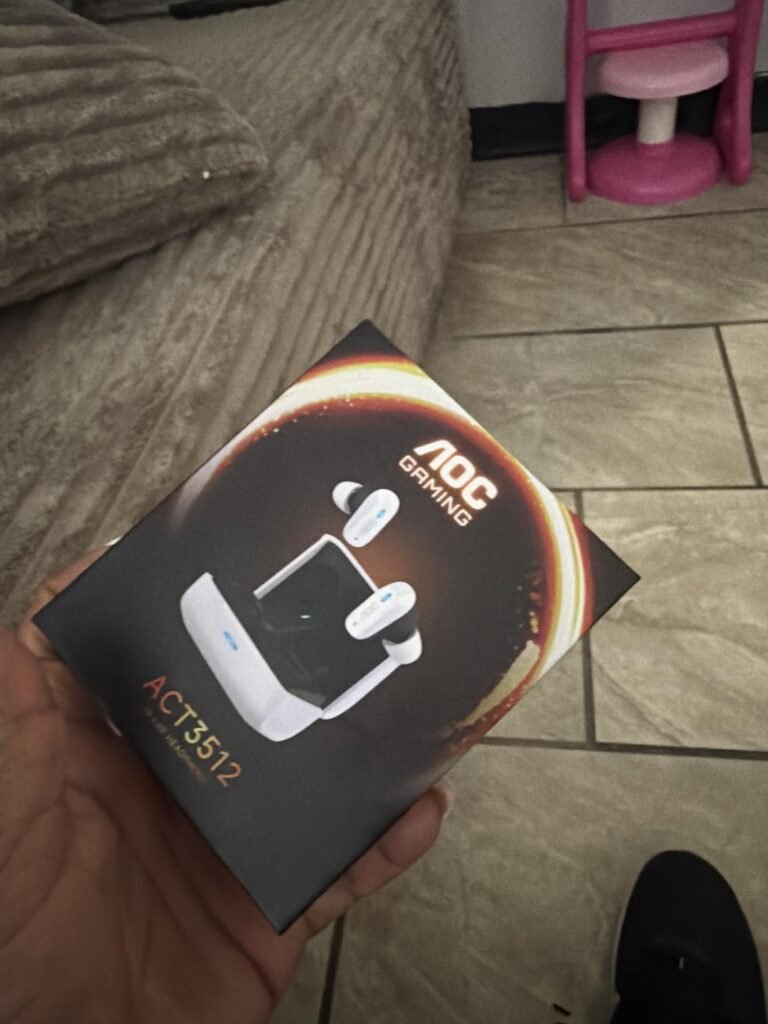
The AOC ACT3512 stands out by delivering 20ms latency over its 2.4 GHz USB-C dongle, a figure that approaches wired performance and keeps audio tightly synced with on-screen action. That low latency makes a real difference in competitive shooters and rhythm games where even slight delays can throw off your timing. The included USB-C to USB-A adapter broadens compatibility so you can plug the dongle into older PCs and consoles without hunting for a spare port.
We may earn a commission when you buy through this link, at no additional cost to you.
Audio quality gets a boost from a dedicated hardware amplifier paired with large-magnet single-diaphragm drivers. This combination produces punchy bass and clear highs that hold up well across game soundtracks, explosions, and dialogue. The dual-mode design lets you switch between the 2.4 GHz dongle for gaming and Bluetooth for everyday listening on your phone, so you do not need a separate pair of earbuds for casual use.
The noise-canceling silicon microphones filter ambient background noise effectively, keeping your voice clear during team comms even in noisy environments. Battery life reaches 8 hours per charge with the case providing three additional full charges for a 32-hour total. The ergonomic in-ear design draws from classic gaming aesthetics and stays comfortable during extended play sessions, though the 8-hour single-charge runtime means you may need to top up during marathon weekends.
Bluetooth typically introduces 100-200ms of audio delay, which can be noticeable in fast-paced games. A 2.4 GHz wireless connection like the one on the ACT3512 bypasses Bluetooth’s compression and buffering, cutting latency down to around 20ms. That difference is most apparent in competitive FPS and fighting games where audio cues need to match visual events frame by frame. For casual gaming or music, Bluetooth mode works perfectly fine and saves the dongle for when you truly need it.
If you want wireless freedom with minimal latency across PC, PS5, and Switch without paying premium prices, the ACT3512 is a strong all-around pick. Just keep in mind that Xbox consoles are not supported, so console players on that platform will need to look elsewhere.
Xbox console owners, since the dongle does not support Xbox series hardware.
We may earn a commission when you buy through this link, at no additional cost to you.
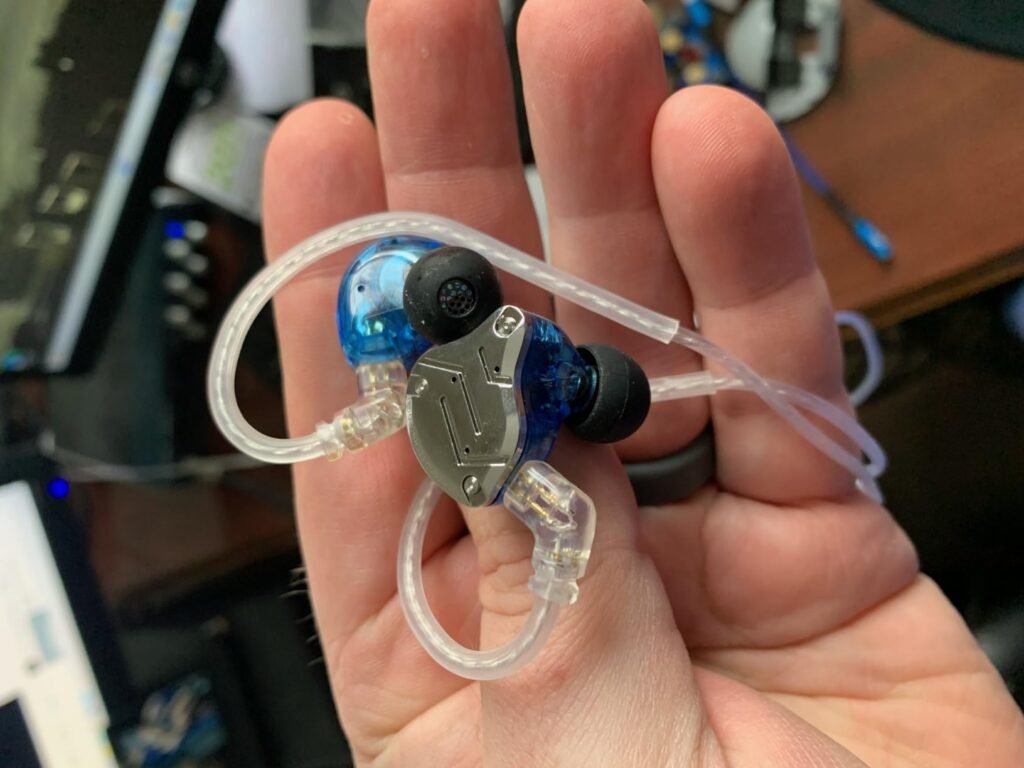
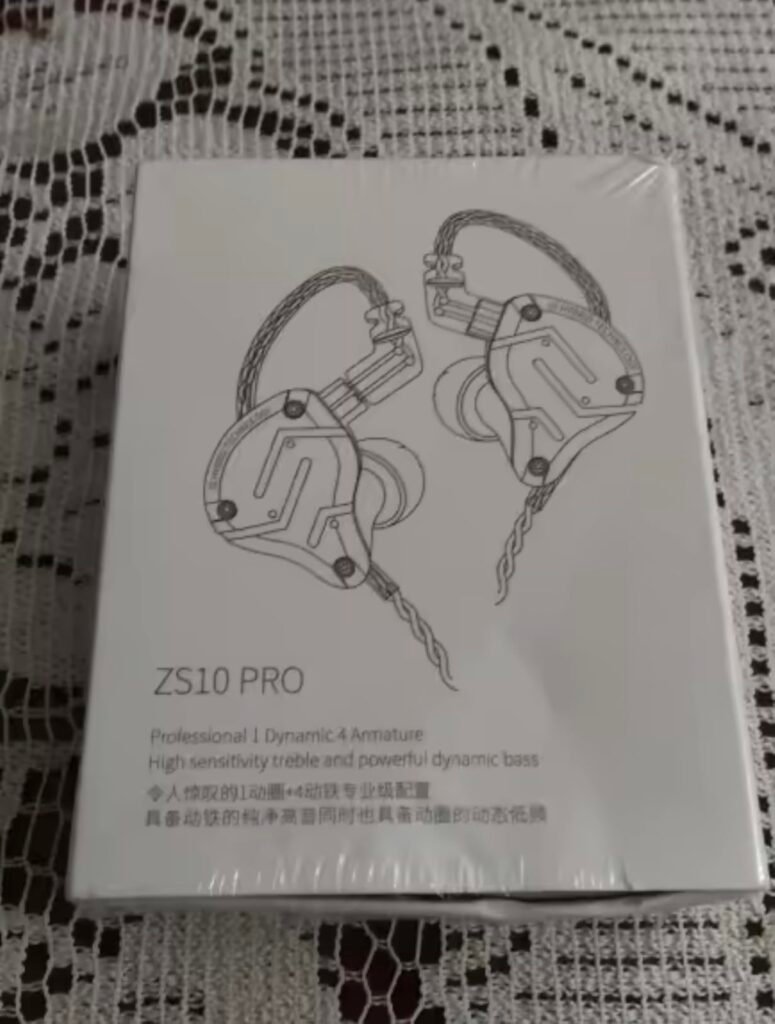
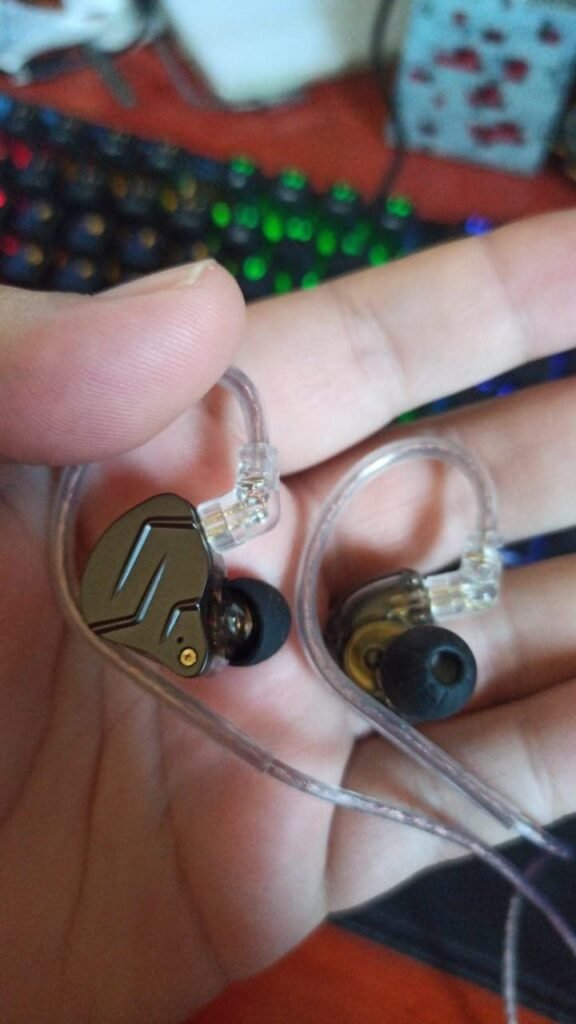
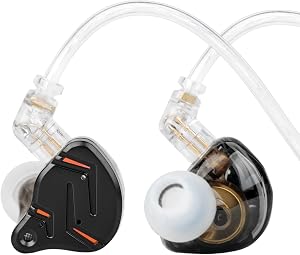
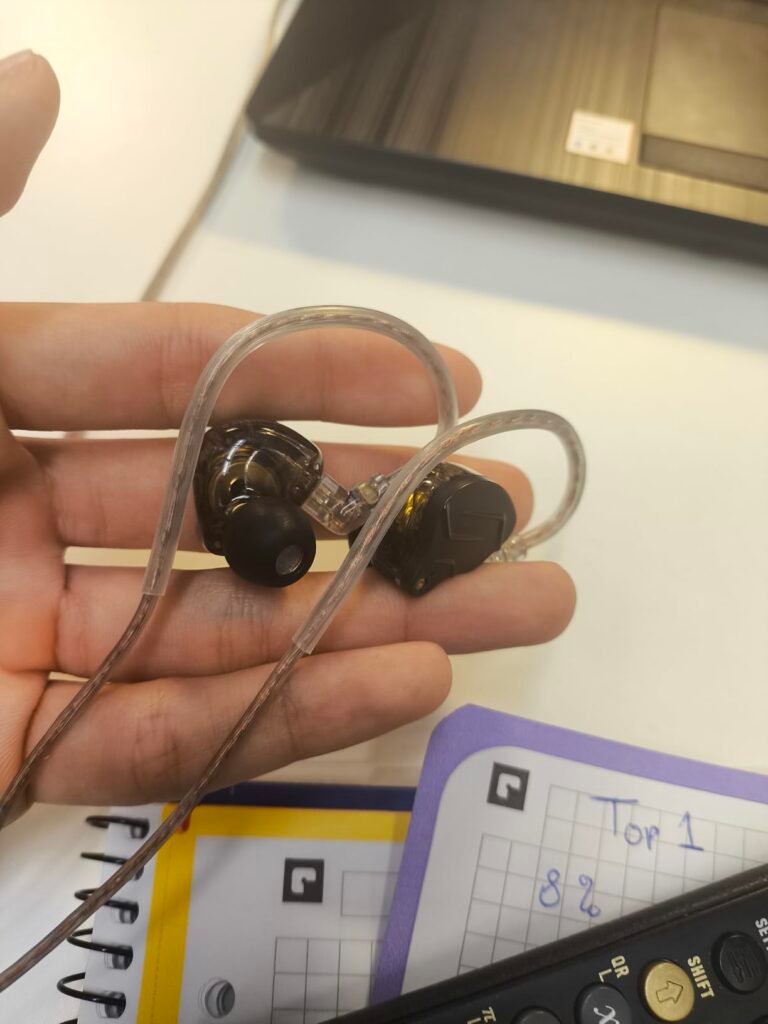
The KZ ZS10 Pro packs a five-driver hybrid configuration into a wired IEM that costs less than many single-driver competitors. Four balanced armature drivers handle mids and highs while a dynamic driver covers the low end, giving you a layered sound profile that helps separate footsteps, gunfire, and ambient cues in busy game environments. This version ships without a microphone, so it is best suited for players who use a standalone mic or primarily game solo.
We may earn a commission when you buy through this link, at no additional cost to you.
Sound quality benefits from a PCB dividing board that helps each driver operate in its intended frequency range without interference. The result is a presentation with extended highs reaching beyond 40kHz, dynamic lows from the second-generation Tesla magnetic unit, and clear midrange detail. For competitive FPS titles, that separation can make it easier to pinpoint directional audio cues compared to simpler single-driver earbuds.
Build quality is a step above typical budget IEMs. The 304 stainless steel faceplate resists scratches and gives the earbuds a premium feel, while the resin cavity keeps weight manageable. The detachable gold-plated cable uses a limit slot design to reduce stress on the connector pins, which is a common failure point on wired IEMs. The over-ear routing and cochlea-shaped cavity provide a secure fit that holds up during active use.
Multi-driver IEMs split the audio signal across specialized units, so each driver handles a narrower frequency range with less distortion. In gaming, this translates to clearer separation between overlapping sounds like explosions, dialogue, and directional footsteps. While a single dynamic driver can sound good, the ZS10 Pro’s hybrid setup gives you more granular detail in complex audio scenes, which is especially useful in competitive multiplayer titles where audio positioning provides a tactical advantage.
This pair makes the most sense for PC or console gamers who already have a dedicated microphone and want audiophile-grade detail without paying wireless premiums. The lack of a mic limits its usefulness for voice chat unless you pair it with external gear, but the sound quality and build make it a compelling upgrade over standard wired earbuds in this price range.
Players who need a built-in microphone for voice chat or prefer a wireless connection.
We may earn a commission when you buy through this link, at no additional cost to you.
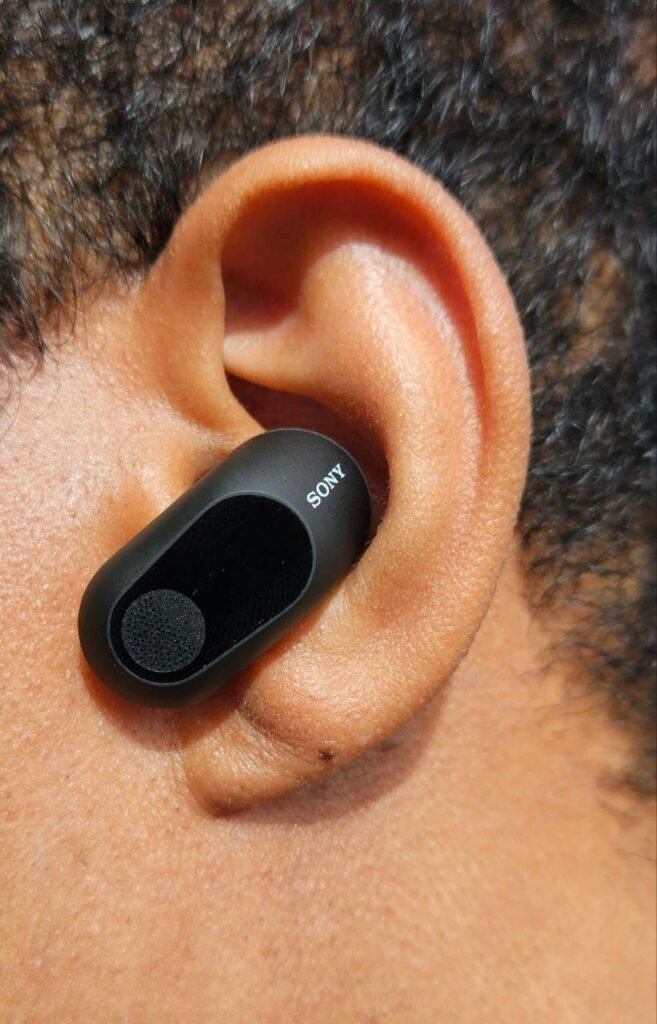
Sony designed the INZONE Buds specifically for PlayStation 5 integration, and that focus shows in features like on-screen status overlays for volume, battery, and mic mute, plus direct game and chat balance control from the PS5 interface. If you primarily game on PlayStation, these earbuds slot into the ecosystem more seamlessly than any other option here. The Tempest 3D Audiotech compatibility adds another layer of positional accuracy for supported titles.
We may earn a commission when you buy through this link, at no additional cost to you.
The 360 spatial sound feature uses Sony’s algorithm to customize the soundstage to your individual ear shape, which can improve directional awareness in competitive games. Combined with active noise canceling, the INZONE Buds create an immersive bubble that blocks out room noise and lets you focus entirely on in-game audio. The transparency mode is handy when you need to hear your surroundings without removing the earbuds.
Battery life is among the best in this guide, with 12 hours on a single charge and up to 48 hours total through the case using LE Audio. The INZONE Hub app lets you fine-tune the equalizer, spatial sound, tap controls, and game-chat balance to match your preferences. Touch controls on each earbud give you quick access to ANC, mute, and playback without reaching for your device.
The PS5 Tempest 3D Audiotech engine processes audio to simulate a three-dimensional sound field around the player. When paired with compatible earbuds like the INZONE Buds, this technology can make footsteps, gunshots, and environmental sounds feel like they originate from specific directions and distances. This is not just a marketing feature; in games that support Tempest audio, the positional accuracy can provide a genuine competitive advantage by helping you locate enemies through sound alone.
The premium price reflects the deep PS5 integration and Sony’s spatial audio technology, making these ideal for dedicated PlayStation gamers who want the tightest possible console experience. PC and Switch compatibility via the 2.4 GHz dongle adds versatility, but the lack of iPhone LE Audio support and the higher cost mean casual or multi-platform buyers may find better value elsewhere.
Budget-conscious buyers or iPhone users who need LE Audio compatibility.
We may earn a commission when you buy through this link, at no additional cost to you.
At under twenty-five dollars, the KZ ZST Pro X delivers a hybrid driver setup that punches well above its price for competitive gaming. The single balanced armature handles mid-to-high frequencies with clarity, while the super-linear dynamic driver produces deep, controlled bass that adds impact without muddying the soundstage. For FPS players who need to hear footsteps and reload cues clearly, this combination provides the kind of audio precision usually found in more expensive IEMs.
We may earn a commission when you buy through this link, at no additional cost to you.
The 30019 balanced armature driver is tuned to reproduce vocals and instrument tones with natural detail, which also translates to clearer in-game dialogue and distinct audio cues. The dynamic driver uses an internal magnet design with lower distortion than typical budget drivers, giving bass notes texture and punch rather than just volume. This tuning makes the ZST Pro X versatile enough for music and video in addition to gaming.
Comfort is handled by an ergonomic shell shaped from KZ’s ear data modeling, combined with an over-ear cable design that distributes weight and keeps the earbuds locked in place during long sessions. The lightweight metal faceplate and skin-friendly resin body strike a good balance between durability and all-day wearability. The 3.5mm plug connects to virtually any device with a headphone jack, from laptops and controllers to phones and portable players.
At the budget end of the market, a single dynamic driver often struggles to deliver both deep bass and clear highs simultaneously. A hybrid configuration like the ZST Pro X’s 1BA+1DD setup assigns each driver to the frequencies it handles best, resulting in better overall clarity and separation. If you play games with complex soundscapes where you need to distinguish multiple audio layers, the hybrid approach gives you a noticeable advantage over single-driver earbuds at a similar price.
This is an excellent entry point for gamers who want to try IEM-style audio without a big investment. The lack of a built-in mic means you will need a separate solution for voice chat, but the sound quality and comfort at this price make it a low-risk upgrade over the earbuds that came with your phone.
Players who need an integrated microphone or prefer wireless convenience.
We may earn a commission when you buy through this link, at no additional cost to you.
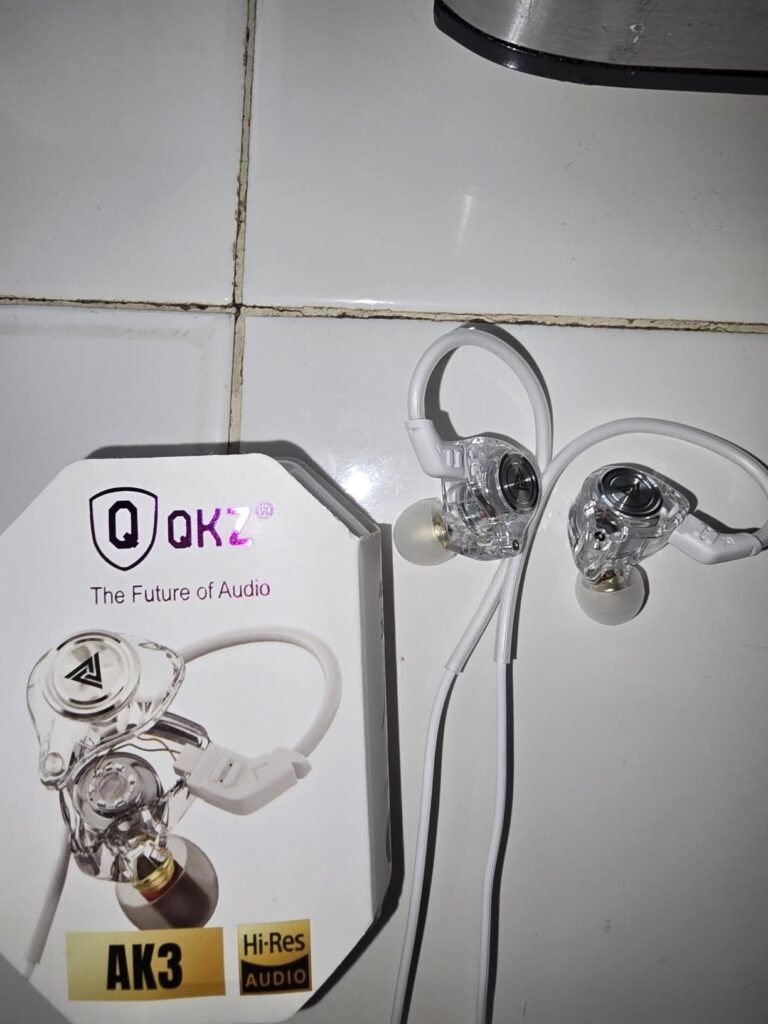
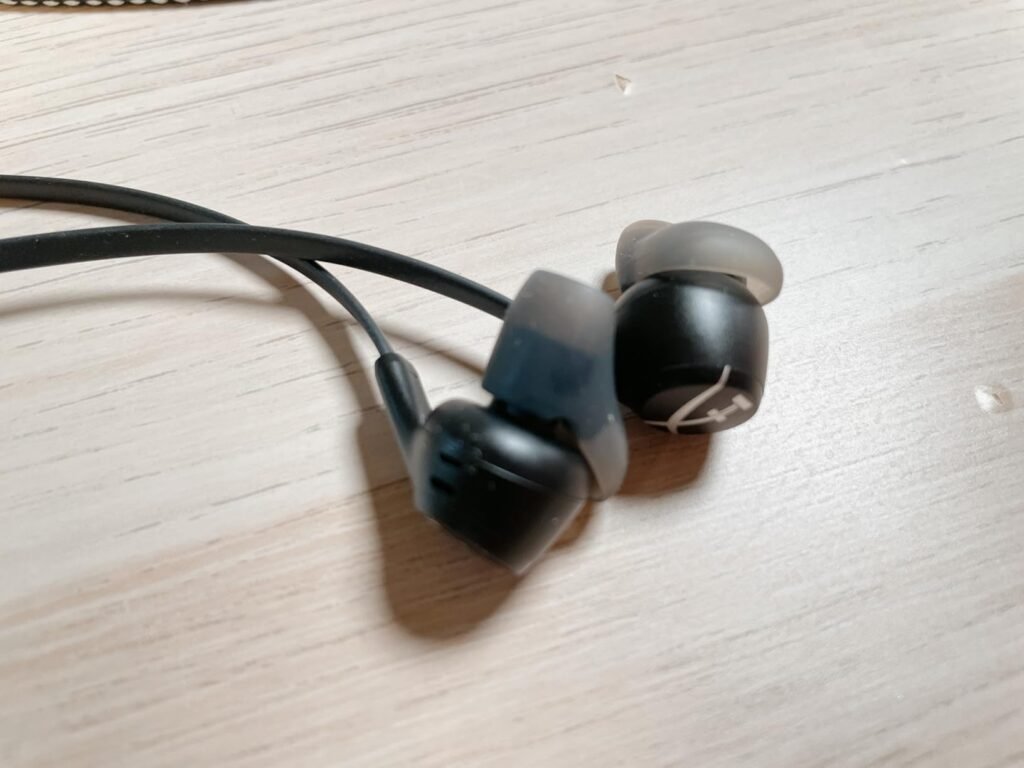
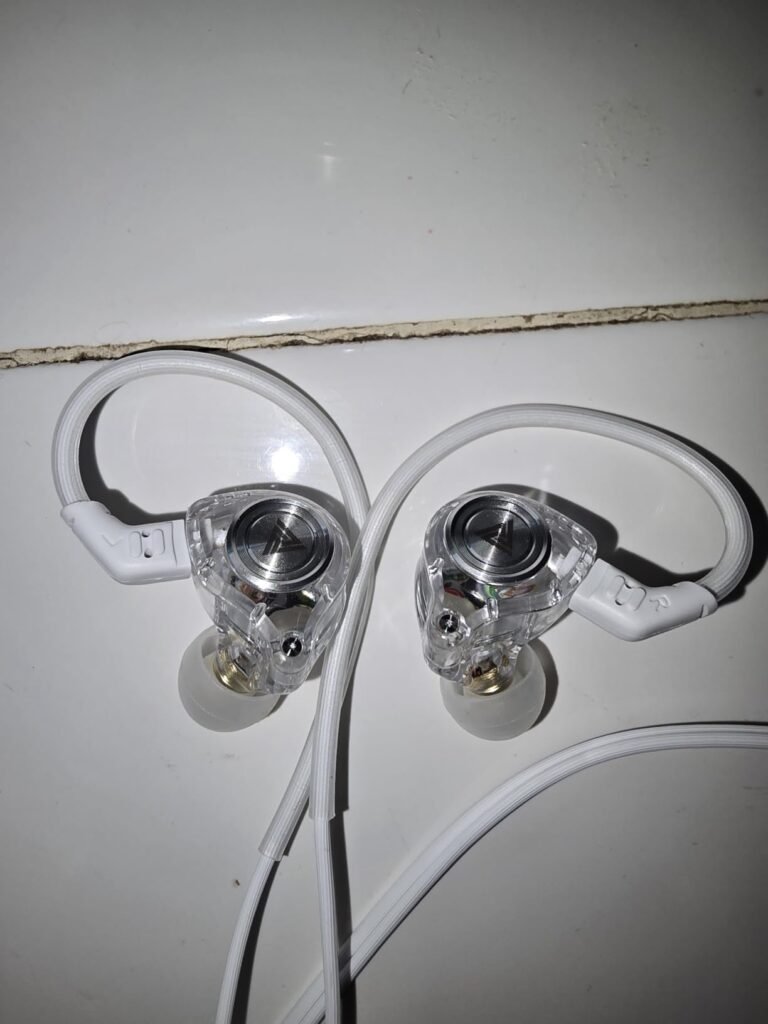
The Ak3file wired IEMs prove that you do not need to spend much to get a meaningful audio upgrade over generic earbuds. A single 10mm dynamic driver handles the full frequency range with an emphasis on deep bass, which adds satisfying impact to game soundtracks and explosions. At under ten dollars, these earbuds are a practical choice for casual gamers, younger players, or anyone who wants a backup pair without worrying about replacement cost.
We may earn a commission when you buy through this link, at no additional cost to you.
Sound quality is surprisingly full for the price, with independent sound channels for the driver helping to reduce distortion at higher volumes. The bass-forward tuning works well for action games and immersive single-player titles, though competitive players looking for pinpoint treble detail may find the presentation a bit warm. The overall sound signature is energetic and fun rather than analytical, which suits most casual gaming scenarios.
The PU memory ear hook wraps around the outer ear to keep the earbuds stable during movement, and the lightweight cavity sits comfortably inside the ear canal. Three included eartip sizes help you find a seal that blocks roughly 90 percent of ambient noise, which is impressive for the price point. The snug fit also means you can keep volumes lower while still hearing game audio clearly, which is better for long-term hearing health.
Not every gaming setup demands premium audio gear. If you game casually on a phone or Switch Lite, play mostly single-player titles, or need a pair of earbuds for a child’s tablet, spending under ten dollars on a functional wired set is a perfectly reasonable choice. The Ak3file IEMs cover the basics well enough that you can enjoy your games without the audio feeling like an afterthought, and the low cost means you can upgrade later without buyer’s remorse.
These earbuds are best for budget-conscious gamers who want a simple, no-fuss wired solution for PC, mobile, or console gaming through a controller jack. The non-detachable cable is a durability concern over the long term, but at this price, replacing them is not a significant expense. Think of these as a solid starter pair before deciding whether to invest in a more feature-rich option.
Competitive gamers who need precise treble detail or a built-in microphone for team communication.
We may earn a commission when you buy through this link, at no additional cost to you.
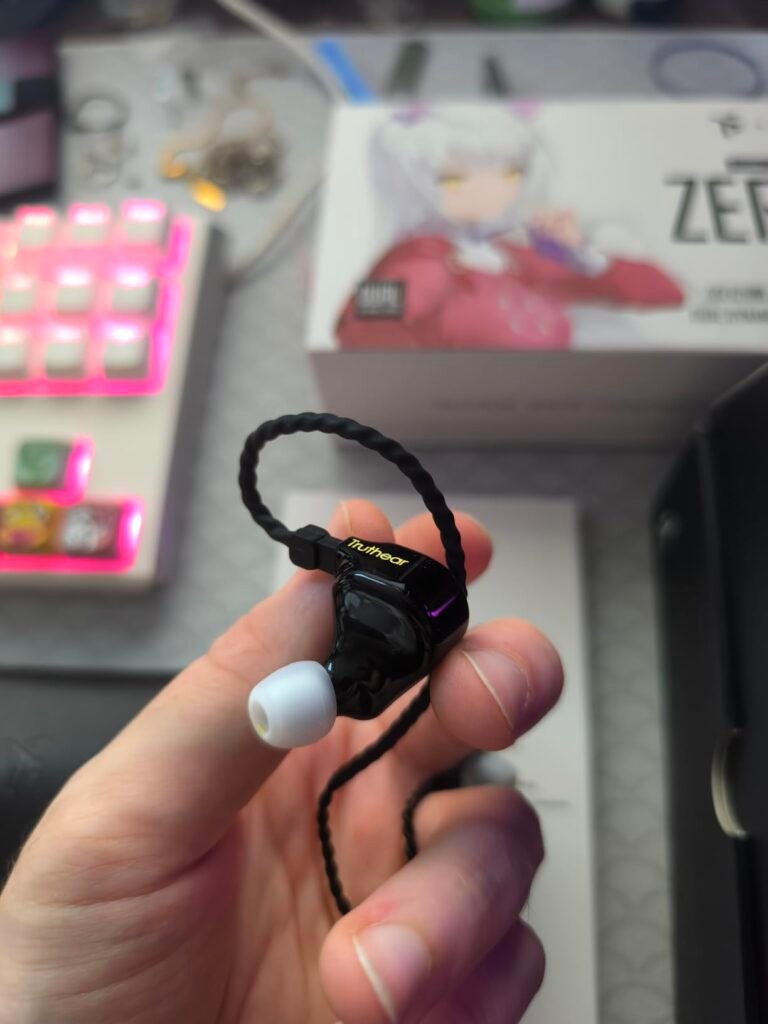
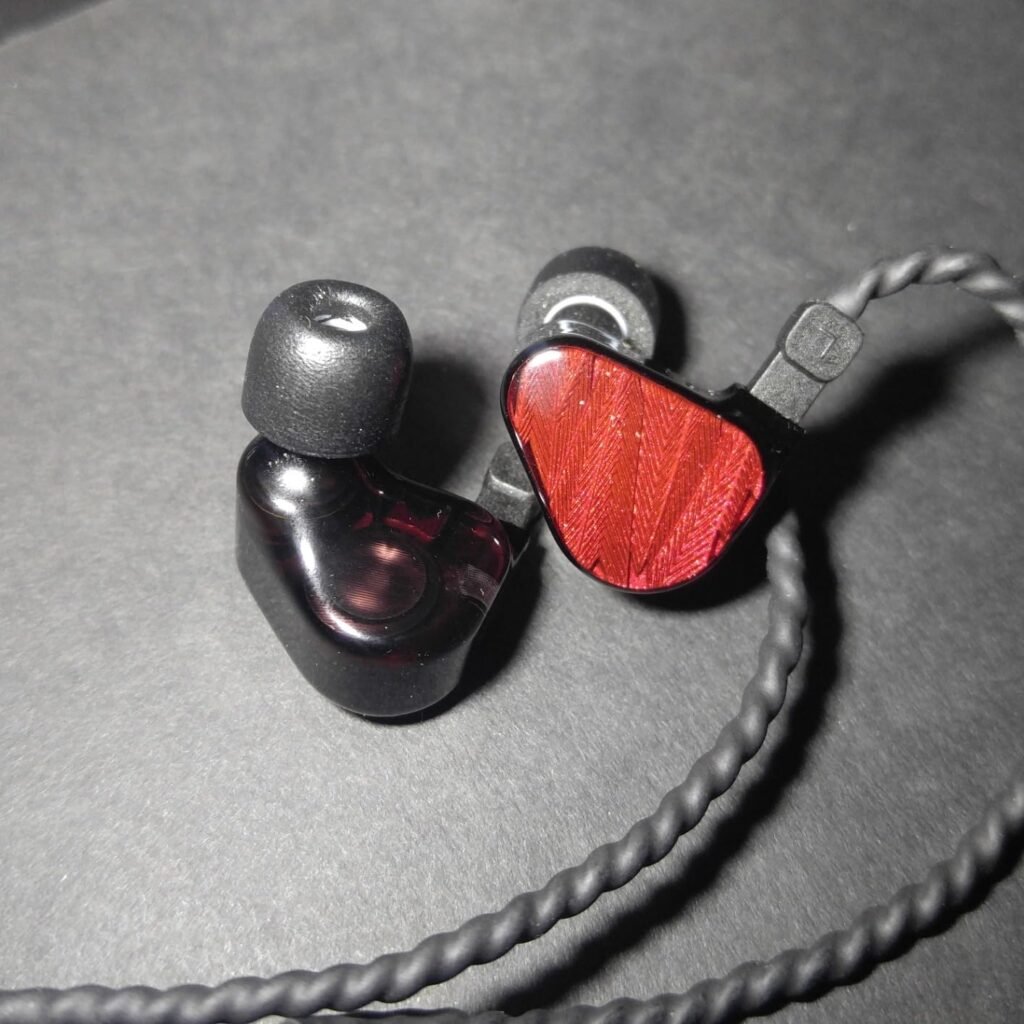
The TRUTHEAR x Crinacle Zero RED is a collaboration between an IEM manufacturer and a well-known audio reviewer, and the result is a wired earbud tuned with unusual care for its price bracket. The dual dynamic driver configuration uses a 10mm and a 7.8mm driver with different internal structures, allowing each to handle a specific frequency range more effectively than a single driver could. For gamers who also care deeply about music quality, this pair bridges both worlds convincingly.
We may earn a commission when you buy through this link, at no additional cost to you.
The cavity is produced using DLP 3D printing, a technique typically reserved for high-end custom IEMs, which allows for more precise internal geometry and better acoustic control. Combined with N52 rubidium magnets and polyurethane suspension composite diaphragms, the drivers deliver low distortion and a clean, detailed sound that reveals subtle audio cues in games. The tuning emphasizes accuracy over exaggerated bass, which benefits competitive gaming where clarity matters more than rumble.
Build quality reflects the premium positioning within the wired category. The copper-plated silver cable is thicker than typical stock cables and contributes to cleaner signal transmission, while the sandwich-structure cavity with hand-finished glue capping gives the earbuds a solid, well-assembled feel. The overall construction suggests a product designed to last and to perform consistently over time rather than cut corners for a lower price.
Having multiple drivers does not automatically guarantee better sound. The way those drivers are tuned, crossed over, and housed inside the cavity has a much larger impact on the final listening experience. The Zero RED benefits from collaborative tuning that targets a specific frequency response curve, resulting in a balanced presentation that avoids the bloated bass or harsh treble that can plague poorly tuned multi-driver IEMs. For gaming, well-tuned earbuds make it easier to hear quiet audio cues without being overwhelmed by loud ones.
Choose the Zero RED if you want the best possible wired audio quality in this price range and do not mind the lack of a microphone or wireless connectivity. It is particularly well suited for PC gamers who use a dedicated USB microphone and want their earbuds to double as high-fidelity music monitors. The tuning rewards critical listening, so players who appreciate nuanced sound design in story-driven games will get the most out of this pair.
Gamers who need wireless connectivity or an integrated microphone for voice chat.
We may earn a commission when you buy through this link, at no additional cost to you.
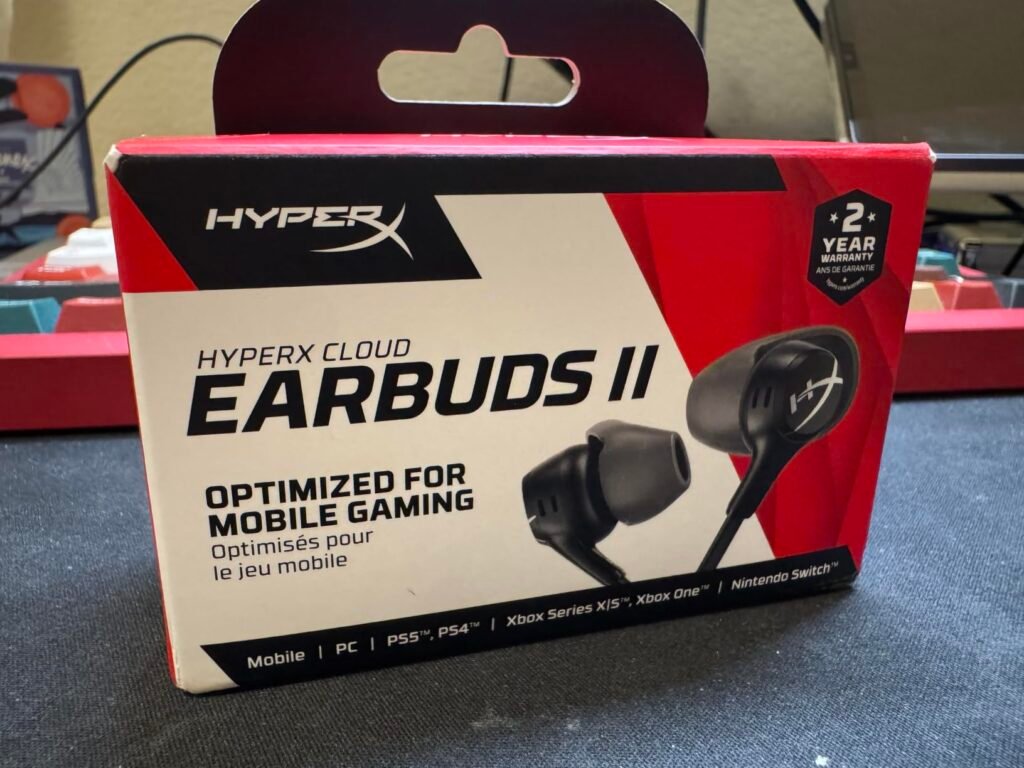
The HyperX Cloud Earbuds II are built for gamers who play on the go, whether that means a Nintendo Switch in handheld mode, a Steam Deck on the couch, or a phone during a commute. The oversized 14mm drivers push more air than typical earbud drivers, producing a fuller, more immersive sound that compensates for the lack of the over-ear cup enclosure you would get from a gaming headset. The result is a surprisingly spacious presentation for such a compact form factor.
We may earn a commission when you buy through this link, at no additional cost to you.
The low-profile 90-degree plug is a small detail that makes a big practical difference for handheld gaming. A straight plug sticking out of the bottom of a Switch or phone can snag on your hands or a carrying case, but the angled design sits flush and resists twisting. Combined with the included hard-shell carrying case, these earbuds are designed to survive being tossed into a backpack or jacket pocket without tangling or damage.
Four eartip sizes ranging from extra small to large make it easier to find a comfortable seal than the standard three-size assortment. A good seal improves both sound quality and passive noise isolation, which matters when you are gaming in noisy environments like public transit. The built-in inline microphone and multifunction button add everyday convenience for phone calls and media control without needing to reach for your device.
When you hold a Switch or phone in landscape orientation, a straight 3.5mm plug extends directly into your palm or the edge of a carrying case, creating a stress point that can damage both the plug and the device’s jack over time. The 90-degree angle redirects the cable downward along the device edge, reducing strain and making the setup more comfortable for extended handheld sessions. It is a small design choice that significantly improves the real-world usability of wired earbuds with portable gaming devices.
These earbuds are a practical, no-complication choice for handheld and mobile gamers who value portability and durability over competitive audio features. The wired connection means zero latency, and the general-purpose sound signature works well across game genres, music, and podcasts. If you primarily game at a desk and want low-latency wireless, look at the dongle-equipped options instead.
Competitive PC or console gamers who want wireless freedom and ultra-low latency.
We may earn a commission when you buy through this link, at no additional cost to you.
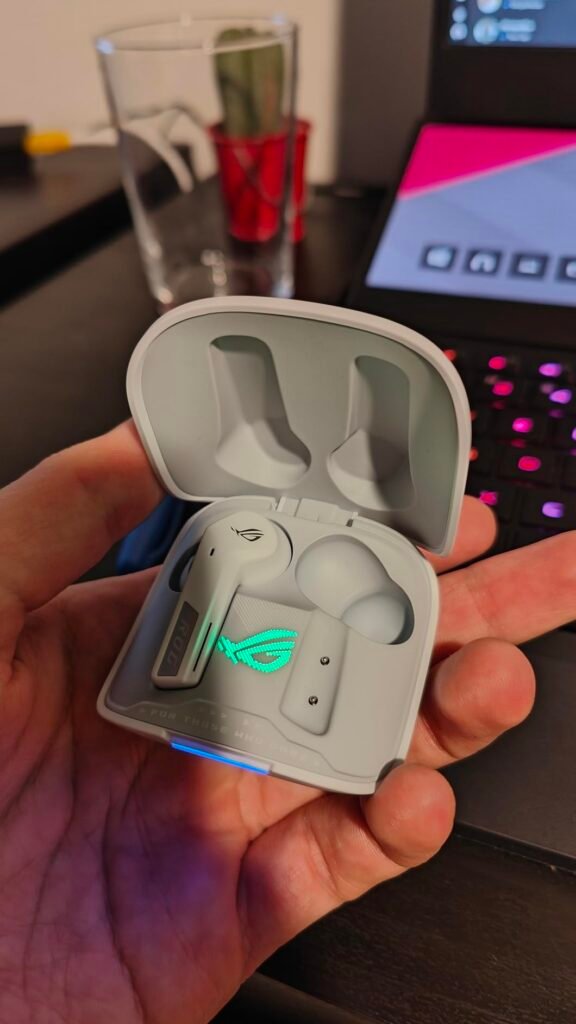
The ASUS ROG Cetra SpeedNova packs more features into a gaming earbud than almost any competitor in this guide. The dual-mode connectivity supports both Bluetooth and 2.4 GHz simultaneously through hybrid multipoint, meaning you can stay connected to your phone for calls while gaming on your PC or console through the SpeedNova dongle. This is genuinely useful for streamers and multitaskers who do not want to pause their session every time a call comes in.

We may earn a commission when you buy through this link, at no additional cost to you.
Audio quality in 2.4 GHz mode reaches 24-bit/96kHz resolution, enhanced by Dirac Opteo processing for lifelike detail and spatial accuracy. The adaptive ANC system measures your ear canal shape and adjusts noise cancellation in real time, which helps maintain consistent isolation even if the fit shifts slightly during movement. The bone-conduction AI microphones pick up your voice through skull vibrations rather than ambient air, filtering out keyboard clicks and background chatter more effectively than conventional mics.
Battery life is exceptional at up to 46 hours in Bluetooth mode with RGB off, and the charging case supports both wireless and USB-C charging. A quick five-minute charge in the case gives you about an hour of playback, which is handy when you forget to charge overnight. The Aura RGB lighting adds a customizable visual flair that matches the ROG ecosystem, though keeping it on will reduce battery endurance.
Traditional earbud microphones pick up sound through the air, which means they also capture keyboard clatter, fan noise, and roommates talking in the background. Bone-conduction microphones detect the vibrations traveling through your jaw and skull when you speak, isolating your voice from most environmental noise before it even reaches the processing stage. The result is clearer team communication in noisy environments, which is especially valuable for apartment dwellers or players who game in shared spaces.
This is the right choice for gamers who want a single wireless earbud that handles gaming, calls, and music with minimal compromise. The feature set justifies the premium price if you will actually use multipoint, ANC, and hi-res audio regularly. If you game on a single platform and do not need ANC, a simpler and less expensive option may serve you just as well.
Budget shoppers or single-platform gamers who do not need multipoint or ANC features.
We may earn a commission when you buy through this link, at no additional cost to you.
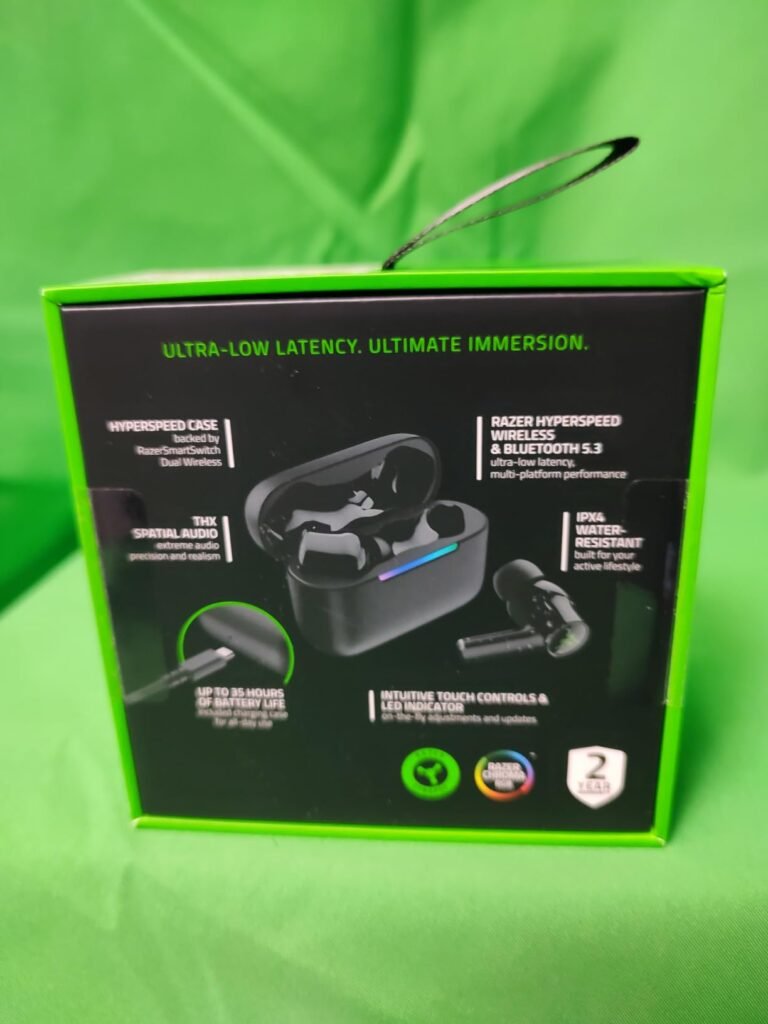
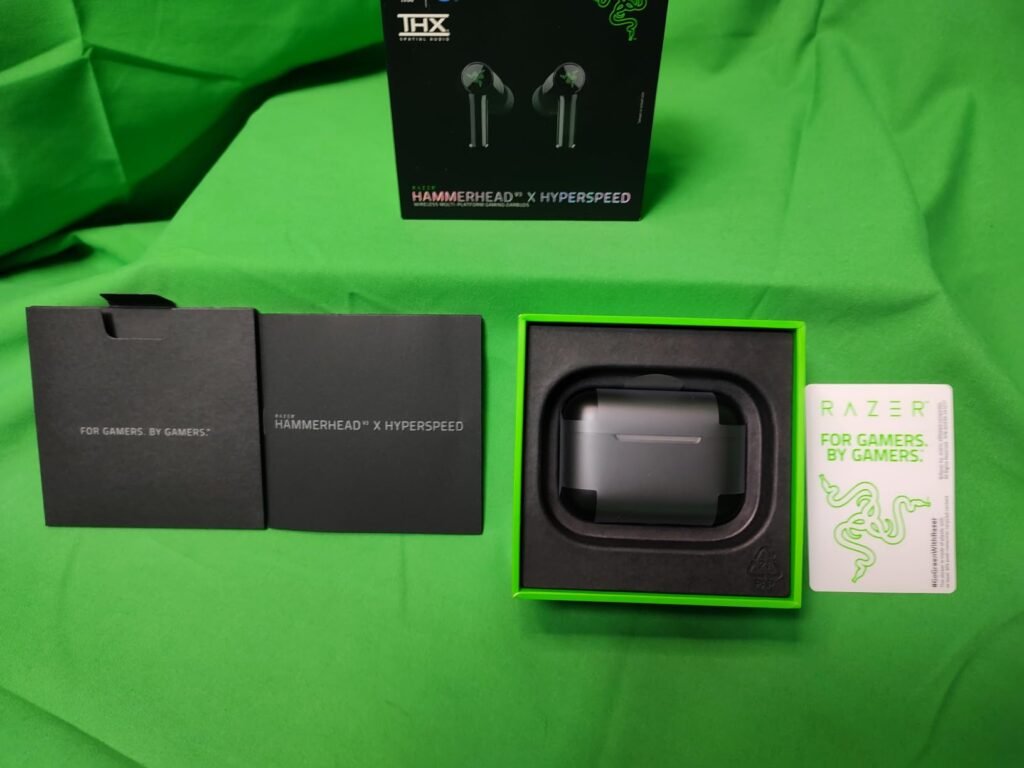
The Razer Hammerhead V3 X takes an innovative approach to wireless gaming by building the 2.4 GHz receiver directly into the charging case. Instead of carrying a separate USB dongle that can easily get lost, you simply plug the case into your PC, PS5, or Steam Deck via USB-C and the HyperSpeed connection activates automatically. This design keeps the setup clean and portable, making the V3 X a strong option for gamers who move between devices frequently.
We may earn a commission when you buy through this link, at no additional cost to you.
Audio performance benefits from THX Spatial Audio, which creates a 7.1.4 surround sound experience through Razer Synapse on compatible Windows 11 systems. The expanded soundstage helps with directional awareness in FPS and open-world games, giving you a better sense of where sounds originate in three-dimensional space. For mobile and console gaming without THX, the standard stereo tuning still delivers clear, balanced audio with enough bass impact for immersive gameplay.
Battery life reaches 10 hours on the earbuds plus 25 hours from the case, and the USB-C passthrough charging lets you keep gaming while the case is plugged in. The IPX4 water-resistant rating protects against sweat and light rain, so you can use these earbuds during workouts or outdoor commutes without worry. Touch controls on each earbud let you adjust volume, skip tracks, and manage calls with quick taps.
Losing a tiny USB dongle is one of the most common frustrations with wireless gaming peripherals. By embedding the 2.4 GHz receiver inside the charging case, Razer eliminates that risk entirely while also simplifying the connection process. You plug in one USB-C cable and the case handles both charging and wireless transmission. This design is particularly convenient for laptop and Steam Deck users who have limited USB ports and do not want to sacrifice one permanently to a dongle.
The V3 X hits a sweet spot for gamers who want reliable low-latency wireless without paying for ANC or hi-res audio features they may not use. The integrated case receiver is a clever convenience that eliminates dongle clutter, and the THX spatial audio adds genuine immersion on supported PC setups. If you need active noise cancellation for noisy environments, the V3 model with ANC is worth the step up.
Players who game in very noisy environments and need active noise cancellation to stay focused.
We may earn a commission when you buy through this link, at no additional cost to you.
The Razer Hammerhead V3 adds hybrid active noise cancellation to the same multi-platform wireless framework as the V3 X, making it the better choice for gamers who play in noisy environments like shared apartments, dorm rooms, or busy households. The ANC system uses both feedforward and feedback microphones to cancel a wider range of ambient frequencies, from low-frequency hums like air conditioning to higher-pitched chatter. This level of isolation helps you stay immersed without cranking the volume to unhealthy levels.

We may earn a commission when you buy through this link, at no additional cost to you.
Connectivity options include 2.4 GHz HyperSpeed wireless via a removable compact dongle and Bluetooth 6.0 for everyday listening. The removable dongle design gives you flexibility: plug it directly into your device for a streamlined setup, or use the case-based connection when you want to charge and play simultaneously. The seamless switching between 2.4 GHz and Bluetooth modes means you can transition from gaming to phone calls without manually re-pairing.
Battery life extends to 10 hours on the earbuds and 30 hours from the case, totaling 40 hours of playback. USB-C passthrough charging keeps the earbuds powered during extended sessions, and the IPX4 rating handles sweat and light moisture. Touch controls and an LED status indicator on the case provide quick access to settings and charging status without opening an app.
Passive noise isolation relies on the physical seal of the earbud tip to block sound, and a good seal can reduce ambient noise by 20-26dB on its own. Active noise cancellation adds electronic processing that generates anti-phase sound waves to cancel out remaining noise, particularly low-frequency drones that passive isolation struggles with. For gaming in quiet rooms, passive isolation is usually sufficient. For noisy environments, ANC provides a noticeable improvement in immersion and allows you to keep volumes lower, which protects your hearing over long sessions.
The V3 is the right pick if ANC is a priority and you are willing to pay a premium over the V3 X for that feature. The lower star rating in this comparison suggests some owners have experienced connectivity or fit issues, so checking recent user feedback before purchasing is a good idea. If you game in a quiet room, the V3 X offers similar core performance at a lower price without the ANC you would not use.
Budget buyers or gamers in quiet environments who do not need active noise cancellation.
We may earn a commission when you buy through this link, at no additional cost to you.
Selecting the right gaming earbud comes down to matching your platform, play style, and environment to the features that matter most. This section breaks down the key decision factors so you can narrow the field with confidence.
Wired gaming earbuds connect through a standard 3.5mm jack or USB-C cable, delivering audio with essentially zero latency and no need to charge. This makes them the simplest and most reliable option for competitive gaming, especially on platforms like the Nintendo Switch handheld or a PC with a nearby audio jack. Wired IEMs also tend to offer better sound quality per dollar because you are not paying for batteries, wireless chips, or charging cases.
Wireless gaming earbuds use either Bluetooth or a 2.4 GHz USB dongle to transmit audio. Bluetooth is convenient for mobile gaming and everyday listening but introduces noticeable latency that can affect timing in fast-paced games. A 2.4 GHz dongle reduces latency to around 20ms, which is close enough to wired performance for most players. The tradeoff is that you need a free USB port for the dongle and must remember to charge the earbuds regularly.
Choose wired if you prioritize zero latency, simplicity, and value. Go wireless with a 2.4 GHz dongle if you want freedom of movement and play on PC or console. Bluetooth-only earbuds are best reserved for casual mobile gaming where slight audio delay does not affect performance.
Latency refers to the delay between a visual event on screen and the corresponding audio reaching your ears. In competitive shooters, fighting games, and rhythm titles, even 50-100ms of delay can make your reactions feel sluggish and throw off your timing. Wired connections eliminate this problem entirely, while 2.4 GHz wireless typically keeps latency around 20ms, which is imperceptible to most players. Standard Bluetooth can range from 80ms to over 200ms depending on the codec and device.
Some wireless earbuds offer a dedicated gaming mode that prioritizes lower latency at the expense of audio quality or battery life. If you are considering a Bluetooth-only pair for gaming, check whether it includes such a mode and what the actual latency figures are. Keep in mind that latency can also vary depending on the source device, so a pair that performs well on a PC may behave differently on a phone or console.
For competitive gaming, aim for a wired connection or a 2.4 GHz wireless setup with latency under 30ms. For casual single-player games, standard Bluetooth latency is usually acceptable and will not noticeably affect your experience.
The driver is the component inside each earbud that converts electrical signals into sound. Most gaming earbuds use a single dynamic driver, which handles the full frequency range and tends to produce warm, bass-forward sound. Multi-driver IEMs add balanced armature drivers for mids and highs, improving detail and separation at the cost of higher price and sometimes more complex tuning. Dual dynamic driver setups, like the one in the TRUTHEAR Zero RED, split bass and treble duties between two dynamic units for a different kind of clarity.
For gaming specifically, what matters most is not the number of drivers but how well the earbuds reproduce directional cues and separate overlapping sounds. A well-tuned single driver can outperform a poorly tuned multi-driver setup. Look for reviews and specifications that mention soundstage width, imaging accuracy, and frequency response rather than focusing solely on driver count. Competitive FPS players benefit from clear treble and midrange detail, while single-player RPG fans may prefer a warmer, more immersive bass profile.
Do not assume more drivers automatically mean better gaming performance. Focus on the overall tuning and whether the sound signature matches the genres you play most often. If possible, choose earbuds with a balanced or slightly bright tuning for competitive titles and a warmer profile for cinematic experiences.
Not every gaming earbud works with every platform. Wired 3.5mm earbuds are the most universally compatible, plugging into PC headphone jacks, console controllers, Nintendo Switch, Steam Deck, and most phones. USB-C wired earbuds work with newer devices but may need an adapter for older hardware. Wireless earbuds with 2.4 GHz dongles typically support PC, PS5, and Switch but may not work with Xbox consoles due to proprietary wireless protocols.
Before purchasing, verify that the earbuds support your primary gaming platform. If you play across multiple systems, look for dual-mode wireless earbuds that offer both 2.4 GHz and Bluetooth connectivity, as this gives you the broadest compatibility. Some premium options like the ASUS ROG Cetra SpeedNova also include USB-A adapters in the box for older PCs and consoles that lack USB-C ports.
Make a list of the devices you game on most frequently and check the compatibility specifications carefully. A pair that works perfectly on PC may not connect to your Xbox or may lack the specific console integration features you want, such as the PS5 on-screen overlays available with the Sony INZONE Buds.
If you play multiplayer games with voice chat, microphone quality is just as important as audio playback. Built-in inline microphones on wired earbuds are convenient but often pick up background noise and may sound thin compared to a dedicated USB microphone. Wireless gaming earbuds typically use beamforming or noise-canceling microphones that do a better job of isolating your voice, and premium options like the ASUS ROG Cetra use bone-conduction technology for even cleaner results.
Consider your gaming environment when evaluating microphone needs. If you game in a quiet room, a basic inline mic may be sufficient. If you share your space with family members, roommates, or a loud mechanical keyboard, investing in earbuds with advanced noise-canceling microphones will make your teammates much happier. Some wired IEMs in this guide ship without a microphone entirely, which is fine if you already own a standalone mic but problematic if you do not.
Check whether the earbuds include a microphone and what type of noise filtering it uses. If voice chat is a priority, lean toward wireless models with dedicated noise-canceling mics or plan to pair your wired IEMs with a separate desktop microphone for the best results.
Gaming sessions can last several hours, and earbuds that feel fine for the first thirty minutes may become painful after two or three. The key factors are earbud weight, shell shape, eartip material, and cable routing. IEM-style earbuds with over-ear cable routing tend to distribute weight more evenly and stay secure during movement, while straight-drop earbuds can tug on the ear canal over time. Multiple eartip sizes are essential for finding a seal that is both comfortable and effective at blocking noise.
Shell material also plays a role in long-term comfort. Resin and plastic shells are lightweight and smooth against the skin, while metal faceplates add durability but can feel cooler and heavier. Some earbuds use memory foam tips instead of silicone, which conform to your ear canal shape for a custom-like fit but may need replacement more frequently. If you have smaller ears, pay attention to the overall earbud size, as some multi-driver IEMs have larger shells that may not fit comfortably.
Prioritize earbuds that include at least three eartip sizes and consider upgrading to aftermarket foam tips if the stock silicone options do not seal well. An uncomfortable fit will ruin the audio experience regardless of how good the drivers sound, so do not underestimate this factor.
Wireless gaming earbuds typically offer 6-12 hours of playback per charge, with the carrying case providing two to four additional full charges. Total battery life can range from around 24 hours to over 46 hours depending on the model and whether features like ANC and RGB lighting are active. For most gamers, 8 hours per charge is sufficient for a full evening session, but marathon weekend players may want to look for models with longer single-charge endurance or quick-charge capabilities.
Keep in mind that advertised battery figures usually reflect ideal conditions with ANC off and volume at moderate levels. Enabling active noise cancellation, RGB lighting, or high-resolution audio modes will reduce actual runtime. Some earbuds support USB-C passthrough charging, which lets you continue gaming while the case is plugged in, effectively eliminating battery anxiety during long sessions.
Match battery life to your typical session length. If you game for two to three hours at a time, almost any wireless earbud will last between charges. If you regularly play six or more hours straight, prioritize models with 10-plus hour single-charge ratings or passthrough charging support.
Passive noise isolation is the physical blocking of external sound by the earbud shell and eartip seal. A well-fitting IEM can reduce ambient noise by 20-26dB, which is enough to mute most household sounds and let you focus on game audio at moderate volumes. This approach works across all price points and does not require batteries or electronics, making it the default for wired earbuds.
Active noise cancellation uses microphones and processing to generate anti-phase sound waves that cancel out ambient noise, particularly low-frequency drones like air conditioning, engine rumble, and crowd noise. ANC is most valuable in consistently noisy environments and adds a noticeable layer of immersion to single-player games. However, it increases cost, reduces battery life, and can sometimes introduce a slight pressure sensation that some users find uncomfortable during extended wear.
If you game in a quiet room, passive isolation is sufficient and saves money. If you game in a noisy apartment, dorm, or shared living space, ANC provides a meaningful quality-of-life improvement that justifies the premium. Consider your environment honestly before paying extra for a feature you may not need.
Gaming earbuds span a wide price range from under ten dollars to well over two hundred, and the relationship between price and performance is not always linear. Budget wired IEMs can deliver surprisingly good sound quality for casual gaming, while mid-range wireless options with 2.4 GHz dongles offer the best balance of features and affordability for most players. Premium models add ANC, hi-res audio, multipoint connectivity, and deep console integration, but these features only matter if you will actually use them.
When evaluating value, consider the total cost of ownership rather than just the purchase price. Wired earbuds with detachable cables can be repaired cheaply if the cable fails, while non-detachable designs may need full replacement. Wireless earbuds have batteries that degrade over time, typically lasting two to three years before noticeable capacity loss. Factor in your expected usage period and whether the features justify the investment.
Set a budget based on your primary use case. Casual mobile gamers can get excellent results under thirty dollars. Competitive PC and console players should budget fifty to one hundred dollars for a quality wireless setup. Only spend above one hundred fifty dollars if you need specific premium features like ANC, multipoint, or native console integration.
Start by experimenting with all included eartip sizes to find the seal that provides the best combination of comfort and noise isolation. Insert the earbuds with a gentle twisting motion rather than pushing them straight in, and if the model uses over-ear cable routing, loop the cable behind your ear before adjusting the fit. For wireless models, fully charge the earbuds and case before your first session, and pair the 2.4 GHz dongle with your primary gaming device before enabling Bluetooth for secondary connections.
Keep your earbuds clean by wiping the shells and eartips with a soft, slightly damp cloth after extended use, especially if you game in warm environments where sweat buildup is common. Avoid using harsh chemicals or submerging any part of the earbuds in water, even if they carry an IPX4 rating, which only protects against splashes. For wired IEMs with detachable cables, disconnect the cable gently by gripping the connector rather than pulling on the wire to avoid stressing the pins.
Store wireless earbuds in their charging case when not in use to protect them from dust and accidental damage while keeping the batteries topped up. If you plan to store them for more than a few weeks, charge the case to around 50-60 percent to maintain battery health. For wired earbuds, coil the cable loosely in a figure-eight pattern and secure it with a velcro tie rather than wrapping it tightly around the earbuds, which can create internal wire breaks over time.
Gaming earbuds offer better portability and less heat buildup during long sessions compared to over-ear headsets. However, headsets generally provide a wider soundstage, better microphone quality, and more comfort for extended wear due to their larger drivers and padded ear cups. The best choice depends on whether you prioritize compact convenience or immersive audio performance.
You can use any earbuds for casual gaming, but standard Bluetooth earbuds often have latency high enough to cause noticeable audio delay in fast-paced games. For competitive gaming, look for earbuds with a 2.4 GHz wireless connection or a wired 3.5mm plug to ensure audio stays synchronized with on-screen action.
Wired earbuds have effectively zero audio latency because the electrical signal travels through the cable at nearly the speed of light. Any delay you experience with wired earbuds will come from the game engine or audio processing on your device, not from the earbuds themselves.
A 2.4 GHz wireless connection uses a dedicated USB dongle to transmit audio with latency around 20ms, which is close to wired performance. Bluetooth is more convenient and does not require a dongle, but typical latency ranges from 80ms to over 200ms, which can be noticeable in competitive games. Many gaming earbuds offer both modes so you can switch depending on the situation.
If you play multiplayer games with voice chat and do not have a separate microphone, a built-in mic is essential. Many audiophile-oriented wired IEMs ship without a microphone, so check the product details before purchasing. Wireless gaming earbuds almost always include noise-canceling microphones suitable for team communication.
Most wireless gaming earbuds provide 6-12 hours of playback per charge, with the carrying case adding two to four additional full charges for a total of 24-48 hours. Actual battery life varies based on volume level, ANC usage, and whether RGB lighting is enabled. Quick-charge features on some models can provide an hour of playback from a five-minute charge.
Xbox consoles use a proprietary wireless protocol that most third-party 2.4 GHz dongles do not support. Wired 3.5mm earbuds work when plugged into the Xbox controller's headphone jack, but wireless options with Xbox compatibility are limited. Always check the product specifications for explicit Xbox support before purchasing.
Multi-driver IEMs can provide better sound separation and detail than single-driver earbuds, which helps with positional audio in competitive games. However, tuning quality matters more than driver count, and a well-tuned single driver can outperform a poorly configured multi-driver setup. For most gamers, a quality single or dual-driver earbud provides excellent performance without the added cost.
Wipe the earbud shells with a soft, dry or slightly damp cloth after each use. Remove the eartips and rinse silicone tips with warm water, letting them air dry completely before reattaching. Avoid using alcohol or harsh solvents on the drivers or mesh filters. For foam tips, gently squeeze them under running water and let them dry naturally.
The best eartip size is the one that creates a complete seal in your ear canal without causing discomfort. A proper seal improves bass response, noise isolation, and overall sound quality. Try all included sizes and choose the largest size that fits comfortably. If none of the stock tips seal well, consider aftermarket foam or silicone tips designed for your earbud model.
The AOC ACT3512 earns the top spot in this guide by combining 20ms low-latency wireless performance, dual-mode connectivity, and a reasonable price that undercuts many competitors with fewer features. Its 2.4 GHz dongle delivers near-wired responsiveness across PC, PS5, and Switch, making it the most versatile all-around choice for gamers who want wireless freedom without sacrificing competitive audio performance.
For budget-conscious buyers, the KZ ZST Pro X and Ak3file wired IEMs prove that excellent gaming audio does not require a big investment. On the premium end, the Sony INZONE Buds offer unmatched PS5 integration and spatial audio, while the ASUS ROG Cetra SpeedNova packs ANC, multipoint, and hi-res audio into a single wireless package for players who want every available feature.
Start by identifying your primary gaming platform, whether you need wireless or wired connectivity, and how important features like ANC and microphone quality are to your setup. Use the comparison table and buying guide above to narrow your options, and choose the pair that best matches your play style and environment rather than chasing the highest spec sheet.