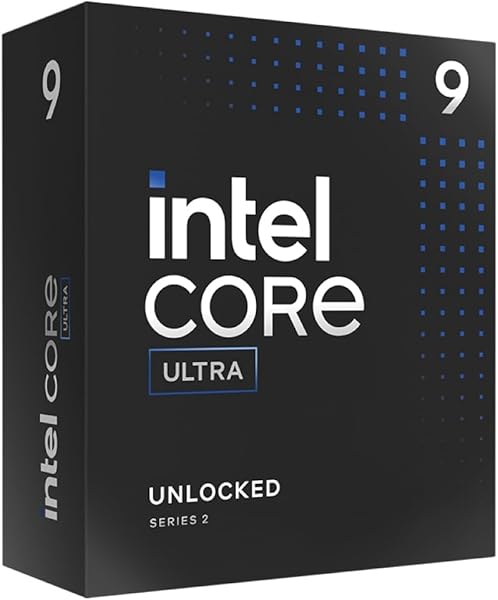
Ryzen 9 9950X3D
9.4Editor score16-core Zen 5
5.7 GHz boost
AM5 socket
Granite Ridge architecture
Find the right cpus for 2026. We compare 10 standout options by build quality, useful features, owner feedback, value, and everyday trade-offs.
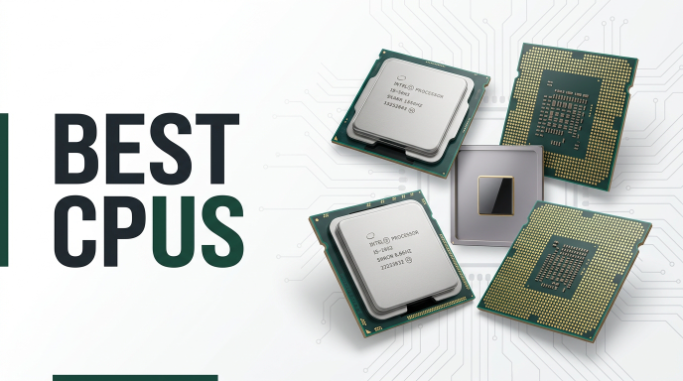
Find the right CPU for your desktop build in 2026. We compare 10 standout processors by the factors that matter most: core and thread count, boost clock speed, cache capacity, platform socket compatibility, power consumption, integrated graphics, and how each chip balances gaming frame rates against multi-threaded productivity workloads.
The gap between a $175 six-core chip and an $889 flagship is enormous, but more cores and higher clocks do not automatically mean better value for every buyer. A gamer paired with a high-end GPU may benefit more from extra cache than extra cores, while a video editor needs raw thread count above all else.
This guide covers budget-friendly Zen 5 entry points, mid-range gaming champions with 3D V-Cache, Intel’s hybrid architecture alternatives, and top-tier workstation processors. Use the comparison table, reviews, and buying guide below to match a processor to your workload, motherboard platform, and cooling budget.
We compared 10 desktop CPUs using the specifications that actually help a builder decide: core and thread count, base and boost clock speeds, L3 cache size, socket and chipset compatibility, memory support, TDP and power draw, overclocking headroom, integrated graphics availability, cooler inclusion, and owner feedback. The notes focus on practical trade-offs so each pick connects to how people actually game, render, stream, and multitask on a daily basis.

Compare key features, scores, and current prices side by side. A shorter feature list means fewer details were available, not necessarily fewer capabilities.


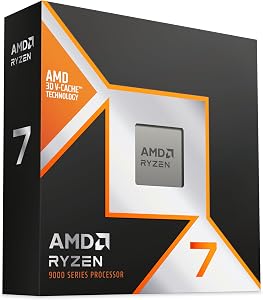


The Ryzen 7 9800X3D holds the title of the fastest gaming processor currently available, and the combination of Zen 5 architecture with next-generation 3D V-Cache explains why. The massive 96MB L3 cache dramatically reduces memory latency for game workloads, which is the single biggest factor in achieving high and consistent frame rates in CPU-bound titles.

We may earn a commission when you buy through this link, at no additional cost to you.
The roughly 16 percent IPC uplift over the previous generation means this chip does more work per clock cycle, and the 5.2 GHz boost clock is higher than earlier X3D models thanks to improved thermal performance from the redesigned 3D V-Cache stacking. Better thermals also mean the processor can sustain boost clocks longer during extended gaming sessions rather than throttling under heat.
As a drop-in AM5 processor, the 9800X3D works with any existing AM5 motherboard, making it an attractive upgrade path for anyone already on the platform. No cooler is included, so plan for a quality aftermarket solution. The 8-core 16-thread configuration handles gaming and moderate multitasking effortlessly, though heavily threaded workloads like large-scale rendering will benefit from more cores.
Game engines frequently access the same small pools of data repeatedly, such as physics calculations, AI routines, and draw call preparation. A larger L3 cache keeps this data close to the cores, reducing the need to fetch from slower main memory. This is why the 9800X3D with 96MB of cache outperforms processors with higher clock speeds but smaller caches in most gaming benchmarks. For gaming, cache capacity is often the most impactful specification.
This is the definitive gaming CPU for anyone who wants the highest possible frame rates and lowest frame time variance. If your build revolves around a high-end GPU and a fast monitor, this processor ensures the CPU is never the bottleneck. Content creators who need more than 8 cores for daily rendering should look at the 9950X or 9950X3D instead.
Users whose primary workload involves heavy multi-threaded rendering, simulation, or compilation tasks.
We may earn a commission when you buy through this link, at no additional cost to you.
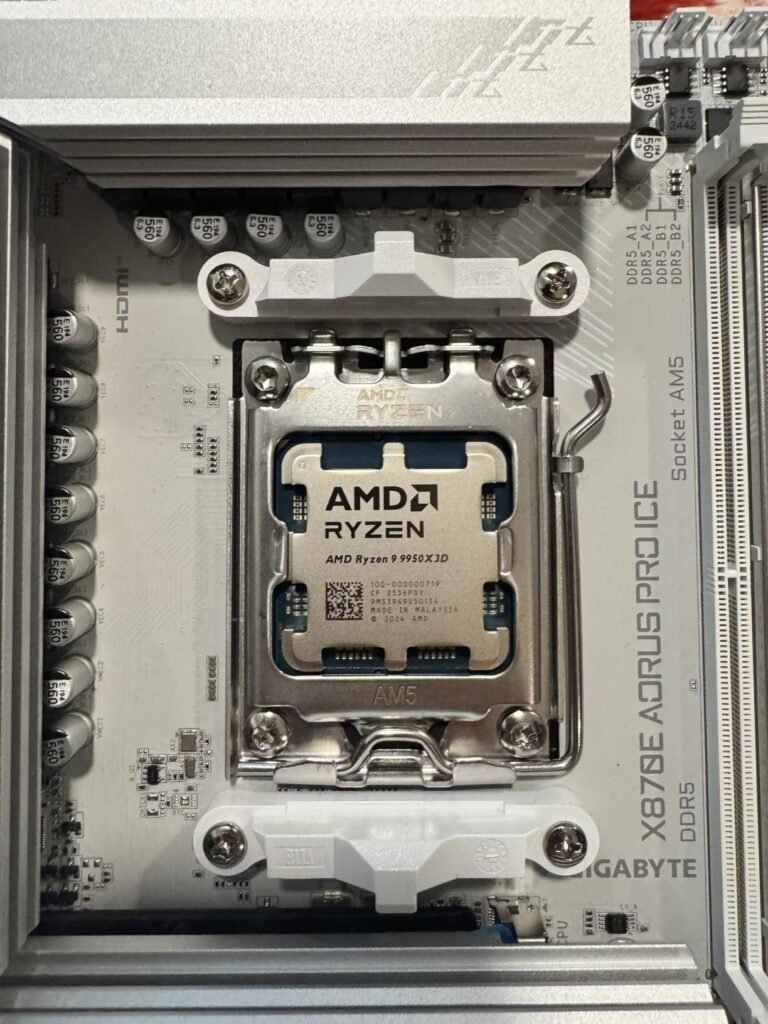
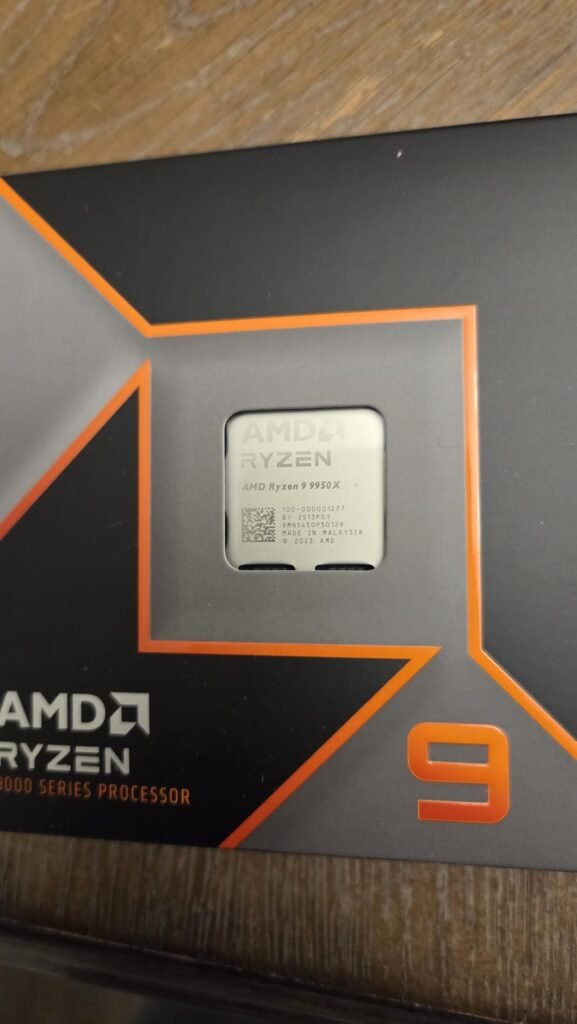
The Ryzen 9 9950X3D targets the enthusiast who refuses to choose between gaming supremacy and content creation throughput. By combining 16 Zen 5 cores with AMD's 3D V-Cache stacking technology, this processor delivers the kind of single-threaded gaming responsiveness that 3D V-Cache is famous for while retaining the multi-threaded muscle needed for rendering, compiling, and streaming.

We may earn a commission when you buy through this link, at no additional cost to you.
The 5.7 GHz boost clock and Zen 5 architecture provide a meaningful IPC uplift over the previous generation, which translates to faster frame times in CPU-bound games and shorter render queues in creative applications. The AM5 socket ensures compatibility with current and future AMD motherboards, giving this chip a longer useful lifespan than competing platforms that may be nearing end-of-life.
As a boxed processor without an included cooler, buyers should budget for a high-quality air cooler or AIO liquid cooler to keep thermals in check under sustained loads. The Granite Ridge architecture brings refinements in power efficiency compared to earlier Zen 5 desktop parts, though a 16-core chip with 3D V-Cache still demands serious cooling during extended workloads.
Most games still rely heavily on single-threaded performance and cache latency, which is where 3D V-Cache shines. The extra cores become valuable when you game while streaming, run background encoding, or switch between gaming and creative work throughout the day. If your workflow regularly uses more than 8 cores, the 9950X3D eliminates the compromise between gaming and productivity that forces most builders to pick one or the other.
This is the right pick for enthusiasts who game at high refresh rates and also run demanding creative workloads on the same machine. The premium price reflects the dual-purpose capability. If gaming is your sole priority, the 8-core 9800X3D delivers similar frame rates at a much lower price. If you need maximum multi-threaded performance without the gaming cache premium, the standard 9950X costs less.
Pure gamers on a budget who do not need more than 8 cores for their workload.
We may earn a commission when you buy through this link, at no additional cost to you.
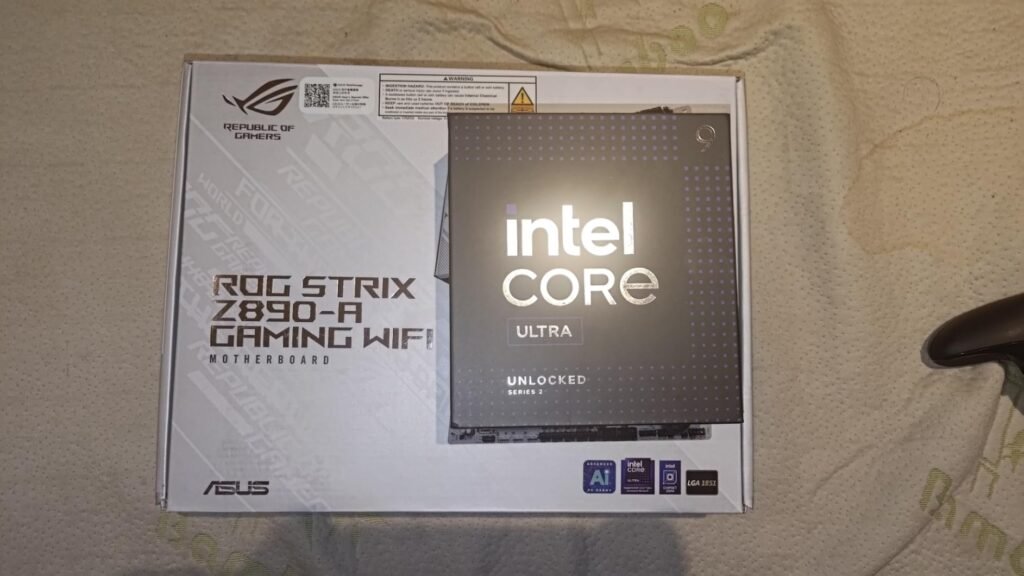
The Intel Core Ultra 9 285K represents Intel's latest desktop architecture with a hybrid core design that pairs 8 performance cores with 16 efficiency cores for a total of 24 cores. This configuration aims to deliver strong single-threaded speed for gaming and foreground tasks while the E-cores handle background processes, streaming, and threaded workloads simultaneously.

We may earn a commission when you buy through this link, at no additional cost to you.
The 5.7 GHz max boost on the P-cores keeps this chip competitive in gaming, and the 40MB cache provides adequate data proximity for most workloads. Intel’s Performance Hybrid Architecture intelligently distributes tasks between core types, which can improve overall system responsiveness when you have many applications running at once. The chip supports both PCIe 5.0 and 4.0, plus Intel Optane Memory for users who want tiered storage acceleration.
The LGA1851 socket is new with the 800-series chipset, meaning buyers will need a new motherboard rather than reusing older LGA1700 boards. Integrated Intel graphics are included, which provides basic display output for troubleshooting or non-gaming use without a discrete GPU. No thermal solution is included, and the power demands of 24 cores require a robust cooler.
Intel’s hybrid design uses large P-cores for latency-sensitive tasks like gaming and single-threaded applications, while smaller E-cores handle background threads efficiently. This means your game runs on the fast cores while Discord, browser tabs, and streaming software occupy the efficient cores without competing for the same resources. The trade-off is that E-cores are significantly slower per core than P-cores, so heavily threaded workloads that can use all 24 cores will see mixed results compared to homogeneous core designs.
This is the right choice for Intel-loyal builders who want the latest platform with a forward-looking socket and hybrid architecture. The 800-series platform offers a long upgrade runway. If you are primarily a gamer, AMD’s X3D processors deliver stronger frame rates at similar or lower prices. If you need maximum multi-threaded throughput for professional workloads, the AMD Ryzen 9 9950X offers more threads at a comparable price.
Gamers seeking maximum frame rates or builders who want to reuse an existing LGA1700 motherboard.
We may earn a commission when you buy through this link, at no additional cost to you.
The Ryzen 7 5800X3D is the processor that started the 3D V-Cache revolution, and it remains one of the most practical upgrades available for anyone still running an AM4 motherboard. Rather than buying a new motherboard, RAM, and CPU to move to AM5, AM4 owners can drop this chip into their existing X570 or B550 board and see a dramatic gaming performance improvement.

We may earn a commission when you buy through this link, at no additional cost to you.
The 100MB of total cache is actually larger than the 9800X3D’s 96MB, though the older Zen 3 architecture means the cache is not utilized quite as efficiently. The 4.5 GHz boost clock is lower than newer chips, which limits single-threaded performance outside of cache-sensitive gaming workloads. DDR4-3200 memory support means you keep your existing RAM investment rather than purchasing DDR5.
This processor was the first to use 3D stacking technology in a consumer desktop CPU, and it proved that cache capacity could matter more than raw clock speed for gaming. A high-performance aftermarket cooler is recommended since the 3D V-Cache stacking adds thermal density to the die. The AM4 platform is mature and stable, though it will not receive future processor generations.
Moving from AM4 to AM5 requires a new motherboard, DDR5 RAM, and a new CPU, which can easily cost $500 or more beyond the processor price. The 5800X3D lets AM4 owners achieve roughly 80 to 90 percent of the gaming performance of the latest AM5 chips for the cost of the CPU alone. For budget-conscious gamers with a working AM4 system, this upgrade path offers the best performance-per-dollar available.
This is the ideal upgrade for AM4 owners who want a significant gaming performance boost without rebuilding their entire system. The value proposition is outstanding when you factor in the cost savings of keeping your existing motherboard and DDR4 RAM. If you are building a new system from scratch, the AM5 platform with a 9800X3D offers better long-term upgrade potential.
New system builders who should invest in the AM5 platform for future upgradeability.
We may earn a commission when you buy through this link, at no additional cost to you.
The Ryzen 9 9950X3D2 Dual Edition sits at the absolute top of AMD's consumer desktop lineup, combining 16 cores with the Dual Edition 3D V-Cache configuration for maximum performance across both gaming and professional workloads. This is the processor for builders who want the best of everything and are willing to pay the premium to get it.

We may earn a commission when you buy through this link, at no additional cost to you.
The Dual Edition designation indicates an enhanced 3D V-Cache implementation compared to the standard 9950X3D, which should provide additional cache capacity or improved cache architecture for even lower latency in gaming scenarios. Combined with 16 Zen 5 cores, this chip aims to eliminate any remaining performance compromise between single-threaded gaming responsiveness and multi-threaded productivity throughput.
As the most expensive processor in this comparison at $889, the 9950X3D2 targets a narrow audience of enthusiasts and professionals who demand peak performance in every scenario. The AM5 socket provides platform longevity, and the chip will work with existing AM5 motherboards after a BIOS update. Cooling requirements will be substantial given the combination of 16 cores and 3D V-Cache thermal density.
The performance gap between the 9950X3D and the 9950X3D2 is likely smaller than the $230 price difference suggests. At this tier, you are paying for the last few percentage points of performance that most users will never notice in real-world use. The Dual Edition makes sense for competitive benchmarkers, professional reviewers, and users whose time is literally money in rendering or simulation workflows. Everyone else gets better value from the standard 9950X3D.
This processor is the right choice for enthusiasts with no budget constraints who want the absolute fastest desktop processor AMD offers. For most gamers, the 9800X3D delivers nearly identical gaming performance at less than half the price. For most creators, the standard 9950X provides the same 16-core count at a significantly lower cost. The 9950X3D2 is for those who genuinely need both maximums simultaneously.
Anyone who does not specifically need the absolute maximum gaming and productivity performance simultaneously.
We may earn a commission when you buy through this link, at no additional cost to you.
The Ryzen 9 9950X is AMD's top-tier productivity processor without the 3D V-Cache gaming premium, making it the smart choice for content creators, developers, and professionals who need maximum multi-threaded performance at a more reasonable price than the X3D variants. With 16 cores, 32 threads, and a 5.7 GHz boost clock, this chip tears through rendering, encoding, compilation, and simulation workloads.
We may earn a commission when you buy through this link, at no additional cost to you.
The Zen 5 architecture delivers significant IPC improvements over Zen 4, and the 80MB of total cache provides ample data proximity for complex workloads. DDR5-5600 support ensures fast memory bandwidth for data-intensive tasks, and PCIe 5.0 compatibility on select AM5 motherboards opens the door to next-generation storage and GPU bandwidth. The unlocked multiplier gives overclockers headroom to push performance further with adequate cooling.
AMD recommends a liquid cooler for this processor, which is sensible given the thermal output of 16 cores running at high clocks under sustained loads. The AM5 platform provides a long upgrade path, and the processor is compatible with current and future AM5 motherboards. Without 3D V-Cache, gaming performance is strong but not class-leading compared to the X3D models.
Video rendering in DaVinci Resolve or Premiere Pro, 3D rendering in Blender or Cinema 4D, and code compilation in large projects all scale well with thread count. Moving from 8 to 16 cores can cut render times nearly in half in well-optimized applications. The 32 threads on the 9950X mean that even heavily threaded workloads rarely max out the processor, leaving headroom for background tasks like file transfers, streaming, and communication apps.
This is the best choice for creators and professionals who prioritize multi-threaded throughput over gaming frame rates. At $496, it offers significantly better value than the X3D variants for workloads that do not benefit from extra cache. If gaming is equally important to your workflow, the 9950X3D provides the best of both worlds at a higher price.
Gamers who want the highest possible frame rates and do not need more than 8 cores.
We may earn a commission when you buy through this link, at no additional cost to you.
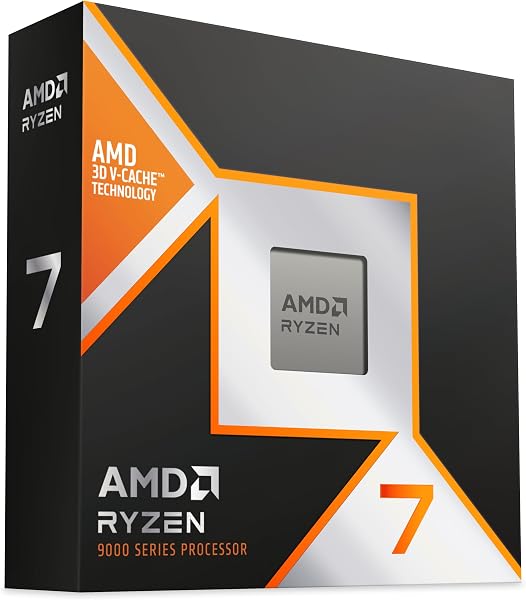
The Ryzen 7 9850X3D slots into AMD's lineup as a refined 3D V-Cache gaming processor built on the Zen 5 architecture. Positioned between the 9800X3D and the higher-end models, this chip targets gamers who want the cache-driven frame rate advantage of X3D technology within the AM5 ecosystem at a competitive price point.
We may earn a commission when you buy through this link, at no additional cost to you.
The 8-core configuration with 3D V-Cache follows the proven formula that made the 9800X3D the fastest gaming processor available. Zen 5 brings IPC improvements and better power efficiency, while the stacked cache reduces memory latency for the game workloads that benefit most from fast data access. The AM5 socket ensures compatibility with current and upcoming motherboards.
With limited detailed specifications publicly available at this time, buyers should verify clock speeds, cache capacity, and TDP before purchasing. The 4.8 owner rating suggests strong real-world satisfaction among early adopters. As with other high-end AMD desktop processors, an aftermarket cooler will likely be necessary.
When two processors share the same core count, architecture, and cache technology, the differences usually come down to clock speed bins and minor architectural refinements. If the 9850X3D offers a modest clock speed increase over the 9800X3D, the real-world gaming difference will likely be measured in single-digit frame rate percentages. Check current pricing for both models and choose whichever offers the better performance-per-dollar at the time of purchase.
This processor is a strong choice for gamers building on the AM5 platform who want 3D V-Cache performance and are considering the 9850X3D as an alternative to the 9800X3D. Compare current pricing and availability with the 9800X3D before deciding, as the performance difference between the two may be small enough that price becomes the deciding factor.
Buyers who need detailed specifications confirmed before purchasing or who require more than 8 cores.
We may earn a commission when you buy through this link, at no additional cost to you.
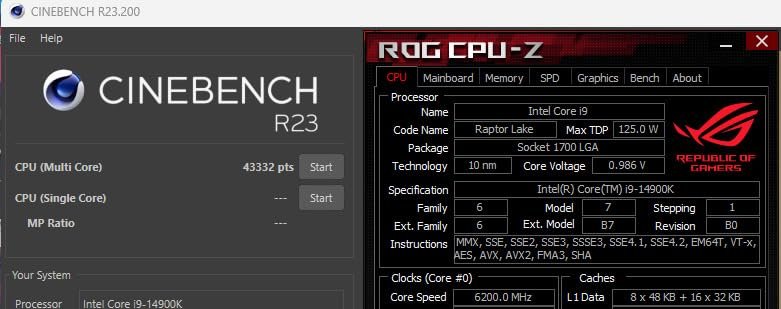
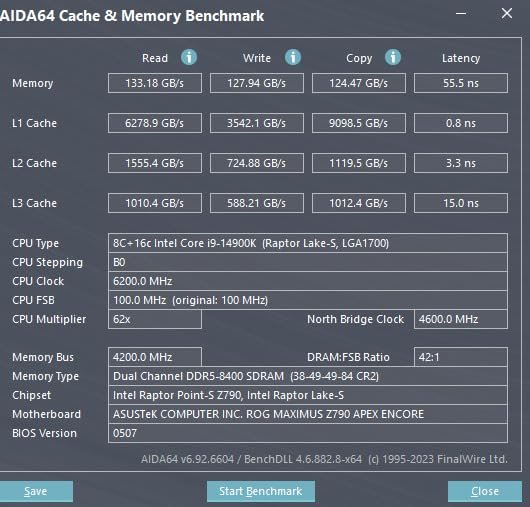
The Intel Core i9-14900K was Intel's flagship desktop processor for the 14th generation, offering a class-leading 6.0 GHz boost clock and 24 cores split between 8 P-cores and 16 E-cores. The high clock speed keeps this chip competitive in gaming, while the 32 threads provide substantial multi-threaded capability for productivity workloads.
We may earn a commission when you buy through this link, at no additional cost to you.
One of the 14900K’s practical advantages is dual memory platform support for both DDR4 and DDR5, which gives builders flexibility to reuse existing DDR4 RAM or invest in faster DDR5 depending on budget. The LGA1700 socket is compatible with both 600-series and 700-series chipsets, though a BIOS update may be needed for older 600-series boards. Integrated Intel UHD 770 graphics provide basic display output without a discrete GPU.
The lower owner rating compared to other processors in this guide reflects some real-world concerns that emerged during the 14th generation’s lifecycle, including power consumption and thermal management challenges under sustained loads. Adequate cooling is essential, and buyers should ensure their motherboard VRM can handle the power delivery requirements. The LGA1700 platform is also at the end of its upgrade path, with Intel’s newer LGA1851 socket now available.
LGA1700 has reached the end of its processor roadmap, meaning no future Intel desktop generations will use this socket. AM5, by contrast, is expected to support multiple future AMD processor generations. If you are building a new system and want the option to upgrade your CPU in two to three years without replacing the motherboard, AM5 offers a longer runway. If you already own an LGA1700 board, the 14900K maximizes what that platform can deliver.
This processor makes sense for builders who already own an LGA1700 motherboard and want a significant upgrade without changing platforms, or for those who find it at a discounted price. The 6.0 GHz clock and 24 cores still deliver strong performance. For new builds, the Core Ultra 9 285K on LGA1851 offers a more future-proof platform, and AMD’s AM5 options provide better gaming performance at similar prices.
New system builders who want a future-proof platform or gamers seeking the highest frame rates.
We may earn a commission when you buy through this link, at no additional cost to you.
The Ryzen 5 9600X is the most affordable entry point into AMD's Zen 5 architecture and the AM5 platform, delivering impressive gaming performance at a price that leaves significant budget for a better GPU. For gamers who understand that the graphics card matters more than the processor for frame rates at higher resolutions, this chip is the smart allocation of funds.
We may earn a commission when you buy through this link, at no additional cost to you.
Six cores and 12 threads are sufficient for current gaming workloads, and the 5.4 GHz boost clock with Zen 5 IPC improvements ensures strong single-threaded performance. The 38MB of cache is smaller than X3D models but adequate for most titles. DDR5-5600 support and PCIe 5.0 compatibility on select AM5 motherboards give this budget chip access to the same modern platform features as its more expensive siblings.
The unlocked multiplier allows overclocking for enthusiasts who want to squeeze extra performance from the chip with adequate cooling. No cooler is included, which adds to the total cost, but a modest air cooler is sufficient for a 6-core processor. The AM5 socket means this chip can be upgraded to a future Zen 6 or later processor without changing the motherboard.
At 1440p and 4K resolutions, the GPU is the primary bottleneck in most games, meaning a $175 CPU paired with a $600 GPU will outperform a $500 CPU paired with a $300 GPU in the vast majority of titles. The 9600X lets budget-conscious builders allocate more money to the graphics card where it has the biggest impact on visual quality and frame rates, while still providing enough CPU performance to avoid bottlenecking mid-range to high-end GPUs.
This is the best budget CPU for gamers building a new AM5 system who want to maximize their GPU budget. The 6-core configuration handles current games well, and the AM5 platform provides a clear upgrade path when you eventually need more cores. If you regularly stream, edit video, or run other multi-threaded workloads alongside gaming, consider stepping up to an 8-core model.
Users who need more than 6 cores for streaming, video editing, or heavy multitasking.
We may earn a commission when you buy through this link, at no additional cost to you.
The Intel Core Ultra 7 270K delivers the same 24-core hybrid configuration as the flagship 285K at a significantly lower price, making it the most compelling Intel option for builders who want the new LGA1851 platform without paying flagship premiums. The 8 P-cores and 16 E-cores provide strong multi-threaded capability for productivity and content creation.

We may earn a commission when you buy through this link, at no additional cost to you.
The 5.5 GHz max turbo is slightly lower than the 285K’s 5.7 GHz, but the real-world performance difference is modest for most workloads. The 125W base power and 250W max turbo power are engineered for sustained high-intensity operation, and the chip is unlocked for performance tuning when paired with Intel Z-series chipsets. DDR5 support up to 7200 MT/s ensures fast memory bandwidth for data-heavy tasks.
The LGA1851 socket is Intel’s newest desktop platform, providing a forward-looking upgrade path that the older LGA1700 cannot match. PCIe 5.0 and 4.0 support ensures compatibility with current and next-generation GPUs and storage devices. The hybrid architecture distributes workloads intelligently between P-cores and E-cores, improving overall system responsiveness during multitasking.
The 270K and 285K share the same 24-core configuration, with the primary difference being a 200 MHz boost clock advantage on the 285K. In real-world use, this translates to roughly 3 to 5 percent performance difference in most workloads, while the price gap is approximately $170. For most builders, the 270K represents significantly better value unless you specifically need the absolute highest Intel clock speeds for competitive benchmarking or latency-sensitive professional applications.
This is the best Intel option for builders who want a modern platform with strong multi-threaded performance at a mid-range price. The 24-core count matches the flagship 285K while saving $170, which can be redirected to a better GPU or faster storage. If gaming is your sole priority, AMD’s X3D processors still hold the frame rate crown. If you want the fastest Intel chip available, the 285K offers a modest clock speed advantage.
Gamers seeking maximum frame rates or builders who want to avoid the cost of a new LGA1851 motherboard.
We may earn a commission when you buy through this link, at no additional cost to you.
The processor is the brain of your desktop, and choosing the right one depends on understanding your actual workloads rather than chasing the highest spec sheet numbers. A $175 six-core chip can outperform a $650 sixteen-core chip in gaming, while that same six-core chip will struggle with video rendering. Use the factors below to match a CPU to your specific needs.
Core count determines how many independent tasks a processor can handle simultaneously, while thread count reflects the number of concurrent processing streams enabled by technologies like simultaneous multithreading. For gaming, 6 to 8 cores are sufficient for current titles, as most games cannot effectively use more than 8 threads. For content creation, video editing, 3D rendering, and software compilation, higher core counts provide dramatic time savings because these workloads scale well across many threads.
A common mistake is buying more cores than your workload requires. A 16-core processor costs significantly more than an 8-core model, but if you primarily game and browse the web, those extra cores sit idle and provide no benefit. Conversely, a video editor who regularly exports 4K timelines will see render times cut nearly in half when moving from 8 to 16 cores in well-optimized software.
For pure gaming, 6 to 8 cores is the sweet spot. For gaming plus streaming or moderate content creation, 8 to 12 cores provides headroom. For professional rendering, simulation, or heavy multitasking, 16 or more cores delivers meaningful productivity gains.
Clock speed measured in GHz indicates how many cycles per second each core completes, while IPC (instructions per clock) measures how much work each cycle accomplishes. A newer processor with lower clock speed can outperform an older chip with higher clocks if its IPC is significantly better. The Zen 5 architecture in the Ryzen 9000 series delivers roughly 16 percent higher IPC than Zen 4, meaning a 5.2 GHz Zen 5 chip does more work per second than a 5.2 GHz Zen 4 chip.
Boost clock is the maximum frequency a core can reach under ideal thermal and power conditions, while base clock is the guaranteed minimum frequency under full load. Real-world performance typically falls between these two numbers depending on cooling quality, power limits, and workload characteristics. A processor with a 5.7 GHz boost but poor cooling may spend most of its time at 5.0 to 5.2 GHz under sustained loads.
Prioritize IPC generation over raw clock speed when comparing across architectures. Within the same generation, higher boost clocks provide proportional performance gains. Always pair high-clock processors with adequate cooling to ensure they can sustain their rated boost frequencies.
CPU cache is ultra-fast memory built directly into the processor die that stores frequently accessed data closer to the cores than main RAM. L3 cache is the largest and most impactful for gaming, where reducing memory latency translates directly to higher and more consistent frame rates. Standard processors typically include 32 to 80MB of L3 cache, while AMD’s X3D models stack additional cache vertically on the die to reach 96 to 100MB or more.
AMD’s 3D V-Cache technology is the most significant gaming performance innovation in recent CPU history. By tripling the L3 cache available to the cores, X3D processors reduce the frequency of slow main memory accesses during gaming workloads. This is why the 8-core 9800X3D outperforms 16-core and 24-core processors with higher clock speeds in most game benchmarks. For gaming specifically, cache capacity often matters more than core count or clock speed.
If gaming is your primary use case, prioritize X3D processors for the cache advantage. For productivity workloads that are less sensitive to cache latency, standard processors with higher core counts provide better value. The cache premium on X3D models is wasted on workloads that do not benefit from reduced memory latency.
The socket type determines which motherboards a processor physically fits, and choosing a platform has long-term implications for upgradeability. AMD’s AM5 socket launched with the Ryzen 7000 series and is expected to support multiple future generations, providing a long upgrade runway. Intel’s LGA1851 is the newest platform with the Core Ultra 200 series, while the older LGA1700 platform has reached end-of-life for new processor releases.
Platform choice also determines memory compatibility. AM5 requires DDR5 memory, while LGA1700 supports both DDR4 and DDR5. LGA1851 requires DDR5. If you already own DDR4 RAM and want to minimize upgrade costs, the LGA1700 platform with a 14900K lets you reuse your existing memory. For new builds, DDR5 is the forward-looking choice with better bandwidth and lower latency.
For new builds, choose AM5 or LGA1851 for the longest upgrade path. For budget upgrades to existing systems, match the socket your current motherboard supports. Always verify motherboard chipset compatibility and BIOS version requirements before purchasing a new processor.
TDP (thermal design power) and actual power draw determine cooling requirements and electricity costs. Modern high-end processors can draw 125 to 250 watts or more under full load, requiring substantial cooling solutions. Most processors in this comparison do not include a cooler, so budget $30 to $150 for an aftermarket air cooler or AIO liquid cooler depending on the chip’s thermal output.
Six-core and eight-core processors like the Ryzen 5 9600X and Ryzen 7 9800X3D can be cooled effectively with mid-range air coolers in the $30 to $60 range. Sixteen-core processors like the Ryzen 9 9950X and Intel’s 24-core models benefit from 240mm or larger AIO liquid coolers to maintain boost clocks under sustained loads. Inadequate cooling causes thermal throttling, which reduces performance below the processor’s rated specifications.
Match your cooler to the processor’s thermal output. Check the manufacturer’s recommended cooling solution and add headroom if you plan to overclock or run sustained workloads in warm environments. A $500 processor cooled by a $20 cooler will not perform to its potential.
Some processors include integrated graphics that provide basic display output without a discrete GPU. Intel’s Core Ultra and 14th generation chips include integrated graphics, while most AMD Ryzen desktop processors do not (except for G-series models). Integrated graphics are useful for troubleshooting display issues, running a secondary monitor, or building a system for office work and media consumption without a dedicated graphics card.
For gaming builds with a discrete GPU, integrated graphics are largely irrelevant since the dedicated card handles all rendering. However, having integrated graphics as a backup can save significant frustration if your GPU fails or needs to be removed for RMA service. Intel’s integrated graphics also support Quick Sync video encoding, which accelerates video editing workflows in supported software.
If you are building a gaming PC with a discrete GPU, do not pay extra for integrated graphics. If you are building a general-purpose or office system without a GPU, choose a processor with integrated graphics to avoid the cost of a discrete card.
Memory support determines which RAM type and speed your processor can use. DDR5-5600 is the standard for AMD’s AM5 platform, while Intel’s LGA1851 supports DDR5 up to 7200 MT/s. Faster memory provides modest performance improvements in memory-sensitive workloads and gaming, but the gains diminish beyond the processor’s rated memory speed. The older LGA1700 platform uniquely supports both DDR4 and DDR5.
PCIe generation affects bandwidth for GPUs and NVMe storage. PCIe 5.0 doubles the bandwidth of PCIe 4.0, which matters for next-generation SSDs and potentially future GPUs. Most current GPUs do not saturate PCIe 4.0 bandwidth, so PCIe 5.0 is a forward-looking feature rather than a current necessity. AMD’s AM5 and Intel’s LGA1851 both support PCIe 5.0 on select motherboards.
For new builds, DDR5 and PCIe 5.0 provide future-proofing. For budget builds, DDR4 compatibility on LGA1700 reduces total system cost. Do not overspend on ultra-fast DDR5 kits beyond the processor’s rated speed unless benchmarking confirms meaningful gains for your specific workload.
When installing a new processor, handle it by the edges and avoid touching the contact pins or pads on the bottom of the chip. Align the orientation marker on the processor with the corresponding mark on the motherboard socket before gently lowering it into place. Never force a processor into a socket, as bent pins can permanently damage both the chip and the motherboard. Apply thermal paste in a pea-sized dot to the center of the integrated heat spreader before mounting the cooler, and ensure the cooler is seated evenly with consistent mounting pressure.
Monitor your processor temperatures during the first few days of use with software like HWiNFO or Ryzen Master to verify that your cooling solution is performing adequately. Idle temperatures should typically be 30 to 45 degrees Celsius, while load temperatures under 85 degrees Celsius are safe for most modern processors. If temperatures consistently exceed 90 degrees under load, check cooler mounting, thermal paste application, and case airflow. Enable XMP or EXPO profiles in your BIOS to ensure your RAM runs at its rated speed rather than default JEDEC specifications.
Keep your motherboard BIOS updated to ensure compatibility with newer processor revisions and to receive stability and performance improvements from the manufacturer. Periodically clean dust from your CPU cooler fins and case fans to maintain thermal performance, as dust accumulation can raise temperatures by 10 to 15 degrees over time. If you overclock your processor, monitor voltage and temperature closely, and avoid pushing voltages beyond the manufacturer’s recommended safe limits to prevent long-term degradation of the silicon.
Six to eight cores are sufficient for current gaming workloads, as most games cannot effectively utilize more than eight threads. The Ryzen 5 9600X with 6 cores handles modern games well, while the 8-core Ryzen 7 9800X3D provides additional headroom for background tasks like streaming or voice chat. Going beyond 8 cores provides diminishing returns for pure gaming and is better allocated to a more powerful GPU.
AMD currently holds the gaming performance crown with its X3D processors, particularly the Ryzen 7 9800X3D, which outperforms Intel's best offerings in most game benchmarks thanks to its massive 3D V-Cache. Intel's Core Ultra 9 285K and Core i9-14900K remain competitive, especially in titles that favor high clock speeds, but AMD's cache advantage is decisive in the majority of popular games at 1080p and 1440p resolutions.
Most high-performance desktop processors in this comparison do not include a cooler, so you will need to purchase one separately. Six-core and eight-core chips work well with mid-range air coolers costing $30 to $60. Sixteen-core and 24-core processors benefit from 240mm or larger AIO liquid coolers. Check the processor specifications to confirm whether a cooler is included before budgeting for your build.
3D V-Cache is AMD's technology that stacks additional L3 cache memory vertically on top of the processor die, dramatically increasing the total cache available to the cores. This extra cache reduces memory latency for gaming workloads, which translates to higher and more consistent frame rates. The 9800X3D's 96MB of L3 cache is roughly three times larger than standard processors, and this cache advantage is the primary reason X3D chips dominate gaming benchmarks.
Both platforms are current and will receive future processor generations, but AMD's AM5 has a longer track record of backward compatibility and is expected to support at least one more full generation of Ryzen processors. Intel's LGA1851 is newer and offers features like DDR5-7200 support. Choose AM5 if you want the best gaming performance with X3D options. Choose LGA1851 if you prefer Intel's hybrid architecture or need specific Intel platform features.
AMD Ryzen processors are unlocked for overclocking on all AM5 motherboards with B-series or X-series chipsets. Intel processors with a K suffix like the 14900K, 285K, and 270K are unlocked for overclocking on Z-series chipsets. Overclocking can provide modest performance gains of 5 to 10 percent but requires adequate cooling and increases power consumption. For most users, enabling automatic boost features and XMP/EXPO memory profiles provides the best performance-to-effort ratio.
Yes, the CPU can bottleneck the GPU if it cannot prepare frames fast enough, particularly at lower resolutions like 1080p where the GPU finishes rendering quickly and waits for the CPU. At 4K resolution, the GPU is typically the bottleneck and CPU differences become less significant. Pair a high-end GPU with at least a 6-core modern processor to avoid bottlenecking, and choose an 8-core X3D chip if you game primarily at 1080p or 1440p with a top-tier GPU.
Modern desktop processors typically remain capable for 5 to 7 years of gaming and general use, though professional workloads may outgrow them sooner as software demands increase. Platform longevity also matters: AM5 and LGA1851 will support future processor upgrades, while LGA1700 has reached end-of-life. Investing in a current platform with upgrade potential extends the useful life of your overall system even if you eventually swap the processor.
DDR5 provides higher bandwidth and lower power consumption than DDR4, with performance gains of 5 to 15 percent in memory-sensitive workloads and some games. For new builds on AM5 or LGA1851, DDR5 is required and the cost premium has decreased significantly. For LGA1700 builds where DDR4 is still an option, DDR4 remains a valid budget choice, though DDR5 provides better future-proofing and slightly better performance in most scenarios.
The AMD Ryzen 7 9800X3D stands out as the strongest overall choice for most desktop builders, delivering the fastest gaming performance available thanks to its 96MB of 3D V-Cache and Zen 5 architecture. At $439.99, it provides the best combination of gaming frame rates, power efficiency, and AM5 platform longevity for anyone building a gaming-focused system. The 4.8 owner rating reflects consistent real-world satisfaction across a wide range of gaming configurations.
For buyers with different priorities, the Ryzen 5 9600X offers exceptional value at under $175 for budget-conscious gamers who want to maximize their GPU investment, the Ryzen 9 9950X delivers 32 threads of Zen 5 power for content creators and professionals, and the Intel Core Ultra 7 270K provides 24 cores on Intel's latest LGA1851 platform at a competitive mid-range price. AM4 owners can breathe new life into existing systems with the Ryzen 7 5800X3D without replacing their motherboard or RAM.
Start by identifying your primary workload, whether that is gaming, content creation, streaming, or a mix of all three. Match that workload to the core count, cache capacity, and platform that best serves your needs, then allocate the remainder of your budget to the GPU, RAM, and storage that will have the biggest impact on your daily experience. Use the buying guide factors above to weigh the trade-offs between cores, clocks, cache, and platform longevity, and choose the processor that will deliver the best real-world performance for your specific use case over the next several years.