Insignia F50 43-Inch
8.6Editor score43-inch 4K panel
HDR10 color support
Three HDMI ports
DTS Virtual-X sound
Find the right budget tvs for 2026. We compare 10 standout options by build quality, useful features, owner feedback, value, and everyday trade-offs.

Finding an affordable television in 2026 means balancing screen size, resolution, smart platform, picture quality, sound performance, and port selection without overpaying for features you will not use. We compare 10 budget-friendly TVs across these practical factors so you can match the right model to your room, viewing habits, and streaming preferences.
The gap between a bargain TV and a disappointing one often comes down to the details. A smart platform you actually enjoy using, enough HDMI ports for your devices, and a panel that handles both bright rooms and dim movie nights can turn an inexpensive television into a genuine daily upgrade.
This guide breaks down the specifications and trade-offs that separate these affordable options, from 32-inch bedroom sets to 50-inch living room displays. You will find clear guidance on which model suits a secondary room, which handles gaming adequately, and which delivers the best overall value for primary viewing.
We compared 10 affordable televisions using the factors that actually guide a budget shopper: resolution, panel type, screen size options, smart platform usability, HDR format support, port count, sound performance, voice control, build quality, and real-world value. The notes focus on practical trade-offs so each pick connects to how people actually use a budget TV in bedrooms, kitchens, guest rooms, dorms, and primary living spaces.


Compare key features, scores, and current prices side by side. A shorter feature list means fewer details were available, not necessarily fewer capabilities.




The Roku 40-inch Select earns the highest rating in this comparison, which is notable for a product at this price point. It focuses on doing a few things exceptionally well rather than cramming in features that budget shoppers may not need. The 1080p Full HD panel is well suited to its 40-inch size, and the Roku platform makes it one of the simplest TVs to set up and operate.
We may earn a commission when you buy through this link, at no additional cost to you.
Picture quality uses Roku Smart Picture to analyze incoming signals and apply appropriate optimizations automatically. This matters because many users never touch picture settings after unboxing, so having the TV handle this automatically produces consistently good results. On a 40-inch screen, 1080p resolution is sharp enough that most viewers will not miss 4K, especially given that most TV broadcasts and much streaming content is still delivered in HD.
The Bluetooth Headphone Mode is a standout feature. You can pair wireless headphones directly to the TV for private late-night viewing without any additional transmitter, which is particularly valuable in bedrooms, apartments, or shared living spaces. Voice control works across Roku Voice, Siri, Alexa, and Google Assistant, giving you flexibility regardless of which smart home platform you use.
Most budget TVs do not offer native Bluetooth audio output, forcing you to use a separate transmitter if you want to use wireless headphones. The Roku 40-inch Select handles this directly, letting you pair headphones in seconds and listen privately without disturbing anyone else. This feature alone can justify the choice for apartment dwellers and parents of light-sleeping kids.
The main trade-off is the 1080p resolution, which means this is not the right choice for buyers who want to watch 4K content from streaming services or Ultra HD discs. The frameless design keeps it looking modern in any room, and for buyers who prioritize simplicity, reliability, and strong user satisfaction over cutting-edge specifications, this is one of the easiest recommendations in the guide.
Buyers who specifically want 4K resolution or plan to connect many devices requiring 4K input.
We may earn a commission when you buy through this link, at no additional cost to you.
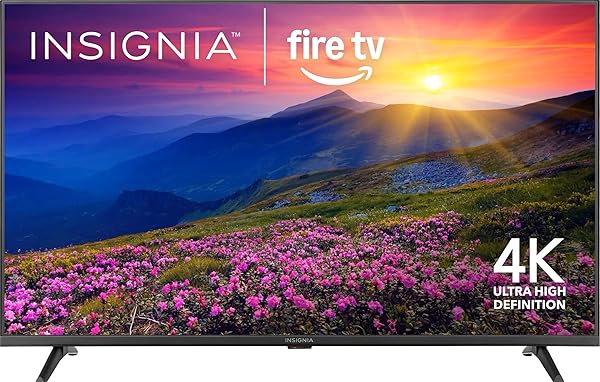
The Insignia F50 43-inch is one of the easiest ways to add a genuine 4K display to a bedroom, home office, or secondary living space without stretching your budget. It covers the essentials well: a true 4K panel with HDR10 support, Fire TV built in, and three HDMI inputs that leave room for a game console, streaming stick, and Blu-ray player at the same time. For the price, that port selection alone makes it stand out.
We may earn a commission when you buy through this link, at no additional cost to you.
Picture quality handles everyday viewing with surprising competence. HDR10 content shows meaningfully better contrast than standard dynamic range sources, and 4K upscaling cleans up older HD content so it looks acceptable on the larger panel. The brightness level is modest, which means it performs best in rooms with controlled lighting rather than sun-filled spaces where glare becomes a problem.
The Fire TV platform is one of the main attractions here. It launches apps quickly, offers hands-free content search through the Alexa voice remote, and integrates with smart home devices so you can view camera feeds or control lights directly from the TV. HDMI eARC support means you can send lossless audio to a modern soundbar without an extra cable, which is a nice touch at this price point.
Many budget televisions ship with only two HDMI ports, which fills up quickly once you add a soundbar, game console, and streaming device. Three ports give you the flexibility to leave everything connected without constantly swapping cables, which is particularly valuable in a secondary room where you may not want to invest in a separate HDMI switch.
The main trade-off is that this is clearly a value-oriented panel, not a premium one. If you want Dolby Vision, local dimming, or high-nit brightness for a bright room, you will need to spend more. For buyers who want a competent 4K display with modern streaming features at an entry-level price, however, the F50 delivers exactly that.
Buyers who need Dolby Vision support or high peak brightness for sunlit rooms.
We may earn a commission when you buy through this link, at no additional cost to you.
The Roku 50-inch Select QLED stands out in the budget category because QLED panels at this price are still relatively rare. Quantum dot technology produces more saturated and accurate colors than standard LED-LCD panels, which translates to more lifelike skin tones and vibrant imagery in nature documentaries, animated content, and sports broadcasts. For a primary living room TV at an affordable price, this is a meaningful upgrade over typical budget sets.
We may earn a commission when you buy through this link, at no additional cost to you.
Picture performance benefits from Roku Smart Picture, which analyzes incoming content and automatically selects an appropriate picture mode. This matters because many budget TV buyers never adjust picture settings manually, so an automatic optimizer helps the TV look its best across different content types. HDR10 support delivers improved contrast and highlight detail on compatible streaming content and discs.
The Roku platform is widely considered the simplest smart TV interface available. Setup takes just a few minutes, the home screen is uncluttered, and app launches are fast. The enhanced voice remote adds practical features like voice search across apps, personalized shortcut buttons, and a lost remote finder that plays a sound when you cannot find it in the couch cushions. AirPlay support makes it easy to share content from Apple devices.
QLED uses a layer of quantum dots that produce purer, more precise colors when illuminated by the backlight. Compared to a standard LED-LCD panel, the result is wider color coverage, more vivid reds and greens, and generally more lifelike images. At this price point, finding QLED is unusual and gives this Roku model a visible edge over similarly priced standard LED televisions.
The main consideration is that this TV supports HDR10 only, not HDR10+ or Dolby Vision. Built-in speakers also handle dialogue clearly but lack the depth of a dedicated soundbar. If you plan to add a soundbar and your primary content comes from streaming services with HDR10 masters, however, this is one of the strongest value propositions in the 50-inch category.
Buyers who require Dolby Vision or need very loud built-in speakers for large rooms.
We may earn a commission when you buy through this link, at no additional cost to you.
The Insignia F20 32-inch is designed for spaces where screen size matters less than fit and function. A kitchen counter, guest bedroom, dorm room, or workshop benefits from a compact television that handles streaming and casual viewing without taking over the room. At its price, it is one of the easiest ways to add a smart TV to a secondary space.
We may earn a commission when you buy through this link, at no additional cost to you.
Resolution is 720p HD, which is appropriate for a 32-inch screen viewed from typical distances. At this size, the difference between 720p and 1080p is minimal for most viewers, and spending more on higher resolution often provides diminishing returns. HD streaming content from Netflix, Prime Video, and other services looks clean, and the Fire TV platform makes finding content straightforward.
Connectivity includes two HDMI ports, composite inputs for older devices, a USB port, and a headphone jack. The headphone jack is particularly useful in a bedroom setting where late-night viewing without disturbing others matters. DTS Virtual-X creates a wider soundstage than you might expect from a small TV, and HDMI ARC support lets you connect a compact soundbar if you want improved audio.
On a 32-inch screen viewed from a normal couch or bed distance, 720p resolution is virtually indistinguishable from 1080p for most viewers. The pixel density is high enough that individual pixels are not visible, and streaming services deliver clean HD content at this resolution. Paying extra for 1080p at this size usually brings little practical benefit.
The clear trade-off is the 720p resolution and limited port count. This is not a TV for serious movie watching or gaming on a modern console at full detail. For its intended purpose as a secondary room display with smart streaming features, however, it offers excellent value and takes up minimal space in rooms where a larger TV would feel overwhelming.
Primary living room viewing or buyers who want 1080p or higher resolution.
We may earn a commission when you buy through this link, at no additional cost to you.
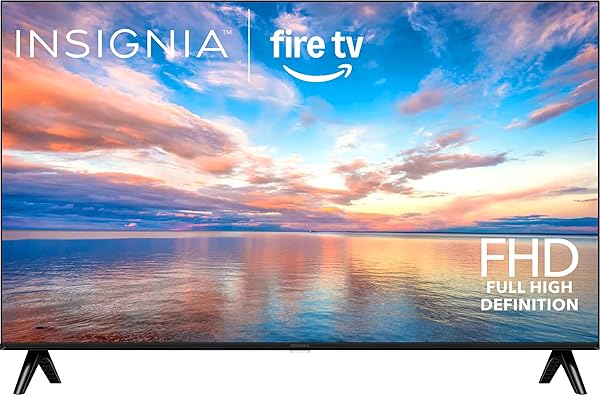
The Insignia F40 40-inch targets buyers who want a Full HD smart TV with Fire TV built in at an accessible price. At this screen size and price point, 1080p resolution is a sensible choice because most streaming and broadcast content is delivered in HD, and the panel renders it cleanly without the processing demands of 4K upscaling. It fits well in bedrooms, home offices, and smaller living spaces.
We may earn a commission when you buy through this link, at no additional cost to you.
Picture performance handles everyday content well. Streaming apps load through the Fire TV interface, which gives you access to over 1.5 million movies and shows across services like Netflix, Prime Video, Disney Plus, and Hulu. The LED-backlit LCD panel delivers reasonable brightness and contrast for its class, though it will not match premium panels in challenging HDR content or bright-room viewing.
The Alexa Voice Remote is one of the Fire TV platform’s strongest features. You can press and hold the voice button to search for content across apps, launch specific shows, or control playback hands-free. This becomes especially useful when kids are using the TV or when you want to find something specific without typing on an awkward on-screen keyboard. Parental controls let you restrict content by rating or block entire channels.
The Fire TV platform integrates with Amazon’s broader ecosystem, which means voice search works across apps, smart home devices can be controlled from the TV, and content recommendations improve over time. If you already use Alexa devices or shop on Amazon, this integration adds convenience that competing platforms may handle differently.
The trade-offs are modest. Two HDMI ports fill up quickly if you have both a game console and a streaming device, and the panel is 1080p rather than 4K. For buyers who stream most of their content and do not need to connect multiple HDMI sources simultaneously, this TV covers the fundamentals at an affordable price.
Buyers who need more than two HDMI inputs or want 4K resolution for premium content.
We may earn a commission when you buy through this link, at no additional cost to you.
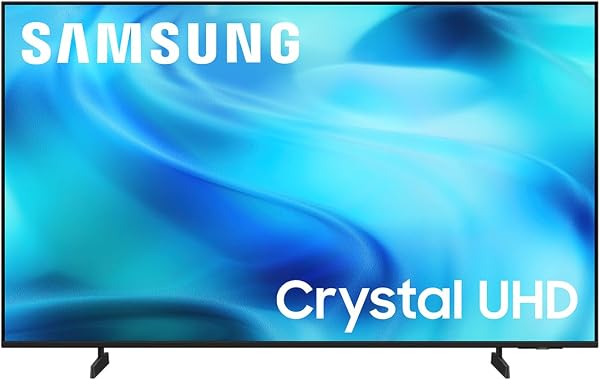
The Samsung U8000H 43-inch brings Samsung's smart TV ecosystem to the budget category with a 4K Crystal panel, Vision AI processing, and the familiar Tizen operating system. For buyers who already own other Samsung devices or prefer the Tizen interface over Roku or Fire TV, this is one of the more accessible entry points into the brand's 2026 lineup.
We may earn a commission when you buy through this link, at no additional cost to you.
Picture processing is driven by Samsung’s Crystal Processor, which handles 4K upscaling and color enhancement across different content types. Motion Xcelerator smooths frame transitions for sports and action content at up to 4K 60Hz, which is helpful for watching football or racing where motion blur can be distracting. Color Booster amplifies saturation to make scenes more vibrant, though some viewers may prefer a more neutral calibration.
The Tizen platform provides access to over 2,700 free streaming channels through Samsung TV Plus, which is a meaningful amount of ad-supported content for cord-cutters. Alexa is built in, so you can use voice commands without needing a separate Echo device nearby. The 2026 Vision AI features add personalized recommendations and content organization that evolve as you use the TV.
Samsung Vision AI uses machine learning to analyze content and viewing habits, then adjusts picture settings and surfaces recommendations accordingly. In practice, this means the TV learns which shows and apps you use most and makes them easier to access, while picture modes shift automatically between film, sports, and gaming content without manual intervention.
The main consideration is that the Tizen interface can feel more crowded than Roku’s minimalist approach, with ads and promoted content occupying parts of the home screen. The 60Hz refresh rate also limits serious gaming compared to higher-end models with 120Hz panels. For buyers who want Samsung quality at a budget price and appreciate a robust feature set, however, this is a solid 43-inch option.
Buyers who prefer the simplicity of Roku or need 120Hz for competitive gaming.
We may earn a commission when you buy through this link, at no additional cost to you.
The Amazon Ember 50-inch sits at the top of the budget category because it adds several features typically found on more expensive TVs: HDR10+ for dynamic metadata, Wi-Fi 6 for faster streaming performance, four HDMI inputs for connecting multiple devices, and a quad-core processor that keeps the Fire TV interface responsive. For buyers who want a 50-inch 4K TV with modern connectivity, this is a strong pick.
We may earn a commission when you buy through this link, at no additional cost to you.
Picture quality benefits from HDR10+ support, which uses dynamic metadata to optimize brightness and contrast on a scene-by-scene basis for compatible content. This produces more accurate highlights and shadow detail than standard HDR10, especially on streaming services like Prime Video that master titles in HDR10+. Enhanced panel brightness and Dolby Audio processing round out the viewing and listening experience.
The newest Fire TV experience launched for 2026 brings a redesigned interface with pinnable apps, personalized Alexa+ recommendations, and faster navigation. Omnisense technology uses built-in sensors to detect when you enter the room, waking the display to show ambient artwork or your content shortcuts. Game streaming through Amazon Luna and Xbox Game Pass works without a console, which is unusual at this price.
Wi-Fi 6 provides faster speeds and better handling of multiple simultaneous connections than older Wi-Fi standards. For a streaming TV, this means less buffering during 4K playback, faster app launches, and more reliable performance when other devices on your network are competing for bandwidth. It also future-proofs the TV as more homes upgrade to Wi-Fi 6 routers.
The main consideration is that Fire TV promotes Amazon services and content prominently on the home screen, which some users find useful and others find intrusive. Panel brightness is good for the price but not exceptional, so bright-room performance has limits. For buyers who want a feature-rich 50-inch 4K TV with modern connectivity and strong streaming integration, this is one of the most capable budget options available.
Buyers who prefer minimal interfaces without content promotion or want the highest peak brightness.
We may earn a commission when you buy through this link, at no additional cost to you.
The Samsung F6000 40-inch focuses on audio and smart features at a budget-friendly price. Object Tracking Sound Lite uses virtual channel positioning to make audio feel like it is coming from the correct part of the screen, which creates a more immersive experience during movies and sports without requiring an external sound system. For a TV at this price, that is a meaningful upgrade over standard flat stereo output.
We may earn a commission when you buy through this link, at no additional cost to you.
Picture quality uses HDR to expand contrast between the brightest and darkest parts of a scene, and PurColor technology broadens the color spectrum for more lifelike images. Mega Contrast adjusts brightness and contrast dynamically to improve the visibility of dark scenes and preserve highlight detail in bright ones. The 1080p resolution is appropriate for the 40-inch screen size and streams cleanly from major services.
Smart features include Samsung Knox Security, which protects against malicious apps and phishing sites while keeping sensitive data like PINs and passwords secure. This is unusual at this price point and adds value for buyers who worry about smart TV security. Q Symphony lets you pair the TV with a compatible Samsung soundbar so both sets of speakers work together rather than muting the TV speakers, enhancing the overall audio experience.
Object Tracking Sound Lite uses virtual positioning algorithms to make audio feel like it is originating from the correct location on the screen. When a car moves from left to right, the sound follows. When dialogue happens in the center of the frame, voices come from the center. This creates a more engaging viewing experience without requiring surround speakers or a soundbar.
The main trade-off is that this is a Full HD TV, not 4K, so buyers who specifically want higher resolution should look elsewhere. Mobile screen mirroring quality can vary depending on the app being mirrored. For buyers who prioritize audio quality, security, and the Samsung ecosystem at an affordable 40-inch size, however, this TV offers a well-rounded feature set.
Buyers who need 4K resolution or want the simplest possible smart TV interface.
We may earn a commission when you buy through this link, at no additional cost to you.
The Hisense A4 40-inch brings a Game Mode with just 16 milliseconds of input lag to the budget category, which is impressive for a TV at this price. For casual gamers who want responsive performance without stepping up to a premium gaming TV, this latency reduction makes a real difference in reaction time during fast-paced play. The Full HD resolution works well with current-generation consoles outputting to a smaller screen.
We may earn a commission when you buy through this link, at no additional cost to you.
Picture quality uses a Full Array LED backlight rather than edge lighting, which produces more uniform brightness across the screen and better contrast control. Natural Color Enhancer analyzes scenes and boosts colors to look more lifelike, which is particularly noticeable in nature content and outdoor sports. The 1080p resolution is appropriate for the 40-inch panel and delivers clean images from streaming services.
The Fire TV platform provides access to all major streaming apps, and the Press and Ask Alexa feature lets you search content, check sports scores, set timers, and control smart home devices through the voice remote. DTS Virtual:X creates a wider soundstage from the built-in speakers, improving dialogue clarity and adding depth to music and effects without requiring a soundbar.
Input lag is the delay between pressing a controller button and seeing the action on screen. For competitive or reflex-based games, high input lag feels sluggish and can genuinely affect your performance. A 16ms Game Mode is responsive enough for most casual gaming scenarios and significantly better than typical budget TVs that may have 40ms or more of latency.
The main consideration is that this is a 1080p TV, so buyers who want 4K for the latest games or movies should look at larger models. The 40-inch size may also feel small for a primary living room, though it works well in bedrooms, offices, or gaming setups. For a budget Fire TV with legitimate gaming performance, this is one of the better choices available.
Buyers who want 4K gaming or need a larger screen for a primary living room.
We may earn a commission when you buy through this link, at no additional cost to you.
The Insignia FE 40-inch earns one of the higher ratings in this guide thanks to its reliable combination of a 1080p LED-LCD panel, Fire TV smart platform, and straightforward Alexa voice remote. For buyers who want a dependable secondary TV or a primary set in a smaller room, this model focuses on getting the fundamentals right rather than packing in advanced features.
We may earn a commission when you buy through this link, at no additional cost to you.
Picture quality uses an LED-backlit LCD screen that delivers reliable brightness and a wide color range for standard content. On a 40-inch display, 1080p resolution produces sharp images from streaming services and cable sources without the processing overhead of 4K upscaling. The LED backlight is designed for long operational life, which contributes to the TV’s overall reliability.
The Fire TV platform provides access to over 1.5 million movies and TV episodes across major streaming services, and the Alexa Voice Remote lets you search by voice, launch apps, and switch inputs quickly. Fire TV also adds new Alexa skills and smart home features over time through automatic updates, so the TV’s capabilities expand gradually without requiring any action from you.
Not every room needs a premium 4K TV with HDR10+ and 120Hz gaming performance. Guest rooms, kitchens, workshops, and secondary spaces often benefit from a reliable Full HD smart TV that handles streaming well and does not overwhelm the room. Choosing a simpler TV in these spaces frees up budget for a better primary set in the main viewing area.
The main trade-off is that this TV sticks to the essentials: no 4K resolution, no premium HDR formats, and standard LED backlighting rather than more advanced panel technologies. For buyers who want a straightforward smart TV with strong owner satisfaction at an affordable price, however, this is a sensible choice that avoids paying for features you may not actually use.
Primary home theater use or buyers who want cutting-edge picture technology.
We may earn a commission when you buy through this link, at no additional cost to you.
Buying an affordable TV in 2026 is less about chasing the lowest price and more about matching the right features to how you will actually use the television. This section walks through the specifications that genuinely matter at the budget level so you can avoid overspending on things you will not notice or underspending on things that will frustrate you daily.
Screen size is the first decision most buyers face, and getting it right depends on your viewing distance and the room’s purpose. A 32-inch TV works well for a kitchen counter or small bedroom where you sit three to five feet away. A 40-inch set fits most bedrooms and offices comfortably, while 43 to 50-inch models suit primary living rooms where viewing distances typically run six to ten feet.
Buyers often make the mistake of either overestimating or underestimating the right size. Going too small for a living room makes the TV feel inadequate once you settle in, while going too large for a bedroom creates eye fatigue and makes the picture look pixelated when viewed from close range. A rough guideline is to multiply the screen size in inches by 1.5 to 2 to get the ideal viewing distance in inches, though personal preference matters too.
Measure your actual viewing distance before you shop, then choose the largest TV that fits comfortably within that range. In doubt, size up rather than down for a primary room, and size down rather than up for secondary spaces.
Resolution determines how many pixels make up the picture, with higher numbers producing sharper images at larger sizes or closer viewing distances. 720p HD is adequate for 32-inch TVs viewed from typical distances. 1080p Full HD is the sweet spot for 40 to 43-inch models, delivering clean streaming and broadcast content without the premium cost of 4K. 4K UHD becomes meaningful at 43 inches and larger, especially for buyers who watch Ultra HD content from streaming services, Blu-rays, or modern game consoles.
The common mistake is assuming 4K is always worth paying extra for. On a 32 or 40-inch screen viewed from a normal distance, the human eye cannot resolve the extra pixels, so the practical benefit over 1080p is minimal. On a 50-inch screen or larger, however, 4K produces visibly sharper images and better detail reproduction, especially with native 4K content. Upscaling technology helps older HD content look better on 4K panels, but it cannot create detail that is not in the source.
Match the resolution to the screen size and your content sources. If you stream mostly HD content on a smaller TV, 1080p saves money without sacrificing visible quality. If you want 4K streaming on a larger primary TV, step up to UHD.
The smart TV platform shapes your daily experience more than almost any other feature. Roku is known for its simplicity, uncluttered interface, and broad app support, making it the easiest platform for most users. Fire TV offers deep integration with Amazon services, strong voice control through Alexa, and extensive content discovery features, which appeals to Prime members and smart home users. Samsung Tizen provides a polished interface with access to Samsung TV Plus for free channels and tight integration with other Samsung devices.
Each platform has trade-offs beyond interface design. Roku keeps advertising relatively minimal and focuses on content discovery. Fire TV surfaces Amazon content prominently, which some users appreciate and others find intrusive. Tizen offers robust features but can feel busier than the alternatives. All three platforms support major streaming services like Netflix, Prime Video, Disney Plus, Hulu, and YouTube, so core app availability is rarely a deciding factor.
Try each platform in a store or at a friend’s house before committing if you can. The one that feels most intuitive to you will provide the best long-term experience, regardless of its underlying technical capabilities.
High Dynamic Range improves contrast and color range beyond what standard dynamic range can produce. HDR10 is the baseline format supported by nearly every modern TV, including budget models. HDR10+ adds dynamic metadata that adjusts brightness and contrast on a scene-by-scene basis for more accurate reproduction. Dolby Vision takes this further with frame-by-frame optimization, but it is rare at the budget level.
At the budget level, HDR10 support is a reasonable expectation and provides a visible improvement over SDR content on compatible panels. HDR10+ is a nice bonus found on some models like the Amazon Ember, giving you better performance with Prime Video and other HDR10+ sources. The caveat is that budget TVs often lack the peak brightness needed to fully showcase HDR content, so the improvement may be more modest than on premium displays.
If HDR matters to you, prioritize models that explicitly list HDR10 or HDR10+ support rather than assuming it. For buyers who mostly watch SDR content, HDR capability is a lower priority.
HDMI port count is one of the most practical considerations for a budget TV. Two ports fill up quickly if you have a soundbar, game console, and streaming stick. Three ports provide room for most setups. Four ports, as found on the Amazon Ember, offer flexibility for complex home theater configurations without needing an external HDMI switch. Also check for HDMI eARC support if you plan to use a soundbar that handles lossless audio formats.
Beyond HDMI, consider USB ports for media playback or firmware updates, a headphone jack for private listening, an optical audio output for older sound systems, and Ethernet for wired network connections. Wi-Fi is standard, but newer Wi-Fi 6 support provides faster and more reliable streaming on compatible routers. Bluetooth audio support, as found on the Roku Select Series, lets you connect wireless headphones without a separate transmitter.
Count your current devices and add one or two future-proofing ports beyond that. Running out of HDMI inputs six months after buying a TV is a common and avoidable frustration.
Built-in TV speakers have improved steadily, but they remain the weakest link in most budget televisions. Technologies like DTS Virtual-X, Object Tracking Sound Lite, and Dolby Audio help create a wider soundstage from compact speaker arrays, improving dialogue clarity and adding dimensionality to music and effects. These features cannot replace a dedicated soundbar, but they make built-in audio more pleasant for everyday viewing.
If dialogue clarity is important to you, look for TVs that specifically emphasize voice-focused audio processing. Roku Select Series TVs mention clear speech enhancement, which can be valuable in rooms with background noise or for viewers who struggle to hear quiet dialogue in modern film mixes. HDMI ARC and eARC support let you upgrade to a soundbar later without any complex rewiring.
Budget for a soundbar if sound quality matters to you. A modest soundbar paired with a budget TV often delivers a better overall experience than a more expensive TV with built-in speakers alone.
Budget TVs typically run at 60Hz refresh rates and lack features like variable refresh rate or HDMI 2.1 found on premium gaming displays. For casual gaming, this is usually acceptable, though input lag varies widely between models. The Hisense A4 explicitly advertises a 16ms Game Mode, which is responsive enough for most non-competitive play. TVs that do not mention input lag or Game Mode may have significantly higher latency.
If you plan to use your TV primarily with current-generation consoles, check whether it supports 4K at 60Hz through HDMI, how many HDMI inputs are available for console connection, and whether Game Mode is a listed feature. For PC gaming or competitive console play requiring high frame rates, a budget TV is generally not the right tool, and a dedicated gaming monitor or premium TV would serve better.
Match the TV to your gaming needs honestly. Casual gaming on a budget TV works fine if you choose a model with a dedicated Game Mode and low advertised input lag.
Set up your TV in a location with controlled lighting whenever possible, as budget panels generally have lower peak brightness than premium models and perform best in dim or moderately lit rooms. Avoid placing the screen directly opposite a window where sunlight will cause glare and wash out the picture during daytime viewing. Keep at least a few inches of clearance around the back and sides for ventilation, especially if the TV is mounted inside an entertainment center.
Spend a few minutes adjusting picture settings when you first set up the TV. Most budget TVs ship in a Vivid or Standard mode that oversaturates colors and boosts brightness to look impressive in stores but can cause eye fatigue at home. Switching to a Movie, Cinema, or Filmmaker mode usually produces more accurate colors and a more comfortable viewing experience. Smart Picture modes on Roku models handle this automatically, which is helpful if you prefer not to tweak settings manually.
Keep the TV’s firmware updated by connecting it to Wi-Fi and allowing automatic updates. Manufacturers release updates that improve picture processing, add streaming apps, fix bugs, and patch security vulnerabilities. Clean the screen periodically with a soft, dry microfiber cloth to remove dust, and avoid household cleaning sprays that can damage the anti-glare coating. If you use the TV in a dusty environment, occasional cleaning of the ventilation openings helps prevent overheating and extends the panel’s useful life.
Yes, modern budget TVs handle streaming, cable, and casual gaming well enough for most primary living rooms. The main compromises are peak brightness, HDR performance, and advanced gaming features. If you have controlled lighting, do not require Dolby Vision, and do not play competitive games requiring 120Hz, a budget 43 or 50-inch 4K TV delivers excellent everyday value.
QLED uses quantum dots to produce more saturated and accurate colors than standard LED-LCD panels. The visible difference includes richer reds and greens, more lifelike skin tones, and better overall color volume. At the budget level, finding QLED is relatively uncommon, so a QLED budget TV like the Roku 50-inch Select offers a meaningful upgrade over similarly priced standard LED models.
Not really. At 40 inches viewed from typical couch distances, the pixel density of 1080p is sharp enough that most viewers cannot see individual pixels. Paying extra for 4K at this size usually provides minimal visible benefit, and the saved money is better spent on a soundbar or a larger 4K TV for a different room where the resolution upgrade actually matters.
Three HDMI ports is a comfortable minimum for most living rooms, accommodating a soundbar, game console, and streaming device simultaneously. Two ports work for simpler setups but fill up fast. Four ports, found on the Amazon Ember, give you flexibility for complex configurations. If you are running close to the limit, consider future devices before deciding.
Roku is widely considered the simplest smart TV platform thanks to its clean home screen, consistent interface, and uncluttered remote. Fire TV offers more advanced features and voice capabilities but can feel busier with Amazon content promotion. Samsung Tizen is polished but has a steeper learning curve. For first-time smart TV buyers or non-technical users, Roku is often the best starting point.
Yes, modern budget TVs connect to current-generation consoles like the PlayStation 5, Xbox Series S, and Nintendo Switch through standard HDMI inputs. Picture quality and resolution vary by TV, with 4K models supporting 4K console output and 1080p models limited to Full HD. For casual gaming, any budget TV with a dedicated Game Mode will work well. Competitive gamers may want a higher-refresh-rate display.
Dolby Vision support is rare at the budget level. Most affordable TVs include HDR10 support, and some add HDR10+ for dynamic metadata on compatible content. If Dolby Vision is important to you, be prepared to step up in price or check specifications carefully, as this format requires licensing fees that budget manufacturers often skip. HDR10 still provides a meaningful upgrade over SDR.
Most budget TVs are wall-mountable using standard VESA patterns. The Insignia F50, for example, uses a 200 by 300 VESA pattern that works with widely available mounts. Check the TV's specifications for the correct VESA size before buying a mount, and make sure the mount is rated for the TV's weight. Wall mounting works well in rooms where floor or furniture space is limited.
A well-cared-for budget TV should last five to seven years or more. The LED backlight is the most common point of failure over time, with brightness gradually decreasing. Keeping the TV in a ventilated space, avoiding extreme temperature changes, and powering it off when not in use for long periods all extend its useful life. Firmware updates help maintain app compatibility as streaming services evolve.
A soundbar is one of the best upgrades you can make to any TV, especially a budget model. Built-in TV speakers prioritize thin design over sound quality, resulting in weak bass and sometimes unclear dialogue. A modest soundbar in the $100 to $200 range dramatically improves audio clarity, bass response, and overall viewing enjoyment. Pair it through HDMI ARC or optical for the simplest connection.
The Roku 50-inch Select QLED stands out as the strongest overall choice in this comparison, combining a 50-inch QLED panel with 4K resolution, Roku's industry-leading smart platform, and Bluetooth headphone support at a price that remains firmly in the budget category. For a primary living room TV that will handle streaming, movies, and casual gaming for years, it offers the best balance of picture quality, features, and simplicity.
Different buyers have different needs, however. The Insignia F50 43-inch delivers solid 4K performance with three HDMI ports at the lowest price in the guide, making it ideal for secondary rooms. The Amazon Ember 50-inch adds HDR10+, Wi-Fi 6, and four HDMI inputs for buyers who want more features. The Hisense A4 40-inch offers legitimate gaming performance for casual gamers, while the Roku 40-inch Select earns the highest owner rating for its simple, reliable Full HD experience.
Choose based on how you will actually use the TV. For a primary 4K living room setup, prioritize the Roku 50-inch Select or Amazon Ember 50-inch. For a secondary bedroom or office, the Roku 40-inch Select or Hisense A4 40-inch provide excellent value. For the smallest spaces or tightest budgets, the Insignia F20 32-inch covers the essentials. In every case, these affordable televisions prove that modern smart TV features no longer require premium prices.