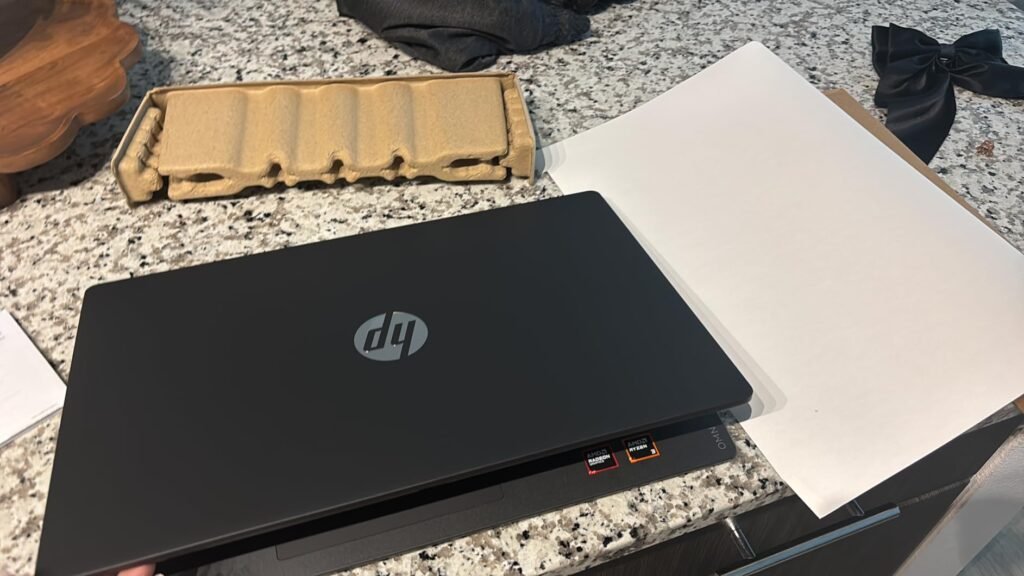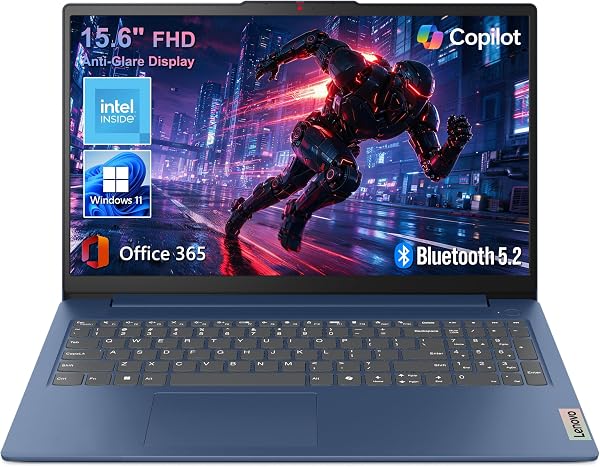
Lenovo 15.6" Essential
9.0Editor scoreFull HD 1080p display
8GB LPDDR5 system memory
128GB UFS 2.2 storage
3.42 pound lightweight body
Compare 10 affordable laptops for students, remote workers, and home use. Find the right balance of RAM, storage, screen size, and battery life without ove...
Shopping for an affordable laptop in 2026 means balancing processor speed, RAM, storage, display quality, battery life, port selection, and build quality without overspending. We compare 10 standout models from established brands and value-focused makers, covering everything from compact 14-inch notebooks to larger 17-inch workstations suited for home, school, and light office use.
Budget laptops vary widely in real-world capability. Some run only basic tasks like browsing and email, while others handle multitasking, video calls, and light photo work comfortably. The difference usually comes down to processor generation, memory capacity, and storage type rather than headline price alone, so understanding the specs matters.
This guide breaks down what each laptop does well, where it falls short, and which type of buyer benefits most. Whether you need a lightweight notebook for classes, a reliable machine for remote work, or a larger screen for home productivity, the comparisons below will help you decide where your money is best spent.
We compared 10 affordable laptops using the factors that genuinely matter to budget shoppers: processor performance, RAM and storage capacity, display size and resolution, build quality, battery life, port selection, wireless standards, keyboard layout, and included software like Microsoft 365. The notes focus on realistic use cases and trade-offs so each pick connects to how students, remote workers, and home users actually rely on an inexpensive laptop day to day.


Compare key features, scores, and current prices side by side. A shorter feature list means fewer details were available, not necessarily fewer capabilities.




At just 2.9 pounds and 0.8 inch thin, this 14-inch laptop is one of the most portable options in the budget category. It is well suited for students who carry a laptop in their backpack all day, commuters who work on trains, and anyone who values a smaller footprint over a larger screen. The Pentium Gold 6500Y processor is a low-power chip designed for efficiency rather than raw performance, which keeps the body thin and quiet.
We may earn a commission when you buy through this link, at no additional cost to you.
Memory is the standout spec at 12GB, which is well above the typical 4GB or 8GB found in competing 14-inch laptops. This extra RAM makes a real difference when juggling browser tabs, running communication apps, and keeping productivity software open simultaneously. The 128GB SSD provides fast boot and application launch times, though storage capacity is modest and will likely require cloud or external supplementation for larger file collections.
The 14-inch Full HD IPS display with anti-glare coating offers crisp visuals and wide viewing angles, which is helpful during group work or presentations. Port selection is practical for a compact laptop, including USB 3.2, USB-C, HDMI, a microSD slot, and a headphone jack. A webcam privacy shutter adds a layer of physical security that many budget laptops skip.
The Pentium Gold 6500Y uses only 7 watts, which allows for a thinner design and quieter operation but caps the performance available for sustained workloads. In practical terms, this means snappy response for everyday tasks but slower performance when exporting video, running CPU-intensive software, or compiling code. Match your expectations to the chip’s design intent and you will be satisfied; try to push it beyond that and you will hit limits quickly.
The main tradeoff is battery life, rated at around 5 hours. For a laptop built around portability, that is shorter than ideal and means you may need to pack the charger for longer days away from an outlet. The 7W CPU also limits performance for anything beyond everyday productivity, so this is not the right machine for video editing or demanding software. For light, mobile work with lots of multitasking, however, the combination of weight, memory, and display quality is hard to beat.
Users who need all-day battery life away from an outlet or who run CPU-intensive software like video editing or development tools.
We may earn a commission when you buy through this link, at no additional cost to you.
The Lenovo Essential 15.6 earns its Editor's Choice position by covering the practical needs of most budget shoppers without obvious compromises. The combination of an Intel processor, 8GB of LPDDR5 memory, and a Full HD anti-glare display makes it well suited for web browsing, document editing, video streaming, and the kind of virtual meetings that dominate remote work and online classes. At roughly 3.42 pounds, it is also light enough to carry between locations without fatigue.
We may earn a commission when you buy through this link, at no additional cost to you.
The 1920×1080 resolution on a 15.6-inch panel delivers readable text and crisp visuals, and the anti-glare coating helps when working near windows or under office lighting. TÜV Rheinland Low Blue Light certification is a meaningful touch for anyone who spends long hours in front of the screen. The 8GB of LPDDR5 RAM is also notable at this price point, since many competitors still ship with 4GB that bogs down quickly when multiple browser tabs and applications are open.
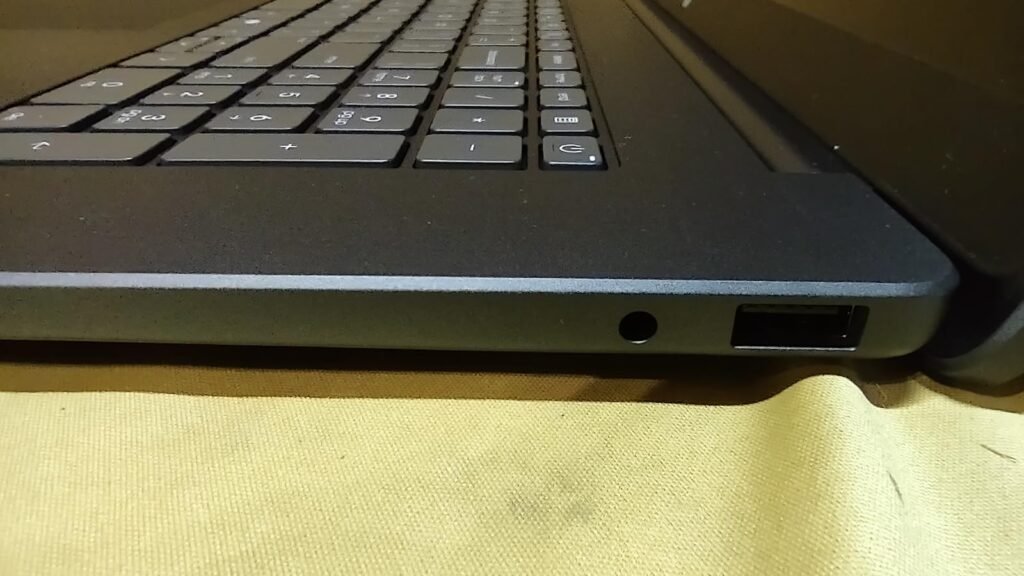
Connectivity is a genuine strength. Wi-Fi 6 and Bluetooth 5.2 deliver fast, stable wireless performance, and the physical port array covers USB-C with Power Delivery and DisplayPort, two USB-A, HDMI 1.4, an SD card slot, and a headphone jack. This means you can plug in an external monitor, a mouse, a thumb drive, and a memory card without needing adapters. The 720p webcam includes a physical privacy shutter, which is reassuring for frequent video calls.
Many laptops in the sub-$450 range still ship with 4GB of RAM, which severely limits multitasking once you open more than a few browser tabs or run Microsoft Teams alongside a word processor. The 8GB of faster LPDDR5 memory in this Lenovo doubles that headroom and uses a newer memory standard, which translates to smoother everyday performance and better longevity as software requirements grow over the next few years.
The main compromise is the 128GB UFS storage. UFS is faster than traditional eMMC but still fills up quickly once you install Windows updates, Microsoft 365, and your personal files. Cloud storage or an external drive handles the overflow comfortably, but heavy local storage users should look at models with 256GB or more. For everyone else, this Lenovo delivers the most well-rounded value in the lineup.
Users who need large local storage for photo libraries, video projects, or extensive game installations without relying on cloud services.
We may earn a commission when you buy through this link, at no additional cost to you.
The HP 15.6 2027 Edition targets shoppers who want a reliable name-brand laptop at the lowest possible price. The Intel N250 processor is a modern four-core chip that boosts to 3.8GHz, delivering adequate performance for browsing, schoolwork, email, and video streaming. Pairing the laptop with a one-year Microsoft 365 Personal subscription adds genuine value, since that software alone typically costs around $70 if purchased separately.
We may earn a commission when you buy through this link, at no additional cost to you.
The 15.6-inch anti-glare display runs at 1366×768 HD resolution rather than Full HD, which is a noticeable step down for anyone used to sharper screens. On the plus side, the lower resolution reduces the load on the processor and extends battery life, and the matte finish reduces reflections. For email, word processing, and online classes, the display is perfectly functional, though media enthusiasts and photo editors will want a Full HD alternative.
Battery life is a standout, with HP rating the laptop for up to 10 hours and 45 minutes of video playback. That is enough to cover a full school day or a long workday without searching for an outlet. The 720p webcam, dual-array microphones with AI noise reduction, and dual speakers make video calls on Zoom, Teams, or Google Meet clear and professional. Wi-Fi 6 and Bluetooth 5.4 keep wireless performance up to current standards.
Microsoft 365 Personal includes Word, Excel, PowerPoint, Outlook, and OneDrive cloud storage, and it normally costs around $70 per year. Getting it bundled with a laptop effectively discounts the price by that amount, which is a meaningful saving for students and home users who need the standard Office suite. Just remember that the subscription renews annually, so budget for the second-year cost if you plan to keep using it.
The main limitation is the 4GB of RAM, which is adequate for single-task use but struggles with heavy multitasking. If you routinely keep 15 browser tabs open while running a word processor and a video call, this laptop will feel sluggish. For students, casual users, and anyone who works on one application at a time, however, the combination of a current-generation processor, Microsoft 365 bundle, and strong battery life is difficult to beat at this price.
Power users who multitask heavily across multiple applications or prefer a sharper Full HD display for media and detailed work.
We may earn a commission when you buy through this link, at no additional cost to you.
This 15.6-inch laptop takes an interesting approach to the budget category by prioritizing memory and storage over processor power. The 12GB of RAM is unusually generous at this price point, giving you real headroom for multitasking that most sub-$550 laptops cannot match. The 256GB SSD can be expanded to 512GB, which is appealing if you anticipate needing more local storage for documents, photos, or small video projects.
We may earn a commission when you buy through this link, at no additional cost to you.
The Intel Celeron 5205U is an older dual-core chip that handles everyday tasks like web browsing, word processing, and streaming video without issue but falls behind newer N-series processors when running demanding software. For most buyers who focus on productivity and multimedia rather than gaming or heavy content creation, the processor is adequate, especially when paired with 12GB of RAM that keeps multiple applications responsive.
The 15.6-inch Full HD IPS display with 5mm bezels and anti-glare, blue-light-filtering coating is a highlight. IPS panels offer better color accuracy and wider viewing angles than the TN panels common at this price, and the Full HD resolution is sharper than the HD screens found on some competitors. Connectivity is well-covered with Type-C, HDMI, three USB 3.0 ports, a microSD slot, and a headphone jack, though Bluetooth 4.2 and dual-band Wi-Fi fall short of current Wi-Fi 6 and Bluetooth 5.x standards.
Most budget laptops ship with sealed storage that cannot be upgraded, which forces you to rely on cloud services or external drives once you fill the internal drive. A laptop that supports SSD expansion to 512GB gives you a clear upgrade path if your storage needs grow, and it lets you keep more files local for faster access and offline work. This is a meaningful long-term advantage over fixed-storage competitors.
Choose this laptop if memory capacity and storage expandability matter more to you than raw processor speed. It is a strong pick for students who juggle many browser tabs, professionals who need to keep multiple documents open, and anyone frustrated with 4GB laptops that feel slow from day one. If you need the latest wireless standards or a modern CPU for occasional intensive tasks, look at the Lenovo or HP alternatives instead.
Buyers who need the latest processor generation or current wireless standards for demanding or future-proof workflows.
We may earn a commission when you buy through this link, at no additional cost to you.
This 15.6-inch laptop differentiates itself with a 180-degree lay-flat hinge, which is uncommon at this price point. Being able to open the lid fully flat is useful for sharing content with someone across a table, drawing attention during a presentation, or finding a comfortable viewing angle in cramped spaces. Paired with a 15.6-inch Full HD display and narrow bezels, the design feels more modern than the typical budget laptop.
We may earn a commission when you buy through this link, at no additional cost to you.
Performance comes from a Celeron J4105 quad-core processor, 6GB of RAM, and a 128GB M.2 SSD. The quad-core chip handles everyday productivity and media playback adequately, and storage can be expanded up to 2TB via an additional SSD or 1TB via a TF card, giving you flexibility if your needs grow. The 6GB of RAM sits between the 4GB entry-level laptops and 8GB mid-tier models, offering reasonable multitasking headroom.
Software bundling is generous, with a one-year Office 365 subscription included alongside built-in AI assistant features that cover chat, writing, reading, meeting notes, and drawing. These AI tools are becoming common across the laptop market and can speed up routine tasks like summarizing documents or drafting emails. Wireless connectivity uses Wi-Fi 5 and Bluetooth 4.2, which are functional but not the latest standards.
A lay-flat hinge lets you share the screen comfortably with someone sitting across from you, which is helpful during casual meetings, brainstorming sessions, or when showing photos and documents to family or clients. It also makes the laptop easier to use in unusual positions, such as on a lap in a tight airplane seat or on an uneven surface where a traditional hinge angle would be awkward.
This laptop makes sense for buyers who value the lay-flat design, want bundled productivity software, and are comfortable with an entry-level processor. If you need a current-generation CPU or Wi-Fi 6 for a fast home network, look at the Lenovo or HP picks instead. For presentation-focused users and anyone who appreciates the flexibility of a flat-opening lid, this laptop offers a distinctive feature set.
Users who need the latest wireless standards, a current-generation processor, or a sharper high-brightness display.
We may earn a commission when you buy through this link, at no additional cost to you.
The HP 2027 Everyday Laptop is built around all-day portability, with a 3.24-pound chassis and up to 11 hours of video playback on a single charge. The 14-inch screen size sits comfortably between ultra-compact 13-inch notebooks and full-size 15.6-inch machines, making it a practical choice for students who move between classes and remote workers who switch locations throughout the day. The Honey Lavender matte finish is a stylish touch for anyone tired of plain silver and black laptops.
We may earn a commission when you buy through this link, at no additional cost to you.
Performance comes from a four-core Intel N150 processor that boosts to 3.6GHz, which is a modern efficient chip well-suited to browsing, document work, and video calls. Pairing it with 4GB of LPDDR5 memory and 128GB of UFS storage keeps the system responsive for single-task use, though heavy multitaskers will want more RAM. Microsoft Copilot AI integration through a dedicated keyboard key provides quick access to AI-powered assistance for writing, summarization, and research.
Video conferencing is a strength, with a 720p True Vision camera, dual-array digital microphones, and AI noise reduction that filters background sounds during calls. Wi-Fi 6 and Bluetooth 5.4 are current wireless standards that deliver fast, reliable connections to home networks and wireless peripherals. Port selection includes USB-C with DisplayPort 1.2, two USB-A ports, HDMI, a headphone jack, and an SD card reader.
A 14-inch screen is noticeably smaller than 15.6 inches, which reduces weight and footprint but also limits how much content you can see at once. For users who primarily work with a single application or document, the smaller screen is a fair trade for the improved portability. For those who regularly use split-screen layouts or need to see large spreadsheets at once, a 15.6-inch model is usually a better fit.
The main limitations are the 4GB of RAM, which restricts heavy multitasking, and the HD rather than Full HD display, which looks softer than sharper competitors. For single-tasking users who prioritize portability, battery life, and modern wireless features, however, the HP 2027 is one of the most well-balanced ultraportable options in the budget category. The included Microsoft 365 subscription adds further value.
Multitaskers who routinely run several demanding applications at once or anyone needing a Full HD, color-accurate display for creative work.
We may earn a commission when you buy through this link, at no additional cost to you.
The HP 14 Jet Black is one of the lowest-priced name-brand laptops available, which makes it attractive for shoppers on a very tight budget who want HP's warranty, support, and build quality. The Intel N150 processor is a modern efficient chip, and the 14-inch micro-edge HD display with slim bezels keeps the overall footprint compact. HP Fast Charge can take the battery from 0 to 50 percent in roughly 45 minutes, which is convenient between classes or meetings.
We may earn a commission when you buy through this link, at no additional cost to you.
Specifications are modest. The 4GB of RAM and 128GB of UFS storage are adequate for single-task use like checking email, browsing the web, streaming video, and writing documents. Trying to run multiple heavy applications at once will strain the system noticeably. Windows 11 Home comes preinstalled, and a one-year Microsoft 365 Personal subscription is bundled, providing Word, Excel, PowerPoint, and 1TB of OneDrive cloud storage.
The HP True Vision HD camera and dual microphones with noise reduction deliver clear video calls, which is essential for remote classes and work meetings. The dedicated Copilot key provides one-touch access to Microsoft’s AI assistant for research, writing help, and productivity tasks. The slim bezel design maximizes the usable screen area within the 14-inch footprint.
A 3.8-star average rating usually indicates mixed owner experiences rather than a fundamentally broken product. The most common complaints with budget laptops at this spec level involve slow multitasking performance and limited storage filling up quickly. If you set expectations to match the entry-level hardware and plan to use the laptop for one task at a time, the experience is often acceptable. For more demanding use, step up to a laptop with 8GB of RAM.
The lower 3.8-star rating is worth noting and likely reflects the real-world limitations of the modest spec sheet rather than any fundamental flaw. This laptop is best suited for very price-conscious buyers who understand that 4GB of RAM will feel slow with heavy use and who primarily need a basic computing device for light tasks. If your budget allows, the HP 2027 Everyday with the same processor but more features or the Lenovo Essential with 8GB of RAM are stronger choices.
Multitasking users or anyone who regularly runs demanding software and needs more than 4GB of RAM for a responsive experience.
We may earn a commission when you buy through this link, at no additional cost to you.
This 15.6-inch laptop appeals to buyers who value silence and simplicity. The fanless cooling design eliminates fan noise entirely, which is a genuine advantage in quiet environments like libraries, lecture halls, shared offices, or late-night study sessions. The Intel Celeron N4020 is a low-power chip that runs cool enough to not require active cooling, making this silent operation possible.
We may earn a commission when you buy through this link, at no additional cost to you.
The 15.6-inch Full HD IPS display with narrow bezels delivers crisp visuals and wide viewing angles, which is better than many budget laptops that stick with lower-resolution TN panels. At 1920×1080, the screen provides enough detail for comfortable document reading, video streaming, and online classes. The 4GB of LPDDR4 RAM and 128GB of storage keep the system responsive for single-task use but limit heavy multitasking.
Modern touches include a Type-C PD port that supports both 45W fast charging and high-speed data transfer, dual-band AC WiFi, and Bluetooth for wireless peripherals. Being able to charge via USB-C means you can use the same charger for a phone or tablet in a pinch, which reduces travel clutter. The preinstalled Windows 11 Home provides a familiar interface and access to the full Microsoft ecosystem.
Fanless laptops eliminate the whirring noise that active cooling fans produce, and they also remove a potential point of mechanical failure over the long term. The tradeoff is that they can only use low-power processors that run cool enough to avoid overheating, which caps peak performance. For users who prioritize silence and reliability over raw speed, the fanless design is a meaningful upgrade over traditional budget laptops.
The combination of a quiet fanless design, Full HD display, and modern USB-C charging makes this laptop a strong pick for students and anyone sensitive to noise. The main compromises are the entry-level processor and the limited 4GB of RAM, which cap performance for demanding workloads. For basic computing in quiet environments, however, this is a distinctive and well-priced option.
Users who run demanding multitasking workloads or need a more powerful processor for software that stresses the CPU for extended periods.
We may earn a commission when you buy through this link, at no additional cost to you.
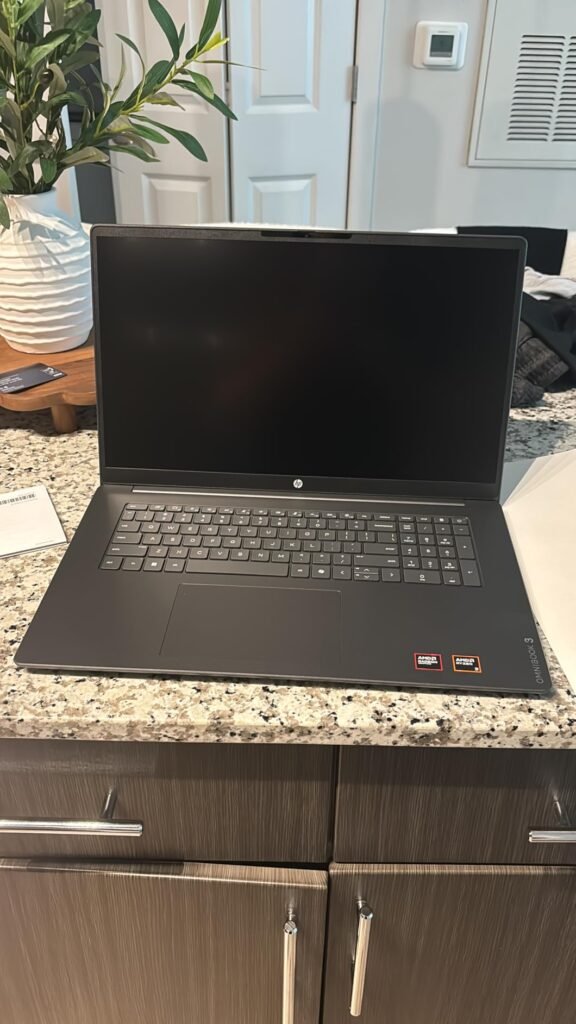
The HP OmniBook 3 17.3 stands apart from the rest of this lineup by offering a large 17.3-inch Full HD display, which effectively turns the laptop into a desktop replacement for home use. The additional screen area is genuinely helpful for spreadsheet work, multiple document editing, and side-by-side application comparison, and the 178-degree wide viewing angles of the IPS panel look good from across the room during video streaming.
We may earn a commission when you buy through this link, at no additional cost to you.
Internal specifications are a step up from entry-level competitors. The AMD Ryzen 3 processor delivers responsive performance for everyday multitasking, light photo editing, and casual gaming, and the AMD Radeon 610M integrated graphics handle HDR visuals and streaming smoothly. The 8GB of LPDDR5 RAM and 512GB NVMe SSD are both notably better than the 4GB and 128GB combinations common at this price, giving the laptop real headroom for both multitasking and local file storage.
Battery life of up to 14 hours and 15 minutes is impressive for a 17.3-inch laptop, and HP Fast Charge restores the battery to 50 percent in roughly 45 minutes. The FHD camera with HDR auto-switch delivers sharper video calls than the 720p cameras on most budget laptops, and Advanced Personal Mode uses AI to isolate your voice during conference calls. Wi-Fi 6 and Bluetooth 5.4 cover modern wireless needs.
A 17.3-inch laptop works best for home or home-office setups where you rarely need to carry it between locations. The large screen provides more comfortable viewing for extended work sessions and reduces the need for a separate external monitor. If you occasionally travel but want the desktop-class screen most of the time, pair the OmniBook 3 with a padded sleeve and plan for the extra weight when you do go mobile.
The main compromise is portability. A 17.3-inch laptop is not something you want to carry in a backpack every day, so this model is best suited for home or home-office use where it mostly stays on a desk. If you want the benefits of a large screen, strong storage, and modern wireless in an affordable package, the OmniBook 3 is one of the best values in the 17-inch budget segment.
Frequent travelers or commuters who need a lightweight, highly portable laptop for daily transportation.
We may earn a commission when you buy through this link, at no additional cost to you.
The Dell 15.6 Core 3 laptop targets buyers who want traditional laptop features backed by a major brand's service network. The Intel Core 3 100U processor and 8GB of RAM deliver solid performance for everyday productivity, and Windows 11 Home comes preinstalled. Dell's one-year onsite service is a standout benefit, since a technician will come to your home or office to resolve covered issues that cannot be fixed remotely, which can save significant hassle compared to mail-in repairs.
We may earn a commission when you buy through this link, at no additional cost to you.
The dedicated numeric keypad is a feature that will matter a lot to some buyers and not at all to others. If you regularly work with spreadsheets, enter data, or do accounting work, having a full numpad on the right side of the keyboard dramatically speeds up input. The dedicated calculator hotkey is a small but useful convenience. For users who do not work with numbers frequently, the keypad takes up space that could have housed larger main keys.
Comfort features include Dell ComfortView software that reduces blue light emissions to minimize eye strain during long sessions, and lifted hinges that raise the keyboard into a more ergonomic typing angle. The Full HD display is suitable for everyday work, and the Energy-efficient batteries with Express Charge support extend productivity between charging sessions.
Most budget laptops come with mail-in warranty service, which means you have to pack and ship the laptop for repair and wait days or weeks for its return. Dell’s onsite service sends a technician to your location to handle covered repairs in person, which is a significant convenience advantage for users who depend on their laptop daily and cannot afford extended downtime. Check the fine print for coverage specifics and geographic availability before relying on this feature.
The main downside is the price, which sits at the top end of the budget range. If you specifically want the numeric keypad, Dell’s reputation for service, and the Intel Core 3 processor, the premium can be justified. If those features are not priorities, the Lenovo Essential delivers similar core specs for less, and the HP OmniBook 3 offers more storage and a larger display. Evaluate the numeric keypad and service coverage carefully when deciding whether this Dell is the right choice.
Shoppers on the tightest budget or anyone who does not use a numeric keypad regularly and prefers a cheaper alternative.
We may earn a commission when you buy through this link, at no additional cost to you.
Choosing an affordable laptop means prioritizing the specifications that matter most for your actual use case while accepting trade-offs in less critical areas. This buying guide covers the key factors that will have the biggest impact on your satisfaction with a budget laptop over the next two to four years.
The processor is the single biggest influence on how fast a laptop feels in daily use, but the differences between budget CPUs are often misunderstood. Modern Intel N-series chips like the N150 and N250 are efficient four-core processors designed for everyday computing, offering better performance per watt than the older Celeron chips that still appear in some entry-level laptops. AMD Ryzen 3 processors, like the one in the HP OmniBook 3, typically deliver stronger multi-threaded performance and better integrated graphics, making them a better fit for users who occasionally edit photos or play casual games.
Older chips like the Intel Celeron N4020, J4105, and 5205U are still functional for basic tasks but noticeably slower than the latest N-series and Ryzen 3 processors. A current-generation chip will stay useful longer as software requirements grow over the next several years, which matters more than minor clock speed differences on the spec sheet. If you can choose between an older chip and a newer one at a similar price, the newer chip is almost always the better long-term purchase.
For browsing, documents, email, and video streaming, any processor in this guide will do the job. For heavier multitasking or occasional creative work, prioritize an Intel N150, N250, or AMD Ryzen 3 chip.
RAM, or system memory, determines how many applications and browser tabs you can run comfortably at the same time. The gap between 4GB and 8GB is enormous in real-world use. A 4GB laptop will feel slow once you open more than a handful of browser tabs alongside a word processor, while an 8GB laptop can handle a typical workflow of a dozen or more tabs, a video call, and productivity software without significant slowdowns.
Some budget laptops now offer 12GB of RAM, which is unusually generous for the price. The 14-inch Pentium Gold laptop and the 15.6-inch Expandable laptop in this guide both include 12GB, which provides serious headroom for heavy multitasking. The newer LPDDR5 memory standard found in Lenovo and HP models offers faster speeds than older DDR4, which contributes modestly to overall responsiveness but is less important than the total capacity.
For light single-task use, 4GB is workable. For comfortable multitasking, choose at least 8GB. If you consistently juggle many applications or keep dozens of browser tabs open, look for 12GB or more.
Budget laptops typically use one of three storage types: SSD, NVMe SSD, or UFS. Traditional SATA SSDs are reliable and fast enough for most users. NVMe SSDs like the 512GB drive in the HP OmniBook 3 are significantly faster and provide snappier application launches and file transfers. UFS storage is a newer format that sits between the two in performance, offering good speed and low power consumption but typically appearing in smaller capacities.
The 128GB capacity that is standard in many budget laptops fills up surprisingly quickly once Windows, Microsoft 365, and your personal files are installed. You may have only 50 to 70GB of usable space left after initial setup, which runs out fast if you save photos, videos, or large documents locally. Cloud storage services like OneDrive, Google Drive, and Dropbox can supplement this, but they require an internet connection for access and ongoing subscription costs beyond any free tier.
Prioritize a 256GB or larger SSD if you plan to store many files locally, work offline frequently, or install multiple large applications. The HP OmniBook 3 with 512GB NVMe is the standout in this guide for storage capacity and speed.
Screen size affects both usability and portability. 14-inch laptops like the Pentium Gold model and HP 2027 Everyday are easier to carry but offer less workspace. 15.6-inch laptops provide a comfortable balance for most users, with enough screen area for side-by-side document work without becoming too bulky. 17.3-inch laptops like the HP OmniBook 3 offer a desktop-like experience but weigh noticeably more and take up more desk space.
Resolution matters as much as size. Full HD, which is 1920×1080, is the baseline you should look for in a 15-inch or larger laptop. Lower HD resolutions like 1366×768 look visibly softer and show less content on screen at once, which makes them less productive for serious work. IPS panels offer better color accuracy and wider viewing angles than the TN panels sometimes used in the cheapest laptops, and most Full HD displays in this price range use IPS technology.
For general use, choose a 15.6-inch Full HD IPS display. If portability matters most, go with a 14-inch model. Only choose HD resolution if the price difference is substantial and your use is limited to basic tasks.
Battery life varies dramatically across budget laptops. The HP OmniBook 3 leads this guide with up to 14 hours of runtime, the HP 2027 Everyday offers 11 hours, and the HP 2027 Edition provides nearly 11 hours. On the other end, the 14-inch Pentium Gold laptop manages only about 5 hours, which is limiting for all-day mobile use. Battery life depends on processor efficiency, screen size and brightness, and battery capacity, so smaller chips and lower resolutions generally extend runtime.
Manufacturer battery claims are usually measured during video playback or light web browsing, so real-world results during heavy use will be shorter. If a laptop is rated for 11 hours of video playback, expect roughly 6 to 8 hours of typical mixed productivity use. Fast charging features like HP Fast Charge or USB-C Power Delivery can top up the battery quickly during short breaks, which reduces the impact of shorter runtime.
Prioritize battery life if you frequently work away from outlets. For home or office use with easy access to power, any of these laptops will last a reasonable work session on a charge.
Budget laptops vary widely in port selection. The best options include a mix of USB-C, USB-A, HDMI, an SD card reader, and a headphone jack, which covers most peripherals and external displays without requiring adapters. USB-C with Power Delivery is particularly useful because it enables fast charging and can share a cable with phones and tablets. USB-C with DisplayPort support also lets you drive an external monitor over a single cable.
Wireless standards matter for home network performance. Wi-Fi 6, found on the Lenovo Essential, HP 15.6 2027 Edition, HP 2027 Everyday, and HP OmniBook 3, is faster and more reliable than Wi-Fi 5 and handles crowded networks better. Bluetooth 5.x is current and provides stable connections to wireless headphones, mice, and keyboards. Older Bluetooth 4.2 still works but has shorter range and slower throughput.
Choose a laptop with Wi-Fi 6 and Bluetooth 5.x if your home network supports it and you use many wireless peripherals. Verify the port array includes at least one USB-C and HDMI if you plan to connect an external display or dock.
Build quality varies significantly in the budget category. Major brands like Lenovo, HP, and Dell generally use more rigid plastics and better hinges than unbranded alternatives, which translates to longer service life and fewer issues like screen flex or hinge wobble. The Lenovo Essential is notable for undergoing MIL-STD-810H durability testing across 21 items, which indicates it has been tested against bumps, vibration, humidity, and temperature extremes that might damage lesser laptops.
Weight ranges from under 3 pounds for compact 14-inch models to over 5 pounds for 17-inch laptops. For daily commuting or travel, keeping total weight under about 3.5 pounds makes a real difference by the end of a long day. Heavier laptops are fine for primarily home or desk use. Build features like a camera privacy shutter, physical microphone mute key, and keyboard ergonomics add meaningful everyday value beyond the raw specifications.
Prioritize brand-name laptops with warranty support if build quality and long-term reliability matter. Consider weight carefully if the laptop will spend most of its life in a bag.
Several laptops in this guide include a one-year subscription to Microsoft 365 Personal, which adds roughly $70 of value and provides Word, Excel, PowerPoint, Outlook, and 1TB of OneDrive cloud storage. This bundle is genuinely useful for students and home users who rely on the standard Office suite. Just remember that the subscription renews annually, so plan for the recurring cost if you want to keep it beyond the first year.
AI features like Microsoft Copilot are becoming standard across Windows 11 laptops and are accessible either through a dedicated Copilot key on the keyboard or by typing in the search bar. These tools can help with writing, summarization, and research, and they are improving rapidly. Some laptops also include their own AI assistant features, like the AI Assistant Laptop in this guide with chat, write, read, meet, and draw modes.
If the bundled Microsoft 365 subscription or AI features align with your workflow, they add meaningful value. If you already have your own Office subscription or use alternatives like Google Workspace, the bundled software is less of a decision factor.
When you first unbox your laptop, take time to complete Windows setup carefully and uninstall any preinstalled trial software you do not need. Many budget laptops ship with trial antivirus programs, promotional applications, and games that consume storage and background resources. Removing these frees up space on the modest 128GB drives common at this price and improves overall performance from day one. Run Windows Update to install the latest security patches and driver improvements before using the laptop for real work.
Protect your storage and extend performance by keeping the system drive from filling up completely. Budget laptops with 128GB storage can feel sluggish once you drop below about 10 to 15GB of free space, since Windows needs room for updates, virtual memory, and temporary files. Use cloud storage services like OneDrive or Google Drive to offload photos and documents, delete unused applications regularly, and consider an external USB drive for large media files. For laptops that support storage expansion, adding a larger SSD is a worthwhile upgrade if your needs grow.
Preserve battery health by avoiding extreme temperatures and not leaving the laptop plugged in at 100 percent charge for extended periods when possible. Modern lithium-ion batteries last longest when cycled between about 20 and 80 percent charge. Keep air vents clear of dust by occasionally wiping them with a soft brush or compressed air, and avoid using the laptop on soft surfaces like beds or couches where cushions can block airflow and cause overheating. These small habits add years of useful life to an affordable laptop.
For basic single-task use like browsing, email, and word processing, 4GB of RAM is functional but limiting. For comfortable multitasking with multiple browser tabs, video calls, and productivity applications open at once, 8GB is the realistic minimum. Heavy multitaskers who work with many applications simultaneously benefit from 12GB or more. Since most budget laptops cannot be upgraded after purchase, choose more RAM upfront if your budget allows.
128GB is tight but workable if you primarily store files in the cloud using services like OneDrive, Google Drive, or Dropbox. After Windows and Microsoft 365 are installed, you typically have around 50 to 70GB of usable space, which fills quickly with photos, videos, and additional applications. If you plan to work offline frequently, store large files locally, or install many programs, prioritize a 256GB or larger SSD.
Yes, modern Intel N-series chips like the N150 and N250 are capable of handling everyday computing tasks including web browsing, document editing, video streaming, and online video calls. They are not suited for demanding tasks like video editing, 3D modeling, or modern gaming, but for the typical student, remote worker, or home user, they deliver a responsive experience when paired with adequate RAM.
HD resolution is 1366×768 pixels, while Full HD is 1920×1080 pixels. Full HD displays show more content on screen at once and look noticeably sharper, which matters for reading text, viewing photos, and watching videos. On a 15-inch laptop, the difference is significant and well worth prioritizing. HD is acceptable on smaller 14-inch screens if the price difference is substantial, but Full HD is the better choice whenever possible.
A well-chosen budget laptop with modern components should remain useful for three to five years of typical use. Longevity depends heavily on the specifications you start with, since the processor and RAM cannot usually be upgraded. Laptops with 8GB or more RAM and current-generation processors age better than minimum-spec models. Keeping Windows updated, avoiding overheating, and managing storage carefully also extend useful life significantly.
Most budget laptops in this price range use integrated graphics designed for productivity rather than gaming. They can run older titles, casual games, and web-based games smoothly, but modern AAA titles will either be unplayable or require very low settings. The HP OmniBook 3 with AMD Radeon 610M graphics is the strongest gaming option in this guide, though even it is limited to casual titles. For real gaming, budget for a dedicated graphics card.
If you need Word, Excel, PowerPoint, and Outlook for school or work, a bundled Microsoft 365 Personal subscription adds about $70 of value and includes 1TB of OneDrive cloud storage. For users who already subscribe or prefer free alternatives like Google Workspace or LibreOffice, the bundled subscription is less important. Remember that the subscription renews annually, so budget for the second-year cost if you want to continue using it.
A 14-inch laptop is lighter and more portable, making it a better fit for daily commuters, students who carry their laptop everywhere, and anyone who values a smaller footprint. A 15.6-inch laptop offers more screen area for comfortable work and side-by-side applications, which suits home-office users and anyone who rarely carries the laptop far. For a home-office or desk-focused setup, consider a 17.3-inch model like the HP OmniBook 3.
Battery life depends on processor efficiency, screen size and brightness, battery capacity, and how the laptop is used. Smaller screens and efficient processors extend battery life, while brighter displays and demanding tasks shorten it. Manufacturer claims are usually based on video playback or light browsing, so expect roughly 60 to 75 percent of the rated battery life during real mixed-use productivity work. Fast charging features help compensate for shorter runtime.
Windows 11 S Mode restricts installations to apps from the Microsoft Store, which improves security but limits software compatibility. Many popular applications are not available in the Microsoft Store, so you may find S Mode frustrating if you need software like Chrome, Zoom desktop apps, or specialized tools. Switching out of S Mode is free and permanent and can be done in Windows Settings. Most users switch out of S Mode shortly after setup.
The Lenovo 15.6 Essential earns the Editor's Choice position by delivering the most balanced package in the budget category. Its combination of 8GB of modern LPDDR5 RAM, a Full HD anti-glare display, MIL-STD-810H durability testing, Wi-Fi 6, and a wide port array covers the practical needs of students, remote workers, and home users without obvious compromises. For most buyers looking to spend under $450 on a reliable laptop, this is the strongest overall choice.
If keeping the price as low as possible matters more than any single feature, the HP 15.6 2027 Edition at under $370 includes a current Intel N250 processor, a bundled Microsoft 365 subscription, and nearly 11 hours of battery life. For buyers who want a larger screen and the strongest storage and battery life in this guide, the HP OmniBook 3 17.3 delivers desktop-class productivity for home-office use. Students and commuters who prioritize portability should look at the 14-inch Pentium Gold laptop or the lightweight HP 2027 Everyday.
Ultimately, the best budget laptop depends on your specific use case. Prioritize RAM and a current-generation processor if you multitask heavily, screen size and storage if you work mostly from home, and weight and battery life if you commute daily. Match the spec sheet honestly to how you actually use a laptop, avoid being tempted by the cheapest option if it compromises RAM too aggressively, and you will end up with a machine that stays genuinely useful for several years.