
QAZIPO Ryzen 5
8.4Editor scoreRyzen 5 3500U CPU
Dual DDR4 SO-DIMM
Triple 4K display
VESA mount included
Compare 10 top barebones PCs by CPU power, expansion, display outputs, networking, and value to build the right custom mini PC for your workload.
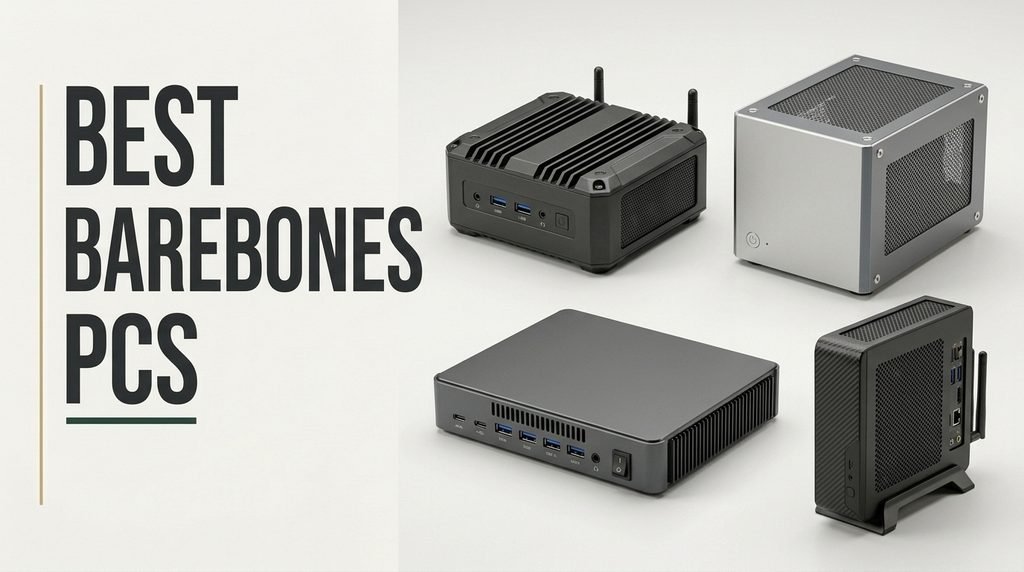
Choosing the right barebones PC for 2026 means balancing processor power, memory and storage expandability, display outputs, networking, cooling, and chassis size against the specific workload you plan to run. We compare 10 standout kits across mini PC and small-form-factor desktop categories so you can match a platform to home office work, creative tasks, gaming, home labs, or compact business deployments.
Barebones kits vary dramatically. Some arrive as palm-sized AMD or Intel mini PCs with soldered-adjacent designs and USB4, while others are 8-liter desktops that accept a full-size graphics card, standard DIMMs, and a 500W power supply. The right pick depends on how much you want to upgrade later, how much performance you need, and how small the system has to be.
Pricing also varies widely. Budget barebones systems deliver solid everyday productivity, while higher-end kits add Ryzen 7 or Core Ultra chips, OCuLink for external GPUs, dual 2.5G networking, Wi-Fi 7, and quad display outputs. This guide breaks down each option’s strengths, limits, and ideal buyer so you can build a system that fits your workflow instead of overpaying for features you won’t use.
We evaluated 10 barebones PC kits using the criteria that genuinely affect long-term usefulness: CPU architecture and performance tier, memory type and ceiling, M.2 and SATA storage expansion, graphics capability, display output count and resolution, networking speed, wireless standards, USB and USB4 or OCuLink connectivity, chassis volume, cooling design, included power supply, warranty, and overall value. Each pick is framed around real buyer tradeoffs so you can match form factor and upgrade potential to your intended workload.


Compare key features, scores, and current prices side by side. A shorter feature list means fewer details were available, not necessarily fewer capabilities.


The DeskMeet B760 is the Intel equivalent of ASRock's AM4 DeskMeet, built around the LGA1700 socket for 12th, 13th, and 14th-generation Intel Core CPUs. It brings true desktop expandability to an 8-liter chassis, accepting a dual-slot graphics card up to 20cm long alongside full-size DDR4 DIMMs.
We may earn a commission when you buy through this link, at no additional cost to you.
CPU flexibility is a major strength. You can pair the kit with efficient i3 chips for a quiet home office, mid-range i5 processors for productivity, or higher-end i7 and i9 CPUs when thermal headroom allows. Up to 128GB of DDR4-3200 memory and dual PCIe Gen4 x4 M.2 slots support demanding multitasking and fast NVMe storage.
The included 500W 80+ Bronze power supply is a significant convenience that eliminates the hassle of sourcing a compatible SFX unit. Triple display output through DisplayPort, HDMI, and D-Sub, a front USB-C port, and an M.2 Key E slot for a user-installed Wi-Fi module round out a well-rounded platform.
The 20cm GPU length limit rules out most high-end flagship cards but still accommodates many strong mid-range options. Measure a prospective card carefully, including power connectors, and favor dual-fan designs rated for small cases to keep thermals in check.
Pick this kit if you want to build a compact Intel-based desktop with a real graphics card at reasonable cost. Users who need DDR5, PCIe 5.0, or the latest Core Ultra generation should wait for a newer platform or consider a different kit.
Not for buyers who want the latest DDR5 platform or need to fit the longest flagship GPUs.
We may earn a commission when you buy through this link, at no additional cost to you.
This QAZIPO kit is one of the most affordable ways to assemble a capable mini PC from scratch. Built around the AMD Ryzen 5 3500U with Radeon Vega 8 graphics, it targets home office users, students, and small business deployments where predictable productivity performance matters more than cutting-edge speed.
We may earn a commission when you buy through this link, at no additional cost to you.
The quad-core, eight-thread CPU handles everyday multitasking, 4K video streaming, light photo editing, and casual gaming comfortably. Triple 4K display output through USB-C, HDMI 2.0, and DisplayPort 1.4 is a standout at this price, making the system genuinely useful for traders, developers, and anyone running expanded workspaces across multiple monitors.
Expansion is reasonable for the segment. Dual SO-DIMM DDR4 slots support up to 32GB, and two M.2 2280 slots accept up to 4TB of total storage. Dual-band Wi-Fi, Bluetooth, gigabit Ethernet, and three USB 3.2 ports cover standard connectivity needs, and the included VESA mount lets you hide the chassis behind a monitor for a clean desk.
With only RAM, an SSD, and an OS to install, this barebones kit is a low-stress introduction to building your own mini PC. The compact chassis and clear port layout keep the first assembly simple, and the modest price means mistakes during the learning curve carry much less financial risk.
Pick this one if you want to build an affordable home office, retail kiosk, or digital signage system without overspending. Users who need DDR5 speeds, newer graphics, or heavy gaming performance should step up to a Ryzen 7 or Core Ultra kit instead.
Not suitable for AAA gaming, heavy video editing, or workloads that benefit from DDR5 memory.
We may earn a commission when you buy through this link, at no additional cost to you.
The UM880 Plus sits near the top of the mainstream mini PC market, pairing the 8-core, 16-thread Ryzen 7 8845HS with Radeon 780M graphics for performance that genuinely rivals entry-level discrete setups. It suits creators, developers, and prosumer users who want desktop-class responsiveness in a compact chassis.
We may earn a commission when you buy through this link, at no additional cost to you.
The Zen 4 architecture delivers meaningful single-core gains over previous generations, and the 780M iGPU handles 1080p gaming and GPU-accelerated creative work surprisingly well. For users who need more graphics muscle, the included OCuLink port allows a true PCIe 4.0 x4 connection to an external GPU at speeds that beat USB4 and Thunderbolt 4.
Expansion covers modern needs. Dual M.2 2280 PCIe 4.0 x4 slots support up to 4TB of total SSD storage, DDR5 memory scales to 96GB, and three simultaneous displays run through HDMI 2.1, USB4, and DisplayPort 1.4. The 2.5G LAN port and Wi-Fi 6E with Bluetooth 5.2 round out a well-balanced connectivity package.
OCuLink is essentially an external PCIe connection that bypasses the limitations of Thunderbolt or USB4 for GPU workloads. If you want desktop-class gaming or AI performance from a mini PC later, having OCuLink built in now is a significant long-term advantage over models that lock you into integrated graphics forever.
Choose this kit if you want the strongest mainstream mini PC performance available and plan to leverage either high-end integrated graphics or future external GPU expansion. Casual users who don’t need OCuLink or Zen 4 performance can save money with a lower-tier model.
Not ideal for users who want a full-size GPU slot inside the chassis or on a tight budget.
We may earn a commission when you buy through this link, at no additional cost to you.
The M1 Pro brings Intel's Core Ultra 5 125H into a compact barebones kit, giving buyers a modern 14-core, 18-thread CPU with an onboard NPU for AI workloads and Intel Arc graphics for creative tasks. It's a strong pick for productivity users who want to leverage Copilot and local AI tools alongside everyday work.
We may earn a commission when you buy through this link, at no additional cost to you.
Performance scales well under its 65W power envelope. DDR5 SODIMM support up to 96GB at 5600 MT/s and dual PCIe 4.0 M.2 slots with RAID 0 or 1 give you flexible high-speed storage, which matters for video editing, large project libraries, and database work. OCuLink opens the door to external GPU expansion when heavier graphics are needed.
Display and connectivity options are generous. Quad 4K output through HDMI 2.1, DisplayPort 1.4, and dual USB4 ports supports extensive multi-monitor setups, and Wi-Fi 7 with Bluetooth 5.4 keeps wireless networking future-proof. Phase change thermal material and dual copper heat pipes help manage the 65W TDP without excessive noise during typical workloads.
Local AI inference is becoming more common in creative apps, meeting tools, and productivity software. A dedicated NPU handles those tasks more efficiently than the CPU or GPU alone, which keeps your system responsive while AI features run in the background during normal work.
This is a smart pick for buyers who prefer Intel’s platform, want built-in AI acceleration, or need extensive display expansion. Those who prioritize raw multithread performance per dollar may still prefer the Ryzen 8845HS, but the M1 Pro’s modern feature set is hard to beat for mixed productivity and AI workflows.
Not for users wanting the quietest possible mini PC or those with simpler single-monitor needs.
We may earn a commission when you buy through this link, at no additional cost to you.
The DeskMeet X300 is a different kind of barebones kit. Rather than a palm-sized mini PC, it's a true 8-liter small-form-factor desktop that accepts a standard AM4 Ryzen CPU, four full-size DDR4 DIMMs, and a PCIe 3.0 x16 graphics card. That makes it one of the most flexible platforms in this guide.
We may earn a commission when you buy through this link, at no additional cost to you.
Compatibility covers a huge library of Ryzen 2000, 3000, 4000, and 5000-series CPUs up to 65W, meaning you can shop widely for a used or discounted processor. Up to 128GB of DDR4-3200 memory, dual M.2 slots, and twin SATA3 connections create plenty of room for serious productivity, gaming, or home server workloads.
The included 500W 80+ Bronze PSU is a notable value, since similar small-form-factor cases typically require you to source a dedicated SFX supply separately. HDMI, DisplayPort, and D-Sub cover display needs, and a USB 3.2 Gen2 Type-C port keeps modern peripherals connected. The main constraint is a 54mm cooler height limit.
A kit like the DeskMeet X300 lets you install a real desktop GPU, which no mainstream mini PC can match without an external OCuLink enclosure. For gaming and GPU-accelerated creative work, that difference in raw performance per dollar is substantial.
Pick this one if you want a traditional PC-building experience in a compact chassis and plan to add a graphics card. Buyers who want the smallest possible form factor or the newest DDR5 and PCIe 5.0 features should look at modern mini PC kits instead.
Not for buyers who want DDR5, PCIe 5.0, or an ultra-small palm-sized chassis.
We may earn a commission when you buy through this link, at no additional cost to you.
The NUC 16 Pro is aimed squarely at business, Edge AI, and industrial deployment rather than typical home users. It carries ASUS's enterprise toolkit, including Intel vPro support on select SKUs, firmware TPM, and ASUS Control Center integration for centralized management and remote monitoring.
We may earn a commission when you buy through this link, at no additional cost to you.
Performance can scale significantly depending on configuration, with options up to Intel Core Ultra 9 and 12 Xe GPU cores. The hybrid XPU architecture is designed to accelerate real-time AI inference, which is increasingly relevant for retail analytics, point-of-sale systems, and small-scale edge computing deployments.
Networking and expandability reflect the business focus. Dual 2.5G LAN ports allow network redundancy or physical segmentation, Wi-Fi 7 with Bluetooth 6.0 keeps wireless modern, and the tool-less chassis supports dual Gen5 or Gen4 M.2 SSDs with room for internal RS-232 and PCIe x1 expansion for industrial peripherals.
vPro and centralized management become important when deploying multiple systems across a business. IT teams gain remote diagnostics, provisioning, and security tools that aren’t available on consumer mini PCs, which can quickly justify the premium at scale.
Choose this kit if you need enterprise manageability, long-term industrial deployment, or Edge AI capabilities with a strong warranty backing. Home users who don’t need vPro, dual LAN, or industrial I/O can get better value from consumer-focused kits.
Not for casual home users who don’t need enterprise manageability or industrial expansion.
We may earn a commission when you buy through this link, at no additional cost to you.
The DeskMini X300 is the smaller sibling to the DeskMeet X300, shrinking the chassis to just 1.92 liters while retaining support for a wide range of AMD AM4 Ryzen CPUs up to 65W. It's an excellent base for a hidden desktop, home server, or kitchen media PC where space is tight.
We may earn a commission when you buy through this link, at no additional cost to you.
Despite its size, expansion is impressive. Two SO-DIMM slots accept up to 128GB of DDR4-3200 memory, dual Ultra M.2 slots handle NVMe SSDs, and two 2.5-inch bays allow additional SATA storage with RAID 0 or 1 support. That storage flexibility makes it a quiet favorite for small NAS and home lab setups.
Networking centers on a Dragon 2.5G LAN port with a dedicated M.2 Key E slot for a user-installed Wi-Fi and Bluetooth module. Triple display output through HDMI, DisplayPort, and D-Sub plus a front USB-C port covers most everyday connectivity needs, and the included 120W adapter keeps the power footprint small.
CPU choice matters more in tight thermal envelopes. APUs like the Ryzen 5000G or 4000G series work well since they include integrated graphics and run cool, while high-boost CPUs can throttle in such small cases. Pair this kit with an efficient APU for the best long-term reliability.
Pick this kit when you want an AM4 build in the smallest possible chassis and don’t need a discrete GPU. If you want to add a graphics card or run higher-TDP CPUs, the DeskMeet X300 is the better choice.
Not for users who need discrete graphics or plan to run high-wattage CPUs under heavy sustained load.
We may earn a commission when you buy through this link, at no additional cost to you.
The Reatan X7BB pairs the Ryzen 7 255, an upgraded variant of the 8745HS, with Radeon 780M graphics and places particular emphasis on display output flexibility. Four 8K-capable outputs through HDMI 2.1, DisplayPort 2, and dual USB4 ports make it an interesting pick for multi-monitor creators and traders.
We may earn a commission when you buy through this link, at no additional cost to you.
Processing capability is strong for the segment, with 8 cores and 16 threads handling demanding productivity, light 3D work, and content creation. OCuLink support means the system can grow with an external GPU when the integrated graphics aren’t enough, giving the kit a longer useful lifespan than typical mini PCs.
Storage and memory expansion follow current standards. DDR5 memory up to 64GB and two M.2 2280 PCIe 4.0 SSD slots up to 2TB each provide room for large project files, media libraries, and dual-boot setups. Wi-Fi 7 and Bluetooth 5.4 cover wireless connectivity, and the built-in speaker is a nice touch for simple setups.
Four display outputs are overkill for most home users but genuinely useful for traders, security monitoring, creative multitaskers, and digital signage. If you don’t currently run three or more monitors, that capability is likely more than you need.
Choose this kit if you want quad high-resolution display support and OCuLink in a compact chassis without paying top-tier prices. Buyers who prefer long-established brands with large user communities may feel more comfortable with MINISFORUM or ASUS.
Not for buyers who prefer long-established brands or only need a single monitor setup.
We may earn a commission when you buy through this link, at no additional cost to you.
The GEEKOM A8 Max targets creators and small business users who want strong CPU performance alongside robust networking. Built around the 8-core, 16-thread Ryzen 7 8745HS, it supports Linux, Ubuntu, and Windows installations, which makes it attractive for developers running mixed OS environments.
We may earn a commission when you buy through this link, at no additional cost to you.
Networking is the standout here. Dual 2.5G Ethernet ports allow physical network separation between internal and guest networks, or you can aggregate them for faster NAS access and streaming. For home office users who care about security and performance, that flexibility rarely comes standard at this price.
Expansion follows modern standards. SO-DIMM DDR5 scales to 64GB, dual M.2 2280 PCIe 4.0 slots handle up to 4TB of SSD storage, and a 40Gbps USB4 port enables eGPU setups and high-speed RAID storage. Five USB 3.2 ports, dual Type-C, dual HDMI 2.0, and a UHS-II SD card reader round out a creator-friendly port layout.
Dual LAN ports open up software router setups, home lab segmentation, and dedicated NAS traffic lanes. If you run OpenWRT, pfSense, or a Proxmox homelab, this feature alone can justify the step up from a single-LAN mini PC.
Choose this kit when networking flexibility and multi-OS freedom matter to your workflow. Casual users who only need one Ethernet port and standard Windows installations may find similar CPU performance for less elsewhere.
Not for buyers who only need basic single-network connectivity and a lower price point.
We may earn a commission when you buy through this link, at no additional cost to you.
The MS-01 SE sits in a category of its own, blending mini PC size with workstation-style expansion. The Core i5-12600H brings 12 cores and 16 threads to tasks like 3D rendering, video editing, CAD, and virtualization, making it an interesting fit for engineers, developers, and home lab enthusiasts.
We may earn a commission when you buy through this link, at no additional cost to you.
Expansion is the key story. A rare PCIe x16 slot wired as PCIe 4.0 x4 opens the door to networking cards, capture cards, SAS controllers, or compact GPUs that normally require a full desktop. Triple M.2 2280 NVMe slots across PCIe 4.0 x4, 3.0 x4, and 3.0 x2 lanes support substantial high-speed storage configurations.
Networking matches the workstation ambitions. Dual 2.5G LAN ports allow traffic segmentation, software routing, or network isolation setups, and HDMI plus dual USB4 ports support three displays including 8K at 30Hz. Two DDR4-3200 SODIMM slots keep memory expandable, though DDR5 would be preferable for a modern platform.
A PCIe x16 slot in a mini PC enables use cases most compact systems can’t touch, including hardware RAID controllers, 10GbE network cards, GPU compute, and specialized capture hardware. For home lab builders and professionals, that single feature often tips the scales.
Choose this kit when you need true PCIe expansion and workstation-class networking in a compact chassis. Buyers who only need a basic office mini PC can save significantly with simpler models, while those wanting DDR5 should consider the UM880 Plus or M1 Pro instead.
Not for users who need DDR5 memory or want the smallest possible chassis without expansion needs.
We may earn a commission when you buy through this link, at no additional cost to you.
A barebones PC kit lets you customize memory, storage, and the operating system while skipping the markup of a prebuilt system. Here’s how to match the right platform, form factor, and specifications to your intended workload.
The CPU is the single biggest factor in long-term usefulness. Entry-level kits using chips like the Ryzen 5 3500U work well for office productivity, web browsing, and 4K streaming. Mid-tier mini PCs with the Ryzen 7 8845HS or Core Ultra 5 125H deliver desktop-class responsiveness for content creation, light gaming, and professional multitasking. High-end platforms like the Core i5-12600H in the MS-01 SE push into workstation territory for 3D rendering, CAD, and virtualization.
Match the CPU to your actual workload. More cores and threads benefit video editing, compilation, virtual machines, and database work, while higher boost clocks matter more for single-threaded tasks and games. Integrated graphics have improved dramatically in recent AMD and Intel chips, with the Radeon 780M in the UM880 Plus and Reatan X7BB handling 1080p gaming and GPU-accelerated creative apps surprisingly well.
If you’re unsure, lean toward one performance tier above your current needs. CPUs in barebones kits are usually not upgradeable in mini PCs, so paying for headroom now avoids a full platform replacement later.
Barebones kits span a wide range of sizes. True mini PCs like the UM880 Plus and QAZIPO measure around 5×5 inches and tuck neatly behind a monitor with a VESA mount. Ultra-compact kits like the ASRock DeskMini X300 push the limit at just 1.92 liters while still supporting a full AM4 socket. Small-form-factor desktops like the DeskMeet X300 and DeskMeet B760 jump to 8 liters but accept a graphics card and standard components.
Form factor directly limits what you can install. Mini PCs cannot accept a desktop GPU without an external OCuLink or USB4 enclosure. SFF kits can host a dual-slot GPU up to a certain length but add bulk. Chassis size also affects thermal headroom, with larger cases typically running cooler and quieter under sustained load.
Decide where the system will live and what you want to add. If space is extremely tight, go mini PC. If you want to install a graphics card and run higher-wattage CPUs, step up to an 8-liter SFF kit.
Memory is one of the first components you’ll install, and the type affects long-term performance meaningfully. DDR4 kits like the DeskMeet X300 and DeskMini X300 remain capable and often more affordable, but DDR5 platforms like the UM880 Plus, M1 Pro, GEEKOM A8 Max, and Reatan X7BB offer higher bandwidth that benefits integrated graphics, AI workloads, and heavy multitasking.
Capacity ceilings also vary. Compact mini PCs typically cap at 64GB or 96GB using two SODIMMs, which is more than enough for most users. SFF desktop kits with four DIMM slots can reach 128GB, which matters for virtualization, large design projects, or memory-hungry applications. Check both the maximum capacity and the supported memory speed before buying.
Buy the fastest memory your kit supports within your budget. For creative work and gaming on integrated graphics, higher memory speed often delivers more real-world benefit than extra capacity beyond 32GB.
Most modern barebones kits offer at least two M.2 2280 slots for NVMe SSDs, with PCIe 4.0 lanes becoming the standard. Kits like the M1 Pro and MS-01 SE even support RAID 0 or RAID 1 configurations across their M.2 slots, which can accelerate load times or add data redundancy. SFF desktop kits often add SATA bays for larger traditional drives, useful for media libraries and backup storage.
Check lane allocation carefully. Some kits advertise multiple M.2 slots but share bandwidth with OCuLink, PCIe expansion, or secondary features, which can affect sustained speeds. If you need maximum NVMe performance across all drives simultaneously, favor kits with dedicated PCIe 4.0 x4 lanes per slot.
For most users, a single 1TB or 2TB PCIe 4.0 NVMe SSD is a strong starting point. Add a second drive later if your workload demands more capacity or dedicated project storage.
Display flexibility has become a key differentiator among barebones kits. Entry-level mini PCs typically support two or three 4K displays through HDMI, DisplayPort, and USB-C. Mid-tier kits like the UM880 Plus and M1 Pro push to triple or quad 4K and even 8K output through USB4 and HDMI 2.1. The Reatan X7BB stands out with four 8K-capable outputs.
Count your actual monitors and resolutions before paying for extensive output capability. Running four 8K displays is overkill for most home office setups but valuable for traders, security operations, creative multitaskers, and digital signage. Also verify that your intended refresh rates are supported, since 4K at 144Hz requires more bandwidth than 4K at 60Hz.
Match outputs to your actual monitors. A system with three HDMI 2.1 ports is useless if your monitors only accept DisplayPort, so check cable and connector compatibility before buying.
Modern barebones kits range from single gigabit Ethernet to dual 2.5G LAN setups with Wi-Fi 7. For simple home office use, a single 2.5G port and Wi-Fi 6 are more than enough. For home labs, software routers, NAS access, or network segmentation, dual LAN kits like the GEEKOM A8 Max, ASUS NUC 16 Pro, and MINISFORUM MS-01 SE offer meaningful flexibility.
Wireless matters more than many buyers assume. Wi-Fi 6E and Wi-Fi 7 significantly improve throughput and latency over older standards, especially in congested apartments or busy offices. Bluetooth 5.2 and newer keep peripheral connections more reliable, particularly for audio devices and multiple paired accessories.
If your use case involves file transfers, NAS access, or network isolation, prioritize dual 2.5G LAN. If you work mostly on Wi-Fi, favor Wi-Fi 6E or Wi-Fi 7 support.
USB4 at 40Gbps has become one of the most useful features in modern barebones kits. It handles 8K display output, high-speed storage, external GPU enclosures, and even power delivery through a single port. Kits like the UM880 Plus, M1 Pro, Reatan X7BB, and GEEKOM A8 Max all include USB4, which future-proofs them against expanding peripheral needs.
OCuLink is an increasingly valuable feature in high-end mini PCs. It provides a true PCIe 4.0 x4 connection to external devices, most commonly discrete GPUs, with higher bandwidth than USB4 or Thunderbolt 4. For users who want desktop-class graphics performance without buying a new system, OCuLink support is a long-term advantage worth paying for.
If you might want eGPU performance or ultra-fast external storage later, prioritize USB4 at minimum and OCuLink if your budget allows.
Thermal design directly affects sustained performance and noise. Compact mini PCs push high-performance CPUs into tight enclosures, so quality cooling matters. The GEEKOM A8 Max advertises an IceBlast 2.0 system with dual copper heat pipes and large silent fans, while the MINISFORUM M1 Pro uses phase change thermal material and dual pure copper heat pipes to handle its 65W TDP.
Noise under load varies widely between kits and affects whether a system is comfortable to use in a quiet office or bedroom. Published noise figures are a useful starting point, but real-world results depend on ambient temperature, workload intensity, and whether you add high-performance NVMe SSDs that generate their own heat.
If low noise matters to you, favor kits with larger fans, dual heat pipes, and generous chassis airflow. For quiet basic office use, lower-TDP APUs and well-designed cooling will keep the system nearly silent.
Warranty length and support quality vary significantly across the barebones market. Established brands like ASUS and GEEKOM offer three-year warranty coverage on many of their kits, while smaller manufacturers typically provide one or two years. Longer warranties signal confidence in long-term reliability and can save real money if a motherboard or power supply fails after extended use.
Also consider BIOS update frequency, OS compatibility documentation, and community support. Well-known brands tend to maintain BIOS updates and detailed CPU support lists for longer, which matters if you want to add a newer processor or upgrade memory down the line. Smaller brands may have less documentation but can offer newer features at better prices.
Pay for warranty where it fits your risk tolerance. For primary work systems, a three-year warranty from an established brand provides meaningful peace of mind.
Start with a careful component selection. Verify that your chosen CPU is on the kit’s official support list, pick memory that matches the supported speed and type, and buy an NVMe SSD rated for the PCIe generation your system supports. For AM4 and LGA1700 SFF kits, measure your intended CPU cooler against the chassis height limit, typically 54mm, before buying. Keep an anti-static strap handy during assembly and apply fresh thermal paste if you’re reusing a cooler.
After the first boot, update the BIOS to the latest stable version to improve CPU compatibility, memory stability, and security. Install chipset drivers, graphics drivers, and any manufacturer utility software before running benchmarks or heavy workloads. For kits with Wi-Fi slots that require a separate module, install the wireless card during initial assembly and apply the included antennas before closing the chassis. Enable XMP or DOCP in BIOS to run your memory at its rated speed.
Keep the system healthy with simple maintenance. Dust intake vents and fans every few months with compressed air, especially if the kit sits in a carpeted room or on the floor. For mini PCs with sealed chassis, check the manual before disassembly, since some include thermal pads that must be preserved. Monitor temperatures occasionally using a utility like HWiNFO, and if you notice sustained high temperatures, verify fan function and consider reapplying thermal paste after a year or two of heavy use.
A barebones PC is a kit that includes the chassis, motherboard, power supply, and sometimes the CPU, but leaves out memory, storage, and the operating system. You customize those components to match your budget and workload. This approach saves money compared with prebuilt systems and lets you choose exactly the components you want. It's a popular choice for home office users, home lab enthusiasts, and anyone who wants control over their build.
Most modern barebones kits are designed for easy assembly. Mini PCs typically require only installing memory and an SSD, which takes 15 to 30 minutes with a basic screwdriver. SFF desktop kits like the DeskMeet series add CPU and cooler installation, which is slightly more involved but still beginner-friendly. Online guides and manufacturer manuals walk through each step, and the included 500W PSU in SFF kits removes one of the trickiest decisions.
Check whether your kit uses DDR4 or DDR5 and whether it requires SO-DIMM or full-size DIMM modules. Mini PCs almost always use SO-DIMM, while SFF desktop kits typically use full-size DIMMs. Buy memory rated at or above the maximum supported speed, since slower modules will limit performance. Start with 16GB or 32GB in dual-channel configuration for most users, and consider 64GB or more for virtualization and heavy creative work.
Yes, modern integrated graphics have improved significantly. The AMD Radeon 780M in kits like the UM880 Plus and Reatan X7BB handles many modern titles at 1080p with medium settings, and older or esports games run smoothly. For AAA gaming at higher settings, you'll want an SFF kit with a discrete GPU like the DeskMeet series, or a mini PC with OCuLink support for an external graphics card. Set expectations based on the integrated GPU rather than the CPU alone.
Barebones kits typically ship without an operating system, giving you complete freedom. Windows 11 remains the most compatible option for mainstream software and gaming. Linux distributions like Ubuntu, Fedora, and Debian work well on nearly all barebones kits and are preferred by developers, home server builders, and privacy-focused users. Some manufacturers like GEEKOM explicitly advertise multi-OS support, while others focus primarily on Windows compatibility. Check compatibility notes before buying if Linux is your main OS.
For general home office use, a 500GB or 1TB NVMe SSD is a solid starting point. Content creators, gamers, and anyone with large media libraries should start at 2TB and plan to add a second drive later if the kit supports dual M.2 slots. For home servers or NAS use, SFF kits with SATA bays allow larger traditional drives for bulk storage. Buy the fastest PCIe generation your kit supports to future-proof performance.
OCuLink is an external PCIe interface that provides much higher bandwidth than USB4 or Thunderbolt 4, typically PCIe 4.0 x4. It's used primarily for connecting external GPUs to mini PCs, which can transform a compact system into a capable gaming or AI workstation. If you want the option to add discrete graphics later without buying a new PC, OCuLink support in kits like the UM880 Plus, M1 Pro, and Reatan X7BB is a meaningful future-proofing feature.
In most cases, yes. Barebones kits let you avoid the markup prebuilt vendors add for memory and storage, which are often significantly more expensive when bundled. You also get to choose exactly the components you want, including faster memory, larger SSDs, or specific NVMe drives known for reliability. The main tradeoff is that you need to install those components yourself and provide your own operating system. For most buyers, the savings are substantial.
Usually not. Most compact mini PCs use mobile-grade CPUs that are either soldered to the motherboard or in configurations that aren't practical to swap. SFF desktop kits like the ASRock DeskMeet series, which use standard AM4 or LGA1700 sockets, are the main exception and do allow full CPU upgrades within their supported processor lists. If future CPU upgradability matters to you, choose a socketed SFF kit rather than a mini PC.
A well-built barebones PC with modern components should serve well for five to seven years of regular use, longer with upgrades. The CPU platform is typically the first limitation, since software demands grow over time. Platforms with upgradeable memory, dual M.2 slots, OCuLink, and USB4 extend useful life by allowing you to add capability as needs change. Choosing a kit from an established brand with a three-year warranty also helps ensure the system remains reliable long-term.
For most buyers looking to build a serious compact system, the MINISFORUM UM880 Plus stands out as the strongest overall pick. The Ryzen 7 8845HS delivers excellent CPU performance, the Radeon 780M handles light gaming and creative work well, and OCuLink support, USB4, and triple 8K display output make it a genuinely future-proof platform. It balances price, performance, and expandability better than most alternatives on the market right now.
Different needs call for different kits. The ASRock DeskMeet X300 remains the best value for buyers who want a traditional small-form-factor desktop with full GPU support at a low price. The MINISFORUM MS-01 SE is unmatched for workstation and home lab use thanks to its PCIe x16 slot and dual 2.5G networking. For enterprise and industrial deployments, the ASUS NUC 16 Pro brings vPro, Wi-Fi 7, and a three-year warranty. Budget-conscious shoppers can start with the QAZIPO Ryzen 5 kit or the ASRock DeskMini X300.
Your final choice comes down to form factor, CPU platform, and expansion needs. If you want the smallest possible chassis and don't need a GPU, choose a mini PC. If you want full desktop expandability including a graphics card, go with an 8-liter SFF kit. If you need dual networking, OCuLink, or PCIe expansion, invest in a workstation-class kit like the MS-01 SE or GEEKOM A8 Max. Whichever direction you take, matching the kit to your actual workload will deliver far better long-term value than overspending on features you won't use.



