
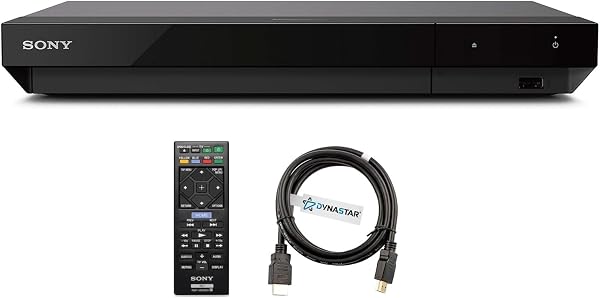
Sony UBP-X700U
8.8Editor score4K UHD playback
Dual HDMI outputs
4K upscaling 60p
Multi-format disc support
Find the right 4k blu ray players for 2026. We compare 10 standout options by build quality, useful features, owner feedback, value, and everyday trade-offs.
Find the right 4K Blu-ray player for your home theater in 2026. We compare 10 standout options across HDR format support, audio fidelity, region compatibility, upscaling performance, streaming features, connectivity, and real-world value for physical media collectors.
The differences between players matter more than most shoppers expect. HDR format handling, twin HDMI output configurations, and high-resolution audio decoding can dramatically change how your disc collection looks and sounds on a modern display and receiver.
This guide breaks down the specifications and trade-offs that separate a basic disc spinner from a serious reference-quality player, helping you match the right model to your TV, sound system, and viewing habits without overspending on features you will never use.
We compared 10 4K Blu-ray players using the details that actually help a buyer decide: HDR format coverage, audio decoding capabilities, HDMI output configuration, region compatibility, disc and file format support, streaming integration, upscaling quality, build construction, and overall value. The notes focus on practical trade-offs so each pick connects to how people actually watch physical media at home.

Compare key features, scores, and current prices side by side. A shorter feature list means fewer details were available, not necessarily fewer capabilities.


This region-free bundle is built around the Sony UBP-X700U platform but unlocks playback for Blu-ray zones A, B, and C as well as DVD regions 0 through 8. For collectors who import special editions from the UK, Japan, or Australia, this is the kind of compatibility that standard retail players simply cannot offer. The ability to play any disc regardless of origin transforms a regional player into a truly global one.
We may earn a commission when you buy through this link, at no additional cost to you.
Picture quality matches the base Sony UBP-X700U, which means you get 4K Ultra HD playback with upscaling for standard Blu-rays and DVDs. HDR support includes Dolby Atmos and DTS Dolby True HD for immersive audio, and the player handles 3D Blu-ray discs as well. The 110-240 volt power supply means it works with electrical systems worldwide, which is a practical advantage for anyone who relocates internationally.
The bundle includes a Dynastar 6-foot HDMI cable, a USA power supply, region-switching instructions, and a remote control. Having clear switching instructions is important because some region-free players require a specific button sequence to change zones, and unclear documentation can lead to frustration. The included cable is a step above the generic cords that typically ship with electronics, providing a more reliable high-bandwidth connection.
Blu-ray discs are divided into three zones: A (Americas and East Asia), B (Europe, Africa, and Oceania), and C (Central and South Asia). Standard players only read the zone they were sold in, which means a UK disc will not play on a US player. A region-free model removes this restriction entirely, allowing you to build a truly international collection without worrying about compatibility.
The price premium over a standard UBP-X700U reflects the region-free modification and bundled accessories. Buyers should be aware that third-party modifications can sometimes affect the manufacturer’s original warranty, so it is worth checking the seller’s return and support policy before purchasing. If your disc collection spans multiple regions, however, the convenience and flexibility this player offers are difficult to match.
Buyers who only purchase domestic discs and do not need multi-region playback.
We may earn a commission when you buy through this link, at no additional cost to you.
The Sony UBP-X700U is a straightforward choice for anyone who wants a dependable 4K disc player without navigating a maze of advanced settings. It handles Ultra HD Blu-ray, standard Blu-ray, and DVD playback with consistent picture quality, and the included HDMI cable means you can connect it to your TV or receiver the moment you open the box. This is a practical pick for living rooms where simplicity matters as much as image quality.
We may earn a commission when you buy through this link, at no additional cost to you.
Picture performance centers on 4K upscaling that runs up to 60p, which helps standard Blu-rays and DVDs look noticeably sharper on a modern 4K television. The dual HDMI output configuration is one of the more useful features at this price point because it lets you send video directly to your display while routing audio to a separate receiver or soundbar. This separation can reduce electrical interference and yield cleaner sound, especially in systems with older AV equipment.
Format compatibility is broad. The player handles a wide range of disc types and digital file formats, so you are not limited to just the latest Ultra HD releases. Music listeners will appreciate support for multiple audio formats through the same unit, reducing the need for a separate network streamer if your collection is modest. Setup is minimal, and the interface is clean enough that most people will not need to consult the manual.
Dual HDMI outputs let you split the audio and video signals to separate devices. This is especially helpful if your TV supports 4K HDR but your receiver only handles 1080p, or if you want to minimize signal degradation by keeping audio and video on independent paths. In practice, this configuration can improve both picture stability and sound clarity in mixed-age home theater setups.
The main limitation is the Region A Blu-ray and Region 1 DVD lock, which means imported discs from Europe or Asia will not play without a region-free model. If your collection is primarily North American releases, this is a non-issue. For the price, the UBP-X700U delivers solid 4K performance and flexible connectivity that suits most home theater configurations.
Buyers who need to play imported Blu-ray discs from regions outside North America.
We may earn a commission when you buy through this link, at no additional cost to you.
Panasonic's DP-UB450 sits in a sweet spot for buyers who want comprehensive HDR support without stepping up to the flagship price tier. It covers both HDR10+ and Dolby Vision, which means it will correctly pass dynamic metadata from the widest range of Ultra HD discs currently available. If your TV supports both formats, this player ensures you are not leaving picture quality on the table regardless of which mastering standard a studio chose.
We may earn a commission when you buy through this link, at no additional cost to you.
The HCX processor is Panasonic’s proprietary chroma processing technology, and it makes a visible difference in color gradation and texture detail compared to players that rely on generic upscaling chips. Skin tones look more natural, and fine patterns in clothing or landscapes hold their definition instead of smearing into flat color blocks. This level of processing is typically found in more expensive models, making the UB450 a strong value proposition.
Audio performance benefits from the twin HDMI configuration, which allows high-resolution audio formats to reach your receiver without being bottlenecked by a single connection. The player handles studio master-quality files, so listeners with high-end DACs or AV receivers will hear the full benefit of lossless soundtracks. The 4K VOD streaming capability adds convenience for nights when you want to browse Netflix or YouTube without switching inputs.
Having both HDR10+ and Dolby Vision on a single player removes the guesswork when building a disc collection. Some studios release exclusively in Dolby Vision while others favor HDR10+. A player that supports only one format will fall back to static HDR10 for the other, which means you lose scene-by-scene brightness optimization. The UB450 handles both natively, so every disc plays as the director intended.
For the price, the DP-UB450 offers a feature set that competes with players costing significantly more. The main trade-off is that it lacks some of the build refinements and additional connectivity options found in Panasonic’s top-tier models. If you want excellent HDR handling and strong audio output without paying a premium, this is one of the most sensible choices in the current lineup.
Viewers who only stream content and have no physical disc collection.
We may earn a commission when you buy through this link, at no additional cost to you.
The Krovatar 4K UHD player stands out immediately because of its built-in Bluetooth connectivity, a feature almost never found on dedicated disc players. This means you can pair wireless headphones directly to the player for late-night viewing without disturbing anyone else in the house. For apartment dwellers or anyone who shares a living space, this single feature can make the difference between watching a movie at a comfortable volume and skipping it entirely.
We may earn a commission when you buy through this link, at no additional cost to you.
On the picture side, the Krovatar covers both HDR10+ and Dolby Vision, putting it on par with more established brands in terms of dynamic HDR support. The player also decodes Dolby Atmos and DTS:X object-based surround sound, so when connected to a compatible soundbar or receiver, you get the full immersive audio experience from Ultra HD discs. This combination of modern video and audio formats at a mid-range price is genuinely competitive.
Build quality is a pleasant surprise. The aluminum alloy chassis gives the player a solid feel and a clean aesthetic that blends well with modern entertainment centers. The included accessory bundle covers everything you need to get started, including an HDMI cable, power adapter, and a Bluetooth remote with battery. This eliminates the frustrating trip to the electronics store that often accompanies a new player purchase.
Most disc players require an external Bluetooth transmitter or a receiver with built-in wireless capability to send audio to headphones. The Krovatar handles this natively, which simplifies your setup and reduces the number of devices competing for space near your TV. Just pair your headphones, adjust the volume on the remote, and enjoy a private cinema experience without any additional purchases.
The main consideration is that Krovatar is a newer brand without the long-term reliability track record of Sony or Panasonic. Bluetooth audio can also introduce a small amount of latency, which may be noticeable during fast dialogue scenes if your headphones do not support low-latency codecs. If wireless private listening is a priority and you are comfortable trying a newer brand, this player offers a compelling feature set.
Buyers who prioritize long-term brand reliability and extensive service networks.
We may earn a commission when you buy through this link, at no additional cost to you.
This Panasonic premium model targets home theater enthusiasts who want the best possible picture from their physical media collection. The HCX processing engine applies high-precision chroma processing to 4K signals, producing natural textures and depth that are noticeably superior to entry-level players. If you have invested in a high-end OLED or premium LCD display, this player helps ensure the source quality matches the panel's capabilities.
We may earn a commission when you buy through this link, at no additional cost to you.
HDR support covers HDR10+, HDR10, and Hybrid Log-Gamma, giving you compatibility with the three most common high dynamic range formats used in broadcast and disc mastering. Dolby Vision is also supported, which means the player handles dynamic metadata on a scene-by-scene basis for the most accurate brightness and contrast reproduction. The combination of these formats makes this one of the most versatile HDR players available.
Audio performance is equally serious. The twin HDMI output configuration isolates the audio signal from the video path, reducing jitter and electrical noise that can degrade high-resolution soundtracks. The player decodes studio master-quality audio formats, so listeners with high-end receivers or dedicated DACs will hear the full detail in lossless Dolby TrueHD and DTS-HD Master Audio mixes.
Advanced chroma processing becomes most apparent on large screens viewed from close seating distances. On a 65-inch or larger OLED, the difference between standard and high-precision chroma upscaling is visible in skin tone gradation, fabric textures, and subtle color shifts in shadow areas. If your viewing environment is optimized for critical watching, the investment in a premium processor pays off in every viewing session.
The higher price reflects the premium processing hardware and build quality. This player is best suited for dedicated home theater rooms where every component in the signal chain matters. If your setup is more casual or your TV is a mid-range model, the improvements may be less noticeable, and a less expensive player could serve you just as well.
Casual viewers with smaller or mid-range TVs who will not notice processing differences.
We may earn a commission when you buy through this link, at no additional cost to you.
The Panasonic UB420 bridges the gap between a dedicated disc player and a streaming device by integrating voice assistant compatibility and 4K VOD apps into a single unit. If you want to reduce the number of boxes under your TV, this player handles both physical media and streaming services like Netflix, YouTube, and Prime Video in 4K. Alexa and Google Assistant integration lets you control playback, search for content, and adjust settings using voice commands.
We may earn a commission when you buy through this link, at no additional cost to you.
Picture processing uses Panasonic’s multi-tap chroma process to interpolate 4:2:0 color signals into 4:4:4, which improves color resolution and reduces the banding artifacts that can appear in gradient-heavy scenes like sunsets or underwater sequences. HDR support covers HDR10+, HDR10, and HLG, providing broad compatibility with both disc and broadcast content. The HCX processor ensures that color and detail remain accurate across all formats.
Audio connectivity includes twin isolated HDMI outputs for clean signal separation and support for high-resolution audio files including DSD, ALAC, FLAC, WAV, and AIFF. This makes the UB420 a capable music player in addition to its video duties, which is useful if your main listening setup is connected to your home theater receiver. The range of supported formats covers most audiophile libraries without requiring a separate streamer.
Voice assistant integration may seem like a novelty, but it becomes genuinely useful in a dark home theater room where finding the right button on a remote is frustrating. Being able to say ‘pause’ or ‘play the next episode’ without fumbling with a backlit remote simplifies the viewing experience, especially for family members who are less familiar with the system.
The main trade-off is that the streaming app ecosystem on dedicated Blu-ray players is generally more limited than what you will find on a Roku, Apple TV, or Fire TV Stick. If streaming is your primary use case, a dedicated streaming device may offer a smoother experience. But for buyers who want a single device that handles discs and basic streaming adequately, the UB420 is a practical consolidation.
Heavy streaming users who need access to dozens of apps and frequent software updates.
We may earn a commission when you buy through this link, at no additional cost to you.
The Panasonic UB154P is designed for buyers who want to start enjoying 4K Ultra HD Blu-ray without investing in a premium model. It delivers the core experience of native 4K disc playback with HDR support at a price that makes upgrading from a standard Blu-ray player feel accessible. If you have recently purchased a 4K TV and want to take advantage of its resolution with physical media, this is a logical starting point.
We may earn a commission when you buy through this link, at no additional cost to you.
HDR coverage includes HDR10+, HDR10, and HLG, which handles the majority of Ultra HD disc releases currently on the market. While Dolby Vision is absent, most discs that use Dolby Vision also include an HDR10 fallback layer, so you will still get a high dynamic range image even without the dynamic metadata. The Panasonic chroma processing engine provides better color handling than many competing players in this price range.
Audio performance includes high-resolution studio master sound decoding, which means lossless surround soundtracks from Ultra HD discs are reproduced at full quality when connected to a compatible receiver. The player handles a wide range of disc formats including standard Blu-ray and DVD, so your existing collection will play without any issues. Operation is quiet, which matters in small rooms where disc drive noise can be distracting during quiet movie scenes.
Dolby Vision offers scene-by-scene brightness optimization that can improve contrast and highlight detail compared to static HDR10. However, the difference is most visible on high-end displays with strong peak brightness and deep blacks. On mid-range TVs, the HDR10 fallback layer on most Dolby Vision discs already provides an excellent image, making the absence of Dolby Vision less impactful than it might seem on paper.
The trade-off for the lower price is a simpler feature set. You will not find twin HDMI outputs, voice assistant integration, or Dolby Vision support here. If those features are important to you, stepping up to the UB420 or UB450 is worth the additional investment. For straightforward 4K disc playback with solid HDR and audio performance, however, the UB154P delivers exactly what it promises.
Enthusiasts who want Dolby Vision and twin HDMI outputs for maximum picture and audio quality.
We may earn a commission when you buy through this link, at no additional cost to you.
The Panasonic UB820 is built for listeners who treat their home theater as a serious audio system first and a movie room second. The twin HDMI output configuration is optimized for high-resolution audio delivery, sending a clean, isolated signal to your receiver or processor while keeping the video path separate. This architecture reduces digital noise and jitter, which can make a measurable difference in soundstage clarity and instrument separation.
We may earn a commission when you buy through this link, at no additional cost to you.
Video performance is driven by the HCX chroma processing engine, which handles color interpolation and HDR tone mapping with the precision that Panasonic’s Hollywood-tuned processors are known for. HDR10+, HDR10, and HLG are all supported, ensuring compatibility with the broadest range of disc and broadcast content. The player also handles 4K VOD streaming, so you can access high-quality streaming content without adding another device to your rack.
Smart features include compatibility with both Alexa and Google Assistant, giving you flexible voice control regardless of which ecosystem your smart home uses. Wireless network connectivity enables streaming and firmware updates without running an Ethernet cable to your equipment rack. The combination of audiophile-grade output and modern smart features makes this a well-rounded choice for mixed-use home theaters.
When audio and video travel through the same HDMI cable, the high-bandwidth video signal can introduce subtle electrical interference into the audio data stream. Twin HDMI outputs eliminate this by dedicating one cable entirely to audio and the other to video. In a system with sensitive amplification, this separation can yield a quieter noise floor and more detailed reproduction of subtle audio cues like room ambience and reverberation tails.
The UB820 commands a premium price that reflects its audio engineering and processing quality. Buyers who primarily watch movies through a soundbar or TV speakers may not hear the benefits of the twin HDMI configuration, making a less expensive model a more practical choice. For those with dedicated amplification and high-quality speakers, however, the audio improvements are real and consistent.
Viewers using basic TV speakers or entry-level soundbars who will not benefit from isolated audio output.
We may earn a commission when you buy through this link, at no additional cost to you.
The Sony X700 Multi-System is the most comprehensive region-free option in this guide, combining full multi-region disc playback with a built-in PAL-to-NTSC converter and universal voltage support. This player is designed for international users who move between countries or who regularly import discs from multiple regions. The ability to play PAL discs on an NTSC television without an external converter is a significant convenience that most region-free players do not offer.
We may earn a commission when you buy through this link, at no additional cost to you.
Format support is exceptionally broad, covering everything from standard CDs and DVDs to SACD, Blu-ray, and Ultra HD Blu-ray discs. The file format list includes modern audio codecs like DSD, ALAC, and FLAC alongside video formats like XVID and VC-1, making this player a versatile hub for mixed media collections. Dual-band Wi-Fi provides reliable network connectivity for firmware updates and streaming without requiring a wired connection.
The dual HDMI outputs provide the same audio-video separation benefits found on the standard X700 models, and the included 6-foot multi-system HDMI cable ensures compatibility with a range of display connections. Dolby Vision HDR support is available through firmware updates, which means the player’s capabilities can expand over time as new features are released. The 100-240V power supply works with electrical systems worldwide.
PAL and NTSC are different video standards used in different parts of the world. PAL runs at 25 frames per second with 576 lines of resolution, while NTSC runs at 29.97 frames per second with 480 lines. Without a built-in converter, a PAL disc will not display correctly on an NTSC television. The X700 Multi-System handles this conversion internally, so you can play European and Australian DVDs on a North American TV without any additional hardware.
The lower star rating and lack of manufacturer warranty are important considerations. Multi-system modifications involve third-party alterations that can affect long-term reliability, and the absence of warranty coverage means you are relying on the seller for support. If global compatibility is essential for your collection, this player offers the most complete solution available, but it comes with trade-offs that standard retail models do not.
Buyers who want full manufacturer warranty coverage and are not comfortable with third-party modifications.
We may earn a commission when you buy through this link, at no additional cost to you.
The Sony UBP-X700M earns the highest rating in this comparison thanks to its combination of Dolby Vision support, BT.2020 wide color gamut coverage, and reliable 4K HDR playback. Dolby Vision uses dynamic metadata to optimize brightness and contrast on a scene-by-scene basis, which produces more lifelike highlights and deeper shadows than static HDR10 alone. If your TV supports Dolby Vision, this player ensures you get the full benefit of every compatible disc.
We may earn a commission when you buy through this link, at no additional cost to you.
The BT.2020 color space support is a meaningful advantage that many buyers overlook. This ultra-wide color gamut allows content creators to encode colors that fall outside the range of traditional TV signals, including deep aquatic blues, natural greens, and vibrant reds that would otherwise be clipped or desaturated. When paired with a display that covers a high percentage of the BT.2020 gamut, the result is noticeably more realistic and saturated color reproduction.
HDR10 performance is equally strong, with the player capable of processing signals that contain up to 100 times the brightness of standard dynamic range content. This massive increase in peak brightness while retaining detailed blacks creates the kind of contrast range that makes 4K HDR content so visually compelling. Network connectivity enables 4K streaming from major services, adding versatility beyond physical disc playback.
Most standard HD content uses the Rec.709 color space, which covers a relatively narrow range of visible colors. BT.2020 expands this range dramatically, allowing Ultra HD content to display colors that were previously impossible to reproduce on a television. The difference is most visible in nature documentaries, animated films, and visually stylized movies where saturated colors play a central role in the cinematography.
The X700M is an excellent choice for buyers who want the best possible HDR experience from a mainstream player without paying premium prices. The single HDMI output means you cannot separate audio and video to different devices, which may be a limitation in complex home theater setups. For most users with a modern TV and soundbar or receiver, however, this player delivers outstanding picture quality and the highest owner satisfaction in this guide.
Users with complex AV setups that require separate audio and video HDMI outputs to different devices.
We may earn a commission when you buy through this link, at no additional cost to you.
Selecting a 4K Blu-ray player involves more than comparing price tags. The right choice depends on your TV’s HDR capabilities, your audio system’s connectivity, your disc collection’s regional origins, and how much you value streaming integration. This section breaks down the key decision factors so you can match a player to your specific setup.
High Dynamic Range is the single most impactful picture quality feature in modern 4K playback, and not all HDR formats are created equal. HDR10 is the baseline standard that every Ultra HD Blu-ray disc supports, providing static metadata that sets brightness and contrast parameters for the entire film. HDR10+ and Dolby Vision go further by adjusting these parameters on a scene-by-scene or even frame-by-frame basis, which produces more accurate highlights and shadow detail throughout the movie.
The practical implication is that a player supporting only HDR10 will still deliver a good picture, but it will not take full advantage of discs mastered with dynamic metadata. If your television supports Dolby Vision, pairing it with a Dolby Vision-capable player like the Sony UBP-X700M or Panasonic DP-UB450 ensures you see the image exactly as the colorist intended. Conversely, if your TV only supports HDR10, paying extra for Dolby Vision on the player side provides no visible benefit.
Check your TV’s specifications before choosing a player. Match the player’s HDR capabilities to your display’s supported formats to avoid paying for features you cannot use or missing out on improvements your TV is ready to display.
The way a Blu-ray player connects to your audio system has a direct impact on sound quality, especially if you have invested in a high-end receiver or processor. Players with a single HDMI output send both audio and video through one cable, which works fine for most setups but can introduce minor signal interference in sensitive systems. Twin or dual HDMI outputs allow you to route video directly to your TV and audio directly to your receiver, keeping the two signals completely separate.
High-resolution audio support is another important consideration. Formats like DSD, FLAC, ALAC, and studio master PCM require a player capable of decoding and passing these signals in their native resolution. Players like the Panasonic UB820 and UB420 are designed with this in mind, offering twin isolated HDMI outputs and broad codec support that preserves the full detail of lossless soundtracks. If your receiver supports Dolby Atmos or DTS:X, make sure the player can bitstream these formats rather than downmixing them.
If you use a soundbar or TV speakers, a single HDMI output with ARC or eARC support is sufficient. Reserve twin HDMI configurations for systems with dedicated amplification where signal purity makes an audible difference.
Blu-ray discs are divided into three regional zones, and standard players are locked to the zone where they were sold. Zone A covers the Americas and East Asia, Zone B covers Europe and Africa, and Zone C covers Central and South Asia. DVDs use a more granular system with eight regions. If you only buy discs from your local market, a standard region-locked player is perfectly adequate and typically less expensive.
For collectors who import special editions, foreign-language releases, or out-of-print titles from other regions, a region-free player is essential. Models like the Region Free Sony X700 bundle and the Sony X700 Multi-System unlock all Blu-ray zones and DVD regions, allowing you to play any disc regardless of origin. Some region-free models also include PAL-to-NTSC conversion, which is necessary for playing European DVDs on North American televisions.
Consider your buying habits honestly. If you have never purchased an imported disc and do not plan to start, a standard player saves money and avoids the warranty complications that can accompany third-party region modifications.
Most people still have a large collection of standard Blu-ray and DVD discs, and the quality of a player’s upscaling engine determines how good those older discs look on a 4K television. A basic upscaler simply stretches the image to fill the screen, which can introduce softness and artifacts. A sophisticated upscaler analyzes the source material and intelligently adds detail, sharpening edges and reducing noise while preserving the original film grain.
Panasonic’s HCX processor and multi-tap chroma processing are among the best upscaling technologies available in consumer players. These systems interpolate color signals from 4:2:0 to 4:4:4, which dramatically improves color resolution and reduces the banding that can appear in gradient-heavy scenes. Sony’s upscaling engines are also strong, particularly in the X700 series, which handles 4K upscaling up to 60p for smooth motion.
If a significant portion of your viewing involves standard Blu-rays and DVDs, prioritize a player with a proven upscaling engine. The improvement in picture quality on a large 4K display is immediately visible and makes your entire existing collection look better.
Many modern 4K Blu-ray players include built-in streaming apps and Wi-Fi connectivity, allowing you to access services like Netflix, YouTube, and Prime Video without a separate streaming device. This consolidation can simplify your setup and reduce the number of remotes on your coffee table. Voice assistant compatibility with Alexa or Google Assistant adds another layer of convenience, letting you control playback and search for content hands-free.
However, the streaming experience on Blu-ray players is generally less polished than on dedicated streaming devices. App selection is more limited, interfaces can be slower, and software updates arrive less frequently. If streaming is your primary way of watching content, a dedicated Apple TV, Roku, or Fire TV Stick will provide a smoother and more comprehensive experience. The streaming features on a Blu-ray player are best viewed as a convenient bonus rather than a primary selling point.
Decide how important streaming is to your daily viewing. If you mainly watch physical discs and only stream occasionally, the built-in apps on a player like the Panasonic UB420 are perfectly adequate. If you stream several hours a day, keep your existing streaming device and choose a Blu-ray player based on its disc playback quality.
Build quality affects both the longevity of the player and its performance in vibration-sensitive environments. Players with metal chassis construction, like the Krovatar with its aluminum alloy body, tend to dampen disc drive vibrations more effectively than all-plastic designs. This can reduce tracking errors during playback and contribute to quieter operation, which matters in small rooms or during quiet movie passages.
Connectivity options beyond HDMI also deserve attention. USB ports allow you to play media files from external drives, which is useful for home video collections or downloaded content. Ethernet ports provide a more stable network connection than Wi-Fi for streaming and firmware updates. Bluetooth connectivity, as found on the Krovatar, opens up wireless headphone listening for private viewing sessions.
Match the connectivity to your actual usage. If you never plug in a USB drive or use wired networking, those ports are irrelevant. Focus on the connections you will actually use every day and avoid paying a premium for features that will sit unused.
The 4K Blu-ray player market spans a wide price range, from under $300 for entry-level models to over $600 for premium units with advanced processing and audio features. The most expensive player is not automatically the best choice for every buyer. A $300 player connected to a mid-range TV will often deliver a picture that is indistinguishable from a $650 player on the same display, because the TV’s own processing and panel quality are the limiting factors.
Value is about matching the player’s capabilities to the rest of your system. If you have a flagship OLED TV and a high-end surround sound system, investing in a premium player with advanced chroma processing and twin HDMI outputs makes sense because the rest of your chain can reveal the differences. If your setup is more modest, a mid-range player like the Panasonic DP-UB450 or Sony UBP-X700M will deliver excellent results without unnecessary expense.
Set a budget based on your overall system quality and viewing priorities. The best value is the least expensive player that fully supports your TV’s HDR formats and your receiver’s audio capabilities, with no more and no less.
Position your player in a well-ventilated area with at least a few inches of clearance on all sides to prevent overheating during extended playback sessions. Connect the HDMI cable directly to your TV or receiver rather than routing it through a switch or splitter whenever possible, as each additional connection point can introduce signal degradation. If your player has twin HDMI outputs, use the configuration recommended in the manual for your specific AV setup to get the cleanest audio and video signals.
Keep the disc tray and laser lens clean by using a soft, lint-free cloth to wipe discs before inserting them and avoiding touching the data surface. Dust accumulation inside the player can affect laser tracking over time, so consider using a disc cleaning kit periodically if you live in a dusty environment. Store discs in their cases rather than stacking them loosely, as scratches on the data layer can cause playback errors or permanent damage to the disc.
Check for firmware updates every few months by connecting the player to your home network and navigating to the settings menu. Manufacturers regularly release updates that improve HDR tone mapping, add new streaming app support, fix playback bugs, and enhance format compatibility. Keeping your player updated ensures you get the best possible performance and the longest useful lifespan from your investment.
A 4K TV can display 4K content from streaming services, but a 4K Blu-ray player provides significantly higher bitrates and better picture quality than streaming. Ultra HD Blu-ray discs deliver up to 100 Mbps of video data compared to 15-25 Mbps from most streaming services, resulting in sharper detail, fewer compression artifacts, and more accurate colors. If you care about picture quality, a disc player makes a visible difference.
HDR10 uses static metadata that sets brightness and contrast parameters for an entire movie, while Dolby Vision uses dynamic metadata that adjusts these parameters scene by scene or frame by frame. This means Dolby Vision can optimize bright outdoor scenes and dark indoor scenes independently, producing more accurate contrast throughout the film. Both formats improve on standard dynamic range, but Dolby Vision offers more precise control.
Yes, all 4K Blu-ray players are backward compatible with standard Blu-ray discs and DVDs. They also upscale lower-resolution content to near-4K quality, which improves the picture on your 4K television. The quality of this upscaling varies between models, with premium players generally producing sharper and more natural-looking results from older discs.
You need a high-speed HDMI cable rated for 18 Gbps or higher to carry a full 4K HDR signal. Most cables sold as 'Premium High Speed' or 'Ultra High Speed' will work. The cable that came with your TV or player may already be sufficient, but if you experience flickering, dropouts, or no HDR signal, upgrading to a certified cable is a simple and inexpensive fix.
A region-free player can play discs from any geographic region without restriction. Standard players are locked to one of three Blu-ray zones or eight DVD regions, which prevents imported discs from playing. Region-free models remove this limitation, allowing you to watch discs purchased from any country. This is especially useful for collectors who buy special editions or foreign-language releases.
Generally no. Dedicated streaming devices like Apple TV, Roku, or Fire TV Stick offer faster interfaces, more app options, and more frequent software updates than the streaming features built into Blu-ray players. Buy a 4K Blu-ray player for its disc playback quality and treat the streaming apps as a convenient bonus for occasional use.
Twin HDMI output matters most in high-end home theater systems where audio and video are sent to separate devices. It allows you to route video directly to your TV and audio directly to your receiver, reducing signal interference and preserving audio quality. For simpler setups with a soundbar or TV speakers, a single HDMI output is perfectly adequate and will not limit your experience.
Most 4K Blu-ray players do not have built-in Bluetooth, so you would need an external Bluetooth transmitter connected to the audio output. The Krovatar 4K UHD player is a notable exception with native Bluetooth headphone support. If private listening is important to you, check the player's specifications carefully or plan to add a transmitter to your setup.
A well-maintained 4K Blu-ray player should last five to ten years or more. The laser assembly is the most common point of failure over time, but keeping the player clean and using undamaged discs extends its lifespan significantly. Firmware updates can also extend the useful life by adding new features and maintaining compatibility with evolving display standards.
The Sony UBP-X700M stands out as the strongest overall choice in this comparison, combining Dolby Vision support, BT.2020 wide color gamut coverage, and the highest owner rating at a competitive price. It delivers the kind of HDR performance that makes Ultra HD discs look genuinely stunning on a capable display, and its straightforward setup makes it accessible to buyers who do not want to spend hours configuring settings.
For different priorities, the Panasonic DP-UB450 offers excellent value with comprehensive HDR10+ and Dolby Vision support plus HCX chroma processing, while the Panasonic premium model and UB820 cater to enthusiasts who demand reference-grade color accuracy and studio master audio output. Buyers with international disc collections will find the region-free Sony bundles to be the most practical solution for global playback without restrictions.
The best decision comes down to matching the player to your specific TV, audio system, and disc collection. Check your display's HDR format support, consider whether your receiver benefits from twin HDMI outputs, and decide honestly whether you need region-free playback or streaming features. Choose the least expensive model that covers all your requirements, and you will enjoy years of excellent physical media playback.



