Titan ACE
9.2Editor score110-ball hopper capacity
39-pound lightweight frame
Internal oscillation system
Free app drill control
Find the right pickleball machines for 2026. We compare 7 standout options by build quality, useful features, owner feedback, value, and everyday trade-offs.
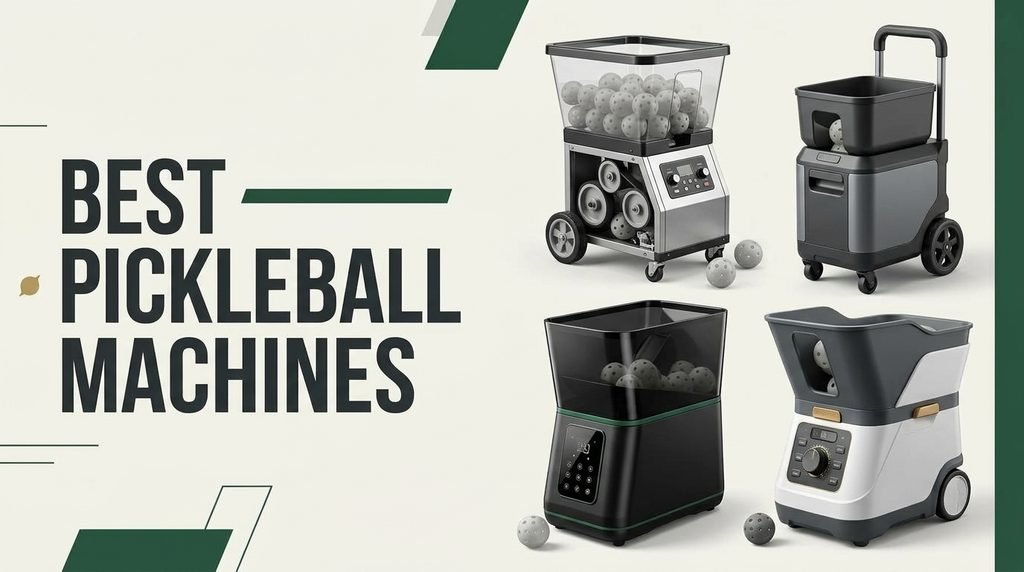
Find the right pickleball machine for your game in 2026. We compare 7 standout ball launchers by the factors that matter most: ball speed, spin control, oscillation patterns, hopper capacity, portability, battery life, smart app features, and overall value for different skill levels.
Pickleball machines range from compact budget launchers to advanced app-controlled systems with programmable drill libraries. The biggest differences come down to spin versatility, oscillation type, feeding speed, and whether you need remote or smartphone control for solo practice sessions.
Whether you are a beginner building consistency or a competitive player drilling specific shot patterns, choosing the right machine depends on how you plan to train, where you will set it up, and how much automation you want during practice.
We compared 7 pickleball machines using the details that actually help a buyer decide: ball speed range, spin adjustment, oscillation type, hopper capacity, battery runtime, portability, control options, and price. The notes focus on practical trade-offs so each pick connects to how players actually train, whether that means solo backyard sessions, club drills, or tournament preparation on outdoor courts.


Compare key features, scores, and current prices side by side. A shorter feature list means fewer details were available, not necessarily fewer capabilities.


The Furlihong 3816PBH stands out in the budget-to-midrange segment by offering an oscillating base that sweeps the entire machine left and right during operation. This creates randomized ball placement across the court, forcing you to move laterally and react to different shot angles rather than standing in one spot. For players working on court coverage and footwork, that kind of unpredictability is a meaningful step up from machines that only feed to a fixed location.

We may earn a commission when you buy through this link, at no additional cost to you.
Speed adjusts across a low-to-high range, and the auto-swing launch port moves up and down to vary shot height. You can pause the launch port at a specific angle using the side button, which is useful when you want to drill a particular shot height repeatedly, such as low dinks at the kitchen line or higher lobs from the baseline. The included remote control lets you make these adjustments without walking back to the machine between drills.
Power flexibility is another practical advantage. The 3816PBH runs on batteries for outdoor courts without outlets, or you can plug it into an AC adapter for indoor gym sessions. The tripod-compatible mounting point on the bottom lets you raise the machine to simulate different serve angles, though you will need to supply your own tripod. Setup is straightforward, and the overall footprint is compact enough to store in a closet or car trunk without much hassle.
Many entry-level machines only oscillate the launch nozzle, which shifts the ball a few feet to either side but keeps the overall trajectory relatively predictable. An oscillating base moves the entire machine, creating wider angle changes that more closely mimic an opponent hitting cross-court and down-the-line shots. If your main training goal is improving lateral movement and reaction time, a base-oscillating machine like the 3816PBH will give you more realistic court coverage practice than a nozzle-only design at a similar price.
At around two hundred fifty dollars, this machine delivers a strong combination of oscillation, remote control, and dual power options that many competitors reserve for higher price points. The main limitation is that it does not include pickleballs or a tripod, so factor those extras into your total cost. For beginners and intermediate players who want randomized court coverage without spending over a thousand dollars, the Furlihong 3816PBH is one of the most practical choices in this lineup.
Advanced players who need variable spin control and programmable drill sequences for tournament preparation.
We may earn a commission when you buy through this link, at no additional cost to you.
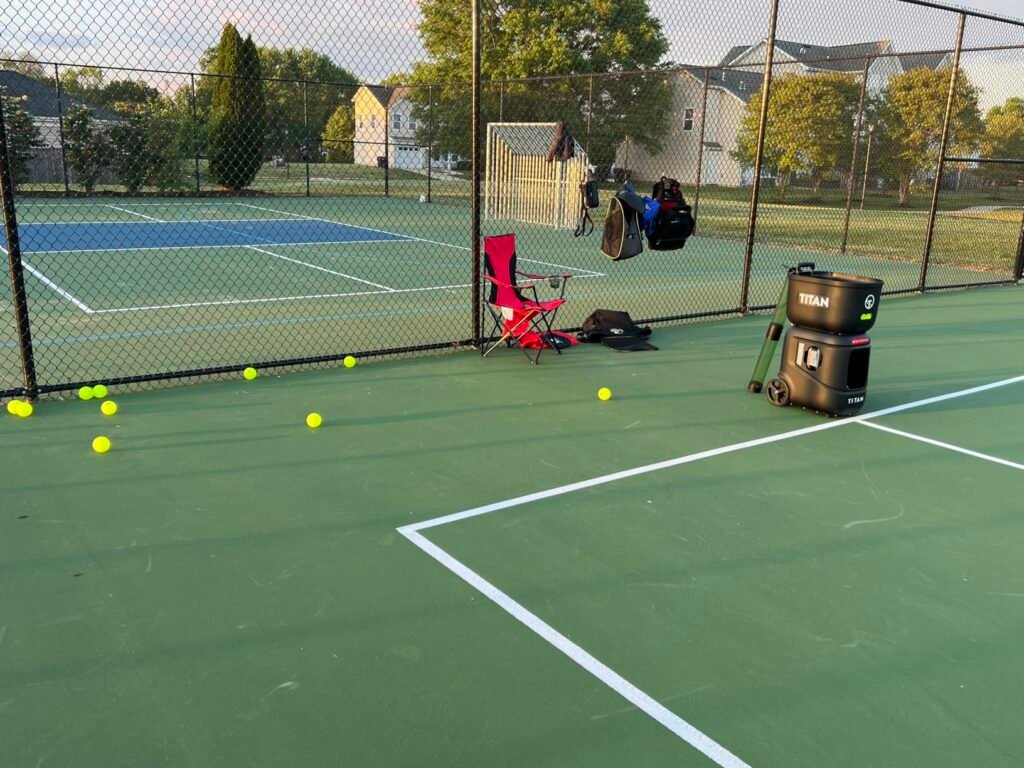
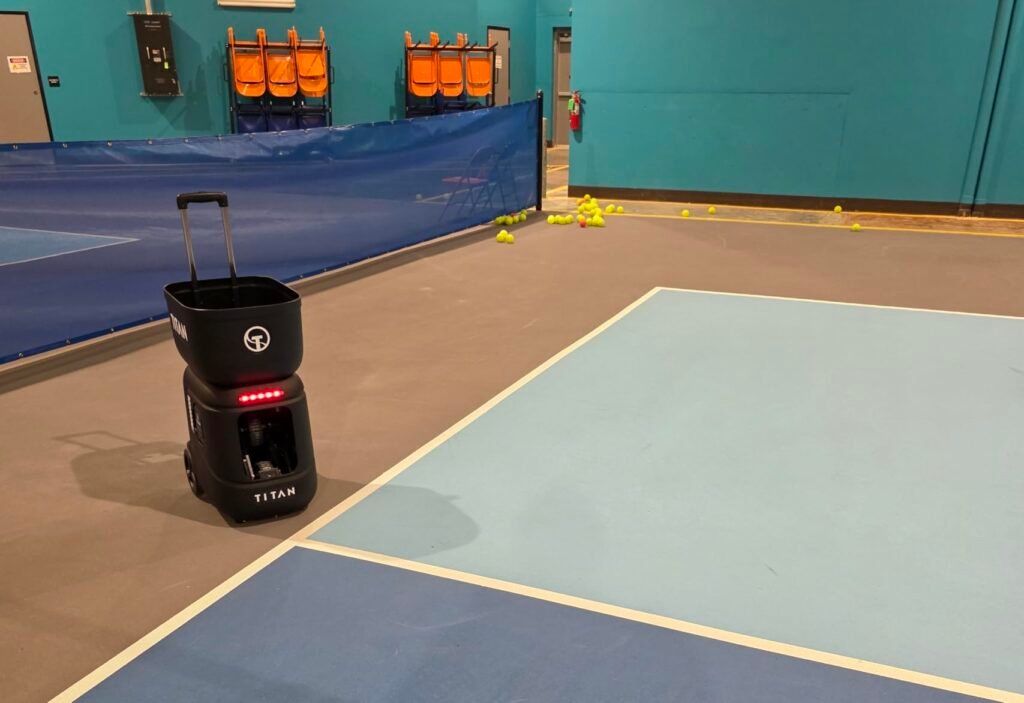
The Titan ACE targets players who want a training partner that can replicate the unpredictability of a real match. Its internal oscillation system changes shot direction without visibly moving the machine body, which means the ball trajectory shifts in ways that are harder to read ahead of time. That design choice makes a noticeable difference for intermediate and advanced players who have already outgrown predictable side-to-side feeding patterns.

We may earn a commission when you buy through this link, at no additional cost to you.
Ball speed, feed interval, and spin are all adjustable through the Titan Drill App on your phone, and the drill library lets you scan QR codes to download routines from coaches or YouTube videos. This ecosystem approach means the machine can grow with your training needs over time rather than locking you into a fixed set of factory presets. Over-the-air software updates also add new capabilities like rapid-fire modes without requiring a hardware upgrade.
At 39 pounds with a collapsible frame and invertible hopper, the Titan ACE is easier to move and store than many machines in its performance class. You can fold it down to fit in a car trunk or a tight garage corner, which matters if you do not have permanent court access and need to transport the machine regularly. The 110-ball hopper supports extended sessions without constant reloading, though you will want to invest in a large bucket of practice balls to take full advantage.
The Titan Drill App connects to the machine via Bluetooth and lets you design, edit, and share custom drill sequences from your phone. You can program specific shot combinations such as alternating dinks and drives, or set up random patterns that simulate an opponent mixing up placement. The app also supports Apple Watch controls for quick adjustments mid-session, which is handy when you are on the court and do not want to stop a rally to reach for your phone. Because the drill library is community-driven, you can follow professional coaches or share your own routines with other players, making the machine more versatile over time.
The main tradeoff is cost. At over two thousand dollars, this is a significant investment that makes the most sense for dedicated players, coaches running group sessions, or community clubs that will get heavy use from the machine. If you only play casually a few times a month, a simpler and less expensive launcher may serve you just as well. But for anyone serious about structured solo practice, the Titan ACE offers one of the most complete feature sets available.
Casual players on a tight budget who only need basic straight-line feeding for occasional warm-ups.
We may earn a commission when you buy through this link, at no additional cost to you.
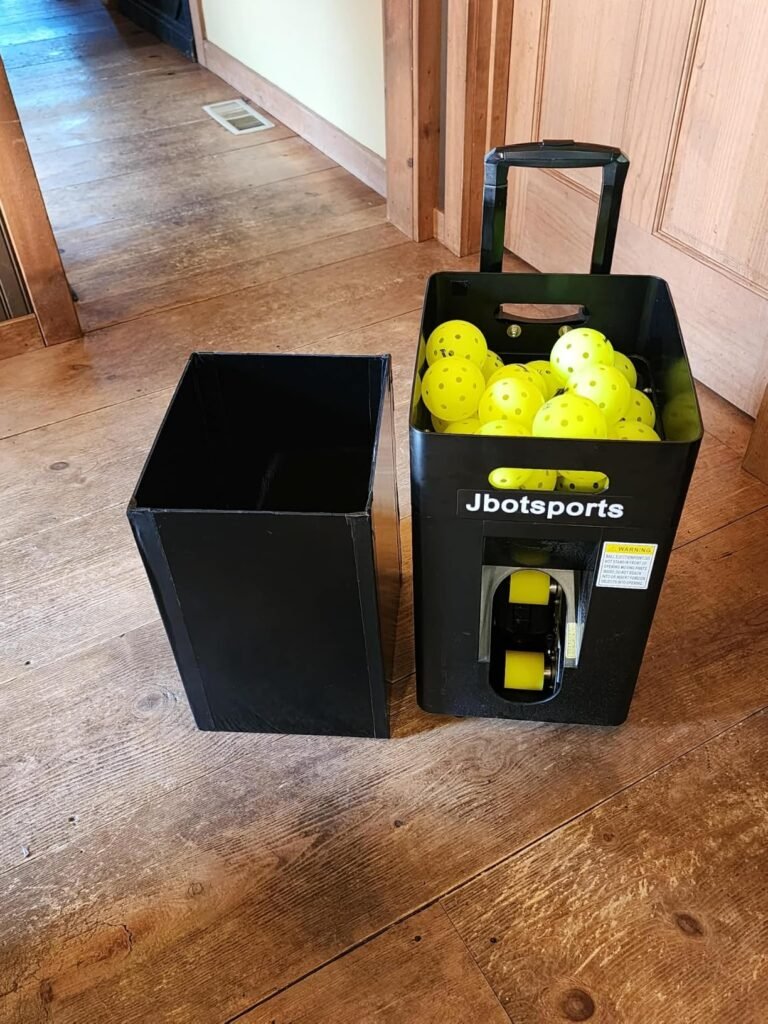
At just 22 pounds with a folding hopper, the JP02 is one of the lightest and most compact pickleball machines in this comparison. When collapsed, it measures roughly 14 by 12 by 19 inches, which means it fits easily in a car trunk or even on a back seat. The telescopic pull rod and large wheels let you roll it across parking lots and onto the court like a piece of carry-on luggage, making it a strong choice for players who travel to different venues for practice.
We may earn a commission when you buy through this link, at no additional cost to you.
Despite its small size, the JP02 offers adjustable topspin and backspin, which is uncommon at this price point. The dual-wheel launch system produces a more neutral ball flight compared to single-wheel machines that tend to generate heavy topspin by default. That makes the JP02 friendlier for beginners who are still developing their return technique, while the spin adjustment still gives intermediate players enough variety to practice handling different ball rotations.
The detachable lithium battery is a thoughtful design detail. You can charge it inside the machine or remove it and charge it separately, which is convenient if you want to keep a spare battery ready or charge the battery indoors while the machine stays in your garage. A full charge delivers over four hours of continuous use, enough for most practice sessions. Ball speed tops out around 30 mph, which is adequate for recreational play but may feel limiting for advanced players accustomed to faster drives.
Single-wheel machines use one spinning wheel and a flat backing plate to propel the ball, which naturally imparts heavy topspin on every shot. That can be useful for advanced players who want to practice returning aggressive spin, but it can frustrate beginners who are still learning basic stroke mechanics. Dual-wheel systems like the one on the JP02 use two counter-rotating wheels that grip the ball from both sides, producing a flatter and more neutral trajectory. This gives you a cleaner baseline shot to practice against, and you can then dial in spin intentionally using the adjustment controls.
The JP02 makes the most sense for players who prioritize portability and ease of transport above raw performance. If you carpool to the courts, share a machine with a doubles partner, or have limited storage space at home, the compact folding design is a genuine everyday advantage. Just be aware that the 30 mph speed ceiling and external oscillation pattern place it a step below the premium machines for high-intensity competitive drills.
Competitive players who need ball speeds above 50 mph and advanced programmable drill patterns.
We may earn a commission when you buy through this link, at no additional cost to you.
This launcher-and-net combo solves one of the biggest annoyances of solo pickleball practice: constantly walking across the court to retrieve balls. The auto-return net catches your shots and funnels them back toward the machine area, so you can keep hitting without interruption. For players who train alone in a driveway, backyard, or empty court without a partner to feed balls, that continuous loop can dramatically increase the number of quality repetitions you get in a single session.

We may earn a commission when you buy through this link, at no additional cost to you.
The 5200mAh battery delivers six to eight hours of runtime, which is among the longest in this comparison and more than enough for even the most dedicated practice days. The remote control lets you adjust shot distance up to nine feet, height up to seven feet, and left-right oscillation from the baseline. The seven-track hopper holds 28 pickleballs or 30 tennis balls, and the dual-sport design means you can use the same machine for both games if your household plays both.
Assembly takes roughly 15 minutes, and the lightweight construction makes it easy to set up and tear down for backyard sessions or casual gatherings. The included scoring app is a small bonus that adds a gamification element to practice, which can be motivating for younger players or families looking to make training more engaging. The overall package feels designed for convenience and accessibility rather than high-performance competitive drilling.
Without a return net, a typical solo practice session involves hitting 20 to 30 balls and then spending several minutes collecting them from across the court. That downtime breaks your rhythm and reduces the total number of quality reps you can complete in an hour. A return net system keeps the balls cycling back to you, which means you can sustain longer rallies and maintain the tempo of a real match. This setup is especially valuable for players who do not have regular access to a hitting partner or coach.
The main limitation is the 28-ball hopper, which will cycle through relatively quickly during fast-paced drills and require more frequent reloading than machines with larger capacities. The 4.0 rating also suggests that some owners have experienced consistency issues with ball feeding or net return accuracy. If your priority is a hassle-free backyard setup that keeps you hitting without chasing balls, this system delivers a unique convenience that standalone machines cannot match.
Serious competitors who need high-capacity hoppers and precise spin programming for tournament-level drills.
We may earn a commission when you buy through this link, at no additional cost to you.
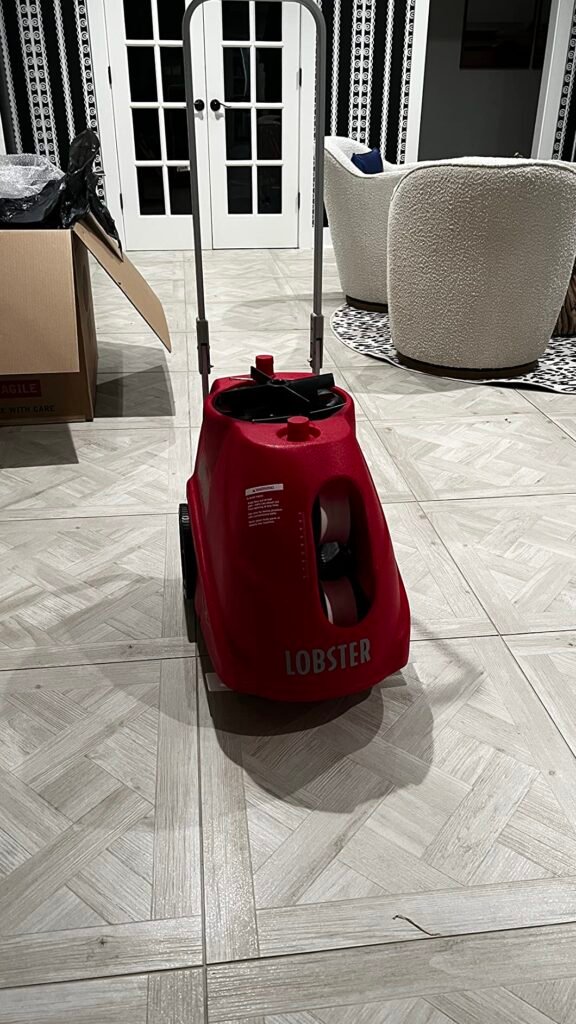
The Lobster Pickle Two was one of the first pickleball machines to offer fully variable spin, ranging from heavy topspin through flat to heavy backspin. That range matters because different opponents produce different spin profiles, and being able to practice against realistic slice returns and aggressive topspin drives gives you a significant advantage in match play. If you struggle with returning backspin dinks or handling heavy topspin third-shot drops, this machine lets you isolate and drill those specific scenarios.
We may earn a commission when you buy through this link, at no additional cost to you.
The oscillation system offers both two-line mode, which alternates between two preset court positions, and random horizontal mode, which sweeps balls across the forehand, backhand, and center in an unpredictable pattern. Two-line mode is excellent for structured forehand-backhand alternation drills, while random mode better simulates the chaos of a real rally. The 20 to 60 mph speed range covers everything from soft kitchen exchanges to hard baseline drives, giving you flexibility across all phases of the game.
With a 135-ball hopper capacity, the Pickle Two supports the longest uninterrupted sessions in this comparison. The six-to-eight hour battery life means you can run multiple full hoppers without recharging, which is ideal for coaches running group clinics or players who want to put in serious volume on a weekend morning. The 10-function remote control handles all major adjustments from the baseline, and the eight-inch all-terrain wheels roll smoothly over grass, gravel, and court surfaces.
Most pickleball machines produce a relatively flat or consistently topspin-heavy ball flight, which does not prepare you for the variety of spins you will face in actual matches. A skilled opponent may hit heavy backspin dinks that stay low and skid, or topspin drives that kick up off the court surface. The Lobster Pickle Two lets you dial in specific spin levels so you can practice reading and returning each type. Spending even a few sessions training against backspin returns can significantly improve your confidence and consistency during competitive play.
At 42 pounds, the Pickle Two is heavier than some competitors, though the inverting hopper and folding handle help it fit into most car trunks. The price sits in the upper-mid range, which may be hard to justify for casual players who only need basic feeding. But for anyone who considers spin variety a critical part of their training, the Lobster Pickle Two offers a level of shot simulation that most machines in this price range simply cannot match.
Beginners who have not yet developed basic stroke mechanics and do not need advanced spin simulation.
We may earn a commission when you buy through this link, at no additional cost to you.
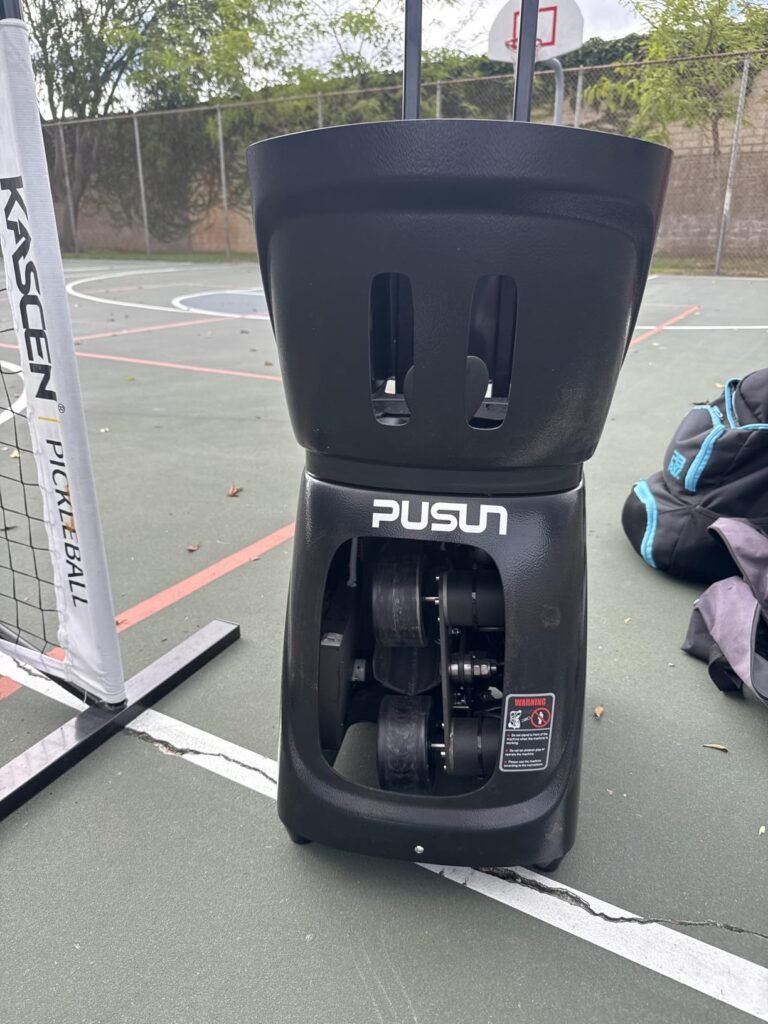
The PP-Smart Pro offers the most granular shot placement control in this lineup, with 28 programmable landing points that let you target specific zones on the court. This level of precision is useful for players working on shot placement accuracy, such as drilling deep returns to the corners or practicing cross-court dinks that land just over the kitchen line. Combined with 10 built-in training modes, the machine provides a structured framework for players who want to follow a progressive training plan without designing every drill from scratch.
We may earn a commission when you buy through this link, at no additional cost to you.
The internal oscillation system works similarly to the Titan ACE, keeping the machine body stationary while varying shot direction internally. This produces less predictable ball trajectories compared to external-swing machines, which is valuable for reaction training and match simulation. The speed range of 12 to 75 mph is the widest in this comparison, covering everything from delicate drop shots to powerful drives that challenge your reflexes at the net.
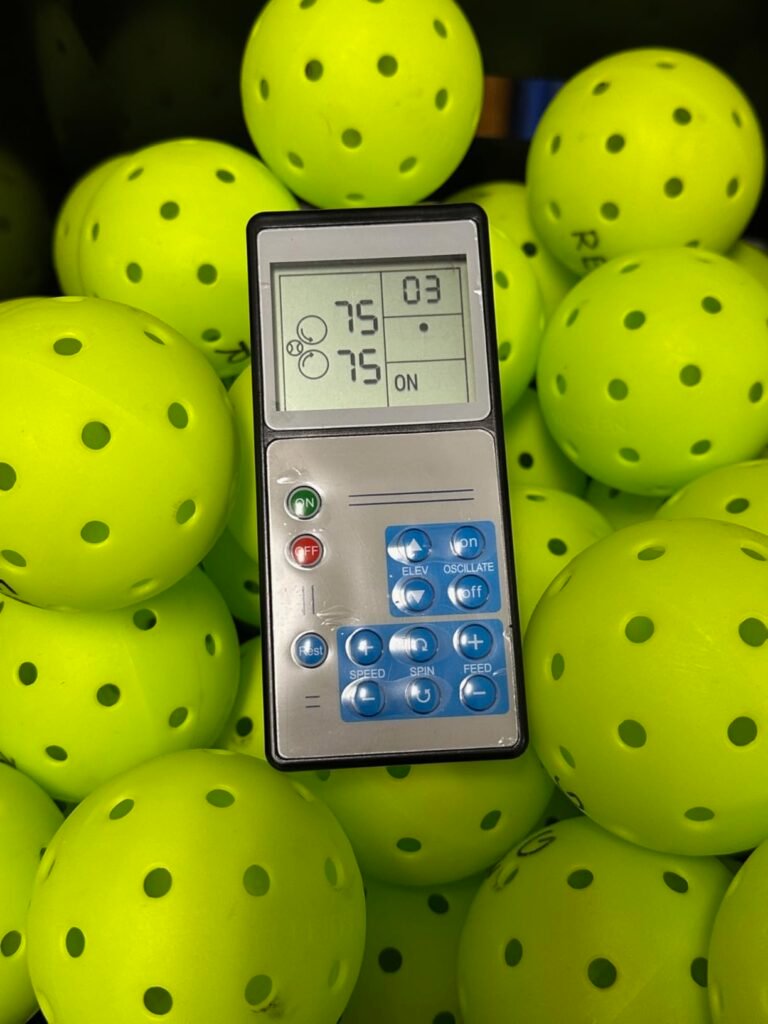
Control options include the PUSUN App for iOS and Android, a handheld remote, and Apple Watch integration for quick adjustments during play. The invertible hopper holds over 80 balls and folds down for compact storage and transport. Battery life runs four to six hours on a full charge, which is adequate for most sessions but shorter than some competitors in this price range.
Most pickleball machines describe oscillation in general terms like wide, medium, or narrow sweep. The PP-Smart Pro takes a different approach by defining 28 specific landing zones on the court, which gives you much finer control over where each ball lands. This is particularly useful for coaches who want to set up targeted drills for students, such as feeding balls to the backhand corner for five shots and then switching to the forehand sideline. The precision comes at the cost of a more complex setup process, but for players who value structured training, the extra control can lead to faster skill development.
The 3.5-star rating is the lowest in this comparison and suggests that some owners have experienced reliability or consistency issues. The manufacturer notes that hard PE pickleballs may cause unstable serving or jamming, so using TPE balls is recommended for the smoothest operation. If you are willing to work through a potential learning curve and invest in compatible balls, the PP-Smart Pro offers a feature set that rivals machines costing significantly more. Just be prepared for the possibility of occasional feeding inconsistencies.
Players who want a simple plug-and-play machine without app setup or ball compatibility concerns.
We may earn a commission when you buy through this link, at no additional cost to you.
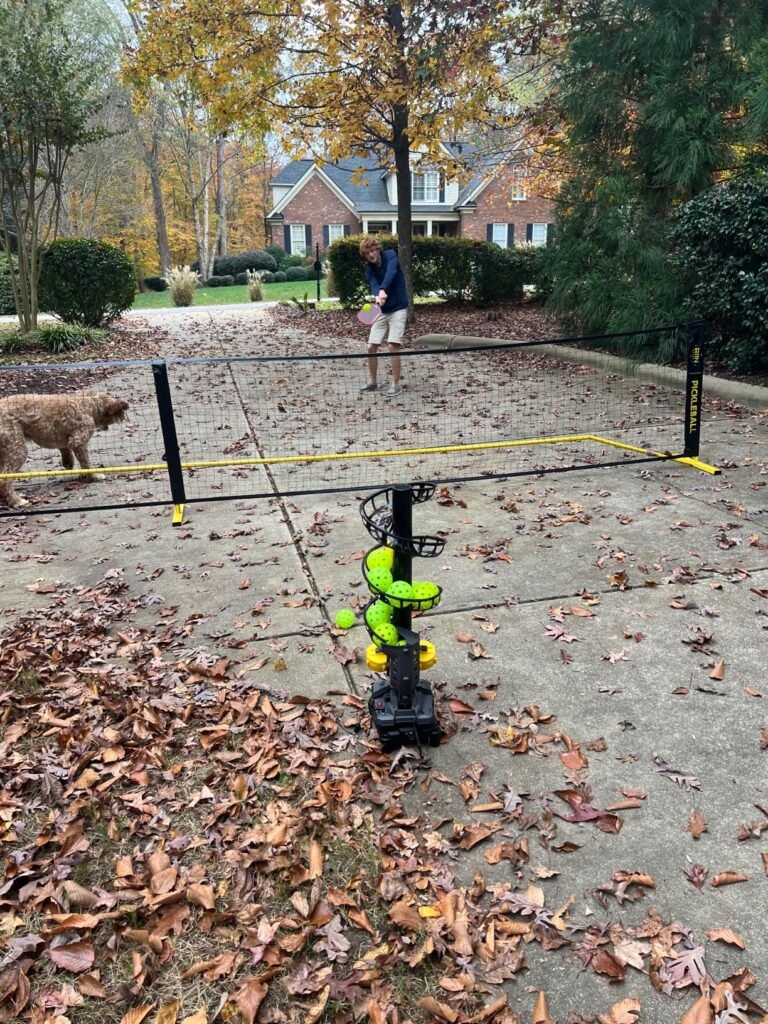
The A11N SPORTS Launcher is the most affordable option in this comparison, making it an accessible entry point for players who are new to pickleball and want to practice without investing in a four-figure machine. At under one hundred fifty dollars, it provides basic automated feeding with adjustable speed, spin, and elevation, which is enough to help beginners develop consistent stroke mechanics and get comfortable with ball timing.
We may earn a commission when you buy through this link, at no additional cost to you.
The machine launches a ball every four seconds, giving you a comfortable window to reset your stance and prepare for the next shot. Height adjusts from one to eight feet, and the range spans 17 to 33 feet, which covers the most common distances for dink practice and mid-court volleys. The auto-swing function moves the launch angle up and down to simulate different shot trajectories, adding a layer of variety that keeps practice from becoming too repetitive.
Power flexibility is a standout feature at this price. You can run the A11N on D batteries for outdoor courts, plug it into an AC adapter for indoor use, or connect a portable power bank with at least 2.6 amps of output. That triple-option approach means you are not limited by court infrastructure, and you can take the machine to parks, driveways, or community courts without worrying about finding an outlet.
Budget pickleball machines are best understood as consistency builders rather than match simulators. They excel at feeding balls at a steady pace so you can groove your swing path, work on contact point, and develop muscle memory for basic shots. What they typically lack is the speed, spin variety, and oscillation randomness needed to replicate competitive match conditions. If you are a beginner or a recreational player who plays a few times a week, a budget launcher can meaningfully accelerate your improvement. Just plan to upgrade if you eventually want to drill against tournament-level pace and spin.
The main limitations are the small 19-ball hopper and the modest speed range. You will need to reload frequently during longer sessions, which interrupts your rhythm and reduces overall practice efficiency. The speed and spin capabilities are sufficient for beginners and casual players but will feel restrictive as your skills improve. If you are just starting out and want an affordable way to get more reps in, the A11N SPORTS Launcher is a reasonable first machine that you can upgrade from later.
Intermediate and advanced players who need high ball speeds, large hopper capacity, and realistic match simulation.
We may earn a commission when you buy through this link, at no additional cost to you.
Selecting a pickleball machine involves balancing performance features against your skill level, training goals, and budget. The sections below break down the most important factors to consider before making a purchase.
Ball speed determines how realistically the machine can simulate the pace of a real match. Most recreational pickleball rallies happen between 20 and 40 mph, while competitive drives and serves can exceed 50 mph. A machine with a wide speed range, such as 12 to 75 mph, gives you room to start slow and increase intensity as your skills improve. Feed rate, or the interval between shots, is equally important because it controls how much time you have to recover between balls. A four-second interval works well for beginners, while advanced players may prefer two-second intervals or faster to simulate rapid net exchanges.
When evaluating speed specifications, pay attention to whether the listed range reflects actual measured output or theoretical maximums. Some machines advertise high top speeds that are only achievable under ideal conditions with specific ball types. It is also worth noting that higher speeds tend to reduce accuracy, especially on machines with single-wheel launch systems that can impart unwanted spin at maximum velocity. If you plan to use the machine primarily for dink and drop shot practice, a lower speed ceiling is perfectly adequate and may even produce more consistent feeds.
Choose a speed range that matches your current skill level with some headroom for growth. Beginners should prioritize consistency and accuracy over raw speed, while competitive players will benefit from machines that can replicate the fastest shots they face in tournament play.
Spin is one of the most impactful variables in pickleball, and a machine that can produce different spin types gives you a significant training advantage. Topspin causes the ball to dip and kick forward after bouncing, backspin makes it float and skid low, and sidespin creates lateral movement that can pull you out of position. Machines with dual-wheel launch systems generally offer more nuanced spin control because they can vary the relative speed of each wheel independently. Single-wheel machines tend to produce a fixed amount of topspin that may not be adjustable.
The practical value of spin control depends on your playing level. Beginners who are still learning basic stroke mechanics may find heavy spin confusing and counterproductive, as it makes the ball behave unpredictably before they have developed reliable return technique. Intermediate and advanced players, however, will benefit enormously from practicing against backspin slices and topspin drives, since those are the shots most likely to cause errors in competitive matches. If you regularly face opponents who use spin aggressively, a machine with variable spin adjustment should be a high priority.
If spin versatility is important to your game, look for machines that explicitly list topspin, backspin, and flat settings rather than vague claims about spin capability. The Lobster Pickle Two and JP02 are strong options in this category at different price points.
Oscillation determines how the machine distributes balls across the court, and the type of oscillation has a major impact on training quality. External oscillation moves the launch nozzle or the entire machine body in a visible sweeping motion, which gives you a visual cue about where the next ball is heading. Internal oscillation keeps the machine stationary and changes the ball trajectory inside the housing, making shot direction much harder to anticipate. For match simulation, internal oscillation is generally more effective because real opponents do not telegraph their shots with visible body movements.
The width and pattern of oscillation also matter. Some machines offer two-line mode, which alternates between two fixed positions and is ideal for structured forehand-backhand drills. Others provide random horizontal oscillation that sweeps across the full court width, forcing you to cover more ground and react faster. A few advanced models let you program specific landing zones or combine multiple oscillation patterns within a single drill sequence. The more varied the oscillation, the better the machine will prepare you for the unpredictability of real match play.
For beginners, a simple left-right oscillation is sufficient to build basic court movement. Intermediate and advanced players should look for machines with random or internal oscillation patterns that challenge reaction time and footwork under less predictable conditions.
Hopper capacity directly affects how long you can practice without stopping to reload. A small hopper holding 19 to 30 balls will empty in a few minutes during fast-paced drills, forcing you to pause frequently and break your rhythm. Larger hoppers with 80 to 135 balls support extended sessions of 20 to 30 minutes or more, which is especially valuable for coaches running group clinics or players who want to maximize their court time without constant interruptions.
When comparing hopper sizes, also consider the physical footprint of the machine when the hopper is full. Large-capacity hoppers add height and weight, which can make the machine harder to transport and store. Some models address this with invertible or collapsible hopper designs that fold down for transport and expand when you are ready to practice. This is a practical compromise that gives you high capacity during use without sacrificing portability during setup and teardown.
If you plan to practice alone for extended periods, aim for a hopper that holds at least 80 balls. For casual warm-ups or short backyard sessions, a smaller hopper of 20 to 30 balls may be perfectly adequate and will keep the machine lighter and more portable.
Pickleball machines vary widely in weight and size, from compact 22-pound models that fit in a car trunk to heavier 42-pound units that require more effort to move. If you plan to transport your machine to different courts regularly, weight and folding design should be major considerations. Look for features like telescopic pull handles, large rolling wheels, and collapsible hoppers that reduce the overall footprint for storage and transport. A machine that is difficult to move will get used less often, regardless of how impressive its features are on paper.
Storage is another practical concern, especially if you live in an apartment or have limited garage space. Machines with invertible hoppers and folding frames can shrink to a fraction of their operational size, making them easier to tuck into a closet or corner. Consider the dimensions of your storage area before purchasing, and check whether the machine can be stored vertically or horizontally. Some players keep their machine in the trunk of their car permanently, which works well for lighter models but is impractical for heavier units.
Prioritize portability if you do not have permanent court access or dedicated storage space. A lighter, more compact machine that you actually bring to the court will serve you better than a heavier, more feature-rich model that stays in your garage.
Most modern pickleball machines offer rechargeable battery power, but the runtime and charging convenience vary significantly. Battery life typically ranges from four to eight hours, which covers most practice sessions comfortably. If you plan to run the machine for full-day clinics or tournaments, look for models with six or more hours of runtime and consider whether the battery is removable for quick swaps. Some machines also support AC power for indoor courts with accessible outlets, which eliminates battery concerns entirely during indoor sessions.
Charging logistics matter more than many buyers realize. A machine with a detachable battery lets you charge the battery indoors while the machine stays in your garage or car, which is convenient if you do not have an outlet near your storage area. Machines that require the entire unit to be plugged in for charging are less flexible, especially if you store the machine in a location without easy power access. Also check whether the machine supports portable power banks as a backup option for outdoor courts.
For outdoor players without reliable court power, choose a machine with at least five hours of battery life and a detachable or easily chargeable battery. Indoor players with outlet access can prioritize AC compatibility and worry less about battery capacity.
The way you interact with your pickleball machine during practice can significantly affect the quality of your training. Basic models use onboard dials and buttons, which require you to walk to the machine every time you want to change speed, spin, or oscillation. Remote controls let you make adjustments from the baseline, which saves time and keeps your practice rhythm intact. App-controlled machines take this a step further by letting you design custom drill sequences, save presets, and even download training programs from coaches or online communities.
Smart features like app connectivity and over-the-air updates add long-term value by allowing the machine to evolve after purchase. A machine that receives software updates can gain new drill modes, improved feeding algorithms, or additional control options without any hardware changes. However, these features also add complexity, and some players prefer the simplicity of a physical remote or onboard controls. If you are not comfortable with smartphone apps or Bluetooth connectivity, a machine with a straightforward remote control may provide a better user experience.
Choose your control method based on how you plan to use the machine. Solo players who run structured drill programs will benefit most from app control, while casual players and groups may prefer the simplicity of a remote or onboard panel.
Pickleball machines span a wide price range, from under one hundred fifty dollars to over two thousand dollars, and the right investment depends on your current skill level and long-term goals. Budget machines under three hundred dollars provide basic automated feeding with limited spin and speed options, which is sufficient for beginners who need consistent repetition to build fundamental strokes. Mid-range machines between five hundred and one thousand dollars add features like oscillation, variable spin, and larger hoppers that serve intermediate players well.
Premium machines above one thousand dollars offer advanced capabilities such as programmable drill libraries, internal oscillation, app control, and wide speed ranges that replicate competitive match conditions. These features are most valuable for serious players, coaches, and clubs that will use the machine frequently and need it to grow with their training demands. However, buying a premium machine before you have developed the skills to take advantage of its features is a common mistake that leads to underutilization and buyer regret.
Match your purchase to your current playing level and realistic training frequency. A well-chosen mid-range machine that you use three times a week will improve your game faster than an expensive premium model that sits in your garage because it is too complex to set up for quick sessions.
Start each practice session by positioning the machine on the opposite side of the net at the appropriate distance for your drill. For dink practice, place it near the kitchen line and set the speed and elevation low. For baseline drives and serves, move it back and increase the speed and launch angle. Always begin with a few test shots at low speed to verify the trajectory and landing zone before ramping up to full intensity. This warm-up period also gives you a chance to confirm that the hopper is feeding smoothly and that the oscillation pattern matches your intended drill.
Use outdoor-rated pickleballs that are in good condition, as cracked or deformed balls can jam the feeding mechanism and produce inconsistent shots. Avoid mixing different ball brands or types in the same hopper, since variations in size and hardness can affect launch accuracy. If your machine recommends a specific ball material, such as TPE over hard PE, follow that guidance to prevent feeding issues and extend the life of the launch wheels. Clean the launch wheels periodically with a damp cloth to remove ball residue and dust that can reduce grip over time.
After each session, empty the hopper, wipe down the machine exterior, and store it in a dry location away from direct sunlight and extreme temperatures. If the machine has a removable battery, take it out for long-term storage and charge it every few months to maintain battery health. Check the wheels, hopper mechanism, and oscillation components for wear or debris buildup, and consult the manufacturer guidelines for any recommended lubrication or maintenance intervals. Proper care will keep your machine feeding consistently and extend its useful life for years of productive training.
A pickleball machine lets you hit hundreds of repetitive shots in a single session without relying on a partner or coach. This volume of practice builds muscle memory, improves shot consistency, and helps you develop reliable stroke mechanics for dinks, volleys, drives, and returns. Machines with oscillation and spin control also train your footwork and reaction time by simulating the varied shot patterns you face in real matches.
Beginners should start with ball speeds between 15 and 25 mph, which gives you enough time to track the ball, set your feet, and execute a controlled swing. As your timing and consistency improve, gradually increase the speed in small increments. Jumping to high speeds too quickly often leads to rushed strokes and poor technique, which can reinforce bad habits that are difficult to correct later.
Yes, most pickleball machines are designed for both indoor and outdoor use. For outdoor sessions, make sure the machine has a battery power option since court outlets may not be available. Wind can affect ball trajectory at lower speeds, so you may need to increase the speed slightly on breezy days to maintain consistent landing zones. Avoid using the machine in rain or on wet surfaces to protect the electronics and launch mechanism.
For casual practice and warm-ups, a hopper holding 20 to 30 balls is usually sufficient. For longer solo sessions or coaching clinics, look for a hopper with 80 to 135 balls to minimize reloading interruptions. Keep in mind that larger hoppers add weight and bulk to the machine, so balance capacity against portability based on how you plan to transport and store the unit.
Spin control is most valuable for intermediate and advanced players who need to practice returning topspin drives, backspin slices, and mixed-spin rallies. Beginners who are still developing basic stroke mechanics may find spin variability confusing and should focus on consistent, flat feeds first. If you plan to keep the machine for several years as your game improves, choosing a model with spin adjustment gives you room to grow without upgrading.
Most rechargeable pickleball machine batteries last between four and eight hours on a full charge, depending on the speed, feed rate, and oscillation settings you use. Higher speeds and faster feed intervals consume more power and will reduce runtime. If you regularly practice for extended periods, look for a machine with at least six hours of battery life or a removable battery that you can swap out mid-session.
Yes, many pickleball machines support two-player drills, especially models with two-line oscillation that alternates shots between two court positions. This setup lets both players practice simultaneously, with one hitting forehands and the other hitting backhands. Machines with random oscillation can also serve two players by distributing balls across the full court width, though the feeding pattern will be less structured.
Outdoor pickleballs with a smooth surface and consistent roundness tend to feed most reliably through machine launch systems. Some manufacturers recommend TPE balls over hard PE balls to reduce the risk of jamming and improve feeding consistency. Avoid using cracked, dented, or heavily worn balls, as irregular shapes can cause misfeeds and inconsistent trajectories. Check your machine manual for any specific ball recommendations.
App control adds significant value for players who want to design custom drill sequences, save presets, and access downloadable training programs from coaches. If you follow structured training plans or work with a coach who assigns specific drills, the ability to program and share routines through an app can make your practice sessions more efficient and targeted. For casual players who just want to hit balls without complex setup, a simple remote control is usually sufficient and more cost-effective.
Regular maintenance includes cleaning the launch wheels with a damp cloth to remove ball residue, checking the hopper mechanism for debris, and storing the machine in a dry, temperature-controlled environment. If the battery is removable, charge it every few months during long storage periods to prevent degradation. Inspect the oscillation components and wheels for wear, and follow the manufacturer guidelines for any recommended lubrication or part replacements.
The Titan ACE earns our top recommendation for players who want the most complete training experience, combining app-controlled drill programming, internal oscillation, and a large 110-ball hopper in a relatively portable 39-pound package. Its ability to receive over-the-air updates and access a community-driven drill library means the machine will continue to evolve alongside your game, making it a strong long-term investment for serious players and coaches.
For buyers with different priorities, the Furlihong 3816PBH offers excellent value with its oscillating base and included remote at a fraction of the premium price, while the A11N SPORTS Launcher provides an affordable entry point for beginners who want basic automated feeding without a major financial commitment. The Lobster Pickle Two remains the top choice for players who need variable spin simulation, and the JP02 Portable is ideal for anyone who values lightweight transport above all else.
The best pickleball machine for you depends on your current skill level, how often you plan to train, and whether you need advanced features like programmable drills and spin control. Start by identifying the specific aspects of your game that need the most improvement, then choose the machine whose strengths align with those goals. A well-matched machine that you use consistently will do more for your game than the most expensive model sitting unused in your garage.