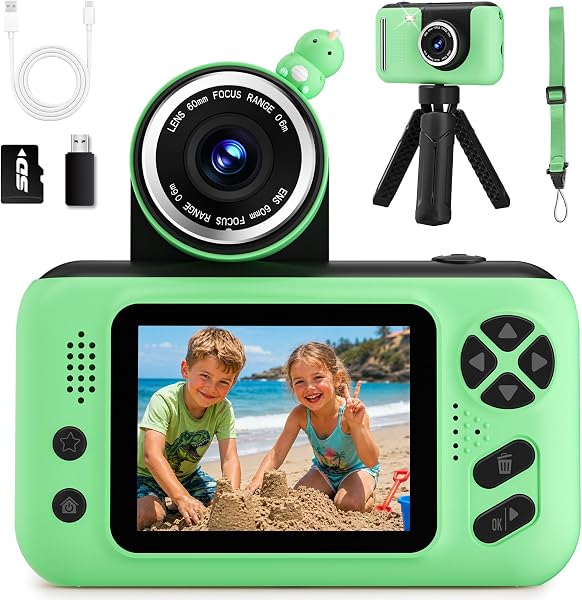
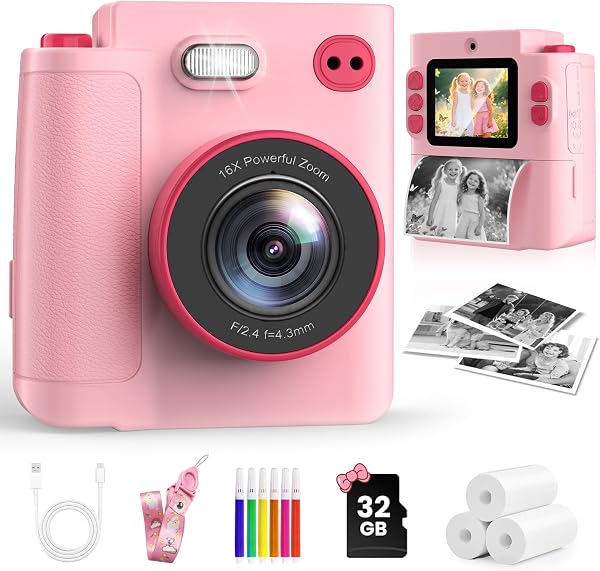
Dylanto Instant Print
9.0Editor score1080P video recording
2.4-inch large screen
16X digital zoom
2000mAh battery capacity
Compare 10 top kids cameras for 2026. We break down instant printing, video quality, battery life, durability, and creative features to help you choose.
Find the right kids cameras for 2026. We compare 10 standout picks by the factors that actually matter for young photographers, including photo and video resolution, instant print options, screen size, battery life, durability, creative filters and games, memory storage, and the everyday trade-offs between simplicity and feature depth.
Kids cameras have evolved well beyond basic point-and-shoot toys. Today’s models add instant thermal printing, dual selfie lenses, 1080P video, digital zoom, and built-in games. The right choice depends on your child’s age, whether they want to print physical photos, and how rugged the camera needs to be for real-world play.
This guide covers models from entry-level toy cameras for preschoolers to higher-resolution options for tweens who want more creative control. Each pick is evaluated on the features parents care about most: safety, ease of use, print quality where applicable, and long-term value as a first real camera.
We compared 10 kids cameras using the details that actually help a parent decide: photo resolution, video quality, instant print capability, screen size, battery life, durability, creative filters and games, included accessories like SD cards and lanyards, age suitability, and value. The notes focus on practical trade-offs so each pick feels connected to how children actually use, carry, and share photos during play, travel, and everyday adventures.

Compare key features, scores, and current prices side by side. A shorter feature list means fewer details were available, not necessarily fewer capabilities.


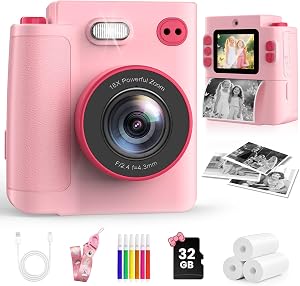


This kids camera differentiates itself with printing flexibility. In addition to standard thermal output, it offers grayscale and dot matrix printing modes plus three color depth settings, so kids can experiment with different visual styles from the same photo. That's an unusual feature at this price and helps the camera stay interesting as children explore what each mode looks like on paper.
We may earn a commission when you buy through this link, at no additional cost to you.
The interface includes 21 photo frames, eight mirror effects, and six filters, which gives young users a lot of creative options before hitting the print button. A 2.4-inch screen makes it easy to preview shots, and the 10x digital zoom pulls in slightly closer than models limited to 8x. Standard extras like time-lapse, burst shooting, MP3 playback, and simple games round out the feature list.
Battery life comes from a 1000mAh cell that supports four to five hours of continuous shooting per charge. That’s smaller than the 2000mAh cell in some competitors, but still enough for a typical day out. The 32GB SD card and lanyard are included in the box, along with three rolls of print paper and a USB cable, so no additional purchases are required to start using the camera.
Ask your child to print the same photo in each mode and compare the results side by side. Dot matrix produces a more textured, retro look, while different color depth settings change how much detail carries through to paper. This kind of side-by-side experimentation is a gentle introduction to the idea that photo output is a creative choice, not a fixed result.
This model is a good match for kids who want to experiment with the look of their printed photos beyond a single default style. The dot matrix and depth settings give the printing experience more personality than a single-mode thermal printer. If pure image quality matters most to you, a non-printing digital camera with a higher-resolution sensor will deliver sharper results.
Buyers who need the longest battery life or the highest possible photo resolution.
We may earn a commission when you buy through this link, at no additional cost to you.
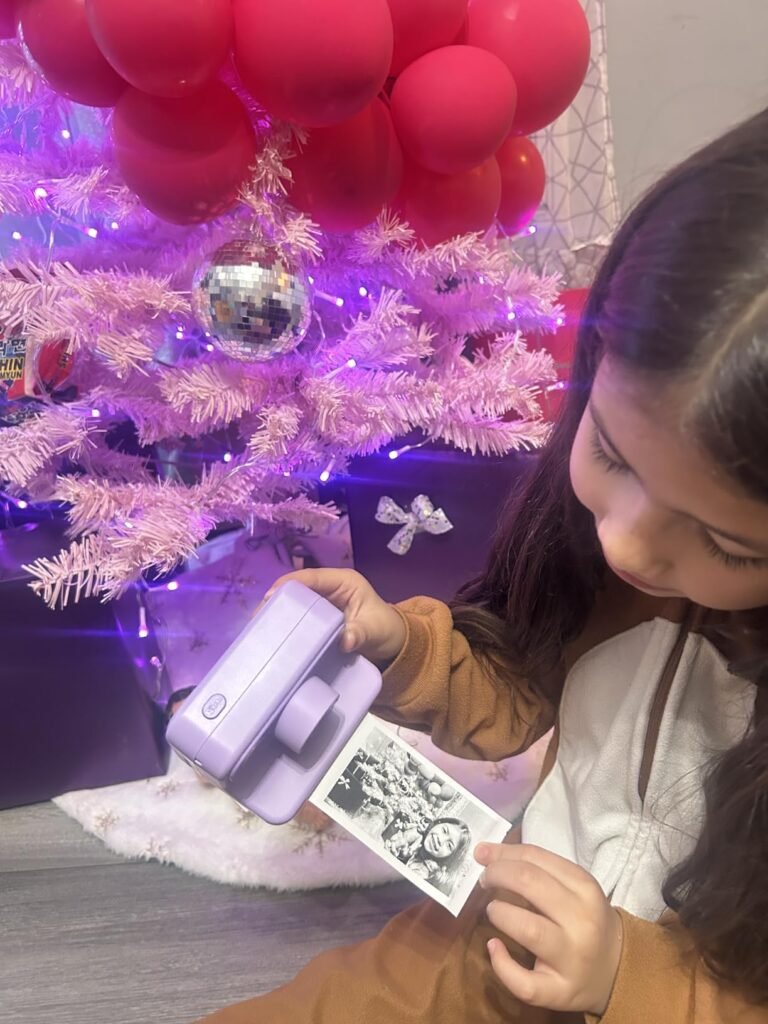
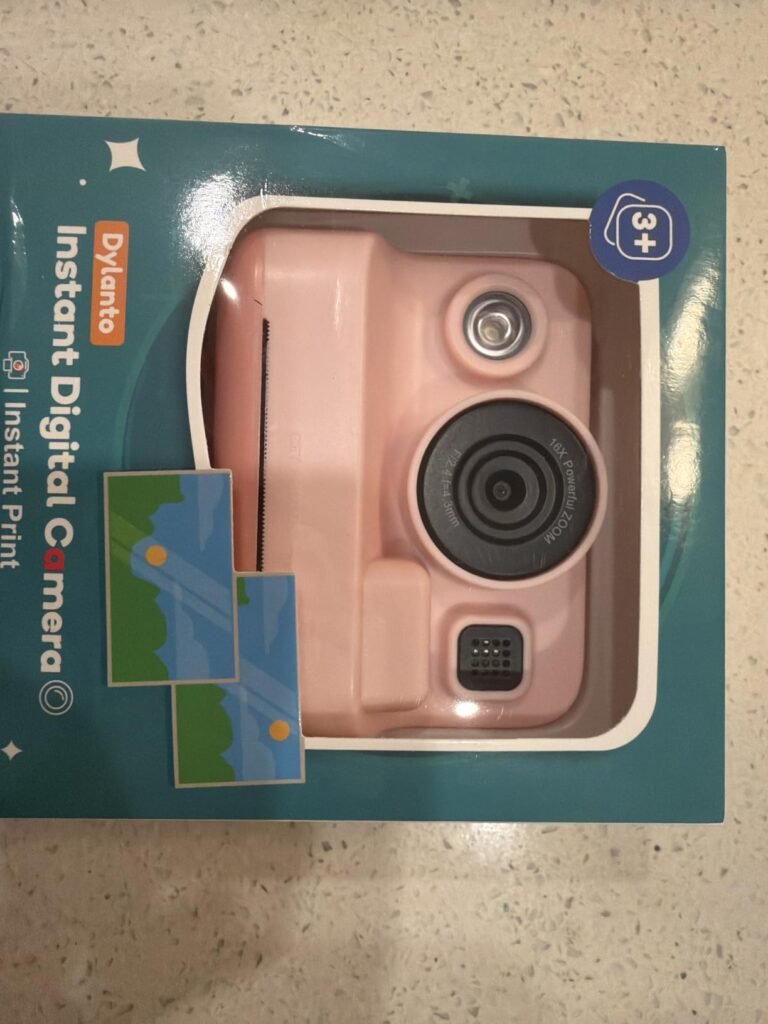
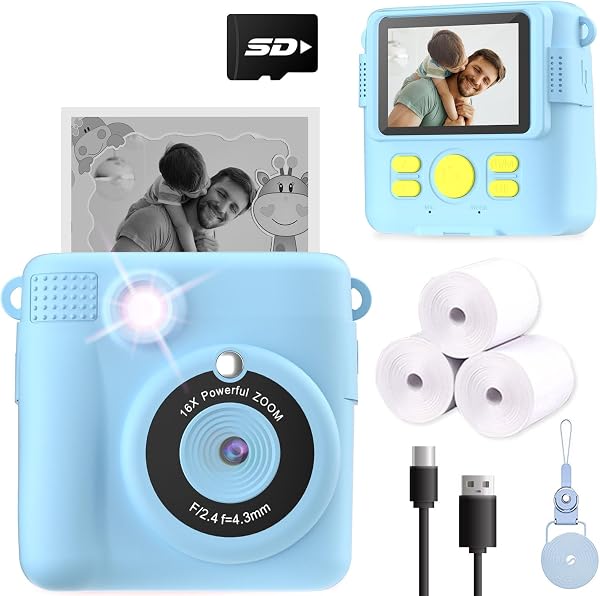
The Dylanto is a well-rounded introduction to instant-print photography for kids between three and twelve. It captures full-color images to a 32GB SD card while printing a quick black-and-white version on thermal paper, giving young photographers both a physical keepsake and a digital archive. That two-format approach is what makes instant-print cameras genuinely fun rather than a one-trick gimmick.
We may earn a commission when you buy through this link, at no additional cost to you.
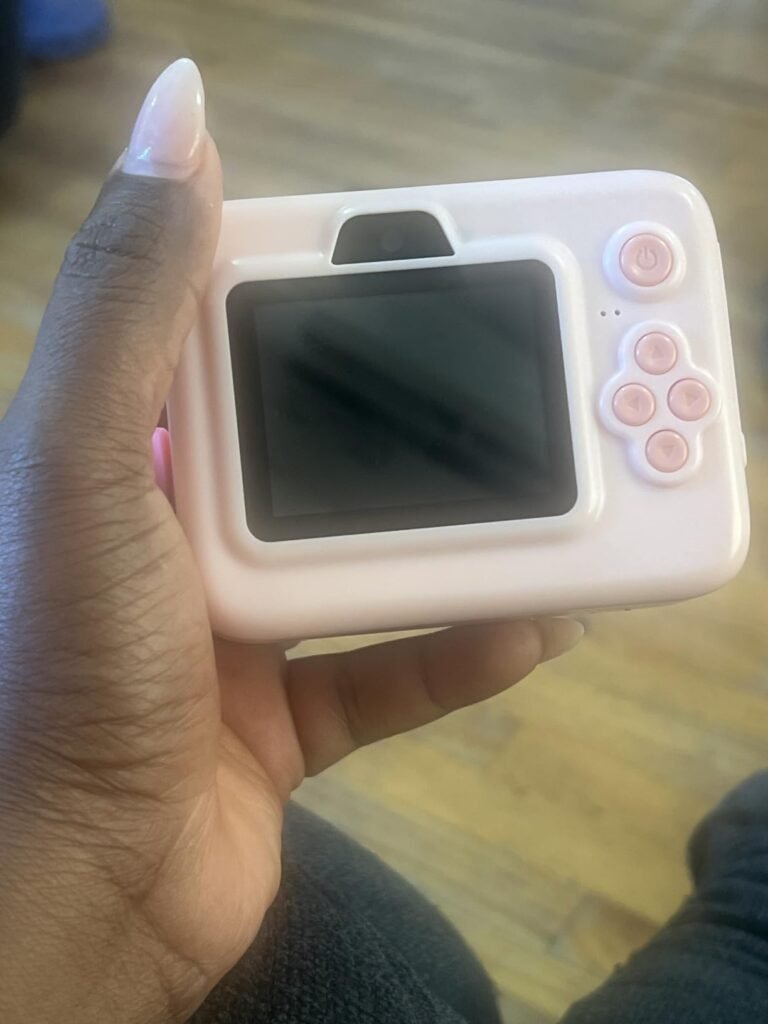
Beyond printing, the feature list is surprisingly deep for the price. A 2.4-inch screen, 1080P video, 16x digital zoom, flash, time-lapse, continuous shooting, filter frames, and built-in games and MP3 playback all help hold a child’s attention past the initial novelty. The 2000mAh battery is one of the larger cells in this category and supports several hours of continuous shooting or music playback per charge.
The soft-touch shockproof shell is designed to survive drops from small hands, and the included lanyard reduces the chance of accidents in the first place. Thermal printing uses no ink or toner, which keeps the running experience clean and BPA-free. Charging over USB Type-C is quicker and more convenient than older micro-USB designs, especially for parents who already have Type-C cables around the house.
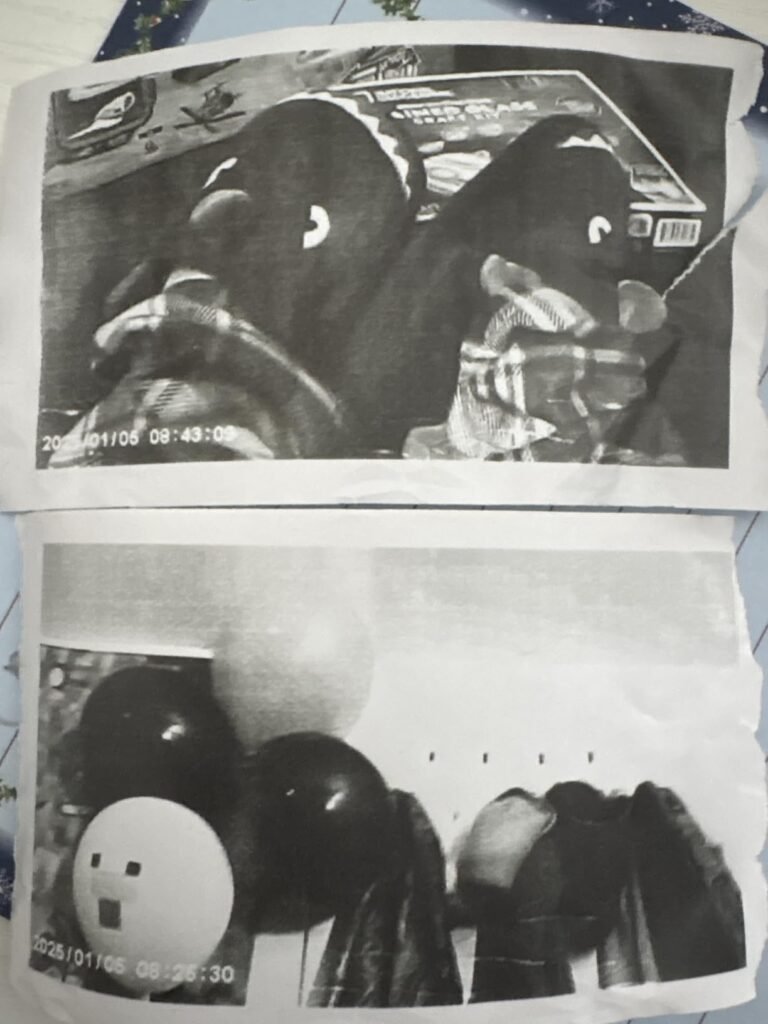
Thermal prints darken and fade if exposed to heat or direct sun. Store favorites in a photo album or between book pages to preserve them, and scan or photograph particularly special prints so you have a permanent digital backup. Extra rolls of compatible thermal paper are inexpensive and let kids keep printing without long interruptions.
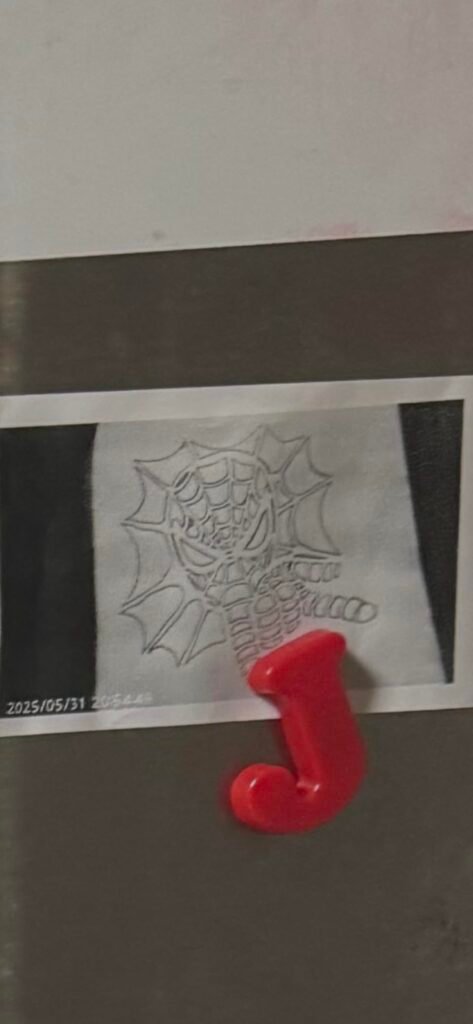
The main trade-off is that instant prints are grayscale and made on thermal paper, so they can fade with time and sunlight exposure. Full-color prints require transferring the SD card photos to a computer or printer. If you want a feature-rich first camera with the fun of instant prints and the option to keep the color originals, the Dylanto is a strong pick.
Kids or parents who expect full-color, long-lasting prints straight from the camera.
We may earn a commission when you buy through this link, at no additional cost to you.
The ESOXOFFORE camera leans into creative play with 15 scene filters and 16 sticker overlays that kids can apply before printing or saving a shot. That library keeps the camera interesting long after the first day, especially for children who enjoy customizing every photo with frames and decorations. It's a good match for kids who like collage and art projects.

We may earn a commission when you buy through this link, at no additional cost to you.
Core specs mirror many models in this price range: 2.4-inch screen, 1080P video, 16x digital zoom, flash, time-lapse, continuous shooting, MP3 playback, and simple built-in games. The bundled thermal paper covers roughly 372 prints, which is more than enough for months of casual use before restocking. Full-color originals save to the included SD card for later viewing on a computer.
Build quality follows the standard playbook for this category: soft, shockproof plastic that shrugs off short drops, plus a lanyard to reduce falls in the first place. Type-C charging supports four to five hours of continuous shooting or music per charge, which is competitive for a camera at this price. The printing chemistry is BPA and toner free, so there’s nothing messy for parents to deal with.
Instead of leaving the camera in auto mode, walk your child through the sticker and filter menus once so they discover the options. Set small challenges like taking themed photos with only one filter or building a printed photo album of a weekend trip. These prompts turn the camera into a creative tool rather than a passive gadget.
This model works best for children who care more about creative edits than raw image quality. If you want the widest filter and sticker library in an instant-print kids camera under $40, the ESOXOFFORE is a solid pick. Serious young photographers who prioritize resolution and detail will be happier with a higher-megapixel model without instant printing.
Older kids who want high-resolution photos or full-color instant prints.
We may earn a commission when you buy through this link, at no additional cost to you.
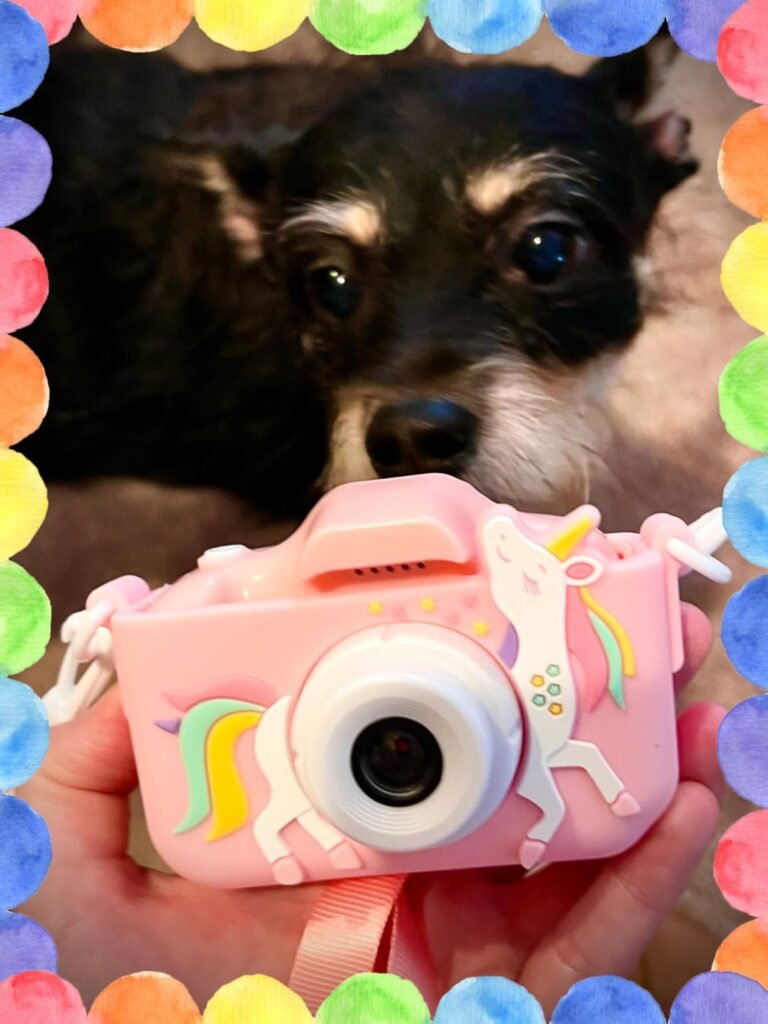
The Goopow is a small, lightweight camcorder designed for kids between three and eight who want something they can wear around their neck all day. At just 100 grams and roughly 4.17 by 2.71 by 1.88 inches, it fits comfortably in tiny hands and pockets. The included lanyard makes it easy to carry on walks, playdates, and family outings without dropping it.
We may earn a commission when you buy through this link, at no additional cost to you.
Despite the compact size, it records 1080P video and includes 8x digital zoom, time-lapse, and 28 scene selections. A recent firmware update added selfie mode, which addresses one of the most common requests for kids cameras. Photos and videos save to an included SD card, and the bundled card reader makes it easy to pull files onto a computer to share with grandparents or print.
The built-in game selection is a real differentiator here. Several puzzle games are motion-controlled, meaning kids tilt the camera to play rather than press buttons. That physical interaction keeps them engaged when there’s nothing new to shoot. Charging happens over USB, and the included lithium battery lasts about 1.5 to 2 hours of continuous use per charge.
Small lithium cells are sensitive to fast chargers. Use a standard 1A USB adapter rather than a modern high-wattage phone charger to protect the battery and internal circuits. Supervise charging sessions and unplug the camera once the battery reaches full to extend the overall lifespan of the cell.
The main compromise is battery life and screen size. The 2.0-inch display is smaller than the 2.4-inch screens on many competitors, and the runtime is shorter than models with 1000mAh or larger batteries. If your child needs a lightweight, ultra-portable video camera for shorter play sessions rather than all-day trips, the Goopow is a smart budget choice.
Older kids who want a larger screen or longer continuous shooting time between charges.
We may earn a commission when you buy through this link, at no additional cost to you.
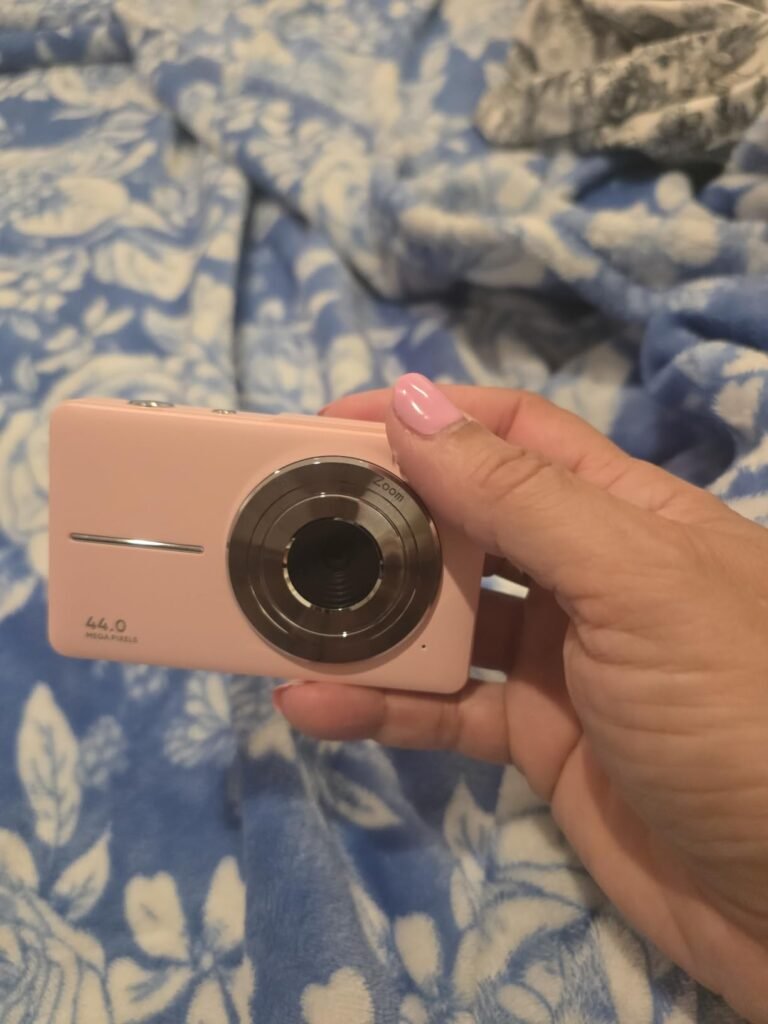
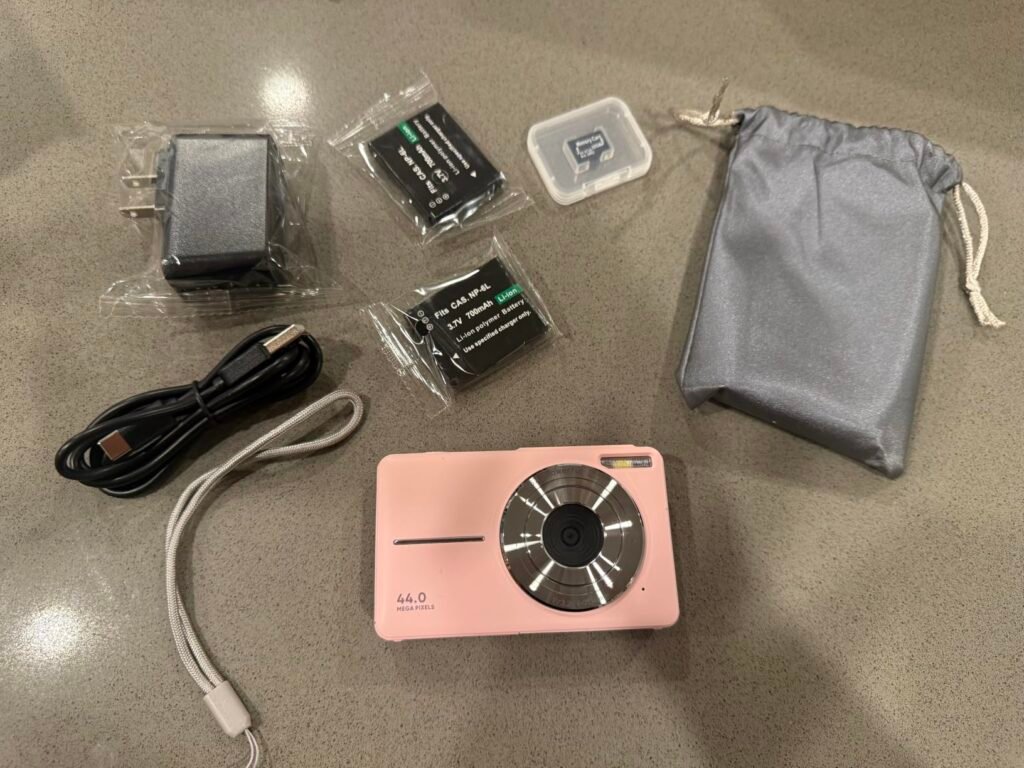
The Camkory is a step up from toy-style cameras toward something closer to a traditional point-and-shoot. It captures 44MP still photos and full HD 1080P video, which produces noticeably more detail than the 2 to 8 megapixel sensors in most kids cameras. That makes it a better fit for older children and tweens who care about sharper images and want a first real camera rather than a printable toy.
We may earn a commission when you buy through this link, at no additional cost to you.
The interface is intentionally simple, with easy-to-access buttons and a clear menu that most kids between five and thirteen can figure out on their own. A 16x digital zoom pulls in distant subjects, and 20 creative filter effects let kids experiment with vintage, black-and-white, and other looks. Additional features include face and smile detection, anti-shake, self-timer, and continuous shooting for action shots.
Battery life is a highlight thanks to two included rechargeable cells. Rotating between the two extends effective runtime dramatically, especially on vacations and multi-day trips. The automatic turn-off setting conserves energy when the camera is idle. The kit also includes a 32GB memory card, lanyard, storage bag, USB cable, and adapter, so nothing else is required to start shooting.
Higher megapixel counts help but don’t replace good technique. Encourage your child to hold the camera steady with both hands, tap the shutter gently instead of stabbing it, and use natural light whenever possible. The anti-shake feature helps at slower shutter speeds, but a stable grip still produces the sharpest results.
The 4.2-star rating is the lowest in this guide, which suggests some owners have run into fit-and-finish or reliability issues. The one-year hassle-free replacement policy helps offset that concern. For kids who prioritize photo quality over instant printing and want a camera that behaves more like an adult point-and-shoot, the Camkory offers a reasonable balance at this price.
Younger children who want instant printing or need the most drop-resistant, toy-style build.
We may earn a commission when you buy through this link, at no additional cost to you.
The Seckton is one of the more affordable dual-camera options in this lineup. Front and rear lenses make selfies easy without asking a child to guess where the shot is framed. That single feature turns out to matter a lot for kids under seven, who often want to take pictures of themselves with siblings and pets rather than distant scenery.
We may earn a commission when you buy through this link, at no additional cost to you.
The 8-megapixel sensor and 1080P video mode capture clean daytime photos and clips that look good when reviewed on the small screen or transferred to a computer. Auto-focus helps children get sharper images without fiddling with settings. A big-head sticker mode adds silly frames that most young kids find hilarious, and the built-in voice recorder gives them another creative outlet.
Build quality follows the standard formula for this age group: soft, shockproof plastic that stands up to routine drops. The included lanyard makes it easy to carry the camera hands-free on walks or at the park. Storage is handled by an included SD card, and files transfer to a computer over the bundled USB cable for sharing with family.
A dedicated selfie lens removes the guesswork of aiming a rear camera at yourself. Young children often struggle to frame themselves with a single lens, resulting in cut-off heads or blurry attempts. A forward-facing lens with live preview solves that problem and lets kids focus on being creative rather than fighting with the hardware.
The main compromise is battery life. Continuous shooting maxes out at one to two hours per charge, which is shorter than models with larger 1000mAh or 2000mAh batteries. For younger kids who use the camera in shorter bursts throughout the day, that’s usually fine. For all-day trips, you may want a model with longer runtime or a portable charger nearby.
Kids who want long battery life or instant photo printing.
We may earn a commission when you buy through this link, at no additional cost to you.
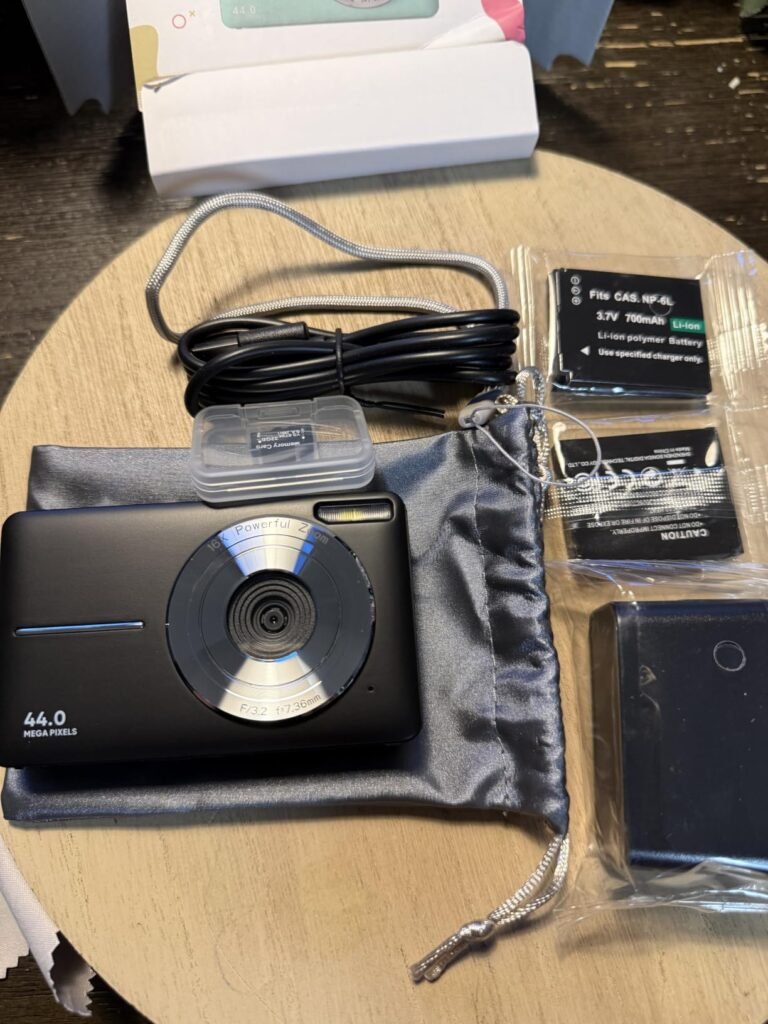
The Lecran is aimed at older kids, teens, and beginners who want a real point-and-shoot rather than a toy camera. It captures 44MP photos and 1080P video with anti-shake stabilization, and the pocket-size body makes it easy to bring along on school trips, vacations, and family outings. It's an appropriate first serious camera for a tween who has outgrown the more childish designs.
We may earn a commission when you buy through this link, at no additional cost to you.
Feature depth is solid for the price. Beyond the basics, it offers anti-shake, self-timer, webcam capability, time-lapse, slow motion, continuous shooting, motion detection, and face detection. A 16x digital zoom pulls in distant subjects, and a variety of filter effects let older kids experiment with looks. The timestamp function adds the date and time to photos, which is helpful for organizing memories from trips or birthdays.
Two rechargeable batteries ship in the box, and the automatic turn-off feature helps stretch each charge. That dual-battery approach is especially useful on longer trips where recharging isn’t convenient. A 32GB SD card, USB Type-C cable, charger adapter, lanyard, and carrying bag round out the kit, so nothing else is needed to start using the camera.
The webcam capability and 1080P video make this camera usable for simple vlogging or livestreaming with a computer. Encourage older kids to plan short videos with a clear beginning, middle, and end rather than long unedited clips. Learning basic storytelling structure now pays off if they pursue photography or video creation more seriously later.
The trade-off is that the Lecran doesn’t have the shockproof toy-style build of the models designed for younger children. It’s more delicate and works best in the hands of a child old enough to handle it carefully. If your teen wants a camera that behaves more like an adult device and supports webcam use for online classes or basic vlogging, this is a reasonable and affordable option.
Younger children who need a rugged, drop-resistant camera or want instant printing.
We may earn a commission when you buy through this link, at no additional cost to you.
VTech has been making kid-friendly electronics for decades, and that experience shows in the KidiZoom Pix Plus. It's designed specifically for children between three and eight, with big buttons, rugged handles on both sides, and an interface that assumes limited reading ability. Parents who want a trusted mainstream brand over generic imports will appreciate the polish and support behind it.

We may earn a commission when you buy through this link, at no additional cost to you.
The creative toolkit is where this camera really stands out. It includes more than 40 effects, photo frames, stamps, kaleidoscope filters, and video themes, plus a Talking Photo feature that combines a picture with a recorded voice message. Kids can also stitch two to five images into panoramas or build simple animations with up to 100 photos, which introduces basic stop-motion concepts in an accessible way.
The 2.0 megapixel sensor and 4x digital zoom sound modest compared to the 44MP claims on some competitors, but the practical output at this age group is fine for viewing on the built-in 1.8-inch screen or a computer. Storage expands via an optional microSD card up to 32GB. Four AA batteries power the camera, which is a familiar power source but does mean carrying spares or investing in rechargeable AAs.
Invest in a set of rechargeable AA batteries and a charger if you plan to use this camera regularly. The upfront cost pays off quickly compared to disposable alkalines, and rechargeables reduce battery waste. Keep a second set charged and ready so you can swap in fresh cells during long play sessions without waiting.
The main compromise is image quality. Kids who want to make large prints or edit photos in detail later will hit the limits of the small sensor quickly. If you’re buying a first camera for a young child and prioritize durability, brand trust, and depth of creative features over raw resolution, the KidiZoom Pix Plus is one of the safest picks in the category.
Older kids who want high-resolution photos or a rechargeable built-in battery.
We may earn a commission when you buy through this link, at no additional cost to you.
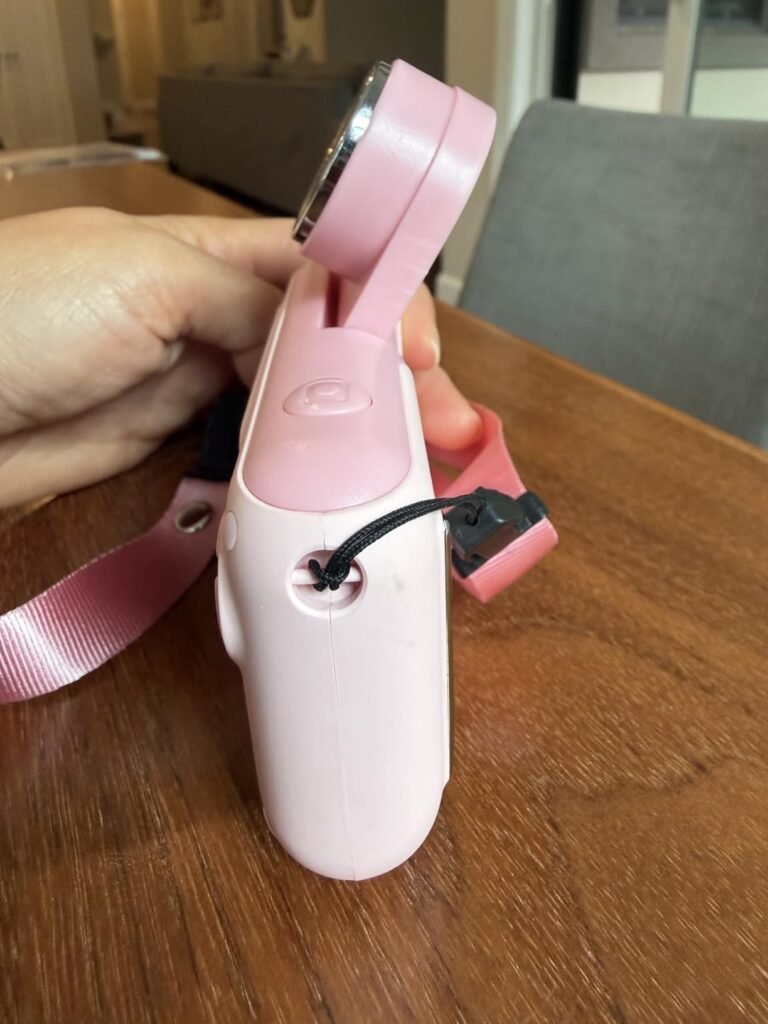
The Makolle takes a different approach to selfies than dual-lens designs. Its main lens flips a full 180 degrees, so the same high-resolution sensor that shoots the world in front also captures selfies without dropping to a lower-quality front camera. That gives kids consistent image quality regardless of which direction they aim the camera.
We may earn a commission when you buy through this link, at no additional cost to you.
Auto focus and an 8-megapixel sensor deliver clean 1080P video and reasonably sharp stills. The feature set covers the essentials well: 8x digital zoom, MP3 music playback, 12 photo frames, 8 stickers, 6 filters, burst shooting, timed shots, and playback. It’s not the deepest toolkit in the category, but it hits the features most kids actually use.
Battery life is a strength thanks to the 1000mAh rechargeable cell, which supports two to three hours of continuous shooting per charge. The bundled kit is unusually generous: a preloaded SD card, card reader for easy computer transfers, a neck strap, and a small tripod. The tripod is particularly useful for group selfies, stop-motion projects, or steady video where holding the camera would introduce shake.
The small tripod turns this camera into a proper vlogging and stop-motion tool. Set it up for group selfies with the self-timer, or use it as a stable base for time-lapse and animation projects. Teaching kids to use a tripod also introduces the idea that steady shots come from steady equipment, not just steady hands.
The main consideration is that flip-lens designs add a mechanical hinge, which is a potential wear point over time. Encourage careful handling and don’t let kids force the lens past its natural stopping point. If selfies matter but you want them to look as good as forward-facing shots, the Makolle’s flip design is a smarter solution than a low-resolution secondary lens.
Buyers worried about the long-term durability of moving parts on a kids camera.
We may earn a commission when you buy through this link, at no additional cost to you.
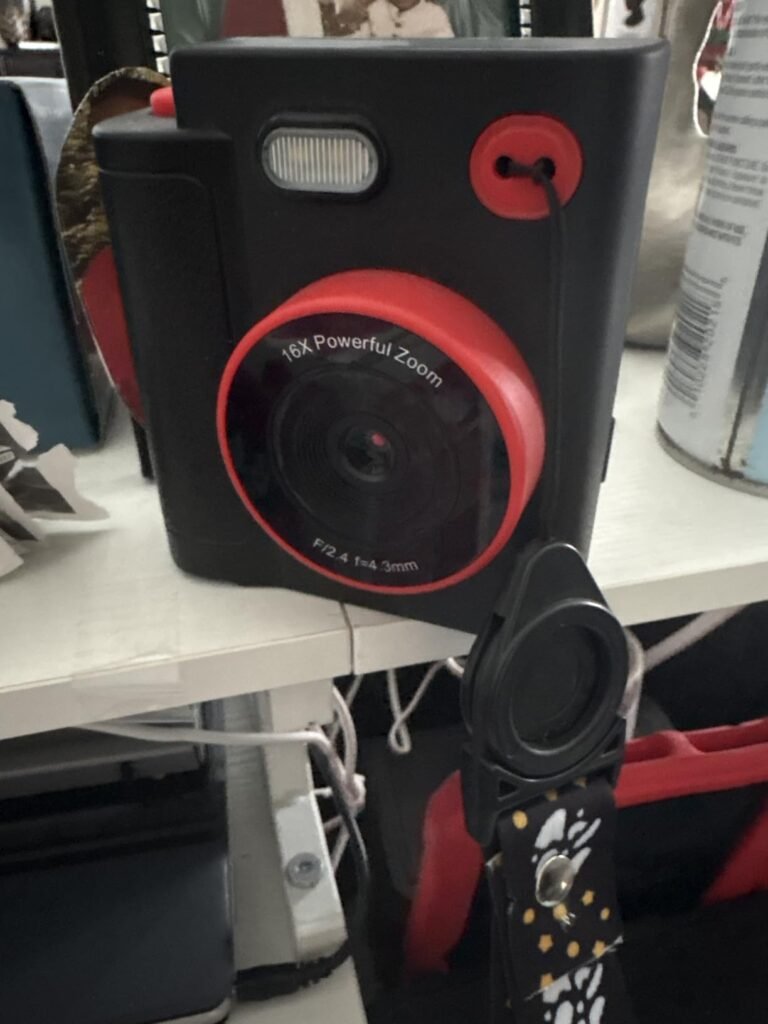
This instant-print camera is the least expensive option in this guide and still delivers most of what parents look for in an entry-level model. It prints black-and-white photos in about one second and saves full-color originals to the included 32GB SD card. Three rolls of thermal paper cover roughly 372 prints, which is plenty to get started without any additional purchases.
We may earn a commission when you buy through this link, at no additional cost to you.
Feature depth stays competitive with pricier rivals. It offers 1080P video, 16x digital zoom, flash, time-lapse, burst mode, built-in games, filter frames, and MP3 playback. Fifteen scene filters and sixteen stickers give kids room to customize photos before printing or saving. It’s a well-rounded package for the price, especially for a first camera aimed at children between three and twelve.
The build uses soft, shockproof plastic that stands up to routine drops, and the printing chemistry is ink-free and odor-free with no BPA. Type-C charging supports two to three hours of continuous use per charge, which covers most day trips. A lanyard, USB cable, and user manual complete the kit, so nothing else is required to start shooting.
Even simple kids cameras have menus that can confuse a young child at first. Spend a few minutes walking through the main modes together on day one so your child knows how to switch between photo, video, printing, and games. That small investment prevents frustration later and helps the camera feel approachable rather than intimidating.
The main trade-offs are the entry-level image sensor and the grayscale prints, both of which are typical at this price. If you want the most affordable way to give a child a functional instant-print camera without sacrificing too many features, this model is hard to beat. Just budget for occasional extra thermal paper rolls as your child’s printing habit grows.
Older kids who want higher-resolution photos or full-color prints.
We may earn a commission when you buy through this link, at no additional cost to you.
A kids camera is a small purchase with a big impact on how a child engages with creativity, memory-keeping, and their surroundings. The factors below will help you match the right model to your child’s age, interests, and how they’ll actually use it.
Age is the single most important factor in choosing a kids camera. Models designed for three to eight year olds prioritize rugged builds, big buttons, and simple menus that a preschooler can navigate with minimal help. Cameras aimed at eight to twelve year olds tend to offer more features, higher resolutions, and interfaces that lean closer to a real point-and-shoot experience.
A camera that’s too advanced can frustrate a young child, while one that’s too basic will bore an older kid quickly. Consider not just your child’s current age but how long you want the camera to remain interesting. A four year old will happily use a toy-style camera for years, but a nine year old may outgrow a preschool-focused model within months.
If you’re buying for the youngest end of the range, prioritize durability and a simple interface. For older kids, prioritize photo quality and creative flexibility so the camera continues to reward their curiosity.
Instant-print kids cameras use thermal paper to produce a black-and-white print seconds after each shot. That physical output is exciting for young children who don’t yet fully grasp the abstract nature of digital files. Prints become party favors, scrapbook material, and gifts for grandparents, giving each photo a tangible purpose.
The trade-offs are that prints are grayscale and made on thermal paper that can fade over time. Full-color originals still save to an SD card for later viewing or professional printing. If prints matter for your child’s play experience, budget for extra thermal paper rolls, which are inexpensive but consumable. Digital-only cameras skip the printing complexity and typically offer higher-resolution sensors at similar price points.
Choose instant-print if the excitement of physical photos matters more than image quality. Choose digital-only if your child cares more about capturing sharp, detailed images they can view on a screen or print later at higher quality.
Kids cameras range from 2 megapixel toy sensors up to 44 megapixel point-and-shoot-style sensors. Higher megapixel counts produce more detailed images that hold up better when cropped or printed at larger sizes. However, sensor quality matters more than raw megapixel numbers, so a well-tuned 8 megapixel sensor can outperform a poorly implemented higher-resolution one.
Video quality is measured primarily by resolution and frame rate. Most kids cameras in this guide capture 1080P video, which is more than adequate for casual clips shared with family or reviewed on a small screen. Anti-shake stabilization helps compensate for a young child’s less-steady grip, and features like time-lapse and slow motion add creative options.
For preschoolers, image resolution matters less than durability and simplicity. For older kids and tweens who want to save or share photos more seriously, look for higher-resolution sensors and features like face detection and anti-shake that improve real-world results.
Screen size affects both usability and framing. A 2.4-inch screen is easier for small hands to review than a 1.8 or 2.0-inch screen, and it makes menu navigation less cramped. Larger screens also help kids show off their photos to friends and family without transferring files first.
Interface design matters as much as raw screen size. Look for clear icons, minimal menu depth, and quick access to the most-used features like the shutter, playback, and video mode. A camera with a great sensor but a confusing menu will frustrate a child and end up sitting on the shelf.
If you can, watch product videos or read owner reviews that show the interface in action before buying. A well-designed menu is worth more than a slightly larger screen with a confusing layout.
Kids cameras use one of two power systems: built-in rechargeable lithium batteries or replaceable AA batteries. Rechargeable models are usually more cost-effective long term and charge over USB, but the battery is fixed inside the camera and can’t be swapped mid-use unless you carry a portable power bank.
AA-powered cameras like the VTech KidiZoom Pix Plus offer the flexibility of swapping fresh batteries anywhere, which is useful on long trips without charging access. However, they add ongoing battery costs unless you invest in rechargeable AAs. Runtime ranges from about 1 to 5 hours of continuous shooting depending on the battery capacity and camera efficiency.
For everyday home use, rechargeable built-in batteries are usually the more convenient choice. For travel, camping, or backup situations, AA power provides a level of flexibility that USB rechargeable models can’t match.
Kids cameras will be dropped. Look for models with soft, shockproof plastic shells and rounded edges that absorb impact. A lanyard reduces the chance of drops in the first place, and many cameras in this category include one in the box. For very young children, prioritize durability above almost every other feature.
Safety also extends to the materials used in printing. Thermal printing systems that are BPA-free and use no ink or toner are safer around children who might touch or chew on the paper. Reputable brands and models with clear safety certifications provide additional peace of mind.
If your child is particularly rough with electronics or under five years old, prioritize the most rugged option in your budget even if it means sacrificing some photo quality or features.
Filters, stickers, frames, and built-in games help extend a camera’s engagement value beyond the first week. Some models offer dozens of overlay options, while others focus on a smaller but more polished set. Built-in games are a plus for keeping kids entertained when there’s nothing new to photograph, though they shouldn’t be the primary reason to choose a camera.
Special modes like time-lapse, burst shooting, panorama stitching, and stop-motion animation introduce kids to more advanced photography concepts in an accessible way. These features make the camera feel more like a creative tool than a passive gadget, which encourages longer-term use and experimentation.
Match the depth of creative features to your child’s attention span and interest level. A child who loves art projects will appreciate a big library of stickers and filters. A child more interested in exploring outdoors may value time-lapse and burst shooting more than decorative overlays.
The best kids cameras arrive as complete kits with a memory card, lanyard, charging cable, and any consumables like thermal paper. Buying a camera that requires additional accessories to actually use it can add significant unexpected cost. Check the box contents carefully before purchasing.
SD card capacity matters more for digital-only cameras since all photos and videos save directly to the card. A 32GB card holds thousands of photos and hours of 1080P video, which is plenty for most kids. Thermal paper is a consumable, so factor in the cost of extra rolls if your child prints frequently.
A complete starter kit removes friction from the unboxing experience and lets your child start shooting immediately. That immediate gratification matters more than most parents realize, especially for gift occasions.
Before handing the camera over, charge it fully and insert the SD card and any thermal paper. Walk your child through the main buttons and menus once so they know how to switch between photo, video, printing, and games. Attach the lanyard around their neck or wrist to reduce drops, and adjust the volume of any startup sounds if you’ll be using the camera in quiet environments.
Encourage good habits from the start. Show your child how to hold the camera steady with both hands, wait a moment after pressing the shutter, and check the screen to see if the shot came out well. For instant-print models, keep the paper compartment closed except when loading new rolls to prevent dust and moisture from affecting print quality. Save the color originals from the SD card periodically so favorite memories aren’t lost if the camera is damaged.
Maintain the camera by wiping the lens gently with a soft microfiber cloth to remove smudges and fingerprints. Store the camera in its bag or a drawer away from direct sunlight and heat, both of which can damage the battery and fade thermal paper. Use only the included charger or a standard USB adapter to charge rechargeable models, and never leave a charging camera unattended overnight. With basic care, most kids cameras will provide several years of enjoyable use.
Most kids cameras are designed for children between three and twelve years old, with specific models targeting narrower age ranges within that band. Toy-style cameras with rugged builds and simple interfaces work best for ages three to eight, while higher-resolution point-and-shoot-style models suit older kids and tweens. Match the camera to your child's current age and how long you want it to stay interesting.
Most instant-print kids cameras use thermal printing, which produces black-and-white or grayscale prints only. Full-color versions of each photo save to the included SD card and can be viewed on a computer or printed later at a higher quality. If full-color instant prints are essential, look at more expensive dedicated instant cameras designed for adults or teens instead.
Battery life ranges from about one to five hours of continuous shooting depending on the model. Cameras with 1000mAh or 2000mAh rechargeable batteries generally support longer sessions, while AA-powered models like the VTech KidiZoom Pix Plus can be extended indefinitely by swapping fresh cells. Automatic turn-off features help conserve power when the camera is idle.
Most kids cameras in this guide include a 32GB SD card in the box, which is enough to store thousands of photos and hours of 1080P video. Always check the product listing to confirm before buying. If you need more storage later, standard microSD or SD cards are inexpensive and easy to install.
Most kids cameras use soft, shockproof plastic shells designed to survive routine drops from small hands. Included lanyards reduce the chance of drops in the first place. That said, no camera is indestructible, so supervise very young children and set clear expectations about careful handling. Higher-end point-and-shoot-style models like the Camkory and Lecran are less rugged and better suited to older kids.
Yes, nearly all modern kids cameras record video, with 1080P being the current standard. Video quality is generally good enough for casual family clips and social sharing. Some models add features like time-lapse, slow motion, and continuous shooting for more creative options. Anti-shake stabilization helps compensate for a young child's less-steady grip.
Reputable kids camera brands use BPA-free thermal paper and ink-free printing systems, making them safe around children. Thermal printing produces no odor, toner dust, or spilled ink, which reduces mess and safety concerns. Still, supervise very young children who might chew or tear the paper, and store thermal rolls away from heat and direct sunlight to preserve print quality.
Most kids cameras include a USB cable that connects directly to a computer for file transfer. Alternatively, you can remove the SD card and insert it into a computer's card reader or a bundled external reader. Some models like the Goopow include a dedicated card reader in the box. Regularly backing up photos protects favorite memories against loss or damage.
Kids cameras prioritize durability, simple interfaces, and playful features like stickers, filters, and games. Real point-and-shoot cameras focus on image quality, manual controls, and advanced features aimed at adults. Some higher-end kids cameras like the Camkory and Lecran blur this line by offering point-and-shoot-style bodies with 44MP sensors and 1080P video, making them suitable for older kids ready to move beyond toy-style models.
The VTech KidiZoom Pix Plus stands out as the strongest overall choice for most families, particularly those with children between three and eight. It combines a trusted brand reputation, one of the deepest creative toolkits in the category, and a rugged design that survives everyday play. Features like Talking Photos, panoramic stitching, and animation modes keep it interesting well beyond the first week.
Families with specific priorities have excellent alternatives. Kids who love physical prints will get more from an instant-print model like the Kids Camera 1080P Print or the Dylanto, both of which pair thermal printing with full-color SD card storage. Older kids and tweens will get more out of a higher-resolution point-and-shoot like the Camkory or Lecran. Selfie-focused kids will love the flip-lens design of the Makolle or the dual cameras on the Seckton.
Start by matching the camera to your child's current age and interests, then narrow your shortlist based on whether printing matters and how much you want to spend. A good kids camera doesn't need to be the most expensive one in this guide. It just needs to be simple enough for your child to enjoy independently and rugged enough to survive the way they actually use it.