Samsung 990 PRO
9.4Editor scorePCIe 4.0 NVMe
7,450 MB/s read
6,900 MB/s write
1,550K IOPS write
Compare the top internal SSDs for gaming and productivity. We break down PCIe generation, speed, capacity, and value to help you pick the right drive.
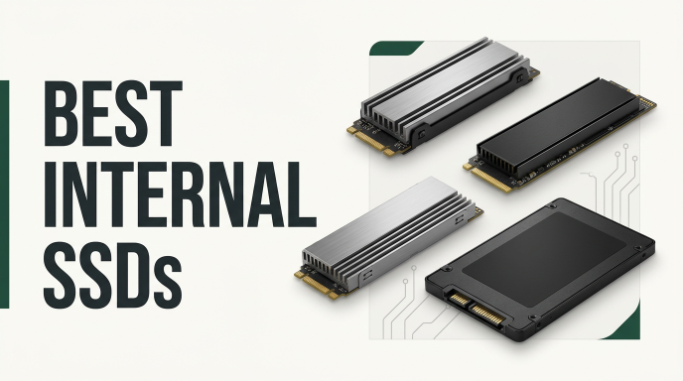
Find the right internal SSDs for 2026. We compare 10 standout drives across the specifications that shape real-world performance, including PCIe generation, sequential and random speeds, form factor, endurance rating, thermal management, warranty coverage, and compatibility with your specific system, so you can match a drive to your PC build, laptop upgrade, or gaming console expansion.
The gap between a bargain SATA SSD and a cutting-edge PCIe 5.0 NVMe drive is dramatic, and choosing the wrong tier means either wasting money on speed you can’t use or leaving significant performance on the table. Understanding what your motherboard supports, what your workload actually needs, and where the diminishing returns kick in makes all the difference.
This guide walks through 10 popular internal SSDs with a focus on practical fit for real use cases, from budget system upgrades and mainstream gaming to professional creative work and PlayStation 5 storage expansion. Each review highlights the strengths, meaningful limitations, and buyer profile that a particular drive actually serves best.
We compared 10 internal SSDs using the details that genuinely help a buyer decide: PCIe generation and interface type, sequential and random read/write speeds, storage capacity, NAND technology and endurance rating, thermal control design, form factor compatibility, included software tools like cloning and monitoring utilities, warranty terms, owner feedback, and value at each price point. The notes focus on practical trade-offs so each pick connects to how PC builders, gamers, and creative professionals actually use their drives day to day.


Compare key features, scores, and current prices side by side. A shorter feature list means fewer details were available, not necessarily fewer capabilities.


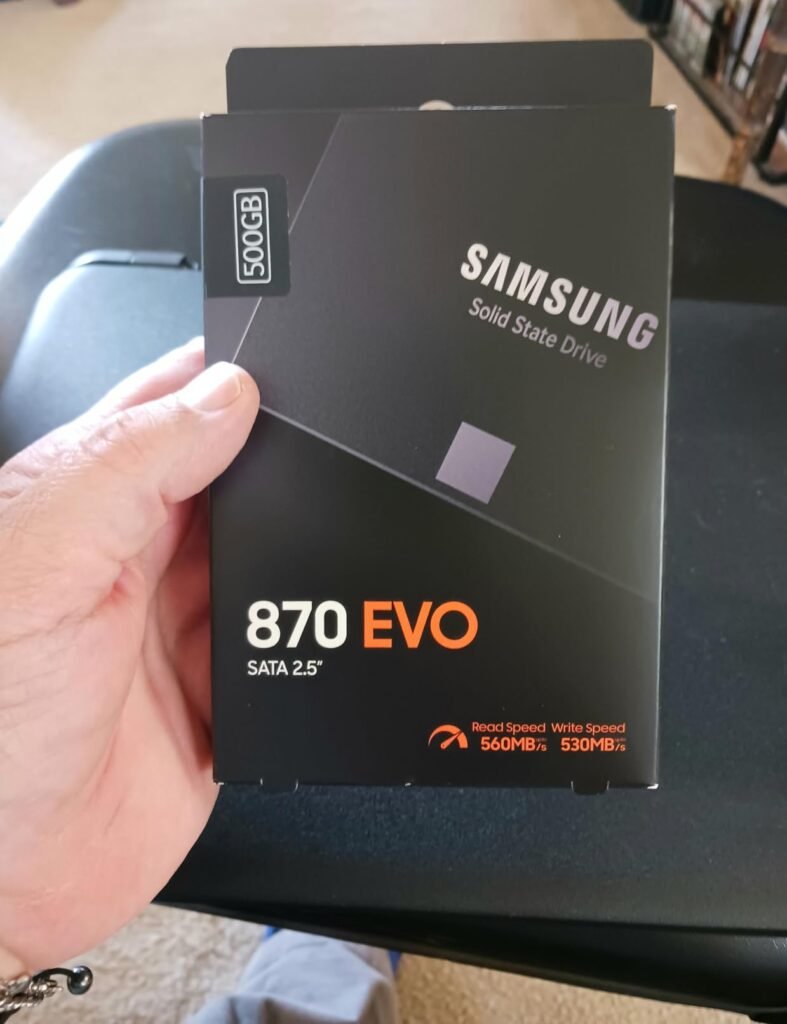
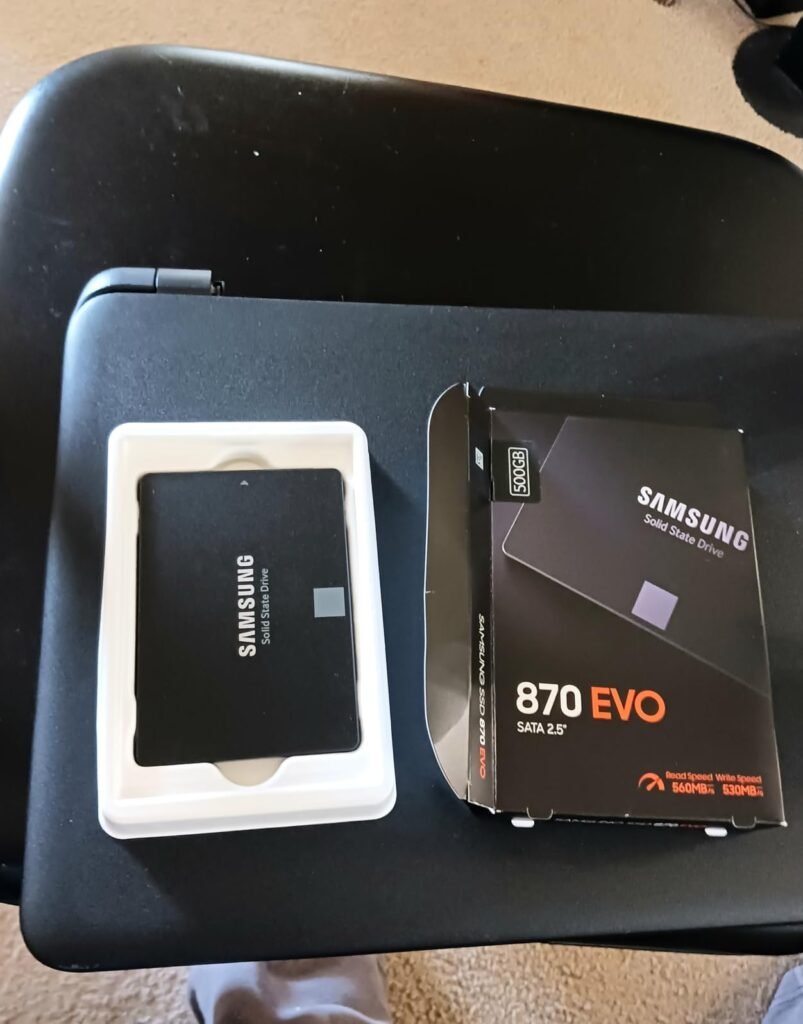
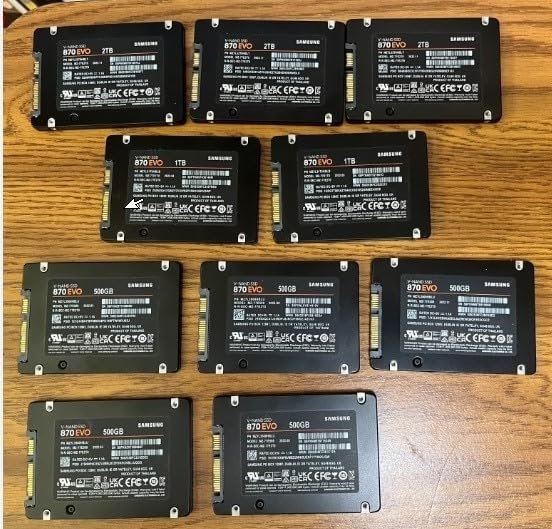
The Samsung 870 EVO fills an important niche for older computers, laptops without M.2 slots, and NAS enclosures where a 2.5-inch SATA drive is the appropriate form factor. It maximizes what the SATA III interface can deliver at 560 MB/s read and 530 MB/s write, providing dramatic performance improvements over any traditional spinning hard drive while working with virtually any computer built in the past 15 years.
We may earn a commission when you buy through this link, at no additional cost to you.
The 4.8-star customer rating reflects Samsung’s reputation for reliability in this segment. The 600 TBW endurance rating means the drive can handle 600 terabytes of writes over its lifetime, more than most home users will ever approach even after years of heavy use. The 5-year limited warranty provides genuine long-term backing for this investment, and the drive maintains performance under sustained workloads thanks to a larger variable buffer that handles bursts of write activity smoothly.
Compatibility is a real strength here. The 870 EVO has been extensively tested with major chipsets, motherboards, NAS units, and video recording devices, meaning it should work in virtually any system that accepts a SATA drive. The included migration software makes the upgrade process straightforward: plug in the new drive, run the software, and clone your existing storage without a full operating system reinstall. Samsung Magician software provides ongoing monitoring, firmware updates, and performance tools.
SATA SSDs remain the right choice for computers without M.2 slots, secondary storage bays in desktops that already have an NVMe primary drive, older laptops with only 2.5-inch drive bays, and NAS enclosures where the interface is standardized on SATA. In these applications, a quality SATA SSD like the 870 EVO delivers dramatic real-world improvements without requiring any hardware changes.
The trade-off is clear: SATA interface speeds are dramatically slower than NVMe alternatives, so this drive is best suited to systems that lack M.2 slots or specific use cases like NAS servers. For modern desktop and laptop upgrades where NVMe is an option, spending similar money on an NVMe drive delivers vastly better performance. For older systems, second bay upgrades, or specialized applications, the 870 EVO remains an excellent choice.
Modern systems with available M.2 NVMe slots where a much faster drive of similar cost is available.
We may earn a commission when you buy through this link, at no additional cost to you.
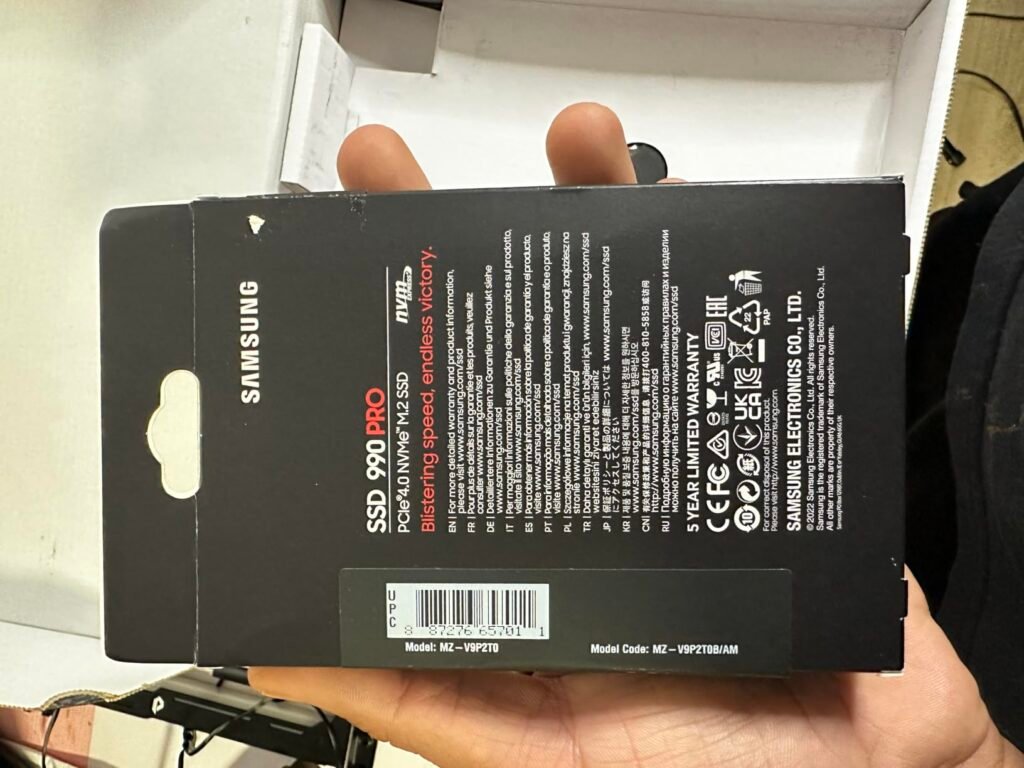
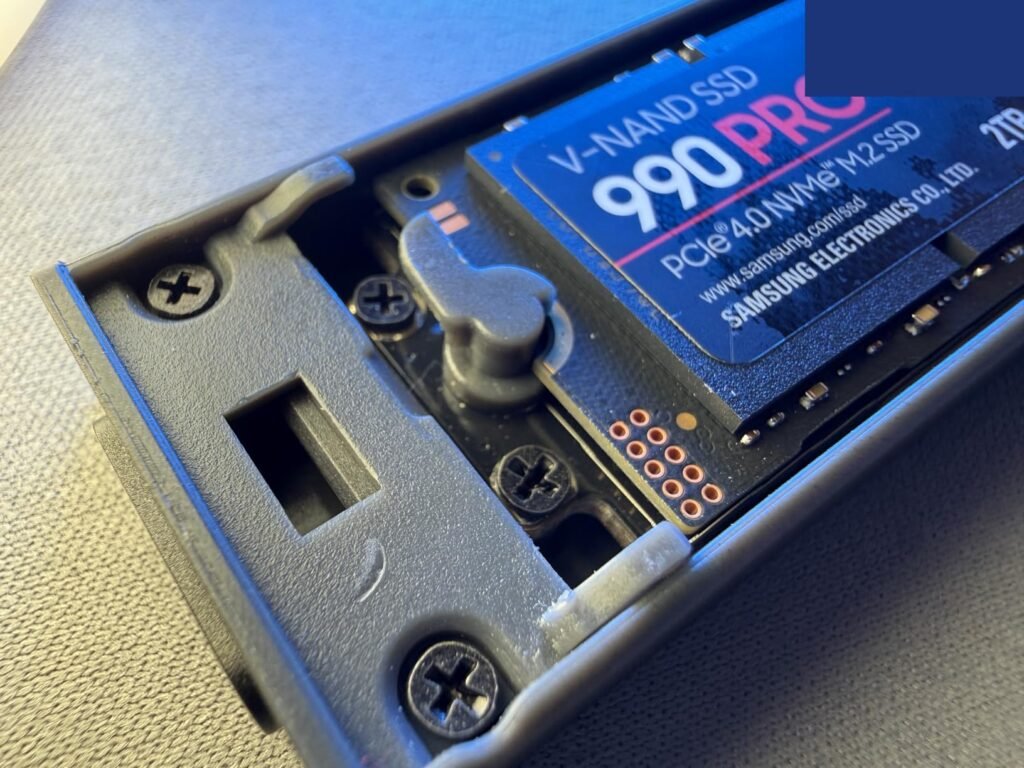
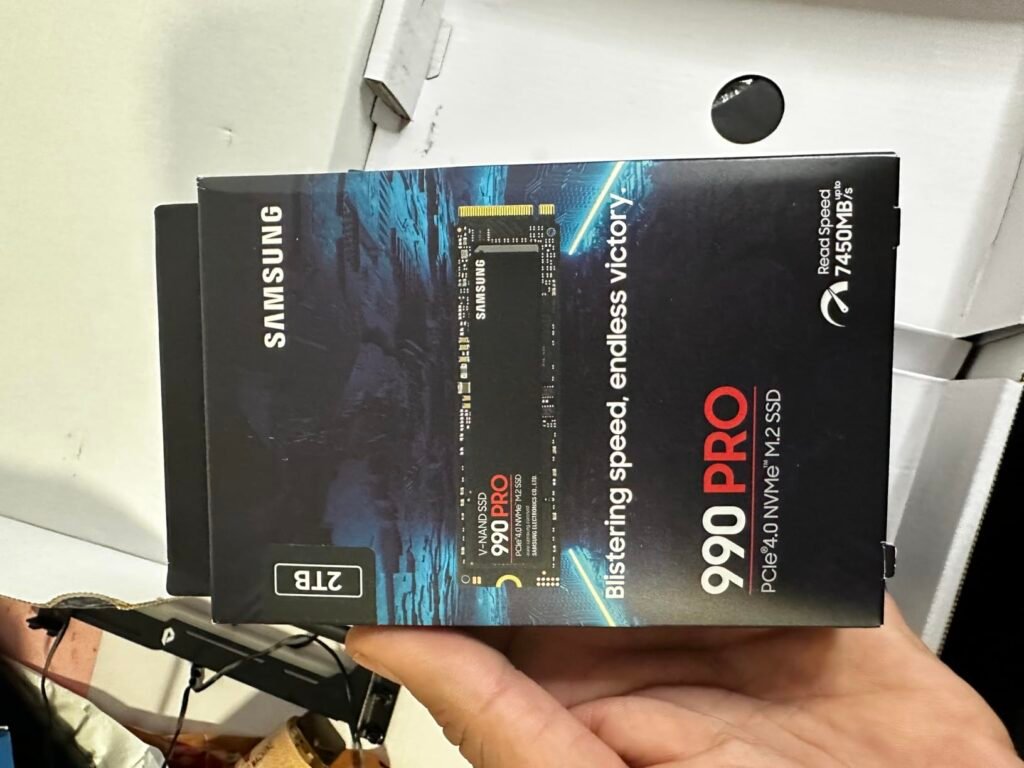
The Samsung 990 PRO represents the top end of PCIe 4.0 performance in an NVMe M.2 form factor, targeting enthusiast gamers, content creators, and PC builders who want the fastest available Gen 4 drive without stepping up to newer PCIe 5.0 territory. Its sequential read speeds up to 7,450 MB/s push right up against the theoretical maximum of the PCIe 4.0 interface, delivering meaningful gains in game load times and file transfer speeds.
We may earn a commission when you buy through this link, at no additional cost to you.
The random IOPS performance is where this drive really separates itself from cheaper alternatives. Up to 1,400K read and 1,550K write IOPS represent 40% and 55% improvements over the previous 980 PRO, and random performance is what you actually feel during real-world tasks like booting Windows, launching applications, and working with many small files. The 65% random performance improvement genuinely reduces friction in daily use compared to older drives.
Thermal management is a strong point thanks to Samsung’s own nickel-coated controller. Sustained workloads like large file transfers or extended gaming sessions can cause SSDs to throttle when they get too hot, but the 990 PRO maintains high performance across longer workloads better than many competitors. The slim form factor works in both desktops and laptops that meet the PCI-SIG D8 standard, and Samsung Magician software provides useful monitoring, firmware updates, and optimization tools.
Sequential read and write speeds are what manufacturers advertise most prominently, but random IOPS performance is what you actually feel during normal computer use. Loading applications, opening documents, and running the operating system all depend on quickly accessing many small files scattered across the drive. A drive with strong random IOPS performance feels snappier in daily use even if its sequential speed is similar to competitors.
The trade-off is that this drive commands a premium price, and much of its performance advantage over cheaper PCIe 4.0 drives shows up primarily in benchmarks rather than typical user experience. For flagship builds, high-end gaming rigs, and professional creative workstations where every millisecond matters, the 990 PRO earns its position. For most everyday users, cheaper Gen 4 drives provide 90% of the practical experience.
Budget-conscious buyers who don’t need enthusiast-tier performance for their typical workloads.
We may earn a commission when you buy through this link, at no additional cost to you.
The Kingston NV3 targets budget-conscious PC builders and upgraders who want genuine PCIe 4.0 performance without the premium pricing of flagship drives. At 6,000 MB/s read and 4,000 MB/s write, it doesn't push the limits of the Gen 4 interface, but those speeds are still dramatically faster than any SATA SSD and more than adequate for gaming, everyday productivity, and general use.
We may earn a commission when you buy through this link, at no additional cost to you.
For most real-world tasks, the difference between a 6,000 MB/s and a 7,400 MB/s drive is barely noticeable outside of benchmarks or specific creative workflows involving huge file transfers. Where this drive really shines is the combination of solid PCIe 4.0 speeds with pricing significantly below premium alternatives, making it an excellent choice for mainstream gaming builds, laptop upgrades, and second drives in desktop systems.
The included Acronis cloning software genuinely simplifies the upgrade process for buyers replacing an existing drive. Cloning your existing installation to the new drive avoids a full Windows reinstall and reconfiguration, saving hours of setup time. The 5-year limited warranty is competitive with premium drives at this capacity and provides meaningful long-term backing for the purchase.
Sequential read speed increases from 6,000 MB/s to 7,400 MB/s look significant on paper, but in real-world use the difference is often imperceptible outside of specific workflows. Windows boot times, application launches, and game loads all depend more on random access performance than peak sequential speeds. For most users, spending the difference on more capacity or a better GPU delivers more noticeable improvements.
The trade-off is that flagship drives offer measurably better random IOPS performance and sustained transfer speeds under heavy loads. For serious content creators working with massive video files or professional workloads that specifically benefit from maximum sequential throughput, spending more on a flagship drive makes sense. For gaming, general productivity, and typical home computing, this Kingston drive delivers strong practical performance at an approachable price.
Professional users with workflows that specifically benefit from maximum sequential throughput and top-tier random IOPS.
We may earn a commission when you buy through this link, at no additional cost to you.
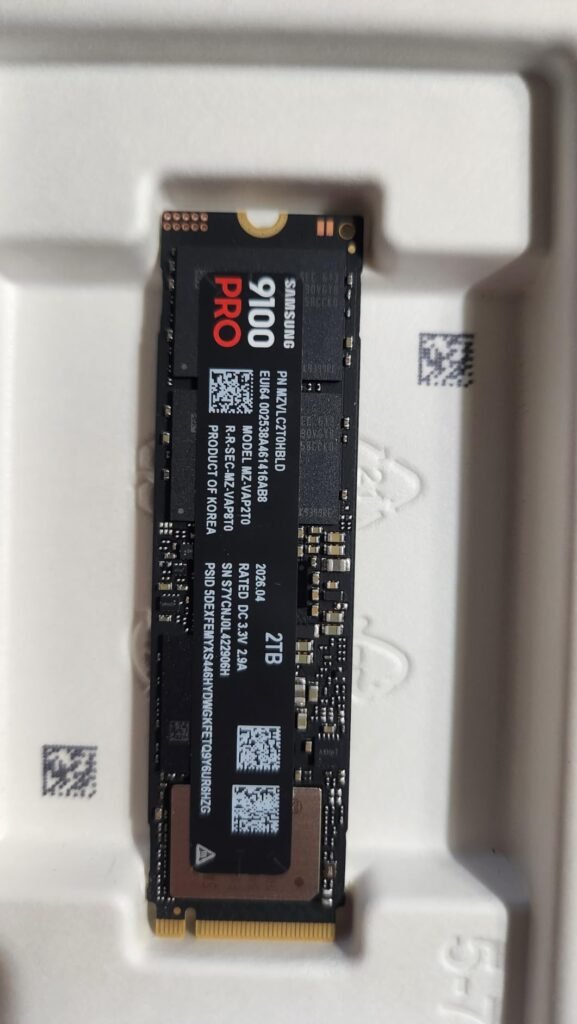
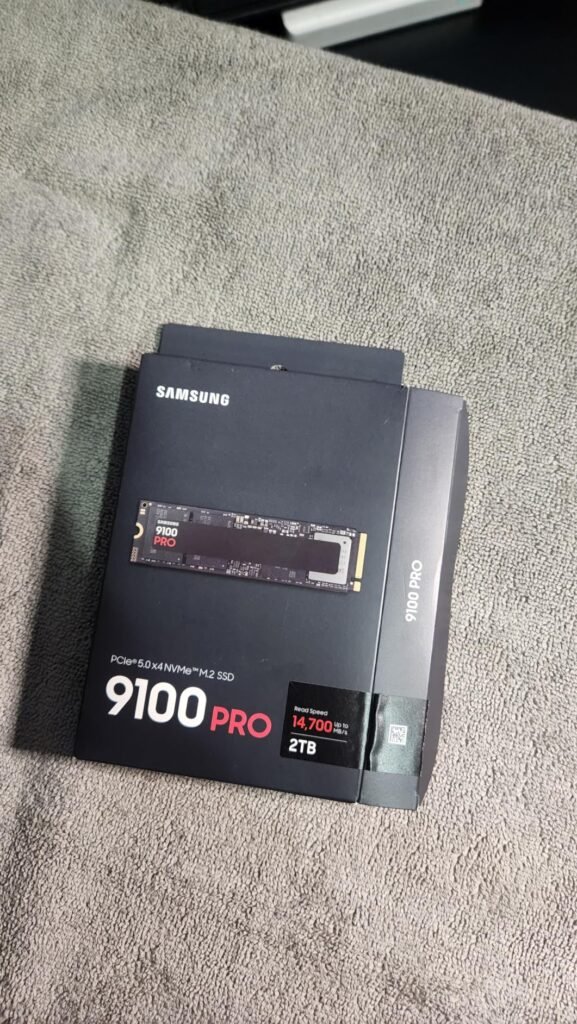
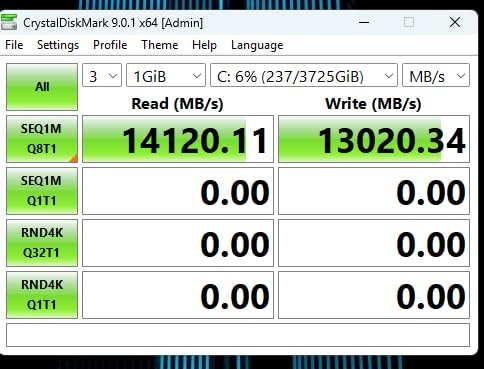
The Samsung 9100 PRO represents the current pinnacle of consumer SSD performance, targeting enthusiasts and professionals building or upgrading systems with PCIe 5.0 motherboards. At 14,700 MB/s sequential read speeds, it delivers roughly twice the performance of PCIe 4.0 flagships, opening new possibilities for massive file workflows and AI applications that benefit from extreme storage bandwidth.
We may earn a commission when you buy through this link, at no additional cost to you.
The random performance figures are equally impressive. Up to 1,850K read IOPS and 2,600K write IOPS make this drive noticeably snappier in real-world use than even the fastest Gen 4 drives, benefiting workflows with many small files, complex AI model loading, and sustained multitasking scenarios. Video editors, 3D artists, and AI developers working with large datasets stand to gain the most from these performance improvements.
The 5nm controller architecture delivers up to 49% better power efficiency compared to the 990 PRO SSD, which matters in laptops where battery life is affected by storage power draw and in desktops where lower heat output supports more consistent sustained performance. Advanced thermal control keeps the drive operating within safe ranges even under heavy sustained loads. Capacities scale up to 8TB, providing room for extensive game libraries or professional media collections.
PCIe 5.0 SSDs provide the biggest real-world benefits for workflows involving very large sequential file transfers, extensive AI model loading, and professional video editing with high-bitrate footage. For gaming, general productivity, and typical home use, the practical difference over PCIe 4.0 is often marginal because the workloads don’t sustain the peak transfer speeds. Match the drive to your actual use cases rather than chasing benchmark numbers.
The main considerations are the requirement for a PCIe 5.0 motherboard to unlock the drive’s full performance and the significant premium pricing that comes with cutting-edge technology. Running this drive on a PCIe 4.0 motherboard defaults to Gen 4 speeds and negates the primary reason to buy it. For buyers with the right hardware and workflows that genuinely benefit from doubled sequential speeds, the 9100 PRO delivers meaningful performance gains.
Buyers without PCIe 5.0 motherboards or those with typical workloads that don’t benefit from the extra speed.
We may earn a commission when you buy through this link, at no additional cost to you.
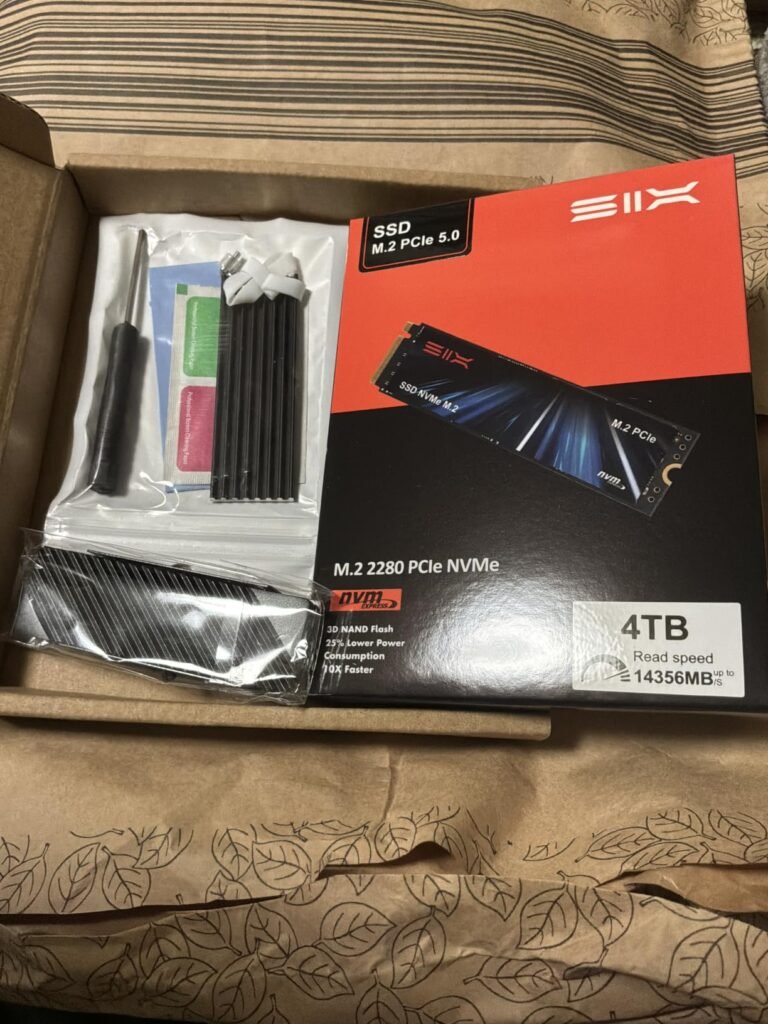
The SIX X7400 offers a compelling proposition for buyers who want near-flagship PCIe 4.0 performance without the premium pricing of major brands. At 7,350 MB/s read speeds, it approaches the theoretical maximum of the Gen 4 interface, matching or exceeding many drives that cost significantly more from established brand names.
We may earn a commission when you buy through this link, at no additional cost to you.
The included heatsink is a particularly practical touch for PlayStation 5 storage expansion, where Sony specifically requires a heatsink for M.2 drives installed in the console’s expansion slot. Rather than buying a bare drive and separate heatsink, buyers get a complete solution ready for PS5 installation. The heatsink also helps with sustained performance in desktop systems where the motherboard doesn’t include its own M.2 cooling.
The complete installation kit including screws, screwdrivers, and heatsink components genuinely simplifies the upgrade experience, especially for first-time SSD installers who might otherwise need to source these items separately. The 5-year limited warranty matches what established brands typically offer at this capacity, providing meaningful long-term backing for the investment despite SIX being a less familiar name.
The PlayStation 5 requires M.2 SSDs installed in its expansion slot to include a heatsink to manage the sustained thermal loads of console gaming. Without adequate cooling, drives will throttle during gameplay, causing loading stutters and reduced performance. Any SSD sold specifically for PS5 use should include an integrated heatsink or specify compatibility with an aftermarket cooling solution.
The trade-off is that SIX is a lesser-known brand compared to Samsung, WD, and Crucial, without the same mature software ecosystem for drive monitoring, firmware updates, and performance optimization. For buyers who value maximum performance at a lower price and don’t specifically need vendor-provided management tools, this drive delivers strong practical value. For those who prioritize brand recognition and comprehensive software support, established alternatives may be worth the price premium.
Buyers who prioritize major brand recognition and mature vendor software ecosystems over pure price-performance value.
We may earn a commission when you buy through this link, at no additional cost to you.
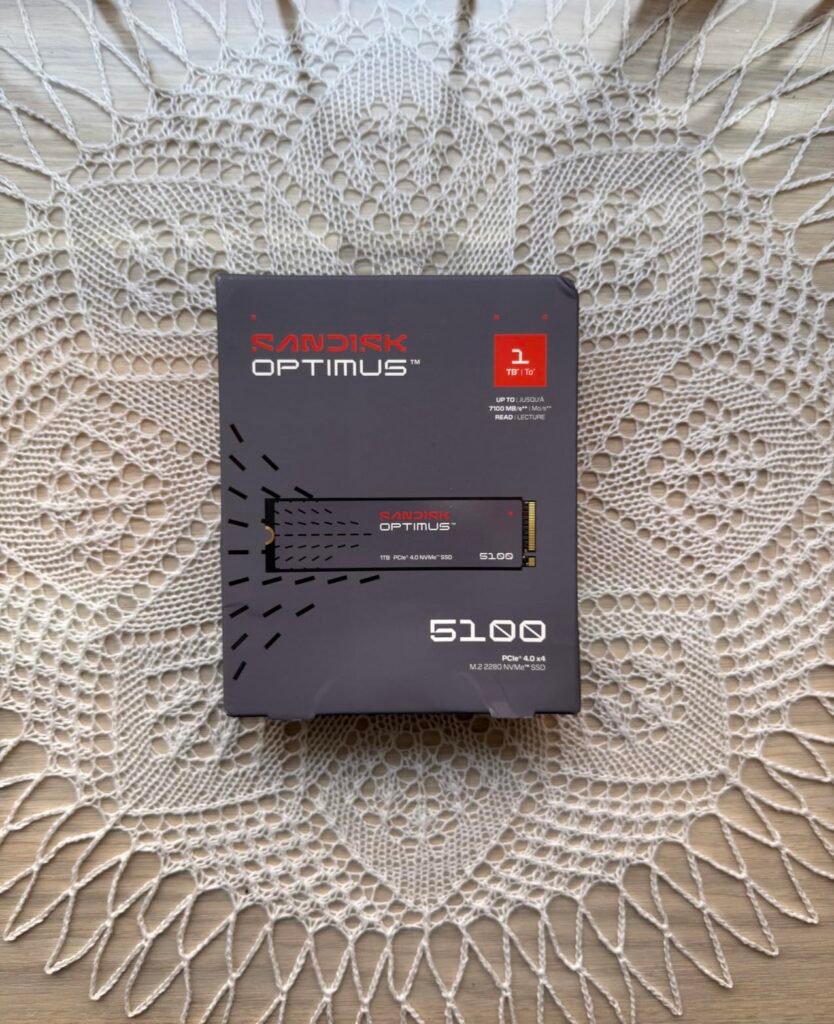
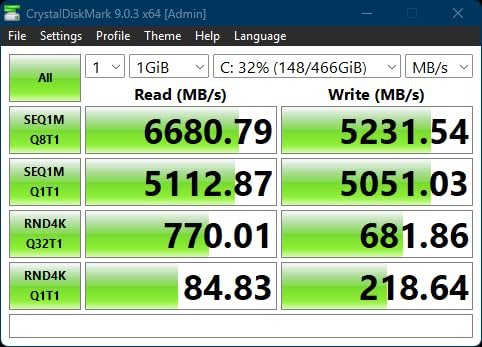
The Sandisk Optimus 5100 targets creative professionals who need substantial storage capacity alongside strong PCIe 4.0 performance for creator applications. With 7,100 MB/s read and 6,700 MB/s write speeds and capacities scaling up to 4TB, it provides both the speed for editing 4K video and high-resolution images and the room to store extensive project libraries.
We may earn a commission when you buy through this link, at no additional cost to you.
The QLC (quad-level cell) 3D NAND technology enables the higher capacities at more accessible price points, though QLC typically offers somewhat lower endurance than TLC alternatives. The 4TB model provides up to 1,200 TBW endurance rating, meaning the drive can handle 1,200 terabytes of writes over its lifetime, which is far more than most creators will approach even with heavy professional use. For occasional home creators, this endurance is essentially inexhaustible.
Power efficiency is a genuine advantage for laptop users. The design focuses on delivering high performance with lower power draw compared to competing drives, which extends laptop battery life during creative work sessions and reduces heat output that could otherwise cause throttling. The Sandisk Dashboard application provides ongoing monitoring, firmware updates, and drive health tracking for long-term reliability management.
TLC (triple-level cell) NAND stores 3 bits per cell and typically offers better performance and endurance. QLC (quad-level cell) NAND stores 4 bits per cell, enabling higher capacities at lower costs but with somewhat reduced endurance and slightly slower sustained write performance. For most consumers, both types provide adequate performance and endurance, with QLC being an excellent choice when capacity per dollar matters more than absolute performance.
The trade-off between QLC and TLC NAND matters most for professional users doing constant heavy write operations, where TLC’s higher endurance provides meaningful advantages. For most creators mixing creative work with typical productivity, the QLC design’s capacity advantages usually outweigh the endurance considerations. The 500GB starting capacity may be limiting for creators with large project files, so consider stepping up to 1TB or larger for serious creative work.
Professionals doing extremely heavy sustained write workloads who need maximum endurance from TLC-based drives.
We may earn a commission when you buy through this link, at no additional cost to you.
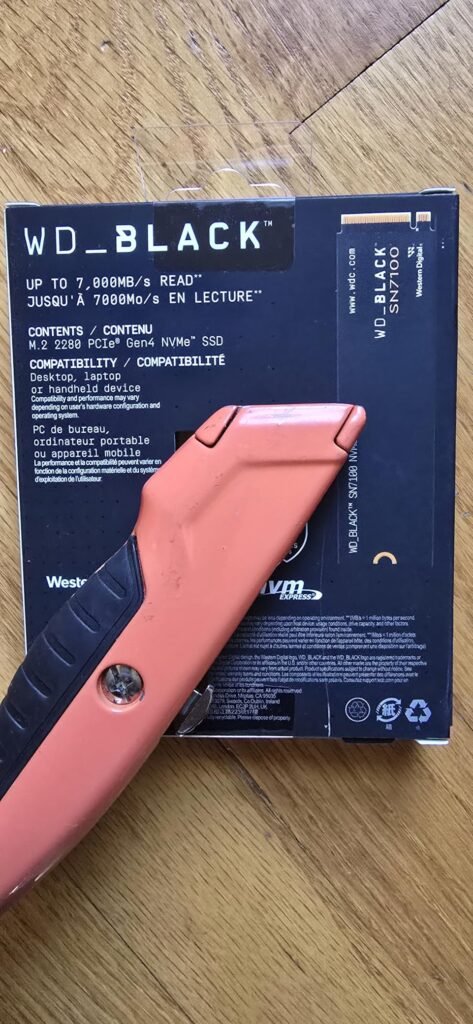
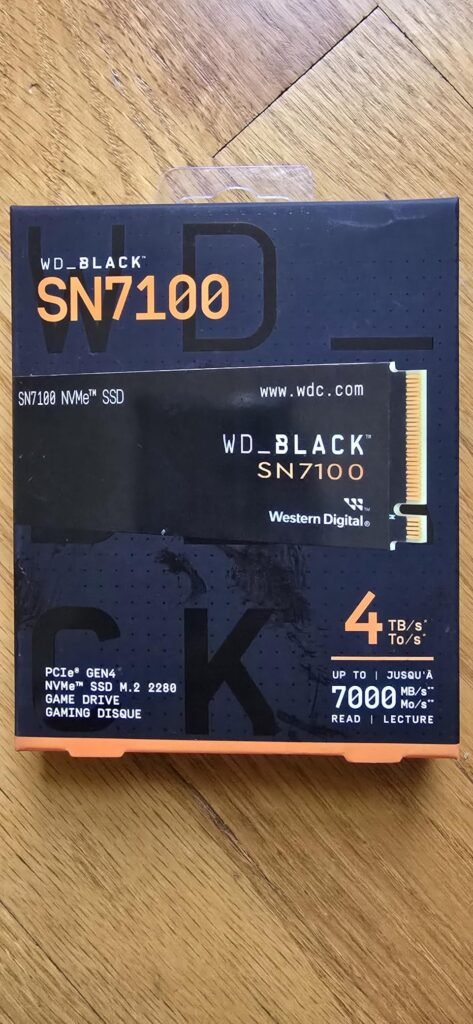
The WD_BLACK SN7100 is specifically designed for laptops and handheld gaming devices like the Steam Deck, ROG Ally, and Legion Go, where power efficiency matters as much as raw performance. With up to 100% better power efficiency over the previous generation, this drive extends battery life during gaming sessions on portable systems and reduces heat output that could otherwise cause throttling in compact chassis.
We may earn a commission when you buy through this link, at no additional cost to you.
Peak performance at 7,250 MB/s read and 6,900 MB/s write speeds represents strong PCIe Gen4 performance that competes with more expensive flagship alternatives. Sandisk’s next-generation TLC 3D NAND provides the endurance and reliability that TLC technology is known for, avoiding the endurance considerations that come with QLC alternatives. This makes it a solid choice for buyers who want long-term reliability alongside strong performance.
For serious handheld gamers, the combination of speed and efficiency directly translates to more playtime between charges and better sustained performance during long gaming sessions. Traditional desktop SSDs often prioritize raw performance without much thought to power efficiency, which limits their usefulness in mobile applications. The WD_BLACK SN7100 addresses this specific use case with meaningful improvements over generic drives.
Modern gaming handhelds accept standard M.2 2230 or M.2 2280 SSDs, though physical space constraints and thermal considerations make some drives more suitable than others. Look for drives specifically designed for handheld or laptop use with strong power efficiency ratings. Some handhelds require the smaller M.2 2230 form factor rather than the standard 2280 size, so verify compatibility before purchasing.
The main considerations are that the WD_BLACK Dashboard software is Windows-only, limiting the software experience for macOS and Linux users, and that this specific model has been replaced by the newer Sandisk Optimus GX 7100 NVMe SSD. For buyers who can still find this model at competitive pricing, it remains an excellent choice for laptop and handheld gaming applications. For new purchases, checking the current generation from Sandisk may provide even better value.
macOS or Linux users who need cross-platform vendor software support for drive management.
We may earn a commission when you buy through this link, at no additional cost to you.
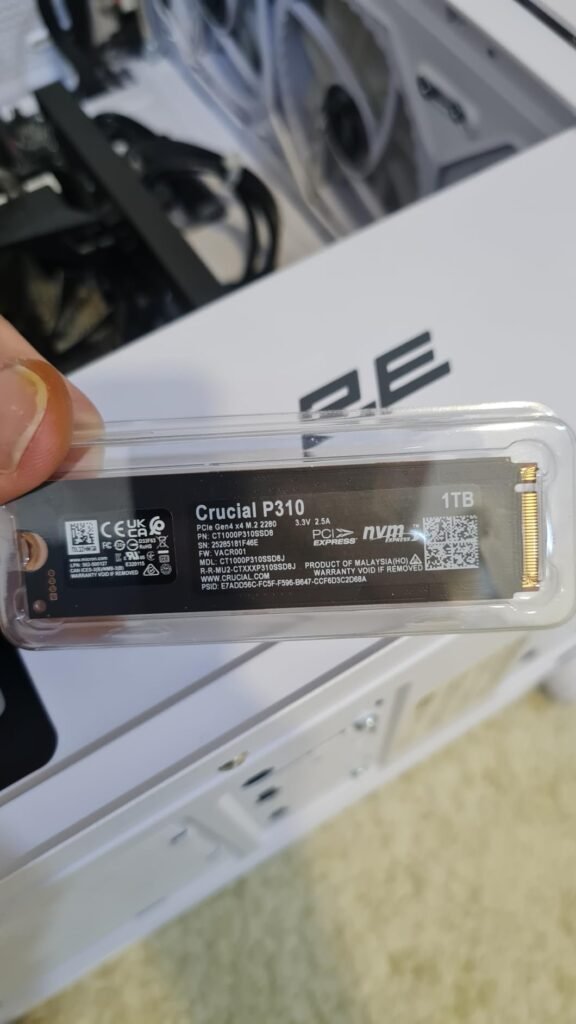
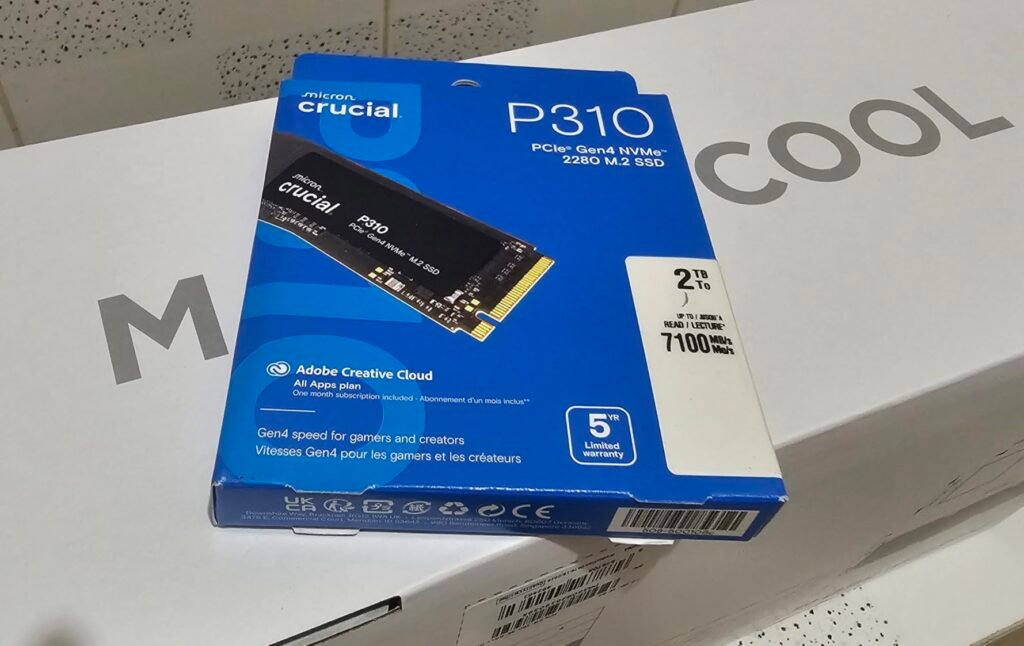
The Crucial P310 targets casual gamers and home users who want reliable PCIe Gen 4 performance across a wide range of devices. Its explicit compatibility with laptops, desktops, and popular handheld gaming consoles like the ROG Ally X, Lenovo Legion Go, and AYANEO Kun makes it a versatile choice for buyers who might use one drive across multiple platforms or want flexibility for future upgrades.
We may earn a commission when you buy through this link, at no additional cost to you.
Read speeds up to 7,100 MB/s and write speeds up to 6,000 MB/s deliver solid mainstream Gen 4 performance, roughly twice as fast as previous Gen 3 drives for real-world tasks like booting Windows, launching applications like Adobe Photoshop, and working in Microsoft Excel or PowerPoint. For most users, this performance level is essentially indistinguishable from more expensive flagship drives in daily use.
Backward compatibility with PCIe Gen 3 systems is a genuine practical benefit for buyers upgrading older computers. The drive works in Gen 3 slots at Gen 3 speeds, providing an upgrade path when moving to a newer system later without needing to buy a different drive. Included Acronis data recovery software simplifies the upgrade process for users replacing an existing drive, and Micron’s trusted G8 NAND provides reliable performance backed by strong manufacturer quality control.
Most modern PCIe Gen 4 SSDs are backward compatible with PCIe Gen 3 slots, though they’ll operate at the slower Gen 3 speeds. This provides an upgrade path when moving to newer hardware later, letting you buy a drive today that will still be useful when you upgrade your motherboard next year. Verify compatibility with your specific motherboard before purchase, especially for older systems.
The trade-off is that this drive sits in the mainstream tier of PCIe Gen 4 performance rather than reaching flagship-level speeds. For creators, professionals, or enthusiasts who benefit from the fastest available Gen 4 drives, the extra investment in flagship alternatives may be worthwhile. For everyday users, casual gamers, and home computer builders who value reliability and broad compatibility, the P310 delivers strong practical value from a trusted brand.
Enthusiasts and creators who specifically need flagship-level performance and can benefit from the fastest available Gen 4 drives.
We may earn a commission when you buy through this link, at no additional cost to you.
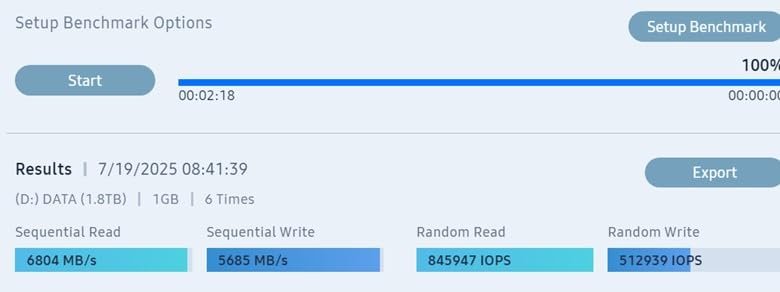
The Samsung 990 EVO Plus offers unique flexibility with support for both PCIe Gen 4 x4 and PCIe Gen 5 x2 interfaces. This dual compatibility means the drive works efficiently in both current Gen 4 systems and newer Gen 5 motherboards, providing meaningful future-proofing without requiring the buyer to commit to one interface generation.
We may earn a commission when you buy through this link, at no additional cost to you.
Performance at 7,150 MB/s read and 6,300 MB/s write speeds delivers flagship-tier Gen 4 performance suitable for enthusiast gaming, content creation, and demanding productivity workloads. The Intelligent TurboWrite 2.0 caching system provides enhanced large-file performance, particularly valuable for creators moving large video files or working with extensive project libraries. Capacities extend to 4TB, providing ample space for large game libraries or media collections.
The nickel-coated controller design provides efficient thermal control, allowing the drive to sustain high performance under longer workloads without excessive throttling. Power efficiency benefits both laptop battery life and desktop system heat management. Samsung Magician software provides ongoing firmware updates, encryption options, and drive health monitoring, adding real value for long-term ownership.
PCIe interfaces use multiple lanes to increase bandwidth. Most consumer NVMe SSDs use 4 lanes, but some drives like the 990 EVO Plus can operate in 4-lane Gen 4 mode or 2-lane Gen 5 mode. The choice depends on your motherboard’s available slots and lane allocation. On Gen 5 motherboards, the 2-lane Gen 5 configuration still provides more bandwidth than the 4-lane Gen 4 mode, but less than dedicated 4-lane Gen 5 drives.
The main consideration is that on a PCIe 5.0 motherboard, this drive uses only 2 lanes of the PCIe 5.0 interface rather than the full 4 lanes that dedicated PCIe 5.0 drives like the Samsung 9100 PRO utilize. This means the 990 EVO Plus won’t reach the extreme peak speeds of full PCIe 5.0 drives, but it’s still faster than pure Gen 4 alternatives on Gen 5 hardware. For buyers wanting solid performance across current and near-future hardware without committing to full Gen 5 pricing, this drive delivers strong practical value.
Buyers with PCIe 5.0 motherboards who want to maximize Gen 5 performance with full 4-lane utilization.
We may earn a commission when you buy through this link, at no additional cost to you.
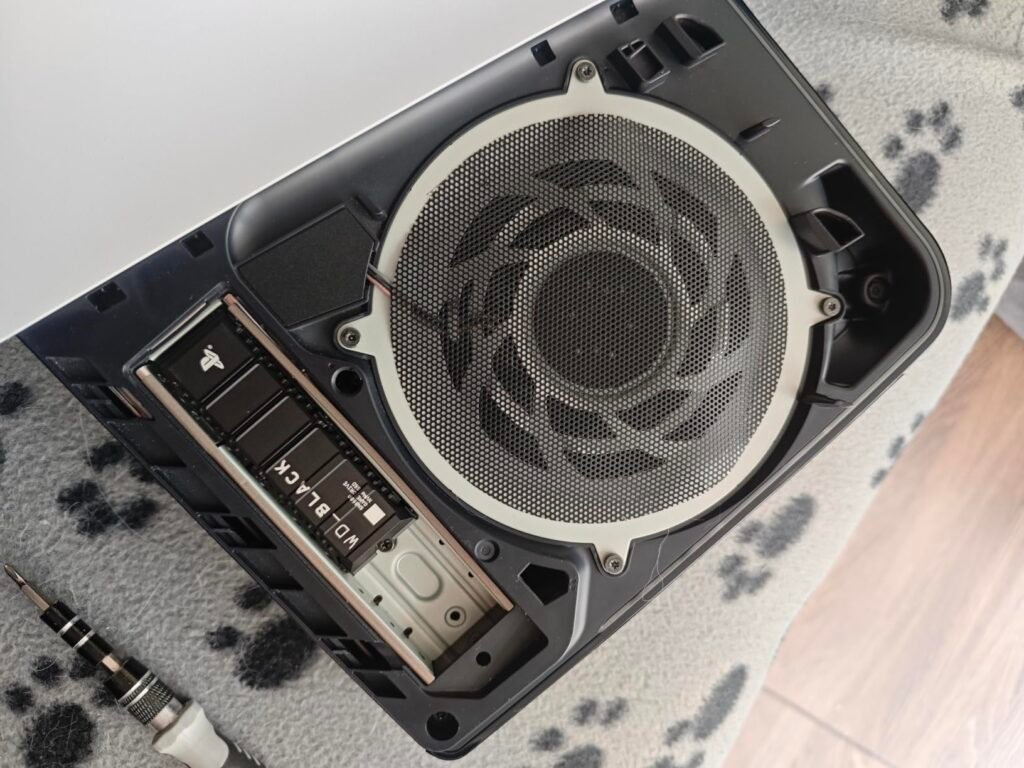
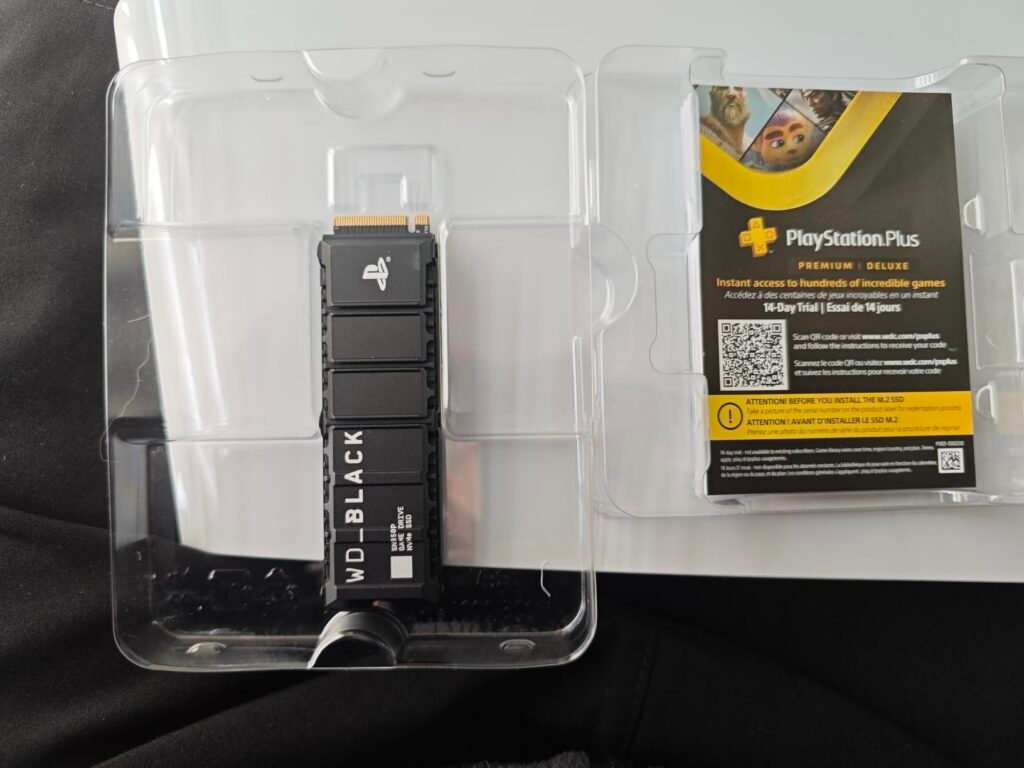
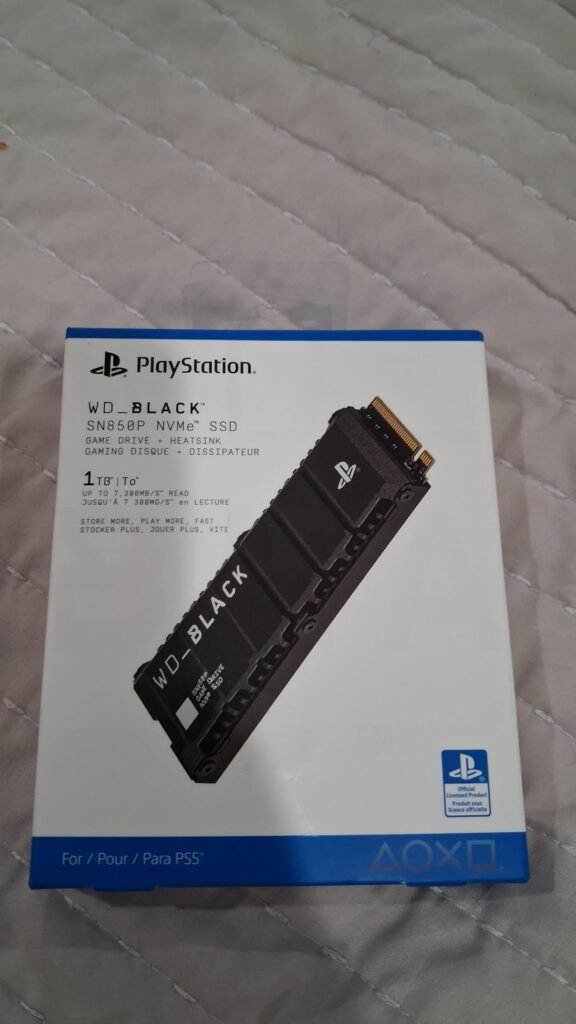
The WD_BLACK SN850P is the definitive solution for PS5 storage expansion, being the officially licensed M.2 SSD for PlayStation 5 consoles. Sony's licensing means Sony has specifically tested and approved this drive for PS5 use, eliminating any concern about compatibility or performance issues that can occasionally affect generic M.2 SSDs installed in the console.
We may earn a commission when you buy through this link, at no additional cost to you.
Read speeds up to 7,300 MB/s meet the demanding requirements of the PS5’s storage architecture, ensuring games load quickly and stream large assets smoothly during gameplay. The custom-designed heatsink is specifically optimized for the PS5’s M.2 expansion slot, providing proper cooling within the console’s specific thermal environment without any risk of clearance issues or inadequate heat dissipation that can plague generic heatsink combinations.
Capacities range from 1TB up to 8TB, providing storage flexibility for casual players who want to expand beyond the console’s built-in storage or dedicated gamers with extensive libraries. At the 8TB capacity, you can store up to 200 games at an average 36GB per title, essentially eliminating storage constraints for most players. Installation into the PS5’s M.2 slot is straightforward with the pre-installed heatsink, avoiding the assembly work required with generic drive-plus-heatsink combinations.
The PlayStation 5 requires specific PCIe Gen 4 NVMe SSDs with minimum sequential read speeds of 5,500 MB/s and appropriate heatsink cooling. Generic SSDs can work if they meet these requirements, but officially licensed options like the WD_BLACK SN850P guarantee compatibility and eliminate installation guesswork. Always verify PS5 compatibility specifications before purchasing any drive for console use.
The trade-off is a slight premium over generic PCIe Gen 4 SSDs of similar capacity, reflecting the officially licensed status and PS5-specific heatsink design. For buyers who want zero uncertainty about PS5 compatibility and prefer a purpose-built solution over cobbling together a generic drive and heatsink separately, this WD_BLACK SN850P delivers peace of mind alongside strong performance. For PC use, less expensive generic PCIe Gen 4 drives may deliver similar practical performance at lower cost.
PC users who don’t need PS5-specific certification and can find similar performance in less expensive generic drives.
We may earn a commission when you buy through this link, at no additional cost to you.
Choosing the right internal SSD comes down to matching interface type, performance tier, and capacity to your specific system and workload. The factors below cover what genuinely matters when making this decision.
The interface type is the most fundamental decision when buying an SSD. NVMe drives connect through the PCIe interface using M.2 slots on the motherboard, delivering dramatically higher speeds than SATA alternatives. SATA drives use the older SATA III interface in 2.5-inch form factor, providing dramatic improvements over spinning hard drives but capped at about 560 MB/s regardless of the drive’s underlying capability.
For modern desktop and laptop upgrades, NVMe is almost always the better choice when your system supports it. Even mainstream PCIe Gen 4 NVMe drives are roughly 10 times faster than the fastest SATA SSDs. The exception is older systems without M.2 NVMe slots, secondary storage bays in desktops where NVMe primary drives are already installed, and NAS applications where SATA is standardized.
Check your motherboard specifications before buying to confirm whether you have M.2 NVMe slots and what PCIe generation they support. For newer systems, choose NVMe. For older systems without M.2 slots or secondary drive bays, quality SATA drives like the Samsung 870 EVO deliver excellent value.
PCIe generations affect NVMe drive performance significantly. PCIe Gen 3 supports up to about 3,500 MB/s, Gen 4 supports up to about 7,500 MB/s, and Gen 5 supports up to about 15,000 MB/s. Modern flagship drives push right up against these theoretical limits. Your motherboard’s PCIe generation determines what performance level you can actually utilize from a drive.
Backward and forward compatibility works in most cases. A PCIe Gen 4 drive installed in a Gen 3 slot operates at Gen 3 speeds, and a Gen 3 drive works fine in Gen 4 or Gen 5 slots at Gen 3 speeds. However, some newer drives like the Samsung 990 EVO Plus offer specific dual-interface support that can operate as either PCIe 4.0 x4 or PCIe 5.0 x2 for additional flexibility.
Match your drive purchase to your motherboard’s capability. Buying a PCIe Gen 5 drive to install in a Gen 4 motherboard wastes most of the performance you’re paying for. Buying a Gen 3 drive to install in a Gen 5 motherboard leaves significant performance on the table.
Sequential read and write speeds are the numbers manufacturers advertise most prominently. These speeds matter for large file transfers, video editing with massive files, and any workflow involving continuous data streams. Random IOPS (Input/Output Operations Per Second) matter for everyday computing tasks like booting Windows, launching applications, opening documents, and general system responsiveness.
For most everyday users and gamers, random IOPS performance affects the perceived system responsiveness more than sequential speeds. A drive with 6,000 MB/s sequential speeds and strong random IOPS often feels faster in daily use than a drive with 7,500 MB/s sequential speeds but weaker random performance. Manufacturers like Samsung publish detailed IOPS specifications precisely because these figures matter for real-world experience.
For creators working with large sequential files, prioritize maximum sequential speeds. For gamers and general users, prioritize strong random IOPS performance alongside adequate sequential speeds. The Samsung 990 PRO’s exceptional random IOPS performance is why it earns Editor’s Choice status despite competitors matching its sequential speeds.
SSD capacity has grown dramatically while pricing per gigabyte has fallen. Modern games can easily consume 100GB or more each, and video editing projects rapidly consume storage. For a primary drive in a modern gaming or productivity system, 1TB is the practical minimum, 2TB provides comfortable headroom for most users, and 4TB or larger benefits serious gamers and creative professionals with extensive libraries.
Consider both immediate needs and how storage requirements will grow over the drive’s expected lifetime. Games continue getting larger, and creative applications work with increasingly higher resolution assets. Buying underprovisioned means running out of space and needing to add or replace the drive within a few years, while buying larger provides comfortable margin without significant premium costs at current pricing.
For primary system drives, don’t undersize. The cost difference between 1TB and 2TB is often smaller than expected, and the additional capacity almost always proves useful over the drive’s lifetime. For secondary drives specifically for game libraries or media storage, size according to your actual collection needs.
NAND flash technology determines drive endurance and sustained performance characteristics. TLC (triple-level cell) NAND stores 3 bits per cell and typically offers better performance and endurance. QLC (quad-level cell) NAND stores 4 bits per cell, enabling higher capacities at lower costs but with somewhat reduced endurance and slightly slower sustained write performance.
Endurance is measured in TBW (terabytes written) over the drive’s lifetime. Higher-end drives like the Sandisk Optimus 5100 4TB model offer up to 1,200 TBW, meaning the drive can handle 1,200 terabytes of writes over its lifetime. For most home users, even 300 TBW is essentially unreachable in normal use over the warranty period. For creators, video producers, and users running high-write workloads like database applications, higher TBW ratings provide meaningful long-term reliability.
For typical consumer use, both TLC and QLC drives deliver excellent reliability. For professional creative work or specialized applications with constant heavy writes, TLC drives with high TBW ratings provide better long-term durability.
SSDs generate heat during sustained operations, and excessive heat causes drives to throttle their performance to protect internal components. This means a drive that benchmarks at 7,400 MB/s might drop to 3,000 MB/s or lower during extended sustained workloads if cooling is inadequate. Thermal management design significantly affects the drive’s real-world performance under demanding workloads.
Better drives include features like nickel-coated controllers, advanced thermal control algorithms, and thermal sensor management. Adding an aftermarket heatsink or using motherboard-integrated M.2 cooling helps significantly, especially for drives that will see sustained heavy workloads like video editing or large file transfers. For PS5 use, adequate cooling is specifically required by Sony’s compatibility guidelines.
For light to moderate use, most drives handle thermals adequately without special attention. For sustained heavy workloads, prioritize drives with strong thermal design or plan to add aftermarket cooling to maintain consistent performance.
Manufacturer software tools like Samsung Magician, WD_BLACK Dashboard, Sandisk Dashboard, and similar utilities provide ongoing value throughout drive ownership. These tools offer drive health monitoring, firmware updates, performance optimization, and cloning utilities for upgrading from existing drives. Mature software ecosystems from established brands provide more polished experiences than newer or generic alternatives.
Warranty coverage varies from 3 to 5 years across the drives in this comparison. Longer warranties provide better long-term financial protection, and endurance ratings usually align with warranty coverage. Established brands like Samsung, WD, Sandisk, Crucial, and Kingston have strong track records for honoring warranty claims and providing replacement drives when issues occur.
For long-term drive investments, prioritize established brands with mature software ecosystems and solid warranty terms. For budget-conscious purchases or short-term uses, generic brands can offer similar performance at lower prices with less comprehensive support.
M.2 NVMe drives come in different physical sizes indicated by 4-digit codes. M.2 2280 is the most common desktop size at 22mm wide by 80mm long. Some laptops and handheld gaming devices use M.2 2230 (22mm x 30mm) or M.2 2242 (22mm x 42mm) form factors. SATA SSDs typically use 2.5-inch form factor with a standard SATA connector, though older mSATA drives exist for specialized applications.
Always verify the form factor your device requires before purchasing. Installing an M.2 2280 drive in a system designed only for M.2 2230 physically won’t work, and the reverse leaves the drive loose in the slot. For PS5 installation, verify not only the M.2 2280 form factor but also that the drive plus heatsink combination fits within the console’s dimensional requirements.
Check your motherboard or device manual for specific M.2 form factor support before buying. Most modern desktop motherboards support M.2 2280, but laptops and specialty devices may require smaller form factors that aren’t as widely available.
Installation is generally straightforward but requires attention to detail. For M.2 NVMe drives, power down and unplug your computer completely, discharge static electricity by touching a grounded metal surface, locate the M.2 slot on your motherboard, and carefully align the drive’s notch with the slot connector. Insert at approximately a 30-degree angle and press down gently to seat fully. Secure with the included mounting screw, being careful not to overtighten. For SATA drives, connect the SATA data cable and SATA power cable, then mount in a 2.5-inch drive bay or use an adapter for 3.5-inch bays. For PS5 installation, follow Sony’s official installation guide precisely, ensuring the heatsink is properly attached before insertion.
Initial setup depends on whether the SSD will be your primary or secondary drive. For a fresh Windows installation on a new primary drive, boot from installation media and select the new drive during setup. For upgrading from an existing drive, use manufacturer-provided cloning software like Samsung Magician’s Data Migration, Kingston’s Acronis True Image, or Crucial’s included Acronis software to copy your existing installation. Once installed, install the latest chipset drivers for your motherboard to ensure optimal SSD performance, and use manufacturer software to verify the drive is operating at expected speeds. Enable TRIM support in your operating system if it isn’t already enabled by default.
Long-term care of modern SSDs is largely automatic, but a few practices help maintain optimal performance. Keep at least 10-15% of the drive capacity free for optimal wear leveling and sustained performance. Install firmware updates through manufacturer software when they become available, as these updates often include performance improvements and bug fixes. Avoid frequent complete drive fills followed by mass deletions if possible, as this pattern shortens drive life more than steady moderate use. Monitor drive health periodically through manufacturer dashboards, which report on drive wear, temperature, and remaining life estimates. For drives in laptops or portable systems, ensure adequate cooling in the surrounding environment to prevent thermal throttling.
NVMe SSDs use the PCIe interface through M.2 slots to deliver much higher speeds than SATA drives. Modern NVMe drives reach 7,000 MB/s or more, while SATA SSDs are capped at about 560 MB/s regardless of the drive's underlying capability. NVMe is the better choice for modern systems with M.2 slots, while SATA remains useful for older systems, secondary drives, and NAS applications. Both provide dramatic improvements over traditional spinning hard drives.
PCIe Gen 5 SSDs provide impressive peak performance but rarely translate to noticeably better gaming experiences compared to Gen 4 alternatives. Game load times depend more on random IOPS performance and CPU processing than pure sequential speeds. For most gamers, a quality PCIe Gen 4 drive delivers 90% of the practical experience at significantly lower cost. Consider Gen 5 primarily if you have workflows involving very large sequential file transfers or want maximum future-proofing.
For a primary system drive in a modern gaming or productivity computer, 1TB is the practical minimum, 2TB provides comfortable headroom for most users, and 4TB or larger benefits serious gamers and creative professionals. Modern games can easily consume 100GB each, and video editing rapidly fills storage. Consider both current needs and how storage requirements will grow over the drive's expected lifetime. Undersize once and you'll be adding or replacing drives within a few years.
Upgrading from a spinning hard drive to any SSD provides dramatic performance improvements. Upgrading from SATA SSD to NVMe provides significant improvements in file transfer speeds and some real-world tasks. Upgrading from a mainstream NVMe drive to a flagship NVMe drive provides mostly benchmark improvements that are hard to feel in typical use. The biggest real-world jumps come at the technology tier transitions, not within the same tier.
Modern NVMe SSDs generate meaningful heat during sustained operations and can throttle their performance when they get too hot. Many newer motherboards include integrated M.2 heatsinks that provide adequate cooling. For older motherboards without integrated cooling, aftermarket heatsinks help maintain sustained performance. For PS5 installation, an adequate heatsink is specifically required by Sony's compatibility guidelines. For most home use, integrated motherboard cooling or included drive heatsinks are sufficient.
Yes, PCIe Gen 4 NVMe SSDs are backward compatible with PCIe Gen 3 slots, operating at the slower Gen 3 speeds. This provides a useful upgrade path when moving to newer hardware later, letting you buy a drive today that will still be useful when you upgrade your motherboard. Verify compatibility with your specific motherboard, especially for older systems. The drive won't reach its rated speeds until installed in a Gen 4 or newer slot.
Modern SSDs typically last many years of normal use, with most drives outlasting their warranty periods significantly. Endurance ratings measured in TBW (terabytes written) indicate expected write capacity, and most home users write far less data than the rated endurance over the drive's lifetime. Quality SSDs from established brands typically last 5 to 10 years or more in typical use. Heavy write workloads like video production or database applications can shorten lifespan, making high-endurance drives worth prioritizing for these uses.
This is largely optional with modern high-capacity SSDs. Single-drive setups work perfectly well for most users, keeping everything in one place with simpler backups and management. Separate drives for OS and games can provide organizational benefits and allow different tier drives for different uses, like a premium NVMe boot drive plus a value-tier drive for game library. For most home users, a single 2TB or larger drive is simpler than managing separate drives.
For a fresh Windows installation, you need Windows installation media which can be created for free from Microsoft's website. For upgrading from an existing drive, manufacturer-provided cloning software like Samsung Magician, WD_BLACK Dashboard, or Acronis True Image (bundled with Kingston and Crucial drives) copies your existing installation to the new drive. After installation, install the manufacturer's SSD management software for ongoing monitoring and firmware updates. Motherboard chipset drivers should be updated for optimal SSD performance.
The Samsung 990 PRO stands out as the strongest overall choice for buyers building or upgrading modern systems with PCIe Gen 4 motherboards. Its combination of near-maximum Gen 4 sequential speeds, exceptional random IOPS performance for real-world responsiveness, effective thermal management, and comprehensive Samsung Magician software delivers flagship-tier capability that will serve enthusiast users well for years.
For buyers with cutting-edge PCIe Gen 5 motherboards seeking maximum performance, the Samsung 9100 PRO offers roughly twice the speed of Gen 4 drives with capacities up to 8TB. Budget-conscious upgraders should consider the Kingston NV3, which delivers solid mainstream PCIe Gen 4 performance at a genuinely approachable price. PS5 owners looking for guaranteed compatibility should choose the officially licensed WD_BLACK SN850P with its optimized heatsink. Users of older systems without M.2 slots will find excellent value in the Samsung 870 EVO SATA drive.
Your final decision should start with understanding your motherboard's specific capabilities and your actual workload needs. Verify NVMe compatibility and PCIe generation support before choosing between SATA and NVMe drives. Match performance tier to your workload rather than chasing benchmark numbers, since flagship drives provide most of their advantages in benchmarks rather than everyday use. Prioritize adequate capacity over minor speed differences, since running out of space is more frustrating than slightly slower speeds. A well-matched SSD transforms your computing experience with dramatic improvements over spinning drives while providing years of reliable service.