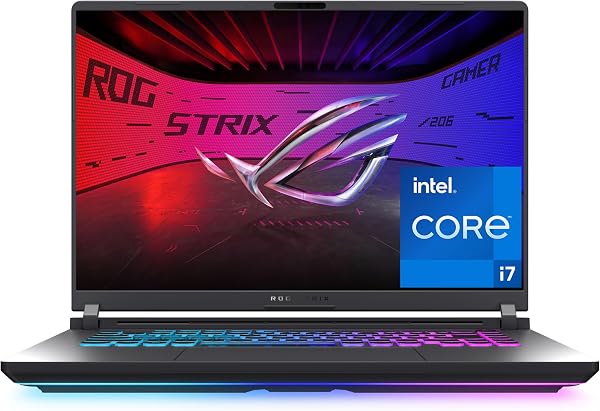
ASUS ROG Strix
8.8Editor scoreNVIDIA RTX 5060 GPU
Intel Core i7 14650HX
165Hz FHD plus screen
16GB DDR5 memory system
Compare top-rated gaming laptops with detailed research on graphics processors, display refresh rates, thermal design, RAM, and overall performance value.

Find the right gaming laptops for 2026. We compare 10 standout options by the factors that matter in this category, such as graphics processors, display refresh rates, thermal design, memory capacity, visual contrast, port selection, and overall value.
Modern mobile gaming hardware spans a broad range of performance capabilities, from budget setups ideal for casual titles to heavy-duty desktop replacements with ray-tracing capabilities. Selecting the right machine requires balancing screen responsiveness, fan acoustics, and real-world portability against your target gaming resolution.
Whether you prioritize high refresh rates for competitive esports or vibrant color fidelity for single-player visual adventures, matching your hardware specifications to your gaming habits ensures long-term performance and satisfaction without paying for features you do not need.
We compared 10 gaming laptops using the details that actually help a buyer decide: graphics processor horsepower, thermal headroom, display panel quality, memory expandability, chassis cooling architecture, keyboard layout, wireless connectivity, and total package value. The notes focus on practical trade-offs so each pick feels connected to how gamers actually play, stream, and multitask on the go.

Compare key features, scores, and current prices side by side. A shorter feature list means fewer details were available, not necessarily fewer capabilities.




The Lenovo Legion 5a OLED Bundle stands out as a complete hardware package for serious gaming. Combining an AMD Ryzen 7 250 processor with an NVIDIA GeForce RTX 5060 GPU, this laptop easily powers modern titles at 2560×1600 resolution.
We may earn a commission when you buy through this link, at no additional cost to you.
The display panel is a highlight: a 15.3-inch WQXGA OLED screen featuring 100% DCI-P3 color depth, NVIDIA G-SYNC, and DisplayHDR True Black 1000 certification. Contrast, dark detail, and visual sharpness are top-tier.
Lenovo equips this package with 32GB of DDR5 RAM, a 1TB internal SSD, Wi-Fi 7 networking, and a bonus portable 500GB external drive. This extra storage makes backing up large game files or media simple.
The bundled 500GB external drive allows gamers to offload media files or game installs, preserving internal SSD speed for active titles.
For gamers seeking elite screen visuals, ample system RAM, and extra storage out of the box, this bundle delivers strong overall value.
Shoppers seeking entry-level budget pricing or basic graphics capability.
We may earn a commission when you buy through this link, at no additional cost to you.
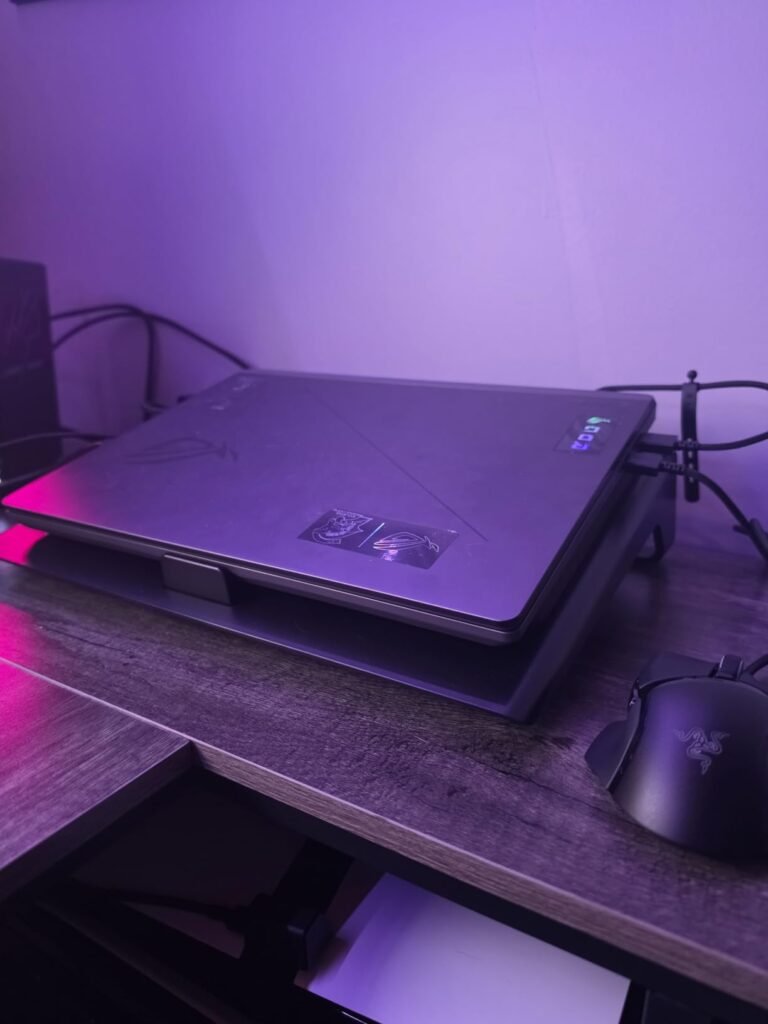
The ASUS ROG Strix G16 (2025) targets gamers who want solid 1080p and 1440p frame rates paired with elite heat dissipation. Housing an Intel Core i7 14650HX paired with the NVIDIA GeForce RTX 5060, this machine is equipped to handle modern action titles and competitive shooters without thermal throttling.
We may earn a commission when you buy through this link, at no additional cost to you.
Under the hood, ROG’s thermal engineering shines. The laptop features an end-to-end vapor chamber combined with tri-fan technology and liquid metal on the processor. This elaborate setup allows the hardware to run at higher wattage levels for longer stretches, preventing frame drops during extended gaming sessions.
The 16-inch FHD+ 165Hz screen features a 16:10 aspect ratio and anti-glare film designed to minimize reflections while boosting visual contrast. Rounding out the hardware package are 16GB of DDR5 memory, a 1TB PCIe Gen 4 SSD, and Wi-Fi 7, keeping load times low and wireless latency tight.
The updated display coating reduces harsh reflections from overhead lights without muddying deep visual tones. This makes tracking fast-moving targets in competitive shooters easier even in bright room conditions.
This configuration serves as a dependable workhorse for players who prioritize system cooling and high frame rates over thin-and-light portability. If your setup stays mostly on a desk and demands sustained performance, the G16 delivers strong structural value.
Shoppers seeking an ultra-portable slim laptop or native 4K resolution.
We may earn a commission when you buy through this link, at no additional cost to you.
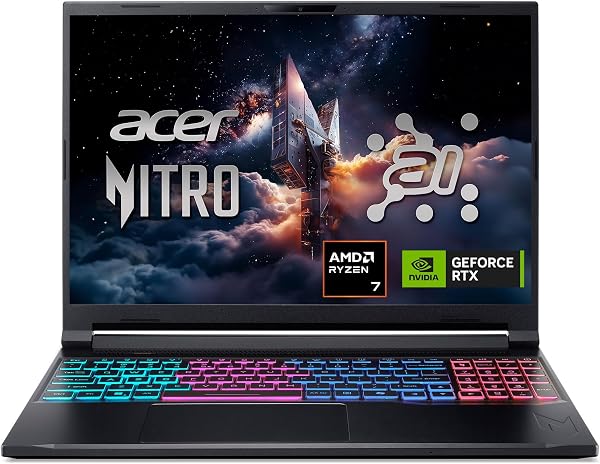
The Acer Nitro V 16S AI is engineered for gamers and content creators who need massive memory capacity right out of the box. Outfitted with 32GB of DDR5 RAM alongside an AMD Ryzen 7 260 processor and an NVIDIA RTX 5060 GPU, it handles modern gaming while multitasking stream software in the background.
We may earn a commission when you buy through this link, at no additional cost to you.
A key highlight of this machine is its 16-inch WUXGA display running at 180Hz. Offering 100% sRGB color accuracy, it produces vibrant hues for creative workloads and smooth motion during fast-paced online matches.
With 572 AI TOPS of graphics processing capability, the laptop leverages modern neural rendering technologies like DLSS multi-frame generation to boost frame rates in supported titles. The inclusion of a 1TB PCIe Gen 4 SSD ensures ample storage for large game installs.
Having 32GB of system RAM standard eliminates memory swapping when running Discord, OBS Studio, and demanding 3D gaming titles simultaneously.
For users who frequently switch between video editing, browser tab management, and high-FPS gaming, the standard 32GB RAM capacity prevents performance bottlenecks without requiring an immediate manual memory upgrade.
Gamers wanting metal chassis build quality or Wi-Fi 7 support.
We may earn a commission when you buy through this link, at no additional cost to you.
The MSI Stealth 16 AI+ brings premium visuals into a portable, thin form factor. Driven by an Intel Core Ultra 9 386H processor and an NVIDIA GeForce RTX 5070 Ti GPU with 16GB GDDR7 VRAM, this laptop is designed for uncompromised 1440p gaming.
We may earn a commission when you buy through this link, at no additional cost to you.
Its standout feature is the 16-inch 240Hz QHD+ OLED display. OLED technology provides deep pitch blacks, infinite contrast, and instant pixel response times, making both cinematic AAA titles and high-speed esports look exceptionally crisp.
Despite its high-performance specs, the Stealth maintains a dark, low-profile design suitable for professional environments. It also includes 32GB of DDR5 RAM, a 1TB NVMe SSD, and Wi-Fi 7 wireless connectivity for rapid file transfers.
The combination of a 240Hz refresh rate and self-lit OLED pixels eliminates ghosting, rendering dark scenes in horror and action games with precise depth.
Buyers seeking top-tier display quality matched with enthusiast-level graphics will find the Stealth 16 AI+ compelling, provided they are prepared for a higher price bracket.
Budget-focused buyers or users who prefer matte non-reflective screens.
We may earn a commission when you buy through this link, at no additional cost to you.
The 2026 edition of the ASUS ROG Strix G16 is built for hardcore enthusiasts who demand extreme gaming frames. Combining the Intel Core Ultra 9 290HX Plus with an NVIDIA GeForce RTX 5080, it effortlessly powers modern games at ultra settings with full ray tracing enabled.
We may earn a commission when you buy through this link, at no additional cost to you.
The visual centerpiece is the 16-inch ROG Nebula HDR 2.5K 240Hz display. Offering bright HDR highlights, Dolby Vision support, and anti-glare low-reflection film, games remain rich and color-accurate from wide viewing angles.
ASUS designed this model with maintenance in mind. It includes a tool-free bottom panel latch system, making RAM and SSD upgrades straightforward. An integrated MUX Switch with Advanced Optimus automatically routes frames to maximize performance or battery life based on your workload.
A quick-release sliding latch allows users to pop open the bottom chassis to expand SSD storage or RAM without searching for micro screwdrivers.
If you want a desktop replacement laptop that handles ray tracing, competitive esports, and heavy video rendering without bottlenecking, this high-end rig represents peak performance.
Travelers prioritizing light carry weight or budget-conscious buyers.
We may earn a commission when you buy through this link, at no additional cost to you.
The Alienware 16 Aurora introduces a streamlined structural layout that drops the traditional bulky rear thermal shelf. Powered by an Intel Core 7 240H processor and an NVIDIA GeForce RTX 5050 GPU, it targets gamers seeking solid 1080p and 1200p performance.
We may earn a commission when you buy through this link, at no additional cost to you.
A key design highlight is the newly structured Cryo-Chamber, which channels direct airflow precisely over key internal components. This thermal design maintains safe internal operating temperatures while maintaining a cleaner, more compact outer footprint.
The 16-inch WQXGA 120Hz display features 300 nits of brightness, providing solid visual clarity for casual titles and media consumption. Dell’s included 1-Year Onsite Service adds post-purchase support peace of mind.
By embedding thermal exhaust internal routing instead of projecting a rear thermal shelf, the laptop fits standard backpacks more easily while maintaining airflow.
Gamers who admire Alienware’s distinct aesthetic but want a sleeker chassis for everyday desktop use will appreciate the Aurora’s simplified thermal layout.
Enthusiasts expecting ultra-high refresh rates or high-tier ray tracing performance.
We may earn a commission when you buy through this link, at no additional cost to you.
The MALLRACE 2026 AMD Gaming Laptop provides an accessible price point for buyers who need everyday productivity performance alongside light casual gaming capability. It features an 8-core, 16-thread AMD Ryzen 7 processor paired with integrated AMD Radeon graphics.
We may earn a commission when you buy through this link, at no additional cost to you.
Equipped with 16GB of DDR4 RAM and a 512GB NVMe SSD, this machine handles web browsing with dozens of open tabs, document editing, and video streaming effortlessly. The NVMe slot can also be expanded up to 2TB down the road.
The 15.6-inch Full HD display delivers crisp visuals, while the chassis sports a slim metal build with a 180-degree lay-flat hinge. Additional conveniences include a backlit keyboard, Wi-Fi 6, USB-C connectivity, and up to 8 hours of general battery life.
The 180-degree lay-flat hinge makes sharing work screens during meetings straightforward, while the backlit keyboard assists typing in dimly lit environments.
While not built for demanding AAA games with intensive 3D ray tracing, this laptop is an attractive budget-friendly solution for students, office workers, and casual gamers playing esports titles or indie games.
Gamers wanting high-end discrete GPUs for demanding AAA games.
We may earn a commission when you buy through this link, at no additional cost to you.
The Lenovo Legion 5a (2026) blends premium OLED display tech with balanced mid-range hardware specs. Running an AMD Ryzen 7 250 CPU alongside an NVIDIA GeForce RTX 5060, it provides stable frame rates across modern gaming titles.
We may earn a commission when you buy through this link, at no additional cost to you.
The visual star of the build is the 15.3-inch WQXGA OLED display. Operating at a 165Hz refresh rate, the panel highlights deep blacks, wide color accuracy, and fast response times, giving cinematic single-player games exceptional depth.
With 32GB of DDR5 RAM and a 1TB SSD, system operations feel responsive. The compact 15.3-inch chassis finished in Eclipse Black delivers a refined footprint that easily fits into standard messenger bags.
The slightly tighter 15.3-inch dimension creates a high pixel density visual presentation, making text look sharp and in-game textures detailed.
If you desire the visual richness of an OLED display without climbing into extreme enthusiast price tiers, this Legion setup hits a compelling middle ground.
Shoppers seeking entry-level pricing or non-OLED matte screens.
We may earn a commission when you buy through this link, at no additional cost to you.
The MSI Katana 15 HX is designed around pure processing horsepower. Built with Intel's top-tier Core i9-14900HX featuring a 24-core hybrid architecture, it excels in simulation games, CPU-heavy titles, and background rendering tasks.
We may earn a commission when you buy through this link, at no additional cost to you.
Graphical output is handled by an NVIDIA GeForce RTX 5070 paired with a 15.6-inch 165Hz QHD+ screen. With 100% DCI-P3 color gamut coverage, games display rich visual details and motion stays clear during combat.
To manage thermals from the high-wattage i9 chip, MSI utilizes Cooler Boost 5 technology, featuring dual fans and five shared heat pipes. The chassis also features a 4-zone RGB keyboard with highlighted WASD keys.
Dedicated thermal pipes for both CPU and GPU chips keep temperatures managed, preventing performance degradation during marathon multiplayer games.
This configuration serves players who run CPU-demanding software or game engines alongside their gaming library and need substantial multithreaded processing.
Users seeking long unplugged battery runtime or whisper-quiet fans.
We may earn a commission when you buy through this link, at no additional cost to you.
The Alienware 15 delivers signature Alienware build quality in a standard 15.3-inch form factor. Driven by an Intel Core 7 240H processor and an NVIDIA GeForce RTX 4050 GPU, it handles mainstream 1080p gaming smoothly.
We may earn a commission when you buy through this link, at no additional cost to you.
The 15.3-inch WUXGA display operates at a fast 165Hz refresh rate, delivering smooth motion in competitive titles. Alienware Cryo-tech cooling maintains system thermal balance under full load.
A useful feature for multi-purpose users is the dedicated Stealth Mode function. With one click, users can reduce fan acoustics and switch off lighting, turning the machine into a quiet laptop for libraries or lectures.
Toggling Stealth Mode instantly lowers fan profiles and dims accent lighting, making the laptop discreet in quiet work environments.
Gamers looking for reliable 1080p performance backed by robust chassis construction and customizable AlienFX lighting will find this model a dependable option.
Enthusiasts targeting 1440p or high-tier ray tracing visual settings.
We may earn a commission when you buy through this link, at no additional cost to you.
Selecting the right gaming laptop involves evaluating graphics capabilities, display technology, thermal management, memory specs, and overall system balance against your gaming preferences.
The Dedicated Graphics Processing Unit (GPU) is the primary component determining gaming frame rates and visual fidelity on a laptop. Modern mobile graphics cards, such as NVIDIA’s RTX 50-Series and 40-Series GPUs, feature specialized ray tracing hardware and AI Tensor cores for neural rendering techniques like DLSS frame generation. When evaluating GPUs, pay close attention to Total Graphic Power (TGP) ratings. Two laptops sharing the same GPU model number can deliver noticeably different frame rates if one operates at a higher wattage TGP.
Entry-level GPUs like the RTX 4050 or 5050 deliver solid performance for esports titles and 1080p medium settings in modern AAA games. Mid-range cards like the RTX 5060 offer an optimal balance of price and performance, making them ideal for 1440p gaming with DLSS enabled. Enthusiast GPUs like the RTX 5070 Ti and RTX 5080 provide high memory bandwidth and VRAM capacities needed for uncompromised resolution and heavy ray tracing workloads.
Prioritize your graphics processor budget based on your target resolution. High-refresh 1080p gaming pairs well with mid-tier graphics cards, while 1440p QHD displays benefit significantly from upper-tier GPUs with higher VRAM allocations.
A gaming laptop’s display directly impacts your visual experience. Shoppers generally choose between IPS (In-Plane Switching) panels and OLED (Organic Light-Emitting Diode) displays. IPS screens provide bright, consistent color output with glare-reducing matte finishes, making them dependable for brightly lit rooms. OLED displays feature self-lit pixels that turn off completely for true pitch blacks, infinite contrast ratios, and sub-millisecond response times, creating stunning depth in cinematic titles.
Refresh rates dictate how many frames per second the panel can render physically. Standard 120Hz to 165Hz displays deliver fluid motion suitable for modern gaming. High-speed 180Hz to 240Hz screens are engineered for competitive first-person shooters, reducing motion blur and tracking input latency. Color gamut coverage (such as 100% sRGB or 100% DCI-P3) is equally vital if you plan to edit videos or perform creative color grading on your machine.
Select OLED panels if you prioritize visual contrast and play dark, cinematic games in dim settings. Choose high-refresh IPS displays with anti-glare coatings if you play competitive fast-action games or use your laptop under bright overhead lighting.
The CPU manages game physics, artificial intelligence logic, audio processing, and background operating system tasks. Modern processor lineups include high-performance Intel Core HX series, Intel Core Ultra chips, and AMD Ryzen processors. Multi-core chips (such as 8-core Ryzen models or 24-core Intel i9 processors) ensure smooth multitasking when running gaming chat clients, streaming tools, and game engines simultaneously.
System memory (RAM) directly influences how smoothly your computer handles multitasking. While 16GB of DDR4 or DDR5 RAM remains the minimum standard for modern gaming, 32GB of high-speed DDR5 memory is increasingly recommended. Higher memory capacity prevents stutters when running resource-intensive open-world titles or background creative applications like video editing software.
If you plan to stream to platforms like Twitch while gaming, invest in a 32GB DDR5 memory configuration alongside an 8-core or higher processor to eliminate software bottlenecks.
Laptops house high-wattage hardware inside compact enclosures, making thermal design crucial for performance stability. When components overheat, thermal throttling automatically cuts clock speeds to prevent damage, causing visible frame drops during gameplay. Advanced cooling designs feature vapor chambers, liquid metal thermal interface compounds, and multi-fan configurations that dissipate heat efficiently.
Cooling solutions directly influence fan noise levels during operation. Models featuring dual-fan or tri-fan arrangements with dedicated heat pipes maintain lower surface temperatures and operate quieter than compact thin-and-light setups pushing similar hardware. Look for software tools that let you toggle custom fan curves or quiet profiles for public settings like classrooms or libraries.
Consider chassis thickness and cooling design alongside internal specifications. A slightly thicker laptop chassis with an end-to-end vapor chamber will sustain top performance quieter and longer than an ultra-thin laptop operating near thermal boundaries.
Modern AAA games often require 50GB to 150GB of installation space, making storage speed and capacity key factors in long-term satisfaction. PCIe Gen 4 NVMe Solid-State Drives (SSDs) deliver fast boot times and rapid in-game level loading. A 1TB SSD serves as a practical baseline capacity for a modern gaming library.
Check for secondary expansion slots before making a purchase. Laptops equipped with two M.2 PCIe slots allow you to install a second SSD in the future without replacing your primary operating system drive. Tool-free or quick-access bottom panels also simplify adding memory or storage down the road.
Look for laptops with accessible M.2 slots so you can easily expand storage as your game collection grows over time.
Connectivity determines how easily your laptop integrates into an existing desktop ecosystem. Essential ports include HDMI 2.1 or DisplayPort over USB-C for connecting high-refresh external gaming monitors. Multiple USB-A ports are helpful for legacy mice, keyboards, and headsets, while USB4 or Thunderbolt 4 ports provide high-speed data transfer and power delivery.
Wireless networking standards have advanced rapidly. Wi-Fi 6 offers reliable wireless bandwidth, while Wi-Fi 6E and Wi-Fi 7 utilize higher 6GHz channels to lower latency and minimize signal interference in crowded home networks. An integrated RJ45 Ethernet port remains ideal for zero-latency wired competitive gaming.
Verify that your chosen model includes HDMI 2.1 output if you plan to connect your laptop to modern 4K TV displays or high-refresh gaming monitors.
High-performance discrete GPUs and high-brightness displays consume significant power, meaning unplugged gaming battery life generally ranges between one to two hours. For general productivity, technologies like MUX switches with Advanced Optimus automatically disable the dedicated GPU in favor of integrated graphics, boosting battery efficiency for everyday web browsing.
Consider the total travel weight of your laptop package, including its external power adapter brick. High-wattage gaming laptops often require large power bricks to deliver full TGP performance. Some modern models support Type-C USB Power Delivery charging, allowing you to carry a smaller charger for non-gaming tasks on the go.
If daily portability is a priority, choose a model supporting Type-C USB power charging so you can leave the heavy main power adapter at home during travel.
To maximize your gaming laptop’s performance and lifespan, elevate the rear bottom chassis slightly off your desk during heavy gaming sessions. Placing the laptop on a hard surface or laptop stand ensures intake fans have unobstructed airflow, preventing dust buildup and keeping operating temperatures lower.
Keep graphics drivers updated using NVIDIA GeForce Experience or AMD Software tools. Modern game updates frequently optimize performance for new titles, while GPU software allows you to tune frame rate caps, enable spatial upscaling, and customize battery-saving profiles when gaming away from wall outlets.
Periodically inspect and clean intake vents using a compressed air canister to prevent dust accumulation on cooling fins. Avoid using harsh chemical solvents on OLED or anti-glare screen coatings, opting instead for a microfiber cloth lightly dampened with water.
Yes, 16GB of RAM is sufficient for running most modern games smoothly at 1080p and 1440p resolutions. However, if you plan to stream your gameplay, run multiple background applications like Discord and OBS, or edit high-resolution video, stepping up to 32GB of DDR5 memory provides helpful headroom and prevents system stuttering.
OLED screens utilize self-lit pixels that turn off individually, providing true pitch blacks, infinite contrast, and instant response times. IPS panels use a continuous backlight, delivering bright, uniform colors with anti-glare matte finishes that perform well in brightly lit environments. OLED is ideal for cinematic visual depth, while IPS excels in high-brightness workspace conditions.
TGP stands for Total Graphics Power, measured in watts. It represents the maximum power budget allocated to the graphics card. A laptop GPU with a higher TGP rating will run at higher clock speeds and deliver better frame rates than the same GPU running at a lower TGP wattage.
A MUX Switch is a hardware toggle that allows the discrete GPU to send rendered frames directly to the display, bypassing integrated processor graphics for a 5-10% performance boost. NVIDIA Advanced Optimus automates this process dynamically without requiring a manual system reboot.
Most mid-size gaming laptops feature expandable SODIMM memory slots and dual M.2 SSD slots accessible under the bottom chassis. However, slim ultra-portables occasionally solder memory to the motherboard. Always check component specifications to confirm expandability.
Under heavy 3D gaming loads, battery runtime ranges between 1 to 2 hours because dedicated GPUs draw significant power. For casual web browsing or office tasks using integrated graphics, battery life typically extends to 4 to 8 hours depending on display brightness.
Wi-Fi 7 is beneficial if you have a compatible Wi-Fi 7 router, offering lower latency and wider bandwidth channels in congested networks. However, Wi-Fi 6 and Wi-Fi 6E remain fast and reliable for everyday online gaming.
Laptop fans spin at higher speeds under load to cool compact heat pipes and maintain stable operating temperatures. Using high-efficiency cooling laptops with vapor chambers helps manage fan acoustics, while dedicated software tools let you customize quiet fan profiles.
Selecting the best gaming laptop comes down to balancing GPU horsepower, screen visual quality, thermal management, and budget. For maximum total package value, the Lenovo Legion 5a OLED Bundle stands out with its contrast-rich OLED display, generous 32GB RAM, and bundled 500GB external drive.
If you demand peak frame rates and top-tier graphical power, enthusiast models like the ASUS ROG Strix G16 (2026) with RTX 5080 graphics and the MSI Stealth 16 AI+ offer high-performance hardware for heavy ray tracing workloads. Budget-conscious buyers can look to accessible entry machines like the MALLRACE 2026 AMD laptop for general productivity and light casual gaming.
By identifying your primary target resolution, preferred refresh rate, and memory requirements, you can choose a laptop setup that delivers smooth gaming performance and long-term value.