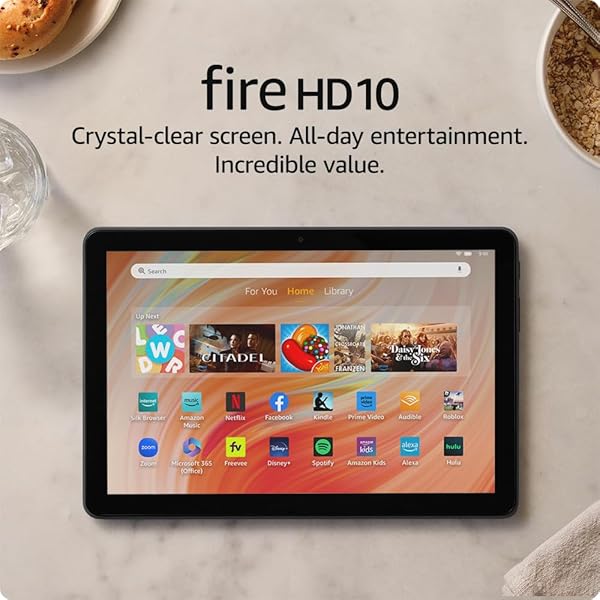
Amazon Fire HD
9.0Editor score10.1-inch Full HD
Octa-core processor
4GB RAM 32GB
13-hour battery life
Find the right budget tablets for 2026. We compare 10 standout options by build quality, useful features, owner feedback, value, and everyday trade-offs.
Shopping for an affordable tablet in 2026 means balancing display quality, processor speed, storage, battery life, app ecosystem, and build quality against a tight budget. We compare 10 standout options from under $50 to around $250 so you can match the right device to your reading, streaming, gaming, or family use case without paying for features you will never use.
The lineup includes compact 7-inch and 8-inch tablets designed for portability, mid-size 10-inch and 11-inch models built for streaming and light productivity, and options from major brands like Amazon, Samsung, and Lenovo alongside value-focused Android alternatives. Operating systems, app store access, and long-term software support vary widely across this price range.
Before scrolling through the reviews, think about how you actually plan to use the tablet. Casual streamers benefit from larger screens and good speakers. Readers and kids need portability and durability. Anyone wanting the full Google Play Store should look beyond Amazon Fire tablets. The guide below breaks down these trade-offs in plain language.
We compared 10 budget tablets using the specifications that actually shape daily use: screen size and resolution, processor speed, RAM and storage capacity, expandable storage support, battery life, camera quality, operating system and app ecosystem, connectivity standards like Wi-Fi 6 and Bluetooth, build quality, included accessories, and overall value. The notes focus on practical trade-offs so each pick connects to how people actually stream, read, game, video chat, and multitask on an affordable tablet.

Compare key features, scores, and current prices side by side. A shorter feature list means fewer details were available, not necessarily fewer capabilities.



The Samsung Galaxy Tab A11+ sits at the top of the affordable tablet range and delivers a genuinely premium feel for its price. The 11-inch display with a 90Hz refresh rate looks noticeably smoother than the standard 60Hz screens found on most budget tablets, especially when scrolling through websites, social feeds, and browsing content libraries. It is a real upgrade for anyone stepping up from a basic tablet.

We may earn a commission when you buy through this link, at no additional cost to you.
Performance benefits from 6GB of RAM and a modern chipset that keeps multitasking responsive. You can run multiple apps simultaneously, jump between video calls and note-taking, or keep several browser tabs active without the sluggishness that plagues cheaper Android tablets. Storage starts at 128GB, which is generous for offline media, and expands further via microSD for photo libraries, movies, and downloaded games.
The quad-speaker setup tuned by Dolby Atmos produces surprisingly immersive audio for a tablet. Movies, music, and video calls sound noticeably richer than the tinny mono or dual-speaker output on lower-tier devices. Fast charging capability means you can top up battery quickly during short breaks, which is a practical convenience for busy family use. The 5MP front camera handles video calls with clear detail.
A 90Hz refresh rate means the display updates 90 times per second compared to the standard 60Hz on most budget tablets. The difference is immediately visible when scrolling through webpages, social feeds, and apps because motion appears smoother and text stays clearer during movement. This feature was reserved for premium tablets until recently, and its inclusion in a mid-range Samsung is a meaningful quality upgrade that benefits everyday use.
This tablet fits families and individuals who want the full Google Play Store, smooth performance, and premium audio in an affordable package. Google Gemini AI and Circle to Search add useful modern conveniences. If your budget is tight and basic streaming is your priority, cheaper options exist. For anyone who wants a tablet that will feel current for several years, the A11+ delivers strong long-term value.
Buyers on the tightest budgets who only need basic streaming and reading.
We may earn a commission when you buy through this link, at no additional cost to you.
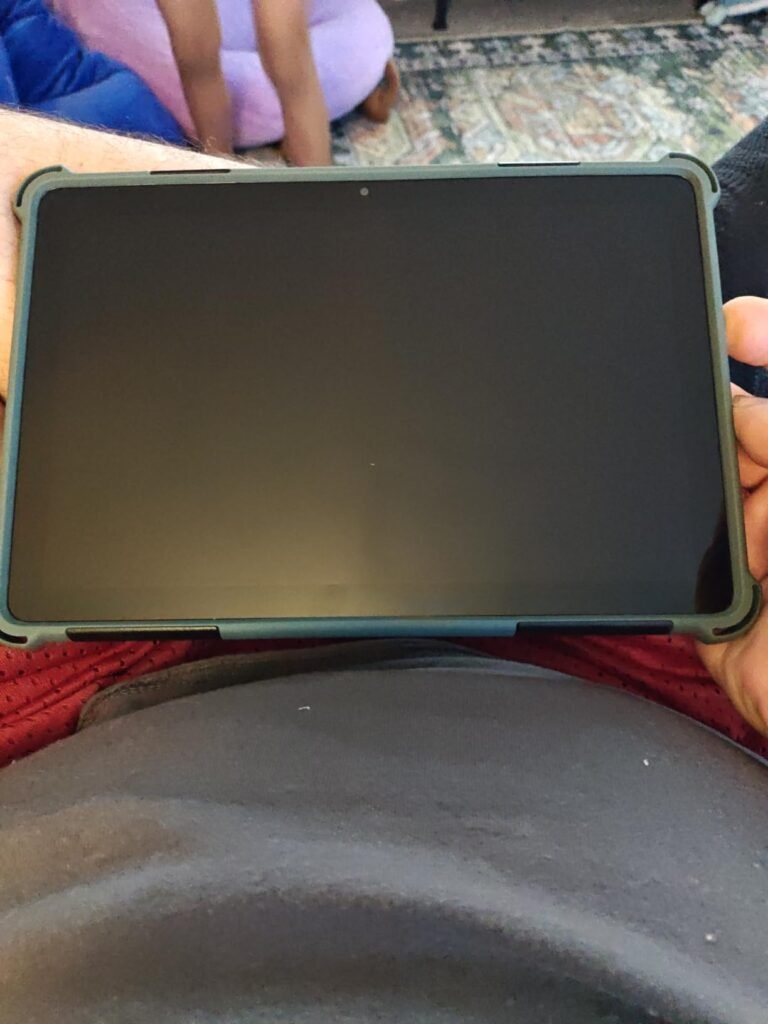
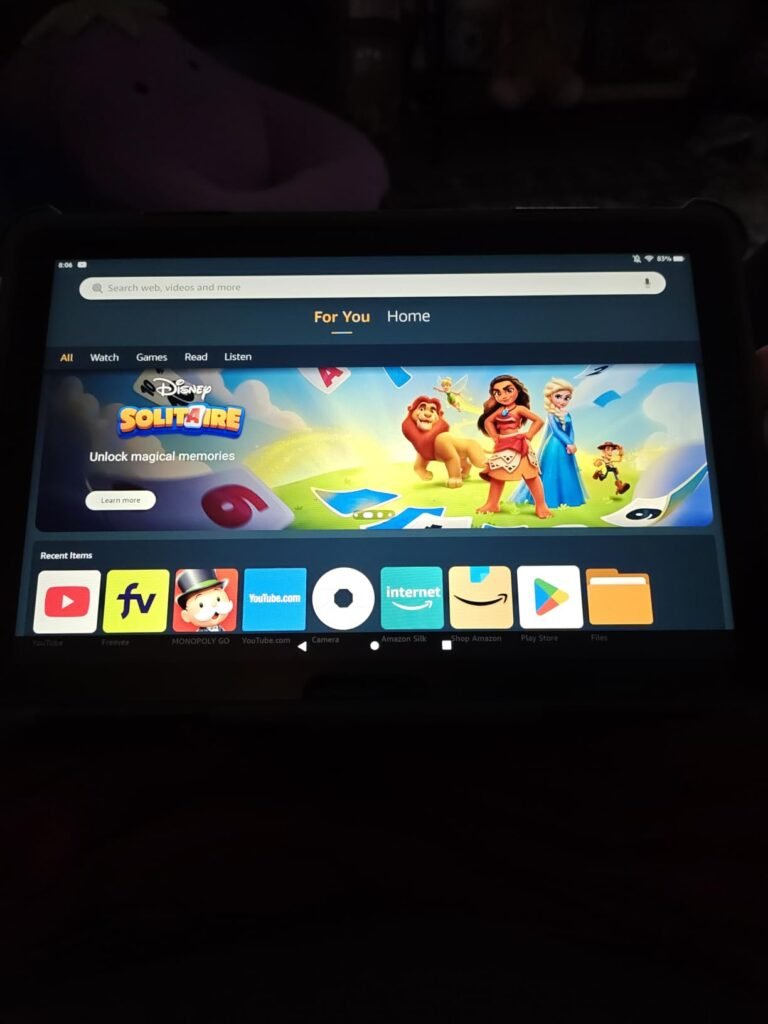
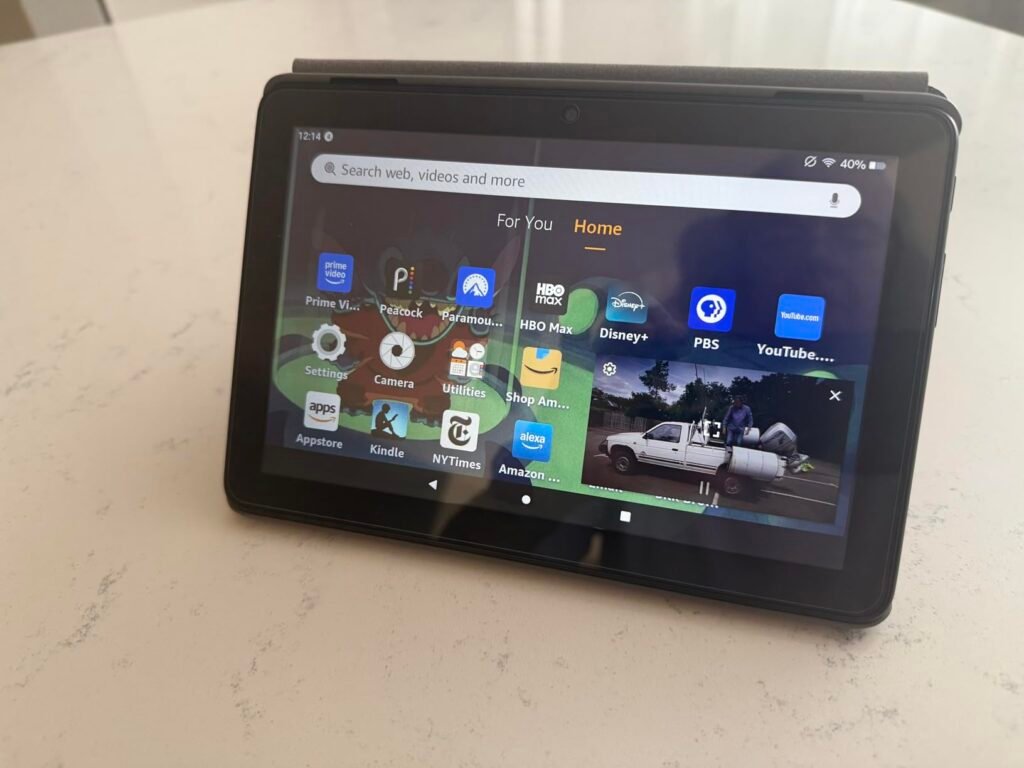
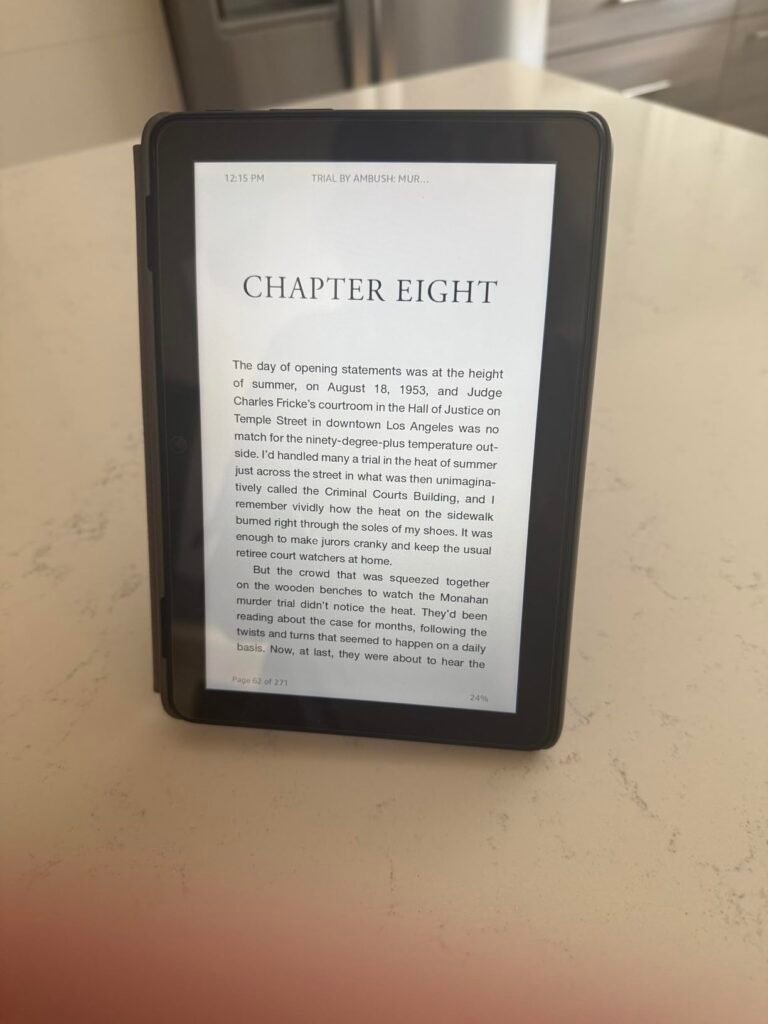
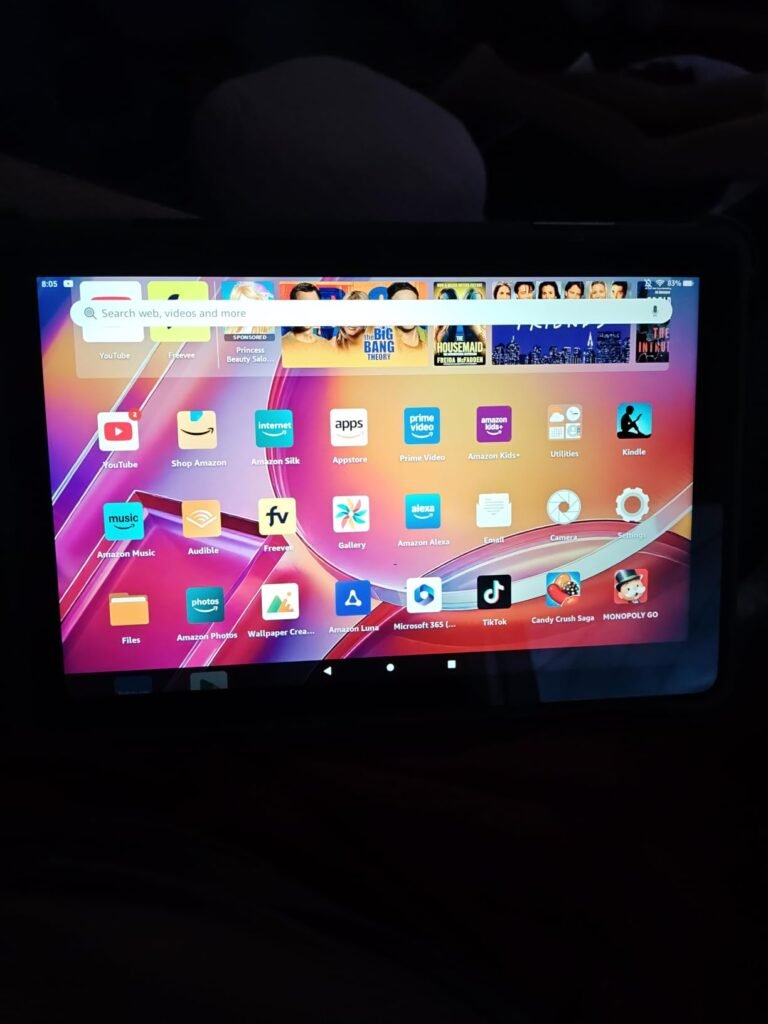
The Amazon Fire HD 10 is the standout value pick for anyone who wants a large, vibrant tablet at a price that beats almost anything else in the category. The 10.1-inch Full HD display delivers sharp 1080p visuals that make streaming, reading, and casual gaming genuinely enjoyable. An octa-core processor with 4GB of RAM keeps the interface responsive across apps like Netflix, Prime Video, YouTube, and Kindle without noticeable slowdown.
We may earn a commission when you buy through this link, at no additional cost to you.
Battery life is a real strength here, with up to 13 hours of mixed use on a single charge. That endurance covers a full day of travel, a couple of movies plus reading before bed, or hours of kids’ shows on a road trip. The aluminosilicate glass is more durable than the standard glass used on many competing tablets, which matters when the device gets tossed into a backpack or handed to a child.
Storage starts at 32GB but expands to 1TB with a microSD card, so you can load offline movies, books, and games for long trips without connectivity concerns. The 5MP front camera handles Zoom, Skype, and social content creation adequately. Amazon Kids parental controls and optional Kids+ subscription make this an easy pick for families who want managed content and screen-time limits built into the operating system.
The Amazon Appstore includes Netflix, Hulu, Disney Plus, Facebook, Instagram, TikTok, Zoom, Microsoft Office, and thousands of other popular apps. Notable gaps include native Google apps like Gmail, YouTube Music, and Google Docs. You can access most Google services through the built-in Silk browser, and tech-savvy users can sideload the Google Play Store, though this voids some warranty protections. For most streaming and social use, the Amazon Appstore covers the essentials.
The main trade-off is the Amazon Appstore instead of Google Play. Most major apps are available, but some Google-specific services and certain niche apps require workarounds. If your usage centers on Amazon Prime Video, Kindle, and mainstream streaming services, this is a non-issue. If you rely on Google Docs, Gmail, or Google Play Games regularly, consider a Samsung or Android alternative instead.
Users who require the full Google Play Store or heavy Google Workspace users.
We may earn a commission when you buy through this link, at no additional cost to you.
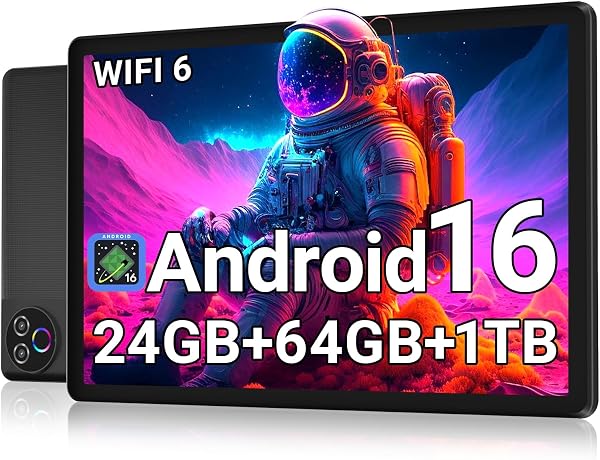
The Evermyth Android tablet stands out among sub-$80 options by shipping with Android 16 and modern connectivity standards. GMS certification means the full Google Play Store is available out of the box, eliminating the workarounds sometimes needed with off-brand Android tablets. Wi-Fi 6 support and Bluetooth 5.4 are unusual at this price and provide meaningfully better wireless performance in busy home networks.

We may earn a commission when you buy through this link, at no additional cost to you.
The RAM specification lists 24GB, though this includes virtual memory expansion beyond the 3GB of physical RAM. The virtual RAM helps with app switching and background tasks but does not deliver the same performance boost as true physical memory. Storage sits at 64GB internally with expansion up to 1TB via microSD card, which handles offline media, downloaded apps, and file storage for most casual users.
The 10-inch HD IPS in-cell display uses low blue light technology to reduce eye strain during long reading or streaming sessions. Resolution is 1280 by 800 rather than Full HD, which is fine for casual viewing but not as crisp as pricier options. Dual cameras handle video calls and basic photos adequately. The 6000mAh battery delivers up to 8 hours of mixed usage and charges via USB-C, which is the modern standard.
Virtual RAM uses a portion of storage space as memory extension when physical RAM runs low. The 24GB total spec breaks down to 3GB physical plus 21GB virtual. Virtual memory helps keep more apps active in the background without closing them, but it is significantly slower than true RAM. For light usage this expansion feature works well. Heavy multitasking benefits more from tablets with 4GB or more of physical RAM.
This tablet is a solid pick for shoppers who want the latest Android version and full Google Play Store access at a very low price. It suits casual users who prioritize modern connectivity and OS over premium display quality. Anyone who watches a lot of high-definition video content or plays demanding games should step up to a Full HD display option. For basic browsing, reading, and streaming, the Evermyth delivers strong value.
Users who prioritize display resolution or need serious gaming performance.
We may earn a commission when you buy through this link, at no additional cost to you.
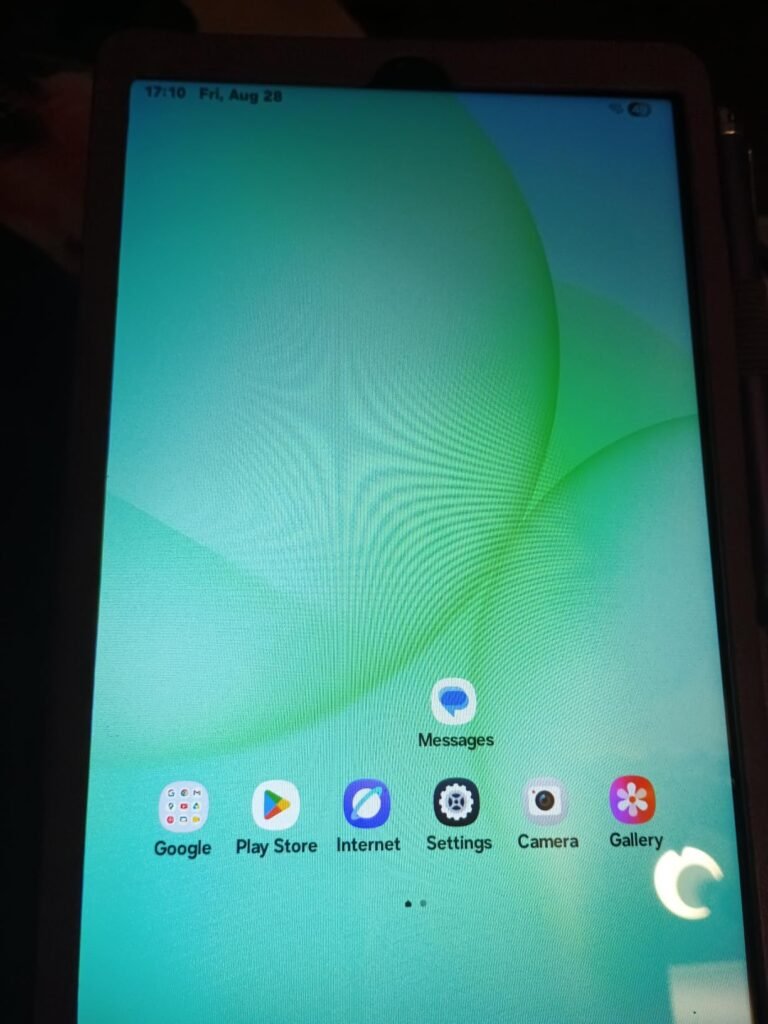
The Samsung Galaxy Tab A11 in the 8.7-inch WiFi configuration is aimed at users who want the Samsung ecosystem in a genuinely portable size. At 220.5mm across, it slides easily into small bags, purses, and even large jacket pockets, making it ideal for commuters, travelers, and readers who take their tablet everywhere. The 90Hz display is unusual at this size and price and delivers noticeably smooth scrolling.
We may earn a commission when you buy through this link, at no additional cost to you.
The Mediatek Helio G99 chipset is an efficient 6nm processor that balances performance with battery life. It handles streaming, reading, casual games, and everyday productivity smoothly, though it is not designed for demanding 3D gaming or heavy multitasking with many active apps. The 4GB of physical RAM is adequate for most single-app use cases and light background activity.
Storage includes 64GB internally with microSD expansion up to 2TB, which is generous for offline media, photos, and downloaded apps. USB-C charging is the modern standard, though the charger is not included in the box. The 5100mAh battery delivers solid all-day life for reading and light streaming. The 3.5mm headphone jack is a small but useful touch that many newer tablets have dropped.
International versions ship without US manufacturer warranty coverage, which means Samsung US will not repair or replace the device if it fails. Software updates come from the international channel, which sometimes differs from US releases. The English language is available and Google Play works normally. If long-term warranty support matters to you, consider paying more for a US model. If price is the priority and you can accept limited warranty support, international versions offer meaningful savings.
This tablet suits users who want Samsung quality in a compact package for reading, streaming, and portability. Being an international Latin American model, it comes without a US warranty, which is a real consideration if reliability matters. If you want a US warranty and support, look at the Tab A11+ or the 2026 model reviewed separately. For a compact Samsung experience at a lower price, this A11 is a reasonable choice.
Buyers who need US warranty coverage or want a large-screen tablet experience.
We may earn a commission when you buy through this link, at no additional cost to you.
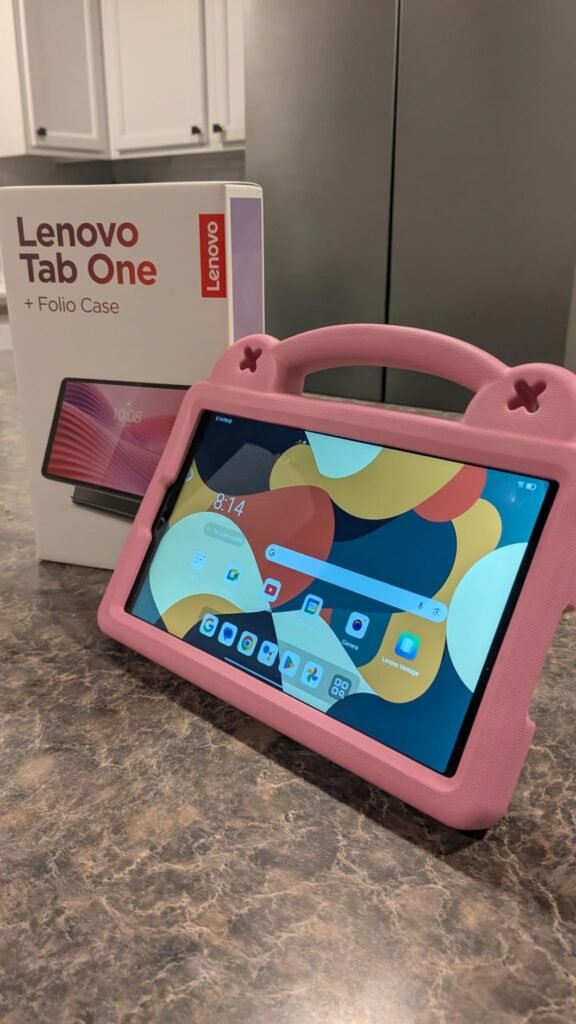
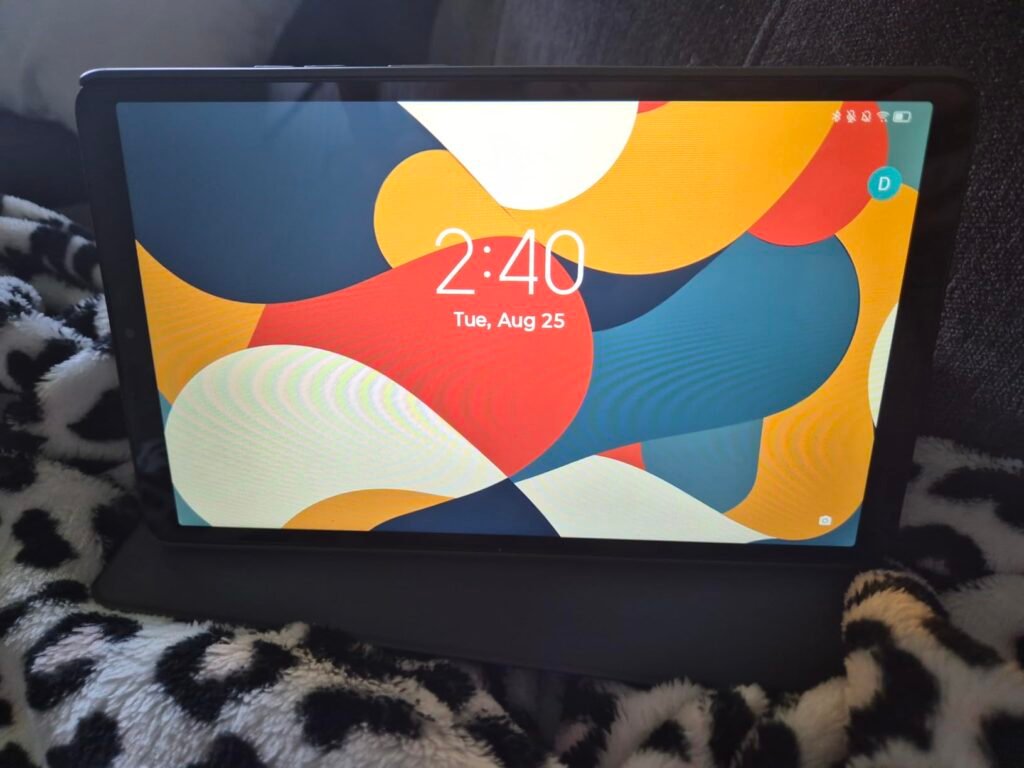
The Lenovo Tab One targets shoppers who want an affordable compact tablet with the essentials handled well and a protective folio case included right out of the box. That case adds real value because good tablet cases typically cost $20 to $30 separately, so the inclusion reduces total ownership cost meaningfully. It also has a built-in stand for hands-free viewing during video calls or movie watching.
We may earn a commission when you buy through this link, at no additional cost to you.
The 8.7-inch HD display with 480 nits of brightness handles indoor viewing well and remains usable in moderate ambient light. Dual Dolby Atmos speakers deliver richer sound than typical mono tablets, which improves the experience for movies, music, and video calls. The MediaTek Helio G85 processor keeps browsing, streaming, and light gaming smooth for casual users.
Battery life is a real strength here, with up to 12.5 hours of unplugged YouTube streaming on a single charge. The 15W faster charging speed compared to previous Lenovo models means shorter downtime between sessions. Google Kids Space provides teacher-approved content recommendations for children, and YouTube Kids offers age-appropriate videos and books. Android 14 with two years of security patches provides reasonable long-term support.
A quality folio case with built-in stand typically costs $20 to $30 as a separate purchase. Getting one included reduces the effective tablet cost and eliminates the extra shopping step of finding a compatible case. The folio design protects both front and back of the tablet during transport and props up the device for hands-free viewing. For families and casual users, this bundled convenience is genuinely useful.
This tablet fits families with kids, casual streamers, and anyone who values getting a case included with the purchase. The compact 8.7-inch form factor is easy for smaller hands and travel-friendly. Users who need brighter screens for outdoor use or higher refresh rates for smooth scrolling should look at other options. For everyday portable entertainment at a reasonable price with case included, the Tab One is a smart pick.
Users who need bright screens for outdoor use or smoother 90Hz displays.
We may earn a commission when you buy through this link, at no additional cost to you.
The Amazon Fire HD 8 is the go-to pick for buyers who want a genuinely portable tablet with reliable performance and long battery life at a low price. The 8-inch form factor slides easily into small bags and one-handed reading positions, making it ideal for commuters, travelers, and bedtime readers. Amazon's tight ecosystem integration with Prime Video, Kindle, and Audible works particularly well on this size device.

We may earn a commission when you buy through this link, at no additional cost to you.
Performance benefits from 4GB of RAM, which is double the previous generation and enough for smooth streaming, reading, and casual gaming. The hexa-core processor handles typical tablet tasks without noticeable slowdown. Battery life reaches up to 13 hours of reading, browsing, video watching, or music listening, which covers long flights, road trips, or multiple lazy weekend afternoons on a single charge.
Storage starts at 64GB internally with expansion up to 1TB via microSD, so you can load offline content for trips without connectivity concerns. The Amazon Appstore covers most mainstream apps including Netflix, Hulu, Disney Plus, Facebook, Instagram, TikTok, Zoom, and popular games like Minecraft and Roblox. Alexa integration lets you make video calls, control smart home devices, and get information hands-free.
The compact size, durable build, and long battery life make this a popular choice for parents who want a tablet for kids. Amazon Kids parental controls, optional Kids+ subscription, and content filtering work well for family use. The 8-inch screen is easier for small hands to hold than larger tablets, and the affordable price means less stress if it gets dropped or scratched during play. For long trips, the 13-hour battery keeps kids entertained without needing to find outlets.
This tablet suits Amazon Prime members, casual streamers, kids, and travelers who value portability and battery life over premium features. If you need the full Google Play Store, heavy multitasking capability, or a premium display, look at Samsung or larger tablets. For affordable, reliable, portable entertainment tied to the Amazon ecosystem, the Fire HD 8 remains a strong value pick.
Users who need Google Play Store access or larger screen real estate.
We may earn a commission when you buy through this link, at no additional cost to you.
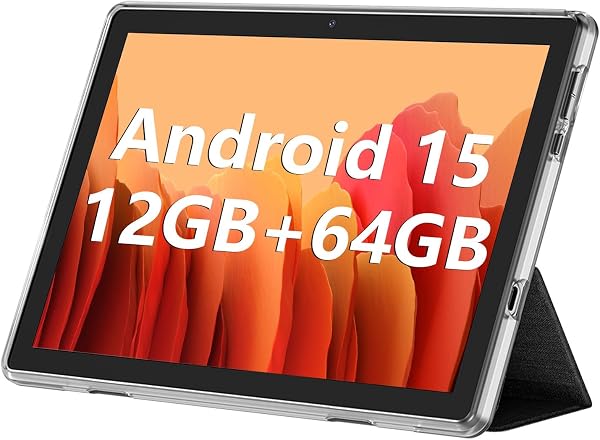
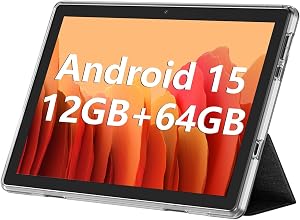
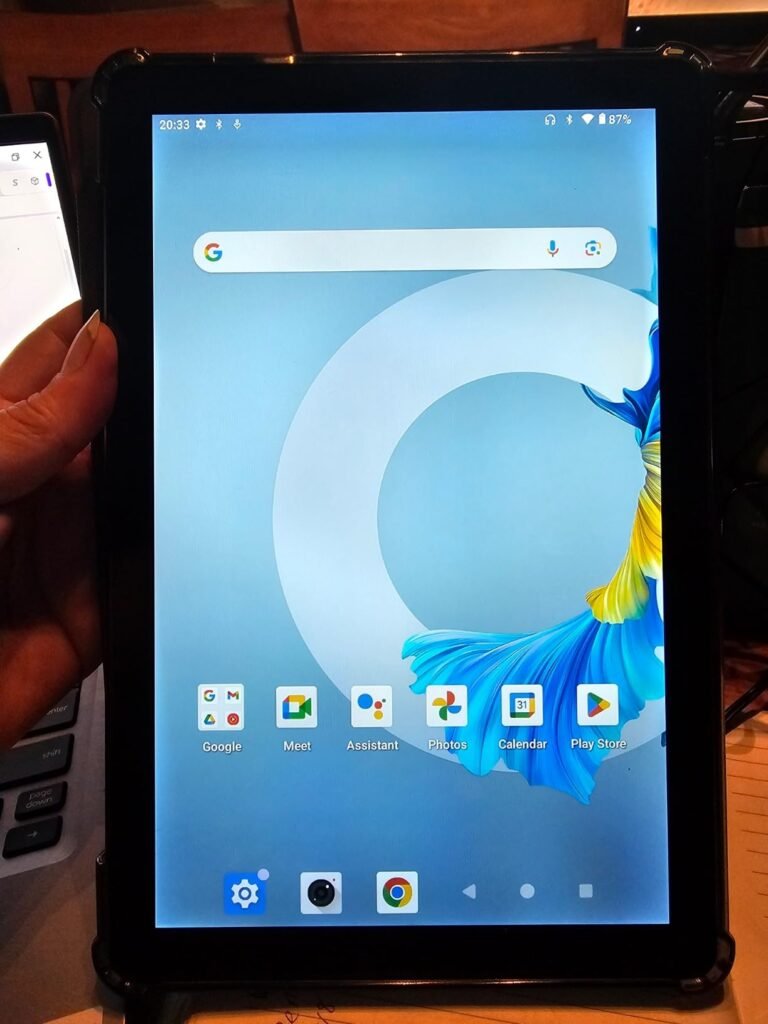
The ECOPAD 10.1-inch tablet is aimed at shoppers who want a large screen and modern Android version at the lowest possible price. At around $65, it delivers a 10.1-inch IPS display and Android 15 with Google Mobile Services certification, meaning the full Google Play Store works out of the box. That combination is unusual at this price point and appeals to buyers who prioritize screen size and app availability.
We may earn a commission when you buy through this link, at no additional cost to you.
The quad-core processor is entry-level and handles basic tasks like web browsing, YouTube streaming, and simple games adequately. Heavy multitasking or demanding 3D games will strain the hardware, and users should temper expectations for gaming performance. The 12GB RAM figure includes both physical and virtual memory, so real-world responsiveness is closer to a 4GB tablet than a true 12GB device.
Storage of 64GB internally with expansion up to 1TB via microSD is generous for offline media and downloaded apps. The 6000mAh battery delivers up to 8 hours of video playback, which is reasonable for extended reading or streaming sessions. Dual-band WiFi provides flexible connectivity to both 2.4GHz and 5GHz networks, and dual cameras handle video calls and basic photos.
Ultra-budget tablets under $70 involve real compromises. The processor, display, and build quality will not match tablets in the $100 to $200 range. However, for basic tasks like web browsing, reading, video streaming on Wi-Fi, and simple app use, they can serve reasonably well. Understand that customer service and warranty support from smaller brands is often more limited than from Amazon or Samsung, so buy with realistic expectations about long-term reliability.
This tablet fits buyers with the tightest budgets who want a full-size Android tablet with Play Store access. The lower 3.8-star average rating reflects the modest performance and build quality expected at this price. If you need reliable long-term performance, a warranty from a major brand, or premium features, spend more on an Amazon or Samsung option. For an inexpensive secondary tablet or a kids’ device, ECOPAD delivers a reasonable value.
Users who need premium performance, long-term reliability, or gaming capability.
We may earn a commission when you buy through this link, at no additional cost to you.
The HOTTABLET 7-inch tablet is the entry point for shoppers who want the absolute lowest price and a compact form factor. At around $40 with a protective case included, it makes an inexpensive secondary device, travel tablet, or first tablet for a young child. The 7-inch IPS display uses blue light reduction technology to help with eye comfort during extended reading or video sessions.
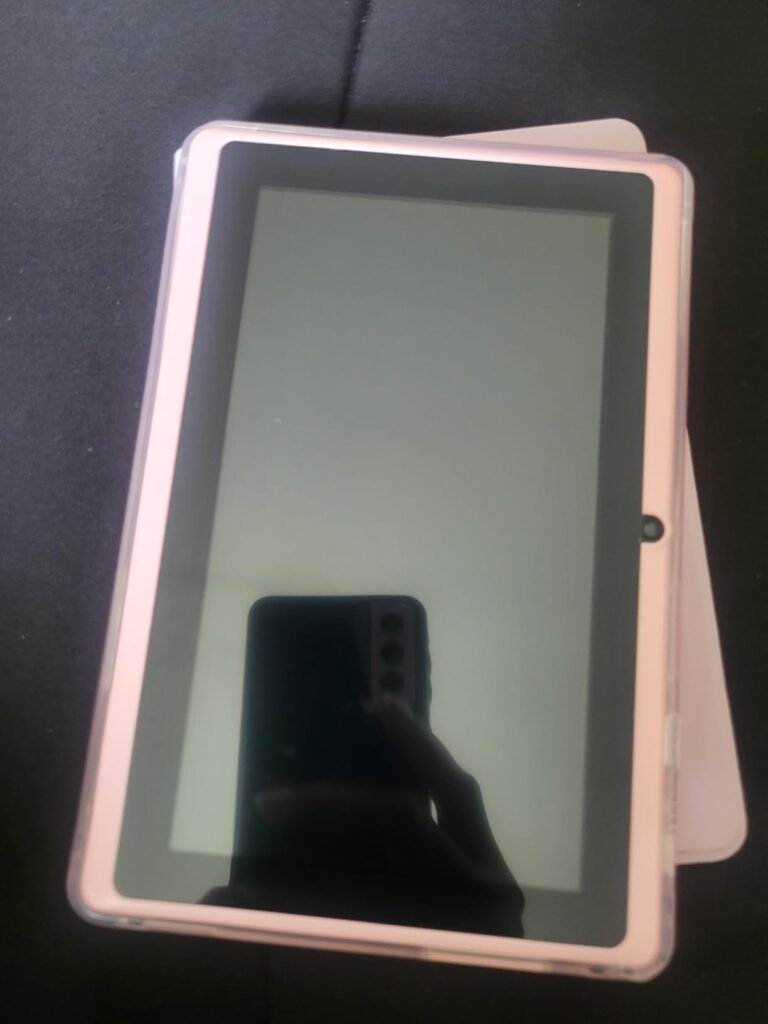
We may earn a commission when you buy through this link, at no additional cost to you.
Android 14 provides a modern operating system with faster app launches, enhanced privacy controls, and reasonable app compatibility. The 3GB of physical RAM plus 5GB virtual expansion helps with light multitasking, though heavy app switching will push the hardware limits. Storage is 32GB internally with microSD expansion up to 1TB, which is adequate for downloading essential apps and some offline media.
Dual-band 2.4GHz and 5GHz Wi-Fi provides flexible connectivity, and the 5GHz band handles HD streaming better in crowded home networks. Dual cameras support video calls and basic photo capture, though image quality is not a strength at this price. The 3000mAh battery is smaller than larger tablets and delivers correspondingly shorter runtime, so expect to charge more often during heavy use.
Ultra-cheap tablets work best in specific scenarios: as a first tablet for a young child where damage is likely, as a dedicated recipe or reading device in the kitchen, as a travel tablet you would not miss if lost, or as a simple video player for road trips. Do not expect flagship performance or premium build quality. Understand that customer service from smaller brands is often limited, and set realistic expectations for longevity and support.
This tablet fits parents buying a first device for a young child, travelers who want an inexpensive backup, or anyone who needs a very cheap tablet for basic use. The 3.7-star rating reflects the compromises expected at this price. If you plan to use the tablet daily for serious tasks, spend more on a Samsung or Amazon device. For occasional use or as a kids’ device where breakage is a real risk, HOTTABLET delivers acceptable value.
Users who need long battery life, premium performance, or a primary device for serious tasks.
We may earn a commission when you buy through this link, at no additional cost to you.
The Samsung Galaxy Tab A9+ delivers a strong 11-inch experience with US warranty coverage and the productivity-focused multi-window feature that lets you run several apps side by side. The bright 1920 by 1200 display at 90Hz makes streaming and scrolling smooth, and the size is well suited for split-screen browsing, email, and note-taking simultaneously without cramming content into narrow columns.
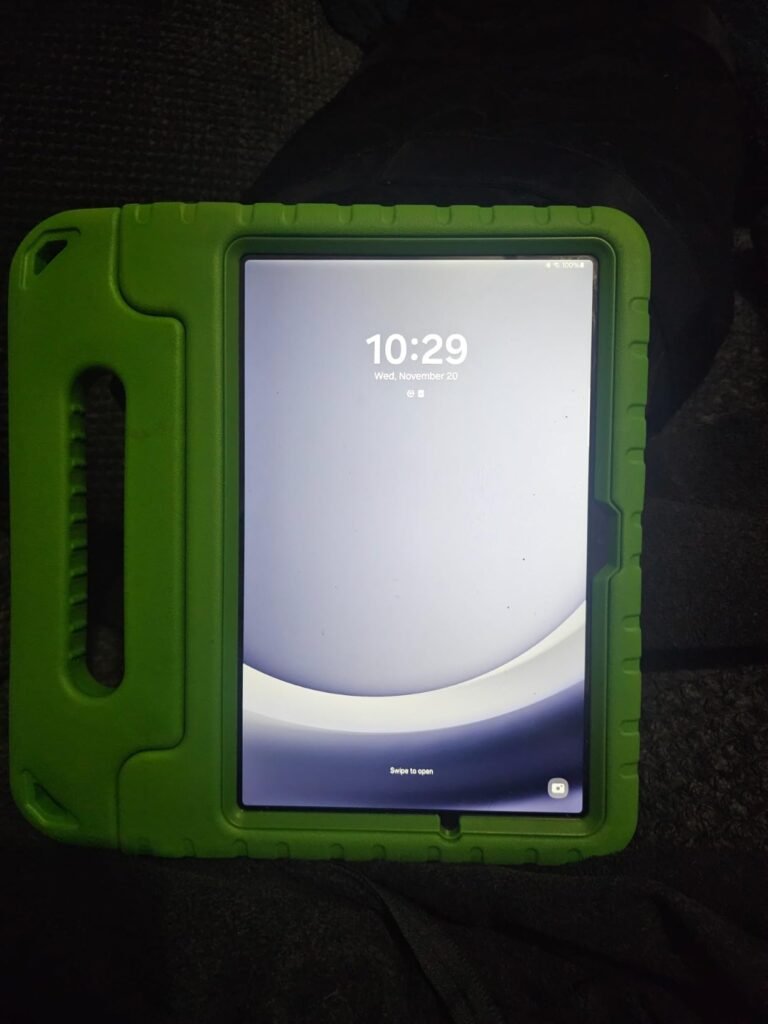
We may earn a commission when you buy through this link, at no additional cost to you.
The Qualcomm Snapdragon 695 chipset provides solid performance for the price and handles multitasking, streaming, and casual gaming responsively. The base configuration includes 4GB of RAM and 64GB of storage, with an 8GB and 128GB option available for heavier users. MicroSD expansion up to 1TB adds room for offline media and downloaded apps as your library grows over time.
Quad speakers powered by Dolby Atmos deliver rich, immersive audio that noticeably outperforms the dual or mono speakers on most budget tablets. Movies, music, and video calls sound genuinely enjoyable without needing external speakers or headphones. Samsung Kids provides a safe walled garden for children with age-appropriate content, while Quick Share makes file transfers between Samsung devices seamless.
Multi-window mode lets you display two or more apps on the screen simultaneously, splitting the display between them. On an 11-inch tablet, this means you can browse the web while taking notes, watch a video while checking email, or reference a document while writing a message. This productivity feature is limited or unavailable on smaller tablets because there simply is not enough screen space to make it useful. The A9+ handles multi-window well thanks to its generous display size.
This tablet fits users who want US warranty support, productivity features like multi-window, and premium audio quality. Smart View casting to a Samsung TV is a useful feature for cooking videos and larger group viewing. If you need the newest chipset or maximum RAM, look at the Tab A11+. For a proven 11-inch Samsung tablet with strong warranty support and audio, the A9+ remains a top pick.
Buyers who need the absolute latest chipset or maximum RAM configuration.
We may earn a commission when you buy through this link, at no additional cost to you.
The 2026 Samsung Galaxy Tab A11 is aimed at compact tablet users who want fast charging convenience included in the box. The 20W UL-certified fast charger cube fills the 5100mAh battery quickly during short breaks, addressing a common complaint about budget tablets that ship without any charger. Combined with the compact 8.7-inch form factor, this makes an easy-to-carry daily companion.
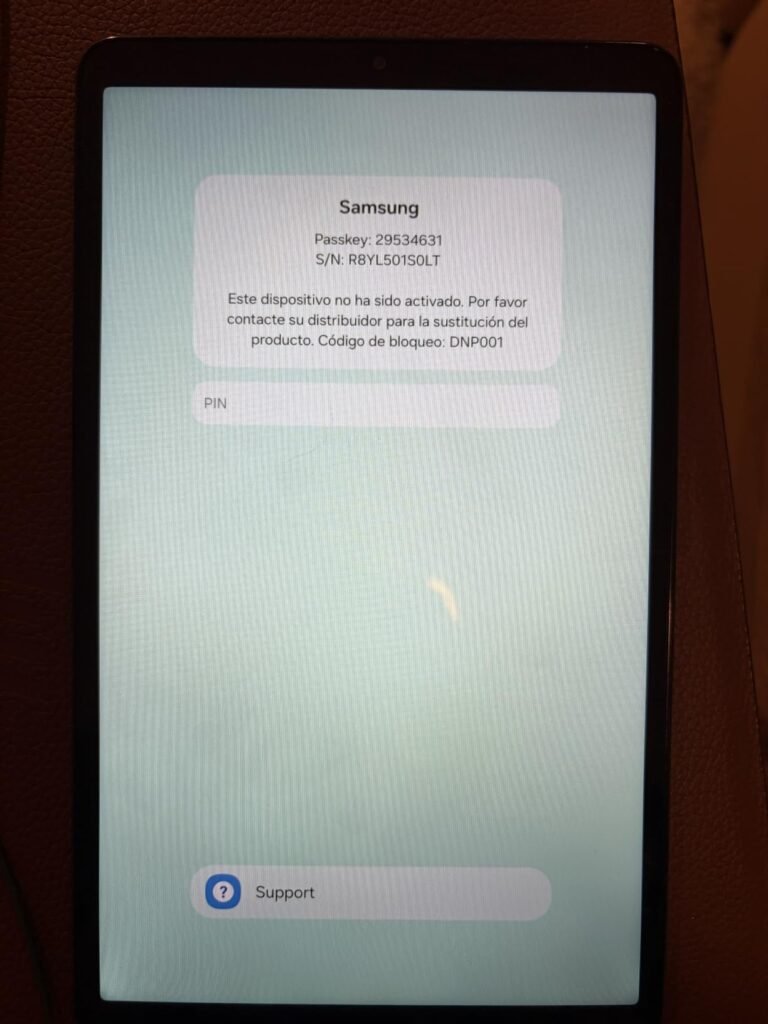
We may earn a commission when you buy through this link, at no additional cost to you.
The 90Hz display refresh rate delivers noticeably smoother scrolling and animation than the standard 60Hz screens found on most budget tablets in this size class. The Mediatek Helio G99 chipset is an efficient 6nm processor that handles streaming, reading, casual games, and everyday tasks without draining battery aggressively. Samsung promises up to 5 major Android upgrades, which is generous for the price and ensures longer software life.
Storage of 64GB internally expands via microSD up to 2TB, which is more than most users will ever fill. The 3.5mm headphone jack survives on this model, useful for wired audio without adapters. Dual speakers deliver reasonable sound for the size, and Bluetooth 5.3 handles wireless headphones and speakers with modern efficiency. USB-C charging is the current standard.
20W fast charging refills the battery significantly faster than the standard 15W or 10W chargers included with cheaper tablets. In practical terms, a 30-minute charge can restore several hours of use, making it easy to top up during quick breaks rather than needing overnight charging. For busy users who forget to charge overnight or need to grab a quick top-up before leaving the house, fast charging is a genuine convenience feature.
This tablet suits users who want compact Samsung quality, included fast charging, and long-term software updates without paying for a US-warranty version. As an international Latin American model, it comes without US warranty coverage, which is a real consideration. If reliability and support matter most, spend more on a US model. For everyday portable use with modern features and fast charging convenience, this A11 delivers strong value.
Buyers who need US warranty coverage or 6GB+ RAM for heavy multitasking.
We may earn a commission when you buy through this link, at no additional cost to you.
The best affordable tablet for you depends on how you plan to use it day to day. The factors below cover the specifications that genuinely affect your experience so you can prioritize what matters and avoid paying for features you will not use.
The two main operating systems in the budget tablet space are Amazon Fire OS and Android. Fire OS is a modified version of Android that Amazon uses on Fire HD tablets, and it relies on the Amazon Appstore instead of Google Play. Most mainstream streaming apps like Netflix, Hulu, Disney Plus, and social apps like Facebook and Instagram are available, but native Google apps such as Gmail, YouTube Music, and Google Docs require workarounds.
Standard Android tablets, including all Samsung Galaxy Tab models and GMS-certified alternatives, provide full Google Play Store access with millions of apps. Look specifically for GMS certification on off-brand Android tablets, since uncertified devices may lack Google services entirely. Newer Android versions like Android 14, 15, and 16 provide better security, privacy controls, and app compatibility than older releases.
Choose Fire OS if you are primarily an Amazon Prime member using Kindle, Prime Video, and Audible. Choose Android with Google Play for maximum app flexibility, especially if you rely on Google services.
Budget tablets range from compact 7-inch models to spacious 11-inch options. Compact 7 to 8.7-inch tablets are ideal for reading, one-handed use, travel, and children because they fit easily in bags and small hands. Mid-size 10 to 11-inch tablets provide more comfortable video streaming, split-screen multitasking, and richer web browsing without dominating a desk or lap.
Display resolution and refresh rate significantly affect visual quality. Full HD 1080p or higher provides sharp text and crisp video on 10-inch and larger screens, while 1280 by 800 resolution is acceptable on smaller displays but noticeably softer at larger sizes. A 90Hz refresh rate delivers smoother scrolling and animation than the standard 60Hz found on most budget tablets, and this feature is increasingly available in this price range.
For streaming and productivity, prioritize a 10 to 11-inch screen with Full HD resolution. For reading and portability, a compact 8-inch tablet is often more practical.
RAM determines how many apps you can run simultaneously without slowdown. Budget tablets typically ship with 3GB or 4GB of physical RAM, which is adequate for typical single-app use. Some tablets advertise inflated RAM figures like 12GB or 24GB by including virtual memory expansion, which helps with app switching but does not deliver the same performance as true physical RAM. Look for the physical RAM specification when comparing options.
Storage capacity ranges from 32GB to 128GB internally, with microSD expansion available on most models. 32GB fills up quickly once you install popular apps and games, so 64GB is a more practical starting point for most users. If you plan to download movies, music, or games for offline use, prioritize higher internal storage or ensure microSD expansion is supported up to at least 512GB.
For light use, 3GB RAM and 32GB storage suffice. For heavier multitasking and offline media, look for 4GB or more RAM and 64GB or greater storage.
Battery life claims range from 8 hours on budget models to 13 hours on higher-end options like the Fire HD 10 and Fire HD 8. Real-world usage typically delivers 20 to 30 percent less than advertised due to variable conditions like brightness, network activity, and app demands. For extended trips or all-day use without access to outlets, prioritize models rated for 12 hours or more.
Fast charging capability is increasingly available in the budget category. A 20W or higher charger can top up battery meaningfully in 30 minutes, which is useful for busy users who forget overnight charging. USB-C is the modern standard and simplifies charging by using the same cable as most phones and other devices. Older micro-USB tablets are worth avoiding for long-term convenience.
Match battery life to your usage patterns. Heavy daily users benefit from 12+ hour ratings, while casual users can accept 8 to 10 hours without frustration.
Wi-Fi 6 support provides meaningfully better wireless performance in busy home networks with many connected devices. Older Wi-Fi 5 is still adequate for most homes but can struggle when multiple devices stream simultaneously. Bluetooth 5.0 or newer enables reliable connections to wireless headphones, speakers, keyboards, and other accessories. Bluetooth 5.3 and 5.4 add improvements in range and stability.
Dual-band Wi-Fi support for both 2.4GHz and 5GHz networks is essential for reliable connectivity in modern homes. The 5GHz band handles HD streaming and video calls better because it is less congested than 2.4GHz. USB-C charging with data support is the current standard and offers faster speeds than micro-USB. A 3.5mm headphone jack survives on some tablets and eliminates the need for wireless earbuds or adapters.
For future-proofing, prioritize Wi-Fi 6, Bluetooth 5.3 or later, and USB-C connectivity. These modern standards will remain relevant longer as networks and accessories continue to evolve.
Budget tablets typically use plastic construction rather than the aluminum found in premium devices. Look for reinforced designs and strengthened glass options like the aluminosilicate glass on Amazon Fire HD 10, which is more resistant to drops and scratches than standard tablet glass. Slim, lightweight designs are easier to hold for long reading sessions but may feel less premium than heavier metal tablets.
Warranty coverage matters more at the budget level because affordable tablets sometimes have shorter useful lifespans than premium devices. Major brands like Amazon, Samsung, and Lenovo provide standard 1-year warranties in the US. Off-brand Android tablets sometimes offer 1-year manufacturer warranties, but customer service quality varies widely. International model versions typically lack US warranty coverage entirely.
For rough handling or family use, prioritize durability features and warranty coverage from major brands. For occasional light use, off-brand options can deliver acceptable value at lower prices.
Family-focused features have become standard on major budget tablets. Amazon Kids on Fire tablets provides one of the most comprehensive parental control systems, with easy content filtering, screen time limits, and educational goal tracking. The optional Amazon Kids+ subscription adds thousands of curated books, apps, games, and videos designed for different age groups. Samsung Kids offers similar functionality on Galaxy Tab models with age-appropriate content and controls.
Google Kids Space, available on standard Android tablets like the Lenovo Tab One, recommends teacher-approved content based on children’s interests. YouTube Kids provides age-appropriate video content with additional parental controls. These features let one tablet serve multiple family members with separate profiles, so parents can maintain their own settings while children access filtered content.
For family or kids’ use, prioritize tablets with mature parental control systems like Amazon Kids or Samsung Kids. For adult-only use, these features are less critical but still useful for occasional shared use.
When you first set up your tablet, take time to sign in to your primary accounts, install essential apps, and configure settings like display brightness, sleep timeout, and notification preferences. Set up automatic backup for photos and important files to cloud storage so you do not lose data if the device fails. If the tablet ships with a family-friendly mode like Amazon Kids or Samsung Kids, configure profiles for each user before handing the device to a child.
For long-term battery health, avoid leaving the tablet plugged in at 100 percent for days at a time. Try to keep the charge level between 20 and 80 percent when possible, and unplug once the battery reaches full. Reduce screen brightness when possible to extend both battery life and reduce eye strain, especially during evening use. Enable low-blue-light or night mode features in the display settings to help with sleep quality if you use the tablet before bed.
Clean the screen regularly with a soft microfiber cloth to remove fingerprints and dust. Avoid harsh cleaning solutions like glass cleaner containing ammonia, which can damage screen coatings. Consider investing in a case, especially for tablets used by children or during travel. Keep the tablet away from extreme temperatures, since heat can damage the battery and cold can affect screen responsiveness. Update the operating system and apps regularly to maintain security and performance.
Yes, budget tablets have improved significantly in recent years and now offer capable performance for streaming, reading, browsing, and casual gaming at very affordable prices. Modern budget models from Amazon and Samsung deliver Full HD displays, long battery life, and reasonable processing power. They may not match premium tablets for gaming performance or productivity, but for most everyday tasks they provide excellent value. Match the tablet to your actual use case rather than aspirational needs.
Amazon Fire tablets run Fire OS, which is Amazon's modified version of Android, and use the Amazon Appstore instead of Google Play. Most popular streaming and social apps are available, but native Google apps like Gmail, YouTube Music, and Google Docs require workarounds. Standard Android tablets from Samsung and other manufacturers provide full Google Play Store access with millions of apps. Choose Fire tablets for Amazon ecosystem integration and lower prices, or Android for maximum app flexibility.
3GB of physical RAM is the practical minimum for smooth performance on modern tablets. 4GB is more comfortable and handles light multitasking well, which is why it appears in most mainstream budget tablets like the Fire HD 10 and Fire HD 8. Some tablets advertise 12GB or higher RAM figures by including virtual memory expansion, which helps with app switching but does not deliver the same performance as true physical RAM.
Yes, most modern budget tablets handle video calls and online learning well. Look for tablets with at least a 5MP front camera for reasonable video quality, dual-band Wi-Fi for stable connectivity, and 4GB or more RAM for smooth performance in Zoom, Google Meet, and similar apps. Larger 10 to 11-inch tablets are more comfortable for extended learning sessions, while compact 8-inch tablets work fine for occasional calls.
Screen size depends on how you plan to use the tablet. Compact 7 to 8.7-inch tablets are ideal for reading, one-handed use, travel, and children because they fit easily in bags and hands. Mid-size 10 to 11-inch tablets provide more comfortable video streaming, split-screen multitasking, and richer web browsing. For a single-purpose reading or portable device, choose compact. For entertainment and productivity, choose 10 inches or larger.
A quality budget tablet typically provides 3 to 5 years of useful life with reasonable care. Major brands like Amazon and Samsung provide software updates for several years, which keeps the device secure and compatible with modern apps. Off-brand tablets often have shorter effective lifespans due to limited software support and lower build quality. Battery life gradually decreases over time as with any device, and heavy daily use accelerates wear.
Most budget tablet users are well served by Wi-Fi only models, which cost significantly less than cellular versions and avoid ongoing data plan costs. If you frequently need internet access away from Wi-Fi networks, consider using your phone as a mobile hotspot instead of paying for cellular tablet service. Cellular tablets make more sense for people who travel extensively or work in areas without reliable Wi-Fi.
Budget tablets can handle basic productivity tasks like email, document editing, and web browsing but are not typically strong laptop replacements for demanding work. Adding a Bluetooth keyboard and stand improves the productivity experience significantly. For light writing, spreadsheet review, and video meetings, a mid-range tablet like the Samsung Galaxy Tab A11+ can serve well. For heavy multitasking, coding, or professional creative work, invest in a laptop instead.
Cheap Android tablets can be safe if you choose GMS-certified models with the official Google Play Store, which ensures apps are vetted through Google's security systems. Avoid uncertified tablets that lack Google services because they may include preinstalled software of questionable origin. Buy from reputable sellers with return policies, and update the operating system and apps regularly to maintain security. Set realistic expectations for build quality and long-term support.
A case is highly recommended for tablets used by children, taken on trips, or handled roughly. Cases protect against drops, scratches, and screen damage that could exceed the cost of replacing the case. Folio cases with built-in stands add hands-free viewing convenience for videos and video calls. Some tablets like the Lenovo Tab One include a folio case in the box, adding immediate value. For gentle indoor use, a case is optional but still recommended.
The Amazon Fire HD 10 stands out as the strongest overall pick for value-focused shoppers thanks to its 10.1-inch Full HD display, octa-core processor, 13-hour battery life, and expandable storage up to 1TB, all at a price that is difficult to beat. It delivers a premium streaming and reading experience for Amazon Prime members and casual users who do not need the full Google Play Store.
For those who want a premium feel with full Android and Google Play access, the Samsung Galaxy Tab A11+ delivers an 11-inch 90Hz display, 6GB of RAM, and quad Dolby Atmos speakers. Portability-focused buyers should consider the Amazon Fire HD 8 or Lenovo Tab One, both compact 8-inch options with strong battery life. Ultra-budget shoppers can look at the Evermyth Android 16 or ECOPAD 10.1-inch for basic full-size Android tablets under $80.
Start by identifying your top priorities: ecosystem (Amazon vs Google), screen size, portability, or premium features like fast charging and smooth 90Hz displays. Match the tablet to how you actually plan to use it rather than chasing the highest specifications on paper. Every option in this lineup delivers reliable performance for its intended purpose, so the right choice depends on your daily habits and app preferences.