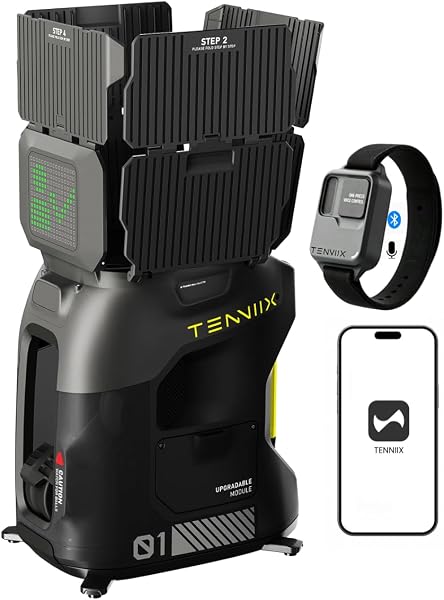
Tenniix Basic Voice
8.6Editor score18.7 lb weight
Up to 75 MPH
4-hour battery life
46 voice commands
Compare 10 tennis ball machines by speed, spin control, battery life, portability, and app features. Options for beginners through advanced players at ever...
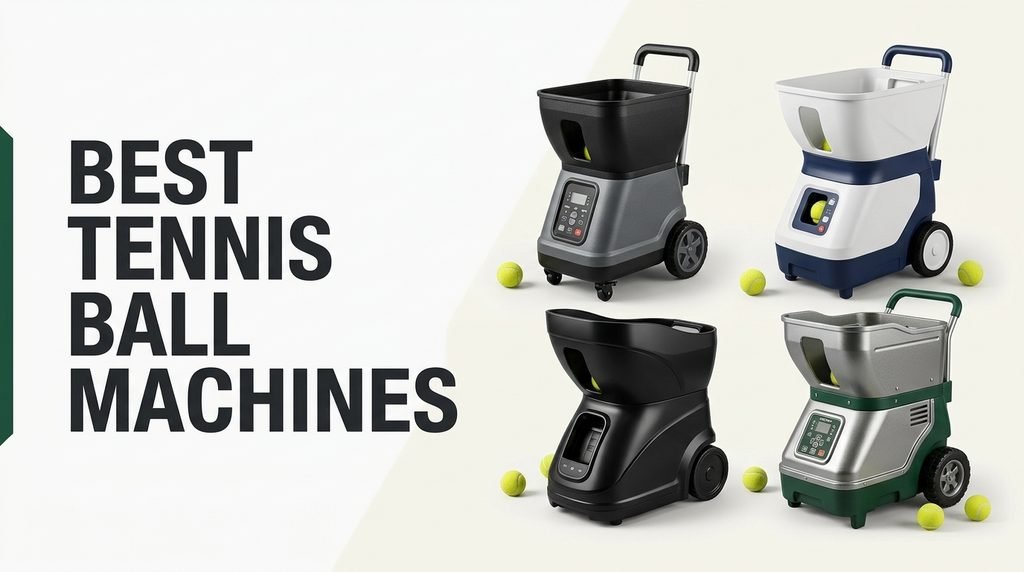
Choosing a tennis ball machine in 2026 means balancing ball speed, spin control, battery life, oscillation patterns, portability, and app or remote functionality against your skill level and how often you play. We compare 10 standout options from Lobster, Spinshot, PUSUN, Sports Tutor, Nisplay, Tenniix, Pongbot, and other established makers to help you match the right training partner to your game.
The category spans from lightweight beginner-friendly models around $360 to advanced coaching-grade machines near $1,900. Those differences reflect real distinctions in ball capacity, oscillation control, drill programming, and build durability that meaningfully affect training quality and long-term reliability across countless practice sessions.
Recreational players sharpening groundstrokes have different needs than junior competitors developing footwork or club-level players simulating match rallies. This guide breaks down what separates each option so you can pick a training machine that actually matches your skill trajectory, court access, and how you plan to transport and store the unit between sessions.
We compared 10 tennis ball machines using the details that actually matter on court: ball speed range, topspin and backspin control, oscillation patterns, ball hopper capacity, battery runtime, machine weight and portability, remote and app functionality, drill programming depth, build quality for outdoor use, and warranty support. The notes focus on practical trade-offs so each pick connects to real training scenarios, whether you want a lightweight starter, a serious solo trainer, or a coaching-grade machine that simulates match play.

Compare key features, scores, and current prices side by side. A shorter feature list means fewer details were available, not necessarily fewer capabilities.



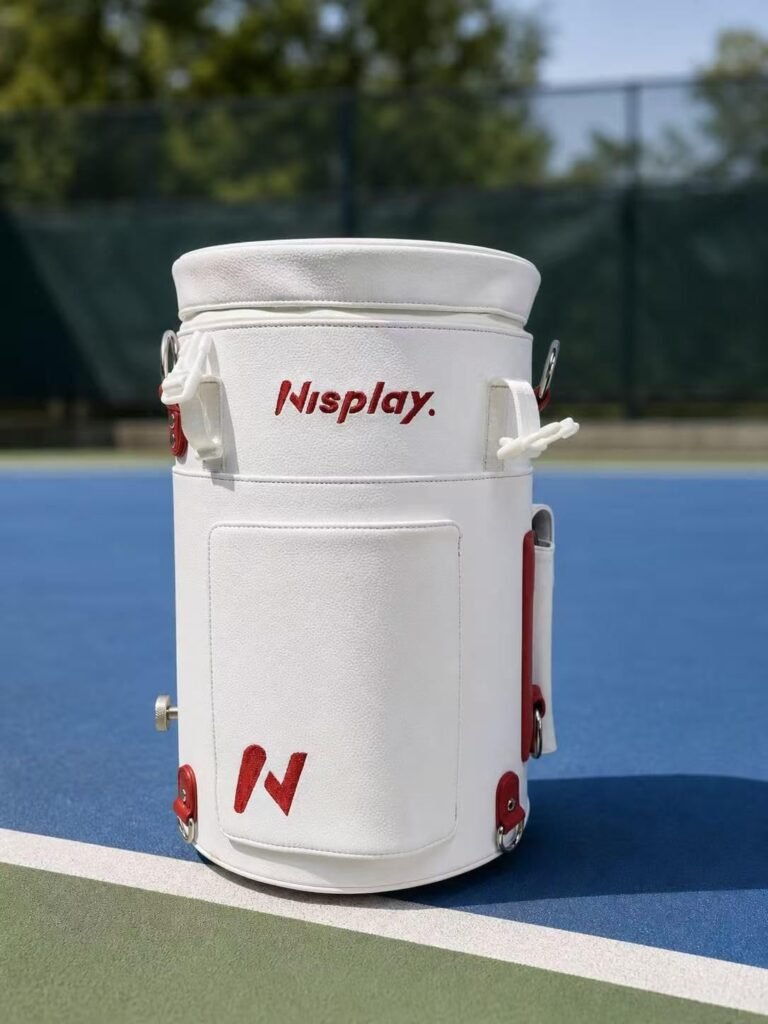
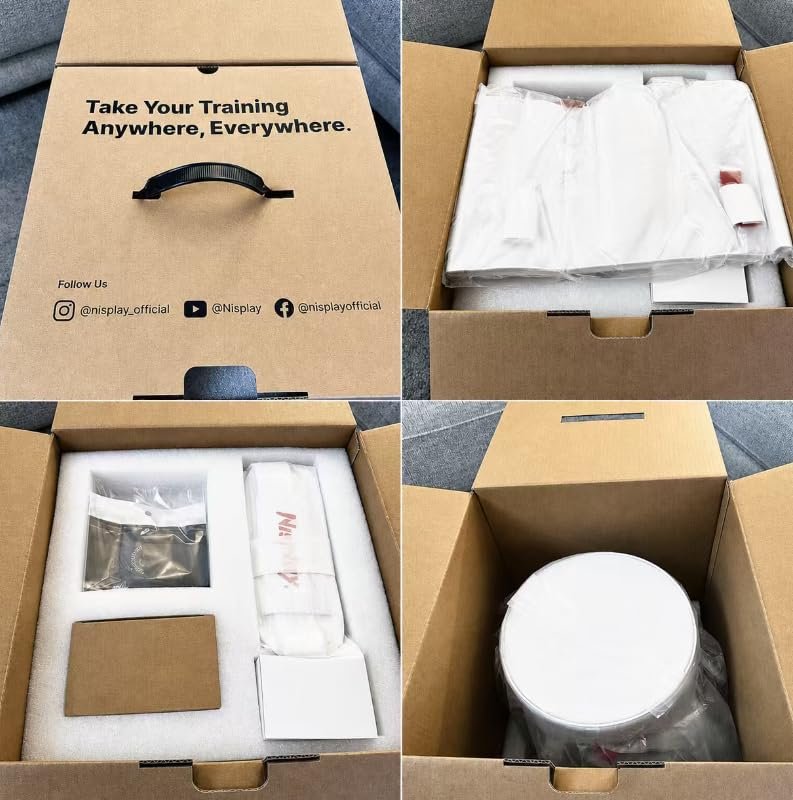
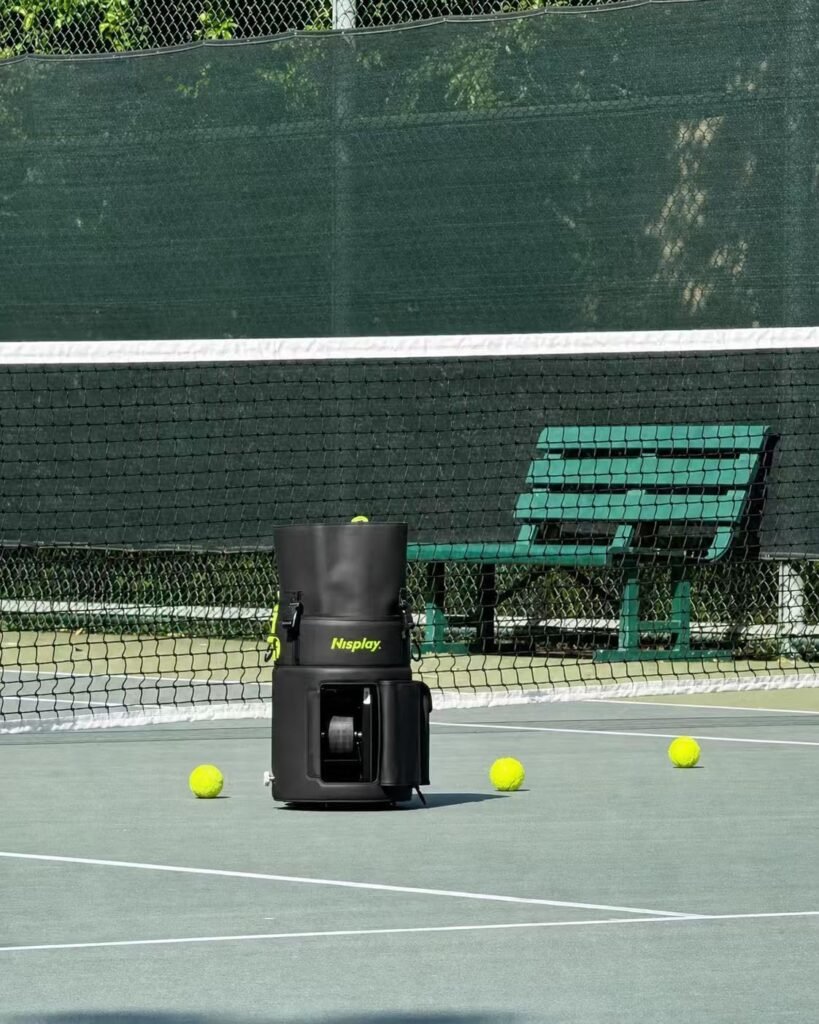
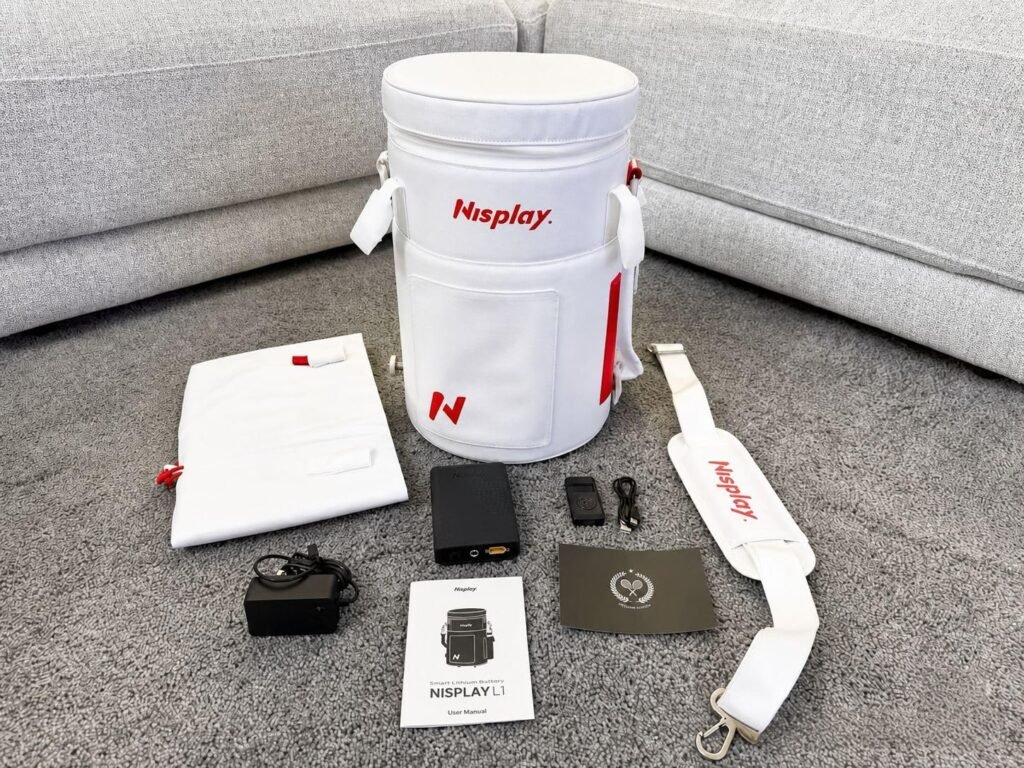
The Nisplay L1 in white redefines what portable means for tennis training equipment. At just 13.2 pounds with a cylindrical backpack-style design that carries comfortably on the shoulder, it's genuinely something you can take anywhere: to a distant court, on vacation, or between multiple training locations without the transport hassle that keeps heavier machines home in the garage.
We may earn a commission when you buy through this link, at no additional cost to you.
The award-winning design earned Red Dot, iF Design Award, and IDEA Gold recognition, making the L1 the only tennis ball machine to receive all three prestigious international design awards. Beyond aesthetics, this recognition reflects genuine attention to portability engineering and user-focused features. Backing from over $1 million in Kickstarter funding demonstrates broad player and coach trust across more than 30 countries.
Control comes through a pocket-sized remote or the intuitive Nisplay app, letting you adjust ball speed up to 60 km/h, feed intervals from 1 to 9 seconds, and manually adjustable launch angles from 15 to 55 degrees. The 60-ball hopper supports extended practice sessions between reloads, and industrial-grade ABS and metal construction ensures durability despite the lightweight design. The 3-hour runtime is shorter than some competitors but sufficient for typical training sessions.
The most powerful tennis ball machine in the world doesn’t help if it stays in your garage because it’s too heavy to transport. Extreme portability changes usage patterns dramatically: a 13-pound machine that fits in a backpack gets used far more often than a 40-pound machine requiring careful loading into a car trunk. For players without dedicated home court access who need to bring equipment to public or club courts, portability directly determines how much value the machine actually delivers.
Choose this if portability is your top priority and you want a design that stands out visually as well as functionally. The white color option provides distinctive aesthetics that some players prefer for personal style or coaching branding. Advanced players needing higher ball speeds or longer battery life should consider heavier alternatives with more capacity.
Advanced players needing higher ball speeds, longer battery life, or larger ball hopper capacity.
We may earn a commission when you buy through this link, at no additional cost to you.
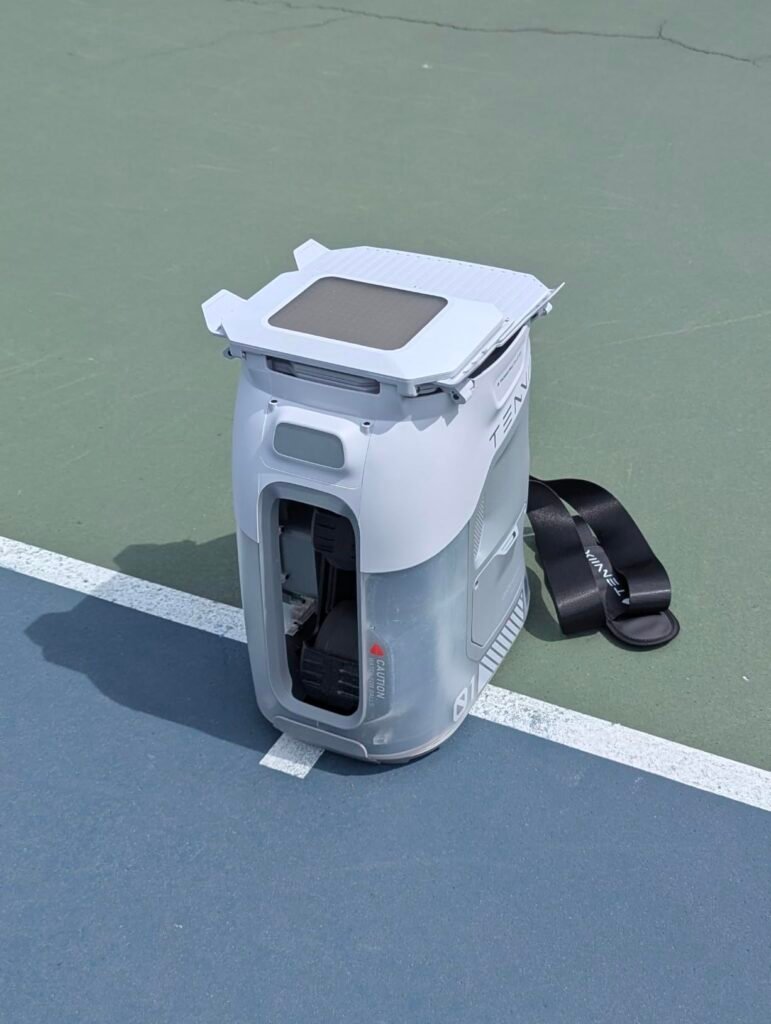
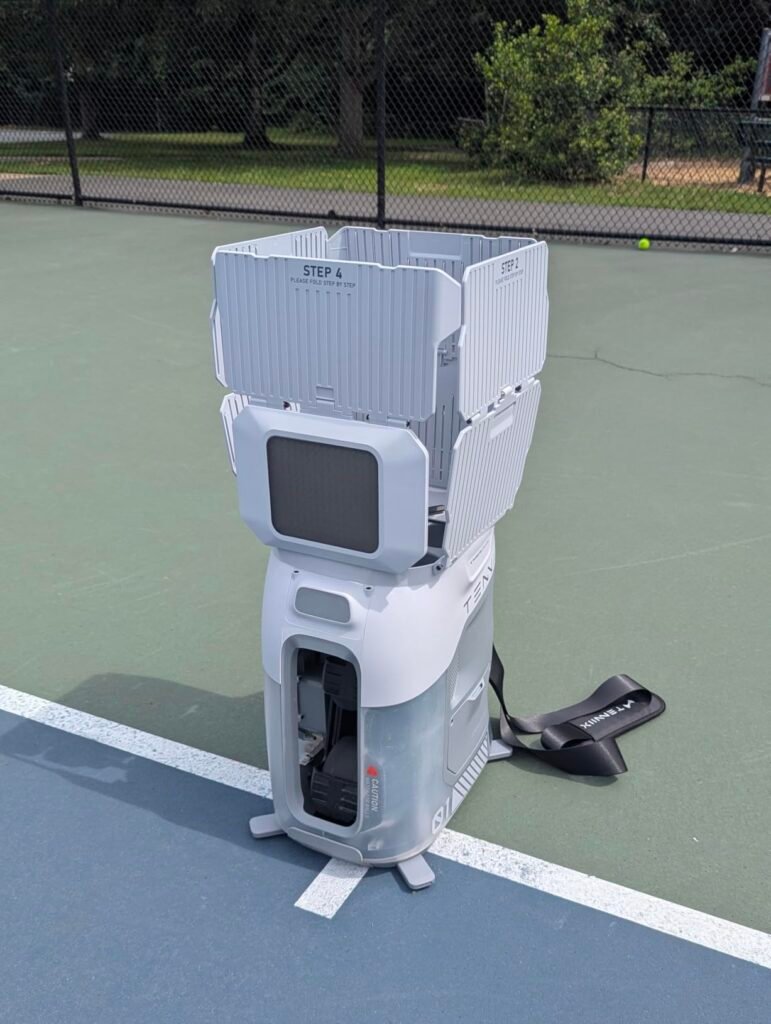
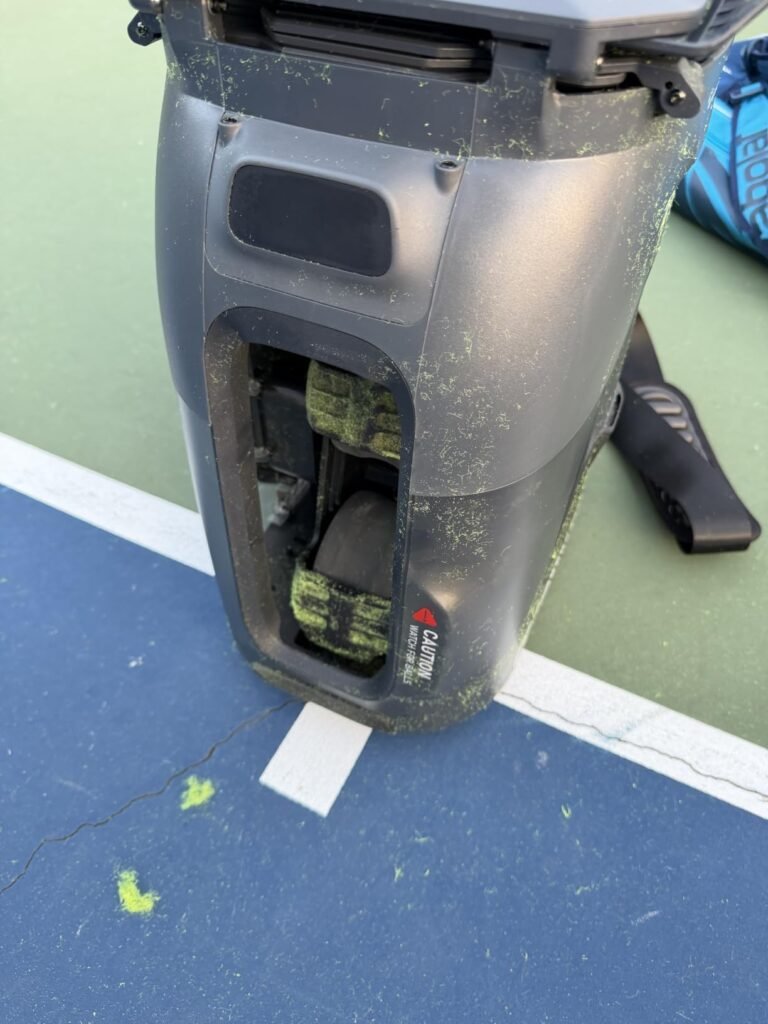
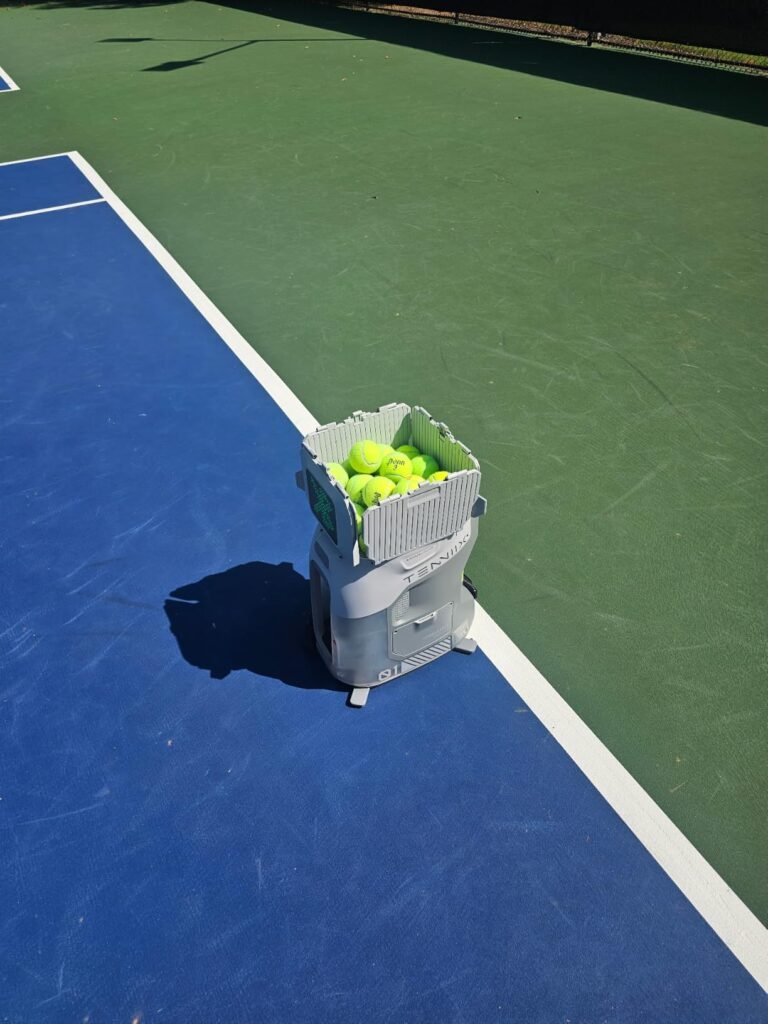
The Tenniix Basic with voice control targets players who want to adjust their training on the fly without walking back to the machine between drills. The wrist-mounted controller uses Bluetooth 5.2 and supports 46 voice command keywords, meaning you can change speed, spin, and drill patterns while staying in your ready position. This preserves footwork rhythm and stroke mechanics that get disrupted when constantly resetting equipment.
We may earn a commission when you buy through this link, at no additional cost to you.
At 18.7 pounds with ergonomic non-slip handles and a folded size of just 15.4 by 10.7 by 17.6 inches, this machine slides into any car trunk and stores easily in a garage or closet. The dual-wheel system launches balls at up to 75 MPH with consistent placement, which is fast enough to challenge intermediate to advanced players while remaining comfortable for controlled drilling at lower speeds.
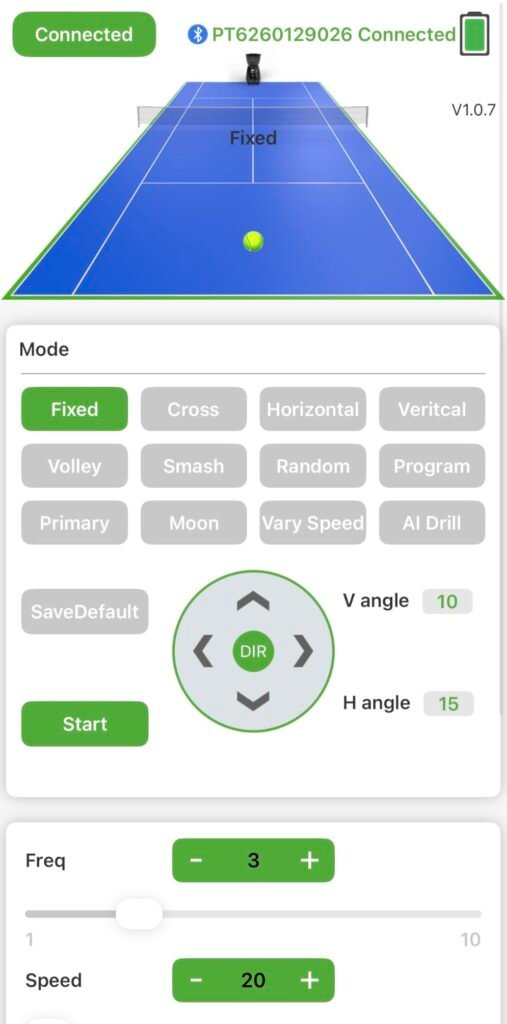
The Tenniix companion app extends control beyond voice, letting you fine-tune ball speed, topspin and backspin, launch angle, and interval timing across more than 1,000 possible combinations. Save custom drills and reload them instantly, then hand macro adjustments back to the wrist controller during play. The 4-hour runtime supports 1,800 shots per charge, enough for multiple sessions between charging.
Walking back to a ball machine between drills breaks the physical rhythm that makes practice effective. Every time you pause to adjust speed or change patterns, your muscles cool slightly and your focus shifts from stroke execution to equipment management. A wrist-mounted voice controller lets you cycle drills, change spin, and modify feed rate without moving from your position, keeping training sessions continuous the way they would flow with a live hitting partner or coach.
This is a strong pick for serious recreational players who train solo often and want minimal interruption during practice. The upgrade path to an AI vision module protects the investment for future capabilities. Buyers on tighter budgets or those who prefer simple button controls should consider the standard version without voice or one of the more basic portable options.
Beginners who want the simplest possible operation, or budget shoppers who don’t need advanced voice control.
We may earn a commission when you buy through this link, at no additional cost to you.
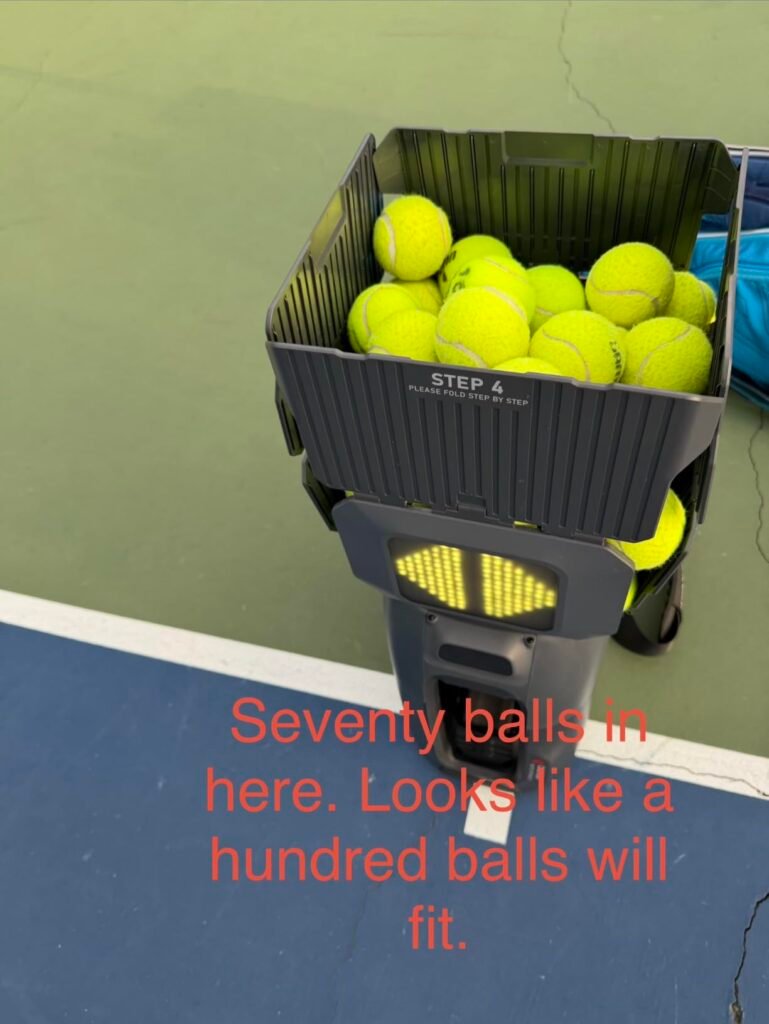
This version of the Tenniix Basic delivers the same core portability and performance as the voice-focused model but centers control around the smartphone app rather than the wrist voice controller. For players who prefer detailed touchscreen adjustments over spoken commands, this makes precision tuning of ball speed, topspin, backspin, launch angle, and feed intervals more intuitive and comprehensive.
We may earn a commission when you buy through this link, at no additional cost to you.
The dual-wheel launching system fires balls at up to 75 MPH with consistent placement across all 9 shot patterns: baseline, half-court, feed, volley, overhead, topspin, backspin, moon ball, and hand-toss. Match Mode adds 6 rally styles ranging from forehand and backhand drills to attack, defense, rally, movement, and spin patterns. NTRP presets from L1 to L3 help intermediate players match training intensity to their skill level.
The removable battery supports 1,800 shots per charge over up to 4 hours of continuous practice, which comfortably covers multiple training sessions between charges. The 18.7-pound weight and folded dimensions of 15.4 by 10.7 by 17.6 inches make transport easy, and the ergonomic non-slip handles reduce strain when carrying to distant courts. The included wireless wrist controller still handles start, pause, standby, and reset functions.
App control offers depth: you can fine-tune every parameter simultaneously, save complex custom drills, and browse through visual menus. Voice control offers speed: you can change one setting instantly without touching a phone or walking to the machine. Neither approach is universally better. Players who train with structured pre-planned sessions benefit more from app depth, while players who improvise drills or work through many quick adjustments benefit more from voice immediacy.
Choose this version if you prefer smartphone-driven control over voice commands and appreciate detailed touchscreen customization. The underlying hardware matches the voice-controller version, so the choice comes down to your preferred control interface. Players wanting simpler operation should consider a physical-remote model, and heavy trainers may want longer battery life from alternative machines.
Players who dislike smartphone dependency during workouts or want the fastest possible on-court adjustments.
We may earn a commission when you buy through this link, at no additional cost to you.
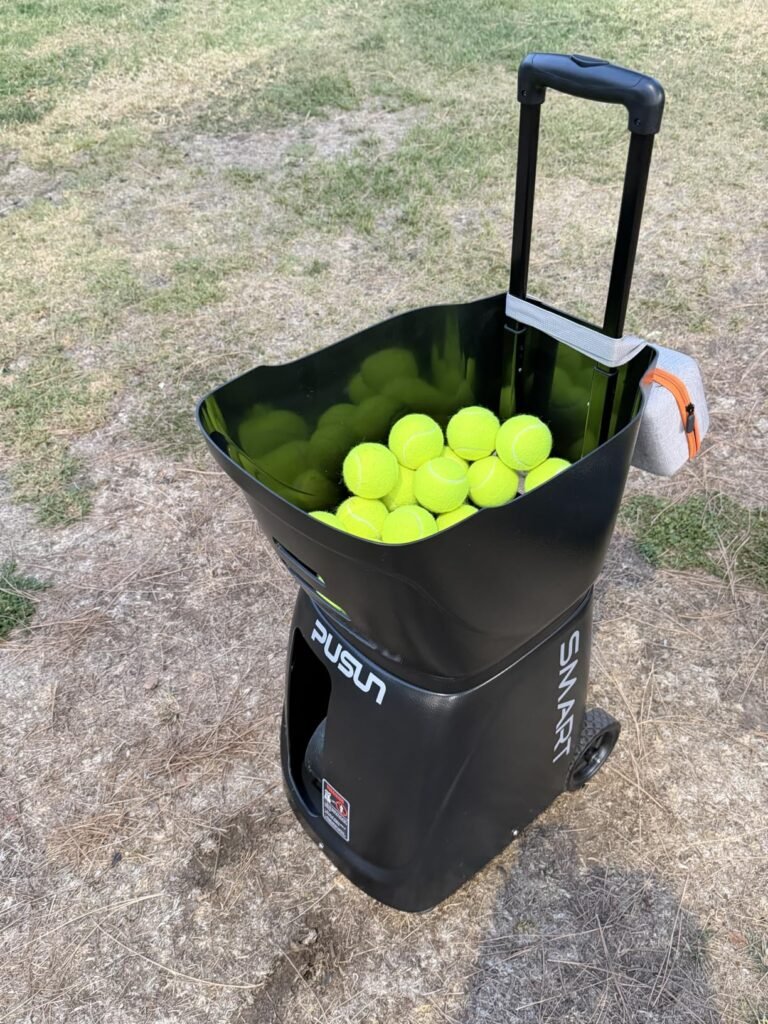
The PUSUN PT-Smart earns the top overall recommendation by combining 28 programmable landing points, 12 training modes, and 6 spin levels in a package that scales from beginner drills through NTRP 5.0 professional intensity. For players serious about long-term skill development who want a machine that grows with them across years of training, this offers the depth of customization typically found only in coaching-grade equipment.
We may earn a commission when you buy through this link, at no additional cost to you.
The external oscillation design provides clear visual cues of the machine’s movement, which actually helps players anticipate incoming balls and improve timing across full court coverage. Ball speeds reach up to 75 MPH with feed intervals adjustable from 1.8 to 8 seconds, and 6 spin levels handle everything from flat drills to heavy topspin rallies. A Padel Mode adds 14 specialized drills including Bandeja and Bajada for dual-sport households.
The triple control system, working through the app, physical remote, and Apple Watch compatibility, means you can adjust settings from your hitting stance without walking back to the machine. The 100-ball collapsible hopper supports extended training sessions, and the external 153.6Wh lithium battery delivers 4-6 hours of play across 5,700+ shots. Dust-proof mainboard construction resists clay court erosion for reliable outdoor use.
Basic ball machines with fixed placement or simple side-to-side oscillation limit training to predictable patterns your body quickly adapts to. Machines with 28 programmable landing points can send balls anywhere on the court in structured or random sequences, forcing you to develop real reactive footwork, split-step timing, and shot selection under uncertainty. This matches how balls actually arrive during matches, making practice sessions build genuine game skills rather than groove-only mechanics.
This is the right pick for dedicated recreational and competitive players who want serious training capability with progression room. The high-impact ABS shell and metal base handle regular transport and outdoor use, and compatibility with pressurized, non-pressurized, and training balls provides flexibility. Casual players who only train occasionally may find the capability overkill, and buyers needing extreme portability should consider lighter options.
Casual weekend players or beginners who don’t need extensive customization and progression paths.
We may earn a commission when you buy through this link, at no additional cost to you.
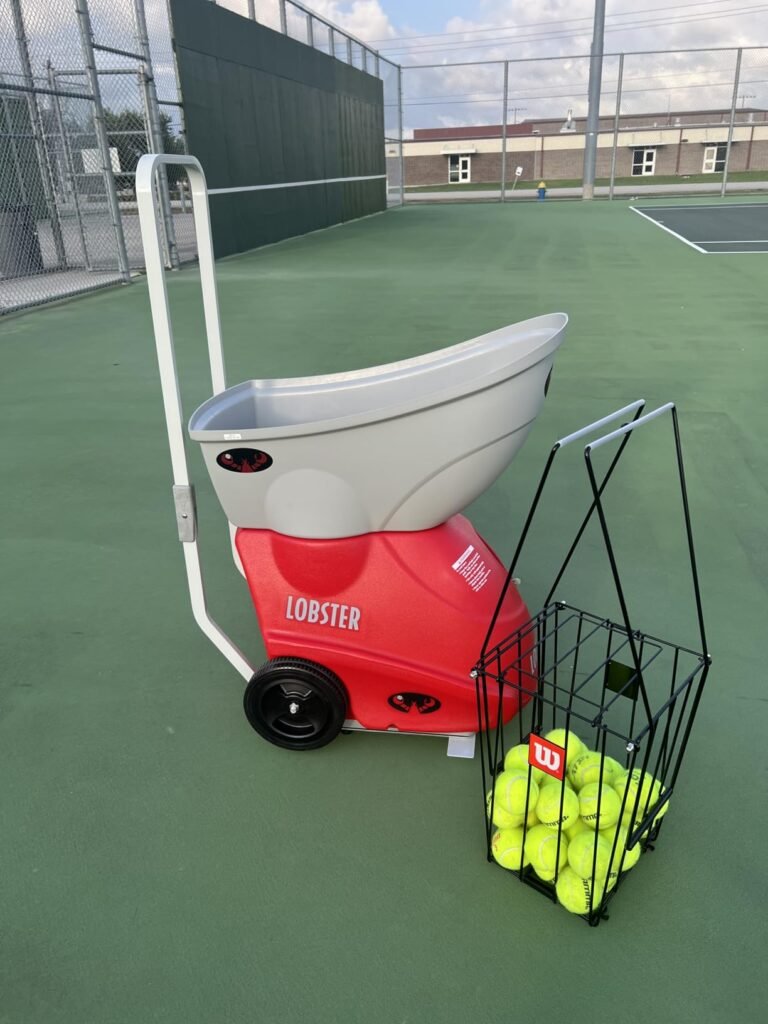
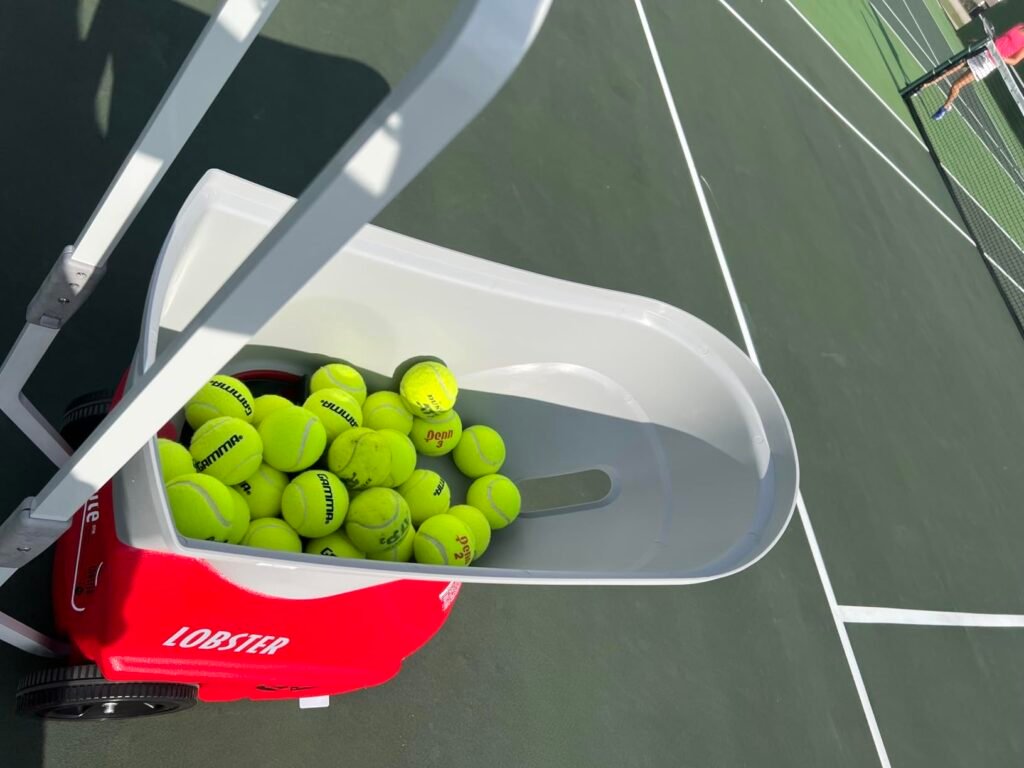
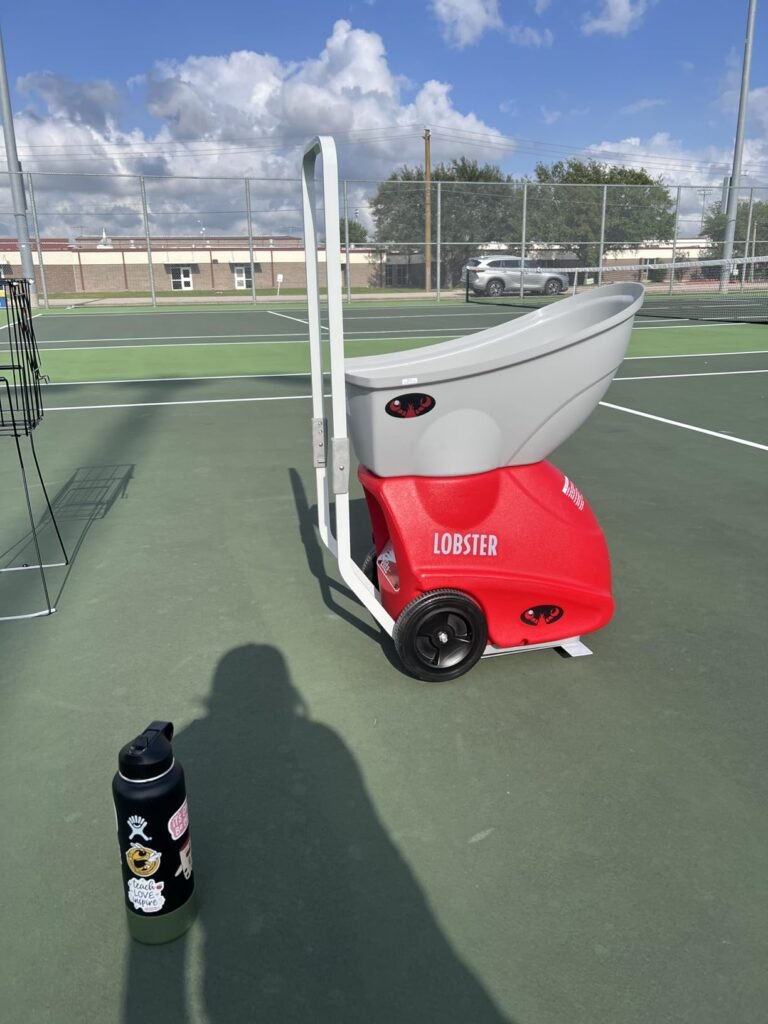
The Lobster Elite One represents the coaching-grade tier from one of the most established names in tennis training equipment. With ball speeds spanning 10 to 80 MPH and electronic elevation control delivering lobs up to 60 degrees, it handles everything from gentle beginner drills to advanced overhead smash training and high-arc baseline returns that simulate demanding match situations.
We may earn a commission when you buy through this link, at no additional cost to you.
Horizontal oscillation launches balls from left, right, center, or random positions across the court, letting you practice forehand and backhand strokes at unpredictable placements that mimic real rally conditions. The spin control adds heavy topspin or backspin as needed for competitive game simulation, and preloaded plus custom drills give you structured practice progressions or the freedom to design your own training sequences.
At 42 pounds, this machine is heavier than the ultra-portable models in this guide, but the inverting hopper and folding handle keep it manageable, and the 8-inch all-terrain wheels glide easily over grass, gravel, and court surfaces to reach any playing location. The rechargeable battery delivers 4 to 6 hours of gameplay, and the multi-function remote provides essential controls from the baseline without walking back to the machine.
Most ball machines focus on baseline-to-baseline groundstroke training with limited vertical launch adjustment. Electronic elevation up to 60 degrees opens training scenarios that flat-firing machines cannot: overhead smash practice, high-arc lob returns, and defensive lob development. For competitive players who need to handle every ball a match can throw at them, this vertical range genuinely expands what solo training can accomplish beyond the standard forehand-and-backhand drilling routine.
This is the right pick for coaches, clubs, and serious players who want proven Lobster reliability with genuine coaching-grade capability. The 80 MPH ceiling accommodates player development well beyond intermediate skill levels, and the 60-degree elevation range enables overhead training that many machines cannot match. Buyers prioritizing lightweight portability or the lowest price should consider more compact alternatives.
Casual recreational players who don’t need advanced elevation control or budget-conscious buyers wanting portability first.
We may earn a commission when you buy through this link, at no additional cost to you.
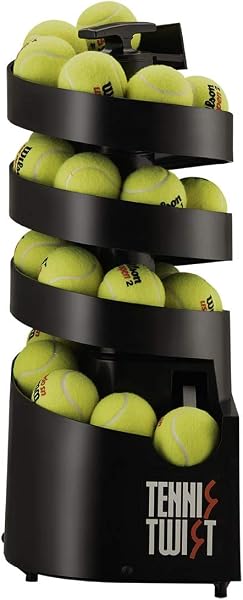
The Sports Tutor Tennis Twist is purpose-built for beginners, juniors, and casual players who want an approachable machine without technology overhead or a steep learning curve. At just 10 pounds with a built-in carrying handle, it's the easiest machine in this guide to transport and set up, making it practical for parents introducing kids to tennis or seniors who want gentle solo practice without wrestling heavy equipment.
We may earn a commission when you buy through this link, at no additional cost to you.
The adjustable ball toss from 12 to 20 feet lets you customize distances to match player skill and court positioning, and the 5-second feed interval gives beginners enough time to reset and prepare for each ball. Made in the USA by an established tennis machine company, the build quality reflects decades of manufacturer experience and comes backed by a 3-year warranty that dramatically exceeds many offshore alternatives with minimal or no coverage.
The machine’s versatility extends beyond tennis: it launches both regular and oversize tennis balls as well as pickleballs, and it can even be used for beginner baseball batting practice with tennis balls that are safer for kids and won’t break windows. Battery operation on six D-size alkaline batteries typically delivers 8 to 10 hours of use, which means far longer between charges than most rechargeable models in this guide, though you do need to keep spare batteries on hand.
Advanced machines with high speeds, complex programming, and multiple oscillation modes can overwhelm beginners who need to focus on basic contact and consistent swing mechanics. A simple machine that reliably delivers balls at gentle speeds and predictable positions lets beginners groove foundational strokes without processing extra variables. Buying an advanced machine for a true beginner often leads to underused features and unnecessary complexity that can actually slow early skill development.
This is the ideal choice for beginners, juniors, and families introducing new players to tennis or pickleball. The lightweight design, US-based service support, and generous warranty make it a low-risk purchase that will serve reliably for years. Advanced players needing high ball speeds, oscillation, or spin control should look at more capable machines in this guide.
Intermediate or advanced players who need higher ball speeds, spin control, or oscillation patterns.
We may earn a commission when you buy through this link, at no additional cost to you.
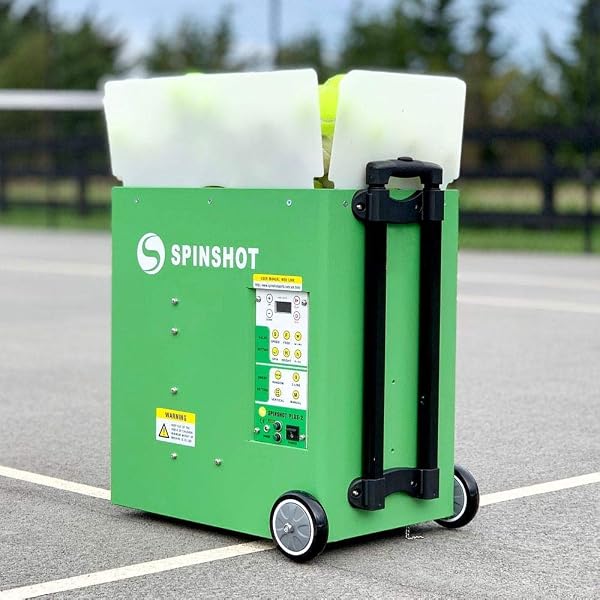
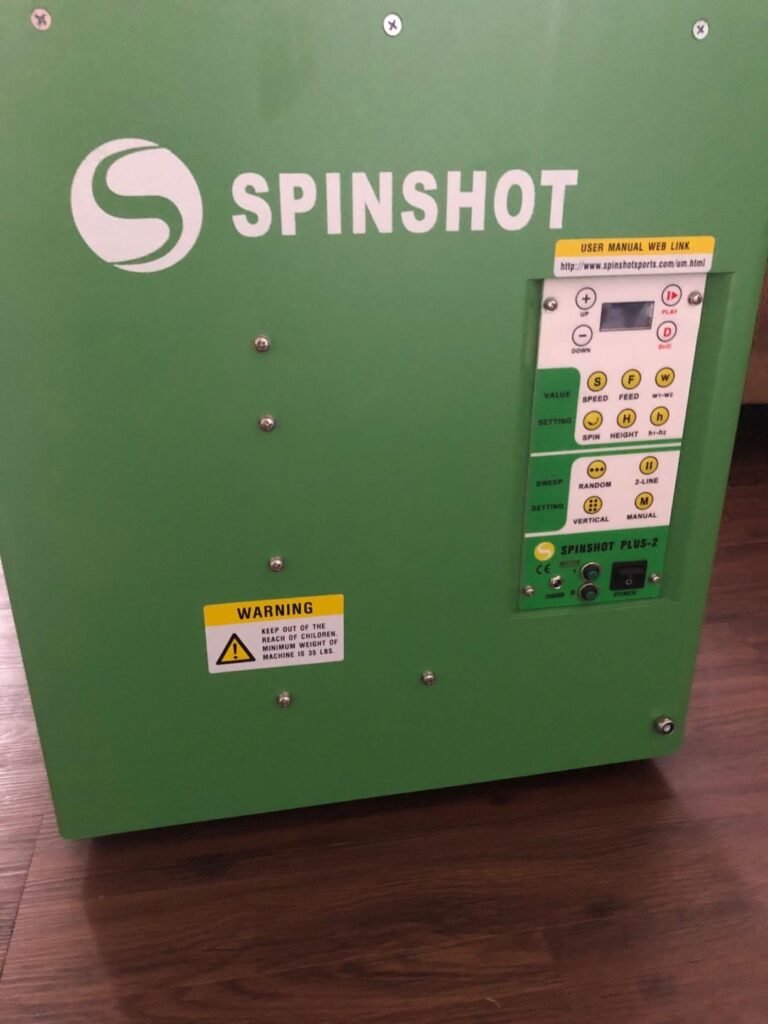
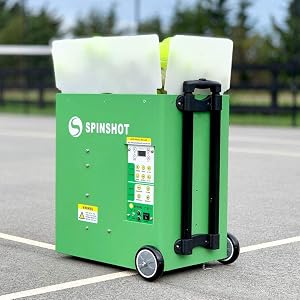
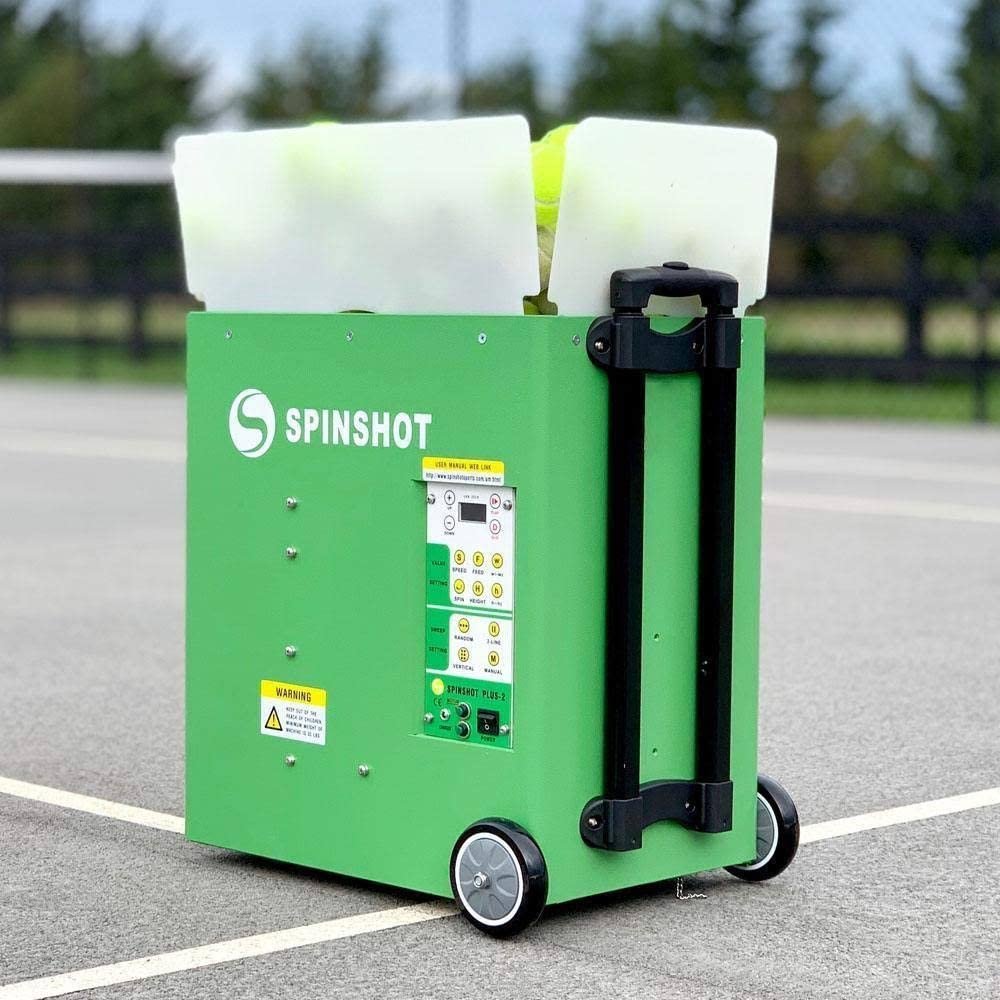
The Spinshot Plus-2 stands out through its individual-shot programming, letting you configure speed, spin, height, angle, and feed rate for each ball in a drill sequence through your smartphone. This level of granular control creates truly match-realistic training patterns where every shot can differ from the previous one, forcing you to react to genuinely varied ball types rather than adjusting to a predictable loop.
We may earn a commission when you buy through this link, at no additional cost to you.
The Plus-2 designation reflects that this model combines Spinshot’s Plus and Player features into one machine, giving you both the flat-fee custom programming and any type of oscillation you want to create. The 120+ ball hopper folds down for compact transport, and phone remote functionality comes at no additional cost above the base machine price, which is unusual since many competitors charge extra for app control.
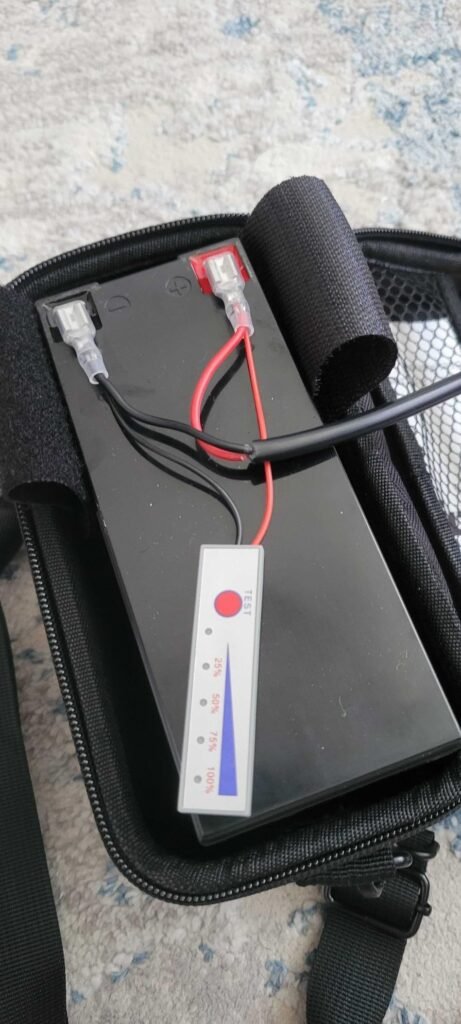
The ability to design any oscillation pattern means you can build drills that exactly match what you need to improve, whether that’s crosscourt-to-line rallies, alternating deep and short balls, or complex three-shot sequences. This makes the machine particularly valuable for players working on specific weaknesses or preparing for matches against opponents with known patterns. The charger is included, though the battery itself is sold separately, adding to total cost.
Preset drills work well when they match your training goals, but they can leave gaps for specific situations you need to practice. Individual shot programming lets you build exact scenarios: for example, a deep topspin forehand followed by a short slice backhand followed by a high volley approach ball. This level of specificity is how professional coaches design custom sessions, and having that capability in your own machine transforms practice from generic drilling into targeted skill development.
This is the machine for advanced players, coaches, and dedicated enthusiasts who want maximum programming flexibility without ceiling on drill complexity. The individual-shot control is genuinely unique in this price range and delivers training realism most machines cannot match. Casual players or those wanting simpler operation should look at more approachable options with preset drill patterns.
Beginners or casual players who don’t need individual shot programming and prefer simple preset patterns.
We may earn a commission when you buy through this link, at no additional cost to you.
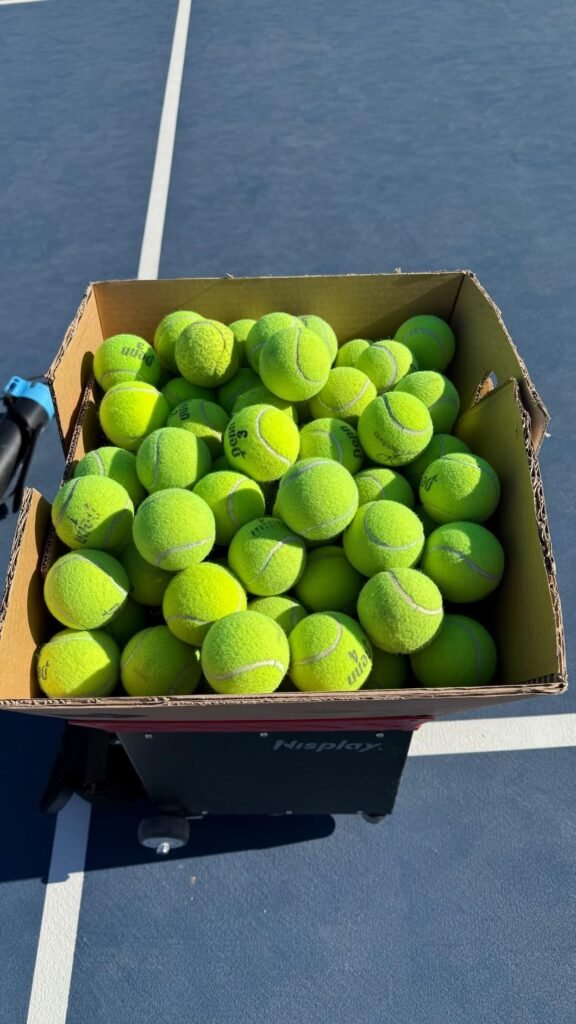
The Nisplay N1 hits an appealing middle ground between ultra-portable starter machines and heavy coaching-grade equipment. At 26 pounds with an ergonomic design about the size of a basketball, it transports easily via the 3-foot folding handle and oversized wheels that roll smoothly over grass, gravel, and curbs when moving from car to court.
We may earn a commission when you buy through this link, at no additional cost to you.
The dual motor design enables both topspin and backspin control with adjustable intensity levels, giving intermediate players enough variety to work on returning different ball types without buying a more expensive machine. Ball speeds reach up to 68 MPH with feed intervals from 1 to 9 seconds, and the 0 to 50 degree elevation range covers most groundstroke and lob training scenarios except for extreme overhead work.
The external lithium battery is small and lightweight for easy transport and charging convenience, and it operates the machine for 4+ hours of continuous play. The 80+ ball hopper supports meaningful training sessions between reloads, though it falls short of the 100+ capacities of some premium alternatives. Manual oscillation requires you to reposition the machine to change ball placement patterns, which is less convenient than powered oscillation but keeps the design simpler and more affordable.
Powered oscillation moves the launch mechanism automatically to send balls to different court positions, mimicking varied shot placement without user intervention. Manual oscillation requires you to physically reposition the machine between drill sets to change placement patterns. Powered oscillation is more convenient and enables more realistic training, but it adds cost and complexity. For structured practice where you drill one pattern extensively before switching, manual oscillation works fine and keeps the machine more affordable.
This is a strong value pick for intermediate players who want dual-motor spin control and reasonable ball speeds without paying premium prices for oscillation or app-based programming. The balance of portability and capability suits players who transport their machine frequently and want reliable performance without complex setup. Advanced players wanting powered oscillation and higher speeds should consider the Lobster Elite or PUSUN alternatives.
Advanced players needing powered oscillation, higher ball speeds, or app-based programming for individual shot control.
We may earn a commission when you buy through this link, at no additional cost to you.
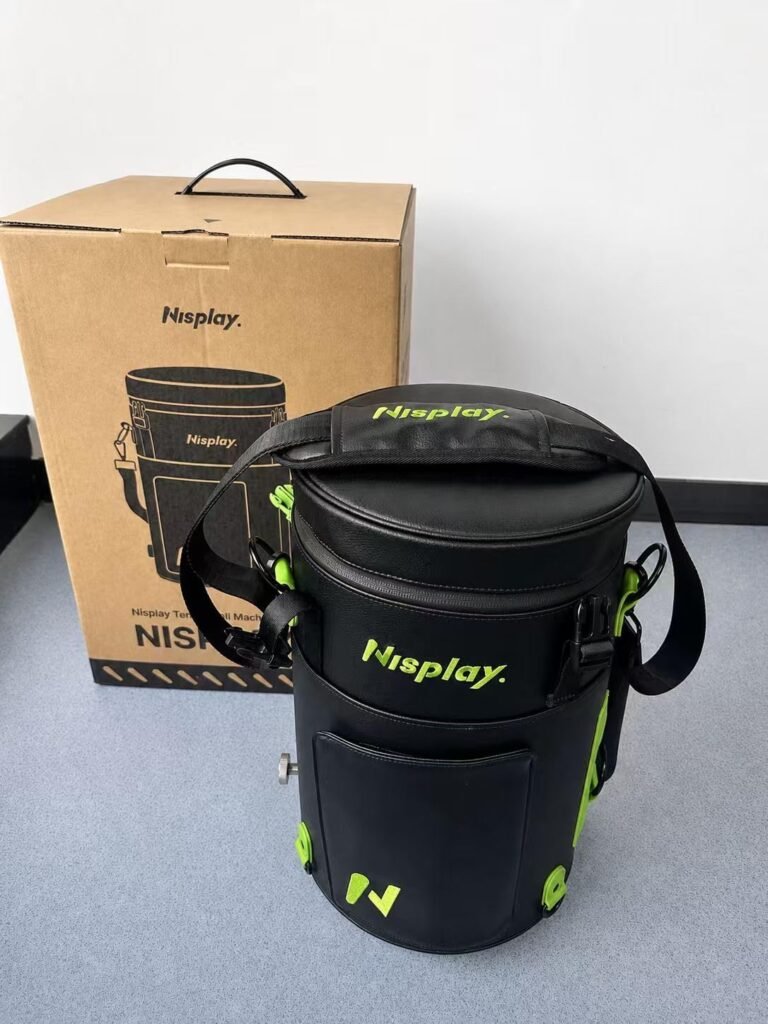
The Nisplay L1 in black offers identical performance to the white version but with a sleek dark finish that appeals to players who prefer more traditional or professional aesthetics. Every feature transfers exactly: the 13.2-pound backpack-style design, award-winning form factor, 60-ball hopper, and manual elevation adjustment from 15 to 55 degrees all remain the same.
We may earn a commission when you buy through this link, at no additional cost to you.
The dark color option can be a practical consideration beyond aesthetics. Black tends to show court dust and clay staining less visibly than white finishes, which matters if you regularly train on red clay or dusty outdoor courts. It also has a more understated professional appearance suited to coaching contexts where equipment aesthetics reflect on the coach’s overall presentation.
Control operates through the same pocket-sized remote or Nisplay app, with ball speeds up to 60 km/h and feed intervals from 1 to 9 seconds. The manually adjustable launch angle range and consistent ball delivery help build confidence, timing, and realistic on-court training scenarios. Industrial ABS and metal construction provides reliable everyday training performance with fewer interruptions.
Color is not purely aesthetic when it comes to court equipment. Darker finishes typically hide surface wear, court dust, and clay stains better than lighter colors, which can matter for machines used frequently on outdoor courts. Lighter finishes reflect heat better in strong sunlight, potentially reducing heat buildup on hot summer days. Neither is dramatically better, but understanding these small practical differences can help you make a choice you’ll be happy with long-term.
Choose the black version if you prefer darker aesthetics or want reduced visibility of court dust and clay staining over long-term outdoor use. The performance choice between L1 colors comes down entirely to personal preference since the underlying hardware and features match exactly. Players wanting higher speeds or longer battery runtime should consider heavier alternatives.
Players who prefer white or lighter finishes, or those needing higher ball speeds and longer battery life.
We may earn a commission when you buy through this link, at no additional cost to you.
This PUSUN PT-Smart variant adds AI-generated ball paths that simulate real match dynamics, moving beyond static drill patterns into training that adapts and varies like actual opponent play. For players preparing for competitive matches, this level of realistic simulation helps build the reactive skills that fixed drill machines cannot develop as effectively.
We may earn a commission when you buy through this link, at no additional cost to you.
The 28 precise landing points combined with 20-gear vertical and 30-gear horizontal adjustment enable a genuinely enormous range of shot placements and trajectories. Twelve preset training modes provide instant access to different practice styles, and the ball path memory function lets you save successful drill sequences for efficient repetitive practice. Exclusive speed technology allows 2.5-second speed variations that meet advanced training demands.
The 100+ ball hopper capacity supports extended sessions without frequent reloading, and the external imported large-capacity lithium battery delivers 4 to 6 hours of use with real-time battery display so you always know remaining runtime. Free instructional videos through the app provide professional teaching content that helps players interpret and apply what the machine’s advanced features enable.
Preset drills follow programmed sequences that repeat in predictable patterns, which is good for grooving specific shots but limited for developing genuine match readiness. AI-generated ball paths introduce variation and unpredictability that reflect how real opponents actually play, forcing you to read incoming balls and react rather than anticipating known patterns. This transition from pattern recognition to true reactive play is what separates practice-court players from those who perform well in matches.
This is the machine for players who want cutting-edge AI-driven training that adapts to skill development over time. The impressive rating and comprehensive feature set justify the investment for serious players committed to long-term improvement. Casual players who don’t need AI features or match simulation should consider simpler machines that focus on core drilling capability without the additional complexity and cost.
Beginners just learning basic strokes or casual players who don’t need match-realistic AI training.
We may earn a commission when you buy through this link, at no additional cost to you.
Selecting the right tennis ball machine means matching speed capability, drill programming, portability, and battery life to your skill level, training goals, and court access. This section walks through the decision factors that separate machines that transform your game from ones that end up unused in the garage.
Ball speed capability determines whether a machine grows with your game or hits a ceiling you’ll outgrow. Beginner-focused machines like the Sports Tutor Tennis Twist deliver gentle feeds appropriate for introducing tennis fundamentals. Mid-range machines topping out around 68-75 MPH cover most recreational and intermediate training needs, while advanced models reaching 80 MPH accommodate serious players developing at higher levels.
The upper speed limit matters less than most buyers assume, since even advanced players spend most training time working on control at moderate speeds rather than reacting to maximum-velocity feeds. However, having speed headroom means you won’t need to replace the machine as your game improves. The bigger consideration is whether the machine’s minimum speed is slow enough for structured skill work, since many advanced machines start at speeds that feel too fast for controlled technique drilling.
For beginners and juniors, prioritize machines with slow minimum speeds and gentle maximum ceilings. For intermediate players, choose machines topping out at 70-80 MPH with wide adjustable ranges. Advanced players and future development should push toward the higher speed ceilings offered by premium coaching-grade machines.
Modern tennis relies heavily on spin manipulation, and training against varied spin conditions builds the racquet skills needed for competitive play. Dual-motor machines like the Nisplay N1 and PUSUN options can generate both topspin and backspin with adjustable intensity, letting you practice returns against different ball types rather than only flat feeds. Single-motor machines typically offer flat balls only or limited spin options.
The number of adjustable spin levels affects training variety and realism. Machines offering 6 or more spin levels enable gradual progression from flat drills through heavy topspin practice, while machines with only on-off spin control limit training to basic ball types. Advanced spin control combined with ball placement variation creates truly match-realistic conditions that develop the reactive skills matches demand.
Prioritize dual-motor machines with multiple spin levels if you’re an intermediate or advanced player working on complete game development. Beginners can start with flat-ball machines and add spin capability when their fundamentals mature. Recreational players who mostly want consistent groundstroke practice may not need extensive spin variety.
Ball placement variation determines whether your training develops real court coverage skills or just grooves standing-still contact. Simple machines feed balls to one location, requiring you to reposition the machine to change placement. Powered oscillation moves the launch mechanism automatically to send balls left, right, center, or random across the court. Advanced machines like the PUSUN PT-Smart offer 28 programmable landing points for genuinely court-wide coverage.
The oscillation quality directly affects footwork development and match preparation. Basic horizontal oscillation between two positions creates predictable side-to-side patterns your body quickly learns. Multi-point programmable placement forces you to read incoming ball trajectory and move dynamically, matching how actual matches unfold. For serious skill development, this difference is significant.
For beginners establishing basic stroke mechanics, fixed placement is fine and even preferable. For intermediate players developing court coverage, choose machines with at least two-point horizontal oscillation. Advanced players and competitors should prioritize machines with programmable multi-point placement to build reactive footwork.
The machine’s weight and design directly determine how often you’ll actually use it. Ultra-light machines like the Nisplay L1 at 13.2 pounds and Sports Tutor Tennis Twist at 10 pounds transport easily to any court, while heavier coaching-grade machines like the 42-pound Lobster Elite require more effort to move between locations. If you don’t have dedicated home court access, portability directly limits training frequency.
Beyond raw weight, consider folding dimensions, handle design, and wheel systems. Machines that fold compactly fit in more vehicles and store more easily in garages or closets. Ergonomic handles reduce carrying strain, and large all-terrain wheels handle rough surfaces between parking and courts. Backpack-style designs like the Nisplay L1 completely change transport dynamics compared to traditional roll-along machines.
For players transporting the machine frequently or without a dedicated storage location, prioritize the lightest options with quality carrying solutions. For players with home court access or dedicated storage, weight matters less and you can focus on capability. Test how you’ll actually move the machine before assuming lighter is always better for your situation.
Battery runtime determines how long you can train between charges and whether the machine supports multiple sessions per day. Most rechargeable models offer 3-6 hours of continuous use, with premium options like the Pongbot PACE S reaching 8+ hours. Machines using standard alkaline batteries like the Sports Tutor Tennis Twist can run 8-10 hours but require ongoing battery purchases.
Consider your typical training pattern when evaluating battery specs. If you play 60-90 minute sessions occasionally, most machines have more than enough runtime. If you train multiple times per day or run coaching sessions with multiple students, longer runtime becomes essential to avoid mid-session recharging that disrupts training rhythm. Removable batteries add flexibility by letting you charge spares or swap between machines.
For casual players training 1-2 times per week, standard 3-4 hour batteries are plenty. For frequent trainers or coaching applications, prioritize 6+ hour runtime or removable battery systems. Consider whether the battery is included in the base price, since some machines list the battery separately.
How you control the machine during training affects the overall experience significantly. Basic machines use physical dials and switches that require walking back to the machine for every adjustment. Remote controls let you make changes from the baseline. App-based control on smartphones or Apple Watch adds detailed programming and drill customization. Voice control like the Tenniix Basic keeps your hands free entirely.
The programming depth also varies dramatically. Simple machines offer preset patterns you cycle through. Mid-range machines add drill programming and custom settings storage. Premium machines like the Spinshot Plus-2 allow individual shot programming where every ball in a sequence can have different characteristics. AI-driven options like the PUSUN PT-Smart AI generate match-realistic ball paths that adapt to training goals.
For beginners and casual players, simple remote control provides enough flexibility. For dedicated recreational players, app-based control adds meaningful capability without complexity overload. Advanced players and coaches benefit most from individual shot programming and AI-driven features that support sophisticated drill design.
Tennis ball machines endure repeated transport, outdoor use, and continuous mechanical operation, so build quality directly affects long-term reliability. Look for high-impact ABS construction, metal bases, dust-proof mainboards for clay court use, and quality wheel systems. Cheaper machines can develop mechanical issues or plastic failures within a year or two of regular use.
Warranty coverage reveals manufacturer confidence in build quality. The Sports Tutor Tennis Twist offers a 3-year US warranty backed by a Burbank-based factory, providing tangible service support if issues arise. Many offshore brands offer minimal or no warranty coverage. Compatibility with pressurized, non-pressurized, and training balls also affects long-term value since you’re not locked into specific ball types.
Prioritize established brands with clear warranty terms and accessible service support. For frequent outdoor use on clay or hard courts, look specifically for dust-resistant construction. Weigh warranty length against price, since a slightly more expensive machine with 3-year coverage often provides better long-term value than a cheaper alternative with no support.
Before your first session, fully charge the battery according to the manufacturer’s instructions and read the manual to understand all control functions and safety features. Position the machine on a flat court surface at the appropriate distance for your intended drills, typically at the baseline for groundstroke training or closer for volley practice. Start with slower speeds and simpler drill patterns to familiarize yourself with the machine’s timing and behavior before progressing to more challenging settings.
Load only clean, dry tennis balls into the hopper, since dirty or damp balls can cause feed jams and internal wear over time. Most machines work with pressurized, non-pressurized, and training balls, but check your specific model’s compatibility. After each session, remove any remaining balls from the hopper to prevent them from developing flat spots, and wipe down the machine’s exterior with a dry cloth to remove court dust and debris that can work into mechanical components over time.
Store the machine in a dry, temperature-controlled space when not in use, since extreme heat or humidity can degrade batteries and electronic components. For machines with removable batteries, follow manufacturer guidance on long-term storage charge levels, typically around 50-60 percent for lithium batteries during extended non-use periods. Periodically inspect the launching wheels for wear, check that all controls respond properly, and consult the manufacturer’s service documentation if any performance issues develop. Machines used on clay courts benefit from more frequent cleaning to prevent clay accumulation in mechanical parts.
For beginners, ball speeds under 40 MPH provide comfortable pace for developing basic contact and stroke mechanics. Intermediate players benefit from machines reaching 50-70 MPH to work on returning realistic groundstroke pace. Advanced players developing higher-level skills should look for machines topping out at 75-80 MPH. Remember that even advanced players spend most training time at moderate speeds, so wide adjustable range matters more than peak speed.
Beginners can get quality starter machines like the Sports Tutor Tennis Twist for around $360, while intermediate players typically invest $700-$1,100 for machines with dual-motor spin and better programming. Advanced players and coaches often spend $1,400-$1,900 for coaching-grade machines with powered oscillation, individual shot programming, and higher ball speeds. Match your budget to your commitment level rather than buying more machine than you'll actually use.
Some tennis ball machines like the Sports Tutor Tennis Twist and the PUSUN PT-Smart with Padel Mode support pickleball or padel training. Check specific compatibility before purchasing if you want a dual-purpose machine. Dedicated pickleball machines are also available if that's your primary sport. Using tennis-specific machines with pickleballs typically requires lower speeds and appropriate feed intervals for the different game pace.
Most rechargeable tennis ball machine batteries provide 3-6 hours of continuous use per charge, with premium models reaching 8+ hours. Battery lifespan before requiring replacement is typically 2-4 years depending on charge cycles and storage conditions. Removable batteries offer the advantage of easy replacement without machine service, while integrated batteries may require professional replacement. Follow manufacturer guidance on charging practices to maximize battery lifespan.
App and voice control add convenience and programming depth but aren't essential for effective training. Basic machines with physical remotes work perfectly well for structured drilling. Advanced features become genuinely valuable when you're doing complex drill sequences or want to change settings mid-session without walking back to the machine. Match the control complexity to how you actually train rather than buying features you won't consistently use.
Portability requirements depend entirely on your court access situation. If you have a dedicated home court or storage at your club, weight matters less and you can focus on capability. If you transport the machine to different public or club courts, prioritize lighter machines under 30 pounds with quality wheels and folding handles. Ultra-light options like the 13-pound Nisplay L1 dramatically increase how often you'll actually use the machine.
Single-motor machines typically deliver flat balls or basic topspin only, while dual-motor machines can generate both topspin and backspin with adjustable intensity. Dual-motor design costs more but provides significantly more training variety and realism. For intermediate and advanced players working on complete game development, dual-motor capability is worth the additional investment. Beginners can start with single-motor machines and upgrade later as skills develop.
Yes, tennis ball machines work indoors and outdoors, though indoor courts may benefit from lower ball speeds due to shorter reaction distances and confined space acoustics. Ensure adequate lighting for tracking incoming balls, and be aware of ball trajectory to avoid hitting walls, ceilings, or other equipment. Some newer machines include indoor-specific modes that adjust ball behavior for confined spaces. Always verify indoor court rules allow machine use before bringing one to shared facilities.
Keep the machine clean by wiping down the exterior after each session and removing court dust from wheels and vents. Store in a dry, temperature-controlled space to protect batteries and electronics. Use only clean, dry balls to prevent feed jams and internal wear. Follow manufacturer charging guidance for battery health, typically avoiding complete discharge and storing at 50-60% charge during long non-use periods. Periodically inspect mechanical components for wear and address any issues promptly.
For players who train regularly without consistent access to hitting partners or coaches, tennis ball machines can dramatically accelerate skill development while reducing dependence on others' schedules. The cost typically pays back within a year compared to private coaching rates, and the machine remains available whenever you want to train. Casual players who only play occasionally may find the investment harder to justify, but dedicated recreational and competitive players almost always find machines transform their training consistency.
The PUSUN PT-Smart earns the top overall recommendation by combining 28 programmable landing points, 12 training modes, 6 spin levels, and NTRP progression from 1.0 through 5.0 in a machine that grows with players across their entire development journey. The triple control system through app, remote, and Apple Watch delivers exceptional convenience during practice, and the dust-proof construction handles both hard courts and clay for reliable outdoor use. For serious recreational and competitive players who want a training partner that scales with their game, this hits the strongest balance of capability, durability, and long-term value.
For beginners and juniors, the Sports Tutor Tennis Twist at just 10 pounds with a 3-year US warranty provides the ideal low-risk starting point without overwhelming complexity. Advanced players and coaches wanting maximum programming flexibility should consider the Spinshot Plus-2 with individual shot programming through smartphone, while the Lobster Elite One delivers coaching-grade capability with 80 MPH speeds and 60-degree elevation from an established American brand. Buyers prioritizing extreme portability will find the award-winning Nisplay L1 backpack design genuinely game-changing at just 13.2 pounds.
Start by identifying your skill level and realistic training frequency, then match machine capability to how you'll actually use it rather than aspirational scenarios. Consider court access when evaluating portability requirements, and factor warranty coverage and brand support into long-term value calculations. Use the comparison table and buying guide above to narrow your options, and choose the training partner that removes the biggest obstacles between you and consistent practice.