Seagate 8TB IronWolf
8.8Editor score8TB total storage capacity
256MB DRAM cache buffer
1M hours MTBF rating
SATA 6Gbps interface speed
Find the right nas hard drives for 2026. We compare 10 standout options by build quality, useful features, owner feedback, value, and everyday trade-offs.
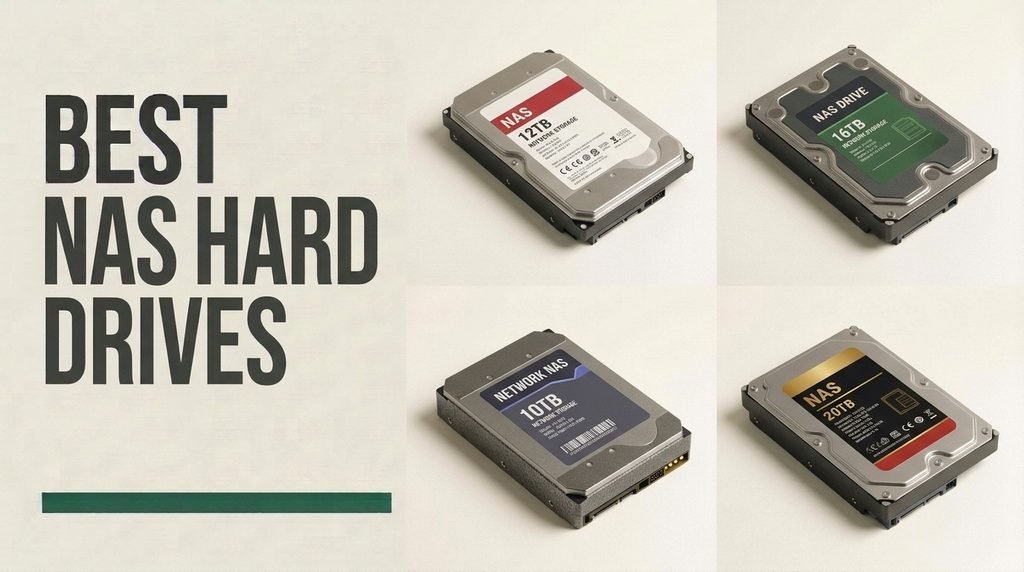
Find the right NAS hard drives for 2026. We compare 10 standout options by the factors that matter in network storage, such as magnetic recording technology, rotational vibration damping, thermal endurance, workload ratings, acoustics, and total cost per terabyte across multi-bay RAID arrays.
Network-attached storage systems require specialized mechanical drives engineered to operate continuously in multi-bay enclosures. Standard desktop drives often lack the rotational vibration resistance, time-limited error recovery controls, and thermal tolerance necessary to keep multi-disk RAID arrays stable during heavy reading and writing operations.
Whether you are setting up a personal media server, backing up critical business data, or expanding an enterprise storage array, selecting drives designed for 24/7 reliability ensures long-term data integrity. Our guide details the technical specifications and real-world trade-offs across leading NAS and enterprise hard drive models.
We compared 10 NAS hard drives using the technical metrics that determine long-term storage reliability: recording technology (CMR vs SMR), rotational speed, cache size, workload rate limits, vibration mitigation, operating noise, power consumption, warranty coverage, and overall value. The analysis highlights key trade-offs between low-power home NAS drives and heavy-duty enterprise alternatives so you can build a stable, cost-effective storage pool.

Compare key features, scores, and current prices side by side. A shorter feature list means fewer details were available, not necessarily fewer capabilities.



The Western Digital 12TB WD Blue (WD120EAGZ) brings large-scale storage capacity to desktop workstations, video editing setups, and primary gaming towers. With a 7200 RPM rotational speed and a huge 512MB DRAM cache buffer, this drive delivers responsive performance for local data handling.
We may earn a commission when you buy through this link, at no additional cost to you.
Designed for general computing, video production storage, and heavy file archives, the 12TB WD Blue handles local file manipulation with ease. Western Digital packages the drive with access to Acronis True Image software, simplifying the process of cloning existing drives or executing scheduled bare-metal system backups.
While its 12TB capacity makes it tempting for network-attached storage builds, the WD Blue series is tuned for single-drive desktop installations rather than 24/7 multi-bay RAID enclosures. It does not feature the specialized TLER error controls or rotational vibration dampening sensors engineered into the WD Red or Seagate IronWolf families.
In a single-drive desktop tower or single-bay DAS enclosure, the WD Blue operates without vibration interference from surrounding disks. Its 7200 RPM motor and large 512MB cache deliver rapid application loading and quick file scrubbing for 4K video timelines.
For content creators needing local high-speed scratch disk space, large game library storage, or direct DAS (Direct Attached Storage) backup enclosures, this drive offers strong performance. It delivers prompt access to large video files and high-density datasets directly connected to your primary workstation.
Continuous 24/7 network-attached storage enclosures running multi-drive RAID arrays.
We may earn a commission when you buy through this link, at no additional cost to you.
The Seagate 8TB IronWolf mechanical hard drive stands out as an exemplary solution for multi-user, multi-bay network-attached storage systems. Built specifically to handle the continuous demands of shared network environments, this drive incorporates physical rotational vibration (RV) sensors. These sensors detect and neutralize physical feedback created by adjacent drives operating inside enclosures with up to 8 drive bays, maintaining stable read and write throughput.
We may earn a commission when you buy through this link, at no additional cost to you.
Performance is anchored by conventional magnetic recording (CMR) architecture and a substantial 256MB cache buffer. Unlike Shingled Magnetic Recording (SMR) drives, which experience severe write penalties during continuous data modification, CMR technology maintains steady write speeds. This makes the IronWolf particularly reliable during intensive RAID array rebuilds, large volume file transfers, and uninterrupted multi-client streaming.
Operational intelligence is another key highlight through IronWolf Health Management (IHM). When installed in compatible NAS OS environments like Synology or ASUSTOR, IHM actively monitors drive telemetry beyond standard S.M.A.R.T. parameters. It alerts administrators to ambient thermal fluctuations, mechanical stress, and structural degradation before data corruption occurs, giving users proactive maintenance control.
In multi-disk enclosures, the collective mechanical resonance of several spinning spindles can induce tracking errors in standard desktop drives. The IronWolf drive neutralizes these harmonic vibrations through real-time sensor measurements, protecting motor bearings and maintaining exact head positioning across densely populated drive cages.
For small business network servers, home media labs, and creative production arrays, this 8TB drive hits an ideal sweet spot between capacity, heat dissipation, and longevity. The inclusion of a 1-million-hour MTBF rating along with bundled data recovery protection provides essential peace of mind for mission-critical digital assets.
Users needing whisper-quiet desktop operation right next to their primary workspace.
We may earn a commission when you buy through this link, at no additional cost to you.
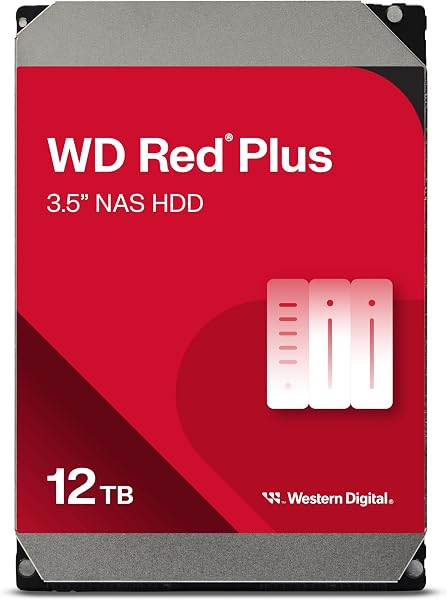
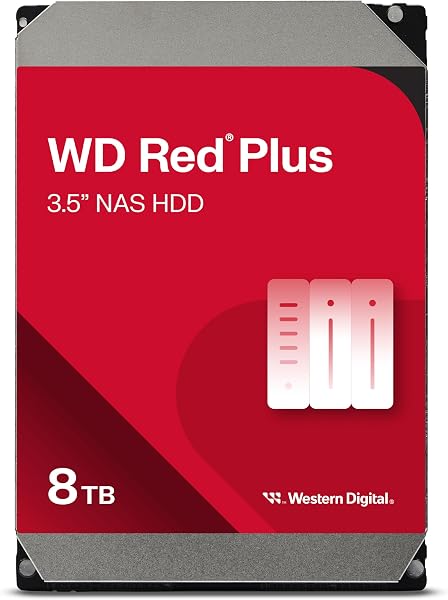
The Western Digital 8TB WD Red Plus (WD80EFPX) is engineered to deliver reliable, energy-efficient performance for home and small business NAS configurations supporting up to 8 bays. Running at a controlled 5640 RPM rotational speed, this drive prioritizes cool running temperatures and whisper-quiet acoustics over raw burst performance, making it well-suited for living room media centers or small office environments.
We may earn a commission when you buy through this link, at no additional cost to you.
Core stability is driven by Western Digital’s custom NASware firmware, which fine-tunes drive parameters specifically for network storage arrays. One of its primary features is Time-Limited Error Recovery (TLER), which prevents the hard drive from dropping out of a RAID array during brief internal recovery routines. Standard desktop drives often spend minutes attempting error correction, causing RAID controllers to misinterpret the delay as a physical drive failure.
Equipped with 256MB of cache and built on a CMR platform, the WD Red Plus avoids the severe write bottlenecks associated with SMR technology. This ensures consistent data rates when writing large sequential files or processing concurrent back-ups from multiple networked devices. The lower spindle speed also minimizes physical vibration transfer to the server chassis.
Because the drive operates at 5640 RPM, it consumes less electrical wattage under active load and idling states compared to 7200 RPM options. This reduced power consumption directly correlates to diminished heat dissipation, lowering overall enclosure temperatures and fan noise levels in compact, desktop-style NAS enclosures.
If you are assembling a home backup repository, a Plex media server, or a collaborative document vault, the WD Red Plus delivers an exceptional balance of low power draw, thermal control, and reliable drive architecture. It provides full enterprise-style software compatibility without the loud acoustic footprint of higher-RPM alternatives.
Heavy database workloads that demand maximum 7200 RPM IOPs and high sustained IOPS rates.
We may earn a commission when you buy through this link, at no additional cost to you.
The Seagate 4TB IronWolf drive offers a cost-effective gateway for users constructing their first dedicated network-attached storage array. Designed specifically for 1-to-8 bay enclosures, this drive delivers genuine NAS-grade durability without requiring a heavy initial capital investment, making it a popular choice for 2-bay and 4-bay home storage enclosures.
We may earn a commission when you buy through this link, at no additional cost to you.
Operating at 5400 RPM with a 64MB DRAM cache, the drive delivers quiet, reliable read and write performance. By utilizing CMR technology rather than budget SMR recording, Seagate ensures that write speeds remain stable under continuous disk access. This makes initial volume creation, full system image restores, and file synchronizations smooth and predictable.
Like its higher-capacity siblings, the 4TB IronWolf drive includes built-in rotational vibration handling and supports IronWolf Health Management telemetry tracking. Furthermore, Seagate packages this drive with three years of complimentary Rescue Data Recovery Services, adding a critical safety net against unexpected mechanical failure, physical damage, or environmental exposure.
Deploying two 4TB IronWolf drives in a RAID 1 mirrored configuration creates a resilient, low-power personal cloud array. The modest thermal profile allows compact two-bay chassis to run coolly with minimal fan RPMs, preserving a silent living space while protecting user files against single-drive hardware faults.
For personal cloud storage, automated home network backups, and localized photo archival, this 4TB drive provides all necessary NAS firmware features at an approachable price. Purchasing multiple identical units allows buyers to deploy redundant RAID 1, RAID 5, or Synology Hybrid RAID volumes efficiently.
Large-scale media archives requiring high storage density per drive bay.
We may earn a commission when you buy through this link, at no additional cost to you.
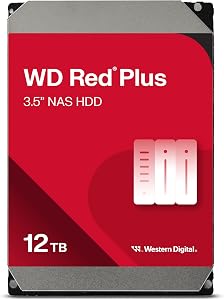
When expanding total storage capacity without adding additional physical server chassis, the Western Digital 12TB WD Red Plus (WD120EFGX) provides a high-performance solution. Unlike smaller capacities in the Red Plus lineup that operate at lower RPMs, this 12TB drive steps up to a 7200 RPM spindle speed paired with an impressive 512MB cache buffer.
We may earn a commission when you buy through this link, at no additional cost to you.
The combination of a 7200 RPM motor and a 512MB cache delivers fast sustained read and write throughput, reaching speed levels typically associated with enterprise hardware. Crucially, it retains WD’s dedicated NASware firmware tuned specifically for network storage controllers. This ensures seamless RAID integration, immediate drive handshakes, and strict error recovery protocol enforcement.
The native CMR disk geometry handles high-density data workloads with ease. Small and medium business environments running virtual machines, multiple user file streams, or 4K video editing arrays will benefit from the improved IOPS performance offered by the increased rotational velocity and expanded memory cache.
The 512MB DRAM buffer acts as an expansive cache zone for incoming write operations, buffering small random files before writing them sequentially to the platter surface. This mitigates latency delays during multi-client file saves, backup syncs, and database indexing across busy local networks.
This 12TB model balances heavy-duty performance demands with consumer NAS features. While it operates with slightly higher noise and power characteristics than lower-capacity 5400 RPM models, the significant throughput advantage and high storage density per bay make it a compelling pick for expanding storage pools.
Ultra-quiet home environments where drive seek chatter must be completely eliminated.
We may earn a commission when you buy through this link, at no additional cost to you.
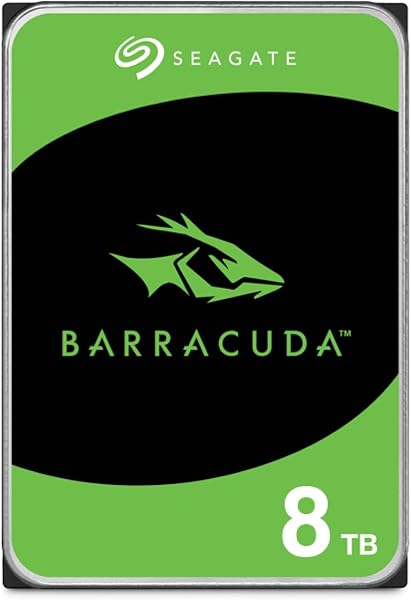
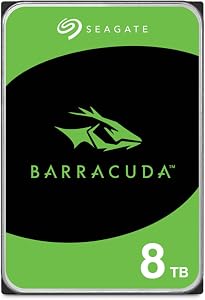
The Seagate 8TB BarraCuda (ST8000DM004) is designed primarily for primary desktop storage, local secondary backup drives, and personal computing applications. Offering a high storage capacity at an accessible price point, it serves as an efficient tool for archiving cold data, media collections, and non-critical system images on individual workstations.
We may earn a commission when you buy through this link, at no additional cost to you.
Engineered for desktop usage patterns, this drive utilizes Shingled Magnetic Recording (SMR) technology. SMR overlaps data tracks on the platter surface to maximize density, enabling high capacity at lower production costs. For reads and single-pass sequential writes, performance remains prompt, reaching up to 190 MB/s sustained transfer rates.
However, buyers should distinguish desktop drives like the BarraCuda from purpose-built NAS drives. The BarraCuda lacks Time-Limited Error Recovery (TLER) firmware and rotational vibration compensation hardware. In a multi-bay network enclosure, continuous multi-drive vibration can impact tracking, and the lack of TLER may lead to drive dropouts during RAID rebuild cycles.
SMR technology is optimized for workloads where data is written once and read frequently, such as video storage or static backup sets. When subjected to continuous heavy random write cycles, the drive must rewrite overlapping track groups, causing temporary write speed drop-offs until internal garbage collection completes.
When deployed as an external USB backup target or a single secondary internal drive in a desktop PC, the 8TB BarraCuda excels. It offers quiet, cost-effective storage for users who need space for gaming installations, video archiving, or local backups without requiring continuous multi-bay network server operation.
Multi-bay NAS enclosures utilizing software or hardware RAID rebuild configurations.
We may earn a commission when you buy through this link, at no additional cost to you.
The Seagate Exos 26TB (ST26000NM000C) renewed drive provides massive storage density for data-intensive storage environments. Built to enterprise standards, this mechanical drive utilizes a helium-sealed enclosure design to house multiple high-density platters, providing an impressive 26TB capacity in a single 3.5-inch form factor.
We may earn a commission when you buy through this link, at no additional cost to you.
Operating at 7200 RPM with a 512MB cache buffer, this drive is constructed with CMR technology. It delivers high sustained transfer speeds and robust IOPS performance, handling heavy concurrent enterprise workloads, virtualization clusters, and expansive video archive servers without performance slowdowns.
The drive features advanced rotational vibration sensors and firmware engineered for dense rackmount chassis housing dozens of active hard drives. A 2.5-million-hour MTBF rating underscores its robust hardware construction. As a recertified renewed drive, it offers enterprise-class storage capacity at a fraction of the cost of new retail hardware.
Seagate’s hermetically sealed helium architecture eliminates internal air turbulence, allowing thinner platters to spin with lower motor strain. This technology reduces overall power consumption per terabyte while minimizing heat buildup inside dense multi-node server racks.
For system administrators, homelab enthusiasts, and media production houses seeking maximum storage per rack unit or NAS bay, the Exos 26TB is a standout option. Proper surface scanning upon receipt ensures you get the full benefit of enterprise density at an economical price point.
Shoppers seeking brand-new factory sealed warranties or silent living room setups.
We may earn a commission when you buy through this link, at no additional cost to you.
The Seagate Exos X14 14TB (ST14000NM0018) renewed drive brings enterprise-grade performance into an affordable price range for homelab builders, backup administrators, and budget-conscious NAS owners. Manufactured originally for high-density data centers, these recertified units undergo factory testing before being offered for secondary market deployment.
We may earn a commission when you buy through this link, at no additional cost to you.
Featuring a 7200 RPM motor, SATA 6Gb/s interface, and helium-sealed internal design, the Exos X14 delivers fast burst and sustained data transfer rates. Its enterprise-tuned firmware excels in handling continuous read/write cycles, multi-user file access, and automated RAID array rebuild operations.
Built to withstand harsh multi-drive environments, the Exos X14 incorporates physical vibration mitigation sensors to maintain alignment in dense enclosures. Its enterprise command queuing and error recovery protocols prevent drive dropouts under continuous server loads.
Choosing recertified enterprise drives like the Exos X14 allows buyers to purchase redundant backup drives within the same budget. Deploying an extra hot-spare drive in your array provides immediate protection against hardware faults without delaying recovery.
For users scaling up TrueNAS, Unraid, or Synology expansion chassis, this 14TB drive offers impressive value. It combines enterprise construction, high storage capacity, and efficient helium operation, making high-density network storage accessible for budget-focused builds.
Users uncomfortable with seller-backed warranties instead of factory-fresh warranties.
We may earn a commission when you buy through this link, at no additional cost to you.
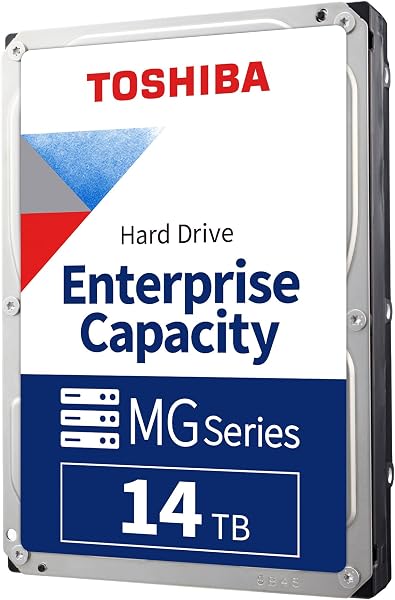
The Toshiba MG07ACA14TE 14TB renewed enterprise drive utilizes Toshiba's 9-disk helium-sealed mechanical architecture. By replacing internal air with helium, Toshiba reduces aerodynamic drag on the spinning disk stack, enabling 9 ultra-thin platters to operate inside a standard 3.5-inch drive housing.
We may earn a commission when you buy through this link, at no additional cost to you.
Running at 7200 RPM with a 256MB cache, this drive features Toshiba’s Persistent Write Cache (PWC) technology. PWC buffers incoming write commands in flash-backed cache memory during sudden power loss events, preventing data corruption and preserving array integrity in mission-critical storage systems.
Built for continuous 24/7 enterprise operation, the MG07 drive handles high annual workload ratings with ease. Its robust physical casing and internal vibration suppression make it well-suited for deployment in multi-bay NAS chassis, rackmount chassis, and high-density backup servers.
Toshiba’s PWC implementation protects unwritten data in the cache during unexpected power interruptions. This hardware safeguard protects RAID metadata and prevents volume degradation when un-interruptible power supplies (UPS) fail.
As a recertified drive, this 14TB Toshiba unit offers enterprise features, fast 7200 RPM speeds, and power-efficient helium performance at a fraction of standard retail prices. It is an attractive choice for expansion pools in homelabs and small business storage servers.
Applications requiring completely silent desktop operation.
We may earn a commission when you buy through this link, at no additional cost to you.
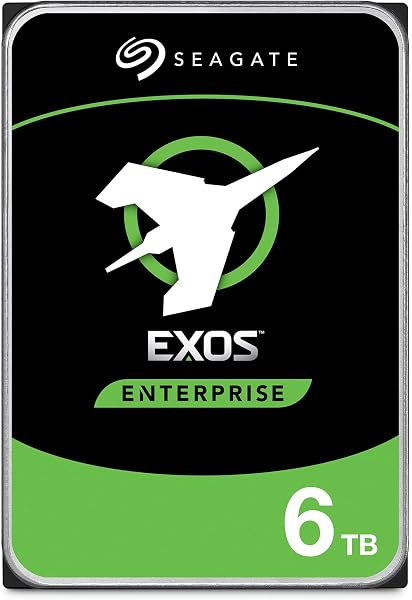
The Seagate Exos 7E8 6TB (ST6000NM0115) renewed drive is engineered to handle demanding enterprise workloads in 24/7 operational environments. Rated for up to 550TB per year—roughly 10 times the rating of standard desktop drives—this drive is built for continuous data writes, virtual machine storage, and surveillance backup arrays.
We may earn a commission when you buy through this link, at no additional cost to you.
Featuring a 7200 RPM rotational speed, 256MB cache, and SATA 6Gb/s interface, the Exos 7E8 delivers rapid burst speeds and consistent sequential transfer performance. Its physical chassis is optimized for thermal dissipation and structural rigidity in high-density server environments.
Supported by a 2-million-hour MTBF rating, this drive includes advanced rotational vibration dampening and error correction capabilities. These features ensure the drive remains online and stable inside multi-bay NAS systems subjected to constant mechanical feedback from neighboring drives.
With a 550TB annual workload rating, the Exos 7E8 handles continuous write operations far beyond the limits of standard consumer NAS drives. This makes it an effective choice for video surveillance recording, continuous system logging, and automated backup targets.
While its 6TB capacity is modest compared to 14TB or 26TB options, its strong durability profile makes it a reliable choice. For small businesses, surveillance storage, or backup servers requiring continuous writing, this renewed Exos 7E8 drive offers high endurance at an accessible price.
Shoppers prioritizing ultra-high density per drive bay.
We may earn a commission when you buy through this link, at no additional cost to you.
Selecting the right hard drive for network-attached storage requires evaluating critical technical factors beyond simple storage capacity. This guide breaks down essential features including magnetic recording methods, rotational speeds, vibration controls, and firmware configurations.
The underlying magnetic recording technology is one of the most critical specifications to verify when buying a drive for network-attached storage. Conventional Magnetic Recording (CMR) writes data tracks parallel to one another without overlap, ensuring that writing new data to one track never disturbs adjacent data. Shingled Magnetic Recording (SMR), by contrast, overlaps tracks like roof shingles to increase storage density at lower manufacturing costs. While SMR works adequately for single-drive desktop file storage where read operations dominate, it presents severe performance risks inside multi-bay RAID storage pools.
When an SMR drive receives continuous write commands, it must read, temporarily buffer, and rewrite entire blocks of overlapping tracks. In a NAS environment, this re-writing process causes severe write speed degradation, sometimes dropping performance to single-digit megabytes per second. During a RAID array rebuild—when a replaced drive is being repopulated with data—this slowdown can cause the RAID controller to time out, drop the drive, and potentially lead to total volume failure. CMR drives maintain consistent write performance throughout extended writing operations, making them the standard recommendation for any multi-bay storage array.
Always select CMR drives for NAS deployments, RAID configurations, and virtualized storage pools. While SMR drives may offer a lower purchase price, the risk of extended RAID rebuild times and drive dropouts makes CMR worth the investment.
Hard drive spindle speed, measured in Revolutions Per Minute (RPM), directly impacts sequential transfer speeds, rotational latency, and operating temperatures. Most NAS hard drives fall into two categories: lower-speed models running between 5400 RPM and 5640 RPM, and high-performance models running at 7200 RPM. Drives running at 5400 RPM offer quieter operation, lower power draw, and reduced heat output. These qualities make them popular for compact desktop NAS chassis located in living rooms or quiet office spaces.
Conversely, 7200 RPM drives deliver faster sustained transfer rates and lower seek latencies, accelerating access to large files, database queries, and multi-user video editing projects. However, the higher rotational velocity generates more heat and physical vibration, requiring efficient chassis cooling and power delivery. Modern high-capacity drives (12TB and above) frequently utilize 7200 RPM motors paired with helium-sealed enclosures to help mitigate the extra drag, heat, and power consumption usually associated with higher spin speeds.
If your primary goals are low noise output and energy efficiency in a home media server, a 5400 or 5640 RPM drive provides plenty of performance. If you run business databases, virtual machines, or multiple simultaneous 4K streams, opt for 7200 RPM models to maximize access speeds.
In a network storage enclosure housing multiple hard drives, the physical spin and actuator head sweeps of each drive create mechanical resonance. Left unchecked, this vibration transfers through the chassis to neighboring drives, causing tracking errors as read/write heads struggle to stay aligned over narrow data tracks. Specialized NAS and enterprise drives include integrated Rotational Vibration (RV) sensors that measure physical chassis resonance in real time, adjusting micro-actuators to compensate for vibration before tracking errors occur.
Standard desktop hard drives usually lack physical RV sensors and are designed to operate as isolated single drives inside a PC tower. Deploying desktop drives in an 8-bay or 12-bay NAS enclosure often leads to performance degradation, increased wear on motor bearings, and higher drive failure rates over time. Purpose-built NAS drives like Seagate IronWolf and Western Digital Red Plus include built-in vibration mitigation specifically designed for multi-bay enclosures.
Verify the maximum bay support rating for any drive before purchasing. Standard NAS drives typically support up to 8 bays, while enterprise models (like Seagate Exos or Toshiba MG series) are rated for dense 12 to 24-bay rackmount server enclosures.
Hard drive endurance specifications help buyers assess how much data a drive can handle annually without premature hardware failure. The Workload Rate Limit defines the total volume of data written to or read from the drive over a 12-month period. Standard desktop hard drives are rated for roughly 55TB per year under typical home computing usage. Dedicated NAS drives step up to 180TB per year, while enterprise drives are built for heavy environments with ratings up to 550TB per year.
Alongside workload limits, manufacturers state reliability using Mean Time Between Failures (MTBF). Consumer NAS drives typically feature MTBF ratings of 1.0 to 1.2 million hours, whereas enterprise drives reach 2.0 to 2.5 million hours. These figures represent statistical reliability across large drive deployments, highlighting the stronger components, thicker platter substrates, and refined motor bearings used in higher-tier hard drives.
Match drive endurance metrics to your real-world usage patterns. Simple personal backups rarely exceed 180TB per year, but surveillance servers, continuous virtual machine storage, and shared media editing systems require the 550TB per year endurance offered by enterprise-class drives.
Firmware optimization is a key differentiator between standard desktop storage and network-attached storage drives. When a desktop drive encounters a unreadable disk sector, its internal firmware will pause operations for up to several minutes trying to recover the data. While this behavior is acceptable on a desktop PC, it can cause severe issues inside a multi-drive RAID array.
Hardware and software RAID storage controllers expect prompt responses from every attached drive. If a drive stops responding for more than 7 to 15 seconds while performing internal error recovery, the RAID controller assumes the drive has suffered a physical failure and drops it from the array. This triggers a degraded array state and forces a lengthy rebuild process. NAS drives feature Time-Limited Error Recovery (TLER in Western Digital drives, ERC in Seagate drives), which limits internal recovery attempts to a few seconds before reporting the issue to the RAID controller, keeping the drive online.
Never use standard desktop drives lacking TLER or ERC inside critical RAID arrays. Purpose-built NAS and enterprise drives ensure seamless communication with hardware and software RAID controllers like ZFS, mdadm, and hardware RAID cards.
Operating noise and electrical consumption are important considerations for home offices and media environments. A NAS running 24/7 draws power continuously, making idle and active wattage ratings relevant to long-term operating costs. Low-RPM drives consume around 3 to 5 watts while idling, whereas high-speed enterprise drives can draw 7 to 10 watts per unit. Across a 4-bay or 8-bay array, this difference can add up over years of continuous operation.
Acoustic noise consists of drive idle hum (motor spin) and seek chatter (actuator movement). Air-filled enterprise drives running at 7200 RPM produce noticeable click-clack seek sounds during random file access, which can be distracting in quiet living spaces. Low-RPM consumer NAS drives produce significantly less operational noise. Additionally, high-capacity helium-sealed drives run quieter than air-filled high-capacity drives because the lower density of helium gas reduces internal aerodynamic turbulence.
For desktop server builds in bedrooms or quiet home offices, prioritize 5400/5640 RPM NAS drives or helium-sealed models to keep noise and thermal output low. For dedicated server rooms or basements, louder 7200 RPM air-filled enterprise drives offer great performance without noise concerns.
Proper deployment begins with thorough drive testing before placing new drives into production RAID arrays. Perform a complete surface scan or extended S.M.A.R.T. self-test using software utilities like BadBlocks, CrystalDiskInfo, or your NAS operating system’s built-in diagnostics. Running a full write/read test cycle helps identify shipping damage or infant mortality failures before you entrust critical data to the array.
Maintain adequate ventilation and thermal control within your storage enclosure. NAS drives are engineered to operate within ambient temperatures up to 60°C, but sustained operational temperatures above 45°C shorten electronic lifespan and accelerate mechanical wear. Ensure drive bay fan grilles remain free of dust buildup, replace air filters periodically, and leave adequate space around fan vents to allow cool intake air to circulate across all drive sleds.
Implement real-time health monitoring and schedule automated S.M.A.R.T. testing. Configure your network storage OS to run quick S.M.A.R.T. checks weekly and extended self-tests monthly, along with email or push notifications for warning indicators like reallocated sector counts or raw read error rates. Connecting your NAS to an Uninterruptible Power Supply (UPS) via USB further protects your drives against abrupt power outages and sudden voltage spikes.
NAS hard drives are built for continuous 24/7 operation in multi-drive enclosures. They include specialized firmware with Time-Limited Error Recovery (TLER) to prevent RAID dropouts, rotational vibration (RV) sensors to handle multi-drive resonance, and CMR recording technology to maintain write performance under heavy loads. Standard desktop drives lack these vibration and error-recovery controls.
Yes, you can mix hard drive brands and capacities in many modern NAS environments, but there are practical limitations. In traditional RAID setups (like RAID 5 or RAID 6), the array will default to the speed and capacity of the smallest, slowest drive in the group. Flexible volume managers like Synology Hybrid RAID (SHR) or Unraid allow you to mix capacities more efficiently without wasting storage space.
Conventional Magnetic Recording (CMR) writes data tracks side-by-side without overlapping, providing consistent write speeds during heavy operations. Shingled Magnetic Recording (SMR) overlaps tracks to save manufacturing costs, which leads to significant performance slowdowns during sustained random writes. In a NAS, SMR drives can cause extremely slow RAID rebuild times and potential drive timeouts.
Renewed and recertified enterprise hard drives offer strong value, providing high storage capacity and high endurance at lower prices. They are generally safe when purchased from reputable vendors that perform thorough factory testing. However, it is essential to run full surface diagnostic tests (such as BadBlocks or extended S.M.A.R.T. scans) upon receipt and maintain an offsite backup strategy.
Most NAS hard drives are rated for an operational lifespan of 3 to 5 years under continuous 24/7 use, backed by manufacturer warranties spanning 3 to 5 years. With proper enclosure cooling, stable power delivery via a UPS, and minimal physical shock, quality NAS drives frequently run reliably for 5 to 7 years.
Helium-filled drives are not mandatory, but they offer distinct advantages in higher capacity tiers (typically 12TB and above). Helium creates less internal aerodynamic drag than air, allowing manufacturers to fit more platters into a standard 3.5-inch casing while reducing power consumption, heat generation, and acoustic noise.
Ideal operating temperatures for NAS hard drives range between 25°C and 40°C (77°F to 104°F). Operating drives consistently above 45°C accelerates thermal degradation of electrical components and lubricated spindle bearings, increasing the likelihood of failure over time.
TLER limits the time a drive spends attempting to read a corrupted sector internally (usually capping it at 7 seconds). Instead of freezing operations for minutes like a desktop drive, the drive reports the read error directly to the RAID controller. The controller then reconstructs the missing data using the array's parity information, preventing the drive from being dropped from the array.
Selecting the best NAS hard drive comes down to balancing capacity requirements, performance demands, operating noise, and total budget. For general home storage, media streaming, and multi-user document access, the Seagate 8TB IronWolf stands out as a balanced top choice. Its integrated rotational vibration handling, conventional magnetic recording architecture, and telemetry health software make it an ideal fit for multi-bay enclosures.
For buyers prioritizing quiet operation, low heat generation, and energy efficiency, the Western Digital 8TB WD Red Plus offers a compelling alternative with its controlled 5640 RPM spindle speed and dedicated NASware firmware. Meanwhile, users scaling up high-density backup repositories, homelabs, or enterprise server racks can leverage recertified high-capacity options like the Seagate Exos 26TB or Exos X14 14TB to gain enterprise endurance at a cost-effective price point.
Before making a final purchase, calculate your total storage needs accounting for RAID parity overhead, verify that your selected drives use CMR recording technology, and check drive bay compatibility. Investing in purpose-built NAS hardware ensures long-term array stability, smooth rebuild operations, and consistent protection for your data assets.