Apple MacBook Neo
9.2Editor scoreApple A18 Pro chip
8GB unified memory
256GB SSD drive
13 inch Retina display
Discover the best laptops for college in 2026. Compare processing power, memory, battery life, and portability across top student laptops.
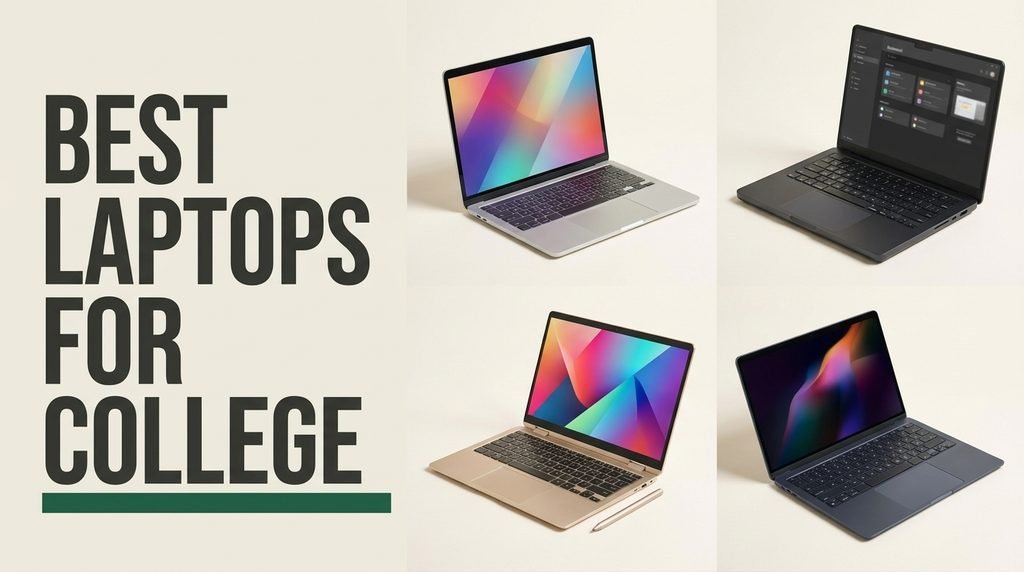
Find the right laptops for college for 2026. We compare 10 standout options by the factors that matter in this category, such as processing performance, memory capacity, battery endurance, display clarity, keyboard ergonomics, port versatility, owner feedback, value, and everyday campus mobility.
Selecting a college notebook requires balancing daily physical portability with internal computing capabilities. Modern university coursework ranges from simple web browsing and document editing to heavy data analysis and software development, demanding reliable hardware that can keep pace without requiring constant plug-in breaks between classes.
Whether you need an ultra-portable laptop for rushing across campus or a larger screen for multi-window research, evaluating trade-offs in system RAM, storage speed, battery life, and overall build quality ensures your investment supports your academic journey effectively from orientation day straight through to graduation.
We compared 10 college laptops using the specific metrics that directly affect student productivity: real-world battery endurance, system memory capacity, processor responsiveness, display readability under lecture hall lighting, port selection, keyboard comfort, and long-term durability. Our evaluation focuses on practical everyday trade-offs so each recommended pick connects directly to real student workflows, academic majors, and budget priorities.


Compare key features, scores, and current prices side by side. A shorter feature list means fewer details were available, not necessarily fewer capabilities.


The Lenovo IdeaPad Slim-3i is configured for complete out-of-the-box utility, combining an Intel N150 processor and 8GB of fast LPDDR5 RAM with a full accessory kit. The bundle includes a 1-year Office 365 subscription, a wireless mouse, an external CD/DVD drive, and a removable 256GB SD card that expands total storage capacity to 384GB.
We may earn a commission when you buy through this link, at no additional cost to you.
Featuring a 15.6-inch Full HD anti-glare display, this notebook keeps spreadsheets, online research portals, and digital textbooks legible under bright indoor lighting. High-speed Wi-Fi 6 technology ensures stable network connections across crowded campus Wi-Fi environments.
Privacy is prioritized with a physical webcam shutter integrated directly into the 720p HD camera housing. Port options are practical, featuring a full-function USB-C port, dual USB-A connections, HDMI, and an SD card reader for easy hardware pairing.
The integrated sliding camera cover gives students instant privacy assurance. Once your online class or group meeting concludes, a simple slide physically blocks the camera lens.
This comprehensive package is ideal for students who want a complete, ready-to-use setup without buying accessories separately. Power users needing high-end graphics performance should consider models with discrete graphics cards.
Creative or engineering majors requiring discrete graphics acceleration.
We may earn a commission when you buy through this link, at no additional cost to you.
The Apple MacBook Neo 13-inch is tailored for college students who prioritize exceptional battery life, silent operation, and long-term durability. Its integrated A18 Pro processor handles daily class note-taking, text summarization, and multitasking across academic web portals smoothly without excessive power consumption or heat build-up.
We may earn a commission when you buy through this link, at no additional cost to you.
Featuring a 13-inch Liquid Retina display, text remains crisp and legibility remains high whether you are reviewing dense journal articles in the library or typing essays outdoors. The built-in 1080p FaceTime HD camera paired with dual microphones ensures clear voice transmission during remote seminars and group study sessions.
Daily mobility is backed by an impressive 16-hour battery rating. This extended runtime allows you to leave your power adapter in the dorm room during morning lectures and carry on through late-night study sessions in the dining hall or student union without seeking out open wall outlets.
For students already utilizing an iPhone, the Continuity features offer significant practical advantages. You can easily copy text or images on your phone and paste them directly into a document on your laptop, or answer calls and messages without interrupting your workflow.
Students in general education, humanities, communications, or business fields will benefit immensely from macOS responsiveness and iPhone cross-device synchronization. STEM majors relying on Windows-exclusive engineering packages should confirm program compatibility before choosing an Apple silicon device.
Students enrolled in majors requiring Windows-native engineering or legacy software applications.
We may earn a commission when you buy through this link, at no additional cost to you.
The Acer Aspire Lite 15 stands out as a practical choice for students who run multiple research applications simultaneously. Equipping a full 16GB of DDR4 RAM alongside a 256GB NVMe solid-state drive, it prevents application lag when toggling between dozens of browser tabs, video feeds, and writing tools.
We may earn a commission when you buy through this link, at no additional cost to you.
Its energy-efficient 4-core Intel N150 processor keeps operational temperatures low while running office suites, web meetings, and media streaming. The 15.6-inch Full HD IPS screen utilizes ComfyView anti-glare technology to reduce reflections from overhead lights, offering wide viewing angles for joint group study.
Data input is fast and accurate thanks to the inclusion of a full-size keyboard deck featuring a dedicated numeric keypad, making it well-suited for accounting, math, and science coursework. Full-function USB-C, dual USB-A, HDMI 2.1, and Wi-Fi 6 connections ensure simple connection to campus displays and accessories.
The 15.6-inch 1080p panel provides comfortable screen real estate to snap two windows side-by-side. You can keep a lecture recording or digital textbook open on one side while taking organized notes on the other half without constant window toggling.
This configuration represents excellent practical value for students who prioritize broad memory capacity and screen size for research-heavy workloads. Users looking for advanced 3D graphics rendering or heavy gaming capabilities will require a model with discrete graphics.
Users needing heavy discrete GPU performance for complex 3D modeling or modern gaming.
We may earn a commission when you buy through this link, at no additional cost to you.
Designed for students who want a desktop replacement experience in their dorm room, the HP 17 Business Laptop combines a massive 17.3-inch Full HD display with robust multi-core processing. Powered by an AMD Ryzen 5 processor and 16GB of RAM, it handles large spreadsheets, statistics programs, and media projects effortlessly.
We may earn a commission when you buy through this link, at no additional cost to you.
The expansive anti-glare screen reduces eye fatigue during extended study sessions, offering clear text and sharp detail. Storage is generous, with a 512GB PCIe SSD providing plenty of space for multiple semesters of project archives, textbook downloads, and software installations.
Despite its large screen dimension, the overall profile remains manageable for occasional transport. Battery charging is accelerated by HP Fast Charge technology, while the Wide Vision 720p HD webcam with digital array microphones delivers clear video and audio quality during virtual group assignments.
The wide keyboard deck allows for comfortable key spacing and a dedicated numeric pad, reducing wrist strain during long essay drafting sessions or detailed financial calculation entries.
This large-format laptop is ideal for students who spend most of their study time at a fixed desk and value maximum screen area for multi-tasking. If your daily schedule involves walking miles between lecture halls, a smaller 13-inch or 14-inch model may offer better portability.
Students seeking an ultra-lightweight travel laptop for compact lecture hall armrest desks.
We may earn a commission when you buy through this link, at no additional cost to you.
The Lenovo V15 Laptop brings serious computing capability to campus with its 6-core, 12-thread AMD Ryzen 5 5500U processor. This multi-threaded layout offers strong computational speed, making it an excellent choice for computer science majors, engineering students running simulations, or data analysis workflows.
We may earn a commission when you buy through this link, at no additional cost to you.
Equipped with 16GB of high-speed RAM and a 512GB NVMe solid-state drive, system boot times are nearly instantaneous and file access is immediate. Operating on Windows 11 Pro, it includes advanced security and administrative tools that align well with university network protocols.
A key physical advantage of the Lenovo V15 is its built-in RJ45 Ethernet port alongside HDMI and multiple USB ports. Having a direct wired network connection is a major asset in university dorms where wireless channels can become congested during peak evening hours.
While many modern laptops omit physical network ports, the built-in Ethernet jack lets you connect directly to high-speed dorm networks for lag-free online test submissions, large dataset downloads, and stable video calls.
This model is strongly recommended for students in technical or quantitative disciplines who need reliable multi-core processing power and physical port versatility. Casual users needing only basic web browsing can find lighter alternatives tailored for simpler tasks.
Casual buyers seeking a basic ultra-lightweight notebook solely for simple text entry.
We may earn a commission when you buy through this link, at no additional cost to you.
Built for portable daily productivity, the HP 2027 Everyday Laptop weighs just 3.24 pounds with a slim 0.71-inch profile. Driven by an energy-efficient Intel N150 quad-core processor and LPDDR5 memory, it handles lecture note-taking, email, web research, and video playback easily.
We may earn a commission when you buy through this link, at no additional cost to you.
A modern feature of this notebook is the dedicated Microsoft Copilot AI key built into the keyboard deck. This button provides immediate access to intelligent writing assistance, draft summarization, and study organization tools directly within Windows 11.
Battery runtime is strong, offering up to 11 hours of video playback on a single charge. Combined with Wi-Fi 6 wireless connectivity, an HD webcam with noise reduction, and an included 1-year Microsoft 365 subscription, this laptop is ready for daily class use right out of the box.
The physical Copilot AI key allows students to rapidly summarize lengthy research documents, rephrase rough draft paragraphs, or generate study outlines without opening extra browser extensions.
This compact machine is well-suited for humanities majors, incoming freshmen, or budget-conscious buyers who want a light backpack companion. Students who regularly run multiple heavy applications at once should consider models with higher RAM capacities.
Power users who run heavy multitasking workflows or local virtual machine environments.
We may earn a commission when you buy through this link, at no additional cost to you.
The 15.6" FHD IPS Student Laptop fills an appealing niche by pairing 12GB of system RAM with a 256GB solid-state drive at an accessible price. This 12GB memory tier provides noticeably better multitasking headroom than standard entry-level 4GB or 8GB notebooks, helping maintain smooth performance across multiple open apps.
We may earn a commission when you buy through this link, at no additional cost to you.
Its 15.6-inch Full HD display uses IPS technology to deliver clear text and broad 178-degree viewing angles. A notable functional design choice is the 180-degree lay-flat hinge, which allows the laptop screen to fold completely flat on a table for easy collaboration during group study sessions.
Storage flexibility is a strong point, featuring a modular bay capable of expanding up to 2TB via a secondary SSD or up to 1TB using a microSD card. Physical connections are broad, including USB 3.2, full-featured USB-C, Mini HDMI, and dual-band Wi-Fi.
The 180-degree hinge makes group work straightforward. Laying the laptop flat on a library table allows every team member to view presentation drafts, code, or charts without gathering behind one chair.
This model is a solid choice for students seeking a mid-sized display with enhanced memory headroom for group projects and general study. Users who spend long days away from wall outlets will need to keep their compact charger handy.
Students who require all-day unplugged battery performance without carrying an AC adapter.
We may earn a commission when you buy through this link, at no additional cost to you.
For shoppers prioritizing strict budget efficiency without sacrificing screen clarity, this 15.6-inch Student Laptop provides an impressive 1080p Full HD IPS screen at a low cost. Powered by an Intel Celeron N4020 processor and 4GB of LPDDR4 RAM, it is designed for core academic work like note-taking, paper writing, and cloud document editing.
We may earn a commission when you buy through this link, at no additional cost to you.
A major benefit of this design is its advanced fanless cooling architecture. Operating in total acoustic silence, students can type notes in quiet university reading rooms or late-night dorm environments without disturbing others with fan noise.
Charging is convenient thanks to a modern Type-C Power Delivery (PD) 45W port. This allows users to recharge the system quickly using standardized USB-C wall chargers or high-capacity portable power banks. Dual-band AC Wi-Fi and Bluetooth ensure stable wireless pairing for web work.
The passive fanless cooling system ensures zero operational noise under load. You can work in whisper-quiet study lounges with complete confidence that your laptop will remain totally silent.
This notebook is best suited for general education students or secondary device buyers who need an affordable machine for simple documents and web portals. It is not designed for resource-heavy software suites or video editing.
Students needing to run demanding engineering software or intensive application suites.
We may earn a commission when you buy through this link, at no additional cost to you.
The HP 2026 14" Laptop is engineered for students who prioritize compact size and battery life during long days on campus. Driven by an Intel N150 quad-core CPU and LPDDR5 RAM, it offers responsive handling for web portals, digital textbooks, and document editing.
We may earn a commission when you buy through this link, at no additional cost to you.
Its 14-inch anti-glare screen uses micro-edge bezels to maintain a 79% screen-to-body ratio, allowing the laptop to slip easily into small backpacks or totes. An included 1-year Microsoft 365 subscription provides 1TB of OneDrive cloud storage, ensuring your coursework is backed up safely.
Wireless performance is strong thanks to Wi-Fi 6 and Bluetooth 5.4 integration. Physical connectivity is versatile, offering a 10Gbps USB Type-C port with DisplayPort output alongside standard USB-A ports and HDMI for connecting to external monitors in campus study rooms.
The 10Gbps USB Type-C port supports DisplayPort 1.2 video output, enabling quick single-cable connections to external desktop screens in library study rooms.
This 14-inch machine is a practical pick for students who value lightweight travel and cloud integration. Users who regularly work with large multi-gigabyte local files may want to opt for higher local solid-state drive capacities.
Students who require high-density Full HD display panels for graphic design.
We may earn a commission when you buy through this link, at no additional cost to you.
The Dell 15.6 Laptop delivers consistent daily performance powered by the Intel Core 3 100U processor and 8GB of memory. This hardware setup provides fluid responsiveness for web research, document creation, online exams, and video streaming across various subjects.
We may earn a commission when you buy through this link, at no additional cost to you.
To improve comfort during extended typing sessions, Dell uses a lifted hinge layout that angles the keyboard deck slightly when opened. Dell ComfortView software helps lower blue light emissions from the 15.6-inch Full HD screen, reducing visual fatigue during late-night study sessions.
The spacious keyboard deck includes a dedicated numeric keypad and a calculator hotkey, speeding up data entry for math and business assignments. Support for ExpressCharge technology lets you top up battery capacity quickly between classes.
Dell ComfortView software reduces blue light emissions while maintaining screen color balance, allowing students to read online research papers for longer periods with less visual strain.
This Dell laptop is a dependable choice for college students seeking reliable brand construction and comfortable ergonomics. Students needing advanced GPU acceleration for 3D modeling will need dedicated graphics options.
Creative majors who require high-end color-accurate discrete graphics hardware.
We may earn a commission when you buy through this link, at no additional cost to you.
Selecting the best laptop for college requires matching key hardware specifications to your major, daily campus routine, and study habits. This guide breaks down the essential factors every student should consider before purchasing.
The central processing unit (CPU) and random-access memory (RAM) form the core hardware foundation of any campus laptop. For general academic activities—such as typing papers, researching online, streaming lectures, and managing email—efficient quad-core processors like the Intel N150 or Core 3 provide smooth, responsive speed while keeping battery consumption low. However, students in STEM majors, computer science, data analytics, or digital media will benefit from higher-tier multi-core processors like the AMD Ryzen 5 or Apple A18 Pro, which execute code compilation, statistical processing, and media exports significantly faster.
System memory dictates how many applications and browser research tabs your laptop can run simultaneously without slowing down. While 4GB of RAM can manage simple single-task workflows, 8GB to 16GB is the recommended benchmark for modern college workloads. Having 16GB of system RAM lets you keep multiple heavy PDF files, web portals, communication apps, and document editors open at once without experiencing lag or application reloads.
If your coursework involves multi-tasking or specialized software, prioritize models with 8GB or 16GB of RAM from the start. Selecting sufficient memory upfront ensures your notebook remains fast and functional throughout all four years of university.
Campus life demands strong battery endurance. Student schedules often involve moving across lecture halls, libraries, dining facilities, and dorm rooms over a 10-to-12-hour span where open wall outlets may be limited. Look for laptops that offer realistic battery life ratings of 8 to 16 hours under regular web browsing and writing conditions.
Charging versatility is equally valuable. Laptops supporting USB-C Power Delivery (PD) or proprietary fast-charging protocols (like ExpressCharge or HP Fast Charge) allow you to gain significant battery percentage during brief 30-minute study breaks. Universal USB-C charging also means you can utilize high-capacity portable power banks or shared charger cables when traveling light.
Opt for a laptop that comfortably lasts through your typical class day unplugged. If you choose a model with shorter battery runtime, ensure it supports universal USB-C fast charging so you can power up quickly between lectures.
Choosing display size involves a direct tradeoff between physical screen area and backpack portability. Compact 13-inch and 14-inch laptops offer featherweight mobility, fitting easily onto small lecture hall desk trays and into compact bags. On the other hand, 15.6-inch and 17.3-inch displays provide broader screen real estate, making side-by-side document editing, coding, and spreadsheet work far more comfortable.
Display panel specifications affect visual legibility and long-term eye comfort. A Full HD (1920 x 1080) resolution serves as the baseline for crisp text. Selecting an IPS (In-Plane Switching) or Liquid Retina panel ensures broad viewing angles and clear color, while anti-glare matte screen coatings reduce reflections from harsh overhead library lighting.
Choose a 13-inch or 14-inch display if your priority is lightweight transit across campus. Pick a 15.6-inch panel if you regularly work with side-by-side research documents and value a dedicated numeric keypad.
Solid-State Drive (SSD) speed plays a vital role in overall system responsiveness. SSDs allow laptops to boot in seconds, open software instantly, and transfer large project files quickly compared to legacy mechanical drives. Formats like NVMe PCIe SSDs offer top-tier performance for demanding academic tasks.
Storage capacity needs depend on your file storage habits. Entry-level capacities of 128GB or 256GB work well for students who rely primarily on cloud storage platforms like Microsoft OneDrive or Google Drive. However, if you plan to install large local software packages, save high-resolution media, or archive multiple semesters of coursework offline, choosing 512GB or expandable storage options is recommended.
Aim for at least 256GB of fast SSD storage for a smooth experience. If you opt for a 128GB model, pair it with cloud services or microSD expansion to avoid local storage limitations.
College students spend hours typing term papers, taking lecture notes, and messaging study groups. Prioritize keyboards with clean key travel, tactical feedback, and comfortable spacing. Features like lifted typing hinges and full numeric keypads can noticeably reduce wrist strain during long writing sessions.
With virtual group meetings and online courses widely used, webcam and microphone quality are essential considerations. A 720p or 1080p camera equipped with temporal noise reduction and dual digital microphones ensures clear video and voice quality during remote seminars. Physical webcam shutters also provide quick privacy when class finishes.
Look for a comfortable keyboard layout and a clear webcam configuration. Testing typing feel early ensures you can complete long essays and participate in online sessions comfortably.
Campus laptops require versatile physical ports to connect with lecture hall projectors, library monitors, thumb drives, and headphones without carrying extra dongles. Essential physical connections include full-featured USB Type-C, legacy USB Type-A ports, an HDMI output, and a 3.5mm audio jack.
Wireless connectivity is equally critical in high-density campus environments where hundreds of devices connect to the same Wi-Fi network. Laptops equipped with Wi-Fi 6 or Wi-Fi 6E offer faster data speeds, reduced latency, and stronger signal stability in crowded lecture halls and dorms.
Verify that your chosen laptop includes at least one USB-C port, standard USB-A ports, HDMI output, and Wi-Fi 6 capability to ensure smooth compatibility with campus technology infrastructure.
To maximize the lifespan and daily performance of your campus laptop, establish a clean maintenance routine from day one. Keep your operating system, web browsers, and antivirus software updated to protect against security risks on public university Wi-Fi networks. Always transport your laptop inside a padded backpack compartment or water-resistant sleeve to shield the screen panel and chassis corners from accidental drops or impacts.
Maintain battery health by avoiding leaving your laptop plugged in continuously once it reaches 100% capacity. Modern lithium-ion batteries perform best over time when kept between 20% and 80% charge during everyday use. Ensure cooling vents remain unobstructed by soft bedding when working in your dorm room to prevent thermal build-up and hardware strain.
Clean screen panels and keyboard surfaces regularly using a soft micro-fiber cloth lightly dampened with water or specialized display cleaner. Avoid spraying harsh household cleaning chemicals directly onto displays or trackpads. Keep liquids and snacks at a safe distance during study sessions to prevent accidental spills and key sticking.
For basic document editing, web research, and lecture streaming, 8GB of RAM offers a smooth experience. However, 16GB of RAM is ideal for students who keep dozens of research tabs open, run data analysis software, or multitask heavily across multiple programs without experiencing system slowdowns.
A 14-inch laptop offers superior travel portability and lighter weight, making it easier to carry between classes and fit onto compact lecture desk trays. A 15.6-inch laptop provides broader screen area for side-by-side documents and frequently includes a full numeric keypad, making it well-suited for finance, math, and data-heavy majors.
While macOS works exceptionally well for general education, business, humanities, and creative fields, certain STEM majors (such as mechanical engineering, architecture, or business analytics) rely on Windows-exclusive software tools. Always consult your specific academic department software guidelines before purchasing a Mac.
A practical college laptop should deliver at least 8 to 10 hours of real-world battery life under standard web browsing and writing conditions. High-efficiency models, such as MacBooks with Apple silicon, can extend unplugged battery runtime up to 16 hours.
128GB of internal storage can work if you rely primarily on cloud services like Microsoft OneDrive or Google Drive. However, 256GB or 512GB of solid-state storage is recommended if you plan to install local software packages, save high-resolution media, or store project archives offline.
Wi-Fi 6 provides better signal efficiency, faster data throughput, and improved performance in high-density environments like lecture halls and dormitories where hundreds of active devices share the same wireless network simultaneously.
Most general college students do not require a discrete graphics card (GPU), as modern integrated graphics handle Full HD streaming, video calls, and light photo editing easily. However, students in 3D animation, game design, architecture, or advanced engineering majors will require discrete GPU acceleration.
Always store your laptop inside a dedicated padded backpack pocket or a water-resistant protective sleeve. Avoid placing heavy textbooks directly against the laptop screen lid inside your bag to prevent screen pressure spots and accidental panel damage.
Selecting the ideal college laptop comes down to balancing processor speed, physical portability, battery endurance, and budget parameters. The Apple MacBook Neo 13-inch stands out as the overall top choice for its impressive 16-hour battery endurance, responsive A18 Pro chip, and durable aluminum build.
For students prioritizing value and Windows compatibility, the Acer Aspire Lite 15 provides an excellent combination of 16GB RAM, a sharp Full HD IPS display, and versatile port connections at an accessible price point. Budget-conscious buyers can also look to the fanless 15.6-inch Student Laptop or compact HP options for affordable daily note-taking performance.
Before making your decision, consider your specific academic major software needs, daily campus commute, and preferred screen size. Investing in a machine with sufficient memory, clear display quality, and dependable battery runtime will support your academic work smoothly through graduation day.