AULA F75 Pro
9.2Editor scoreCompact 75% keyboard layout
Tri-mode wireless connectivity
Hot-swappable Reaper switches
4000mAh rechargeable battery
Compare 10 top gaming keyboards across Hall Effect magnetic, hot-swappable mechanical, and quiet membrane designs to fit your desk layout and playstyle.
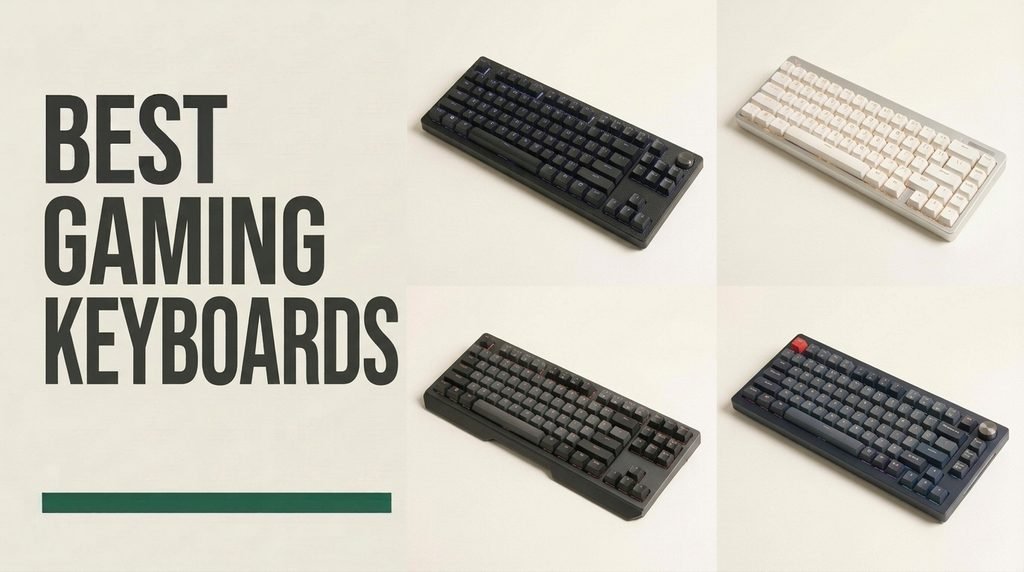
Find the right gaming keyboards for 2026. We compare 10 standout options by the details that matter at your desk, including switch mechanism, actuation speed, layout footprint, internal acoustic dampening, keycap durability, wired or tri-mode wireless connectivity, wrist support, and overall value.
Modern boards vary far more than simple clicky versus quiet keys. Shoppers now weigh adjustable Hall Effect magnetic sensors with Rapid Trigger against gasket-mounted hot-swappable mechanical builds and spill-resistant membrane designs, while choosing between full-size, 96 percent, tenkeyless, and ultra-compact 60 percent layouts.
Whether you need instantaneous counter-strafing for competitive shooters, dedicated macro columns for MMOs, or a refined multi-device wireless board that handles office work and evening matches equally well, matching switch behavior and form factor to your daily routine prevents costly buyer’s remorse.
We evaluated 10 gaming keyboards across the technical specifications and design trade-offs that directly impact play and daily typing: switch architecture, actuation distance, polling rate, layout footprint, acoustic foam layering, keycap materials, onboard media controls, connectivity options, and price-to-performance ratio. By weighing competitive responsiveness alongside practical desktop comfort and customization flexibility, these comparisons connect raw hardware specs to how players actually move, aim, and type every day.


Compare key features, scores, and current prices side by side. A shorter feature list means fewer details were available, not necessarily fewer capabilities.


The Logitech G316 X 98 earns our Editor's Choice award because it bridges two worlds that rarely meet smoothly: ultra-low-latency esports engineering and enthusiast-style mechanical keyboard craftsmanship. By arranging a complete number pad, arrow cluster, and function row into a condensed 98 percent footprint, it gives you full productivity utility while reclaiming valuable horizontal desk space for wide mouse movements. Whether you spend your day crunching numbers and coding or your evenings climbing competitive ranks, this board adapts without compromise.
We may earn a commission when you buy through this link, at no additional cost to you.
Performance is anchored by a true 8 kHz report rate, allowing the keyboard to communicate with your PC up to eight times faster than standard 1000 Hz gaming boards. Paired with smooth linear mechanical switches, key presses register with near-instantaneous precision. Unlike older mainstream gaming boards that felt rigid and pingy, the G316 X 98 utilizes a gasket-mounted internal structure padded with sound-dampening silicone and foam layers. Combined with textured double-shot PBT keycaps that resist oily shine over years of heavy use, every press feels cushioned, stable, and acoustically clean.
Usability is elevated by a clever interactive LED dot-matrix display and companion control dial built right into the top deck. Without opening software or leaving your active game window, you can twist and click the dial to verify or change your polling rate, tweak volume, adjust brightness, or control media playback. An interactive LIGHTSYNC RGB light bar along the chassis reacts dynamically to dial inputs, complementing 30 customizable light zones and per-key RGB illumination that can be fine-tuned alongside macros in Logitech G HUB.
A standard 100 percent full-size keyboard wastes nearly two inches of width on empty bezel space around the navigation keys. The 98 percent layout tucks the arrow keys underneath the Enter key and shifts the number pad inward, preserving dedicated numeric keys for work while keeping your mouse hand closer to your natural shoulder width during shooters.
Because the PCB features hot-swappable sockets, you are never locked into a single switch feel; you can pull out the stock linear switches and drop in tactile or silent replacements whenever your preferences evolve. While it lacks wireless connectivity and takes a day or two to get used to the tighter spacing around the right-hand arrow keys, the Logitech G316 X 98 delivers an unmatched combination of 8 kHz responsiveness, gasket-mounted acoustics, and 98 percent versatility under a hundred dollars.
Shoppers who require wireless multi-device switching or prefer wide gaps around the navigation and arrow clusters.
We may earn a commission when you buy through this link, at no additional cost to you.
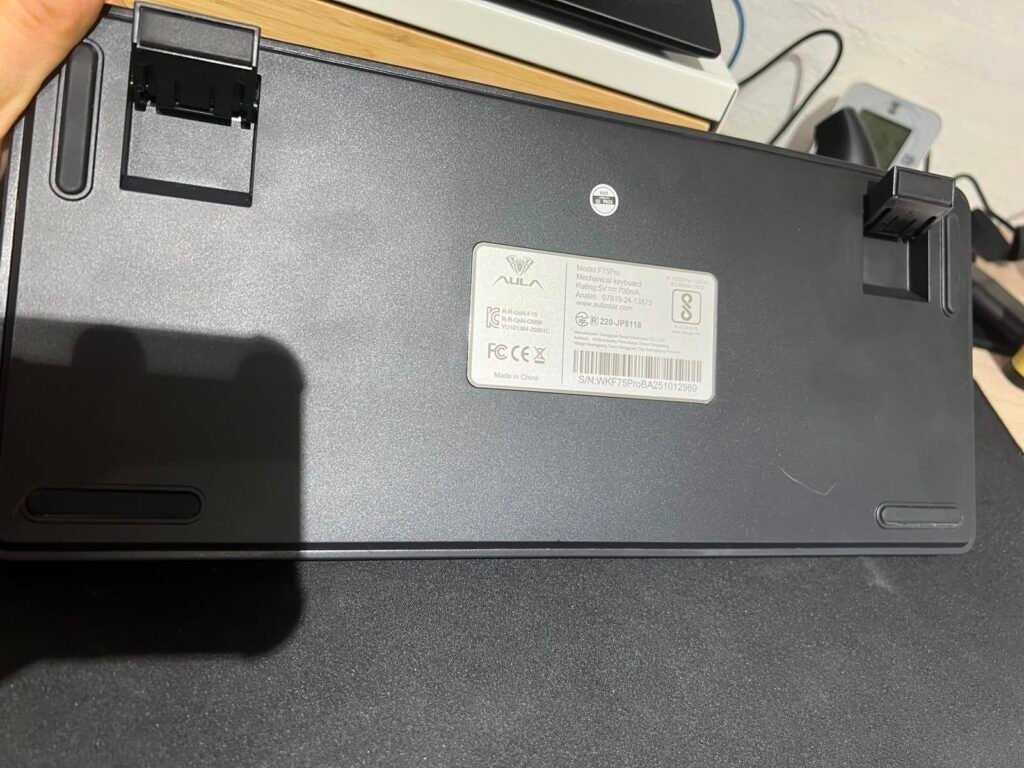
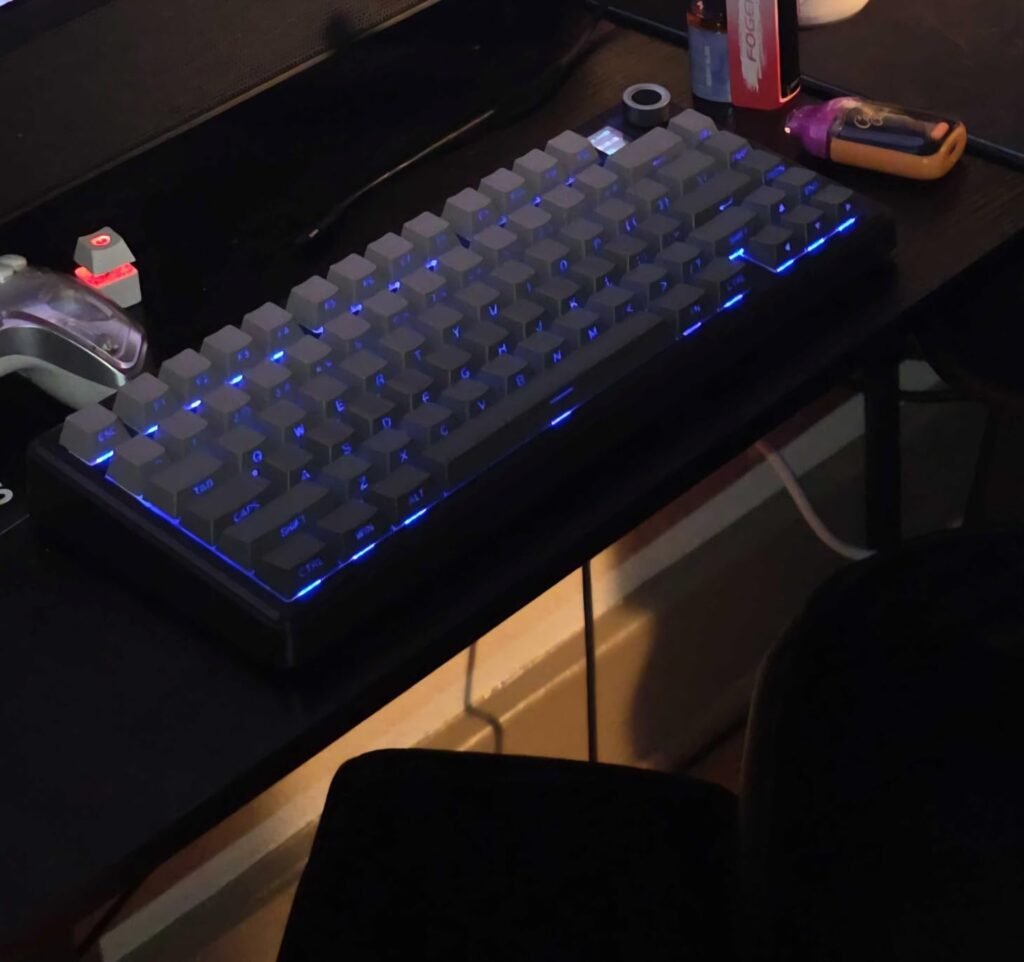
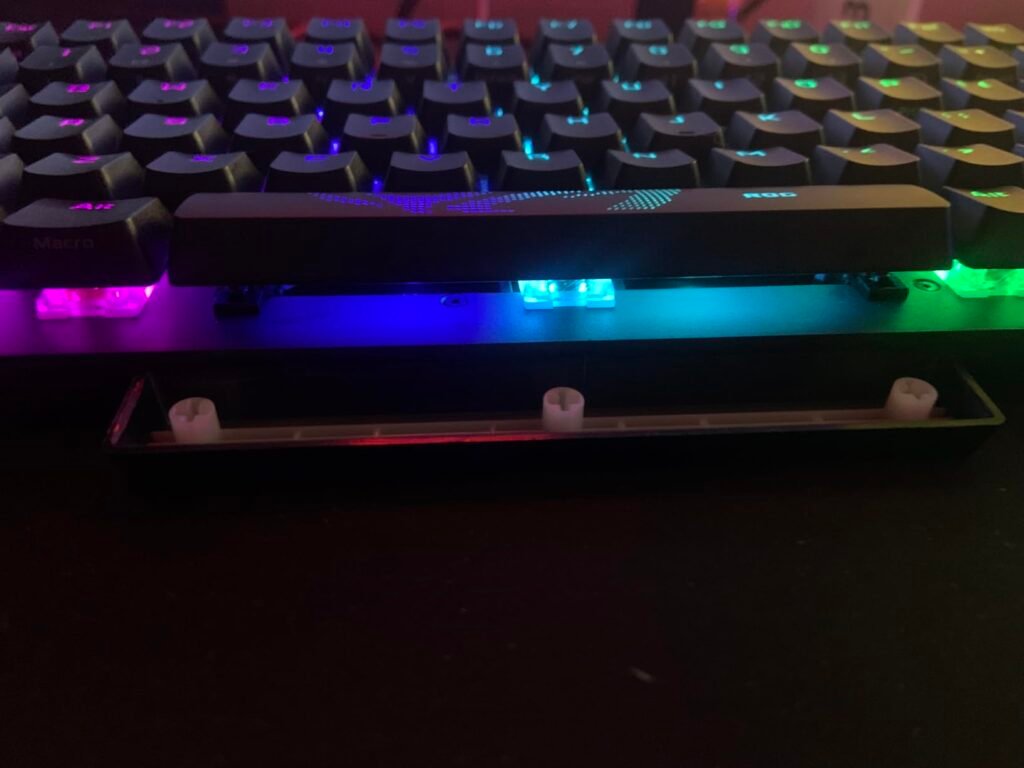
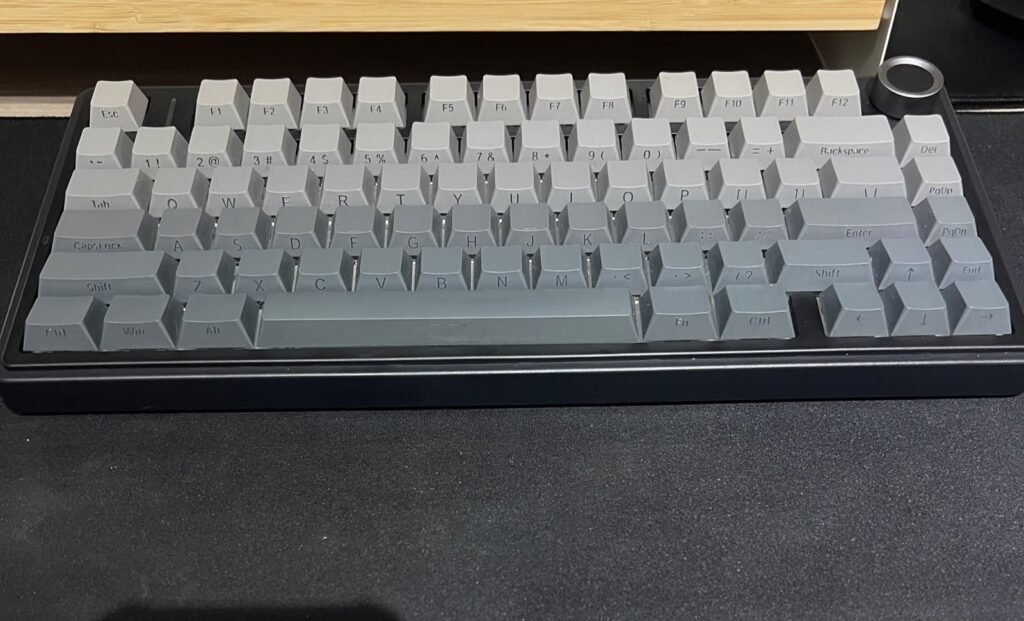
The AULA F75 Pro Wireless brings enthusiast-grade mechanical construction to a price bracket historically dominated by hollow, rattly plastic boards. Built around an 81-key 75 percent footprint, it trims away the number pad and condenses the navigation cluster to give low-sensitivity mouse players generous sweeping room while still keeping a dedicated function row and arrow keys. That balance makes it an exceptional value for gamers who want custom-keyboard acoustics and wireless versatility without spending over a hundred dollars or assembling parts from scratch.
We may earn a commission when you buy through this link, at no additional cost to you.
Under the gradient black keycaps, AULA combines factory-lubricated LEOBOG Reaper switches and pre-lubed stabilizers with a slotted PCB and an extended integrated silicone pad. Five separate layers of internal acoustic filling occupy the cavities between the circuit board, positioning plate, and bottom housing. Instead of the high-pitched metallic ping common on entry-level mechanical keyboards, each keystroke produces a muted, cushioned sound with slightly flexible rebound. Because the PCB uses universal hot-swap sockets that accept both 3-pin and 5-pin switches, beginners can easily experiment with alternative tactile or silent switches later on.
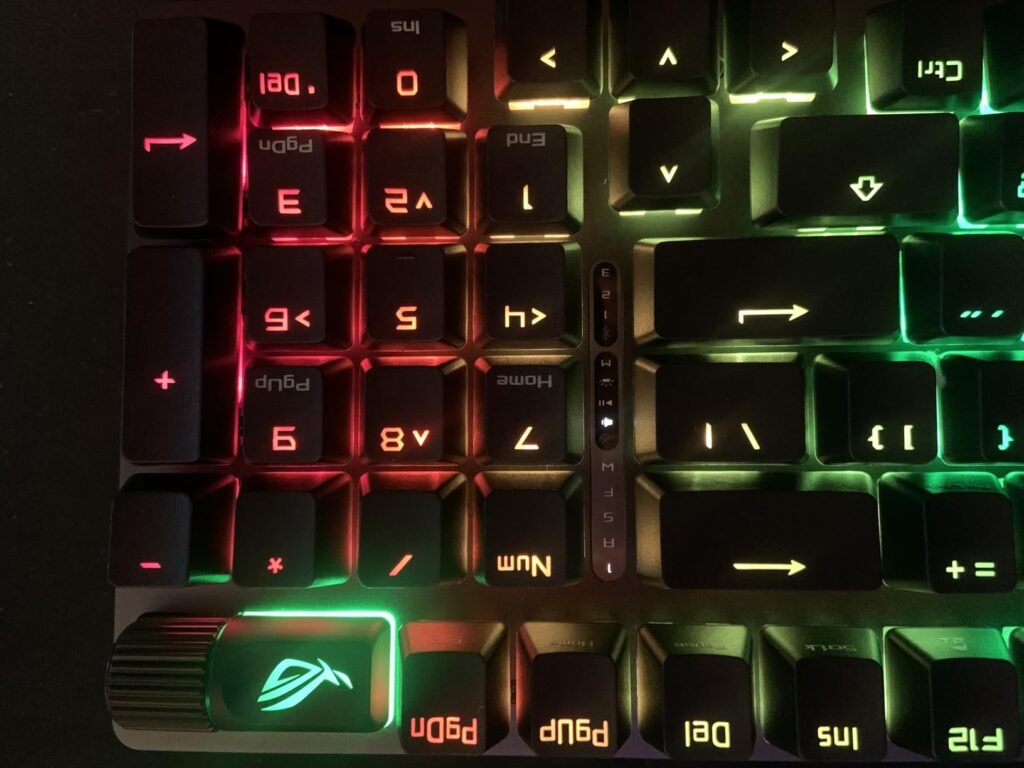
Daily convenience centers on its tri-mode wireless architecture and 4000mAh internal battery. You can link up to five separate devices across 2.4GHz wireless, Bluetooth 5.0, and wired USB-C, switching cleanly between a gaming PC, work laptop, tablet, or console. An upper-right rotary control knob handles dual duties: in gaming mode it adjusts RGB brightness and cycles through 16 lighting presets, while holding the dial for five seconds flips it into office mode for instant volume and play-pause media control. The side-engraved PBT keycaps resist finger oils and let the 16.8-million-color backlight glow cleanly toward the user.
Traditional gaming keyboards bolt a rigid metal plate directly into a hollow plastic shell, which amplifies switch bottom-out noise and feels stiff under your fingertips. By cutting individual flex slots into the PCB and packing five layers of dampening material around the plate, the F75 Pro absorbs harsh vibrations and softens the impact of long gaming or writing sessions.
There are a couple of practical nuances to keep in mind before ordering. If you sit very upright or do not touch-type, side-printed legends take a brief adjustment period compared to standard top-printed characters, and the missing numpad is less convenient for heavy spreadsheet entry. Even so, for shoppers seeking a wireless, hot-swappable mechanical keyboard with refined acoustics under seventy dollars, the AULA F75 Pro is one of the strongest pound-for-pound bargains on the market.
Users who rely on a dedicated number pad for daily data entry or prefer traditional top-printed keycap legends.
We may earn a commission when you buy through this link, at no additional cost to you.
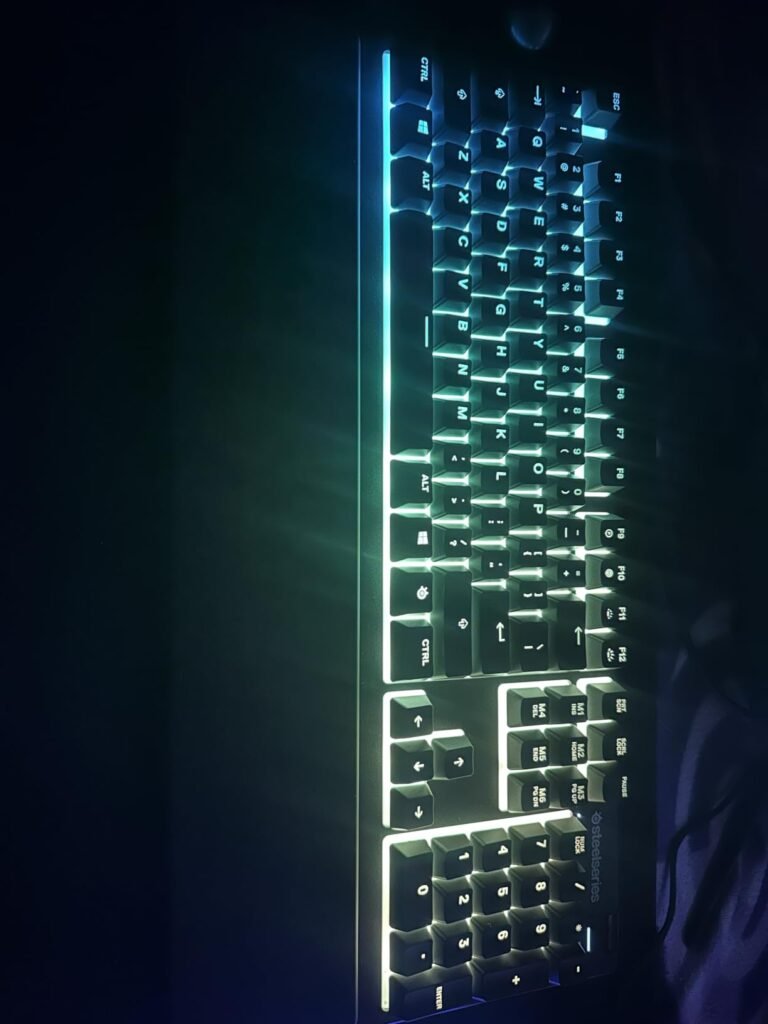
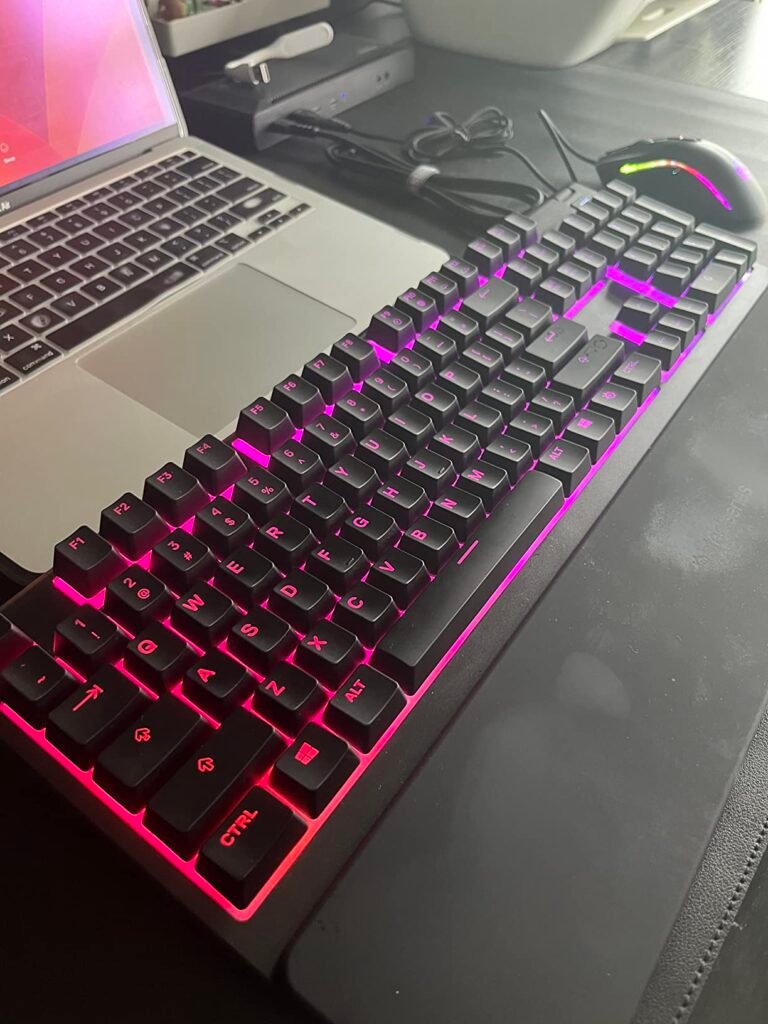
Not every player wants the sharp clack of mechanical switches echoing through a dorm room, shared apartment, or open voice-chat microphone. The SteelSeries Apex 3 is purpose-built for budget-conscious gamers who prioritize quiet operation, everyday durability, and ergonomic wrist comfort right out of the box. At an approachable entry price, it delivers the core look and convenience features of higher-end SteelSeries boards without forcing you to spend extra on accessories.
We may earn a commission when you buy through this link, at no additional cost to you.
Instead of loud metallic springs, the Apex 3 relies on low-friction whisper-quiet gaming switches rated for 20 million presses. The cushioned bottom-out keeps acoustic noise to a minimum during rapid WASD movement while providing consistent key registration across the full-size 104-key layout. Crucially, the chassis carries an IP32 rating for water and dust resistance, complete with internal drainage channels designed to route accidental coffee, soda, or water spills away from sensitive circuitry so a knocked-over mug does not ruin your setup.
Comfort and desktop control are standout strengths at this price point. SteelSeries includes a full-length magnetic wrist rest that attaches effortlessly to the front bezel, supporting your palms with a smooth, matte finish that stays comfortable during multi-hour sessions. In the top-right corner, a clickable metal volume roller and dedicated media button let you mute audio or skip tracks without alt-tabbing out of a full-screen match. Ten-zone PrismSync RGB lighting adds vibrant ambient underglow that can be customized through SteelSeries Engine software.
Many sub-sixty-dollar keyboards either omit a wrist rest entirely or attach a hollow plastic strip with thin tabs that snap off when you reposition the board. Having both a flush magnetic wrist rest and certified IP32 liquid protection makes the Apex 3 uniquely forgiving for busy desks where drinks and snacks are always within reach.
The primary trade-off is switch feel: if you crave the distinct tactile bump or instantaneous linear snap of a true mechanical or magnetic switch, the softer membrane cushion here will feel less surgical in high-level competitive shooters. Likewise, lighting enthusiasts should note that the 10-zone illumination cannot highlight individual hotkeys by color. For casual and everyday players who want a quiet, spill-resistant full-size keyboard with premium ergonomics at a budget price, however, the Apex 3 hits the mark.
Competitive esports players who demand crisp mechanical switch feedback or per-key RGB customization.
We may earn a commission when you buy through this link, at no additional cost to you.
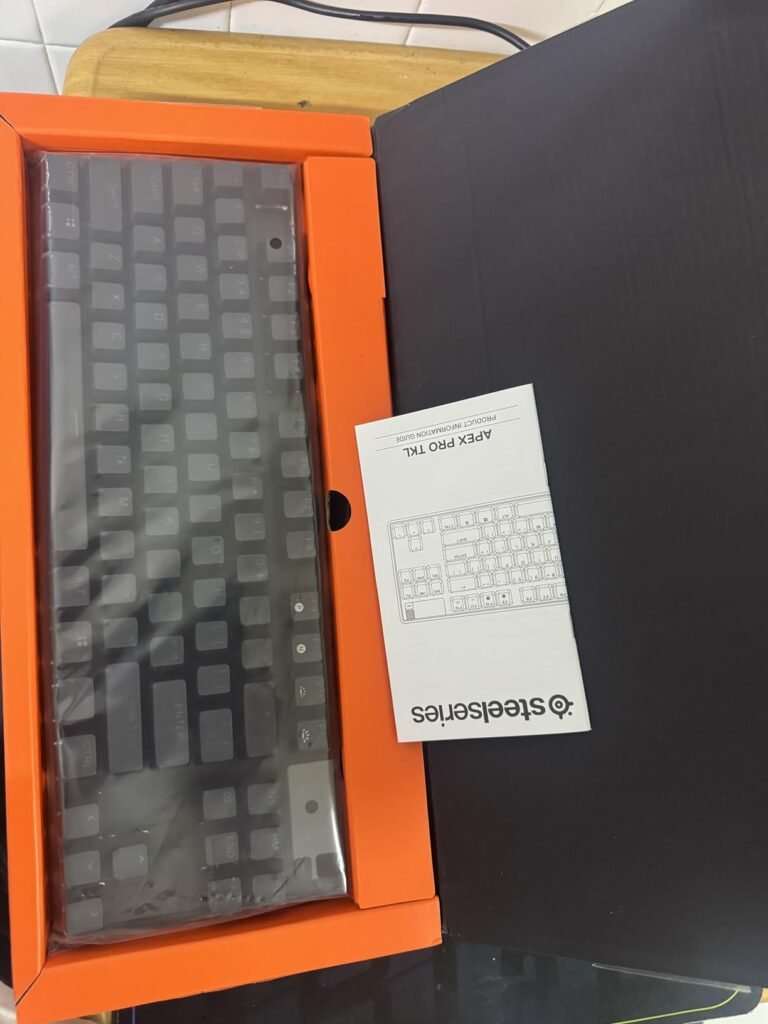
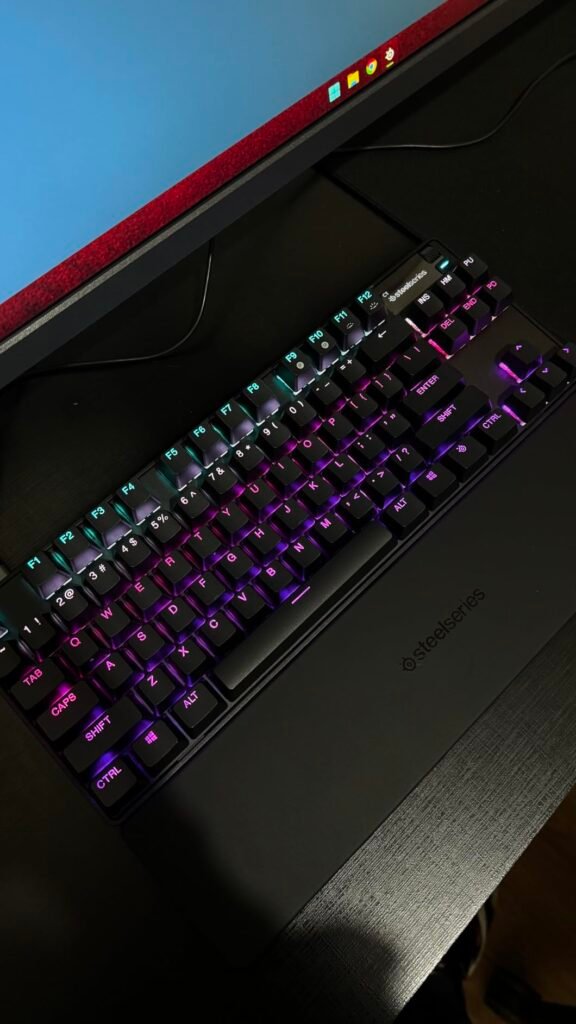
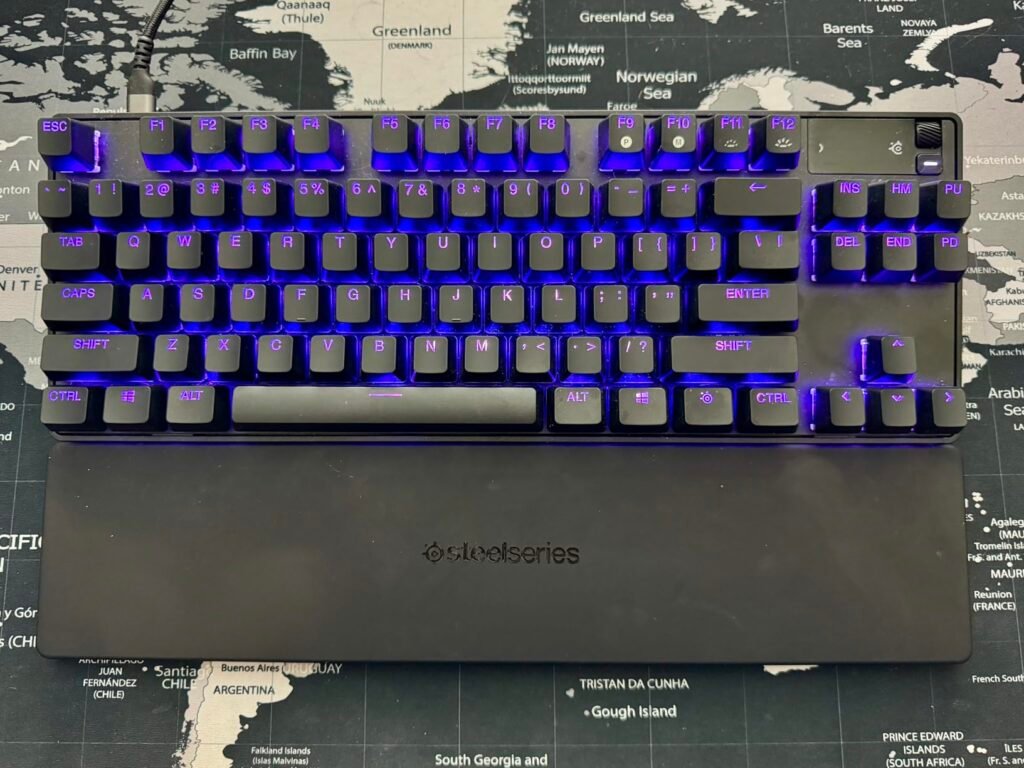
For serious competitive players who measure performance in milliseconds and pixel-tight peeks, the SteelSeries Apex Pro TKL Gen 3 sets the benchmark for modern analog magnetic keyboards. Constructed in a tournament-standard tenkeyless form factor, it eliminates the number pad completely so you can angle the board comfortably and sweep a low-DPI mouse across a broad mousepad without colliding with the chassis. Every element of its design targets maximum input speed and movement precision.
We may earn a commission when you buy through this link, at no additional cost to you.
The secret lies in SteelSeries’ OmniPoint 3.0 Hall Effect switches, which use magnetic sensors rather than physical metal leaves to detect key travel. With a smooth 45-gram bottom-out force, each switch can be tuned across 40 actuation levels ranging from a feather-light 0.1 millimeters for instant reaction commands to a deep 4.0 millimeters for deliberate typing. Even more transformative is Rapid Trigger, which eliminates fixed reset points so a key deactivates the exact fraction of a millimeter you begin lifting your finger, paired with Rapid Tap to register opposing A and D strafe inputs instantly.
What separates the Gen 3 iteration from earlier magnetic boards is how intelligently it tames ultra-high sensitivity. Setting WASD keys to 0.1mm often leads to accidental presses on neighboring keys during frantic firefights; SteelSeries solves this with Protection Mode, which automatically reduces the sensitivity of adjacent keys like Q, E, R, or F while you are moving so you never waste an ultimate ability by mistake. Furthermore, GG QuickSet automatically loads tailored actuation presets when you launch supported games, while the integrated OLED Smart Display lets you tweak settings directly onboard.
When actuation is set to 0.1mm or 0.2mm, merely brushing the corner of a neighboring key while strafing can trigger an unintended reload or ability cooldown. Protection Mode dynamically raises the actuation threshold of surrounding keys whenever your primary movement keys are held down, giving you hair-trigger movement without hair-trigger mistakes.
Be aware that certain competitive games disallow simultaneous opposing cardinal direction shortcuts like Rapid Tap in ranked queues, though you can toggle the feature off in seconds via the OLED screen or software while keeping Rapid Trigger active. At nearly two hundred dollars, its specialized capabilities are overkill for casual adventure games or office spreadsheets, but for competitive FPS and MOBA players seeking every mechanical edge available, the Apex Pro TKL Gen 3 is well worth the investment.
Casual gamers on a tight budget or office users who need a dedicated number pad.
We may earn a commission when you buy through this link, at no additional cost to you.
Many gamers love the unmistakable tactile snap and audible click of classic blue mechanical switches, yet want the cushioned smoothness and approachable price of a membrane design. The SteelSeries Apex 5 Hybrid bridges that gap while wrapping the entire experience in the premium aircraft-grade aluminum chassis, per-key RGB lighting, and OLED Smart Display normally reserved for SteelSeries' flagship models.
We may earn a commission when you buy through this link, at no additional cost to you.
Under each keycap sits a hybrid mechanical blue gaming switch rated for 20 million presses. Rather than relying solely on a rubber dome, the switch mechanism integrates a dedicated tactile click bar over a smooth membrane contact. The result is an assertive, unmistakable click at the actuation point that confirms every ability activation or keystroke without needing to mash the key all the way down, followed by a slightly softer landing than an all-metal switch.
Where the Apex 5 truly punches above its mid-range price is its hardware feature set. The exposed aircraft-grade aluminum alloy top plate gives the full-size deck exceptional heft and rigidity, serving as a reflective backdrop for dynamic per-key RGB illumination. In the upper right corner, the integrated OLED Smart Display and clickable metal roller let you view incoming Discord messages, monitor in-game health or ammo integrations, switch saved macro profiles onboard, or display personalized monochrome animations. A plush magnetic wrist rest snaps directly onto the front edge for full palm support.
Beyond decorative GIFs, the onboard OLED panel serves as a genuine heads-up utility screen. You can check which actuation or macro profile is active, adjust illumination brightness, or read who just joined your voice channel without ever minimizing a full-screen game.
Before choosing the Apex 5, make sure an audible clicky switch fits your environment. In a quiet bedroom at night or on an unmuted voice channel without noise suppression, these hybrid blue switches make their presence known. Additionally, because they are a specialized hybrid mechanism rather than standard mechanical sockets, you cannot swap the switches out down the road. If you enjoy crisp, clicky feedback and want flagship metal build quality with an OLED screen at a mid-tier price, the Apex 5 is an easy standout.
Players who need silent keystrokes for shared sleeping spaces or open-mic streaming setups.
We may earn a commission when you buy through this link, at no additional cost to you.
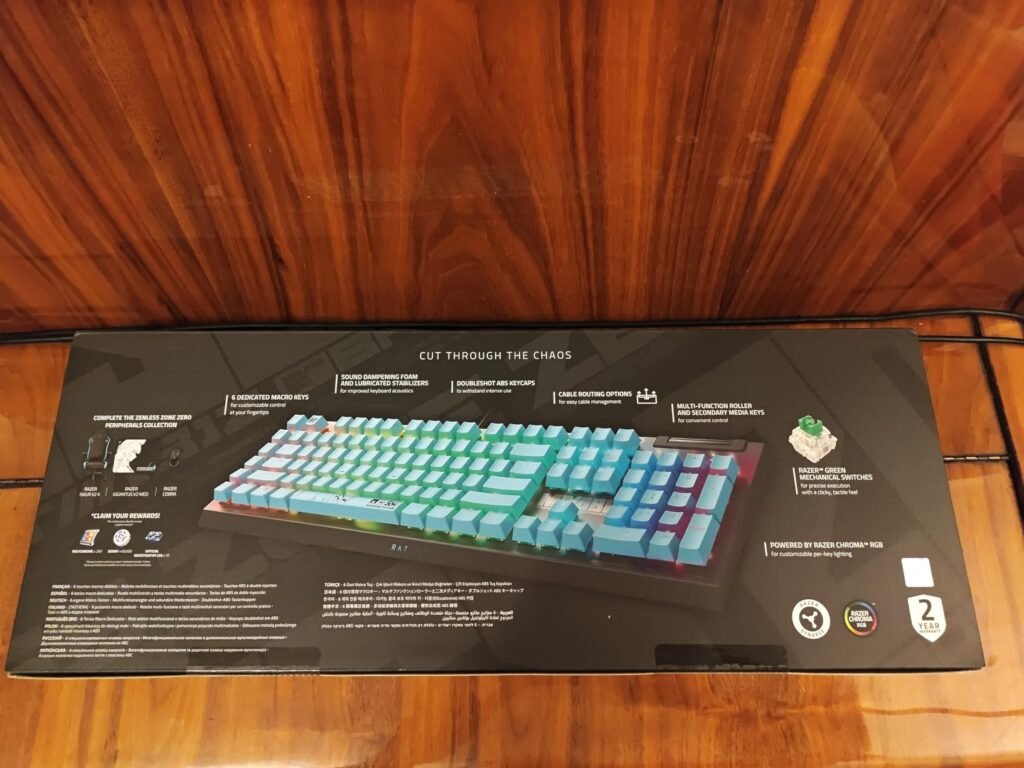
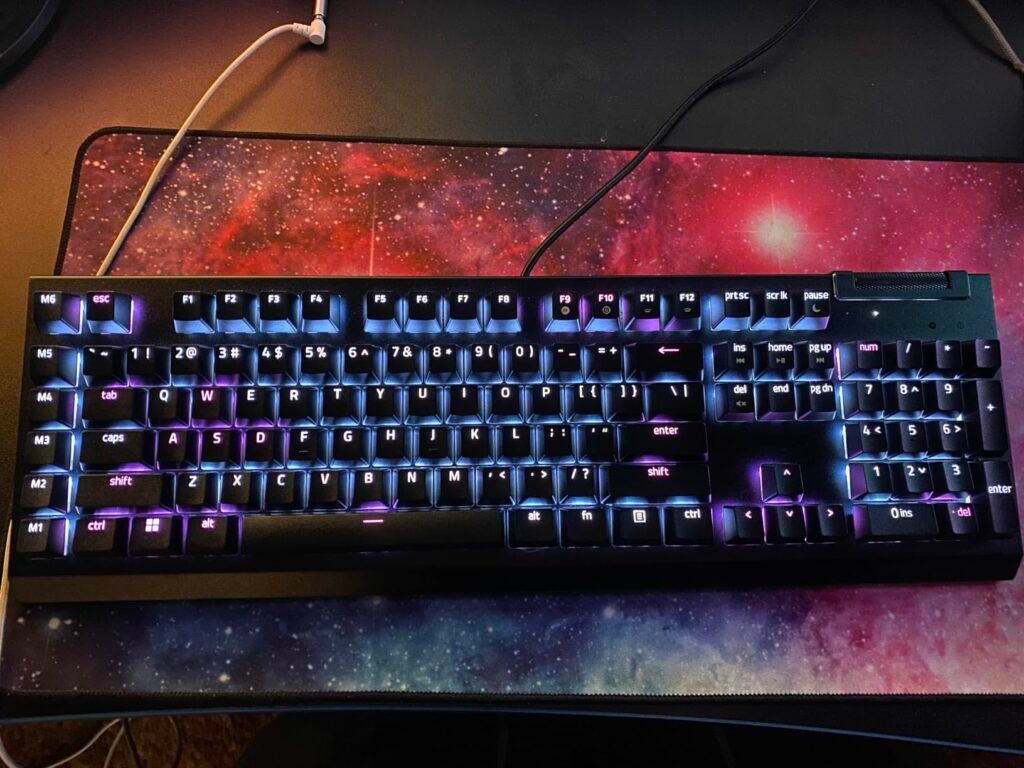
When you play MMOs, MOBAs, strategy titles, or manage a live stream while gaming, standard keyboard layouts quickly run out of easily reachable keybinds. The Razer BlackWidow V4 X is tailored specifically for command-heavy players who want an expanded arsenal of dedicated programmable macro keys combined with fast, dampened linear mechanical switches in a full-size battle-station layout.
We may earn a commission when you buy through this link, at no additional cost to you.
This configuration comes equipped with Razer Yellow mechanical switches, which are engineered for rapid-fire linear execution. Requiring just 45 grams of actuation force, these switches actuate at a shallow 1.2 millimeters with zero distance between the actuation and reset points, allowing you to spam abilities or double-tap movement keys effortlessly. Unlike older mechanical boards that sounded loud and clacky, Razer integrates internal sound dampeners inside the switch housing, a layer of acoustic foam beneath the PCB, and lubricated stabilizers to produce a noticeably cleaner, quieter sound profile.
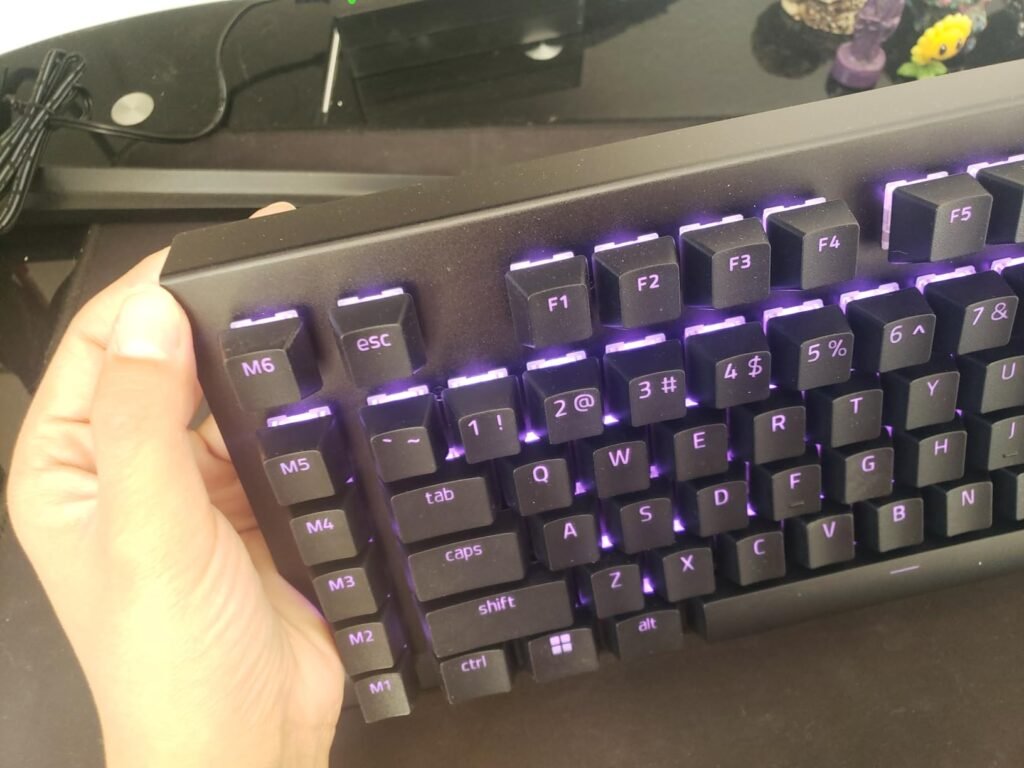
Along the far-left edge of the chassis sits a vertical column of six dedicated macro keys. Through Razer Synapse software, you can bind these keys to multi-step skill rotations, buy-menu scripts, push-to-talk toggles, or productivity shortcuts without overwriting your standard letter or function keys. Up top, a wide multi-function roller and secondary media keys let you pause playback, skip tracks, or fine-tune volume in an instant. Transparent switch housings amplify Razer Chroma per-key RGB lighting, syncing seamlessly across hundreds of Chroma-supported games.
On standard mechanical switches, the reset point sits slightly higher than the actuation point to prevent accidental double-presses while typing. By aligning both points at a shallow 1.2mm, Razer Yellow switches let you trigger repeated inputs with tiny finger movements, reducing finger fatigue in click-intensive RPGs and shooters.
There are two practical ergonomic trade-offs to consider. First, adding a dedicated macro column along the left border extends the overall width of the keyboard and shifts your subconscious reference point for the Escape and Control keys; most users need a few days of practice so their left pinkie stops hitting M1 or M6 by accident. Second, Razer does not include a wrist rest in the box, so pairing it with an aftermarket palm rest is wise for marathon sessions. For macro-focused gamers who love the Chroma ecosystem and fast linear switches, the BlackWidow V4 X delivers serious command density.
Gamers with narrow desks or minimalists who dislike an extra column of keys to the left of the standard Tab and Shift column.
We may earn a commission when you buy through this link, at no additional cost to you.
The Logitech G213 Prodigy is a dependable, no-nonsense full-size gaming and productivity keyboard built for shoppers who want a unified ergonomic footprint and straightforward Logitech G HUB integration at an entry-level price. Rather than chasing complex magnetic sensors or modular parts, it focuses on everyday comfort, liquid resistance, and dedicated media controls for family PCs, student desks, and casual gaming setups.
We may earn a commission when you buy through this link, at no additional cost to you.
Each key on the G213 is tuned to deliver crisp, responsive tactile feedback that feels snappier than a basic office membrane keyboard while keeping operating noise subdued. Beneath the keycaps, an anti-ghosting gaming matrix ensures that holding down multiple movement, sprint, and crouch keys simultaneously registers accurately without dropped inputs. Through Logitech G HUB software, you can assign custom macros across the 12 function keys and enable Game Mode to disable the Windows key during matches.
Ergonomics and durability are baked directly into the one-piece chassis. Because the palm rest is molded permanently into the lower bezel, it never shifts out of alignment or unclips when you slide the keyboard across your desk, and two-position tilt feet let you set a comfortable typing angle. The internal membrane barrier is engineered to repel accidental liquid spills, food crumbs, and everyday dust. Above the number pad, a full bank of dedicated media buttons gives you one-touch access to play, pause, mute, and volume adjustments.
While detachable magnetic rests can be set aside when you need space for a notebook or drawing tablet, a molded palm rest is always present. Make sure you have at least nine inches of clear depth between your monitor stand and the front edge of your desk for comfortable placement.
Before buying, measure the depth of your desk or slide-out keyboard tray. Because the integrated palm rest cannot be removed, the G213 requires more front-to-back clearance than tenkeyless or detachable-rest keyboards. Additionally, its five-zone RGB illumination offers pleasant ambient color matching with Logitech G mice, but cannot isolate single keys in different colors. If you have ample desk depth and want an affordable, easy-to-clean full-size board with built-in wrist support, the G213 Prodigy remains a practical workhorse.
Users with shallow desks or pull-out trays where a non-removable palm rest will hang over the edge.
We may earn a commission when you buy through this link, at no additional cost to you.
Not every PC gamer wants a desk glowing with neon rainbow lights or bogged down by background configuration utilities. The Logitech G413 SE is designed for shoppers who appreciate clean, understated industrial design and durable mechanical hardware that looks just as professional on a home-office video call as it does in an evening gaming session. It strips away flashy extras in favor of high-grade core materials at an accessible price.
We may earn a commission when you buy through this link, at no additional cost to you.
Whereas many sub-seventy-dollar mechanical keyboards cut corners with thin plastic frames and slick ABS keycaps that turn greasy within months, the G413 SE builds around a black-brushed aluminum-magnesium alloy top case and full PBT keycaps. The metal top plate gives the full-size 104-key frame impressive torsional rigidity, while the textured PBT keycaps stand up to heat, friction, and finger oils over years of daily typing. Underneath, tactile mechanical switches offer a clean, noticeable bump at the point of actuation without the piercing noise of clicky switches.
Simplicity defines the day-to-day user experience. Crisp white LEDs illuminate the key legends for effortless visibility in dim rooms, and you can cycle brightness levels or toggle lighting effects directly from the hardware. Twelve function-row shortcuts activated via the FN key handle volume adjustments, track skipping, play-pause, mute, and Windows key lock without requiring any driver installation. A 6-key rollover anti-ghosting matrix ensures that standard multi-key gaming combinations register cleanly.
Most entry-level keyboards use soft ABS plastic keycaps that quickly polish into smooth, slippery spots on frequently used keys like W, A, S, D, and Space. Polybutylene terephthalate, or PBT, is a denser, more crystalline polymer that preserves its dry matte texture and grip even after thousands of hours of use.
That stripped-back philosophy does carry clear boundaries. Because the G413 SE does not connect to Logitech G HUB, you cannot program complex software macros, remap standard keys, or change the backlight color away from white. There is also no included wrist rest or dedicated volume wheel. However, if you want a sturdy, minimalist full-size mechanical keyboard with genuine PBT keycaps and a brushed aluminum deck that simply works the moment you plug it in, the G413 SE is a refreshing choice.
Buyers who want RGB color effects, software macro programming, or hot-swappable switch sockets.
We may earn a commission when you buy through this link, at no additional cost to you.
Competitive shooter players who run low mouse sensitivities often angle their keyboards sharply across their desk to keep their arms close together and clear the right side of their mousepad. The SteelSeries Apex Pro Mini Gen 3 takes that philosophy to its purest form, packing the entire OmniPoint 3.0 Hall Effect magnetic switch suite into a tiny 60 percent chassis that occupies barely more desk space than a hardcover book.
We may earn a commission when you buy through this link, at no additional cost to you.
Despite its miniature footprint, there is zero compromise in switch speed compared to the larger TKL model. Every primary key uses SteelSeries’ latest OmniPoint 3.0 analog magnetic sensor, customizable across 40 actuation steps between 0.1mm and 4.0mm. With Rapid Trigger enabled, keys reset the exact instant you reduce downward finger pressure rather than waiting to pass a fixed mechanical reset threshold, while Rapid Tap snaps your character movement immediately to the most recently pressed directional key for razor-sharp strafing and peeking.
Just like its larger sibling, the Mini Gen 3 incorporates Protection Mode to tame ultra-shallow actuation settings. When your fingers are planted on WASD set to hair-trigger sensitivity, the keyboard intelligently raises the actuation depth of surrounding keys so an accidental brush against nearby ability binds never ruins a clutch round. GG QuickSet software streamlines configuration by loading game-ready competitive presets in a few clicks, and secondary function-layer legends are printed clearly on the keycap sides so you can still access F-keys, arrow controls, and media shortcuts.
Both Gen 3 boards share the exact same OmniPoint 3.0 magnetic switches, Rapid Trigger, Rapid Tap, and Protection Mode. Choose the 60 percent Mini if maximum mouse clearance and LAN portability are your top priorities; step up to the TKL if you regularly use dedicated arrow keys, function keys, or the onboard OLED screen.
Choosing a 60 percent keyboard requires honest reflection on how you use your PC outside of matches. Because physical arrow keys, Delete, Home, and the F1 through F12 row require holding down a modifier key, tasks like editing spreadsheets, coding, or playing complex simulation games with dozens of F-key binds are less convenient than on a TKL or 75 percent board. It also omits the onboard OLED screen to keep the bezel minimal. For tournament-focused FPS players who want elite Hall Effect responsiveness in the smallest footprint possible, the Apex Pro Mini Gen 3 is unmatched.
Users who frequently rely on dedicated arrow keys, standalone F-row keys, or a number pad for everyday work.
We may earn a commission when you buy through this link, at no additional cost to you.
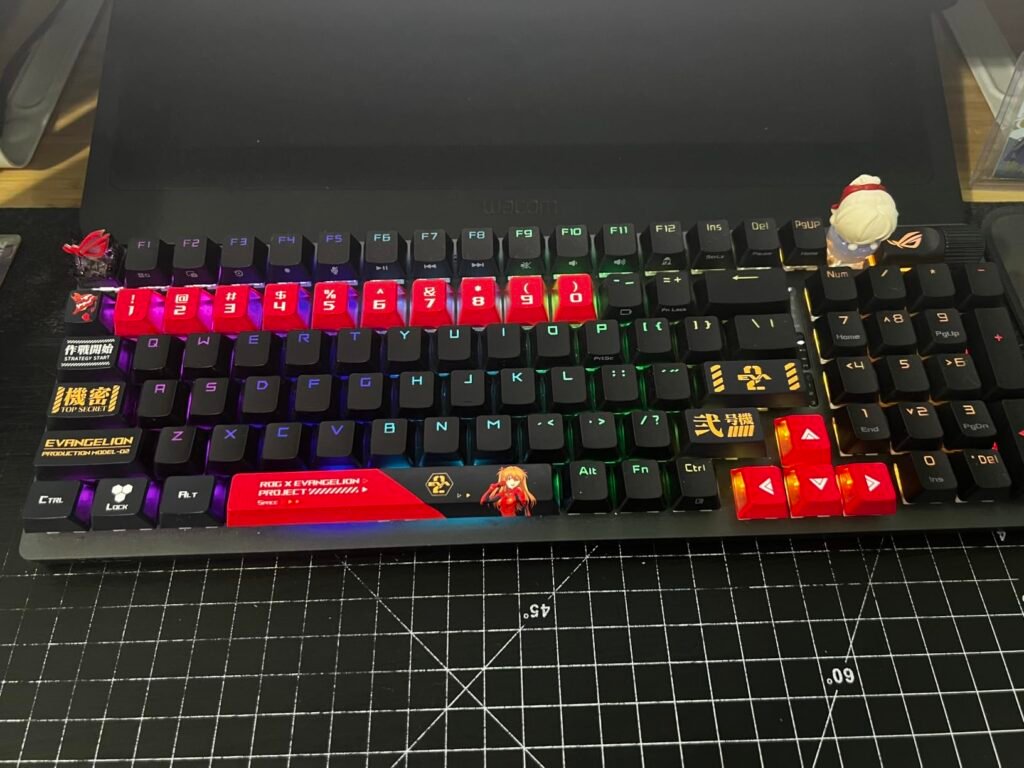
Shoppers hunting for a high-end wireless mechanical keyboard usually face a frustrating compromise: either give up the number pad to save desk width or settle for a bulky full-size board that drains its battery every few days. The ASUS ROG Strix Scope II 96 Wireless eliminates both headaches, squeezing a complete 96 percent key layout with a number pad into a frame that is just one centimeter wider than a traditional tenkeyless keyboard while delivering extraordinary wireless endurance.
We may earn a commission when you buy through this link, at no additional cost to you.
Typing and gaming feel refined right out of the box thanks to factory-lubricated ROG NX Snow linear switches and durable PBT doubleshot keycaps. ASUS lines the interior with integrated sound-dampening foam and adds dedicated switch-dampening pads underneath the switches to absorb metallic ping and case hollowness. The result is a smooth, deep keystroke with minimal stem wobble. Because the board is fully hot-swappable and ships with a 2-in-1 keycap and switch puller in the box, enthusiasts can easily tune or swap switches down the line.
Wireless performance is driven by ROG SpeedNova 2.4GHz technology, which maintains stable, low-latency polling while achieving up to 1,500 hours of battery life when RGB lighting is turned off. You can also pair up to three separate Bluetooth devices or plug in the USB cable for wired play across both PC and Mac systems. On the upper deck, a multi-function wheel and mode button control audio volume, media playback, and per-key RGB brightness, while pre-programmed F1 through F5 hotkeys trigger Xbox Game Bar recording and muting functions.
While per-key RGB lighting looks striking on the desktop, LED illumination is the single largest power draw on any wireless keyboard. Dimming the backlight to 50 percent or setting an automatic idle sleep timer allows the Scope II 96 to run for weeks or even months between charges over 2.4GHz wireless.
Long-session ergonomics are thoroughly addressed with three adjustable tilt angles and an included detachable wrist rest that cushions your palms without cluttering your desk when removed. The main caveat is ASUS’s Armoury Crate software suite, which offers deep macro programming and lighting sync but feels resource-heavy compared to minimalist utilities. For players and professionals who want a cable-free desk, a full numpad in a TKL-sized footprint, and plush factory-lubed linear switches, the ROG Strix Scope II 96 Wireless is a standout all-rounder.
Users who want lightweight driverless software or prefer wide physical separation around the arrow and numpad keys.
We may earn a commission when you buy through this link, at no additional cost to you.
Selecting the right keyboard comes down to matching switch physics, physical layout, and acoustic design to the games you play and how much desk space you have available. Here are the seven essential factors to weigh before you buy.
The switch mechanism beneath each keycap dictates how fast your inputs register, how the key feels under your fingers, and how much noise it makes in your room. Traditional mechanical switches—such as the pre-lubed LEOBOG Reaper switches in the AULA F75 Pro, the ROG NX Snow switches in the ASUS Strix Scope II 96, or the Razer Yellow switches in the BlackWidow V4 X—use a spring-loaded stem and physical metal contacts. Linear mechanical switches travel smoothly from top to bottom without a bump, making them popular for rapid double-tapping in action games, whereas tactile switches (like those on the Logitech G413 SE) include a noticeable mid-press bump that confirms actuation for accurate typing. Hybrid mechanical-membrane switches, found on the SteelSeries Apex 5, add a crisp audible click bar over a membrane dome for players who want loud, unmistakable feedback.
At the cutting edge of competitive play are Hall Effect analog magnetic switches, featured in the SteelSeries Apex Pro TKL Gen 3 and Apex Pro Mini Gen 3. Instead of physical metal leaves touching at a fixed depth, a Hall Effect sensor measures the exact magnetic flux of a magnet inside the switch stem throughout its entire four-millimeter travel. This eliminates physical contact bounce, allows you to customize the exact actuation depth from a feather-light 0.1mm to a deep 4.0mm per key, and enables dynamic reset features that mechanical contacts simply cannot replicate. Conversely, cushioned membrane and Mech-Dome boards like the SteelSeries Apex 3 and Logitech G213 Prodigy prioritize whisper-quiet operation and natural liquid barriers over razor-sharp mechanical actuation.
If your primary focus is ranked competitive shooters where movement timing decides rounds, prioritize a Hall Effect magnetic keyboard or a fast linear mechanical board. If you share a quiet room, stream with an open microphone, or worry about spilled drinks, a quiet linear mechanical board with internal foam or a spill-resistant membrane keyboard is a smarter everyday fit.
Keyboards are categorized by percentage sizes that reflect how many keys they retain compared to a traditional 104-key full-size layout. Full-size keyboards—including the Razer BlackWidow V4 X, SteelSeries Apex 3, SteelSeries Apex 5, Logitech G213, and Logitech G413 SE—keep a spacious number pad, dedicated navigation cluster, and full function row. While ideal for spreadsheets, accounting, and complex simulation binds, a full-size frame stretches roughly 17 to 18 inches wide, which forces right-handed gamers to place their mouse farther to the right or angle their shoulders uncomfortably.
To solve that ergonomic bottleneck without sacrificing utility, compact layouts trim away dead space. A 96 percent or 98 percent keyboard—like the Logitech G316 X 98 and ASUS ROG Strix Scope II 96 Wireless—retains the complete number pad and arrow keys while condensing the gaps between clusters, shrinking total width down to nearly the size of an 80 percent tenkeyless (TKL) board. True TKL and 75 percent keyboards, such as the SteelSeries Apex Pro TKL Gen 3 and AULA F75 Pro, drop the number pad entirely while preserving dedicated arrow keys and the F-row. At the smallest extreme, 60 percent boards like the SteelSeries Apex Pro Mini Gen 3 remove the arrow cluster, navigation block, and function row onto secondary FN layers to maximize open mousepad space.
Before choosing a size, check your mouse sensitivity and daily work habits. Low-DPI shooter players who make wide arm sweeps across a large mousepad will immediately benefit from a 60 percent, 75 percent, or TKL layout, while players who use a number pad daily for work should target a compact 96 or 98 percent design to get the best of both worlds.
Input responsiveness depends on two distinct metrics: how far your finger must push a key before the switch triggers (actuation distance) and how quickly the keyboard transmits that electrical signal to your computer (polling or report rate). Standard mechanical switches typically actuate around 1.8mm to 2.0mm of travel, while speed-oriented linear switches like the Razer Yellow cut that distance down to 1.2mm with zero reset hysteresis. Hall Effect switches on the SteelSeries Apex Pro Gen 3 line push this further by letting you set WASD movement keys as shallow as 0.1mm and pairing them with Rapid Trigger, which resets the key the instant you ease upward pressure rather than requiring the stem to travel back past a fixed reset point.
Once a switch triggers, the keyboard’s microcontroller reports the event to your PC over USB or wireless according to its polling rate. Most gaming keyboards operate at a 1000 Hz report rate, polling once every millisecond. High-speed competitive models like the Logitech G316 X 98 elevate this to an 8 kHz (8000 Hz) report rate, cutting the polling interval down to 0.125 milliseconds. Combined with features like SteelSeries’ Rapid Tap—which prioritizes the last key pressed when transitioning between opposing strafe directions—and Protection Mode to prevent accidental fat-fingered presses on adjacent keys, modern hardware significantly tightens the connection between hand motion and on-screen action.
Keep in mind that diminishing returns apply outside of fast-paced esports. Physical actuation customization and Rapid Trigger produce a much more noticeable difference in finger speed than jumping from 1000 Hz to 8000 Hz alone, so prioritize switch feel and actuation control first.
For years, mainstream gaming keyboards suffered from hollow plastic cases, dry unlubricated springs, and rigid top plates that produced a loud, metallic pinging sound every time a key bottomed out. Modern designs draw heavily from the custom keyboard community to transform both sound and typing comfort. Boards like the Logitech G316 X 98 use a gasket-mounted structure where the internal plate rests on compressible silicone gaskets rather than metal screws, isolating vibrations from the outer shell. Similarly, the AULA F75 Pro utilizes single-key PCB flex slots and five layers of internal sound-dampening foam and silicone, while the ASUS ROG Strix Scope II 96 and Razer BlackWidow V4 X integrate circuit-board dampening foam and factory-lubricated stabilizers to eliminate spacebar rattle.
Equally transformative for long-term ownership is a hot-swappable PCB, included on the AULA F75 Pro, Logitech G316 X 98, and ASUS ROG Strix Scope II 96 Wireless. On a traditional soldered keyboard, if a single switch starts chattering or failing after two years of heavy gaming, repairing it requires disassembling the case and desoldering joints. With hot-swap sockets, you simply pull the faulty switch straight out with a small clip tool and press a replacement switch into the socket in ten seconds. It also lets you mix switch types—such as putting heavier tactile switches on your Spacebar and Escape key while keeping light linear switches on WASD.
If you care about how your keyboard sounds during long typing sessions or want the freedom to repair and customize switches without buying a whole new board, put factory-lubed switches, internal dampening foam, and hot-swappable sockets near the top of your checklist.
Your fingertips never touch the switches directly; they spend every hour in contact with the keycaps. The two dominant plastics used in gaming keycaps are ABS (acrylonitrile butadiene styrene) and PBT (polybutylene terephthalate). Standard ABS plastic is inexpensive and molds easily into smooth shapes with vibrant RGB shine-through legends, and thicker doubleshot ABS sets—like those on the Razer BlackWidow V4 X—mold the character legend as a separate piece of plastic so the lettering can never rub off. However, ABS is softer and reacts with skin oils over time, gradually developing a slick, glossy shine on heavily used keys.
PBT keycaps, featured on the Logitech G316 X 98, Logitech G413 SE, ASUS ROG Strix Scope II 96, and AULA F75 Pro, are denser, harder, and far more resistant to heat and friction. They feature a dry, lightly textured matte finish that maintains consistent fingertip grip even during sweaty summer matches and resists shiny wear spots for years. Pay attention to legend placement as well: standard top-printed doubleshot PBT caps maximize overhead readability, whereas side-printed PBT keycaps like those on the AULA F75 Pro create a sleek minimalist top surface and aim the RGB glow directly toward the person sitting at the desk.
Whenever your budget allows, choosing a keyboard equipped with factory PBT keycaps saves you thirty to forty dollars on aftermarket replacement keycaps later on and keeps the board looking and feeling fresh far longer.
Deciding between a wired cable and tri-mode wireless connectivity comes down to how you organize your desk and how many devices you use daily. A dedicated wired USB connection—used on models like the Logitech G316 X 98, SteelSeries Apex Pro Gen 3 series, and Razer BlackWidow V4 X—never requires charging, supports high-power features like continuous 8 kHz polling and bright per-key RGB without battery anxiety, and keeps total weight and cost lower. If your keyboard sits permanently in front of a single desktop PC, a clean routed cable remains effortless and reliable.
Tri-mode wireless keyboards—represented here by the AULA F75 Pro Wireless and ASUS ROG Strix Scope II 96 Wireless—offer three distinct connection paths in one chassis: a low-latency 2.4GHz wireless USB dongle for gaming, multi-host Bluetooth 5.0 for laptops, tablets, or phones, and a USB-C cable for simultaneous wired play and recharging. Modern 2.4GHz protocols like ASUS ROG SpeedNova deliver wireless response times indistinguishable from a wire to human reflexes while achieving up to 1,500 hours of runtime with lighting turned off. Being able to tap a shortcut key to switch your keyboard from your gaming desktop to a work laptop eliminates cable clutter entirely.
If you share a single desk between a personal gaming rig and a work-from-home laptop, or frequently clear your desk for projects, invest in a tri-mode wireless model with at least a 4000mAh battery or high-efficiency wireless transceiver.
Tall mechanical and membrane keyboards can force your wrists into an upward extension angle if your hands rest flat on a hard desk surface. Including a wrist rest dramatically reduces tendon strain during multi-hour sessions. Detachable magnetic or plush rests—bundled with the SteelSeries Apex 3, SteelSeries Apex 5, and ASUS ROG Strix Scope II 96—give you the flexibility to snap support in place for typing or remove it when angling the keyboard for shooters. By contrast, the Logitech G213 Prodigy builds an integrated palm rest directly into the frame, while compact boards like the AULA F75 Pro or Logitech G316 X 98 allow you to pair any third-party cushioned rest of your choosing.
Equally practical in daily use are dedicated hardware controls. Rotary volume knobs, knurled media rollers, and interactive mini-screens—such as the OLED Smart Display on the SteelSeries Apex Pro TKL Gen 3 and Apex 5, or the LED dot-matrix screen and dial on the Logitech G316 X 98—let you adjust audio levels, mute music, change polling rates, or switch actuation profiles without minimizing your game. When evaluating companion software like Logitech G HUB, SteelSeries GG, Razer Synapse, or ASUS Armoury Crate, look for onboard memory support so your custom keybinds and lighting profiles remain saved on the keyboard itself even when you close the background app.
Prioritize a physical volume dial or roller if you frequently adjust game audio and voice chat on the fly, and make sure to budget for a wrist rest if your chosen mechanical keyboard has a tall front bezel.
Getting the best performance out of a new gaming keyboard starts with ergonomic placement and thoughtful actuation or polling configuration. Position your keyboard so your elbows rest near a 90-degree angle and use the flip-out tilt feet conservatively; a flatter angle combined with a palm rest keeps your wrists neutral rather than bent upward. If your board features adjustable Hall Effect switches like the SteelSeries Apex Pro Gen 3 series, avoid setting every single key to 0.1mm right away—instead, configure movement keys (W, A, S, D) to a shallow distance with Rapid Trigger enabled, keep surrounding utility keys slightly deeper or activate Protection Mode to prevent misclicks, and save a second onboard profile with standard 1.8mm to 2.0mm actuation for everyday typing. Similarly, if using an 8 kHz board like the Logitech G316 X 98, plug the USB cable directly into a motherboard rear port rather than an unpowered monitor hub to ensure clean signal delivery.
Routine cleaning keeps switches feeling crisp and prevents sticky keys caused by dust, hair, and snack crumbs. Once a week, turn the keyboard upside down or use compressed air to blow debris out from between the switch housings, then wipe the keycap tops with a slightly damp microfiber cloth. Every few months on mechanical boards, use a wire keycap puller—like the 2-in-1 tool included with the ASUS ROG Strix Scope II 96—to gently lift the keycaps straight up without twisting the switch stems. Soak removable PBT or ABS keycaps in warm water with a drop of mild dish soap, rinse thoroughly, and let them air-dry completely overnight before pressing them back onto the stems. Even on IP32 water-resistant boards like the SteelSeries Apex 3, never submerge the keyboard chassis or spray liquid cleaners directly into live switches.
For tri-mode wireless keyboards and hot-swappable builds, a few simple habits significantly extend hardware lifespan. To preserve lithium-ion battery capacity on models like the AULA F75 Pro or ROG Strix Scope II 96, recharge via a standard computer USB port rather than a high-wattage phone fast-charger, and enable an automatic 3-to-5-minute LED sleep timer so backlighting does not drain the battery while you step away from your desk. When swapping mechanical switches on a hot-swap PCB, always check that the two thin metal contact pins on the bottom of the new switch are perfectly straight before pressing it straight down into the socket; forcing a bent pin can push the hot-swap socket loose from the circuit board.
For fast-paced competitive shooters and rhythm games, Hall Effect magnetic switches provide a measurable advantage because they use magnetic sensors to enable adjustable actuation from 0.1mm to 4.0mm and dynamic Rapid Trigger resets. Instead of waiting for a key to travel past a fixed mechanical reset point before you can press it again, the key resets the exact instant your finger moves upward. However, for general RPGs, strategy games, and heavy daily typing, a well-dampened, factory-lubed mechanical keyboard often delivers a more satisfying acoustic sound and tactile feel for considerably less money.
A 96% or 98% keyboard—such as the Logitech G316 X 98 or ASUS ROG Strix Scope II 96—retains a complete number pad along the right side while condensing the empty spacing around the arrow and navigation keys, making it roughly as compact as an 80% tenkeyless (TKL) board. A TKL keyboard removes the number pad completely while keeping standard spacing around the arrow cluster and six-key navigation block. A 75% keyboard like the AULA F75 Pro goes one step smaller by removing the number pad and tucking the arrow keys and navigation column directly against the main typing block, giving you maximum mouse space while still keeping a dedicated function row.
An 8 kHz (8000 Hz) polling rate reports inputs to your PC every 0.125 milliseconds compared to once every 1.0 millisecond on a standard 1000 Hz keyboard. While the sub-millisecond reduction in input latency is subtle on its own, competitive players using high-refresh-rate 240 Hz or 360 Hz monitors appreciate how consistently key inputs align with frame pacing during rapid movement. Because 8 kHz polling uses slightly more CPU interrupt processing, most keyboards let you toggle smoothly between 1000 Hz for everyday work and 8000 Hz for competitive matches.
Modern 2.4GHz wireless gaming connections—especially low-latency implementations like ASUS ROG SpeedNova—deliver 1000 Hz polling with response times that are virtually indistinguishable from a wired USB connection. By contrast, Bluetooth connections have higher latency and lower polling rates, making Bluetooth great for tablets and office work but less ideal for twitch shooters. When using a 2.4GHz wireless keyboard, simply place the USB receiver close to your desk using the included extender dongle to prevent wireless interference from your PC tower.
A hot-swappable keyboard features modular metal sockets on its internal circuit board rather than permanently soldered switches. This allows you to pull switches straight out with a small extractor tool and push new mechanical switches in without ever touching a soldering iron. If a single key ever stops registering properly or if you decide you want quiet tactile switches instead of linear ones, you can replace one switch or the entire board in minutes.
Linear switches (such as Razer Yellow, ROG NX Snow, or LEOBOG Reaper) move straight down smoothly with no bump or click, making them quiet and fast for repeated gaming inputs. Tactile switches (found on the Logitech G413 SE) include a subtle physical bump mid-way through the keystroke so your fingers feel exactly when a character registers, which many typists prefer to reduce typos. Clicky switches (such as the hybrid blue switches on the SteelSeries Apex 5) add a sharp, audible click sound alongside the tactile bump, offering maximum feedback at the cost of much louder room noise.
PBT is a denser, harder plastic than standard ABS, giving keycaps a dry, lightly textured matte surface that resists heat, wear, and skin oils. While thin ABS keycaps frequently develop permanent glossy, slippery shine spots on the WASD and Spacebar keys after several months of daily play, double-shot PBT keycaps retain their grip and clean appearance for years. Double-shot molding also ensures the letters are formed from a second layer of plastic that can never fade or scratch off.
Most wired and 2.4GHz wireless USB keyboards support basic plug-and-play typing and supported keyboard-and-mouse games on PS4, PS5, and Xbox Series X/S consoles, with boards like the SteelSeries Apex 3 and AULA F75 Pro explicitly highlighting console compatibility. Similarly, models like the ASUS ROG Strix Scope II 96 Wireless include dedicated Mac support and key legends. Keep in mind that advanced companion software—like G HUB, Synapse, or Armoury Crate—runs on PC or Mac, so you should save your lighting and key profiles to the keyboard's onboard memory before plugging it into a console.
Features like Rapid Trigger—which resets a single key dynamically as you lift your finger—are widely accepted across competitive shooters. However, simultaneous opposing cardinal direction (SOCD) shortcuts such as Rapid Tap, which automatically cancels an held strafe key when the opposite strafe key is pressed, are restricted by certain competitive titles and tournament rulebooks. Fortunately, SteelSeries makes it easy to toggle Rapid Tap off individually via the onboard OLED menu or GG software while keeping Rapid Trigger and custom actuation points enabled.
For most players seeking a single board that excels at both competitive play and daily desktop work, the Logitech G316 X 98 stands out as our top overall recommendation. By pairing a true 8 kHz report rate and hot-swappable linear switches with a gasket-mounted internal structure, double-shot PBT keycaps, an onboard LED dot-matrix control screen, and a space-saving 98 percent numpad layout, it delivers flagship speed and refined acoustics at a remarkably accessible price.
Different desk setups and playstyles call for specialized alternatives. Competitive FPS players chasing the fastest movement mechanics available should look directly to the SteelSeries Apex Pro TKL Gen 3—or the ultra-compact 60 percent Apex Pro Mini Gen 3—for OmniPoint 3.0 Hall Effect switches, Rapid Trigger, and Protection Mode. If you want custom-style acoustics and tri-mode wireless freedom on a tight budget, the AULA F75 Pro Wireless is an exceptional value under seventy dollars, while the ASUS ROG Strix Scope II 96 Wireless is the premier choice for users who want a full number pad and up to 1,500 hours of wireless endurance. Meanwhile, the SteelSeries Apex 3 remains the smartest budget pick for quiet, spill-resistant gaming.
Before making your final choice, start by deciding whether you truly use a number pad every day; dropping down to a 75 percent, TKL, or 96/98 percent layout is the easiest way to improve mouse comfort immediately. Next, match your switch type to your room environment—choosing Hall Effect or dampened linear switches for fast, quiet precision, or tactile and hybrid clicky switches if you prefer distinct physical feedback under every keystroke.